Strip Designer

Strip Designer

Scarica su App Store
Logo di Strip Designer

Strip Designer: Trasforma le tue foto in fumetti professionali

La suite creativa definitiva con acquisto singolo per genitori ed educatori. Nessun abbonamento, nessun costo nascosto: solo potenti strumenti per creare, stampare e condividere le tue storie.

Editore

Jens Egeblad

Categoria

Photo & Video

Download

414K+

Valutazione

4.2/5

Valutazioni totali

1K+

Lingue

1

Dalle foto ai capolavori

Scopri l'interfaccia usata da 414K+ utenti.
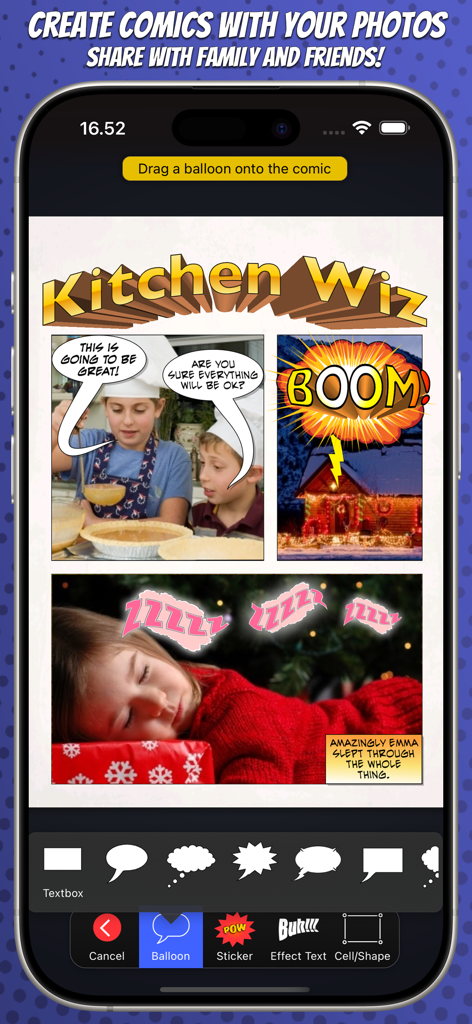
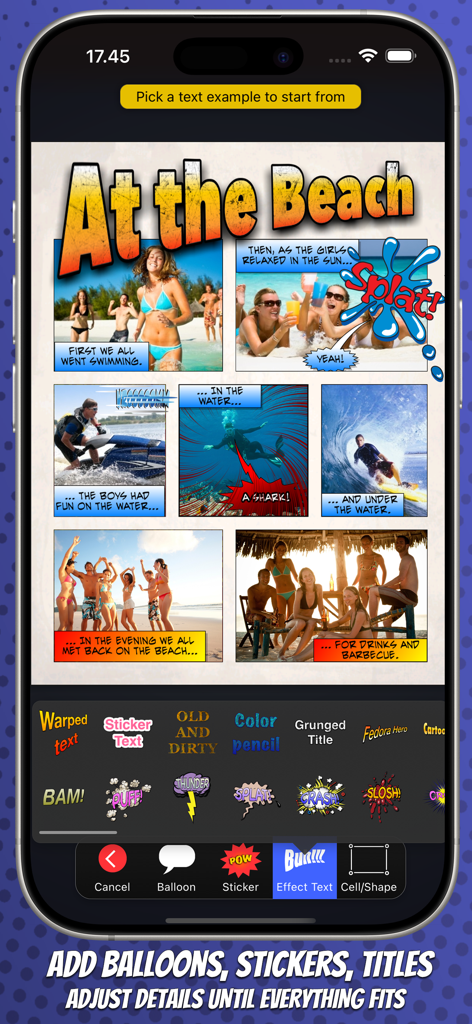
Interfaccia dell'app Strip Designer che mostra un layout di fumetto con foto, fumetti e strumenti di modifica

Interfaccia dell'app Strip Designer che mostra un layout di fumetto con foto, fumetti e strumenti di modifica

App Strip Designer che mostra una foto a tema spiaggia, fumetto con strumenti di modifica

App Strip Designer che mostra una foto a tema spiaggia, fumetto con strumenti di modifica

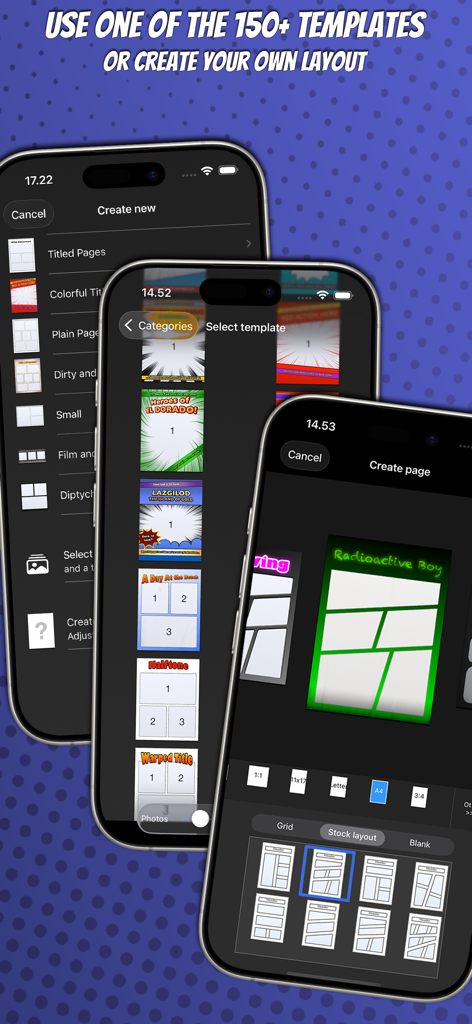
Interfaccia dell'app mobile Strip Designer che mostra vari modelli di pagina di fumetti e opzioni di selezione del layout personalizzato

Interfaccia dell'app mobile Strip Designer che mostra vari modelli di pagina di fumetti e opzioni di selezione del layout personalizzato

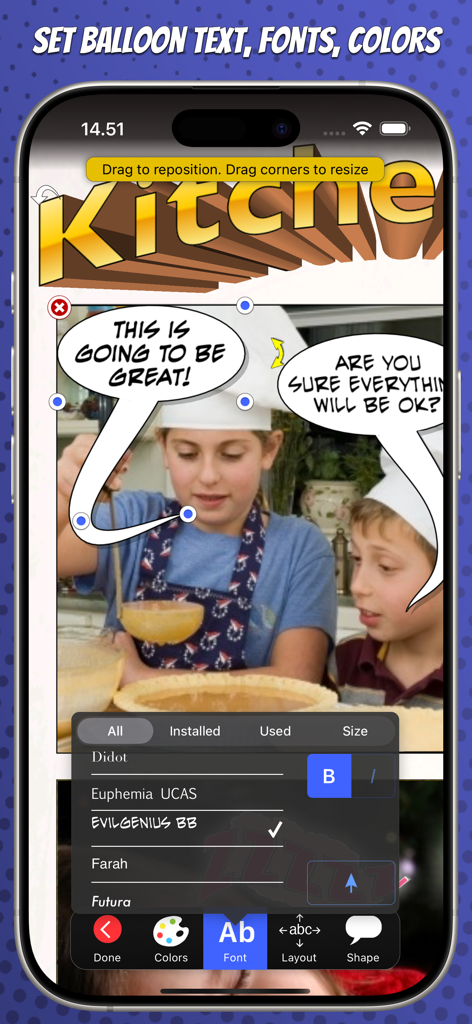
Un'interfaccia mobile per Strip Designer che mostra la modifica di font per fumetti e fumetti vocali su una foto di bambini in cucina.

Un'interfaccia mobile per Strip Designer che mostra la modifica di font per fumetti e fumetti vocali su una foto di bambini in cucina.

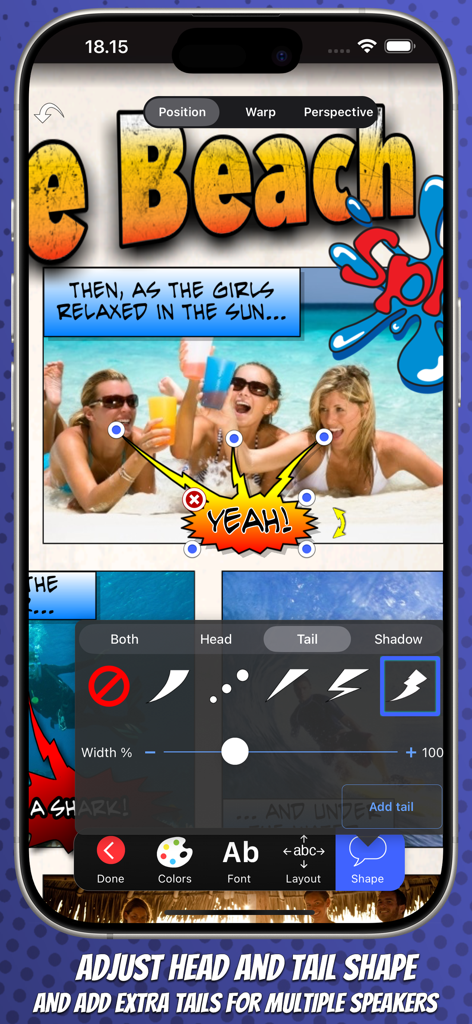
Regolazione delle forme delle code dei fumetti vocali e aggiunta di più code nell'app Strip Designer

Regolazione delle forme delle code dei fumetti vocali e aggiunta di più code nell'app Strip Designer

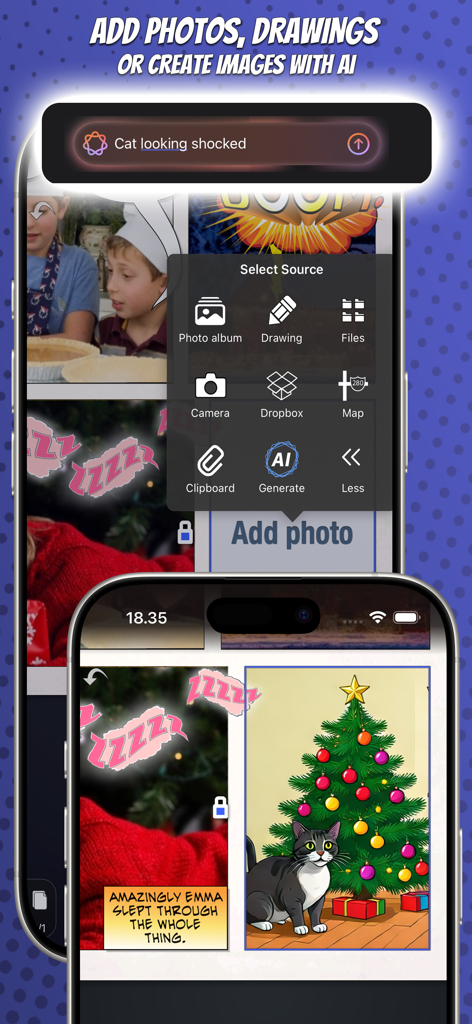
Interfaccia dell'app Strip Designer per la creazione di fumetti con immagini e foto generate dall'IA

Interfaccia dell'app Strip Designer per la creazione di fumetti con immagini e foto generate dall'IA

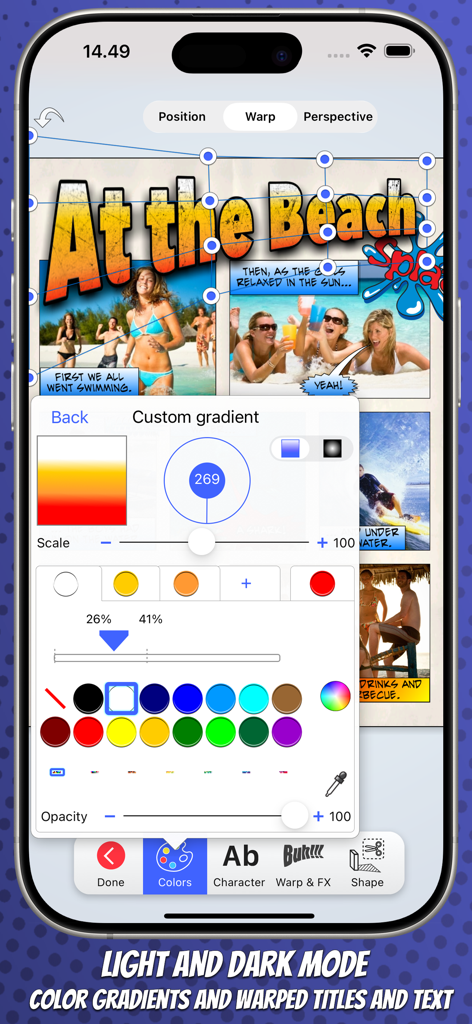
Interfaccia dell'app mobile Strip Designer che mostra strumenti di modifica del testo personalizzato con sfumature e testo distorto per una striscia a fumetti

Interfaccia dell'app mobile Strip Designer che mostra strumenti di modifica del testo personalizzato con sfumature e testo distorto per una striscia a fumetti

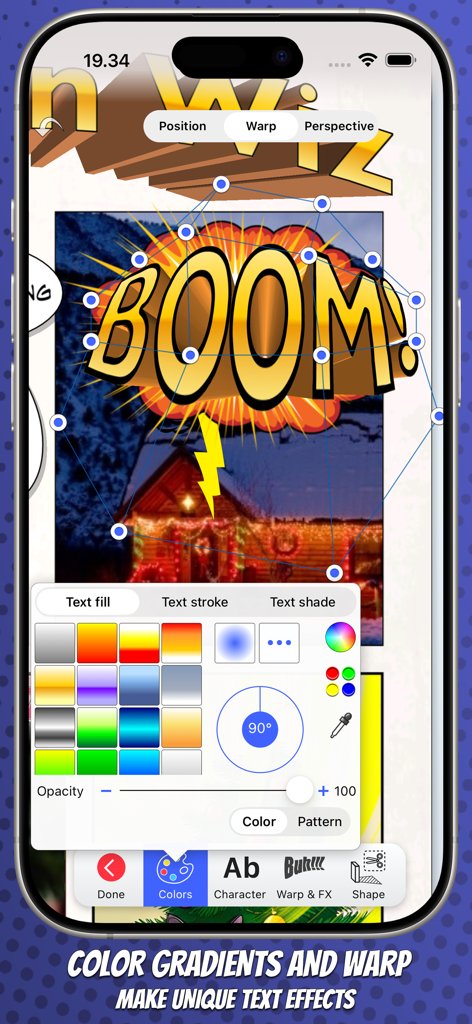
L'app Strip Designer mostra gli strumenti di distorsione del testo 3D e sfumature di colore per creare un effetto 'boom' per fumetti

L'app Strip Designer mostra gli strumenti di distorsione del testo 3D e sfumature di colore per creare un effetto 'boom' per fumetti

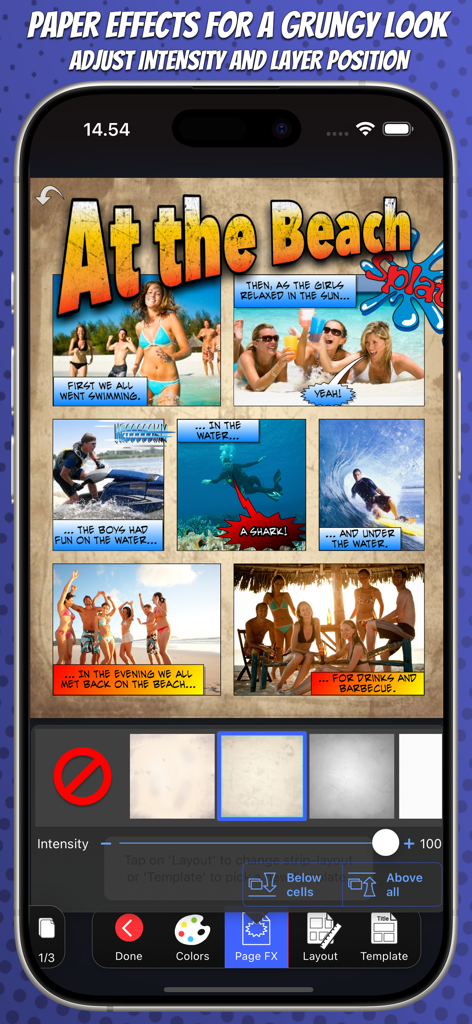
L'app Strip Designer mostra una striscia a fumetti a tema spiaggia con effetti di texture di carta grunge applicati

L'app Strip Designer mostra una striscia a fumetti a tema spiaggia con effetti di texture di carta grunge applicati

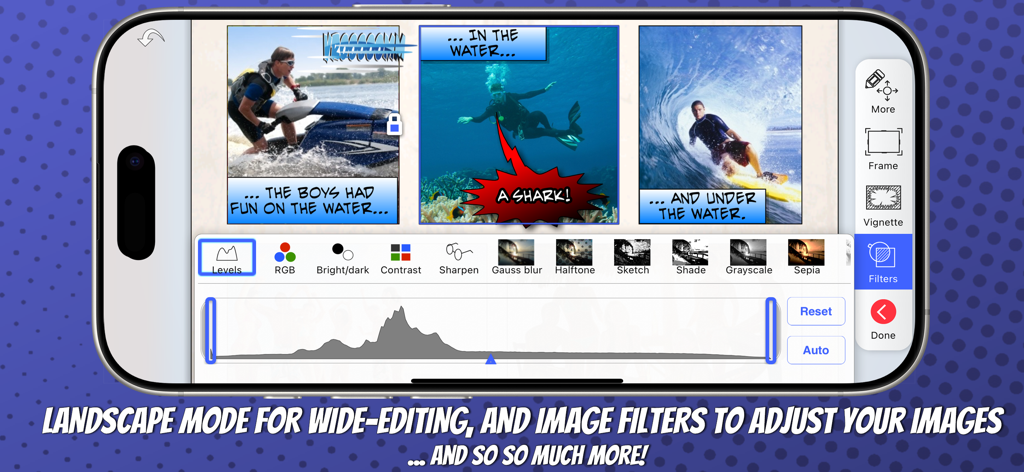
Smartphone che mostra la creazione di fumetti in modalità orizzontale con regolazioni dei filtri immagine

Smartphone che mostra la creazione di fumetti in modalità orizzontale con regolazioni dei filtri immagine

Strumenti potenti per ogni narratore

Gli strumenti che rendono questa app unica, scelti da 414K+ utenti.

💎

Un prezzo, accesso totale

Liberati dalla fatica degli abbonamenti. Ogni layout, font e adesivo è incluso dal primo giorno: nessun costo nascosto o acquisto in-app richiesto.

🎨

Personalizzazione di livello professionale

Vai oltre i filtri di base con scritte 3D distorte, mascheramento avanzato delle foto e oltre 100 modelli di pagina professionali per un look veramente unico.

🎓

Perfetto per casa e scuola

Apprezzato dagli educatori per progetti in classe e dai genitori per lo scrapbooking digitale, con supporto completo per MDM, esportazione PDF e sincronizzazione iCloud.

Info sull'app

Tutto quello che devi sapere su Strip Designer.

Descrizione

Create amazing comic books with your photos and share with friends and family. Tell exciting stories with balloons, stickers, drawings, and warped 3D lettering. Strip Designer offers the complete comic creation experience on iOS and macOS. And no in-app purchases -- Everything is included! You'll begin by selecting one of the many included comic book page templates or create your own custom layout. Next, you'll add photos from the camera, your album, or create a drawing. Apply filters, or even paint on and mask your photos for atmosphere, style and retouching. Add balloons and text anywhere you want and in any direction and size. Play with the colors and fonts until you get the perfect look. Add stickers like "Boom", "Splash", or "Bang" to spice up the action -- Even create your own library using photos from your photo-album and the built-in masking and drawing tools. Use 3D warped text with thick borders and gradient color-fill to give your comic the extra super-hero feel. Download and add additional free fonts easily within the app, to give your text a unique look! While you work, you can freely pan and zoom to control even tiny details. Once you have finished your masterpiece you can save it to your photo album or share it with your friends. Use PDF to share entire comic books in high-quality. -- All from within Strip Designer. Key Features: • More than a 100 page templates with 1 to 9 photo cells • Multipage books • Create your own panel layout with up-to 12 cells or use one of the standard layouts • Many balloon types with customizable tails and heads • Balloons can have multiple tails and be combined • Flexible text options with per-letter colors and fonts • Adjust ballon size, rotation, color, and transparency • Add text (3D, warped, and perspective) for a superhero vibe • Use any iOS font or install additional fonts for unique touch • More than 150 stickers to insert for additional impact • Page effects to give your pages old look • Dropbox and WebDAV download/upload support • Export to PDF to create real comic books • Import PDFs (for both cells and custom stickers) • Control scale, position, and rotation of photos • Integrated drawing and masking tools to create your own drawings, paint on photos, or make your own stickers • Auto mask and feather photos (to remove background) • Many different cell styles • Photo filters • Fluidly pan and zoom to manage even the smallest details • Insert maps for additional context • iCloud sync across devices • Support for iOS's third party document providers • Layers view to lock or reorder layers • Shared iPad (for education) setup through MDM configuration No in-app purchases -- Everything is included! - What the reviewers say - "Strip Designer is worth every penny it costs, and then some. I would pay a couple more bucks for Lifestrips. It's stable, it's easy, it's fun, and for all that I couldn't come up with anything witty for my comic text, I love the look of my comics. Someone with a better imagination than I apparently have could really do fabulous things with this app. I rate it a solid five stars out of five.", Pamela Flora, iPhoneography - - - - - - - - - - - - - - "We were simply blown away by this application and the detail that has gone into the editing options and templates. We enjoyed the fact that a comic can be created very easily with photos and simple text effects, however there is real opportunities to really drill down into the editing options where the user can explore the apps true potential. There are many comic strip applications available on the Appstore but this is by far one of the best and great value for money. This app comes highly recommended by The Educational Appstore.", - See more at: http://www.educationalappstore.com/app/strip-designer#sthash.2KqjbU5Q.dpuf" --------------------------

Ultima versione

1.25.8

Dimensione

97.4 MB

Data di lancio

17 mag 2009

Inizia oggi la tua avventura creativa

Un unico acquisto per tutto. Nessun abbonamento, nessun acquisto in-app: solo narrazione senza fine per te e la tua famiglia.

Scarica su App Store

App information, icons, screenshots, and descriptions displayed on this page are sourced from the Apple App Store and are the property of their respective developers. Download estimates and rankings are based on MWM's proprietary models and may not reflect actual figures. This page is provided for informational and analytical purposes only.

Believe this page infringes your intellectual property? File a dispute