Tattoo Print System

Tattoo Print System

Scarica su App Store
Logo di Tattoo Print System

Sistema di Stampa Tatuaggi: Preparazione Stencil di Precisione per l'Artista Moderno

Smetti di perdere tempo con tracciamenti e tiling manuali. Genera contorni nitidi, automatizza design multi-pagina su larga scala e ottieni proporzioni perfette direttamente dal tuo iPad per gli stencil più accurati della tua carriera.

Editore

TattooLoyal Inc

Categoria

Graphics & Design

Download

105K+

Valutazione

3.1/5

Valutazioni totali

0

Lingue

2

Dal Display alla Pelle

Scopri l'interfaccia usata da 105K+ utenti.
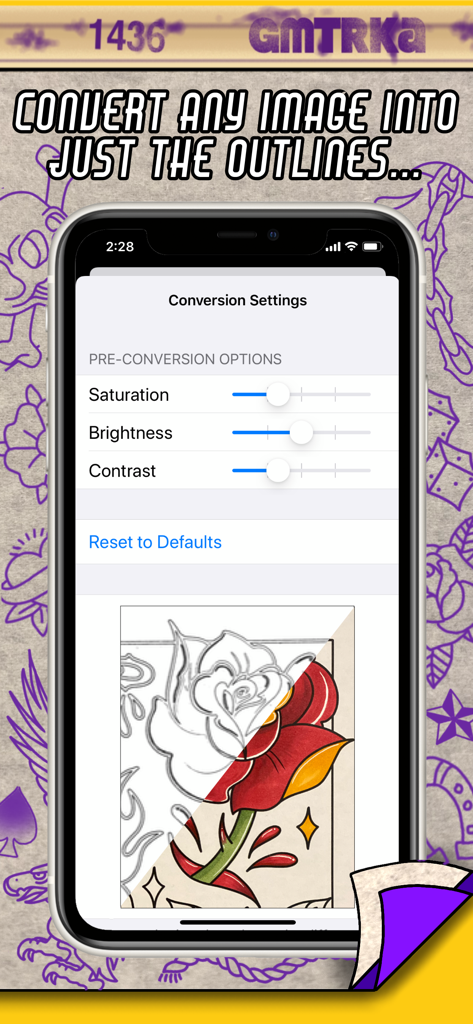
Interfaccia mobile dell'app Sistema di Stampa Tatuaggi che mostra la conversione di un disegno colorato di una rosa in un contorno di stencil pulito

Interfaccia mobile dell'app Sistema di Stampa Tatuaggi che mostra la conversione di un disegno colorato di una rosa in un contorno di stencil pulito

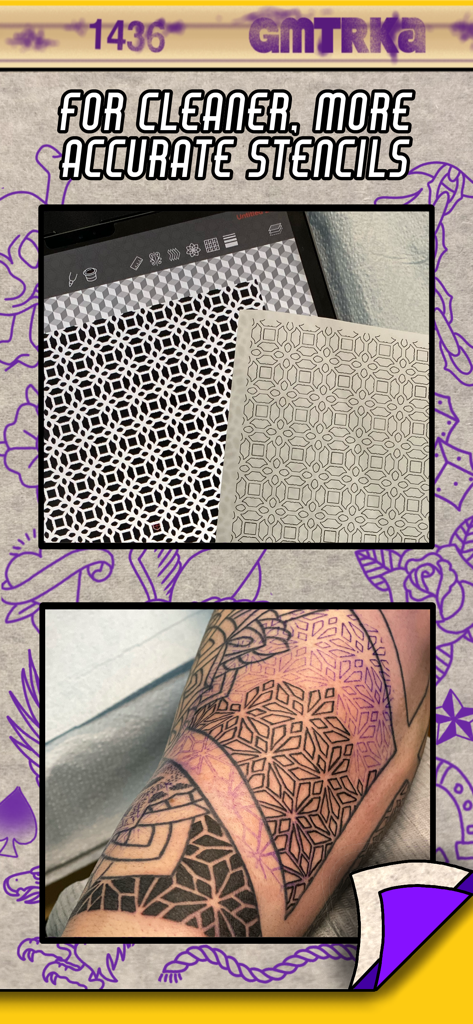
Design di tatuaggio geometrico digitale su un tablet confrontato con uno stencil stampato e un'applicazione di tatuaggio su un braccio

Design di tatuaggio geometrico digitale su un tablet confrontato con uno stencil stampato e un'applicazione di tatuaggio su un braccio

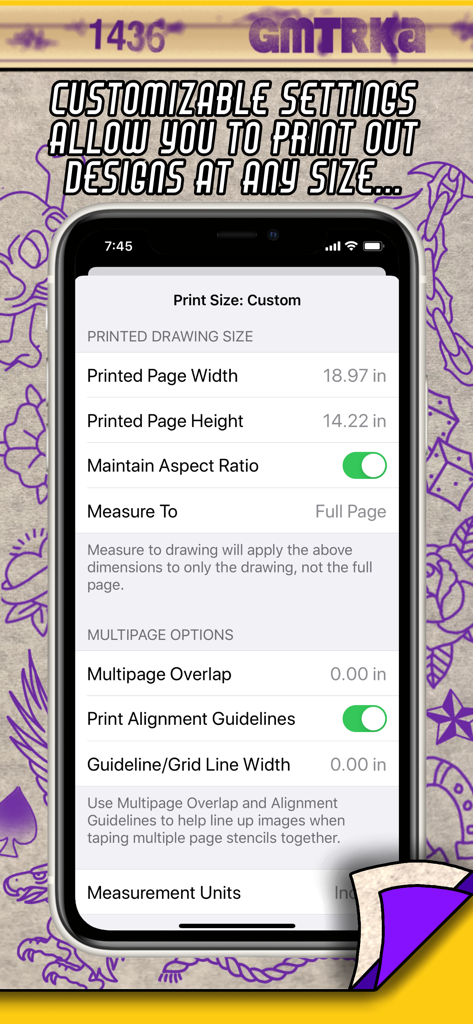
Interfaccia dell'app Sistema di Stampa Tatuaggi che mostra impostazioni di dimensioni personalizzate e opzioni di tiling di stencil multi-pagina.

Interfaccia dell'app Sistema di Stampa Tatuaggi che mostra impostazioni di dimensioni personalizzate e opzioni di tiling di stencil multi-pagina.

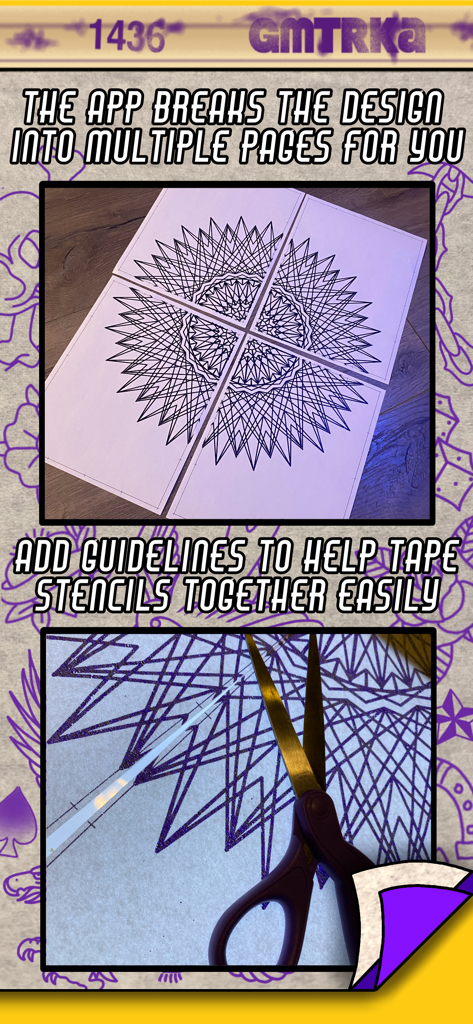
Grande disegno di tatuaggio geometrico stampato su quattro pagine con linee guida di allineamento per l'assemblaggio dello stencil.

Grande disegno di tatuaggio geometrico stampato su quattro pagine con linee guida di allineamento per l'assemblaggio dello stencil.

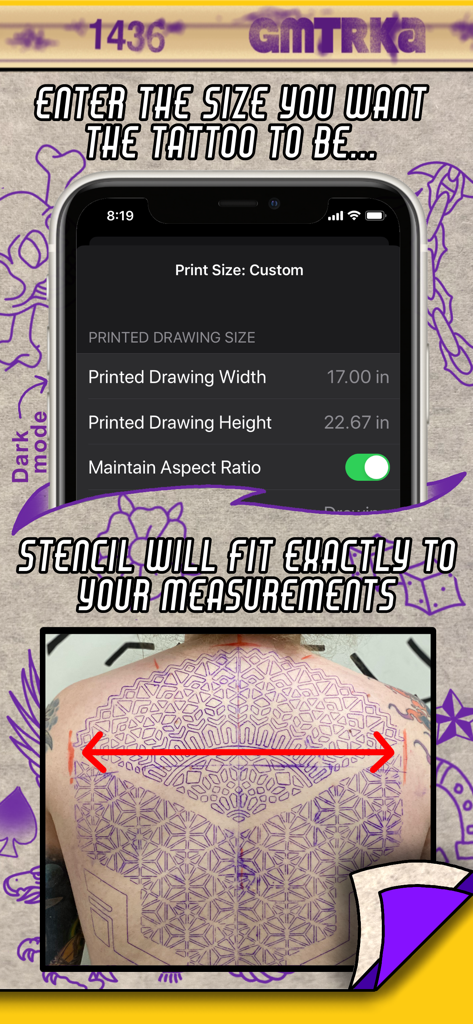
Interfaccia dell'app Sistema di Stampa Tatuaggi che mostra impostazioni personalizzate di altezza e larghezza per uno stencil di tatuaggio sulla schiena.

Interfaccia dell'app Sistema di Stampa Tatuaggi che mostra impostazioni personalizzate di altezza e larghezza per uno stencil di tatuaggio sulla schiena.

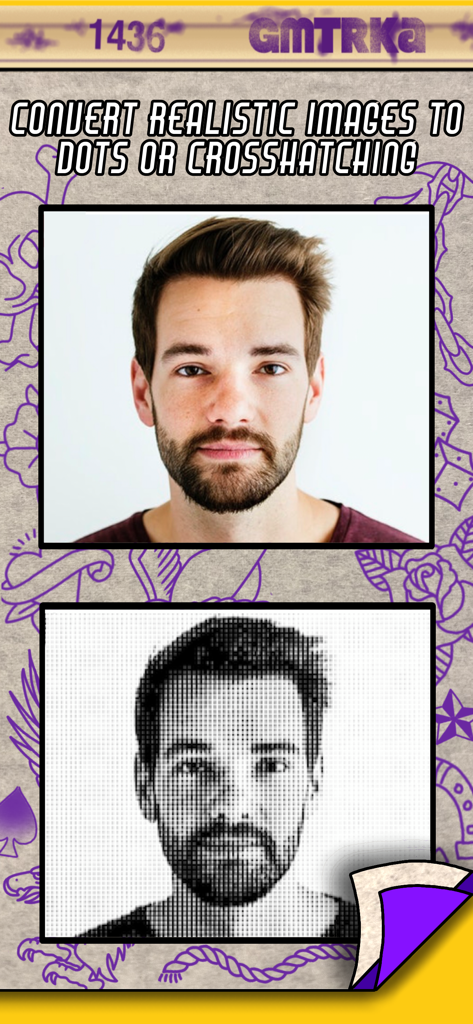
Un ritratto realistico convertito in punti halftone per uno stencil di tatuaggio utilizzando l'app Sistema di Stampa Tatuaggi

Un ritratto realistico convertito in punti halftone per uno stencil di tatuaggio utilizzando l'app Sistema di Stampa Tatuaggi

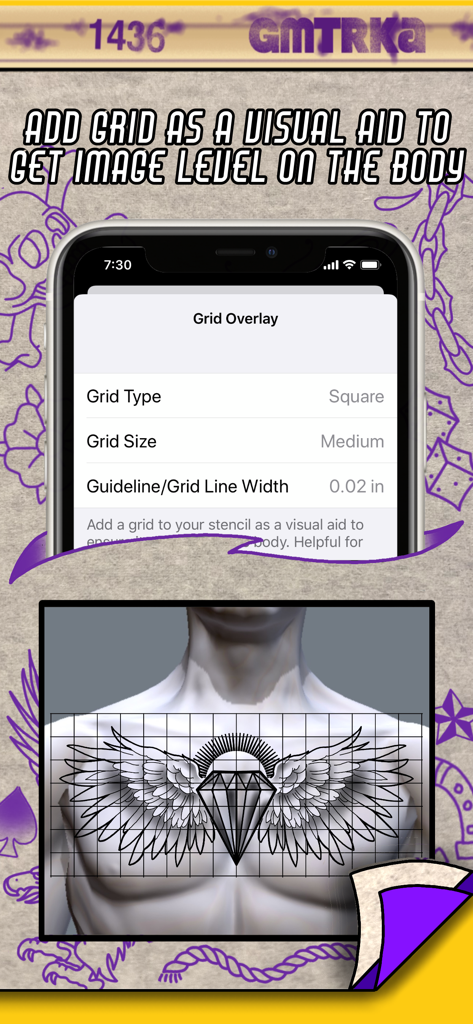
Impostazioni di sovrapposizione della griglia nell'app Sistema di Stampa Tatuaggi che mostrano un'anteprima di un disegno di tatuaggio allineato su un petto umano.

Impostazioni di sovrapposizione della griglia nell'app Sistema di Stampa Tatuaggi che mostrano un'anteprima di un disegno di tatuaggio allineato su un petto umano.

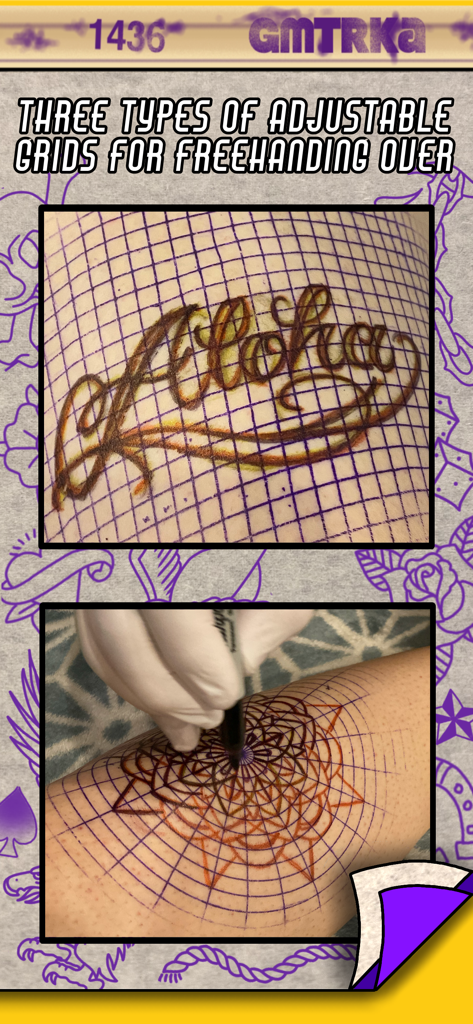
Stencil di griglia regolabili sulla pelle per il disegno di tatuaggi a mano libera

Stencil di griglia regolabili sulla pelle per il disegno di tatuaggi a mano libera

Migliora il Tuo Gioco di Stencil

Gli strumenti che rendono questa app unica, scelti da 105K+ utenti.

📐

Tiling Automatizzato su Larga Scala

Smetti di indovinare le dimensioni su una fotocopiatrice. Inserisci le tue misure e l'app divide automaticamente il tuo design in fogli perfettamente scalati con guide di sovrapposizione intelligenti.

Conversione Istantanea dei Contorni

Salta la fatica del tracciamento manuale. Converti qualsiasi foto di riferimento in contorni puliti ad alto contrasto o punti halftone con un singolo tocco per risparmiare ore di tempo di preparazione.

🎯

Strumenti di Precisione Anatomica

Assicura una simmetria impeccabile con sovrapposizioni di griglia personalizzabili e allungamento indipendente di larghezza e altezza per adattare perfettamente il tuo design alle curve naturali del corpo.

Info sull'app

Tutto quello che devi sapere su Tattoo Print System.

Descrizione

“Before the needle even hits the skin, there is the crucial step that sets the tone for the entire tattoo - applying the stencil. Stencilling tattoos on the body is an art unto itself. Great tattoos start with great stencils, and great stencils start with the ideal image. The better you can see what you’re doing, the more accurate your linework is gonna be. Over 20 years of tattooing mostly geometric tattoos has forced me to intensely analyze the art of stencilling and push it to its limits, and through this app I’ve been able to push them even farther. Increasing efficiency and accuracy in my work has always been a passion of mine, and I can’t wait to share this with my fellow tattooers” -Cory Ferguson The easy to use Tattoo Print System gives you tools to customize and enhance your images right before you print them out so they’re ready to go straight into the stencil machine and result in the best stencils possible. No matter what style you tattoo in, this app will save you time and level up your stencil game. Giving you the ability to dial in your finished designs to your liking so when they come out of the stencil machine they are more precise and personalized to how you like to work. These are tools that every single tattoo artist has always needed! Once installed you can access Tattoo Print System from any app on your iPad or iPhone that has the share button as an option (you know- that icon that looks like a little box containing an arrow pointing up) So how does Tattoo Print System save you time and make your stencils better? -Print out large scale tattoos at actual size! Measure out the size your tattoo will be on the body and enter those measurements into Tattoo Print System and let the app do the rest. It automatically breaks the design into as many sheets of paper as needed and prints them out ready to go straight into the stencil machine. No more resizing on a photocopier! -Multi-page stencils need to be taped together as any experienced tattooer will know. We’ve included tools to help with this task too. Optional guidelines and image overlaps make it quicker and easier to line up the image when taping stencil pages together. -Convert any image into just outlines with a single click We’re tattooers - we all love showing off that crispy linework. Enhancing your designs with the convert to lines feature eliminates excess ink from your stencils making them cleaner, easier to see and ultimately more precise. And you don’t have to spend time tracing the outline yourself, the app does it for you. You can also fine tune those outlines to be thicker or thinner depending on your preference. -Convert realistic and shaded images into halftone dots or crosshatching for stencils that have shading in them. -Fine tune the contrast, shadows and highlights of your designs to take a “not so great” reference picture and turn it into the sort of design that makes for a perfect stencil. Often times a picture of the reference that you take on your phone can be enhanced with our adjustment sliders into a truly stencil worthy image. -Add an optional, customizable grid to your stencil as a visual reference to help see if your image is level on the body. This is especially useful for doing symmetrical pieces across the width of the torso, ie full chest piece, back piece. -The ability to stretch out a design if necessary, by adjusting the width and height separately. -Customizable grid images to print out and stencil to help with freehand drawing onto the skin. Choose from square, isometric and polar grid. This printing system is already a part of our other app Geometrica - the first ever drawing app created for tattooers. So if you’re a Geometrica subscriber you don’t need Tattoo Print System, you already have it. But it was so ground breaking we had to also release it as it’s own app, because this is something that all tattooers need, not just the geometric artists.

Ultima versione

1.07

Dimensione

3.4 MB

Data di lancio

25 ott 2020

Migliora il Tuo Gioco di Stencil Oggi

Unisciti a oltre 100.000 tatuatori professionisti che utilizzano lo strumento creato da artisti, per artisti. Trasforma il tuo iPad nella stazione stencil definitiva e ottieni le linee più nitide della tua carriera.

Scarica su App Store

App information, icons, screenshots, and descriptions displayed on this page are sourced from the Apple App Store and are the property of their respective developers. Download estimates and rankings are based on MWM's proprietary models and may not reflect actual figures. This page is provided for informational and analytical purposes only.

Believe this page infringes your intellectual property? File a dispute