tcCalc - timecode & frame calc

tcCalc - timecode & frame calc

Scarica su App Store
Logo di tcCalc - timecode & frame calc

tcCalc - Calcoli di timecode e frame precisi al frame

L'utility essenziale per video editor e DIT. Esegui calcoli precisi su tutti i frame rate del settore, inclusi Drop Frame e NDF, con un'interfaccia progettata per la velocità della post-produzione.

Scarica su App Store

Editore

RYUICHIROU SHIMONO

Categoria

Photo & Video

Download

4K+

Valutazione

4.8/5

Valutazioni totali

200

Lingue

1

Precisione in ogni frame

Scopri l'interfaccia usata da 4K+ utenti.
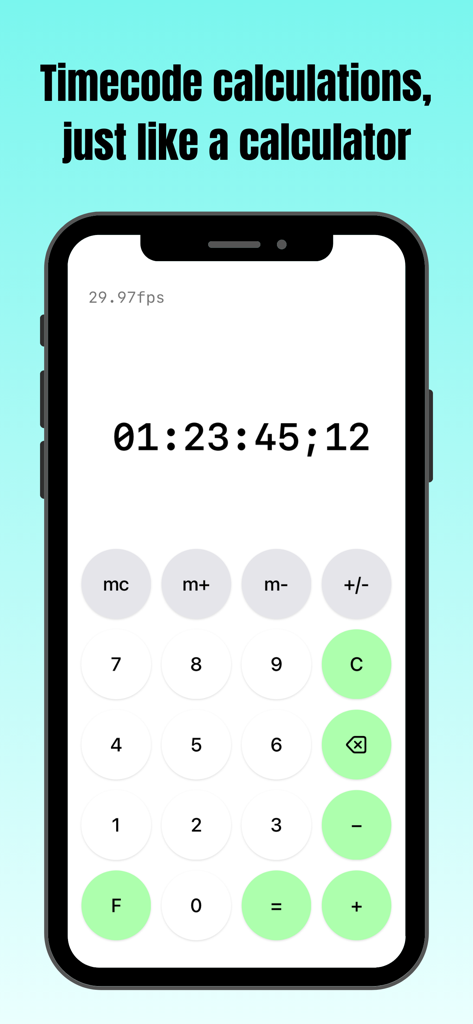
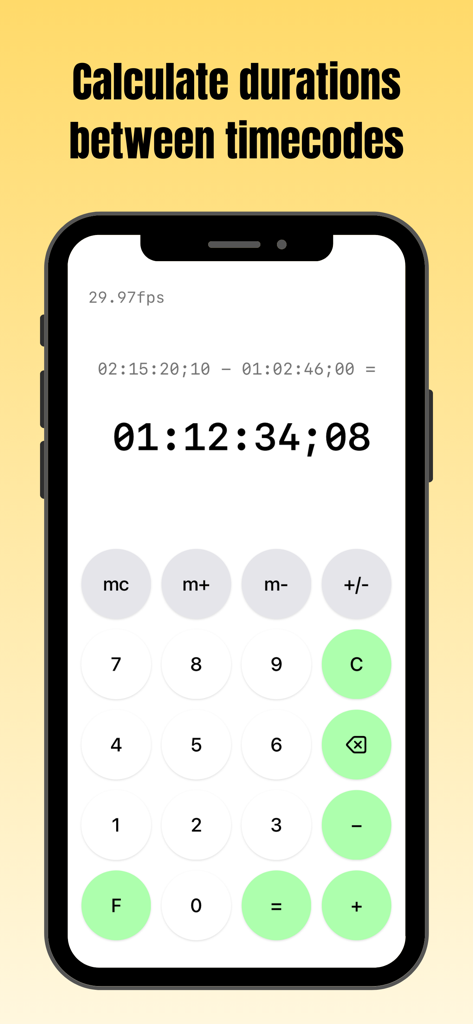
Screenshot dell'app tcCalc che mostra l'interfaccia di calcolo del timecode su un iPhone

Screenshot dell'app tcCalc che mostra l'interfaccia di calcolo del timecode su un iPhone

Schermata dell'app tcCalc su iPhone che mostra un calcolo di durata tra due timecode a 29.97fps

Schermata dell'app tcCalc su iPhone che mostra un calcolo di durata tra due timecode a 29.97fps

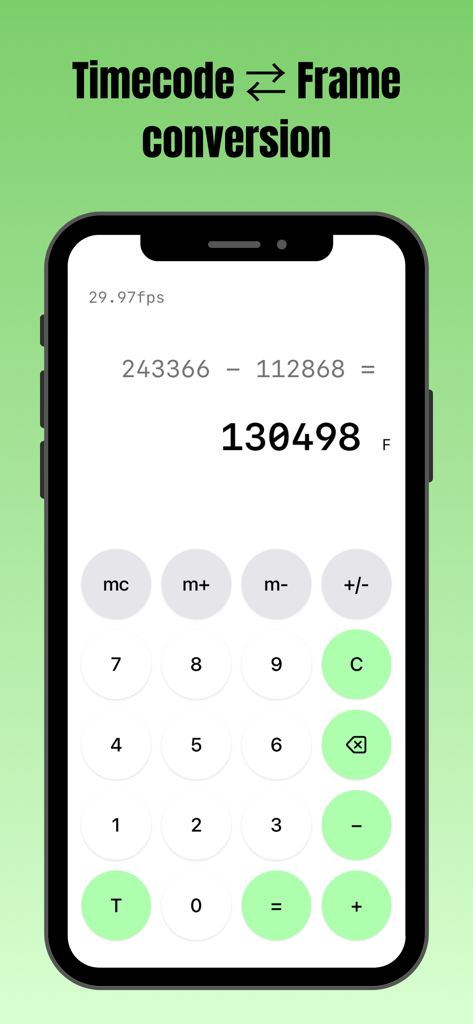
Interfaccia dell'app tcCalc che esegue una sottrazione del conteggio dei frame su un iPhone

Interfaccia dell'app tcCalc che esegue una sottrazione del conteggio dei frame su un iPhone

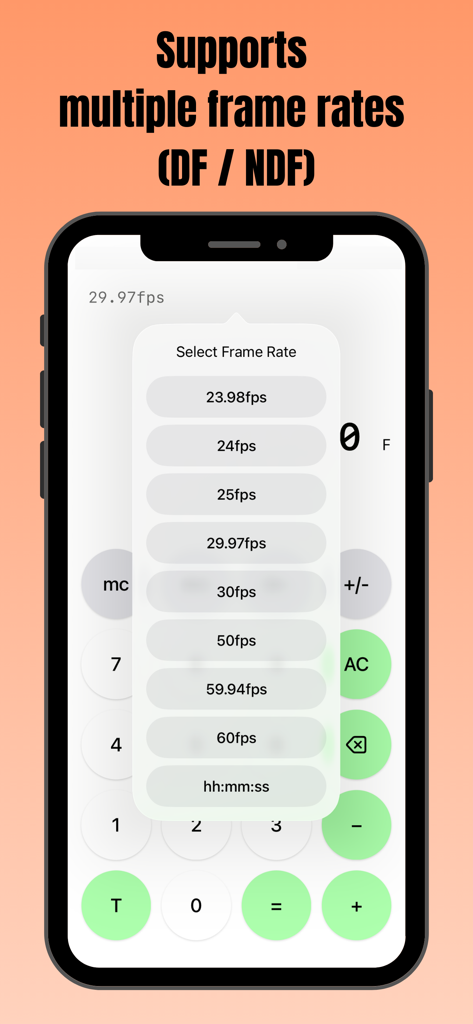
Schermata dello smartphone che mostra l'app tcCalc con un menu a comparsa per selezionare più frame rate, incluse le opzioni DF e NDF.

Schermata dello smartphone che mostra l'app tcCalc con un menu a comparsa per selezionare più frame rate, incluse le opzioni DF e NDF.

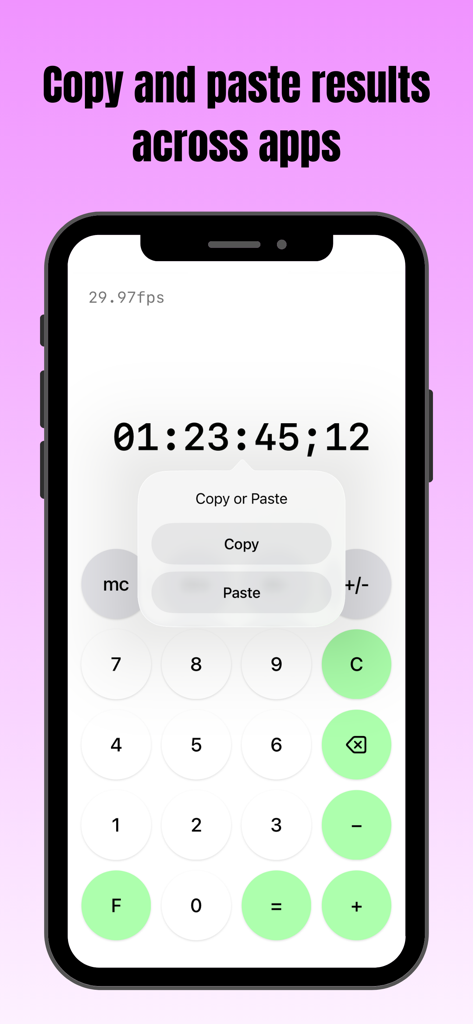
Schermata dello smartphone che mostra l'app tcCalc con un menu di copia e incolla su un risultato di timecode

Schermata dello smartphone che mostra l'app tcCalc con un menu di copia e incolla su un risultato di timecode

Strumenti di precisione per professionisti della post-produzione

Gli strumenti che rendono questa app unica, scelti da 4K+ utenti.

🎬

Supporto Multi-Standard per Frame Rate

Passa istantaneamente tra 23.98, 29.97 DF/NDF, 59.94 e 60fps. Assicurati che le tue durate siano perfettamente sincronizzate indipendentemente dalle specifiche tecniche del tuo progetto.

📋

Integrazione perfetta nel flusso di lavoro

Copia e incolla direttamente i risultati dei calcoli nei tuoi fogli di consegna, EDL o note. Sposta i dati tra tcCalc e altre app iOS per velocizzare la tua registrazione tecnica.

⏱️

Conversione nativa Timecode e Frame

Passa tra il timecode SMPTE e il conteggio totale dei frame con un solo tocco. Esegui calcoli complessi di durata utilizzando un'interfaccia familiare progettata per sale di montaggio ad alta pressione.

Info sull'app

Tutto quello che devi sapere su tcCalc - timecode & frame calc.

Descrizione

Overview This app is a calculator designed for timecode and frame-based calculations. Features • Perform timecode calculations with the familiar operation of a standard calculator. • Convert between timecodes and frame counts in both directions. • Supports multiple frame rates. • Input values and calculation results are automatically adjusted to values between 0 and less than 24 hours. How to Use Input Timecodes and frame numbers are entered using the numeric buttons (0–9). The AC button clears the displayed value and all calculation history. The C button clears only the current input value and calculation result. To delete the displayed value one character at a time, use the delete button. Up to 8 digits can be entered. Calculation Calculations are performed in the same way as a standard calculator, using the symbol buttons (+, −, =). For example, the − button can be used to calculate the duration between two timecodes. Display Mode Press the F button to convert the displayed value to frames. Press the T button to convert the displayed value to a timecode. The display format can be changed at any time, even during a calculation. Frame Rate Selection Tap the fps indicator in the upper-left corner of the screen to open the frame rate selection screen. You can choose from the following frame rates: 23.98fps / 24fps / 25fps / 29.97fps / 30fps / 50fps / 59.94fps / 60fps 29.97fps and 59.94fps use the Drop Frame (DF) counting method. All other frame rates use the Non-Drop Frame (NDF) counting method. When hh:mm:ss is selected, calculations can be performed using time values (hours, minutes, seconds) without frames. Copy & Paste Long-press a calculation result to display a menu where you can choose to copy or paste the value. By selecting an option from the menu, you can copy the value or paste a previously copied value. This allows numeric values to be copied and pasted between this app and standard iOS apps such as the Calculator and Notes. If a pasted string contains non-numeric characters, only the numeric portions are entered in order. In frame display mode, any decimal portion is truncated when pasting. Other The m+, m−, and mc buttons provide a memory function. Stored values are displayed in the upper-right corner of the screen and can be tapped to use them as input values. This behavior is equivalent to the mr button on a standard calculator. Pressing the +/− button toggles the sign of the input value and calculation result. Negative values are displayed as the result of subtracting the value from 24 hours. Timecode calculations are primarily based on the SMPTE 12M-1 standard. For 59.94fps, the counting method is based on commonly used behavior in applications such as Adobe Premiere Pro.

Ultima versione

3.0

Dimensione

0.4 MB

Data di lancio

9 set 2016

Domina la tua timeline con una precisione frame-accurata

Elimina i calcoli mentali e gli errori di sincronizzazione. Unisciti a migliaia di professionisti della post-produzione che usano tcCalc per conversioni di timecode fluide ed efficienza del flusso di lavoro.

Scarica su App Store

App information, icons, screenshots, and descriptions displayed on this page are sourced from the Apple App Store and are the property of their respective developers. Download estimates and rankings are based on MWM's proprietary models and may not reflect actual figures. This page is provided for informational and analytical purposes only.

Believe this page infringes your intellectual property? File a dispute