Text Simplifier

Text Simplifier

Scarica su App Store
Logo di Text Simplifier

Text Simplifier: Trasforma Testi Complicati in Linguaggio Chiaro e Facile da Leggere

Lo strumento di accessibilità definitivo per studenti, insegnanti e studenti permanenti. Semplifica istantaneamente fogli di lavoro, siti web e libri utilizzando l'IA per rimuovere le barriere e aumentare la fiducia nella lettura.

Scarica su App Store

Editore

Christian Urff

Categoria

Education

Download

4K+

Valutazione

4.3/5

Valutazioni totali

0

Lingue

4

Sperimenta la Chiarezza

Scopri l'interfaccia usata da 4K+ utenti.
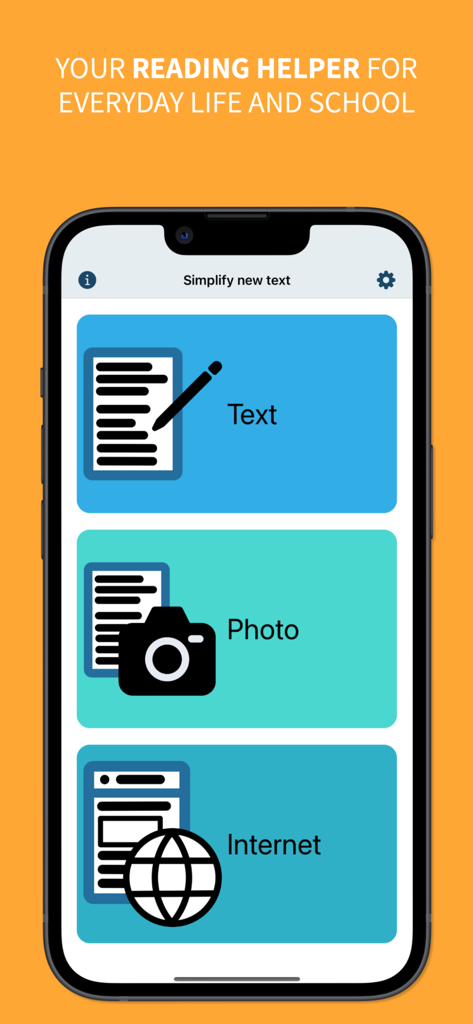
Menu principale dell'app Text Simplifier con pulsanti per semplificare il testo tramite immissione manuale, foto o internet

Menu principale dell'app Text Simplifier con pulsanti per semplificare il testo tramite immissione manuale, foto o internet

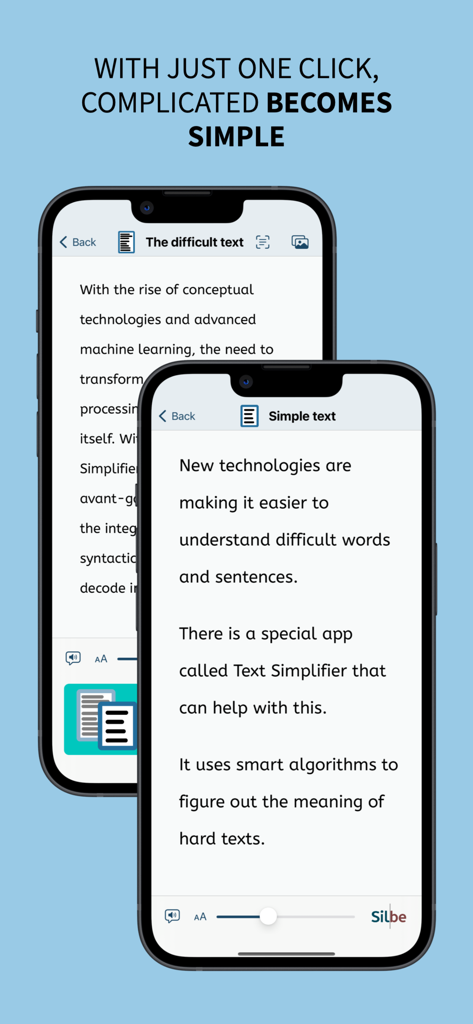
Confronto tra testo difficile e la sua versione semplificata su schermi di telefoni cellulari.

Confronto tra testo difficile e la sua versione semplificata su schermi di telefoni cellulari.

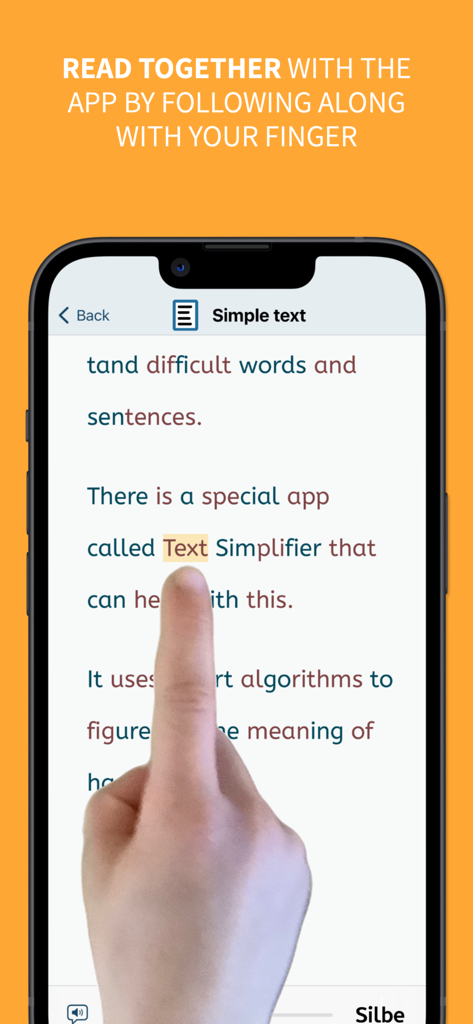
Schermata di uno smartphone che mostra la funzione del dito di lettura dove un utente segue il testo con il dito mentre l'app lo semplifica.

Schermata di uno smartphone che mostra la funzione del dito di lettura dove un utente segue il testo con il dito mentre l'app lo semplifica.

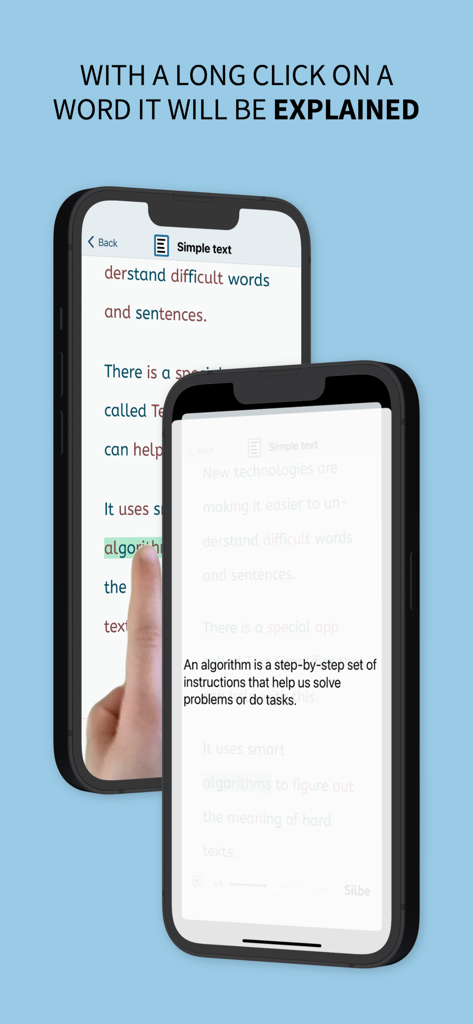
L'app Text Simplifier visualizza una definizione semplice per una parola difficile dopo un clic prolungato

L'app Text Simplifier visualizza una definizione semplice per una parola difficile dopo un clic prolungato

Potenzia Ogni Lettore

Gli strumenti che rendono questa app unica, scelti da 4K+ utenti.

🪄

Semplificazione IA con un Tocco

La nostra IA avanzata traduce istantaneamente gergo denso e paragrafi difficili in linguaggio chiaro e semplice, personalizzato in base al tuo livello di lettura specifico.

📸

Scansiona & Leggi Schede Didattiche

Trasforma libri di testo fisici e dispense di classe in contenuti digitali accessibili. Basta scattare una foto per semplificare il testo e sentirlo leggere ad alta voce immediatamente.

☝️

Supporto alla Lettura Guidata

Aumenta la fluidità con l'evidenziazione sincronizzata delle parole e lo strumento del 'dito di lettura', che aiuta gli utenti con dislessia o ADHD a rimanere concentrati su ogni parola.

Info sull'app

Tutto quello che devi sapere su Text Simplifier.

Descrizione

You're facing difficult texts and wish they were easier to understand? This app is exactly what you need! Whether in inclusive education, for beginning readers, or for anyone who appreciates clear and understandable language - with just one click, complicated becomes simple. The Text Simplifier app makes difficult texts easier and translates them to plain language and easy read. Then the texts are easier to read and understand. And if you need help reading, the app can also read words to you. To do this, just follow along under the words with your finger. This app is for people with reading difficulties or beginning readers. It can also be very helpful in inclusive classroom instruction. There are then fewer barriers due to difficult texts. You have several options for simplifying texts: 1. Enter text: You can write a text, speak (dictate) or copy from another source. When you press the "Simplify Text" button, the text becomes simpler. 2. Take a picture of a text: You can take a photo of a text, for example from a book or worksheet. Then the app can read you the text or simplify it. 3. Internet texts: If you are reading on the internet and want a easy to read text, just press the "Simplify Texts" button. The app is actually very suitable for children and beginning readers, but due to the integrated browser, Apple recommends it only from age 17+, as any web page can be accessed. The app can do even more: - The app can read along with you. For this you have to use your reading finger. Move your finger along under the text as you read. And turn on the speaker. The app will then help you read. - The app can also read the entire text to you. If you want, the words are even highlighted as they are read. - You can long press on a word if you don't understand it. An explanation will then be displayed and read aloud (please turn on speaker). - You can make the letters bigger or smaller. - You can decide how simple the text should be. This is done in the settings. - Web pages can be displayed in "Reader Mode". Only the text and images are shown (without text simplification). Ads and menus are not shown. ## Tip: How to improve the voice! ## The iOS voice sometimes doesn't sound very good. You can simply use a different voice. To do this, go to the "Settings" app. Then to "Accessibility". Then select "Spoken Content" and then "Voices". Now you can select and download other voices. The enhanced voices sound especially good. ## What does it cost? ## The app is ad-free. It uses artificial intelligence (choose your preferred model) to simplify texts. The texts are sent over the internet for simplification. Each simplification costs some money. That's why the app costs something. Once you've purchased the app, you can simplify about 250 texts (depending on length). If you need more, you have to pay more via in-app-purchase.

Ultima versione

2.0

Dimensione

10.1 MB

Data di lancio

22 ago 2023

Pronto a Semplificare le Letture Complicate?

Unisciti a migliaia di studenti, genitori ed educatori che utilizzano Text Simplifier per trasformare testi difficili in linguaggio chiaro e facile da leggere. Scarica ora e inizia il tuo percorso verso l'indipendenza nella lettura.

Scarica su App Store

App information, icons, screenshots, and descriptions displayed on this page are sourced from the Apple App Store and are the property of their respective developers. Download estimates and rankings are based on MWM's proprietary models and may not reflect actual figures. This page is provided for informational and analytical purposes only.

Believe this page infringes your intellectual property? File a dispute