The Vector Converter

The Vector Converter

Scarica su App Store
Logo di The Vector Converter

Il Convertitore Vettoriale: Conversione di File Professionale per Creativi Mobili

Trasforma istantaneamente file AI, EPS e CDR in SVG, PDF o PNG. Colma il divario tra il tuo flusso di lavoro mobile e gli strumenti di design professionali in meno di 15 secondi.

Editore

Float Tech, LLC

Categoria

Utilities

Download

169K+

Valutazione

4.7/5

Valutazioni totali

800

Lingue

23

Il Tuo Flusso di Lavoro, Visualizzato

Scopri l'interfaccia usata da 169K+ utenti.
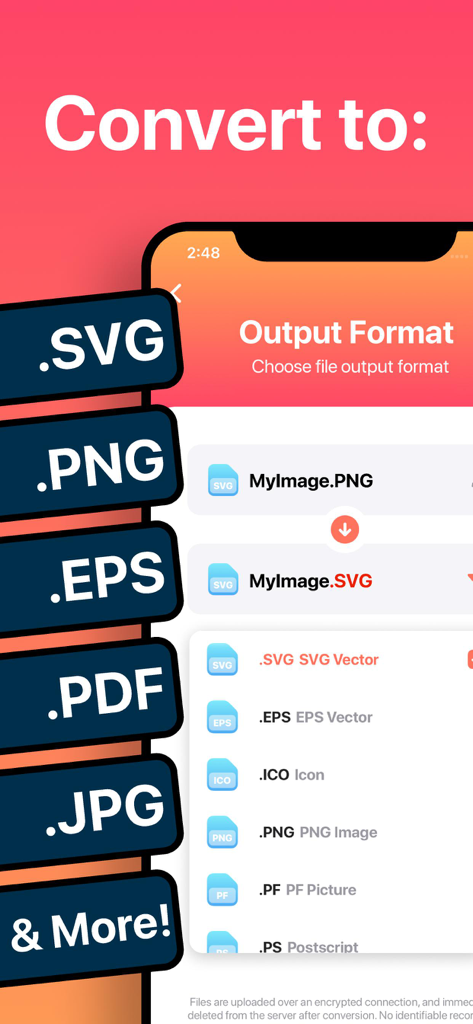
Interfaccia di un'app mobile che mostra opzioni per convertire immagini in formati vettoriali come SVG ed EPS

Interfaccia di un'app mobile che mostra opzioni per convertire immagini in formati vettoriali come SVG ed EPS

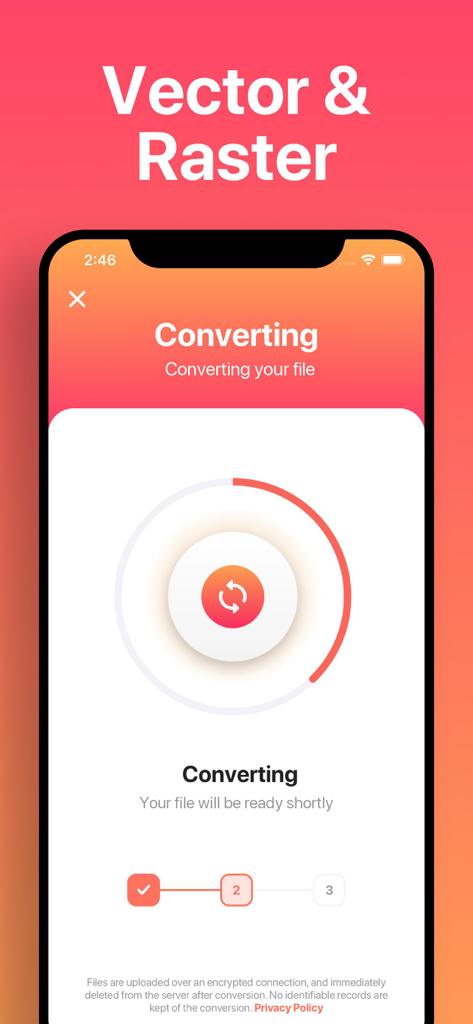
Schermata di uno smartphone che mostra l'avanzamento della conversione di un file da raster a vettoriale.

Schermata di uno smartphone che mostra l'avanzamento della conversione di un file da raster a vettoriale.

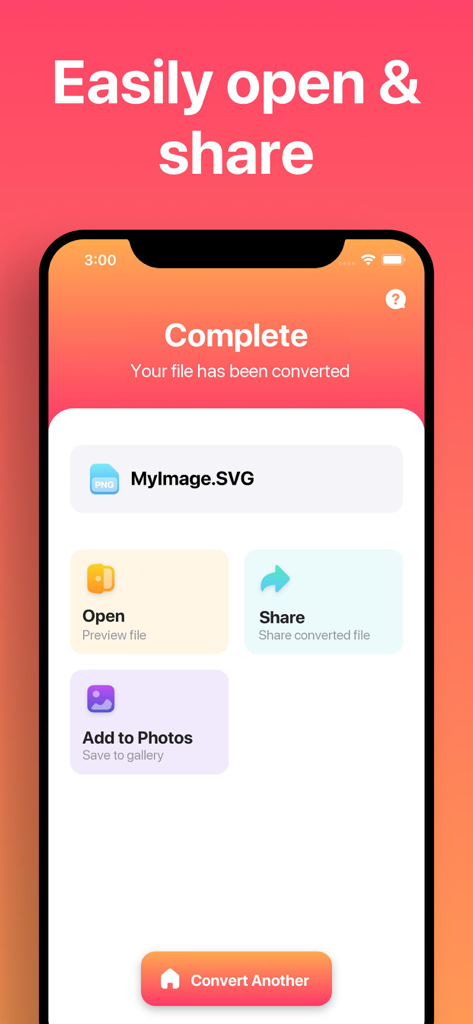
Schermata dell'app Vector Converter che mostra una conversione di file completata in SVG con opzioni per aprire, condividere o salvare nelle foto

Schermata dell'app Vector Converter che mostra una conversione di file completata in SVG con opzioni per aprire, condividere o salvare nelle foto

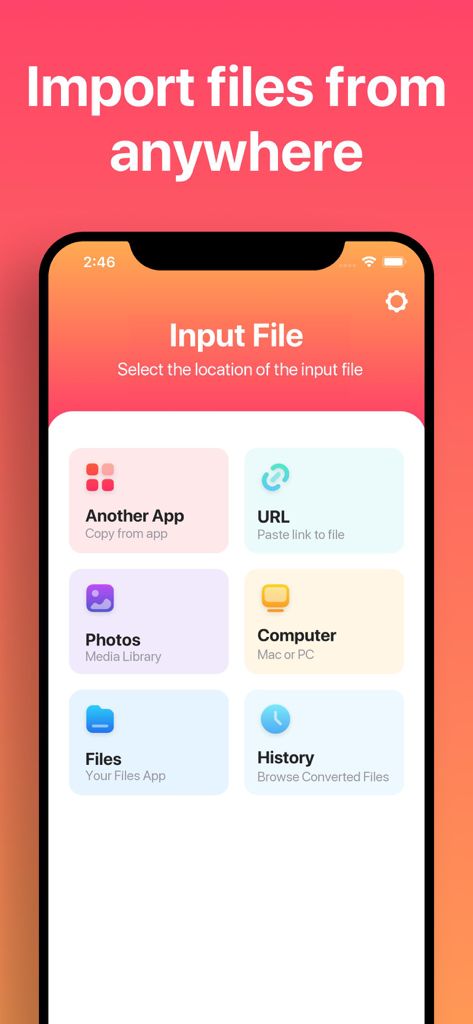
Interfaccia dell'app Vector Converter che mostra varie opzioni di importazione file tra cui URL, Foto e Computer.

Interfaccia dell'app Vector Converter che mostra varie opzioni di importazione file tra cui URL, Foto e Computer.

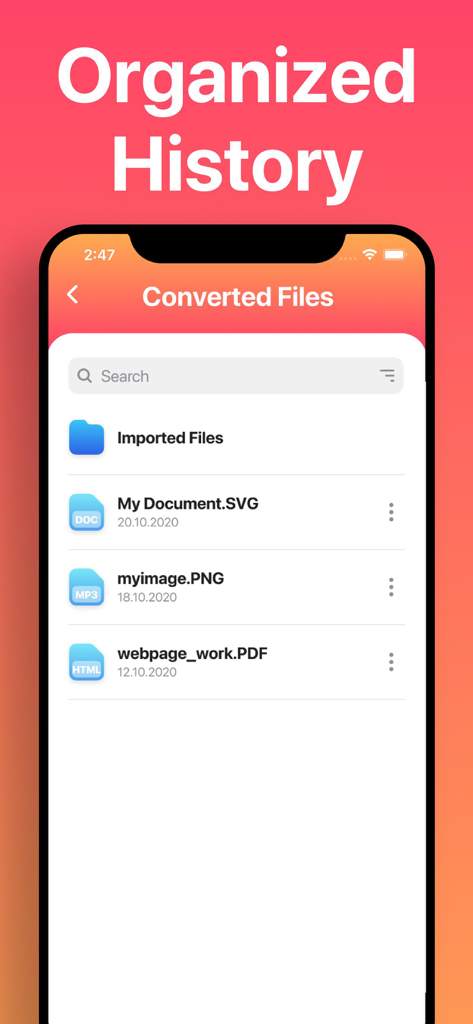
Schermata di un'app mobile che mostra un elenco di file convertiti inclusi formati SVG, PNG e PDF sotto l'intestazione Cronologia Organizzata.

Schermata di un'app mobile che mostra un elenco di file convertiti inclusi formati SVG, PNG e PDF sotto l'intestazione Cronologia Organizzata.

Conversioni Professionali a Portata di Mano

Gli strumenti che rendono questa app unica, scelti da 169K+ utenti.

🔄

Supporto Universale dei Formati

Da AI e CDR a SVG e DXF, converti istantaneamente decine di formati complessi per lavorare senza problemi con strumenti come Procreate, Canva o Cricut.

Prestazioni Fulminee

La maggior parte delle conversioni richiede meno di 15 secondi. Utilizza il nostro cloud sicuro o l'elaborazione locale istantanea per mantenere il tuo progetto in movimento senza attese.

📲

Flusso di Lavoro Mobile Ottimizzato

Perfetto per gli utenti avanzati di iPad e iPhone. AirDrop file al tuo Mac, salva su iCloud o apri i risultati direttamente nelle tue app di design preferite.

Analisi recensioni

Approfondimenti dalle recensioni degli utenti.

Punteggio sentimento

18%
Negativo

Riepilogo

This app receives predominantly negative feedback, with many users expressing severe dissatisfaction. While a few users find it easy to use and effective for basic conversions, the vast majority report critical issues with output quality, such as degraded images, empty files, incorrect colors, or distortion. Numerous complaints also highlight a problematic subscription model, including unexpected charges, the absence of a true free trial, and difficulties canceling. Users frequently describe the core conversion functionality as non-existent or unreliable, leading to accusations of the app being a "scam" and a "waste of money."

Temi comuni

Output Quality(25)
Conversion Reliability(20)
Subscription & Billing(17)
Value for Money(11)
Ease of Use(8)
Saving & Export(4)

Info sull'app

Tutto quello che devi sapere su The Vector Converter.

Descrizione

Easily convert your files to nearly any vector or image format! 1. Select your input file 2. Choose your output format ( SVG, PNG, EPS, PDF etc. ) 3. Convert! It will only take a few seconds. 4. Save your file, or open it in your favorite app! Here are the output formats you can choose from: SVG, EPS, ICO, PNG, PS, JPG, BMP, TIFF, WEBP, DXF, PSD, PDF You can convert from dozens of input formats, here are some of the most popular formats we support converting from: AI, EPS, SVGZ, CDR, OTF, TTF, PDF, DWG, JPG, PNG, EPS, HEIC, SVG and many more! Save, Share or Open your converted files in your favorite apps immediately. You can even browse your previously converted files with our in-app file browser. After conversion, you can immediately AirDrop your files right to your Mac or another device. Conversions usually take less than 15 seconds! Conversion is done on a secure cloud server, which makes conversion easier, faster and much more battery-friendly. You must have an internet connection to use this app. Files are immediately deleted from the server after conversion. While the files are immediately deleted after conversion or cancellation, you should be aware that by using this app, you agree that your files will be sent over to internet from the app to the conversion server. We've also recently added support for local conversions for many popular conversion types. These conversions don't require a server, and are usually done almost instantly! We are continuing to add support for more local conversions with each update. This app includes an optional auto-renewable subscription (Premium Pass): Premium Pass beings with a free trial period, then an auto-renewable monthly subscription when trial ends. Payment will be charged to your Apple account at confirmation of purchase and will automatically renew (at the duration/price selected) unless auto-renew is turned off at least 24 hrs before the end of the current period. Account will be charged for renewal within 24-hours prior to the end of the current period. Current subscription may not be cancelled during the active subscription period; however, you can manage your subscription and/or turn off auto-renewal by visiting your Apple Account Settings after purchase. Any unused portion of the free initial period will be forfeited when you purchase a subscription. Privacy Policy: https://float.support/the-vector-converter/privacy Terms of Use: https://float.support/the-vector-converter/terms

Ultima versione

26.0.2

Dimensione

41.9 MB

Data di lancio

20 mar 2015

Pronto a Ottimizzare il Tuo Flusso di Lavoro Creativo?

Unisciti a oltre 169.000 designer e maker che convertono file in pochi secondi. Scarica Il Convertitore Vettoriale oggi stesso e non lasciare più che un formato di file ti ostacoli.

Scarica su App Store
Raccomandazioni

App Simili

App con funzionalità ed esperienza simili

App information, icons, screenshots, and descriptions displayed on this page are sourced from the Apple App Store and are the property of their respective developers. Download estimates and rankings are based on MWM's proprietary models and may not reflect actual figures. This page is provided for informational and analytical purposes only.

Believe this page infringes your intellectual property? File a dispute