
Questa pagina non è una pagina ufficiale dell'app o del suo sviluppatore, ma una pubblicazione editoriale indipendente creata a scopo informativo e di commento. Salvo espressa indicazione contraria, né l'app né il suo sviluppatore sono affiliati, approvati, sponsorizzati, autorizzati o altrimenti ufficialmente collegati a MWM, Apple, Google Play, all'editore dell'app o allo sviluppatore dell'app, e nulla in questa pagina implica che l'app sia stata sviluppata utilizzando i servizi di MWM. Tutti i marchi, loghi, screenshot e altri contenuti rimangono di proprietà dei rispettivi proprietari.


TrialPad - Trial Presentation
Porta a casa una causa vincente con lo standard d'oro nella tecnologia per il contenzioso. Organizza le prove, crea richiami istantanei e presenta in modalità wireless dal tuo iPad o Mac—il tutto con la sicurezza e il controllo che un processo ad alto rischio richiede.
Download
3K+Valutazione
Valutazioni totali
300Editore
Categoria
BusinessLingue
1Ultima versione
26.1.1Dimensione
50.0 MBData di lancio
30 gen 2021Eleva la Tua Presenza in Aula
Dalla sala di guerra alla giuria, TrialPad offre una suite professionale per organizzare, annotare e presentare le tue prove con assoluta precisione e senza attriti tecnici.
Presentazione Dinamica delle Prove
Coinvolgi le giurie con richiami istantanei, confronti affiancati e evidenziazioni in tempo reale. Presenta in modalità wireless tramite Apple TV o HDMI per mantenere il pieno controllo della sala.
Organizzazione Semplificata dei Casi
Abbandona le pesanti scatole di cartone piene di documenti. Organizza migliaia di documenti in cartelle per testimoni e applica adesivi automatici per le prove in pochi secondi per un caso perfettamente indicizzato.
Gli screenshot e la descrizione seguenti provengono direttamente dall'elenco ufficiale dello store dell'app e sono di proprietà dello sviluppatore.
App Store
Screenshot
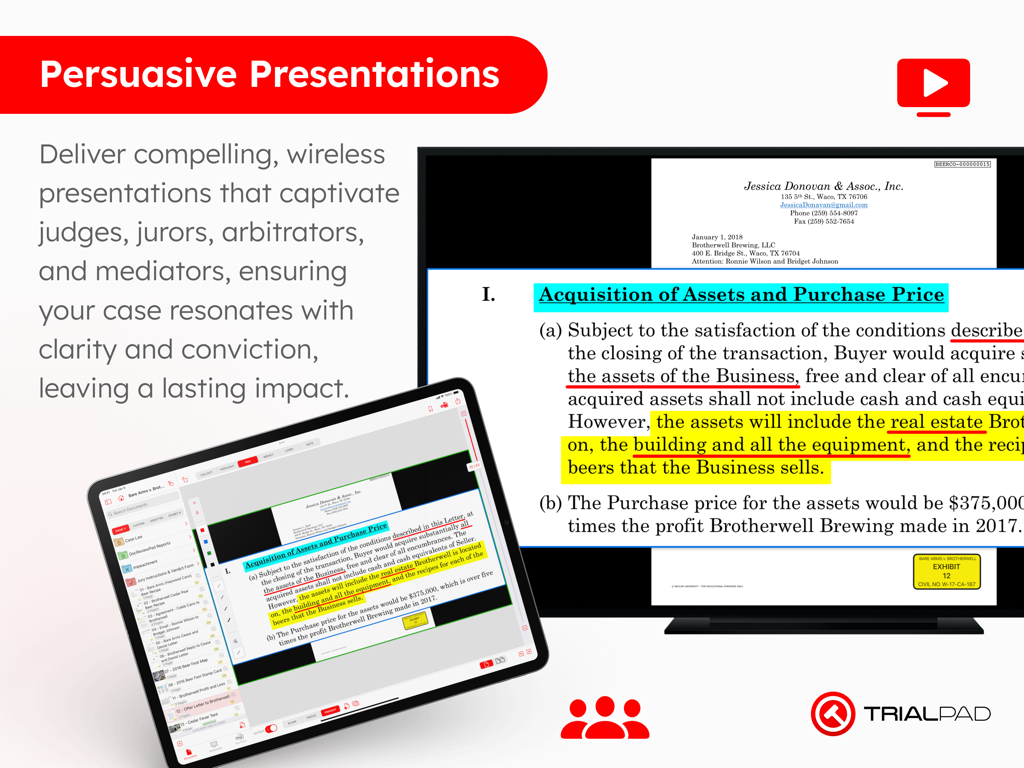
App TrialPad su un iPad che presenta un documento legale evidenziato su un grande schermo.
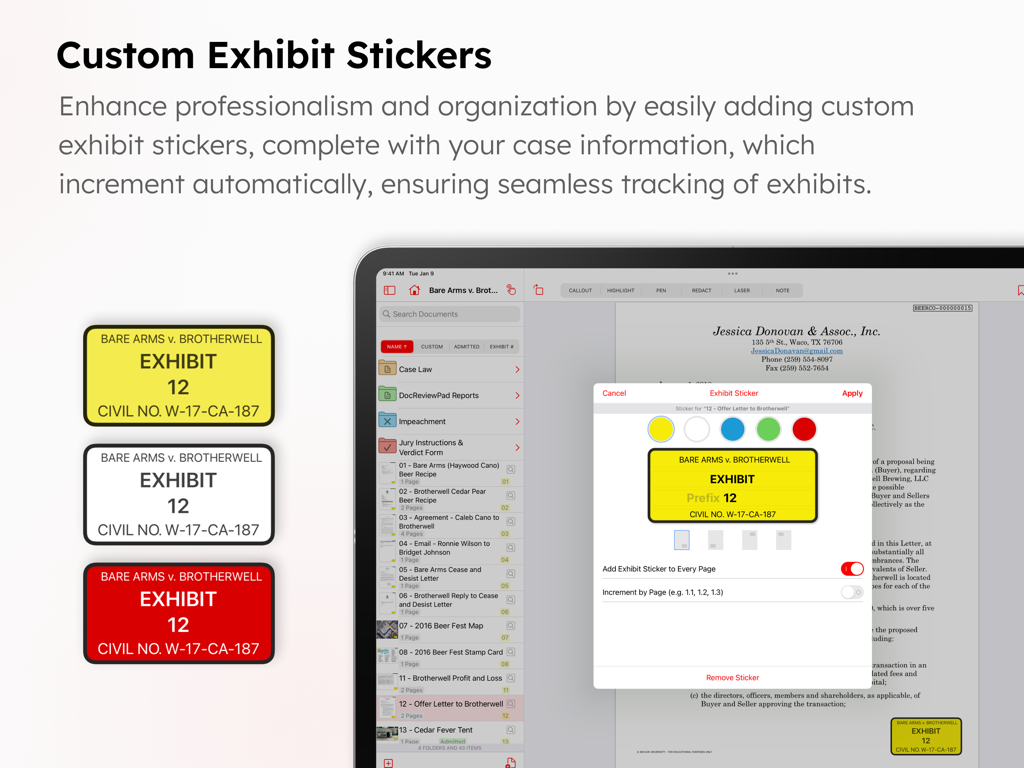
Interfaccia dell'app TrialPad che mostra adesivi personalizzati per le prove per documenti legali.
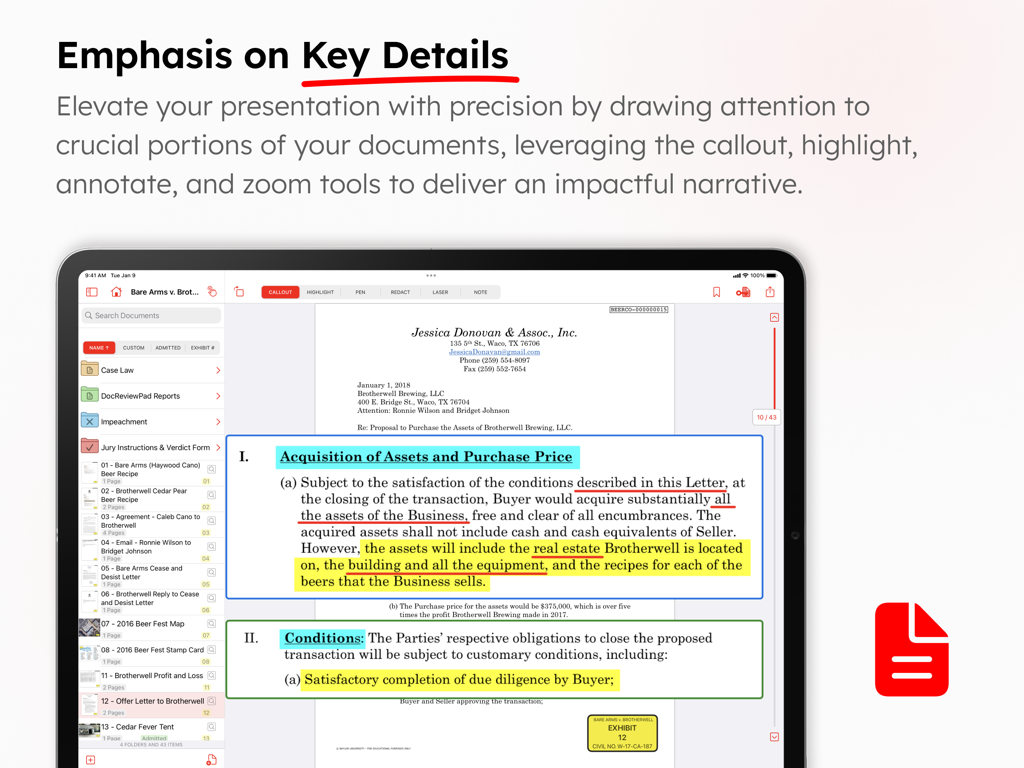
Screenshot dell'app TrialPad che mostra le funzionalità di evidenziazione dei documenti e di richiamo per i processi legali
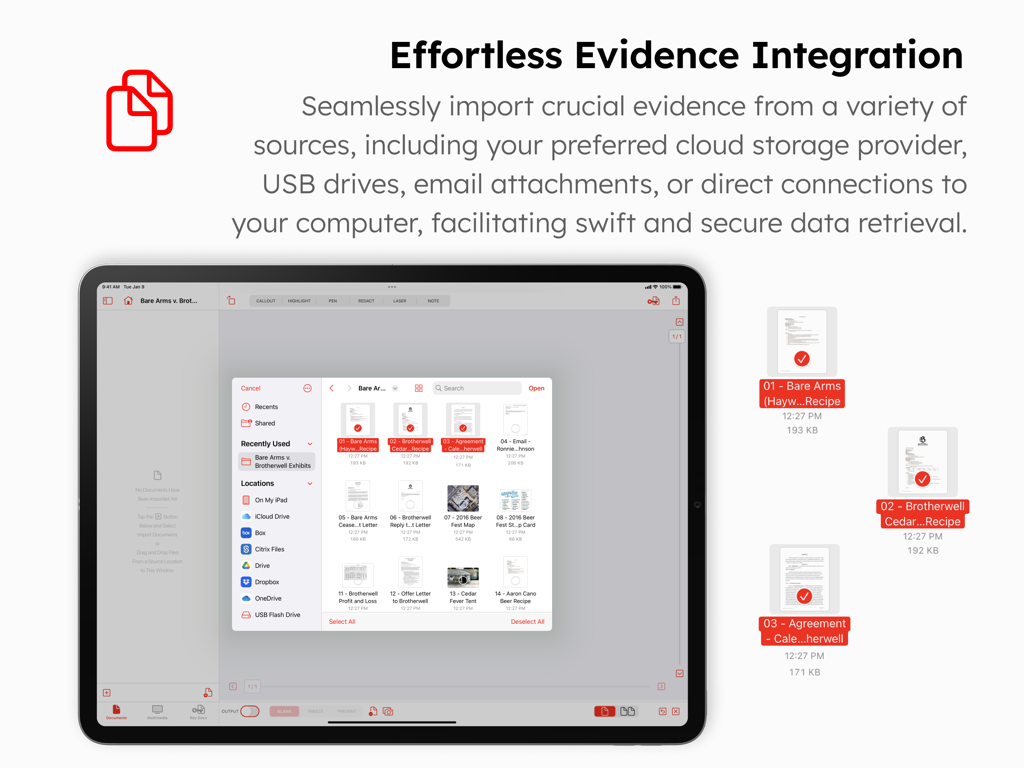
Interfaccia dell'app TrialPad su un iPad che mostra le opzioni per importare prove da archiviazione cloud e unità USB
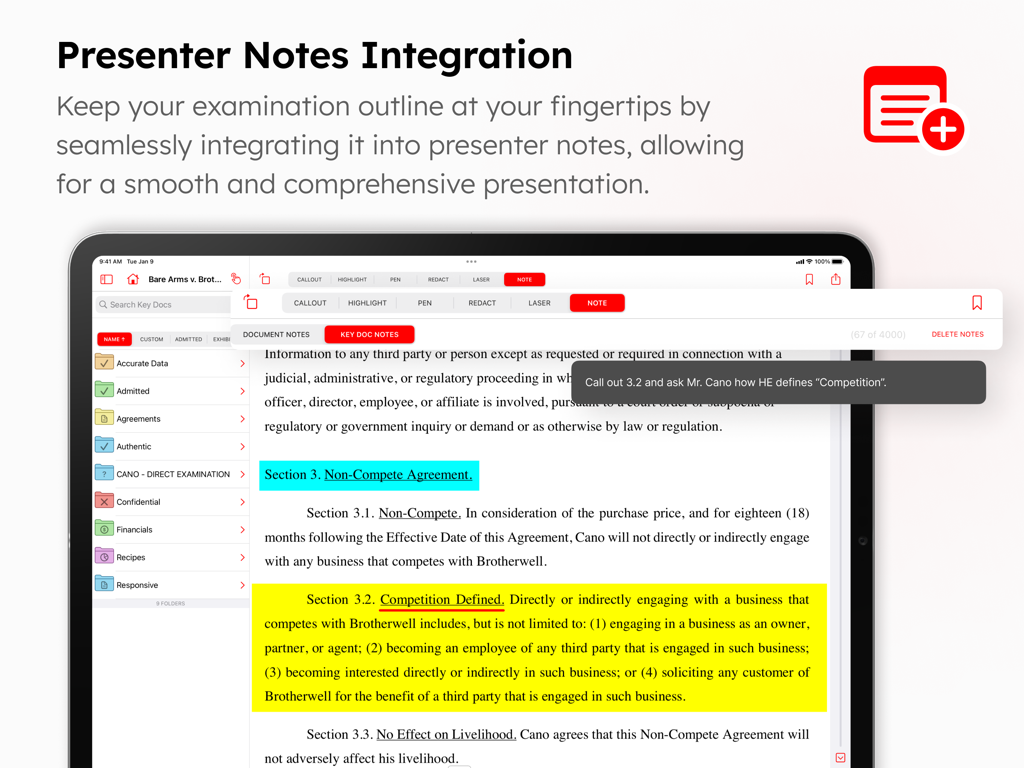
Interfaccia di TrialPad che mostra un documento legale con evidenziazioni e una nota del presentatore per l'esame in aula.
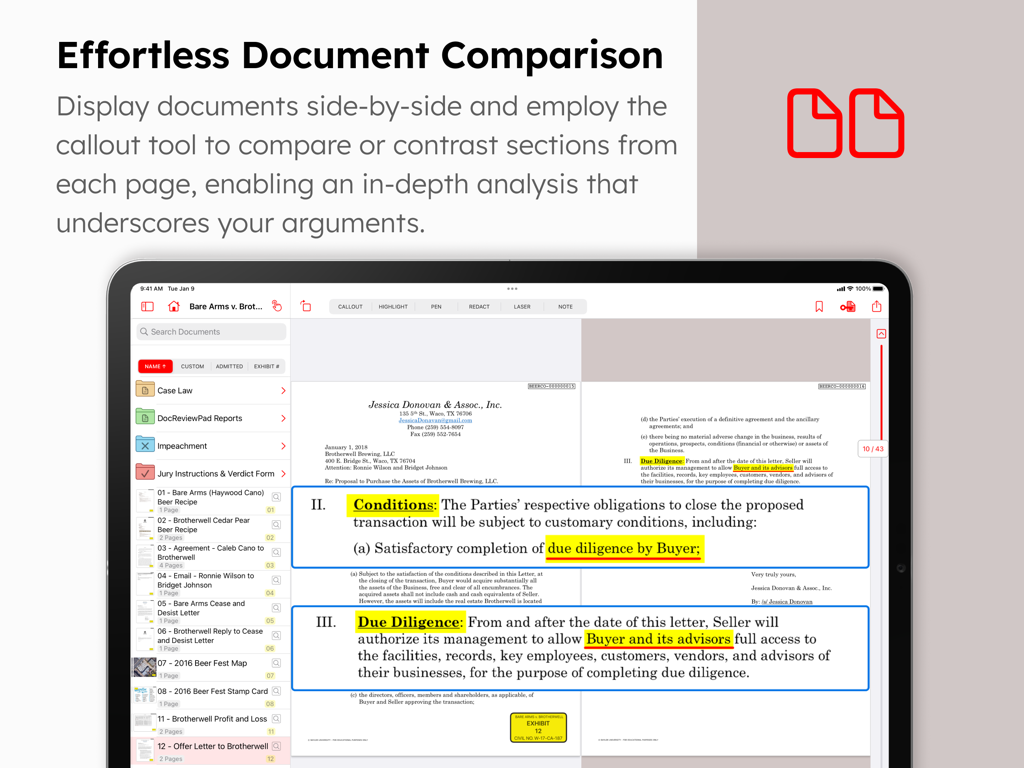
Interfaccia dell'app TrialPad che mostra il confronto di documenti affiancati e richiami evidenziati su un iPad
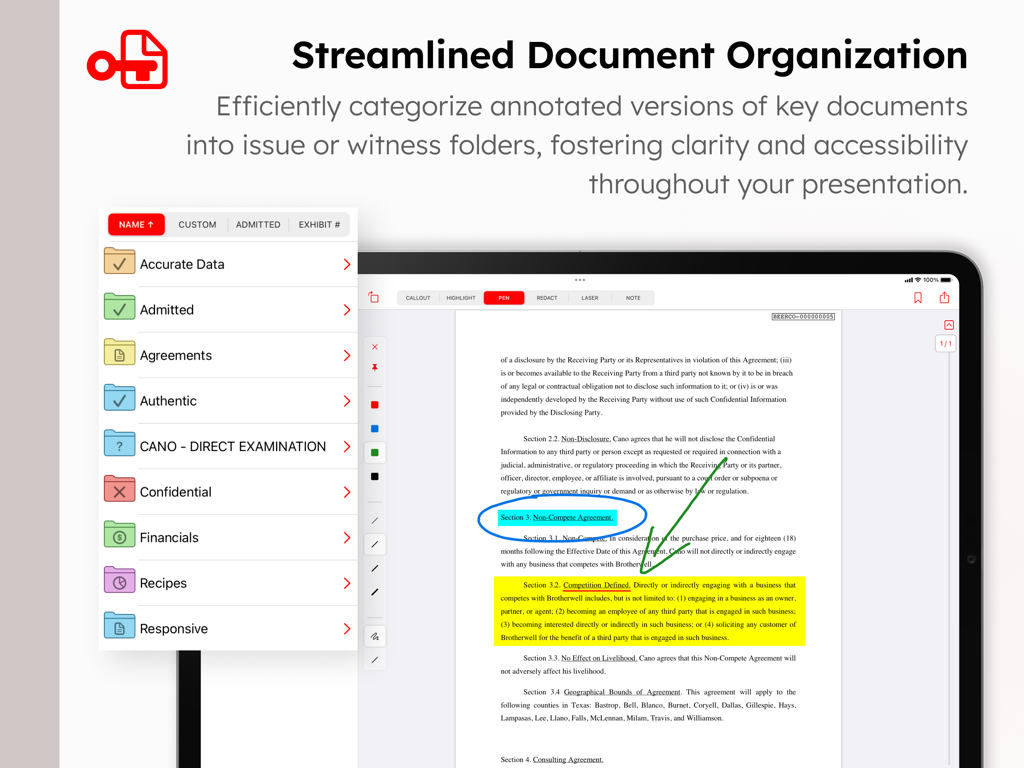
App TrialPad su iPad che mostra l'organizzazione dei documenti in cartelle e un contratto legale annotato con evidenziazioni e richiami
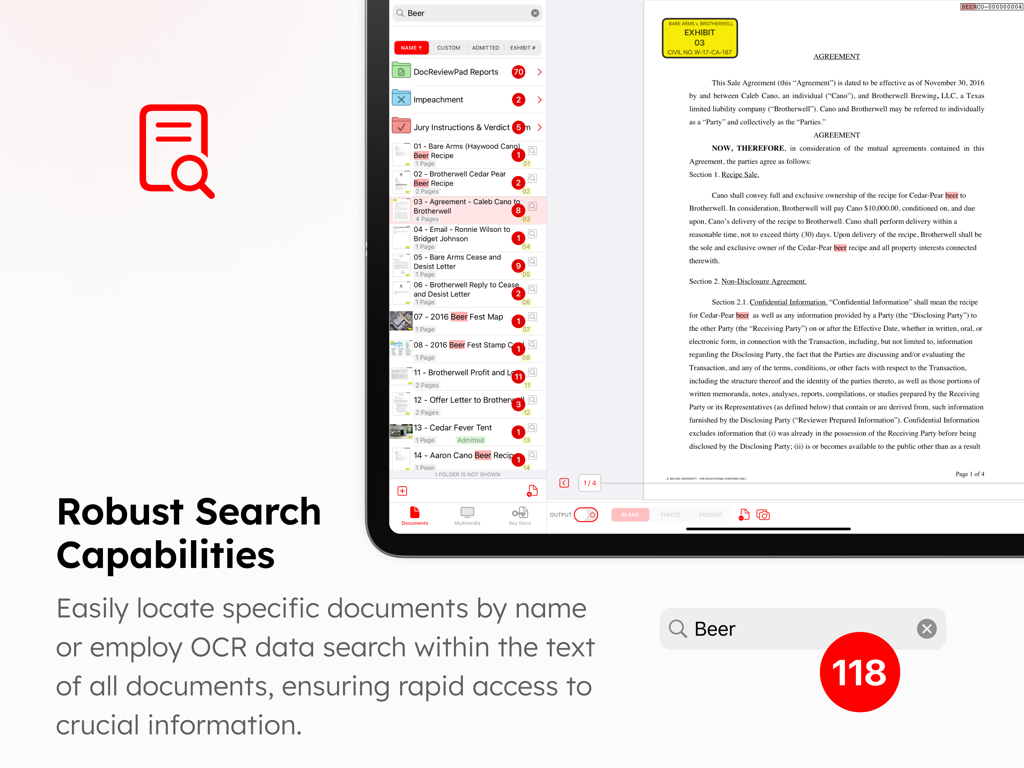
Interfaccia che mostra le robuste capacità di ricerca e OCR di TrialPad per trovare termini specifici in documenti legali e cartelle di casi
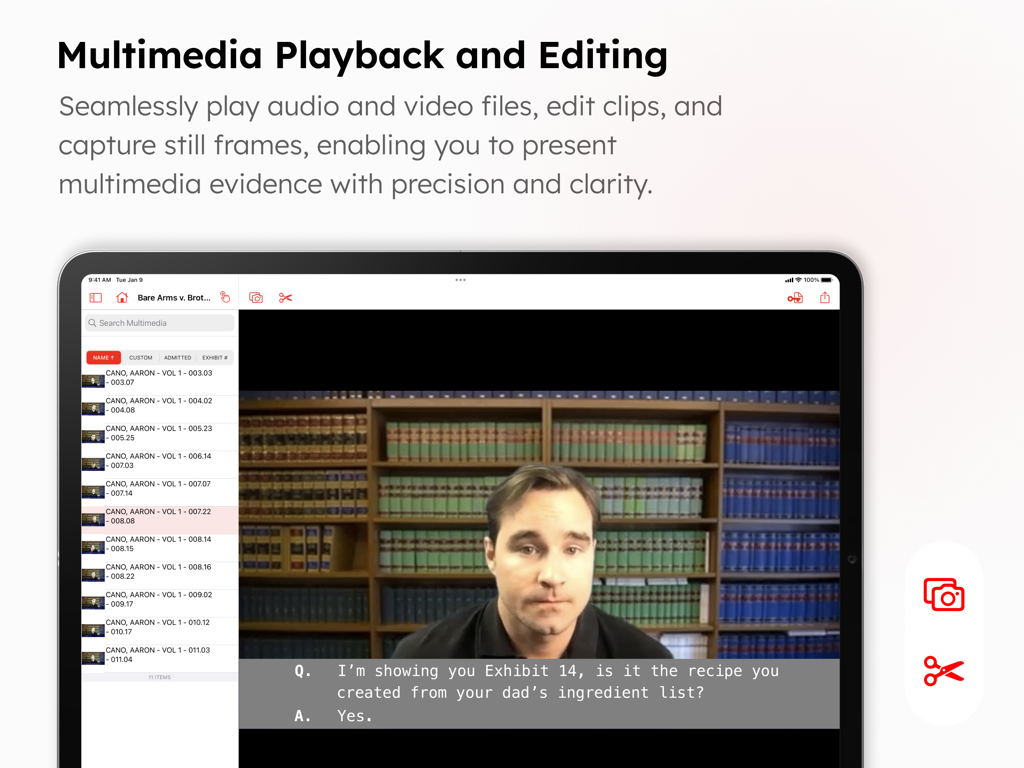
Interfaccia dell'app TrialPad per la riproduzione multimediale e l'editing di prove video con sottotitoli e strumenti di acquisizione
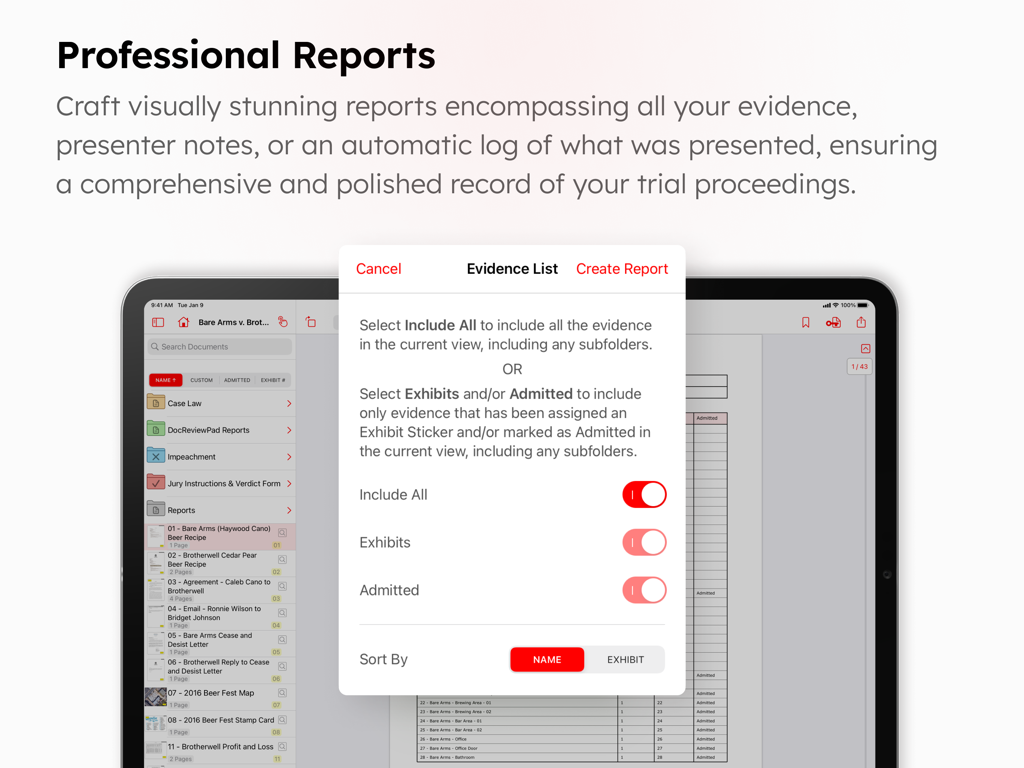
Schermata dell'app TrialPad che mostra la generazione di report professionali e le impostazioni dell'elenco delle prove su un iPad
Descrizione
Download
App Simili
App con funzionalità ed esperienza simili

Questa pagina non è una pagina ufficiale dell'app o del suo sviluppatore, ma una pubblicazione editoriale indipendente creata a scopo informativo e di commento. Salvo espressa indicazione contraria, né l'app né il suo sviluppatore sono affiliati, approvati, sponsorizzati, autorizzati o altrimenti ufficialmente collegati a MWM, Apple, Google Play, all'editore dell'app o allo sviluppatore dell'app, e nulla in questa pagina implica che l'app sia stata sviluppata utilizzando i servizi di MWM. Tutti i marchi, loghi, screenshot e altri contenuti rimangono di proprietà dei rispettivi proprietari.