
Questa pagina non è una pagina ufficiale dell'app o del suo sviluppatore, ma una pubblicazione editoriale indipendente creata a scopo informativo e di commento. Salvo espressa indicazione contraria, né l'app né il suo sviluppatore sono affiliati, approvati, sponsorizzati, autorizzati o altrimenti ufficialmente collegati a MWM, Apple, Google Play, all'editore dell'app o allo sviluppatore dell'app, e nulla in questa pagina implica che l'app sia stata sviluppata utilizzando i servizi di MWM. Tutti i marchi, loghi, screenshot e altri contenuti rimangono di proprietà dei rispettivi proprietari.


Screen Mirroring · TV Cast
La distopia del piccolo schermo finisce qui: l'app Screen Mirroring · TV Cast consegna il tuo iPhone al regno del televisore. Nessuna scusa, solo pixel ingranditi.
Download
1M+Valutazione
Valutazioni totali
12.9KEditore
Categoria
UtilitiesLingue
13Ultima versione
1.1.5Dimensione
91.0 MBData di lancio
24 ott 2023Valutazione delle capacità chiave per l'utenza iOS e Smart TV.
Analisi Funzionale: 'Screen Mirroring · TV Cast'
Mirroring Schermo in Tempo Reale
Questo strumento consente agli utenti di replicare fedelmente lo schermo del proprio iPhone su una Smart TV, permettendo la visualizzazione di qualsiasi contenuto presente sul dispositivo mobile su uno schermo più grande.
Ampia Compatibilità Dispositivi
L'app fornisce la possibilità di connettersi a una vasta gamma di Smart TV e dispositivi AirPlay, inclusi marchi popolari come Roku, Samsung, LG, Chromecast, Sony, Philips, Toshiba e Panasonic, garantendo flessibilità per gli utenti con diverse configurazioni domestiche.
Trasmissione Foto e Video
L'app permette di trasmettere direttamente foto e video dalla galleria dell'iPhone alla Smart TV, facilitando la condivisione di ricordi e contenuti personali con un pubblico più ampio o per un'esperienza visiva migliorata.
Connessione Wi-Fi Intuitiva
Consente una connessione rapida e senza intoppi tra l'iPhone e la Smart TV, purché entrambi i dispositivi siano collegati alla stessa rete Wi-Fi, garantendo un'esperienza utente priva di complessità tecniche.
Domande Frequenti
Tutto quello che devi sapere su Screen Mirroring · TV Cast
What is "TV Cast - Screen Mirroring +"?
TV Cast - Screen Mirroring + facilitates screencasting, screen sharing, and mirroring from an iPhone to various Smart TV brands. It connects wirelessly via Wi-Fi and supports devices like Roku, Samsung, and Chromecast.
Which devices are compatible with "TV Cast - Screen Mirroring +"?
TV Cast - Screen Mirroring + is compatible with Roku, Samsung, Chromecast, Sony, LG, Philips, Toshiba, and Panasonic Smart TVs. It supports devices with DLNA/UPNP and AirPlay functionality for screen mirroring.
How does "TV Cast - Screen Mirroring +" connect to a TV?
TV Cast - Screen Mirroring + connects to a TV via Wi-Fi. Both the iPhone and the Smart TV must be connected to the same Wi-Fi network for the app to establish a connection.
Can I share photos and videos using "TV Cast - Screen Mirroring +"?
Yes, "TV Cast - Screen Mirroring +" enables sharing photos and videos from your iPhone to your Smart TV. The app provides direct options for broadcasting both photo and video media.
Does "TV Cast - Screen Mirroring +" support AirPlay?
Yes, "TV Cast - Screen Mirroring +" supports AirPlay devices. Users can select AirPlay from the connection options within the app, provided their device is on the same Wi-Fi network.
What is the cost of "TV Cast - Screen Mirroring +"?
TV Cast - Screen Mirroring + offers premium features via an auto-renewing weekly subscription. Payment is charged to the iTunes Account upon confirmation of the purchase.
How do I cancel a subscription for "TV Cast - Screen Mirroring +"?
You manage "TV Cast - Screen Mirroring +" subscriptions through Apple Account Settings. Auto-renewal can be disabled there. Free trial cancellations require action 24 hours before the period ends.
Is "TV Cast - Screen Mirroring +" an official brand app?
No, "TV Cast - Screen Mirroring +" is not an official application. The app explicitly states that its developers are not affiliated with any mentioned brands, including Roku or Samsung.
Where are the legal policies for "TV Cast - Screen Mirroring +"?
The legal policies for "TV Cast - Screen Mirroring +", including Terms of Use, Privacy Policy, and EULA, are available via direct links in the app description. These links are hosted on screenmirroring.addonsmcpe.website.
Gli screenshot e la descrizione seguenti provengono direttamente dall'elenco ufficiale dello store dell'app e sono di proprietà dello sviluppatore.
App Store
Screenshot
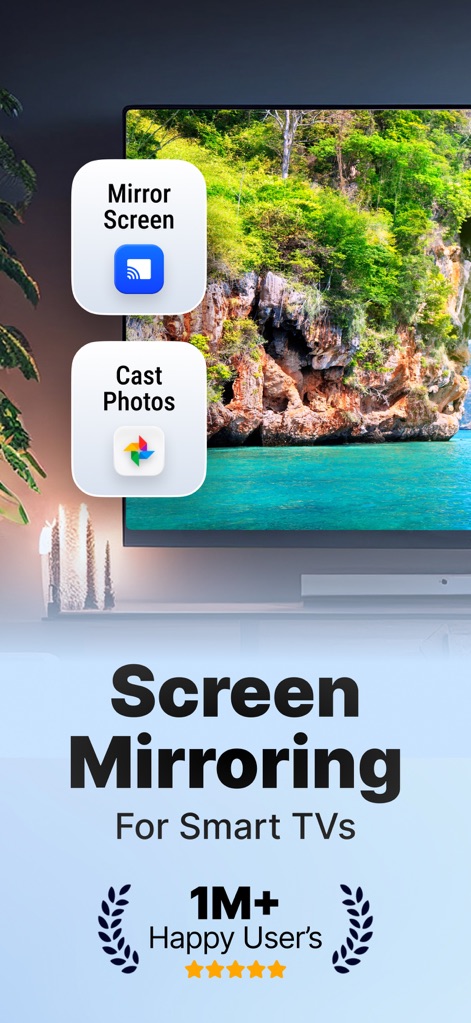
Questa schermata mette in evidenza la facilità con cui gli utenti possono avviare il 'Mirror Screen' o scegliere di 'Cast Photos' direttamente dal proprio dispositivo, trasformando la TV in un centro multimediale.
Mirroring Semplice
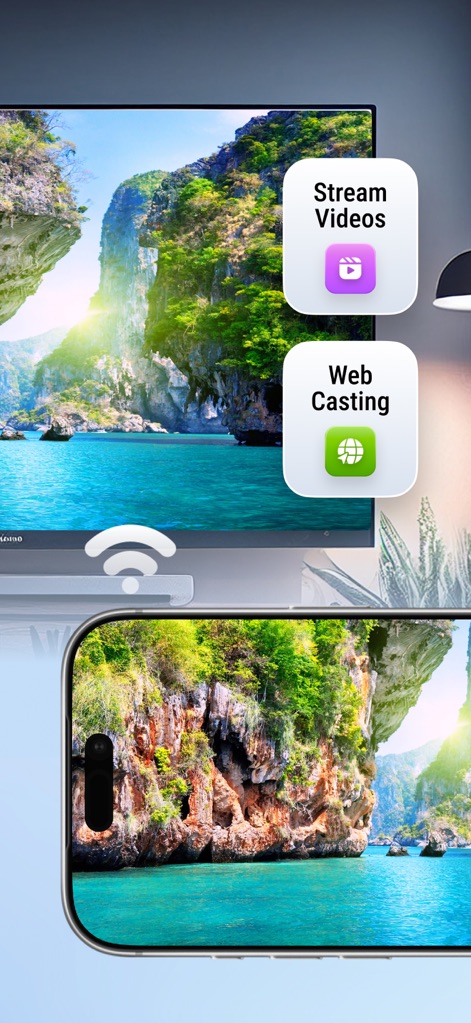
L'app permette agli utenti di 'Stream Videos' e di accedere alla funzione di 'Web Casting', ampliando le possibilità di intrattenimento direttamente sulla Smart TV, tramite una connessione Wi-Fi stabile.
Contenuti Illimitati
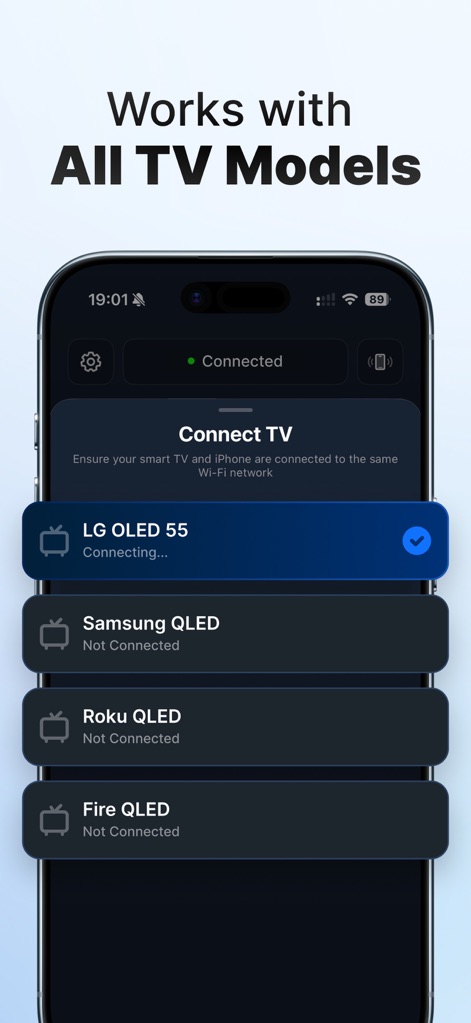
La schermata dimostra l'ampia compatibilità dello strumento, che si connette facilmente a diverse marche di Smart TV come 'LG OLED 55' e 'Samsung QLED', garantendo un'esperienza di mirroring senza interruzioni.
Connessione Universale
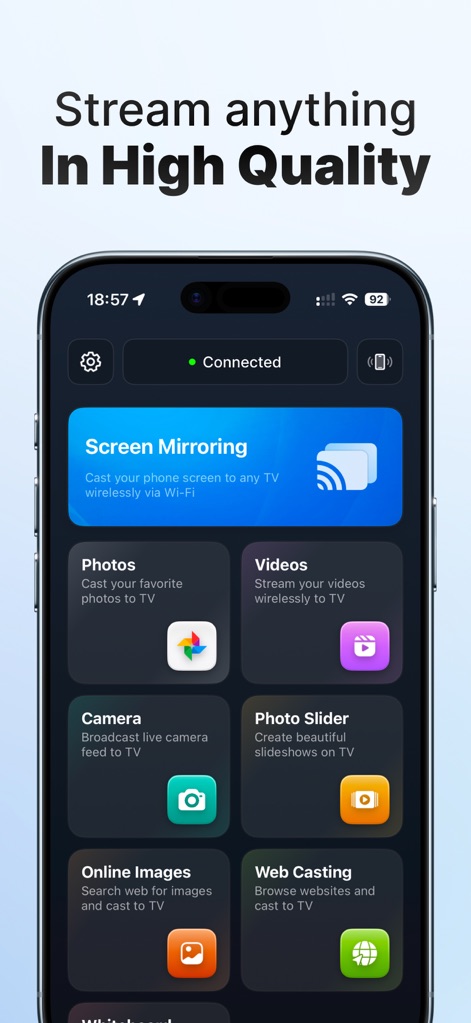
Questa interfaccia intuitiva mostra la vasta gamma di funzionalità disponibili, dal 'Screen Mirroring' per la duplicazione completa dello schermo alla trasmissione di 'Photos' e 'Videos' in alta qualità.
Dashboard Completa
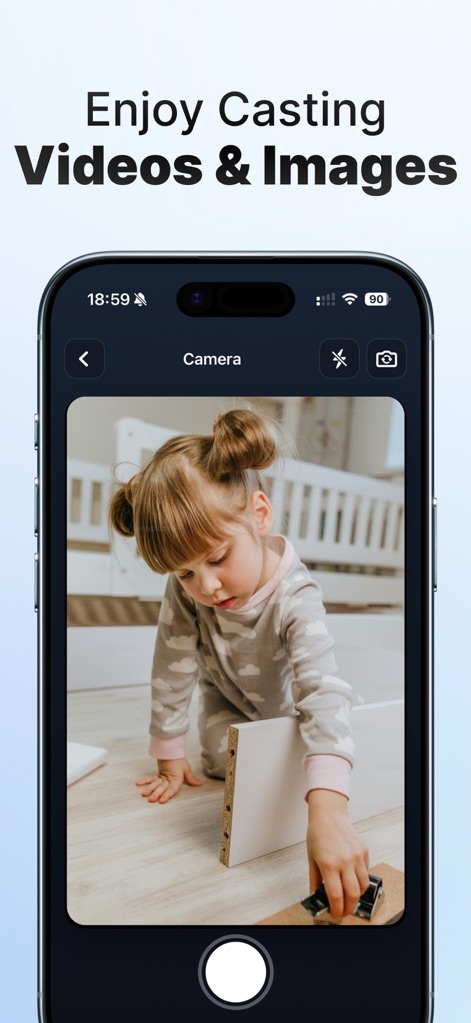
La schermata evidenzia come l'app consenta il casting di 'contenuti live dalla fotocamera', mostrando un'immagine 'pronta per la trasmissione', per condividere istantaneamente esperienze visive sulla TV.
Momenti Live
Descrizione
Download
App Simili
App con funzionalità ed esperienza simili

Web Video Cast | Browser to TV
InstantBits Inc

PigeonCast:Send by Google Cast
Sichuan FalconAI Technology Co., Ltd.

Screen Mirroring • Smart TV
Mihkel Pikk

Screen Mirroring | Cast to TV
Ozuna Limited

Screen Mirroring・Smart View TV
TOGGLE APPS SP Z O O

UbeCast: Music Streamer & PiP
AER SOFTWARE COMPANY LIMITED

AirDroid Cast-screen mirroring
SAND STUDIO CORPORATION LIMITED

Miracast: Screen Mirroring TV
Hainan Delta Software Co., Ltd

Screen Mirroring・Air Cast TV
Dalma Innovation Solutions d.o.o.
Questa pagina non è una pagina ufficiale dell'app o del suo sviluppatore, ma una pubblicazione editoriale indipendente creata a scopo informativo e di commento. Salvo espressa indicazione contraria, né l'app né il suo sviluppatore sono affiliati, approvati, sponsorizzati, autorizzati o altrimenti ufficialmente collegati a MWM, Apple, Google Play, all'editore dell'app o allo sviluppatore dell'app, e nulla in questa pagina implica che l'app sia stata sviluppata utilizzando i servizi di MWM. Tutti i marchi, loghi, screenshot e altri contenuti rimangono di proprietà dei rispettivi proprietari.