TV Remote - Universal Remote
Scarica su App Store

Questa pagina non è una pagina ufficiale dell'app o del suo sviluppatore, ma una pubblicazione editoriale indipendente creata a scopo informativo e di commento. Salvo espressa indicazione contraria, né l'app né il suo sviluppatore sono affiliati, approvati, sponsorizzati, autorizzati o altrimenti ufficialmente collegati a MWM, Apple, Google Play, all'editore dell'app o allo sviluppatore dell'app, e nulla in questa pagina implica che l'app sia stata sviluppata utilizzando i servizi di MWM. Tutti i marchi, loghi, screenshot e altri contenuti rimangono di proprietà dei rispettivi proprietari.

Logo di TV Remote - Universal Remote
Scarica su App Store

TV Remote - Universal Remote

Abbandona i telecomandi fisici e riconquista il tuo salotto. Sperimenta un controllo senza interruzioni con Siri, Attività in tempo reale e una tastiera completa su tutti i tuoi dispositivi Apple.

Numeri Chiave

Download

151K+

Valutazione

4.3/5

Valutazioni totali

800

Editore

Adam Foot

Categoria

Entertainment

Lingue

14

Ultima versione

4.0.3

Dimensione

116.9 MB

Data di lancio

22 nov 2020
Funzioni

Il Modo Più Intelligente per Controllare la Tua TV

Elimina il disordine dal tavolino da caffè con un telecomando universale potente e personalizzabile, costruito esclusivamente per l'ecosistema Apple.

Cerca Più Velocemente con una Tastiera Completa

Smetti di premere i tasti freccia una lettera alla volta. Usa il tuo iPhone per digitare titoli di film e password istantaneamente.

Controllo Senza Sbloccare

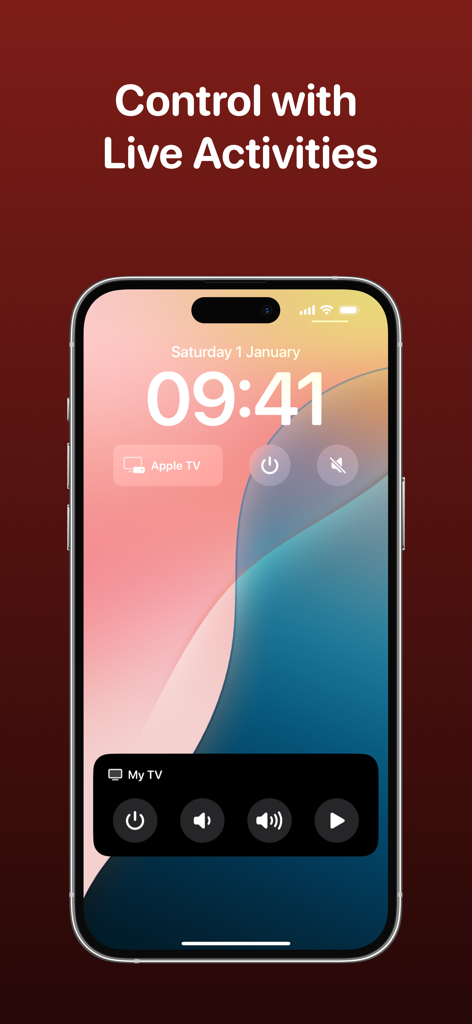
Accedi ai controlli del volume e dei canali direttamente dalla schermata di blocco, dalla Dynamic Island o dall'Apple Watch utilizzando le Attività in tempo reale.

Gli screenshot e la descrizione seguenti provengono direttamente dall'elenco ufficiale dello store dell'app e sono di proprietà dello sviluppatore.

App Store

Screenshot
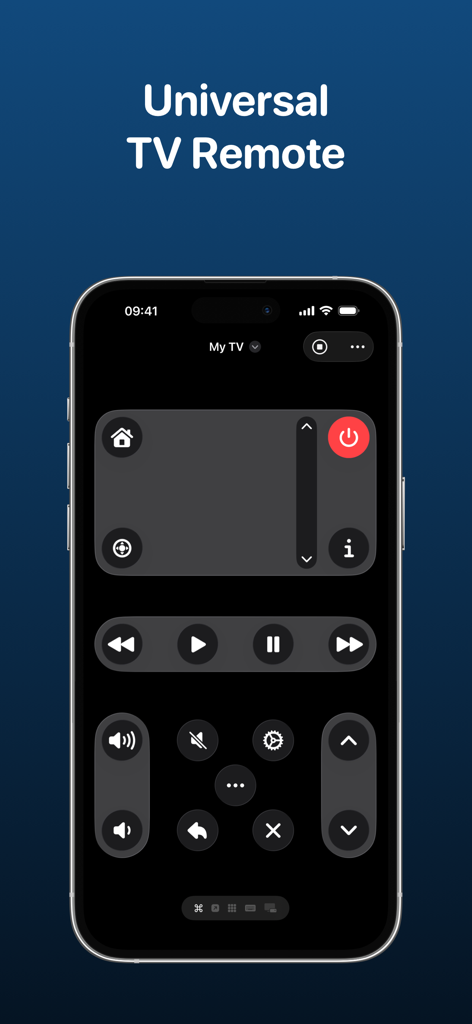
TV Remote - Universal Remote - Un'interfaccia di telecomando TV universale su un iPhone che mostra controlli in modalità scura e layout di pulsanti personalizzati.
Un'interfaccia di telecomando TV universale su un iPhone che mostra controlli in modalità scura e layout di pulsanti personalizzati.

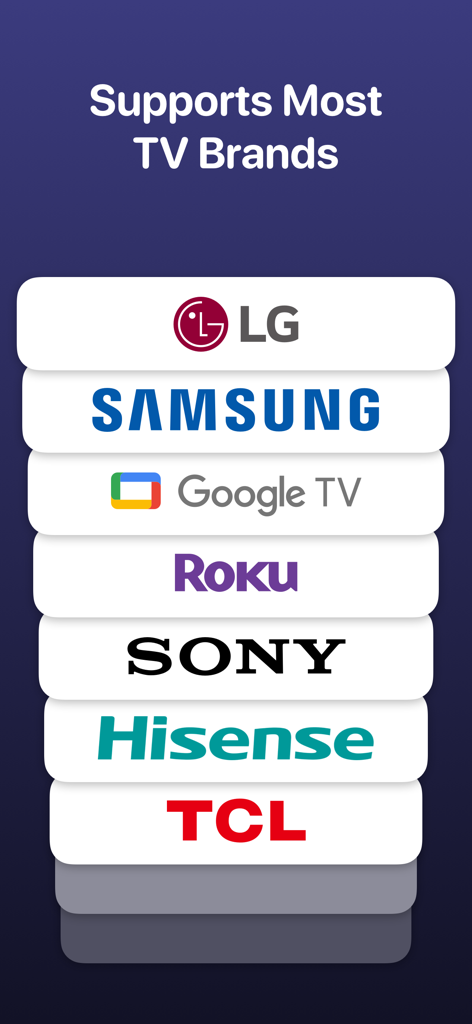
TV Remote - Universal Remote - Un elenco di marchi di TV supportati tra cui LG, Samsung, Google TV, Roku, Sony, Hisense e TCL.
Un elenco di marchi di TV supportati tra cui LG, Samsung, Google TV, Roku, Sony, Hisense e TCL.

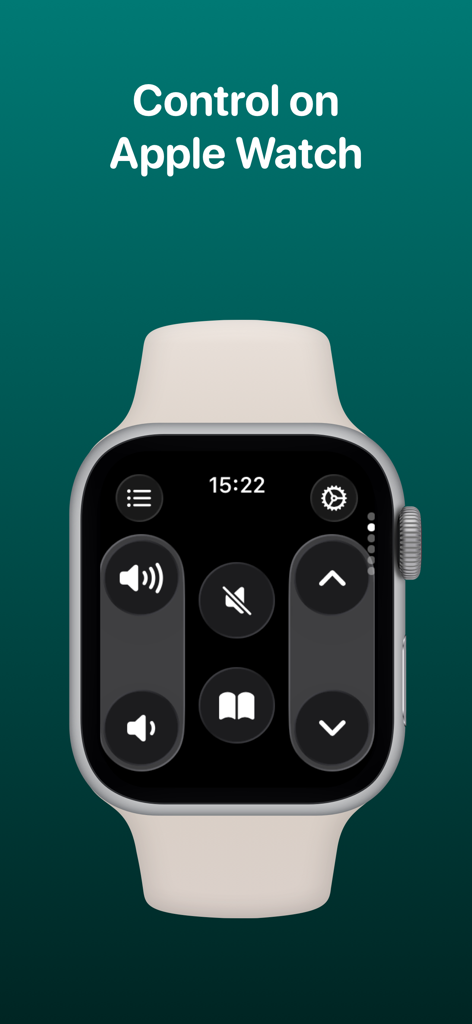
TV Remote - Universal Remote - Interfaccia dell'app Telecomando TV visualizzata su un Apple Watch che mostra i controlli del volume e di navigazione
Interfaccia dell'app Telecomando TV visualizzata su un Apple Watch che mostra i controlli del volume e di navigazione

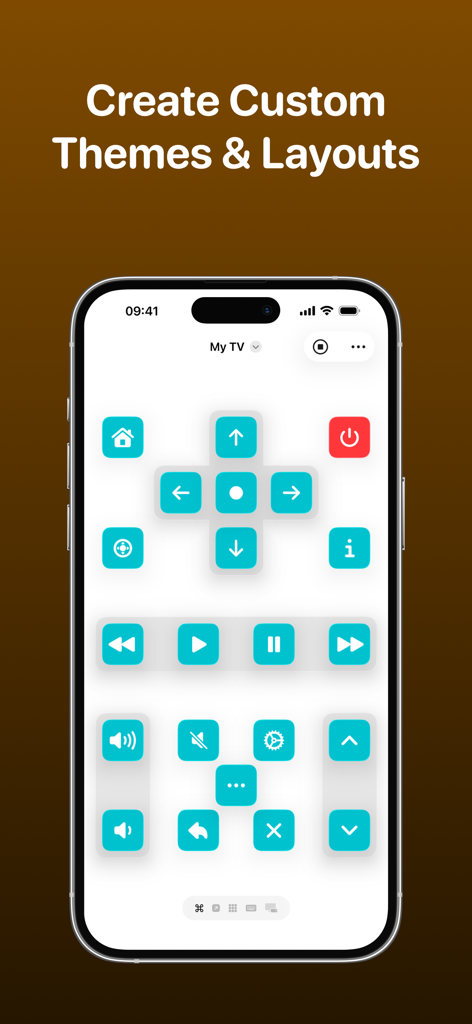
TV Remote - Universal Remote - Schermata di uno smartphone che mostra un'interfaccia di telecomando TV personalizzata con pulsanti turchesi e un layout personalizzato.
Schermata di uno smartphone che mostra un'interfaccia di telecomando TV personalizzata con pulsanti turchesi e un layout personalizzato.

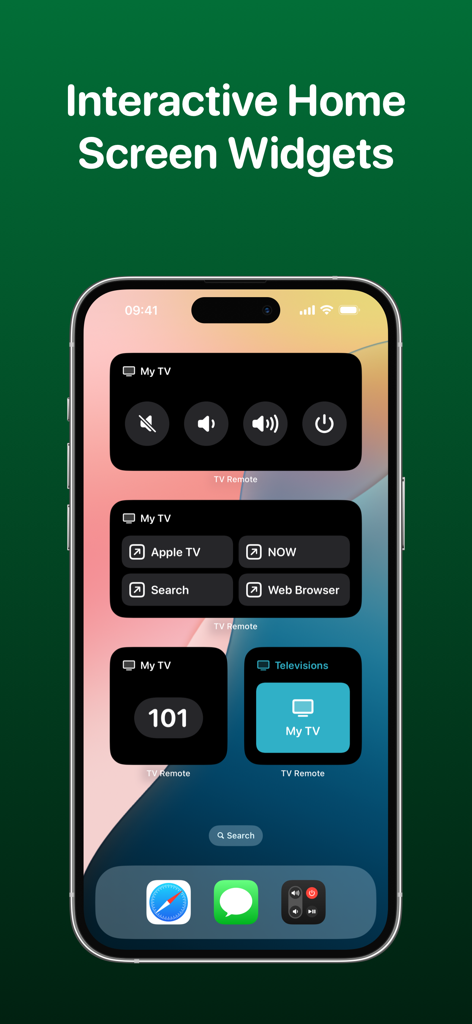
TV Remote - Universal Remote - Schermata Home dell'iPhone che mostra widget interattivi del telecomando TV per il controllo del volume, dell'alimentazione e delle app
Schermata Home dell'iPhone che mostra widget interattivi del telecomando TV per il controllo del volume, dell'alimentazione e delle app

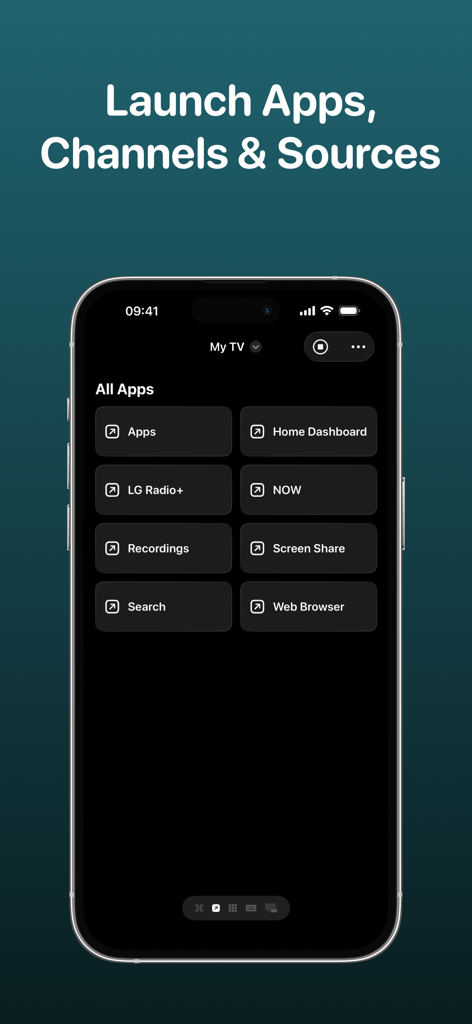
TV Remote - Universal Remote - Interfaccia dell'app Telecomando TV che mostra un menu per avviare app, canali e sorgenti su una smart TV
Interfaccia dell'app Telecomando TV che mostra un menu per avviare app, canali e sorgenti su una smart TV

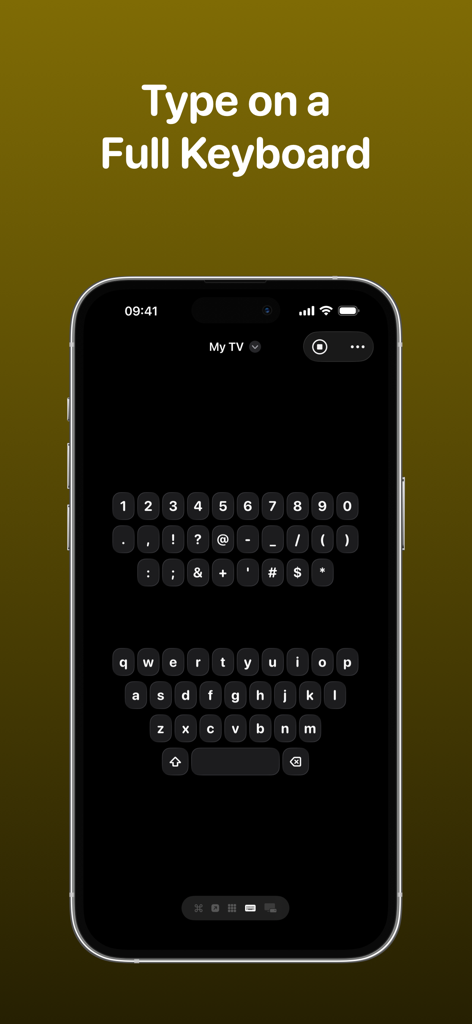
TV Remote - Universal Remote - Schermata di un iPhone che mostra l'interfaccia della tastiera QWERTY completa dell'app Telecomando TV per digitare su un televisore intelligente.
Schermata di un iPhone che mostra l'interfaccia della tastiera QWERTY completa dell'app Telecomando TV per digitare su un televisore intelligente.

TV Remote - Universal Remote - Schermata di blocco dell'iPhone che mostra le Attività in tempo reale e i widget dell'app Telecomando TV per un rapido accesso ai controlli del televisore.
Schermata di blocco dell'iPhone che mostra le Attività in tempo reale e i widget dell'app Telecomando TV per un rapido accesso ai controlli del televisore.

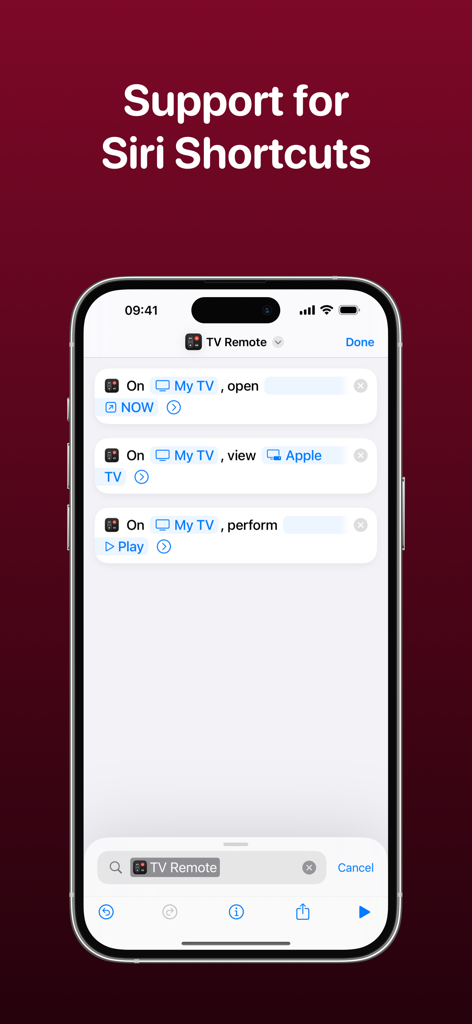
TV Remote - Universal Remote - Interfaccia dell'app Telecomando TV che mostra l'integrazione dei comandi rapidi di Siri su un iPhone

Interfaccia dell'app Telecomando TV che mostra l'integrazione dei comandi rapidi di Siri su un iPhone

Descrizione

Control your television using your iPhone, iPad, Apple Watch, Apple Vision Pro or HomePod with the TV Remote app. * As featured on 9to5Mac, MacRumors, MacStories, TechCrunch & more* TV Remote combines a beautiful and simple interface with advanced features that enable you to control your television without the need for a physical remote. Add all of your televisions to TV Remote and you’ll be able to customize the layout, apply themes and interact through Widgets and Siri Shortcuts. TV Remote contains these great features: UNIVERSAL REMOTE TV Remote supports many brands of TVs (see below) and makes it easy for you to setup each one in a single app. You’ll find the buttons you’re used to seeing and there’s even the ability to launch apps and switch sources too. INTERACTIVE WIDGETS Remote commands can be added to your Home Screen or Lock Screen for quick access to your remote when you need it. There’s supports for launching apps, sources and changing channels all from a Widget too and with Interactive Widgets, you won't even need to open the app! SIRI SHORTCUTS Without even opening the app, you’ll be able to perform commands, change channels, launch apps and more with the Siri Shortcuts integration! For example, you’ll be able to configure a string of commands together to change a specific setting on your TV without even lifting a finger. LIVE ACTIVITIES Get access to a set of configured commands on your Lock Screen or Dynamic Island that allows you to quickly change channels, adjust volume and much more - all without opening the app! CUSTOM LAYOUTS TV Remote gives you the ability to fully customize how you want the remote for each TV to look. Using a set of pre-configured layout components, you’ll be able to choose which buttons go where so you get the exact look you’re after. THEMES Gone are the days of a plain remote! With TV Remote, you can be bold and design the exact look and feel of your television remote - even down to the icon tint on a button, and whether buttons are round or square. Each television has its own theme and there are plenty of presets to choose from too. You can even lock the app to light/dark mode. KEYBOARD No need to use arrow keys to navigate round an on-screen keyboard. With TV Remote, you’ll have access to a full keyboard you can use to search for programmes and more! CHANNELS, APPS & SOURCES TV Remote will load the available channels, apps and sources available on your television and allow you to launch them with just a tap. WAKE FROM SLEEP TV Remote supports Wake-on-LAN to allow you to power on your television when it is asleep. TOUCHPAD Control your television using swipe gestures on a touchpad instead of the standard directional keypad for a more fluid experience. SYNCING TV Remote syncs with your iCloud account to allow you to access your TVs across all your devices. TV Remote supports televisions from these manufacturers and operating systems (+ many more!): - LG/webOS - Samsung/Tizen - Sony - Roku - Google Chromecast - NVIDIA SHIELD - Sky Q - TCL - Hitachi - Sharp - Hisense - Philips - Toshiba - JVC - Panasonic UNIVERSAL PURCHASE Get this app across multiple Apple platforms with a single purchase. Your TV Remote Premium subscription works across devices too. If you like this app, I’d really appreciate it if you could take the time to leave a positive review! Having issues? Please get in touch: Email: support@adamfoot.dev Website: https://adamfoot.dev Please note that a supported television is required to use the app and the manufacturers listed above are a guide only. A more comprehensive list can be found within the app settings where release dates and versions are listed too. Some features may require a TV Remote Premium subscription which can be purchased in the app. You can cancel at anytime. All brand names, copyrights and trademarks belong to the companies and not the TV Remote app. Terms: https://adamfoot.dev/terms-of-use

Download

Scarica su App Store

Questa pagina non è una pagina ufficiale dell'app o del suo sviluppatore, ma una pubblicazione editoriale indipendente creata a scopo informativo e di commento. Salvo espressa indicazione contraria, né l'app né il suo sviluppatore sono affiliati, approvati, sponsorizzati, autorizzati o altrimenti ufficialmente collegati a MWM, Apple, Google Play, all'editore dell'app o allo sviluppatore dell'app, e nulla in questa pagina implica che l'app sia stata sviluppata utilizzando i servizi di MWM. Tutti i marchi, loghi, screenshot e altri contenuti rimangono di proprietà dei rispettivi proprietari.








