Videdit - Handy Video Editor
Scarica su App Store

Questa pagina non è una pagina ufficiale dell'app o del suo sviluppatore, ma una pubblicazione editoriale indipendente creata a scopo informativo e di commento. Salvo espressa indicazione contraria, né l'app né il suo sviluppatore sono affiliati, approvati, sponsorizzati, autorizzati o altrimenti ufficialmente collegati a MWM, Apple, Google Play, all'editore dell'app o allo sviluppatore dell'app, e nulla in questa pagina implica che l'app sia stata sviluppata utilizzando i servizi di MWM. Tutti i marchi, loghi, screenshot e altri contenuti rimangono di proprietà dei rispettivi proprietari.


Logo di Videdit - Handy Video Editor
Scarica su App Store

Videdit - Handy Video Editor

Dagli effetti virali come BlingBling e Chromakey alle utilità essenziali come la compressione e la rimozione di filigrane, padroneggia i tuoi contenuti con oltre 30 potenti strumenti in un'unica pratica app.

Numeri Chiave

Download

244K+

Valutazione

4.5/5

Valutazioni totali

3K+

Editore

知刚 刘

Categoria

Photo & Video

Lingue

9

Ultima versione

24.03.09

Dimensione

69.8 MB

Data di lancio

1 feb 2018
Funzioni

Padroneggia i tuoi contenuti con oltre 30 strumenti professionali

Videdit è il coltellino svizzero definitivo per i creatori mobili, che unisce effetti creativi virali con utilità tecniche essenziali in un'unica pratica app.

Effetti creativi virali

Distinguiti su TikTok e Reels con particelle cinematografiche, rotazioni 3D e il rilevamento delle scintille 'BlingBling' distintivo.

Privacy e modifiche di precisione

Cancella senza sforzo filigrane, sfoca i volti con mosaici dinamici e gestisci i metadati EXIF per mantenere i tuoi contenuti professionali.

Gli screenshot e la descrizione seguenti provengono direttamente dall'elenco ufficiale dello store dell'app e sono di proprietà dello sviluppatore.

App Store

Screenshot
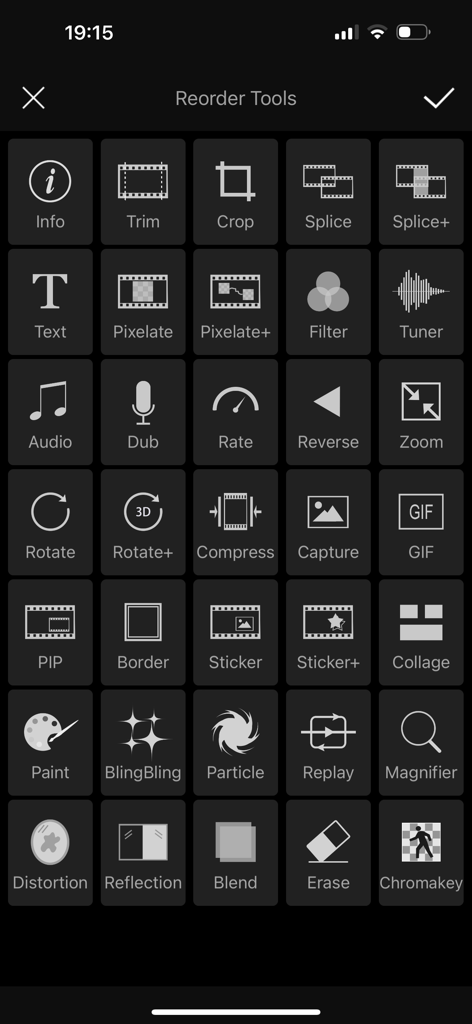
Videdit - Handy Video Editor - Griglia di oltre 30 strumenti e funzionalità di editing video nell'app mobile Videdit
Griglia di oltre 30 strumenti e funzionalità di editing video nell'app mobile Videdit

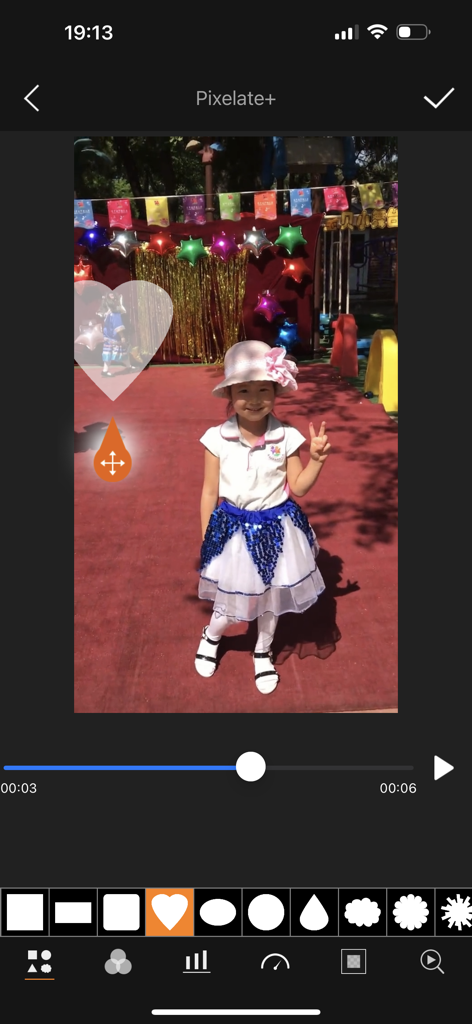
Videdit - Handy Video Editor - Interfaccia dell'editor video Videdit che mostra effetti di mosaico a forma di cuore e pixelatura

Interfaccia dell'editor video Videdit che mostra effetti di mosaico a forma di cuore e pixelatura
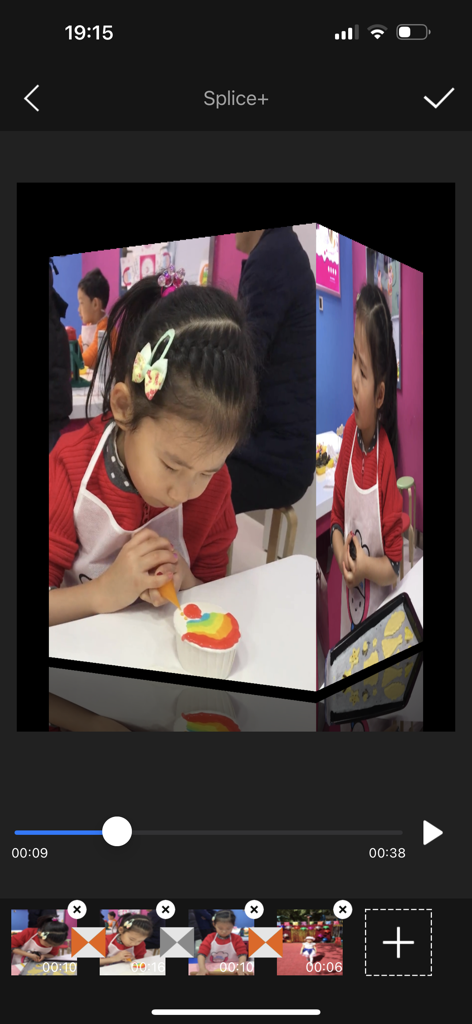
Videdit - Handy Video Editor - Interfaccia dell'app Videdit che mostra una transizione a cubo 3D tra clip video
Interfaccia dell'app Videdit che mostra una transizione a cubo 3D tra clip video

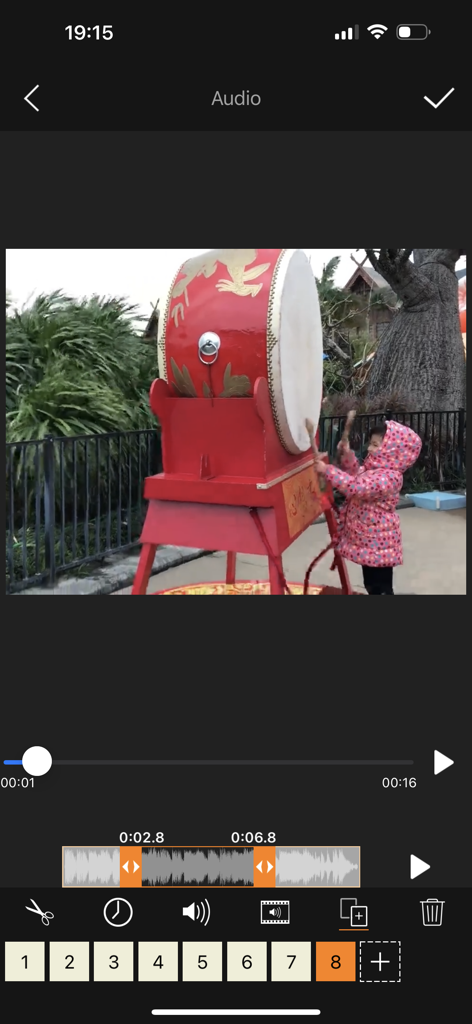
Videdit - Handy Video Editor - Interfaccia dell'app mobile di Videdit che mostra gli strumenti di editing e ritaglio della forma d'onda audio per un video di un bambino che suona un tamburo
Interfaccia dell'app mobile di Videdit che mostra gli strumenti di editing e ritaglio della forma d'onda audio per un video di un bambino che suona un tamburo

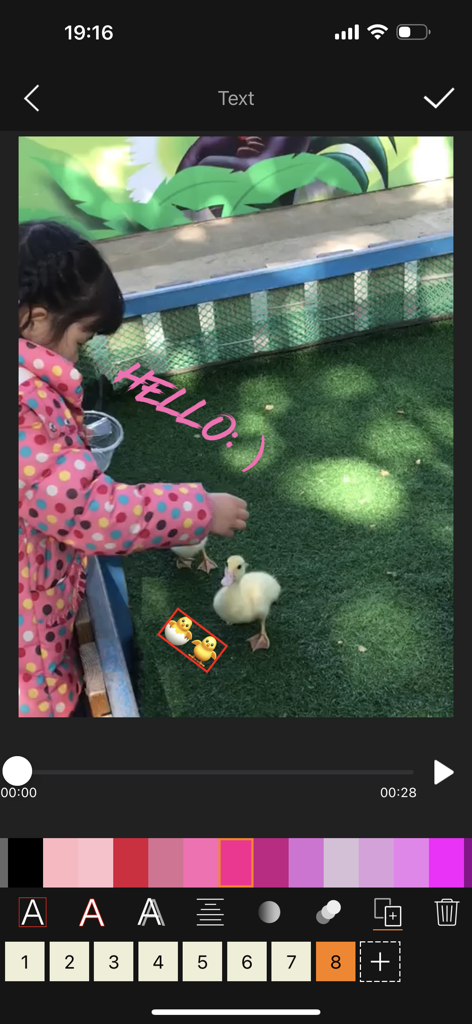
Videdit - Handy Video Editor - Interfaccia dell'app Videdit che mostra gli strumenti di editing video per aggiungere testo e adesivi a un video mobile
Interfaccia dell'app Videdit che mostra gli strumenti di editing video per aggiungere testo e adesivi a un video mobile

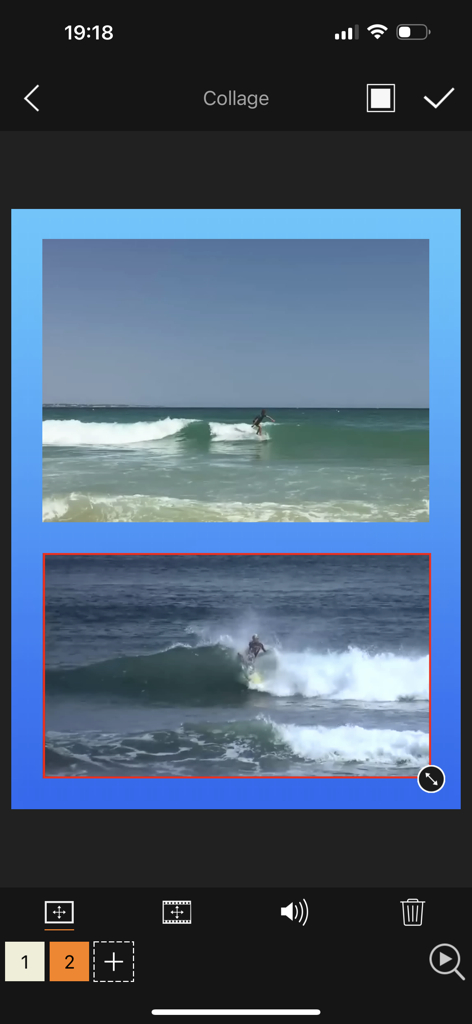
Videdit - Handy Video Editor - Interfaccia dell'app Videdit che mostra la funzione collage video con due clip video di surf

Interfaccia dell'app Videdit che mostra la funzione collage video con due clip video di surf

Descrizione

Videdit has more than 30 features: Info, Trim, Crop, Blend, Erase, Chromakey, Mosaic, Splice, Particle, BlingBling, Filter, Text, Sticker, Paint, Tuner, Dub, Speed, Reverse, Zoom, Rotate, Compress, Gif, Collage, Magnifier, Distortion, Reflection ... With Videdit, you can edit your videos in a lot of ways and make them more awesome and different. === SIMPLE AND EASY TO USE === Choose the video from Photo, Select a way of editing, handle it and save or share it. === RICH FEATURES === + View, modify or delete some EXIF and properties of the video file + Trim unwanted parts of the video + Crop the video into any size + Splice videos and images with 100+ transition animation effects + Mosaic a part of the video statically or dynamically: select the shape and type, adjust the blur intensity and speed of moving, drag the handler and move to blur the selected part of the video; can invert the blurred area + Add some text into the video with rich text effects + Adjust the color and effect of the video with dozens of filters + Take a picture from the video + Tuner by which to adjust the pitch and volume of the sound within the video, distort the sound, and add reverb to the sound make the sound have some special effects + Dub for the video and support to adjust the volume + Add special audios into the video with over 200 sound effects + Adjust the playback speed of the video + Replay a selected segment of the video and flexibly set count of loop and the the speed of playing + Let the video playback in reverse order + Zoom in or out the video + Rotate or flip the video and support 3D rotation at any angle + Compress the video by resolution, bit rate and frame rate + Convert the video into GIF + Create a picture-in-picture video + Add borders to video with rich border material + Add static or dynamic stickers to videos and can adjust the size, position, duration, speed, color and so on; can flip it; can choose an image as a static sticker or GIF as a dynamic sticker + Support collage of videos with rich background textures + Paint on the video: select color and width of brush, draw, undo, redo, erase + BlingBling for the video and make them full of brilliance: automatically detect highlights, add spot and star streaks and flexibly adjust their quantity, rotating speed and strength + Add particle effects for the videos: over 100 particle effects templates and rich particle texture images, flexible adjustment of various parameters of particle emission. Use your imagination to add surprises to your videos. + Add magnifier for video: flexibility to select the area to be enlarged and adjust the magnification and display position of the magnifier + Distort video: provide a variety of distortion types and flexibly adjust twist radius, force and center position + Reflect video: provide a variety of reflection filters and flexibly adjust the boundary and center position of reflection + Blend videos: provide 20+ classic blend modes: darken, multiply, color burn, linear burn, lighten, color dodge, linear dodge, overlay, soft light, hard light, average, difference, exclusion and so on; flexibly adjust the opacity, size and position of the foreground; exchange the foreground and the background; make the blended area into a variety of shapes + Erase video: you can flexibly select the erased area (eg. the watermark) by drawing directly on the video to erase the content on the fixed area, and the effect is better for the erased area with simple background color + Chromakey video: chromakey by which a block of a particular color (often blue or green) in a video image can be replaced by another color ... === QUICK RESPONSE === + Real-time preview + Quickly generated + Support 1080P HD output === SAVE AND SHARE === + May save videos to your camera roll + Easily share videos with friends If you have any questions or suggestions, please feel free to contact at: mekits@163.com. Thanks for using Videdit.

Download

Scarica su App Store

Questa pagina non è una pagina ufficiale dell'app o del suo sviluppatore, ma una pubblicazione editoriale indipendente creata a scopo informativo e di commento. Salvo espressa indicazione contraria, né l'app né il suo sviluppatore sono affiliati, approvati, sponsorizzati, autorizzati o altrimenti ufficialmente collegati a MWM, Apple, Google Play, all'editore dell'app o allo sviluppatore dell'app, e nulla in questa pagina implica che l'app sia stata sviluppata utilizzando i servizi di MWM. Tutti i marchi, loghi, screenshot e altri contenuti rimangono di proprietà dei rispettivi proprietari.








