
Questa pagina non è una pagina ufficiale dell'app o del suo sviluppatore, ma una pubblicazione editoriale indipendente creata a scopo informativo e di commento. Salvo espressa indicazione contraria, né l'app né il suo sviluppatore sono affiliati, approvati, sponsorizzati, autorizzati o altrimenti ufficialmente collegati a MWM, Apple, Google Play, all'editore dell'app o allo sviluppatore dell'app, e nulla in questa pagina implica che l'app sia stata sviluppata utilizzando i servizi di MWM. Tutti i marchi, loghi, screenshot e altri contenuti rimangono di proprietà dei rispettivi proprietari.


Video Eraser - Remove Object
Cancella senza sforzo loghi, testo e oggetti indesiderati dalle tue riprese. Aumenta la risoluzione e migliora la qualità per rendere ogni clip pronta per i social media in pochi secondi.
Download
114K+Valutazione
Valutazioni totali
1K+Editore
Categoria
Photo & VideoLingue
29Ultima versione
1.4.3Dimensione
44.6 MBData di lancio
3 ott 2023Il Kit di Strumenti IA Definitivo per la Perfezione dei Contenuti
Dì addio a loghi distrattivi, oggetti indesiderati sullo sfondo e filmati sgranati. Trasforma le tue clip grezze in capolavori rifiniti e pronti per la piattaforma con pochi tocchi.
Rimozione Logo Senza Interruzioni
Perfetto per i creatori che pubblicano su più piattaforme. Cancella senza sforzo le filigrane per mantenere il tuo feed pulito e privo di distrazioni.
Intelligente Rimozione Oggetti IA
Pulisci le tue inquadrature rimuovendo photobomber o disordine. Utilizza l'IA all'avanguardia per mantenere l'attenzione su ciò che conta veramente.
Domande Frequenti
Tutto quello che devi sapere su Video Eraser - Remove Object
Cos'è Video Eraser - Remove Object?
Video Eraser - Remove Object è un'app di editing video basata sull'intelligenza artificiale. Rimuove loghi, testo e oggetti indesiderati e migliora la qualità del video.
Come fa Video Eraser - Remove Object a rimuovere oggetti dai video?
Video Eraser - Remove Object utilizza la tecnologia AI per cancellare oggetti, loghi e testo indesiderati dai video. Gli utenti selezionano l'area e l'app elabora la trasformazione con precisione.
Video Eraser - Remove Object può rimuovere testo dai video?
Sì, Video Eraser - Remove Object rimuove il testo dai video. Agisce come un taglierino e una gomma per testo, eliminando senza soluzione di continuità sottotitoli, didascalie o qualsiasi altro overlay di testo per creare video raffinati.
Video Eraser - Remove Object migliora la qualità del video?
Sì, Video Eraser - Remove Object migliora la qualità del video. Eleva le esperienze visive migliorando il colore, affilando i dettagli e fornendo un aspetto più vibrante ed equilibrato per risultati professionali.
Video Eraser - Remove Object può aumentare la risoluzione video?
Sì, Video Eraser - Remove Object aumenta la risoluzione video. Trasforma video a bassa risoluzione in capolavori ad alta definizione, garantendo una qualità visiva ottimale su qualsiasi dispositivo.
È facile usare Video Eraser - Remove Object?
Sì, Video Eraser - Remove Object presenta un'interfaccia user-friendly. Consente agli utenti di tutti i livelli di competenza di editing di ottenere risultati notevoli semplicemente selezionando l'area da modificare.
Quali tipi di elementi può rimuovere Video Eraser - Remove Object?
Video Eraser - Remove Object rimuove loghi, testo e altri oggetti indesiderati dai video. Ciò include sottotitoli, didascalie e qualsiasi elemento di distrazione per garantire contenuti puliti.
Dove posso trovare i termini di utilizzo per Video Eraser - Remove Object?
I termini di utilizzo per Video Eraser - Remove Object si trovano all'indirizzo: https://www.apple.com/legal/internet-services/itunes/dev/stdeula/. Questo link fornisce l'accordo legale completo.
Gli screenshot e la descrizione seguenti provengono direttamente dall'elenco ufficiale dello store dell'app e sono di proprietà dello sviluppatore.
App Store
Screenshot
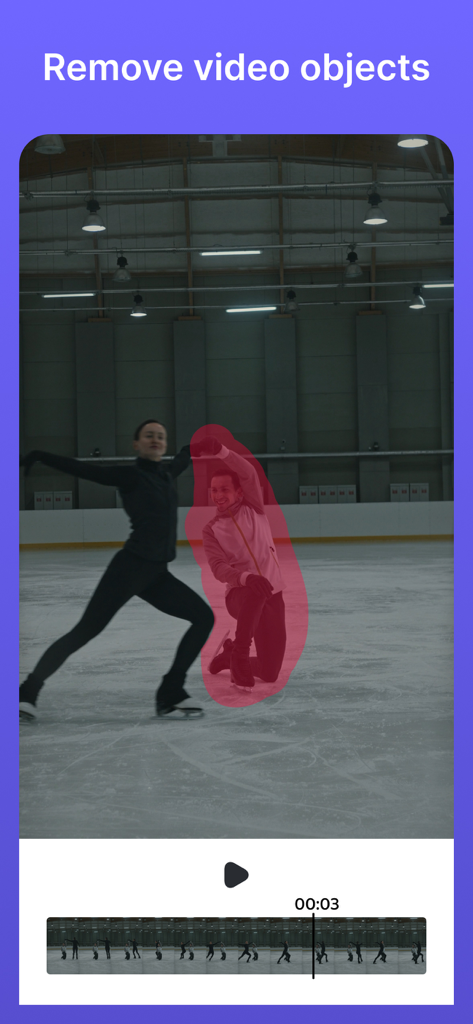
Interfaccia di un'app IA che mostra una persona evidenziata in un video da rimuovere
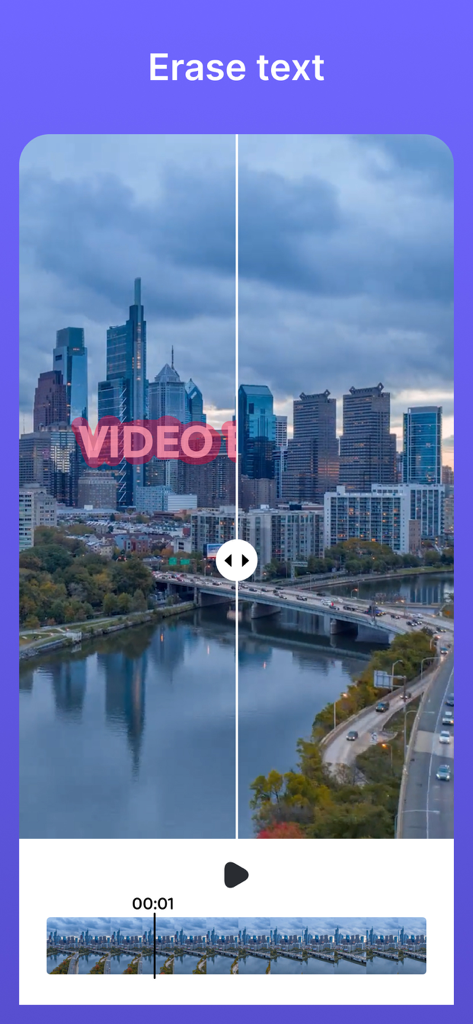
Schermo diviso prima e dopo che mostra la rimozione del testo da un video di skyline cittadino
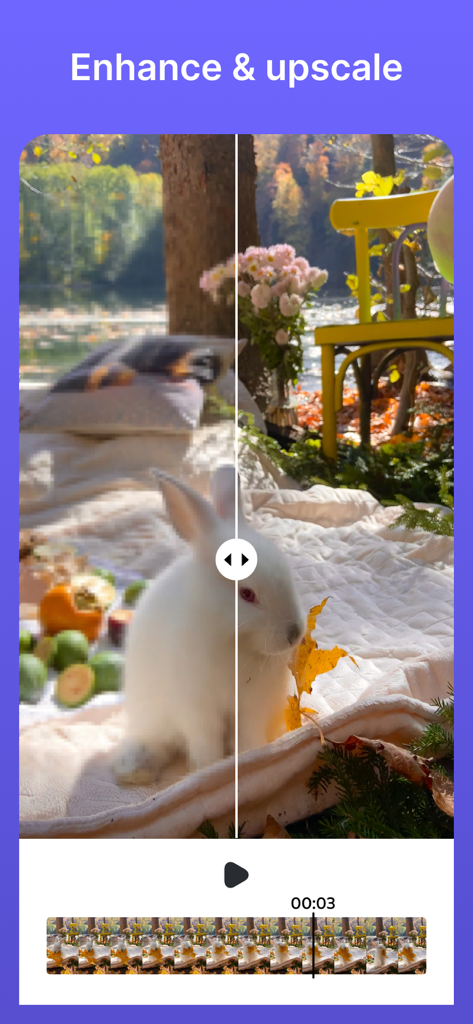
Confronto prima e dopo che mostra l'upscaling e il miglioramento del video di un coniglio bianco in un giardino
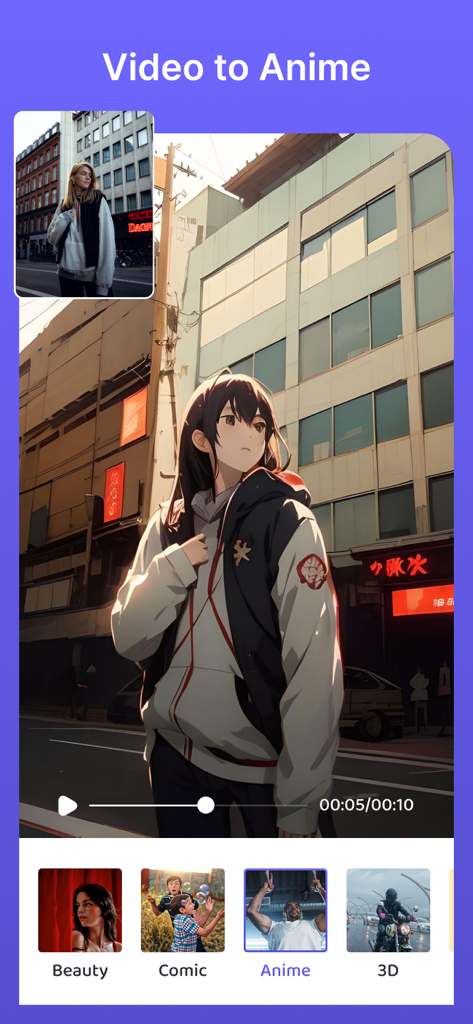
Screenshot della funzione Video to Anime che mostra una persona reale trasformata in un personaggio anime con varie opzioni di stile come Beauty, Comic e 3D.
Descrizione
Download
App Simili
App con funzionalità ed esperienza simili

CocoAI - BG Remover
Beijing Jianchang Technology Co., Ltd.

水印宝-视频水印助手软件
Beijing Pengtuzhumeng Technology Co., Ltd.

Photo Retouch - Remove object
化媚 席

PhotoBy-Batch adding borders
岳森 刘

Watermarkly ― Watermark Maker
Julia Nikitina

去水印大师-短视频编辑助手
志阳 郭

大神水印-照片图像制作修图神器
伟 黄

Add Watermark -Batch Process
Saraswati Javalkar

Background Eraser: AI Remove
SUNWOONG JANG
Questa pagina non è una pagina ufficiale dell'app o del suo sviluppatore, ma una pubblicazione editoriale indipendente creata a scopo informativo e di commento. Salvo espressa indicazione contraria, né l'app né il suo sviluppatore sono affiliati, approvati, sponsorizzati, autorizzati o altrimenti ufficialmente collegati a MWM, Apple, Google Play, all'editore dell'app o allo sviluppatore dell'app, e nulla in questa pagina implica che l'app sia stata sviluppata utilizzando i servizi di MWM. Tutti i marchi, loghi, screenshot e altri contenuti rimangono di proprietà dei rispettivi proprietari.