VideoCam+ Video Recorder

VideoCam+ Video Recorder


Scarica su App Store
Logo di VideoCam+ Video Recorder

VideoCam+: La fotocamera tutto in uno che ti permette finalmente di mettere in pausa e riprendere

Smetti di unire clip. Registra in 4K, aggiungi timestamp e sovrapponi GIF o foto istantaneamente per vlog professionali e documentazione impeccabile.

Editore

Grzegorz Wojcik

Categoria

Photo & Video

Download

972K+

Valutazione

4.5/5

Valutazioni totali

15K+

Lingue

9

Uno sguardo all'interno

Scopri l'interfaccia usata da 972K+ utenti.
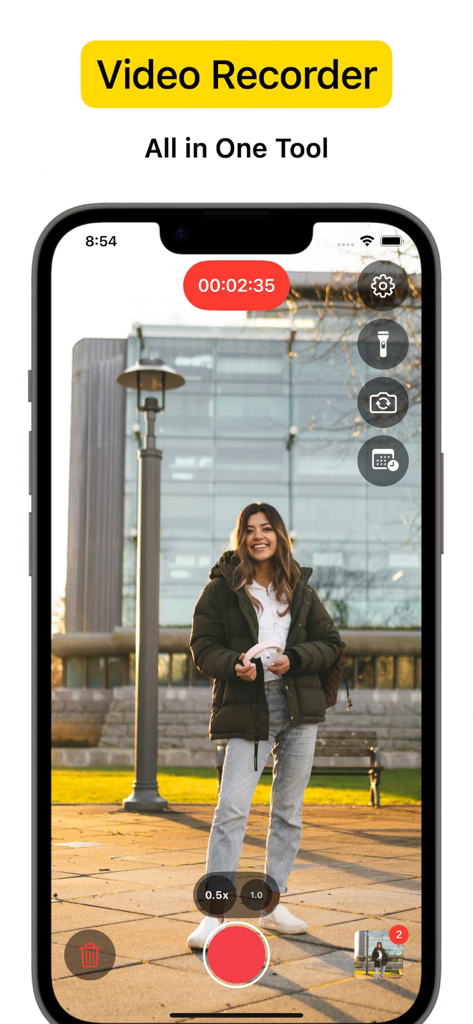
Interfaccia dell'app VideoCam che registra una donna in piedi in un parco con strumenti della fotocamera

Interfaccia dell'app VideoCam che registra una donna in piedi in un parco con strumenti della fotocamera

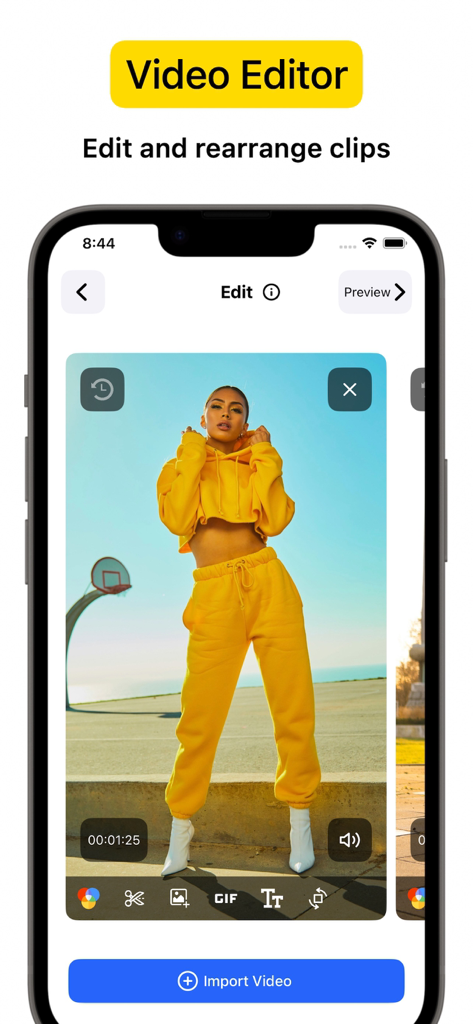
Schermata iPhone che mostra l'interfaccia dell'editor video VideoCam plus con una clip video e strumenti di editing

Schermata iPhone che mostra l'interfaccia dell'editor video VideoCam plus con una clip video e strumenti di editing

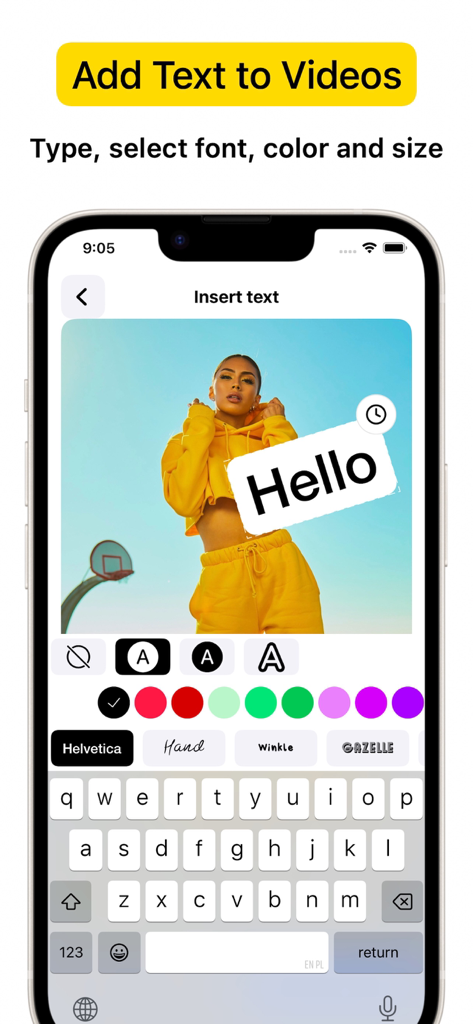
Interfaccia dell'app VideoCam+ su iPhone che mostra come aggiungere testo e font personalizzati a una registrazione video

Interfaccia dell'app VideoCam+ su iPhone che mostra come aggiungere testo e font personalizzati a una registrazione video

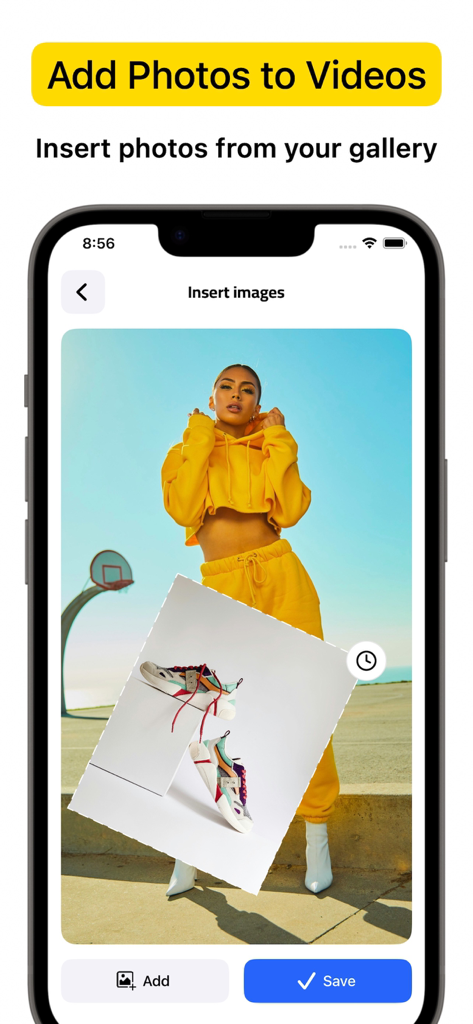
Interfaccia dell'app VideoCam plus che mostra come inserire una sovrapposizione di foto dalla galleria su una registrazione video

Interfaccia dell'app VideoCam plus che mostra come inserire una sovrapposizione di foto dalla galleria su una registrazione video

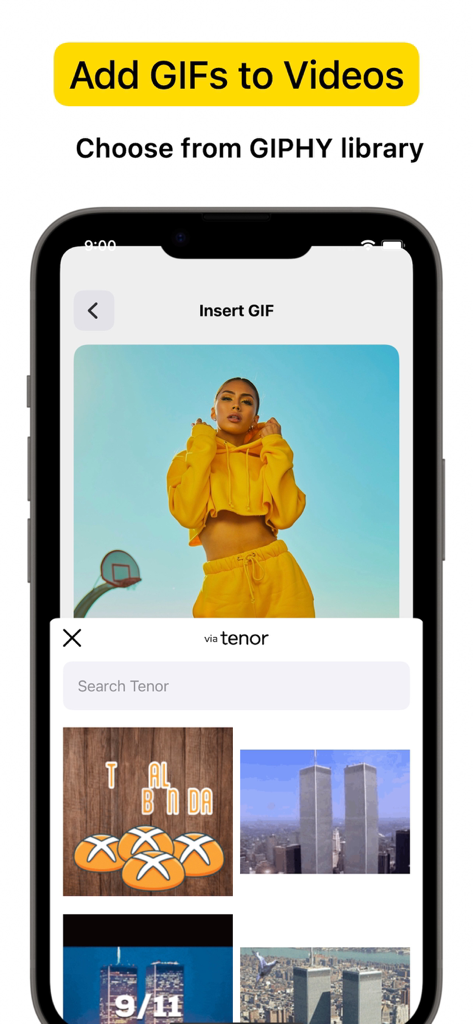
Schermata dell'app VideoCam plus che mostra l'interfaccia per inserire GIF da una libreria in un progetto video

Schermata dell'app VideoCam plus che mostra l'interfaccia per inserire GIF da una libreria in un progetto video

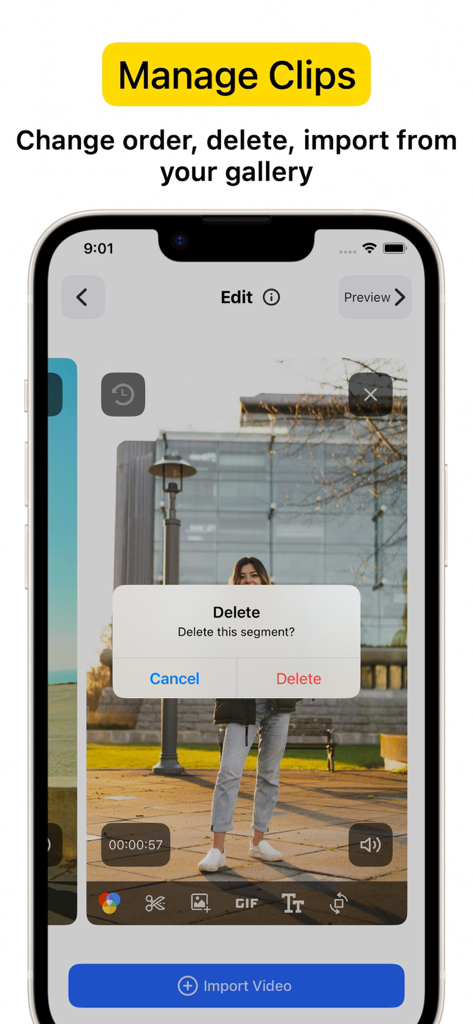
Schermata dello smartphone che mostra l'interfaccia dell'app VideoCam+ con una finestra di dialogo di conferma per l'eliminazione di una clip su una sezione registrata.

Schermata dello smartphone che mostra l'interfaccia dell'app VideoCam+ con una finestra di dialogo di conferma per l'eliminazione di una clip su una sezione registrata.

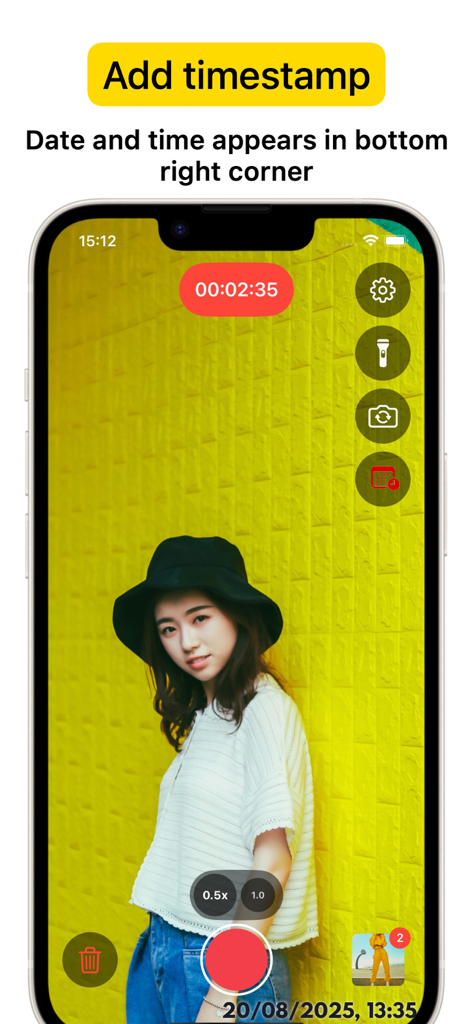
Schermata iPhone che mostra l'interfaccia dell'app VideoCam plus con una sessione di registrazione e un timestamp di data e ora nell'angolo in basso a destra

Schermata iPhone che mostra l'interfaccia dell'app VideoCam plus con una sessione di registrazione e un timestamp di data e ora nell'angolo in basso a destra

Registra, crea e brandizza in un'unica ripresa

Gli strumenti che rendono questa app unica, scelti da 972K+ utenti.

⏸️

Pausa e ripresa senza interruzioni

Metti in pausa e riprendi la tua registrazione istantaneamente per catturare la storia perfetta. Crea un video unico e continuo senza il mal di testa di dover unire più clip in seguito.

Sovrapposizioni creative in tempo reale

Dai un brand al tuo contenuto mentre filmi. Aggiungi loghi, testo o divertenti GIF direttamente nelle tue sessioni video per rendere i tuoi tutorial e vlog pronti per i social media in pochi secondi.

🕒

Timestamp Pro e qualità 4K

Documenta ogni momento con una precisione 4K cristallina. I timestamp integrati forniscono prove di lavoro essenziali per professionisti, agenti immobiliari e personal trainer.

Info sull'app

Tutto quello che devi sapere su VideoCam+ Video Recorder.

Descrizione

Powerful all-in-one Video Recorder & Video Editor lets you create camera video sessions, manage recorded clips and add Text / Image / GIF to video. Video Camera with Timestamp Camera Capture every detail in HD or 4K, with the option to add a timestamp. VideoCam+ functions as an advanced video camera with a built-in timestamp camera. GIF Creation and GIF Integration in Videos Make any moment memorable by creating GIFs directly from your video recordings with this video recorder. The GIF feature lets you add fun elements or GIF animations to your videos for extra creativity, making this video camera perfect for social media, tutorials, or creative vlogging. Add Photos and Text to Your Videos Add photos directly into your video with this video camera to create richer stories. You can also overlay text to highlight details, or add a personal touch to your recorded video. This makes VideoCam+ an excellent camera for tutorials, presentations, and storytelling. Pause and Resume Recording The pause recoding feature lets you stop and resume seamlessly, making this video camera ideal for long-form content. This video camera allows you to pause, which is perfect for continuous content creation. Video Editing with a Flexible Video Recorder Text Overlays and Customizations Overlay text anywhere in your video recordings. This camera allows you to adjust text style, size, and color to match your vision, adding an extra layer of personalization to every recorded video. Why Choose VideoCam+? VideoCam+ is designed for those who want a video camera that does more than basic recording. Its timestamp camera helps create organized, clear memories; its Video to GIF feature adds animated fun; and it supports adding photos and text for professional-quality results. This video camera is perfect for: Vloggers needing continuous recording with a timestamp camera and pause feature. Content Creators who want video editor that integrates GIFs, photos, and text into videos, also Video to GIF. Professional Users requiring a video editor to document events accurately and clearly. FAQ Can I add photos and GIFs to any video? Yes, VideoCam+ allows you to integrate photos and GIFs into your recorded videos, maximizing the capabilities of this recorder. How does the pause work during recording? With this recorder, simply hit pause to stop recording, then resume. VideoCam+ makes every recording session seamless, letting you focus on your creative flow. Does the app support adding timestamps to GIFs? Currently, timestamp apply to video recordings only, but you can easily create GIFs from a timestamp video for a fully branded look. Download VideoCam+ now and turn every moment into a video masterpiece with the most versatile video camera / video editor around. Whether you’re filming, converting Video to GIF, organizing events with a timestamp camera, or adding photos and text to enhance each video, VideoCam+ has everything you need in one powerful recorder to capture, customize, and share your best moments. Start Premium with a free trial. Once the trial is over, you’ll be charged a monthly subscription fee. Premium will automatically renew unless auto-renew is turned off at least 24 hours before the end of the current period. You can go to your Settings > iTunes Account & App Store > Apple ID > Subscriptions to manage your subscription and turn auto-renew off. Your iTunes Account will be charged when the purchase is confirmed. Terms of Use: http://videocam.wiseapps.pl/policies/videocam_tc.html Privacy Policy: http://videocam.wiseapps.pl/policies/videocam_privacy_policy.html

Ultima versione

6.3

Dimensione

20.7 MB

Data di lancio

18 ago 2015

Crea il tuo capolavoro video in un'unica ripresa

Unisciti a oltre 15.000 creator con le migliori recensioni. Registra in 4K, usa la funzione di pausa e ripresa senza interruzioni e aggiungi timestamp o GIF istantaneamente. Inizia oggi la tua prova gratuita.

Scarica su App Store

App information, icons, screenshots, and descriptions displayed on this page are sourced from the Apple App Store and are the property of their respective developers. Download estimates and rankings are based on MWM's proprietary models and may not reflect actual figures. This page is provided for informational and analytical purposes only.

Believe this page infringes your intellectual property? File a dispute