
Questa pagina non è una pagina ufficiale dell'app o del suo sviluppatore, ma una pubblicazione editoriale indipendente creata a scopo informativo e di commento. Salvo espressa indicazione contraria, né l'app né il suo sviluppatore sono affiliati, approvati, sponsorizzati, autorizzati o altrimenti ufficialmente collegati a MWM, Apple, Google Play, all'editore dell'app o allo sviluppatore dell'app, e nulla in questa pagina implica che l'app sia stata sviluppata utilizzando i servizi di MWM. Tutti i marchi, loghi, screenshot e altri contenuti rimangono di proprietà dei rispettivi proprietari.


VivuVideo Maker & Editor
Trasforma le tue tracce e foto preferite in contenuti pronti per diventare virali con spettri audio professionali, effetti Lofi estetici ed esportazioni di alta qualità per TikTok, Reels e YouTube.
Download
95K+Valutazione
Valutazioni totali
100Editore
Categoria
Photo & VideoLingue
2Ultima versione
2.4Dimensione
63.9 MBData di lancio
13 lug 2021Trasforma la Tua Musica in Capolavori Visivi
Unisciti a migliaia di creatori che usano VivuVideo per produrre straordinari contenuti EDM, Lofi e pronti per TikTok con sincronizzazione al beat professionale e spettri audio.
Spettri Audio Professionali
Visualizza il tuo suono con oltre 20 onde musicali personalizzabili che reagiscono dinamicamente a ogni frequenza per un look da studio professionale.
Sincronizzazione Automatica del Beat
Crea facilmente montaggi 'velocizzati' ad alta energia mentre le tue foto pulsano e vibrano al ritmo dell'intensità delle tue tracce preferite.
Gli screenshot e la descrizione seguenti provengono direttamente dall'elenco ufficiale dello store dell'app e sono di proprietà dello sviluppatore.
App Store
Screenshot
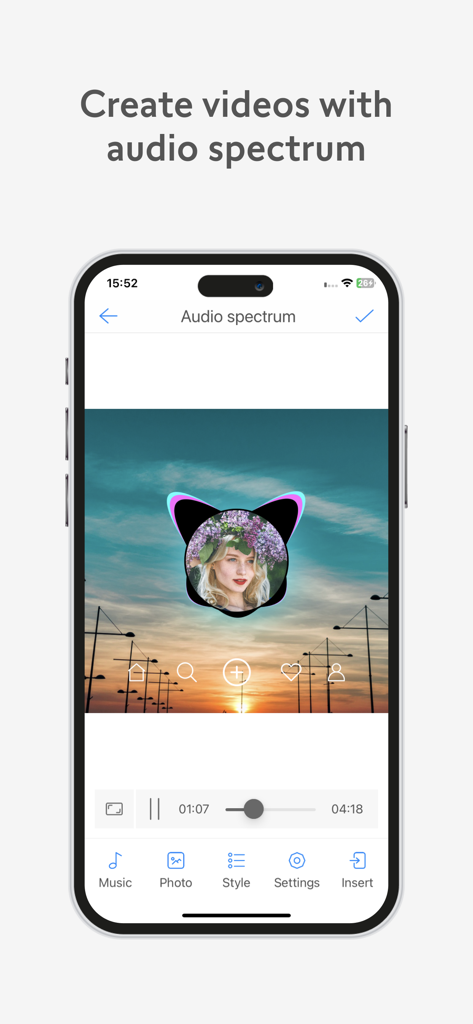
Interfaccia dell'app VivuVideo che mostra come creare un video con un visualizzatore di spettro audio su una foto personalizzata.
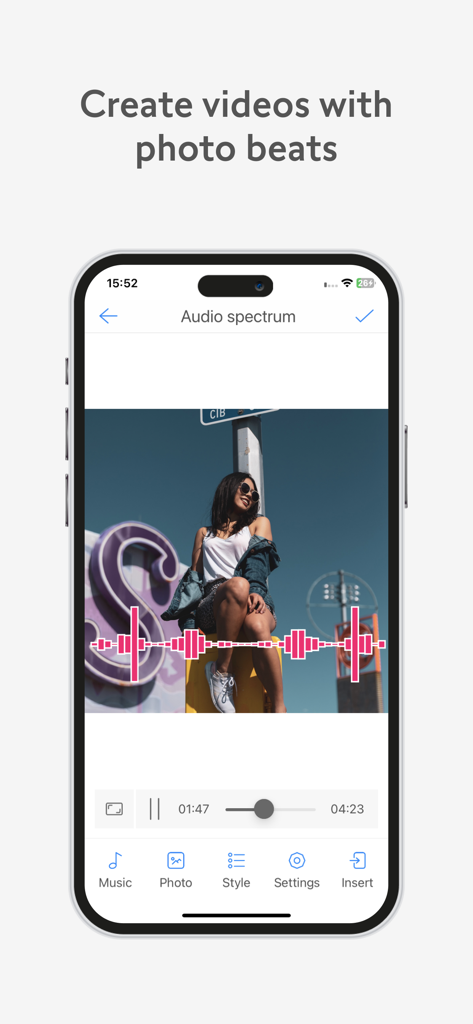
Interfaccia dell'app mobile VivuVideo Maker and Editor che mostra un effetto spettro audio su una foto.
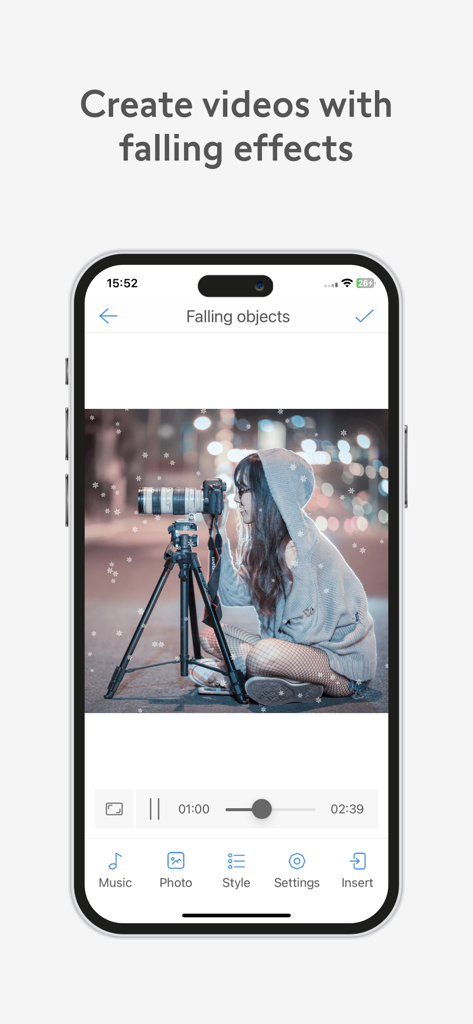
Interfaccia dell'app VivuVideo che dimostra l'effetto neve che cade su una foto di una persona con una macchina fotografica.
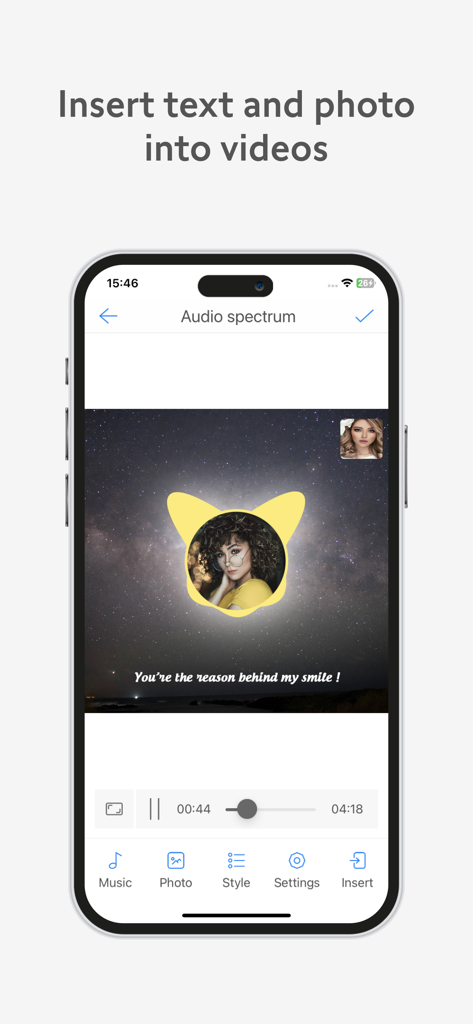
Interfaccia mobile di VivuVideo che mostra come inserire testo e una foto circolare su un video con spettro audio e sfondo stellato.
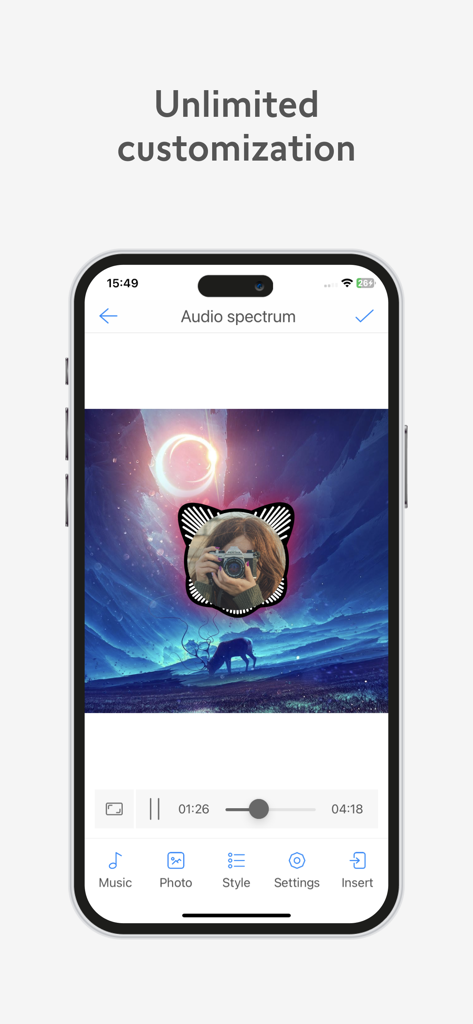
Interfaccia dell'app VivuVideo che mostra la personalizzazione di uno spettro audio circolare su una foto.
Descrizione
Download
App Simili
App più classificate nella stessa categoria

CapCut: Photo & Video Editor
BYTEDANCE PTE. LTD.

Instagram, Inc.

YouTube
Google LLC

Canva: AI Photo & Video Editor
Canva Pty Ltd

Snapchat
Snap, Inc.

快手
Beijing Kwai Technology Co., Ltd.

Edits: Video Editor
Instagram, Inc.

Meitu- AI Photo & Video Editor
Xiamen Meitu Technology Co., Ltd.

Google Photos: Backup & Edit
Google LLC
Questa pagina non è una pagina ufficiale dell'app o del suo sviluppatore, ma una pubblicazione editoriale indipendente creata a scopo informativo e di commento. Salvo espressa indicazione contraria, né l'app né il suo sviluppatore sono affiliati, approvati, sponsorizzati, autorizzati o altrimenti ufficialmente collegati a MWM, Apple, Google Play, all'editore dell'app o allo sviluppatore dell'app, e nulla in questa pagina implica che l'app sia stata sviluppata utilizzando i servizi di MWM. Tutti i marchi, loghi, screenshot e altri contenuti rimangono di proprietà dei rispettivi proprietari.