VizRef Lite

VizRef Lite

Scarica su App Store
Logo di VizRef Lite

VizRef Lite: Lo strumento di riferimento visivo definitivo per artisti mobili

Libera la tua tela e trasforma il tuo iPhone in un secondo monitor dedicato per Procreate e Adobe Fresco. Organizza mood board, studia GIF frame per frame e mantieni la tua ispirazione concentrata ovunque tu crei.

Editore

Studio Pixanoh Inc

Categoria

Graphics & Design

Download

96K+

Valutazione

3.6/5

Valutazioni totali

100

Lingue

1

L'ispirazione in vista

Scopri l'interfaccia usata da 96K+ utenti.
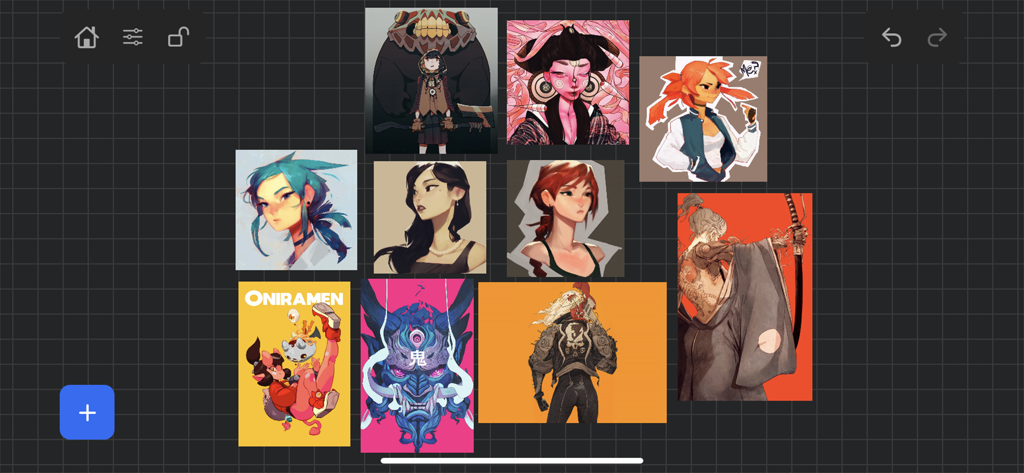
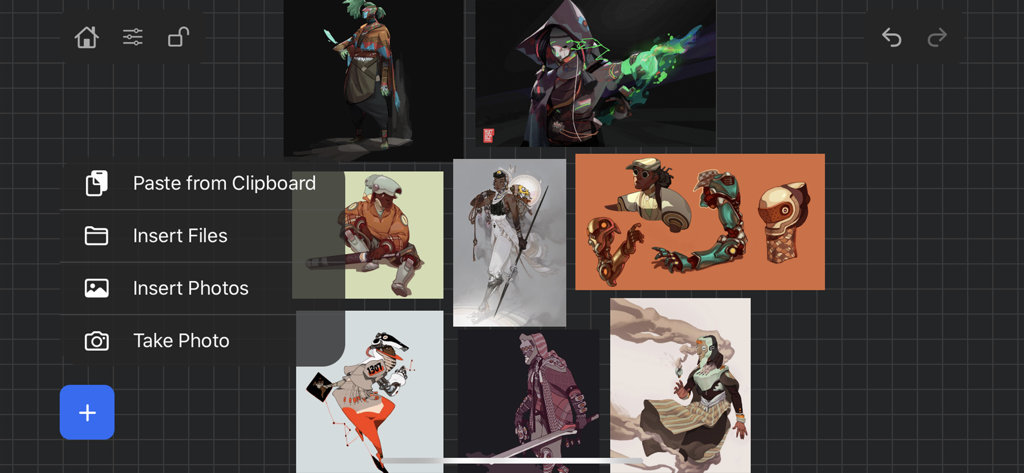
Bacheca di riferimento per arte digitale in VizRef Lite con illustrazioni di personaggi

Bacheca di riferimento per arte digitale in VizRef Lite con illustrazioni di personaggi

Interfaccia dell'app VizRef Lite che mostra una mood board di arte di personaggi digitali con una sovrapposizione del menu di importazione

Interfaccia dell'app VizRef Lite che mostra una mood board di arte di personaggi digitali con una sovrapposizione del menu di importazione

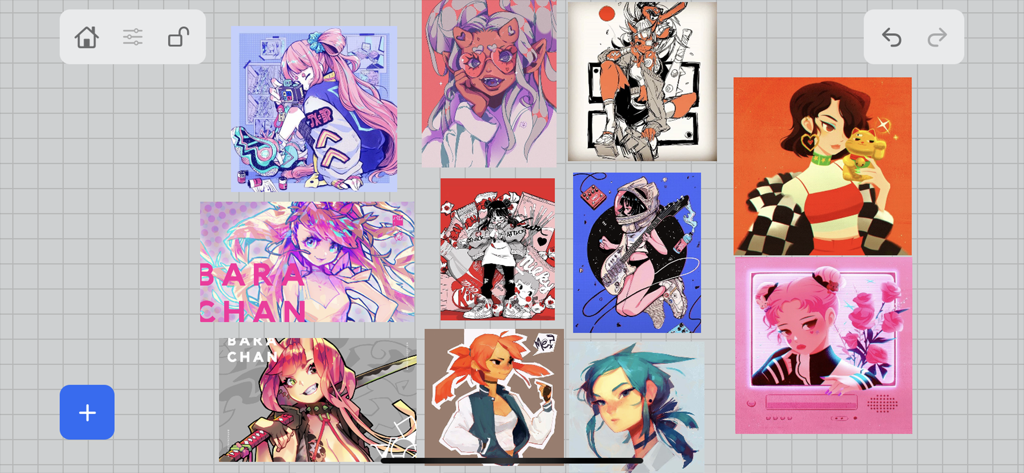
Una bacheca di riferimento digitale che mostra una raccolta di illustrazioni di personaggi disposte su una griglia all'interno dell'app VizRef Lite.

Una bacheca di riferimento digitale che mostra una raccolta di illustrazioni di personaggi disposte su una griglia all'interno dell'app VizRef Lite.

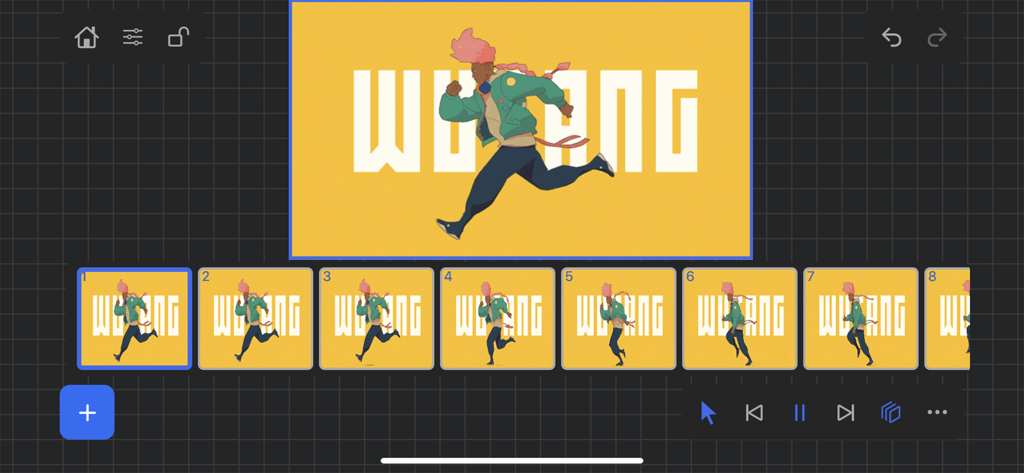
Interfaccia dell'app VizRef Lite che mostra una sequenza frame per frame di animazione

Interfaccia dell'app VizRef Lite che mostra una sequenza frame per frame di animazione

Eleva il tuo spazio creativo

Gli strumenti che rendono questa app unica, scelti da 96K+ utenti.

📱

Schermo di riferimento dedicato

Smetti di dividere lo schermo del tuo iPad. Usa il tuo iPhone come secondo monitor per tenere i tuoi riferimenti in vista, massimizzando la tua tela da disegno.

🎬

Controlli di animazione professionali

Scomponi il movimento con la riproduzione GIF frame per frame. Usa la timeline avanzata per studiare peso e tempistica per il tuo prossimo progetto di animazione.

🎨

Strumenti per la padronanza visiva

Passa istantaneamente al bianco e nero per controllare i valori di illuminazione, ritaglia per una migliore composizione e organizza mood board con un'interfaccia utente che non ti intralcia.

Info sull'app

Tutto quello che devi sapere su VizRef Lite.

Descrizione

VizRef Lite® for iPhone enables creatives to finally take their inspiration anywhere on their phones. *You can not use iPad multitasking features with the iPhone version of VizRef. Please Download VIZREF for use on iPad. * It becomes the perfect companion app for Procreate or paired with your favorite drawing/animation application by using your iPhone as a second monitor dedicated to references. Take your reference boards with you while you travel and draw in your sketchbook. Make visual reference boards with any images or gifs from web browsers, cloud storage, photos, screen captures and more. The first mood board creation app made by artists for artists, that brings comprehensive referencing tools to animators and visual artists. We are dedicated to bringing creatives what they need most in being inspired everywhere they go. HIGHLIGHTS -VIZREF LITE® version for iPhone has all the same in-app features as VIZREF on iPad ( Vizref Lite if used on IPad does not have multitasking features and is not fullscreen. For iPad please purchase VIZREF® -Take your visual reference boards with you while you sketch at your favorite locations -Perfect companion app paired with Procreate® Adobe Fresco ® Clip Studio Paint® Infinite Painter® etc. by utilizing iPhone as a second monitor along with an iPad -Supports many image types including GIF -Quickly copy and paste images from web -Batch Import from Photos app -Batch Export images from boards to cloud storage using Files app -Import High-Resolution images with HD toggle -*Focus on whats importing with Focus mode. ( rotate imageboard ) *Multi-Select and auto pack images for a quicker workflow * - -Import from iCloud, Dropbox, Google Drive -Quick and responsive visual reference board experience -Easy to use/ minimal UI -Light mode and Dark mode -Set thumbnails for reference boards to visually organize your inspiration ANIMATED GIF SUPPORT -Reference your favorite animated gifs -Pause animation and play frame by frame to better understand referenced animations -Advanced animation timeline gives you an interactive visual breakdown of all frames EASY TO USE REFERENCE TOOLS -Crop images to optimize screen space and view more references -Greyscale toggle for images for value reference -Flip horizontally and vertically -Rotate Images -Copy-paste images into other apps Artwork and animation credits @_Artazi @_baomii @_Deadslug_ @amnesiapancake @barachan @belgeist @criisalys @ergo.josh @evan_monteiro @gloomwastaken @mrbeezul @onemegawatt @rocketboiART @samuelyounart @cobalt_requin VizRef was created by Max Gonzalez (@mrbeezul) and RoboWorld Entertainment with supporting development from Valere Labs

Ultima versione

1.1.7

Dimensione

4.4 MB

Data di lancio

11 mar 2020

Pronto a reclamare la tua tela?

Trasforma il tuo iPhone nell'ultimo monitor di riferimento. Unisciti a oltre 96.000 artisti che utilizzano VizRef Lite per ottimizzare il loro flusso di lavoro e rimanere ispirati, ovunque creino.

Scarica su App Store

App information, icons, screenshots, and descriptions displayed on this page are sourced from the Apple App Store and are the property of their respective developers. Download estimates and rankings are based on MWM's proprietary models and may not reflect actual figures. This page is provided for informational and analytical purposes only.

Believe this page infringes your intellectual property? File a dispute