
Questa pagina non è una pagina ufficiale dell'app o del suo sviluppatore, ma una pubblicazione editoriale indipendente creata a scopo informativo e di commento. Salvo espressa indicazione contraria, né l'app né il suo sviluppatore sono affiliati, approvati, sponsorizzati, autorizzati o altrimenti ufficialmente collegati a MWM, Apple, Google Play, all'editore dell'app o allo sviluppatore dell'app, e nulla in questa pagina implica che l'app sia stata sviluppata utilizzando i servizi di MWM. Tutti i marchi, loghi, screenshot e altri contenuti rimangono di proprietà dei rispettivi proprietari.

Vocal Remover AI-Remove Voice
Isola istantaneamente le voci, crea tracce karaoke e rileva BPM. Il toolkit definitivo per musicisti e creatori per decostruire qualsiasi canzone in pochi secondi.
Download
175K+Valutazione
Valutazioni totali
1K+Editore
Categoria
MusicLingue
11Ultima versione
2.9.3Dimensione
49.2 MBData di lancio
18 set 2023Padroneggia il Tuo Suono con l'IA di Qualità Studio
Lo studio mobile definitivo per creatori e musicisti. Isola voci, estrai stems e remix un brano qualsiasi in pochi secondi utilizzando tecnologia AI all'avanguardia.
Estrazione Vocale Pulita
Isola acapella di alta qualità o crea basi professionali per il tuo prossimo successo virale su TikTok o per la serata karaoke con un singolo tocco.
Suddivisione Istantanea degli Stems
Decostruisci qualsiasi canzone in tracce separate per batteria, basso e strumenti. Perfetto per il campionamento, i set DJ e la pratica dei tuoi riff preferiti.
Domande Frequenti
Tutto quello che devi sapere su Vocal Remover AI-Remove Voice
Che cos'è Vocal Remover AI?
Vocal Remover AI è un'app di elaborazione audio per l'estrazione e l'editing di musica e voci. Crea basi musicali, karaoke e separa gli strumenti dalle canzoni utilizzando algoritmi AI.
Come funziona Vocal Remover AI per rimuovere le voci da una canzone?
Vocal Remover AI isola e rimuove le voci da qualsiasi traccia utilizzando algoritmi AI avanzati. Questo processo lascia una versione strumentale pulita, ideale per cantanti, DJ e produttori.
Vocal Remover AI può separare strumenti individuali da una traccia?
Sì, Vocal Remover AI può scomporre le canzoni in componenti individuali come basso, batteria, chitarra o pianoforte. L'app divide il file caricato in più tracce distinte.
Posso registrare la mia voce su una base musicale in Vocal Remover AI?
Sì, Vocal Remover AI consente agli utenti di registrare voci su qualsiasi base musicale creata. L'app offre anche una funzione di monitoraggio delle cuffie durante le sessioni di registrazione.
Quali effetti sonori offre Vocal Remover AI?
Vocal Remover AI fornisce diversi effetti sonori per migliorare le tracce. Questi includono gain, riverbero, delay e vari filtri audio, consentendo agli utenti di personalizzare con precisione il loro output audio.
Vocal Remover AI consente modifiche di tonalità e velocità?
Sì, Vocal Remover AI consente agli utenti di alterare la tonalità (pitch) e il tempo (velocità) di qualsiasi canzone. Questa funzione è preziosa per i musicisti che si esercitano o imparano brani in tonalità o ritmi diversi.
Quali formati di esportazione audio supporta Vocal Remover AI?
Vocal Remover AI supporta l'esportazione dei risultati in più formati. Questi includono m4a, wav, aiff, caf, mp3 e flac. Gli utenti possono esportare l'intero file o tutte le tracce in un archivio.
È disponibile una prova gratuita per Vocal Remover AI?
Sì, Vocal Remover AI offre una prova gratuita di 3 giorni. Dopo la prova, l'abbonamento viene addebitato automaticamente a meno che non venga annullato tramite le impostazioni dell'account iTunes e App Store.
Qual è la durata dell'abbonamento per Vocal Remover AI?
L'abbonamento per Vocal Remover AI dura 1 mese. Si tratta di un abbonamento con rinnovo automatico, che gli utenti possono annullare in qualsiasi momento tramite le impostazioni del proprio account.
Come annullo il rinnovo automatico per Vocal Remover AI?
Gli utenti possono disattivare il rinnovo automatico per Vocal Remover AI in qualsiasi momento. Questa opzione è accessibile nelle impostazioni del tuo account iTunes e App Store.
Vocal Remover AI può rilevare BPM e tonalità?
Sì, Vocal Remover AI analizza istantaneamente le tracce per rivelarne il tempo (BPM) e la tonalità musicale. Questa funzione aiuta musicisti e produttori a suonare o esercitarsi correttamente con le canzoni.
Posso creare playlist in Vocal Remover AI?
Sì, Vocal Remover AI consente agli utenti di creare e modificare playlist direttamente all'interno dell'app. Gli utenti possono anche impostare immagini di copertina e personalizzare l'ordine di riproduzione.
Gli screenshot e la descrizione seguenti provengono direttamente dall'elenco ufficiale dello store dell'app e sono di proprietà dello sviluppatore.
App Store
Screenshot
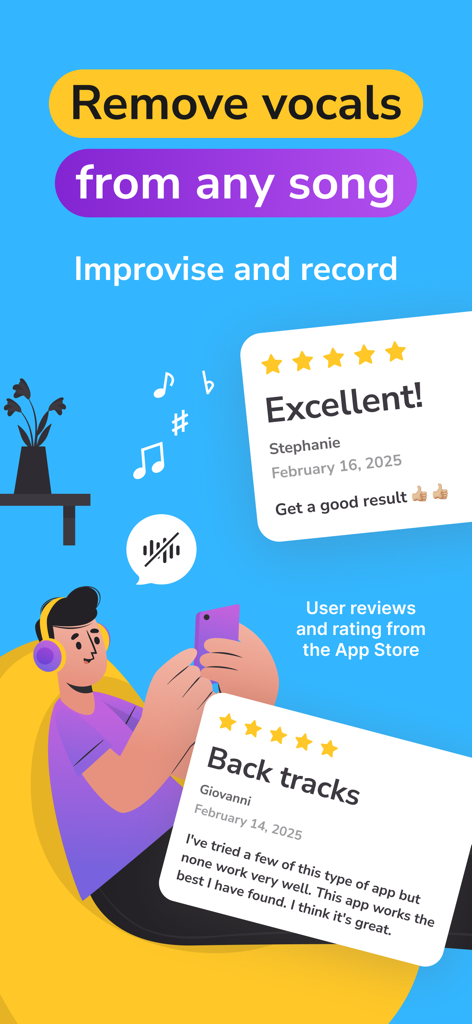
Screenshot promozionale di Vocal Remover AI che mostra recensioni dell'app store e la funzione principale per rimuovere le voci da qualsiasi canzone.
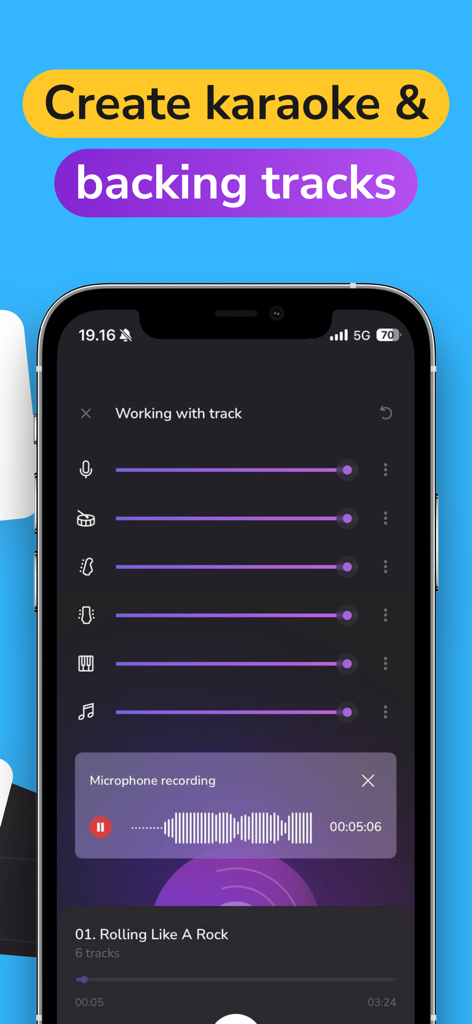
Interfaccia dell'app mobile per regolare gli stems di una canzone e registrare le voci per creare basi personalizzate.
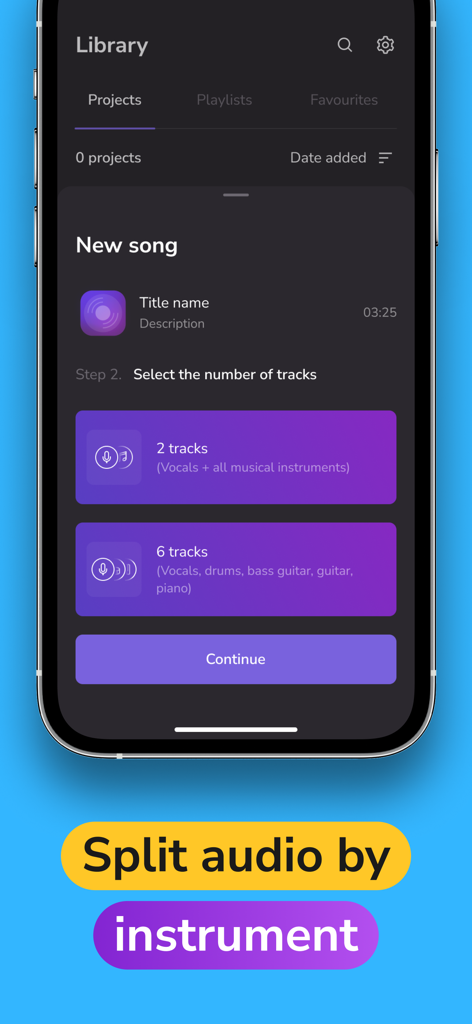
Interfaccia dell'app Vocal Remover AI che mostra opzioni per dividere una canzone in due o sei tracce audio separate.
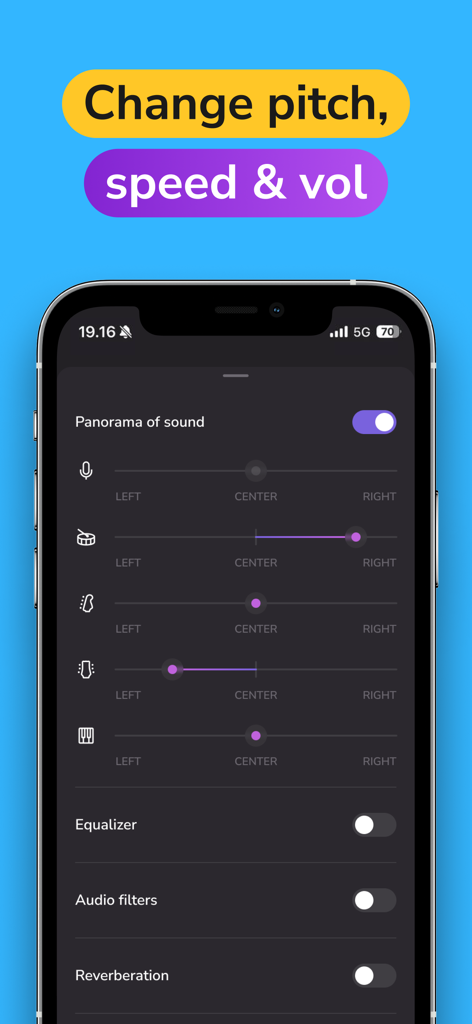
Interfaccia dell'app mobile che mostra cursori 'panorama of sound' per il panning delle voci e degli strumenti individuali come batteria e chitarra.
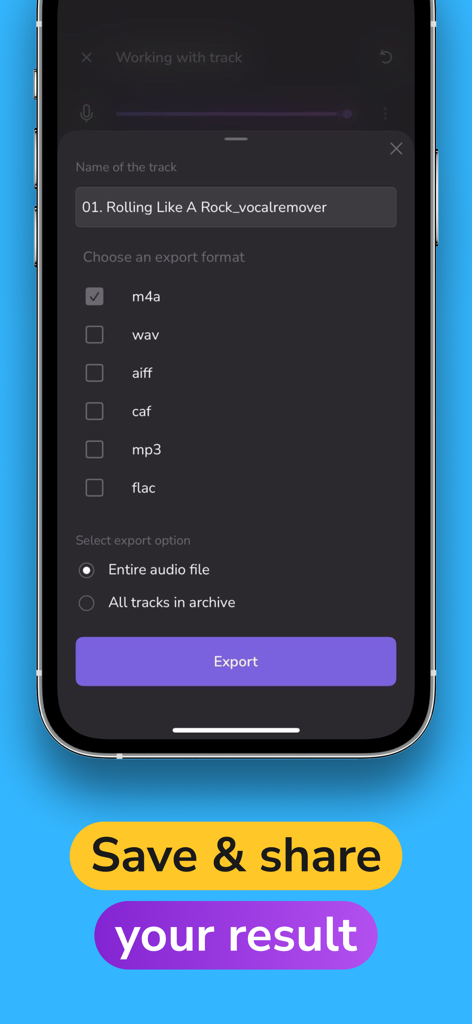
Uno screenshot dell'app Vocal Remover AI che mostra la schermata di esportazione audio con molteplici opzioni di formato come MP3 e WAV e un pulsante Salva e Condividi.
Descrizione
Download
App Simili
App con funzionalità ed esperienza simili

Music Speed Changer ▶▶▶
Single Minded Productions, LLC

Vocal Remover - Musiclab
CHENGDU Yiwo Tech Development Co., Ltd

Audio Fusion
景睿 文

Audio Jam: AI for musicians
Kiraku Tech Co., Ltd.

Anytune Pro+: Studio Tools
Anytune Inc.

Moises: The Musician's App
Moises Systems Inc

Strum - Play Guitar
W185 Holdings LLC

Chordify: Songs, Chords, Tuner
Chordify BV

Chord ai - Play any song!
Nomad AI OU
Questa pagina non è una pagina ufficiale dell'app o del suo sviluppatore, ma una pubblicazione editoriale indipendente creata a scopo informativo e di commento. Salvo espressa indicazione contraria, né l'app né il suo sviluppatore sono affiliati, approvati, sponsorizzati, autorizzati o altrimenti ufficialmente collegati a MWM, Apple, Google Play, all'editore dell'app o allo sviluppatore dell'app, e nulla in questa pagina implica che l'app sia stata sviluppata utilizzando i servizi di MWM. Tutti i marchi, loghi, screenshot e altri contenuti rimangono di proprietà dei rispettivi proprietari.