VRPlayer : 2D 3D 360° Video
Scarica su App Store

Questa pagina non è una pagina ufficiale dell'app o del suo sviluppatore, ma una pubblicazione editoriale indipendente creata a scopo informativo e di commento. Salvo espressa indicazione contraria, né l'app né il suo sviluppatore sono affiliati, approvati, sponsorizzati, autorizzati o altrimenti ufficialmente collegati a MWM, Apple, Google Play, all'editore dell'app o allo sviluppatore dell'app, e nulla in questa pagina implica che l'app sia stata sviluppata utilizzando i servizi di MWM. Tutti i marchi, loghi, screenshot e altri contenuti rimangono di proprietà dei rispettivi proprietari.


Logo di VRPlayer : 2D 3D 360° Video
Scarica su App Store

VRPlayer : 2D 3D 360° Video

Lo strumento definitivo per utenti esperti di media immersivi. Trasmetti la tua libreria desktop, sincronizzati con il cloud storage e prendi il pieno comando con il supporto per controller di gioco e tastiera.

Numeri Chiave

Download

326K+

Valutazione

3.3/5

Valutazioni totali

800

Editore

LEE DONG WON

Categoria

Entertainment

Lingue

8

Ultima versione

3.3.5

Dimensione

112.7 MB

Data di lancio

17 dic 2015
Funzioni

L'Hub Multimediale Definitivo per Utenti Esperti

Sblocca tutto il potenziale del tuo visore VR con streaming desktop avanzato, supporto multiformato e integrazione hardware totale.

Streaming Desktop Senza Interruzioni

Salta i trasferimenti di file. Usa VRPlayer Helper per trasmettere l'intera libreria del PC, inclusi MKV e AVI, direttamente al tuo visore in tempo reale.

Padronanza Immersiva 3D e 360°

L'unico lettore di cui hai bisogno per video 2D, 3D Side-by-Side (SBS) e panoramici a 360° con tracciamento preciso del movimento e controllo dello zoom.

Gli screenshot e la descrizione seguenti provengono direttamente dall'elenco ufficiale dello store dell'app e sono di proprietà dello sviluppatore.

App Store

Screenshot
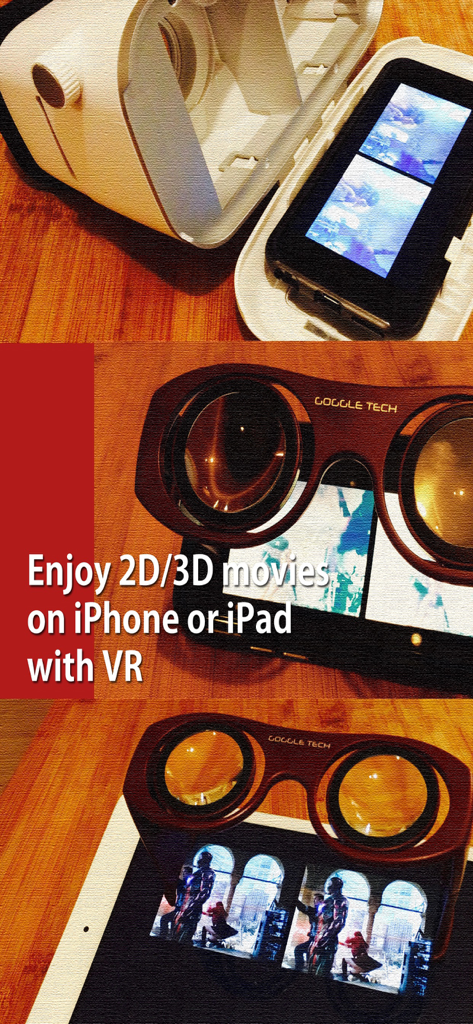
VRPlayer : 2D 3D 360° Video - iPhone e iPad che utilizzano visori VR per guardare film 3D con VRPlayer
iPhone e iPad che utilizzano visori VR per guardare film 3D con VRPlayer

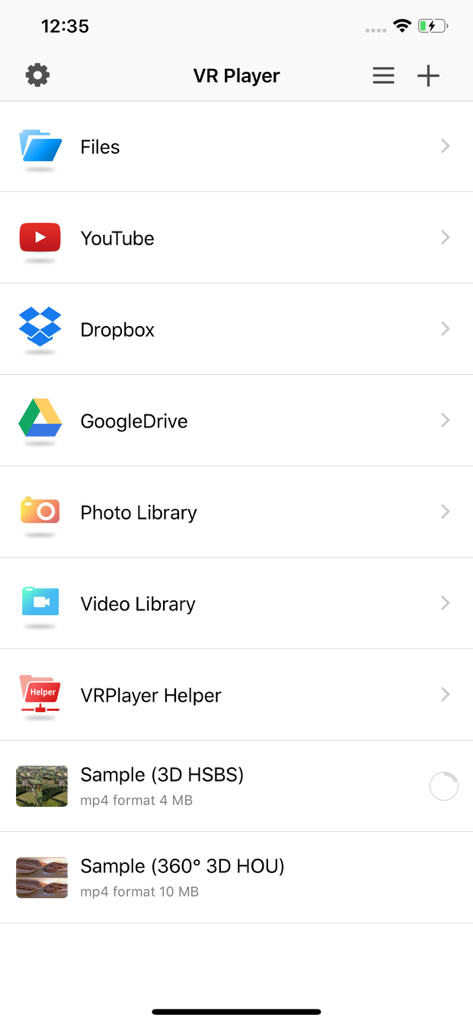
VRPlayer : 2D 3D 360° Video - Menu principale dell'app VRPlayer che mostra le opzioni per accedere ai media da File, YouTube, Dropbox, Google Drive e librerie video.
Menu principale dell'app VRPlayer che mostra le opzioni per accedere ai media da File, YouTube, Dropbox, Google Drive e librerie video.

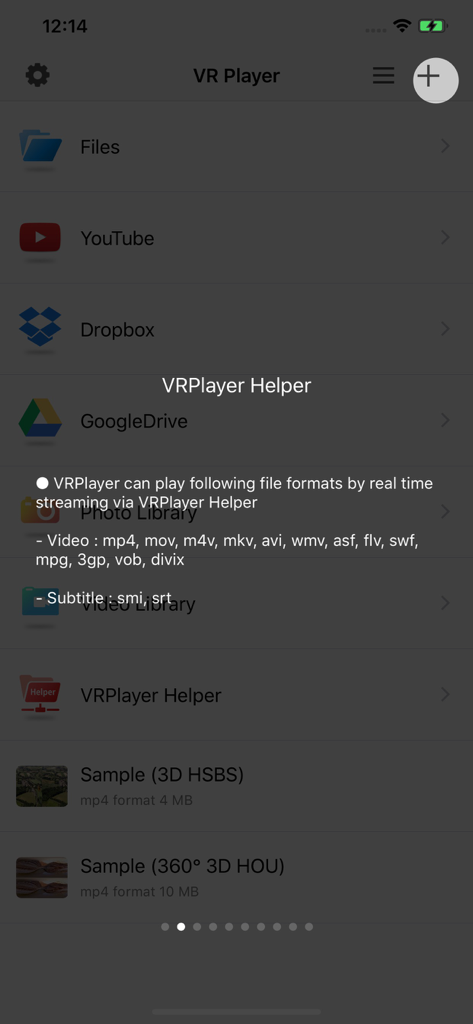
VRPlayer : 2D 3D 360° Video - Schermata dell'app VRPlayer che mostra i formati video supportati per lo streaming in tempo reale

Schermata dell'app VRPlayer che mostra i formati video supportati per lo streaming in tempo reale
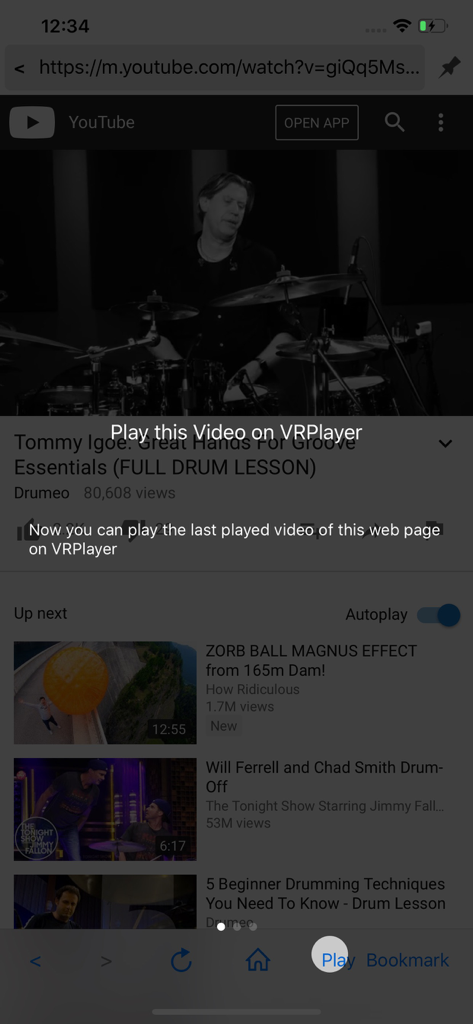
VRPlayer : 2D 3D 360° Video - Screenshot di VRPlayer che mostra un video di YouTube e un messaggio in sovrimpressione per riprodurre il video all'interno dell'app per la visualizzazione VR.
Screenshot di VRPlayer che mostra un video di YouTube e un messaggio in sovrimpressione per riprodurre il video all'interno dell'app per la visualizzazione VR.

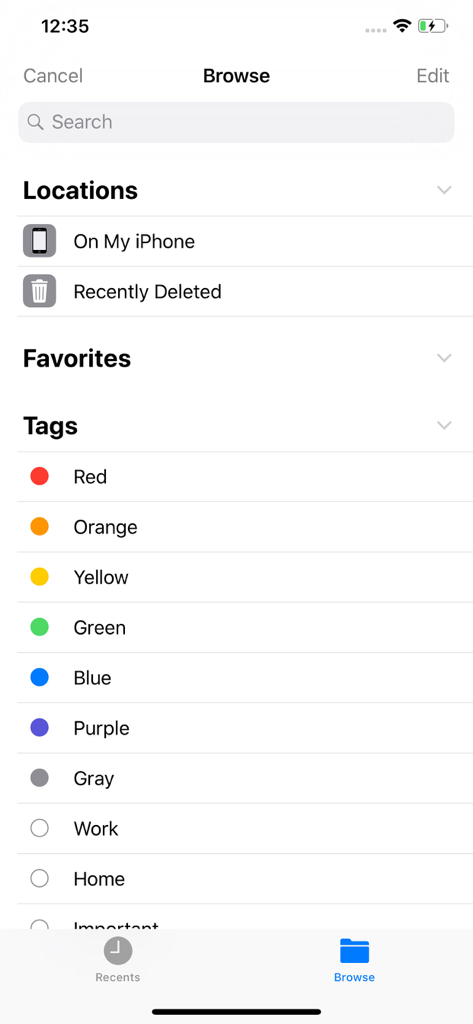
VRPlayer : 2D 3D 360° Video - La schermata di navigazione dell'app VRPlayer che mostra posizioni dei file come 'Sul mio iPhone' e vari tag organizzativi colorati.
La schermata di navigazione dell'app VRPlayer che mostra posizioni dei file come 'Sul mio iPhone' e vari tag organizzativi colorati.

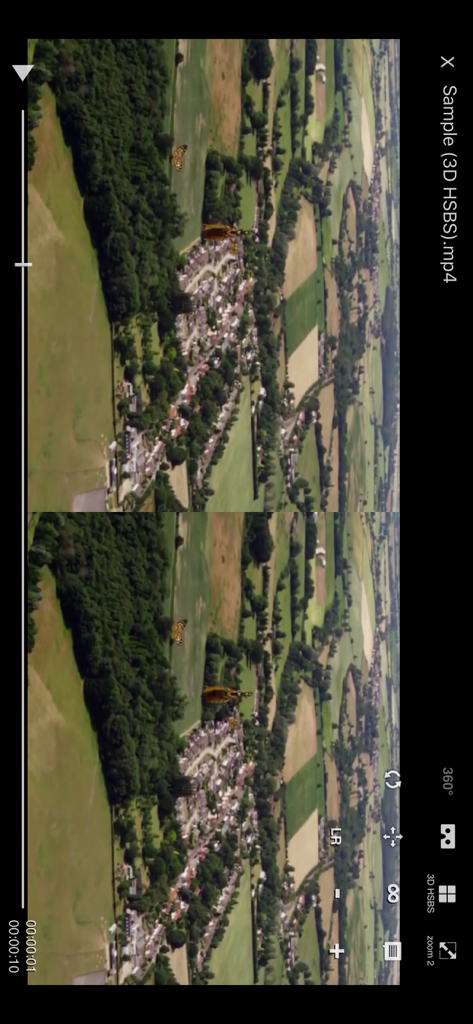
VRPlayer : 2D 3D 360° Video - Interfaccia smartphone di VRPlayer che mostra la riproduzione di un video aereo 3D side-by-side
Interfaccia smartphone di VRPlayer che mostra la riproduzione di un video aereo 3D side-by-side

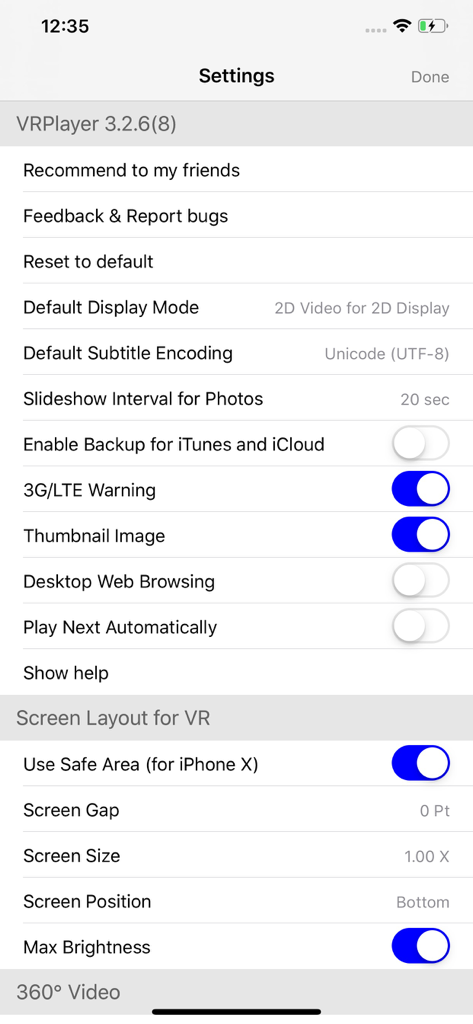
VRPlayer : 2D 3D 360° Video - Il menu delle impostazioni dell'app VRPlayer che mostra il layout dello schermo VR e le opzioni di visualizzazione video.

Il menu delle impostazioni dell'app VRPlayer che mostra il layout dello schermo VR e le opzioni di visualizzazione video.

Descrizione

● VRPlayer can record screen/audio of your desktop and streaming it to VRPlayer via VRPlayer Helper. - to use this feature "VRPlayer Helper" should be installed and executed on your desktop. please select or add "VRPlayer Helper" item on vrplayer app and follow instruction first. - this feature is experimental for now. so there might be considerable amount of latency and unstability depends on network environment and system spec where helper is running ● VRPlayer can play not only general 2D movies but also 3D movies (half side by side or over and under) for VR (google cardboard) ● and support the following file formats. - video : mp4, mov, DRM free m4v - subtitle : smi, srt ● VRPlayer can play following file formats by real time streaming via VRPlayer Helper - Video : mp4, mov, m4v, mkv, avi, wmv, asf, flv, swf, mpg, 3gp, vob, divix - Subtitle : smi, srt ※ this app can not play DRM protected videos purchased from iTunes store. ● You can add or access following items - VRPlayer Helper (streaming server) - Folder - FTP Server - GoogleDrive, Dropbox - Video Library ※ VRPlayer Helper is embedded in your own VRPlayer app and the download URL provided by VRPlayer is your own iPhone's IP address itself not an external web server. so iPhone and the server PC should be in the same wifi network to download Helper. tap the "+"button at top right corner of VRPlayer and select VRPlayer Helper then you will see the URL from which you can download helper. ● You can control VRPlayer with keyboard - Bluetooth Keyboard - USB Keyboard (connected by camera kit) - Keyboard of PC on which VRPlayer Helper is installed ※ while navigating - up / down : move cursor by item - up / down + shift : move cursor by page - right / enter / space : select item - left / esc : back to previous ※ while playing - up / down : move cursor by button - enter : select button & do action - esc : stop & back to list - space : play & pause - right : move forward 5 seconds - left : move backward 5 seconds - right + shift : move forward 1 minute - left + shift : move backward 1 minute - up + shift : play previous video - down + shift : play next video - [ : slow down the playback rate - ] : speed up the playback rate - 1 : Toggle 360°/180° Video - 2 : Toggle VR Mode - 3 : Change 2D/3D Mode - 4 : Zoom In/Out - 5 : Back To Center / Motion Tracking - 6 : Motion Tracking Constraint - 7 : Loop - 8 : Audio/Subtitle ● You can control VRPlayer with Game Controller ※ supported controller - XBox controller - Playstation Dualshock controller - Other MFi certified game controller ※ while navigating - up / down : move cursor by item - up / down + RB : move cursor by page - right / A : select item - left / B : back to previous ※ while playing - up / down : move cursor by button - A : select button & do action - B : stop & back to list - X : play & pause - right : move forward 5 seconds - left : move backward 5 seconds - right + RB : move forward 1 minute - left + RB : move backward 1 minute - up + RB : play previous video - down + RB : play next video ● support panorama photo - enjoy your own panorama photos in VR ● Use multiple gestures to control playing - Tap the screen with two fingers to change 2D/3D screen mode. - Double tap the screen to zoom in/out. - Swipe right to skip forward 5 seconds. - Swipe left to skip back 5 seconds. - Swipe right with two fingers to speed up the playback rate. - Swipe left with two fingers to slow down the playback rate. - Long press with one finger to select audio or subtitle. - Drag & drop subtitle to change position. - Pinch in or out screen to change font size of subtitle.

Download

Scarica su App Store

Questa pagina non è una pagina ufficiale dell'app o del suo sviluppatore, ma una pubblicazione editoriale indipendente creata a scopo informativo e di commento. Salvo espressa indicazione contraria, né l'app né il suo sviluppatore sono affiliati, approvati, sponsorizzati, autorizzati o altrimenti ufficialmente collegati a MWM, Apple, Google Play, all'editore dell'app o allo sviluppatore dell'app, e nulla in questa pagina implica che l'app sia stata sviluppata utilizzando i servizi di MWM. Tutti i marchi, loghi, screenshot e altri contenuti rimangono di proprietà dei rispettivi proprietari.








