Watch Cam for Nest Cam

Watch Cam for Nest Cam

Scarica su App Store
Logo di Watch Cam for Nest Cam

Watch Cam per Nest Cam: La tua casa, direttamente sul tuo polso

Monitora i feed dal vivo senza interruzioni, usa le scorciatoie Siri e gestisci lo stato In Casa/Fuori direttamente dal tuo Apple Watch. Resta connesso con il supporto LTE e istantanee rapide sul tuo quadrante: privato, sicuro e progettato per il tuo stile di vita attivo.

Scarica su App Store

Editore

Marko Radakovic

Categoria

Lifestyle

Download

122K+

Valutazione

3.8/5

Valutazioni totali

100

Lingue

1

Sicurezza a colpo d'occhio

Scopri l'interfaccia usata da 122K+ utenti.
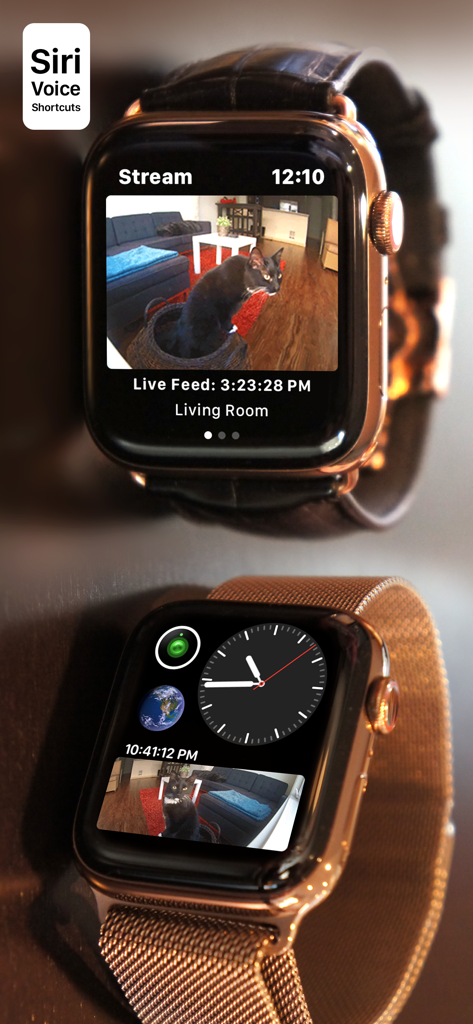
Apple Watch che mostra uno streaming live della telecamera Nest e una complicazione del quadrante

Apple Watch che mostra uno streaming live della telecamera Nest e una complicazione del quadrante

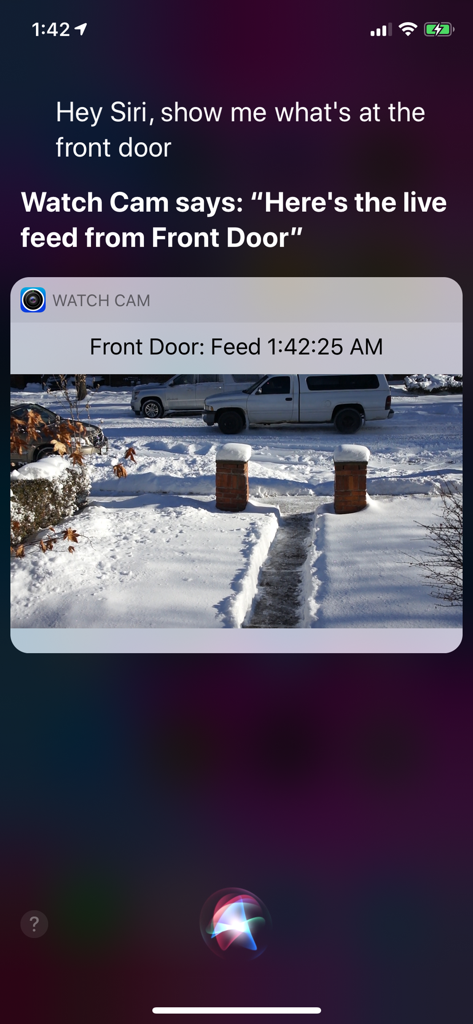
Schermo dell'iPhone che mostra Siri mentre visualizza un feed dal vivo della telecamera Nest tramite l'app Watch Cam.

Schermo dell'iPhone che mostra Siri mentre visualizza un feed dal vivo della telecamera Nest tramite l'app Watch Cam.

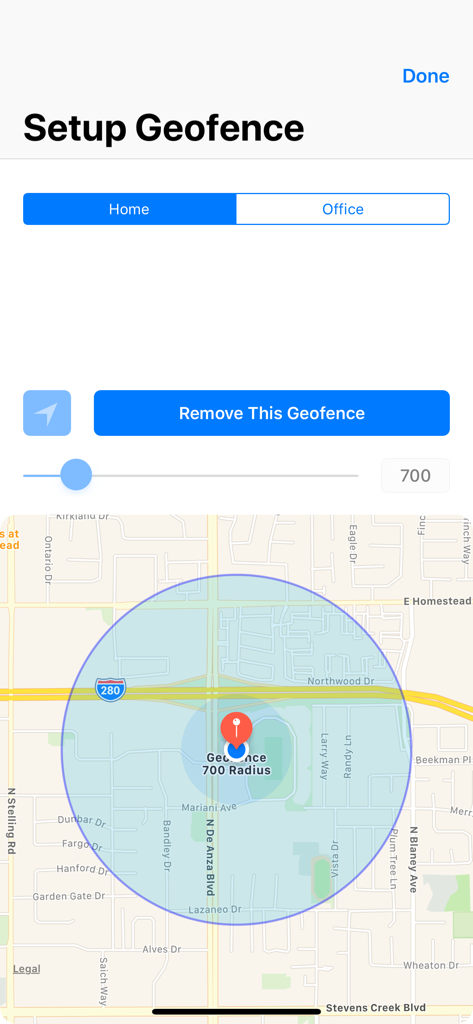
Interfaccia per l'impostazione di un geofence domestico con mappa e controllo del raggio

Interfaccia per l'impostazione di un geofence domestico con mappa e controllo del raggio

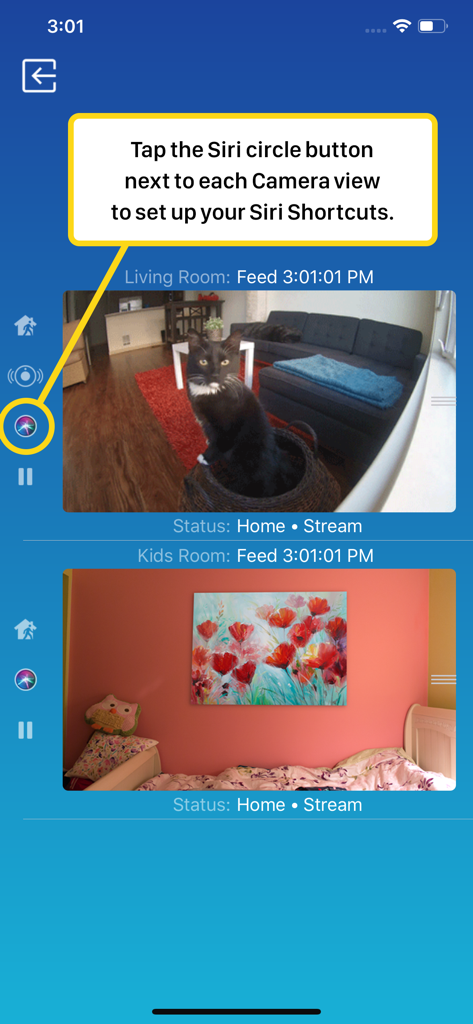
Interfaccia smartphone di Watch Cam per Nest Cam che mostra i feed delle telecamere in diretta e la configurazione delle scorciatoie Siri

Interfaccia smartphone di Watch Cam per Nest Cam che mostra i feed delle telecamere in diretta e la configurazione delle scorciatoie Siri

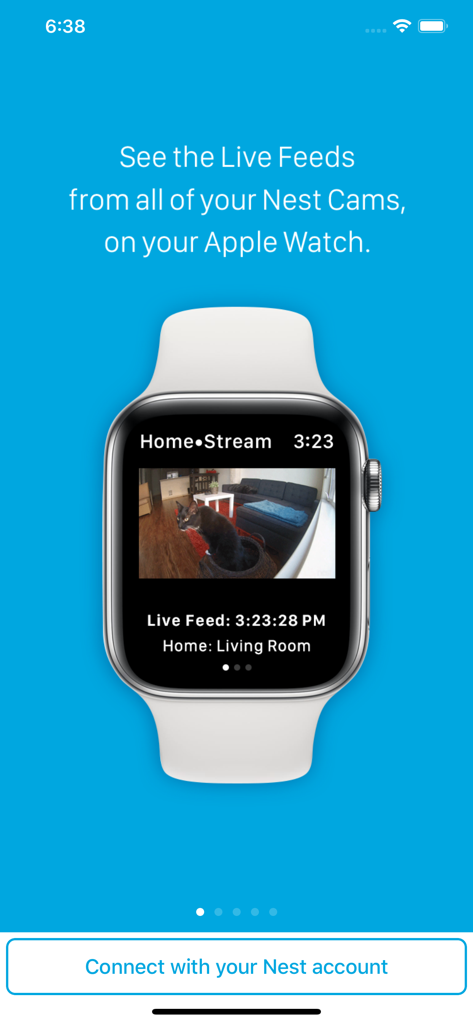
Un Apple Watch che visualizza un feed video in diretta da una telecamera di sicurezza Nest che mostra un gatto in un soggiorno

Un Apple Watch che visualizza un feed video in diretta da una telecamera di sicurezza Nest che mostra un gatto in un soggiorno

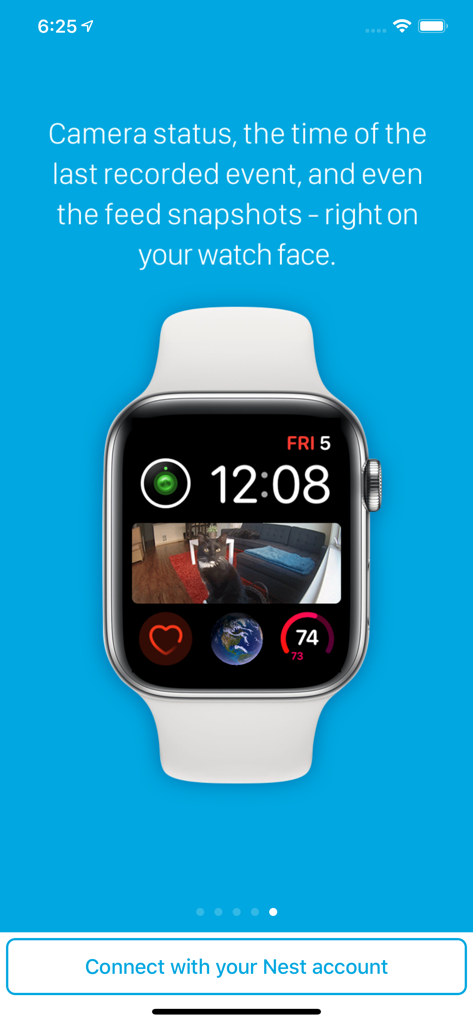
Quadrante dell'Apple Watch che mostra una complicazione dell'istantanea della telecamera Nest di un gatto su un divano

Quadrante dell'Apple Watch che mostra una complicazione dell'istantanea della telecamera Nest di un gatto su un divano

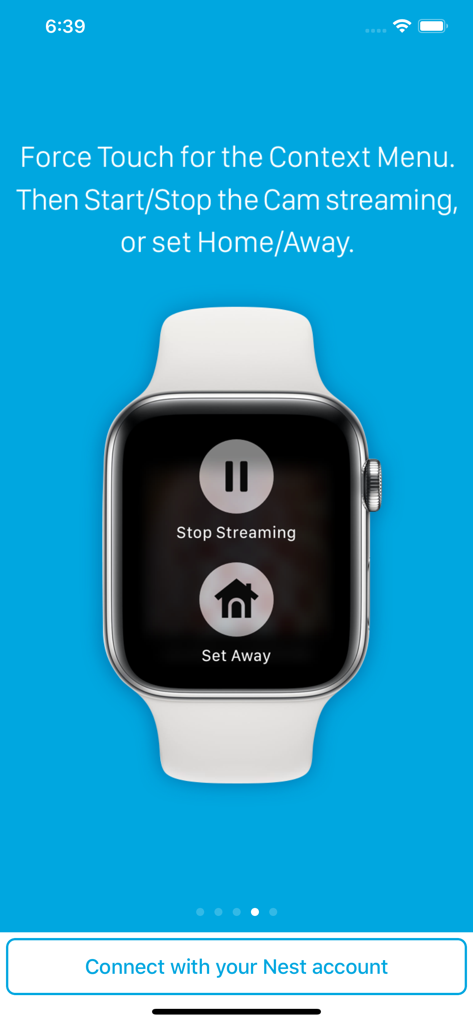
Apple Watch che visualizza i pulsanti Interrompi streaming e Imposta Fuori per le telecamere Nest

Apple Watch che visualizza i pulsanti Interrompi streaming e Imposta Fuori per le telecamere Nest

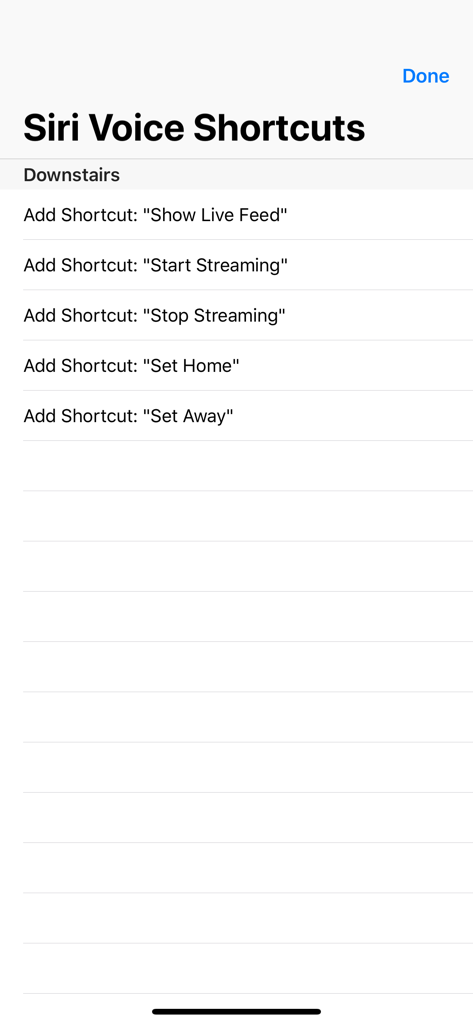
Un elenco di opzioni di scorciatoia vocale Siri per il controllo delle telecamere Nest, tra cui mostra feed dal vivo e imposta lo stato in casa o fuori

Un elenco di opzioni di scorciatoia vocale Siri per il controllo delle telecamere Nest, tra cui mostra feed dal vivo e imposta lo stato in casa o fuori

La tua casa, a colpo d'occhio

Gli strumenti che rendono questa app unica, scelti da 122K+ utenti.

Vera libertà senza telefono

Resta connesso anche quando lasci a casa il tuo iPhone. Il nostro supporto LTE completo ti consente di visualizzare i feed dal vivo direttamente sul tuo Apple Watch durante le corse o le commissioni.

🖼️

Sicurezza a colpo d'occhio

Smetti di cercare il telefono. Aggiungi complicazioni personalizzate al tuo quadrante per vedere istantanee immediate della telecamera nel momento in cui alzi il polso.

🗣️

Controllo Siri a mani libere

Multitasking semplificato. Usa le scorciatoie vocali di Siri per visualizzare i feed dal vivo o cambiare gli stati In Casa/Fuori quando hai le mani occupate con la spesa o i bambini.

Info sull'app

Tutto quello che devi sapere su Watch Cam for Nest Cam.

Descrizione

Apple Watch, Nest Cam, and Siri together. What a sight! The app has Siri Voice shortcuts, and they can be used to set your home into Away or Home state using Siri on your Watch or iPhone, as well as to display the live feeds from your cameras. The app supports Apple Watch LTE, and can work when the iPhone is not around - as long as the watch itself has internet access (either LTE or WiFi). The app is fully functional with the initial purchase. In-app purchases are available only for tipping the developer. Watch Cam lets you monitor all your Nest Cams from the Apple Watch. • From the watch face, tap on the Watch Cam complication to open the app. Swipe left and right to view life feeds from all your Nest Cams. • One of the watch complications shows you the snapshot from the camera of your choice, right on the watch face. • View the continuously updated Live Feed from the camera in the watch app, iOS app, or with Siri. Newer cameras show live video in the iOS app and Siri. Older cameras show snapshot images that update every second. The feed updates with a new snapshot image every few seconds on the Watch - may be faster or slower, depending on your network speed. • Use the digital crown on the Watch to zoom in and out, or tap the screen to toggle zoom levels. • Use the pinch gesture on the camera views in the iOS app to zoom in and out. Single tap toggles the zoom level in the iOS app and the iOS widget. • Turn the device to landscape mode to increase the camera views sizes. • Double tap on the Live Feed view in the iOS app or the widget to launch the Nest app. • Set Geofence around your home to reliably set the Home and Away state when you come and go. Watch Face Complications can display the following: • Snapshot from the camera of your choice. • Camera icon that opens the app. You can long-press the Watch screen for additional functions, like setting the home/away status, or turning the camera streaming on and off. While the app's minimalist looks betray the simplicity of its operation, what they don't show is the amount of planning, design, development and refinement that went into it, ensuring it becomes something that is enjoyable to use and experience. Please Note: Watch Cam does not collect any of your data. Your login information, camera feeds, and any activity - all of it flows exclusively between your devices and Nest. Author of Watch Cam does not receive any of it, at any point. This app and its developer are unaffiliated with Google Inc. or Google Nest. Nest is a trademark of Google Inc.

Ultima versione

8.7.1

Dimensione

16.7 MB

Data di lancio

22 nov 2016

La tua casa, a colpo d'occhio

Unisciti a oltre 122.000 utenti che hanno colmato il divario tra Nest e l'Apple Watch. Scarica ora per un monitoraggio privato, senza telefono e un controllo Siri fluido.

Scarica su App Store

App information, icons, screenshots, and descriptions displayed on this page are sourced from the Apple App Store and are the property of their respective developers. Download estimates and rankings are based on MWM's proprietary models and may not reflect actual figures. This page is provided for informational and analytical purposes only.

Believe this page infringes your intellectual property? File a dispute