
Questa pagina non è una pagina ufficiale dell'app o del suo sviluppatore, ma una pubblicazione editoriale indipendente creata a scopo informativo e di commento. Salvo espressa indicazione contraria, né l'app né il suo sviluppatore sono affiliati, approvati, sponsorizzati, autorizzati o altrimenti ufficialmente collegati a MWM, Apple, Google Play, all'editore dell'app o allo sviluppatore dell'app, e nulla in questa pagina implica che l'app sia stata sviluppata utilizzando i servizi di MWM. Tutti i marchi, loghi, screenshot e altri contenuti rimangono di proprietà dei rispettivi proprietari.

Watch Faces Gallery for iWatch
Trasforma il tuo Apple Watch con l'installazione in un solo tocco di quadranti animati premium, complicazioni professionali ed estetiche stagionali su misura per ogni umore.
Download
921K+Valutazione
Valutazioni totali
25K+Editore
Categoria
LifestyleLingue
11Ultima versione
2.2.4Dimensione
181.4 MBData di lancio
8 dic 2021Migliora l'espressione del tuo polso
Trasforma il tuo Apple Watch in una potente dichiarazione di moda e un hub di produttività con oltre 27.000 quadranti premium e strumenti di personalizzazione avanzati.
Varietà di stile senza pari
Accedi a oltre 27.000 design esclusivi, dal lusso e retrò alle estetiche stagionali, assicurando che il tuo orologio si abbini al tuo outfit o al tuo umore in un solo tocco.
Utilità in tempo reale
Rimani efficiente con complicazioni a colpo d'occhio. Sincronizza i dati HealthKit e meteo per monitorare i tuoi anelli fitness e l'agenda giornaliera direttamente dal quadrante del tuo orologio.
Domande Frequenti
Tutto quello che devi sapere su Watch Faces Gallery for iWatch
Cos'è Watch Faces Gallery per iWatch?
Watch Faces Gallery per iWatch offre oltre 27.000 watch face esclusivi per tutte le serie di Apple Watch. Fornisce vari stili, un potente editor e compatibilità con tutte le serie di Apple Watch per la personalizzazione.
Quanti watch face offre Watch Faces Gallery per iWatch?
Watch Faces Gallery per iWatch fornisce oltre 27.000 watch face esclusivi per tutte le serie di Apple Watch. Gli utenti possono scegliere tra collezioni classiche, animate, sportive, retrò o festive.
Watch Faces Gallery per iWatch è compatibile con tutte le serie di Apple Watch?
Sì, Watch Faces Gallery per iWatch è compatibile con tutte le serie di Apple Watch. Ciò include le serie 4-10, SE, SE 2, ULTRA e ULTRA 2 per i watch face con complicazioni.
Watch Faces Gallery per iWatch ha un editor di watch face?
Sì, Watch Faces Gallery per iWatch include un potente editor di watch face. Gli utenti possono creare design unici e modificare watch face animati, fotografici o ritratto, personalizzando testo, sfondo e stile dell'ora.
Come funzionano i watch face animati in Watch Faces Gallery per iWatch?
I watch face animati in Watch Faces Gallery per iWatch si riproducono per 3 secondi ogni volta che l'utente solleva il polso. Gli utenti devono disattivare la funzione 'Sempre attivo' sul loro Apple Watch per il corretto funzionamento.
Watch Faces Gallery per iWatch supporta complicazioni e widget?
Sì, Watch Faces Gallery per iWatch supporta watch face con complicazioni e widget. Questi visualizzano dati come attività, meteo e batteria, aggiornandosi ogni 15 minuti.
Watch Faces Gallery per iWatch utilizza i dati di HealthKit?
Sì, Watch Faces Gallery per iWatch utilizza i dati di HealthKit per visualizzare l'attività sui watch face e sui widget. Utilizza anche la geolocalizzazione per previsioni meteorologiche accurate.
Con quale frequenza vengono aggiunti nuovi watch face a Watch Faces Gallery per iWatch?
Watch Faces Gallery per iWatch riceve aggiornamenti settimanali. Ciò garantisce un flusso continuo di watch face nuovi ed esclusivi che gli utenti possono utilizzare per personalizzare il proprio Apple Watch.
Come funziona l'installazione per Watch Faces Gallery per iWatch?
Watch Faces Gallery per iWatch offre l'installazione dei watch face con un solo tocco. Ciò semplifica il processo per gli utenti per applicare nuovi design al proprio Apple Watch direttamente dall'app.
Posso trovare watch face gratuiti in Watch Faces Gallery per iWatch?
Sì, Watch Faces Gallery per iWatch include 'TOP Charts' con watch face sia gratuiti che premium. Queste classifiche vengono aggiornate quotidianamente, offrendo una varietà di opzioni.
Gli screenshot e la descrizione seguenti provengono direttamente dall'elenco ufficiale dello store dell'app e sono di proprietà dello sviluppatore.
App Store
Screenshot
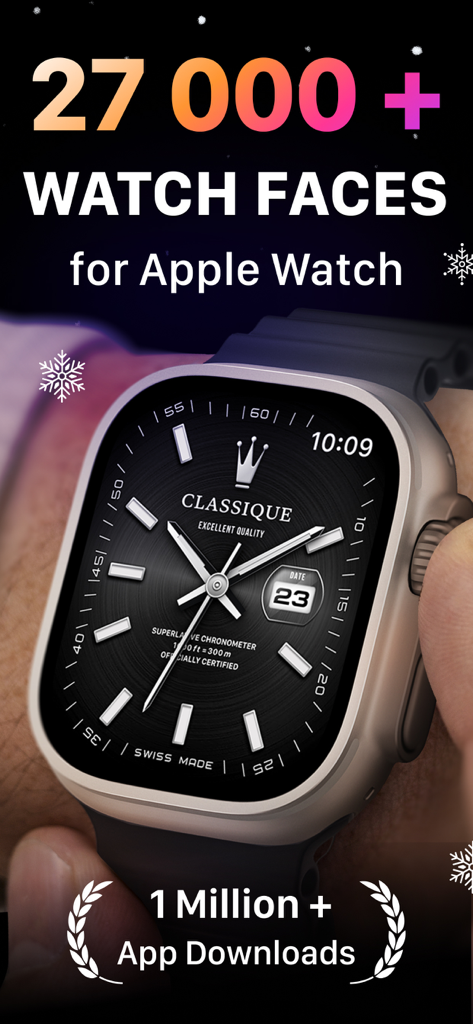
Un quadrante analogico di lusso visualizzato su un Apple Watch Ultra con testo che menziona oltre 27.000 quadranti e oltre 1 milione di download.
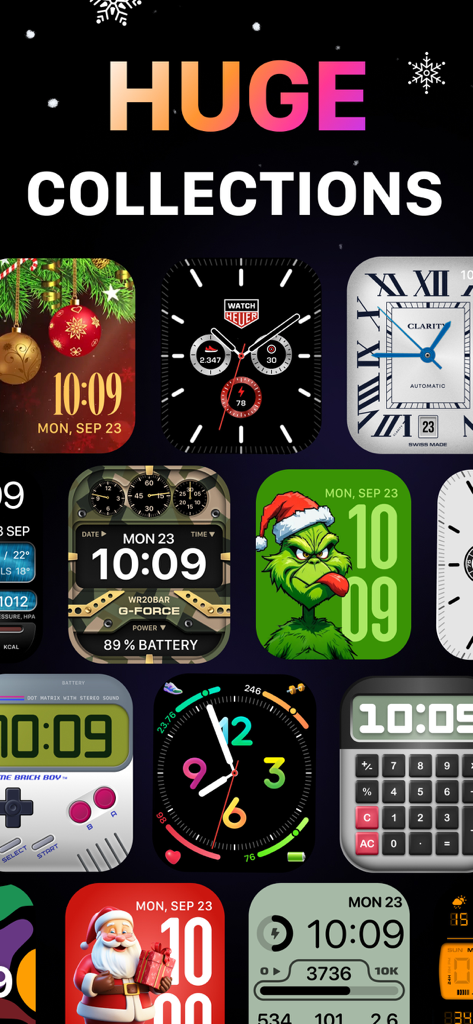
Una collezione diversificata di quadranti per Apple Watch con stili a tema festivo, retrò gaming e classici analogici.
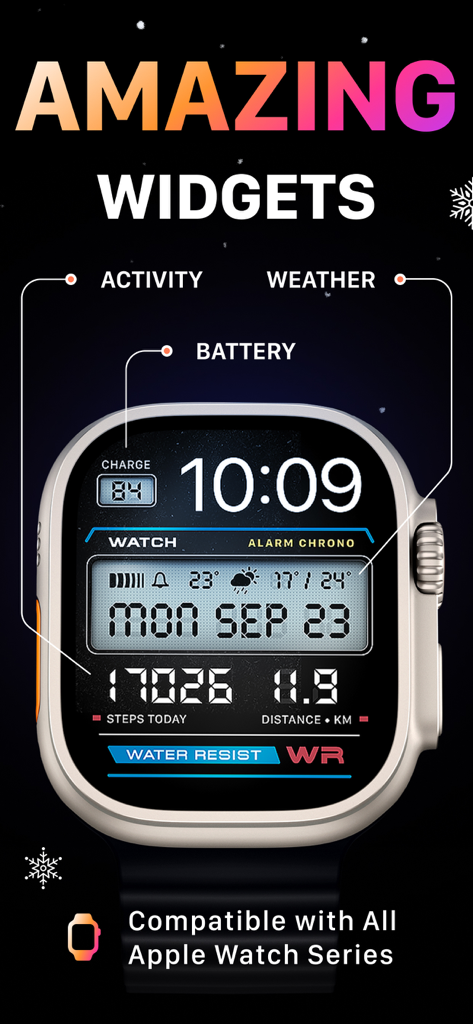
Apple Watch Ultra che mostra un quadrante digitale retrò con complicazioni di attività e meteo.
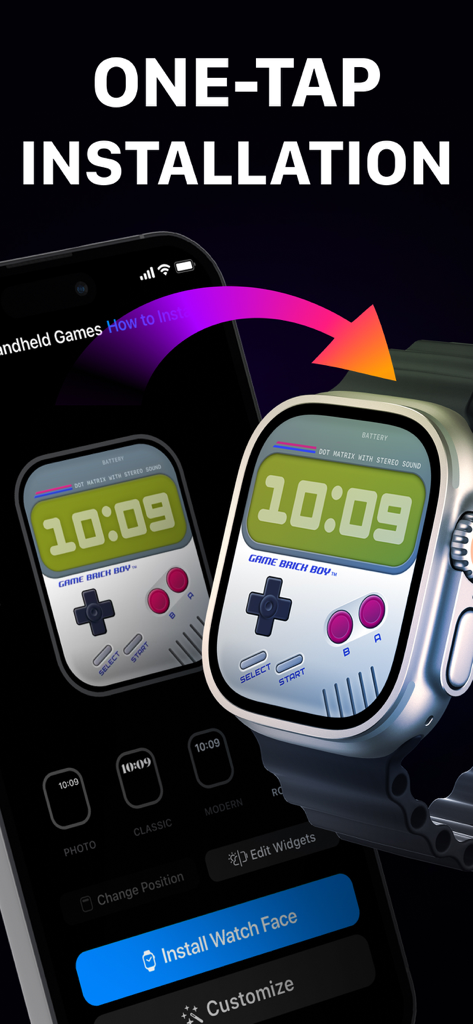
Interfaccia dell'app per smartphone che mostra l'installazione in un solo tocco di un quadrante a tema retrò gaming su un Apple Watch.
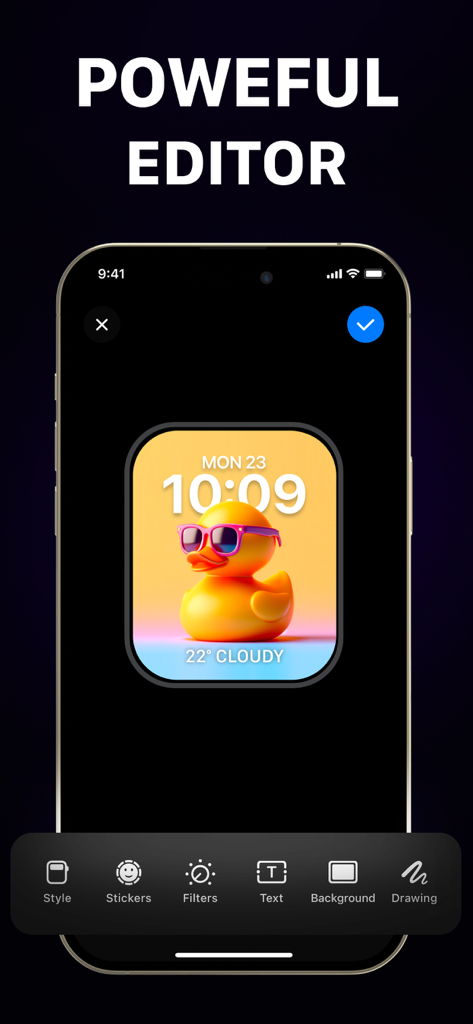
Interfaccia dell'editor avanzato per la creazione di quadranti personalizzati per Apple Watch su un iPhone.
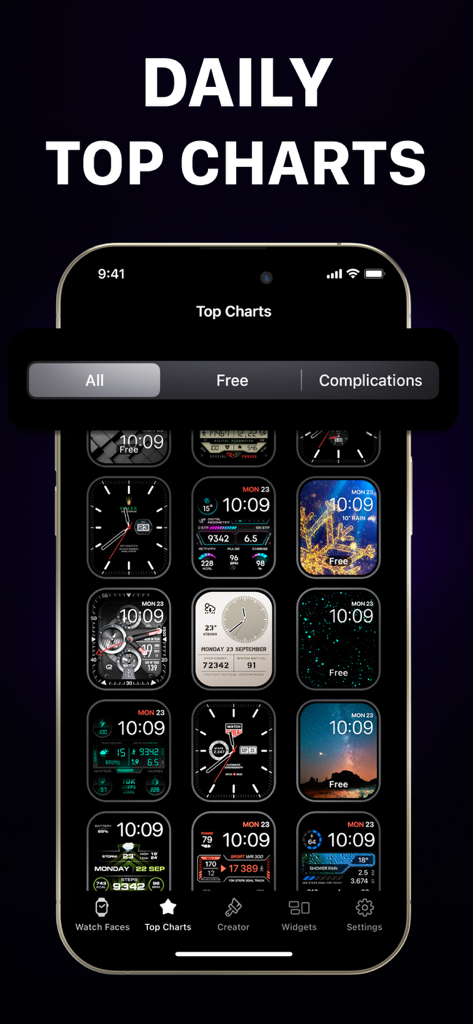
Uno schermo di smartphone che mostra una varietà di quadranti per Apple Watch di tendenza nella sezione delle classifiche.
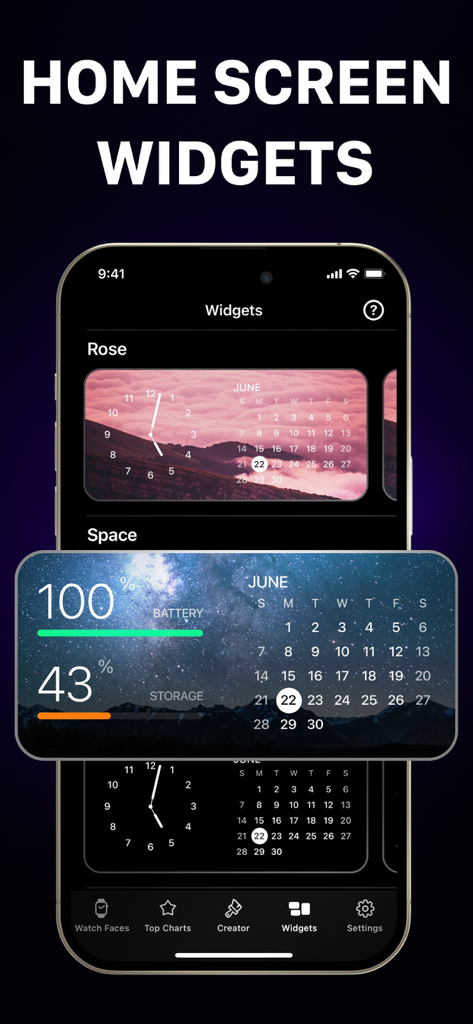
Interfaccia dell'app che mostra widget personalizzabili per la schermata iniziale dei quadranti per Apple Watch con livelli di calendario e batteria.
Descrizione
Download
App Simili
App con funzionalità ed esperienza simili
Walbum™ - Watch Faces Gallery
怡飞 王

Watchfaces - Watch Wallpaper
亚伦 陈
Watch Faces & Widget Gallery
Hyperday MB
Watch Faces by Facer
Little Labs, Inc.
Watch Faces & Widgets Gallery
GANYMEDES POINT SP Z O O
Buddywatch - Watch Faces
BUDDY SRLS
Watch Faces Gallery & Creator
Artem Vasiliuk

Watch Faces Gallery & Themes
Mikael Melkonyan
Watch Faces Gallery - Widgets.
European apps solutions LTD
Questa pagina non è una pagina ufficiale dell'app o del suo sviluppatore, ma una pubblicazione editoriale indipendente creata a scopo informativo e di commento. Salvo espressa indicazione contraria, né l'app né il suo sviluppatore sono affiliati, approvati, sponsorizzati, autorizzati o altrimenti ufficialmente collegati a MWM, Apple, Google Play, all'editore dell'app o allo sviluppatore dell'app, e nulla in questa pagina implica che l'app sia stata sviluppata utilizzando i servizi di MWM. Tutti i marchi, loghi, screenshot e altri contenuti rimangono di proprietà dei rispettivi proprietari.