Who's On - Basketball
Scarica su App Store

Questa pagina non è una pagina ufficiale dell'app o del suo sviluppatore, ma una pubblicazione editoriale indipendente creata a scopo informativo e di commento. Salvo espressa indicazione contraria, né l'app né il suo sviluppatore sono affiliati, approvati, sponsorizzati, autorizzati o altrimenti ufficialmente collegati a MWM, Apple, Google Play, all'editore dell'app o allo sviluppatore dell'app, e nulla in questa pagina implica che l'app sia stata sviluppata utilizzando i servizi di MWM. Tutti i marchi, loghi, screenshot e altri contenuti rimangono di proprietà dei rispettivi proprietari.


Logo di Who's On - Basketball
Scarica su App Store

Who's On - Basketball

Elimina lo stress dalla panchina e assicurati tempi di gioco equi con una gestione intuitiva con trascinamento, tracciamento in tempo reale e strumenti semplici progettati per il vivo della partita.

Numeri Chiave

Download

17K+

Valutazione

1.0/5

Valutazioni totali

0

Editore

Left Coast Labs Ltd.

Categoria

Sports

Lingue

1

Ultima versione

2.6.5

Dimensione

38.2 MB

Data di lancio

24 mar 2014
Funzioni

Gestisci la Panchina con Fiducia

Smetti di destreggiarti tra fogli e stress. Who's On ti aiuta a gestire le rotazioni, garantire un gioco equo e gestire il caos della partita direttamente dalla tua tasca.

Tempo di Gioco Bilanciato

Tieni felici tutti i giocatori e i genitori. Indicatori visivi 'Caldo-Freddo' tracciano esattamente quanto tempo in campo ottiene ogni ragazzo, assicurando che tutti siano trattati equamente.

Rotazioni Senza Stress

Gestisci arrivi in ritardo o cambi all'ultimo minuto con facilità. Trascina e rilascia le icone dei giocatori ed esegui le sostituzioni con un solo tocco mentre l'orologio della partita scorre.

Gli screenshot e la descrizione seguenti provengono direttamente dall'elenco ufficiale dello store dell'app e sono di proprietà dello sviluppatore.

App Store

Screenshot
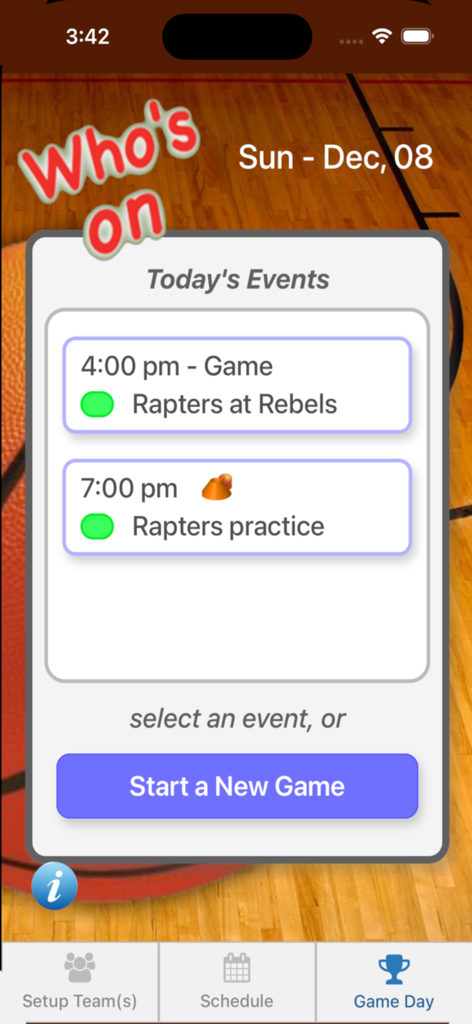
Who's On - Basketball - Screenshot dell'app Who's On Basketball che mostra un programma delle partite con partite e allenamenti imminenti.
Screenshot dell'app Who's On Basketball che mostra un programma delle partite con partite e allenamenti imminenti.

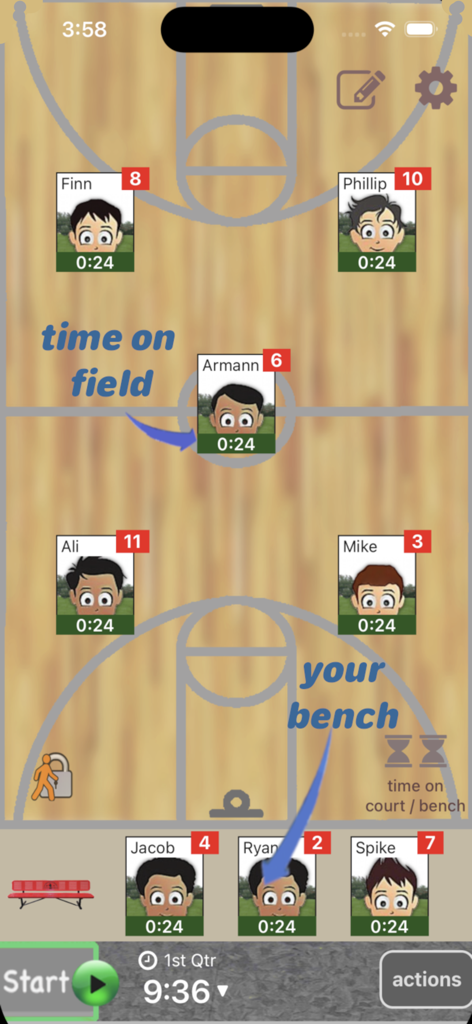
Who's On - Basketball - Interfaccia dell'app Who's On - Basketball che mostra le posizioni dei giocatori in campo e in panchina con tracker individuali del tempo di gioco.
Interfaccia dell'app Who's On - Basketball che mostra le posizioni dei giocatori in campo e in panchina con tracker individuali del tempo di gioco.

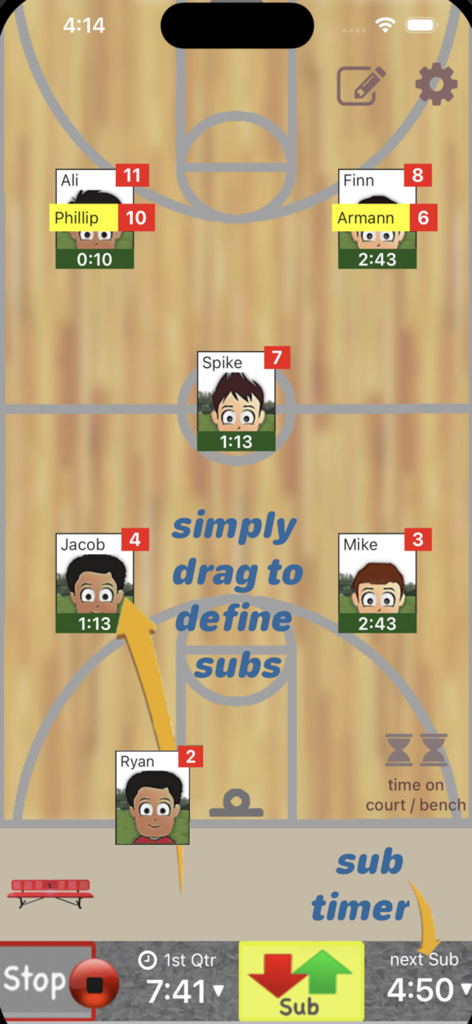
Who's On - Basketball - Interfaccia dell'app dell'allenatore di basket per la gestione delle rotazioni e delle sostituzioni dei giocatori su un campo digitale.
Interfaccia dell'app dell'allenatore di basket per la gestione delle rotazioni e delle sostituzioni dei giocatori su un campo digitale.

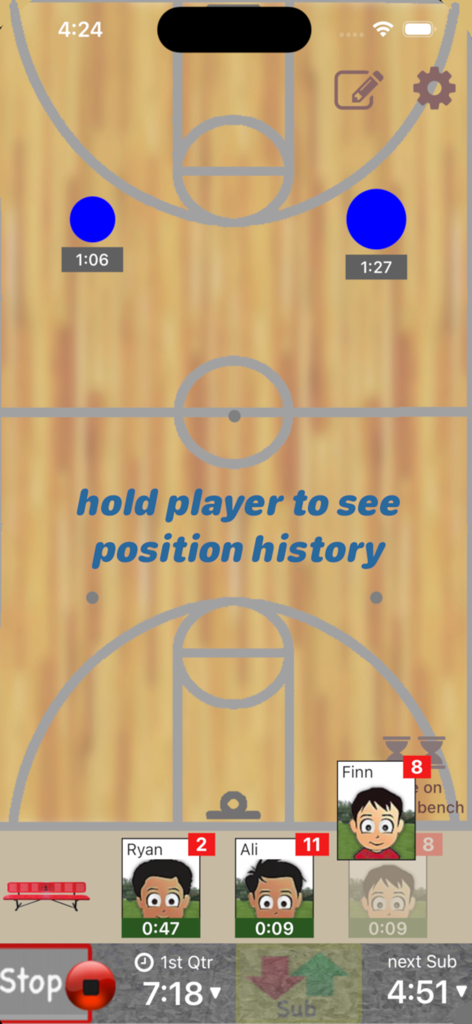
Who's On - Basketball - Interfaccia di un'app mobile per allenatori di basket che mostra la gestione delle rotazioni dei giocatori su uno sfondo di campo con timer di gioco attivi.
Interfaccia di un'app mobile per allenatori di basket che mostra la gestione delle rotazioni dei giocatori su uno sfondo di campo con timer di gioco attivi.

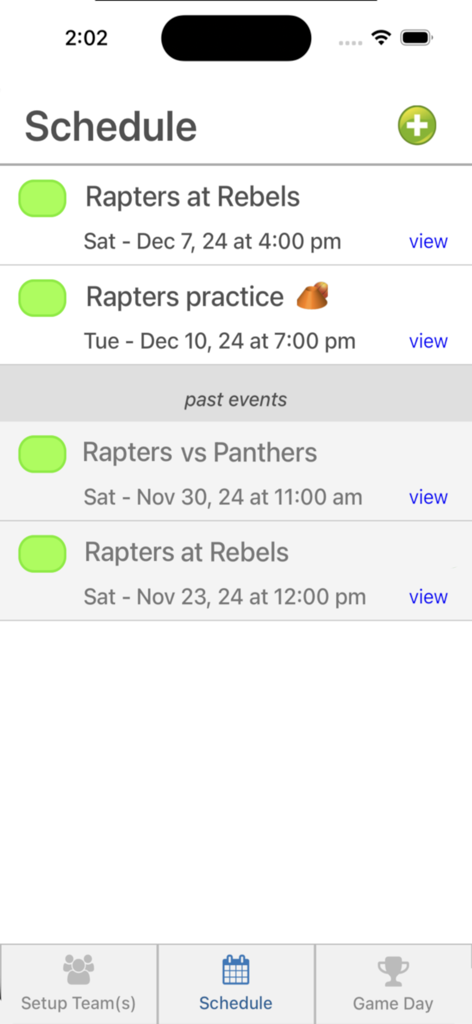
Who's On - Basketball - Schermata del programma dell'app Whos On Basketball che mostra un elenco delle imminenti partite e allenamenti della squadra.
Schermata del programma dell'app Whos On Basketball che mostra un elenco delle imminenti partite e allenamenti della squadra.

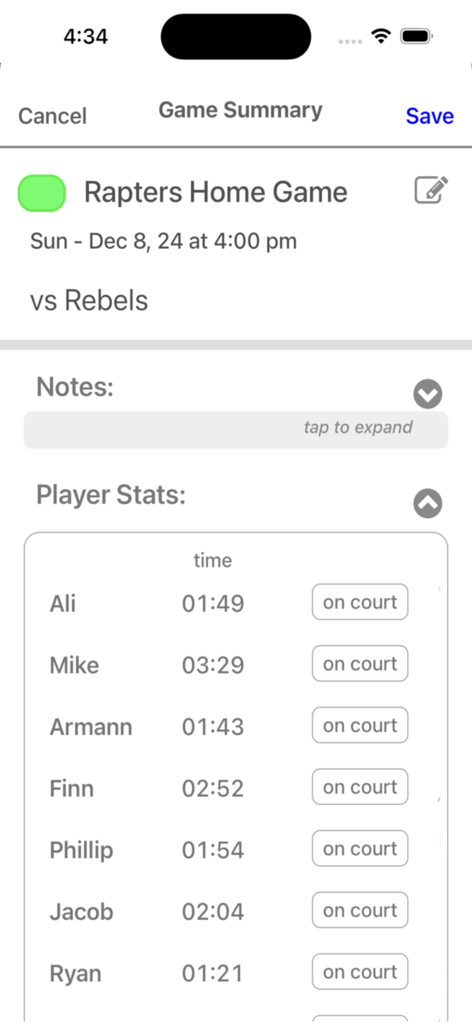
Who's On - Basketball - Una schermata di un'app di allenamento di basket che mostra i nomi dei giocatori e il loro tempo di gioco totale durante una partita.

Una schermata di un'app di allenamento di basket che mostra i nomi dei giocatori e il loro tempo di gioco totale durante una partita.

Descrizione

Who's On-Basketball helps youth-basketball coaches manage who's on the floor and who's going on next. It has been developed for the iPhone and iPad with experienced coaches who find managing rotations and balancing play time awkward and stressful. Watch our feature videos at "http://whos-on.leftcoastlabs.biz/videos/basketball". What coaches have said about Who's On apps... "It's intuitive and easy of use." "It can handle all the unpredictability of coaching youth sports. For instance, I don't know who's going to be there [on game day] until I show up at the game. Players sometimes show up late or leave early. Young players decide at the last minute that they don't want to go on, messing up my planned rotation. This app allows me to handle all this... with ease." "I like how clearly each player's name, number and picture is presented on the screen. I have a lousy memory and remembering new player names at the start of a season is always a problem for me." "The 1-touch Position History is really well done... I wouldn't want to coach again without it!" "I love how easy it is to add player photos to the team." Feature Summary: Simple drag and drop - With Who's On-Basketball, you simply drag player icons from the "bench" to "floor positions" as you make decisions for your starting lineup or substitutions. The app remembers "who" you've assigned "where" and tracks how long each player has been in each position during the game. 1-screen game information - All game-time information is displayed clearly on one screen (as shown in the screen shots). Bright yellow banners clearly indicate where you've pre-assigned substitutes for your next rotation. 1-button rotation - When it's time to make substitutions, you press one button to indicate that the subs have taken the floor and the app records this event. The app then places the icons of the players coming off the floor back on the bench ready for their next rotation assignments. Built-in substitution timer - A built-in timer can be used to balance rotation times. Press-and-hold play history (a unique and celebrated feature of Who's On-Soccer) – By simply dragging a player's icon to the bottom of the screen, the display will change to show a Position History (graphically indicating where the player has played and for how long). Hot-Cold Indicators - shows which players have significantly more or less play time than the average. Players with significantly more play time are highlighted red (Hot). Similarily, blue (Cold) for less play time. Fast team setup - We've built Who's On-Basketball to allow you to enter a team's information quickly. Typically it only takes a few minutes to enter all your team's information. 1-touch player pictures - Capture player pictures with the app's integrated camera function. 1-touch, point and click. Multiple teams - If you coach or assist with two or more teams, this app supports multiple teams. Simply select the team you want to use from the team list and your ready to go. Game / Practice schedules - Who's On-Basketball let's you store your team's schedule in your phone if you desire. Game data and notes - Use game notes to track pre-game thoughts and reminders as well as post-game comments. All game data is stored in the team's schedule as a completed game. Game stats can be reviewed at any time or sent to the team's record keeper via email. Supported platforms: - built for iPhone or iPod Touch - will work on iPad or iPad Mini as iPhone app

Download

Scarica su App Store

Questa pagina non è una pagina ufficiale dell'app o del suo sviluppatore, ma una pubblicazione editoriale indipendente creata a scopo informativo e di commento. Salvo espressa indicazione contraria, né l'app né il suo sviluppatore sono affiliati, approvati, sponsorizzati, autorizzati o altrimenti ufficialmente collegati a MWM, Apple, Google Play, all'editore dell'app o allo sviluppatore dell'app, e nulla in questa pagina implica che l'app sia stata sviluppata utilizzando i servizi di MWM. Tutti i marchi, loghi, screenshot e altri contenuti rimangono di proprietà dei rispettivi proprietari.








