
Questa pagina non è una pagina ufficiale dell'app o del suo sviluppatore, ma una pubblicazione editoriale indipendente creata a scopo informativo e di commento. Salvo espressa indicazione contraria, né l'app né il suo sviluppatore sono affiliati, approvati, sponsorizzati, autorizzati o altrimenti ufficialmente collegati a MWM, Apple, Google Play, all'editore dell'app o allo sviluppatore dell'app, e nulla in questa pagina implica che l'app sia stata sviluppata utilizzando i servizi di MWM. Tutti i marchi, loghi, screenshot e altri contenuti rimangono di proprietà dei rispettivi proprietari.

Who Touched My Phone :Guardian
Scopri gli intrusi ficcanaso con selfie segreti e ferma i ladri con potenti allarmi di movimento. Proteggi il tuo iPhone con una guardia personale progettata per la tua vita digitale attiva.
Download
30K+Valutazione
Valutazioni totali
300Editore
Categoria
UtilitiesLingue
18Ultima versione
5.7Dimensione
88.0 MBData di lancio
1 lug 2023Il tuo telefono, le tue regole
Trasforma il tuo iPhone in una fortezza personale con rilevamento intelligente del movimento, cattura di intrusi e strumenti professionali per la privacy progettati per il tuo stile di vita frenetico.
Scopri i ficcanaso sul fatto
Ottieni prove fotografiche istantanee di chiunque tenti di aggirare il tuo passcode. Ogni selfie dell'intruso viene salvato in modo sicuro nel tuo vault privato, protetto da PIN, per la massima prova.
Allarme di movimento antifurto
Allontanati con tranquillità. Attiva un allarme ad alto volume che scatta istantaneamente se il tuo telefono viene toccato o spostato al bar, in palestra o in ufficio.
Gli screenshot e la descrizione seguenti provengono direttamente dall'elenco ufficiale dello store dell'app e sono di proprietà dello sviluppatore.
App Store
Screenshot
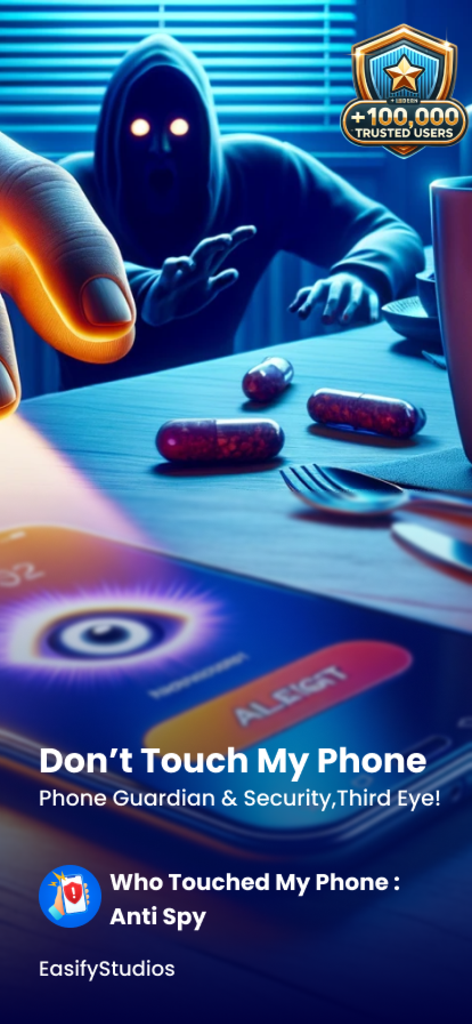
Una figura ombrosa che cerca di afferrare uno smartphone che mostra un avviso di sicurezza e un'icona di occhio sullo schermo
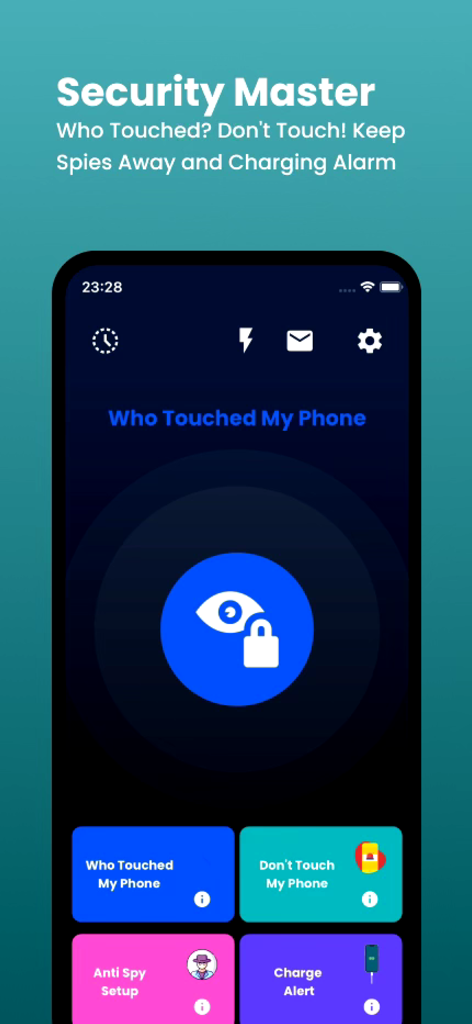
Interfaccia principale dell'app Who Touched My Phone Guardian che mostra funzionalità di sicurezza come il rilevamento di intrusi e l'allarme di movimento
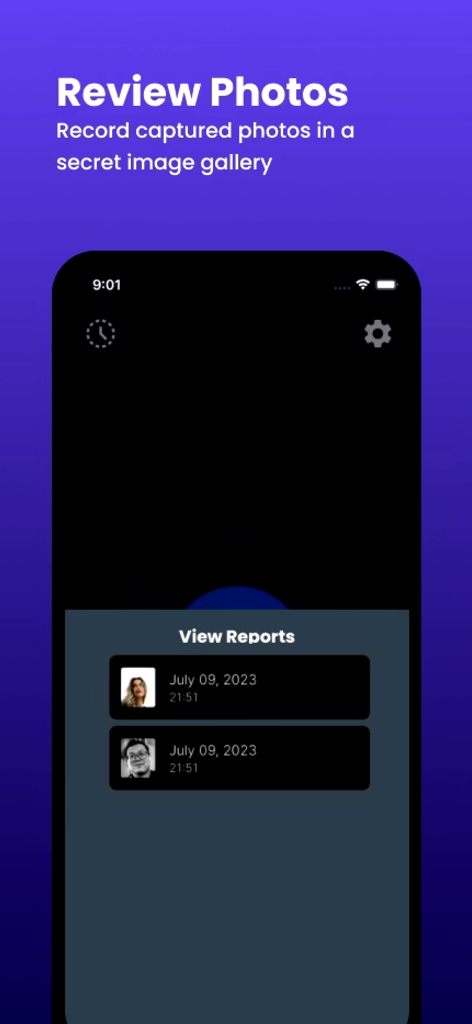
Un elenco di selfie di intrusi catturati con timestamp nell'app Who Touched My Phone Guardian
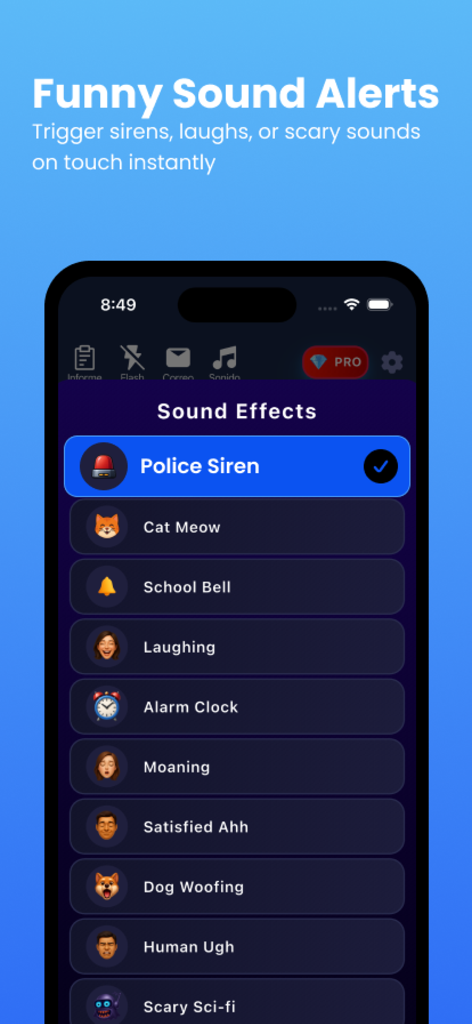
Elenco di opzioni divertenti per gli avvisi sonori nell'app Who Touched My Phone Guardian, inclusa una sirena della polizia e un miagolio di gatto.
Descrizione
Download
App Simili
App con funzionalità ed esperienza simili
Amor AntiTheft-Clap Find Phone
FUTURISTIX DIGITAL MARKETING PTE. LTD
ClapSeek: Find phone by clap
PIXEL VERTEX MOBILE PTE. LTD.
Dont Touch My Phone: Antitheft
FITNESS TRAINING GLOBAL ONE MEMBER COMPANY LIMITED

ClapBack: Antilost
CODEJOY TECHNOLOGY LIMITED
AntiLost: Phone Finder & Alarm
MATRIX MOBILE PTE. LTD.

ClapFind: Phone Finder
MATRIX MOBILE PTE. LTD.
ClapTrack : Clap to Find Phone
80ugame Limited

Find My Phone By Clapping
Hieu Tran Thanh
AntiLost - Clap to Find Phone
Ion Danilov
Questa pagina non è una pagina ufficiale dell'app o del suo sviluppatore, ma una pubblicazione editoriale indipendente creata a scopo informativo e di commento. Salvo espressa indicazione contraria, né l'app né il suo sviluppatore sono affiliati, approvati, sponsorizzati, autorizzati o altrimenti ufficialmente collegati a MWM, Apple, Google Play, all'editore dell'app o allo sviluppatore dell'app, e nulla in questa pagina implica che l'app sia stata sviluppata utilizzando i servizi di MWM. Tutti i marchi, loghi, screenshot e altri contenuti rimangono di proprietà dei rispettivi proprietari.