10bII+

10bII+

ダウンロード: App Store
ロゴ: 10bII+

10bII+: プロフェッショナル向けの最新財務計算機

インタラクティブなレシピとリアルタイムのレジスタ表示で、複雑な金融、不動産、ビジネス数学をマスターしましょう。キー入力の暗記をやめて、正確に取引を成立させましょう。

ダウンロード: App Store

開発元

Anishu, Inc.

カテゴリ

Finance

ダウンロード

7K+

ユーザー評価

1.7/5

評価数

0

対応言語

1

指先でわかる精度

このインターフェースを利用する 7K+ 人のユーザー.

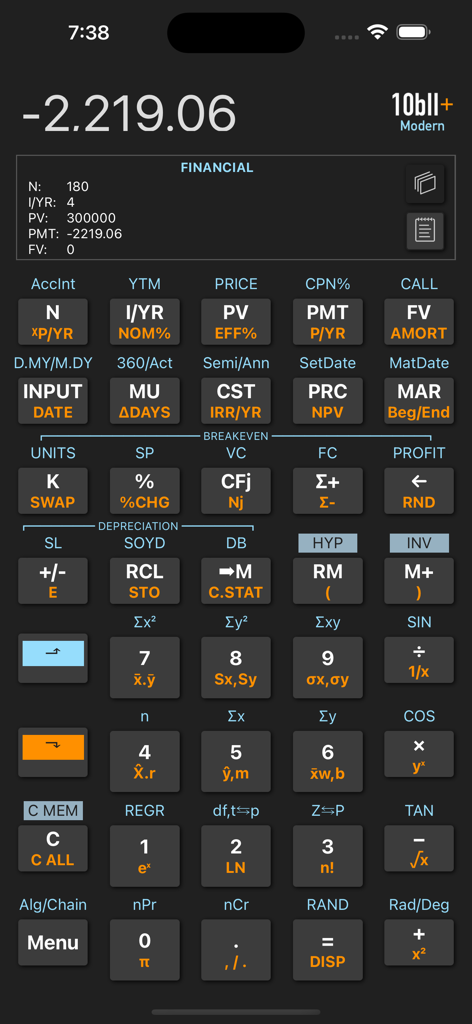
10bII Plus財務計算機アプリのユーザーインターフェース。キーパッドと、計算結果が表示された財務レジスタビューが表示されています。

10bII Plus財務計算機アプリのユーザーインターフェース。キーパッドと、計算結果が表示された財務レジスタビューが表示されています。

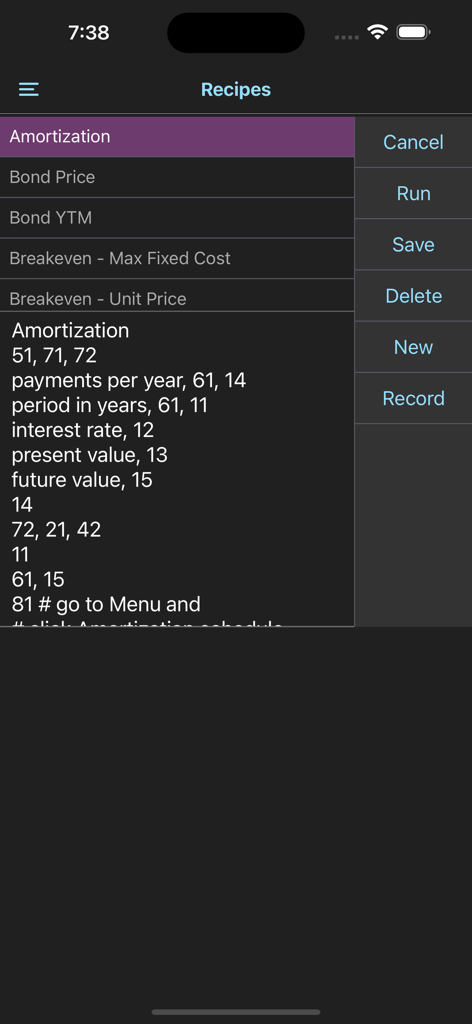
10bII plusアプリのインターフェース。財務計算レシピと自動化オプションが表示されています。

10bII plusアプリのインターフェース。財務計算レシピと自動化オプションが表示されています。

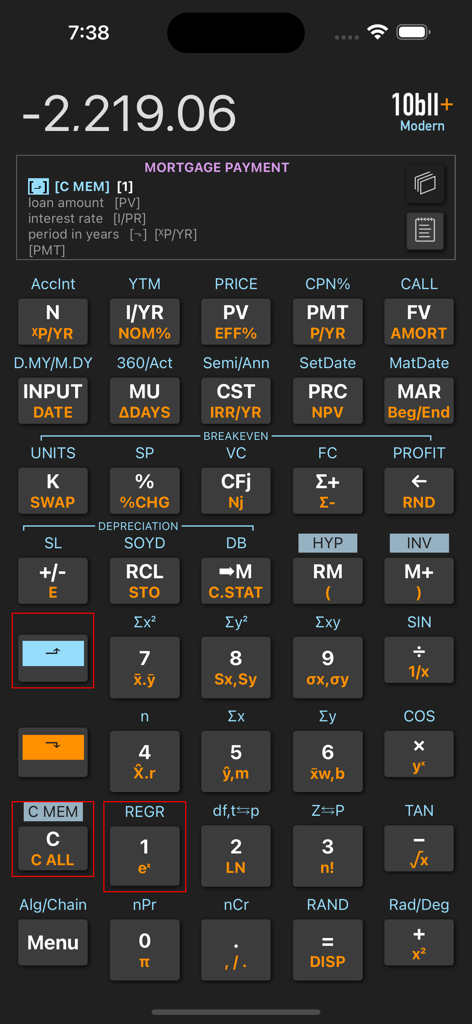
10bII plus財務計算機アプリのインターフェース。住宅ローン支払い計算レシピとプロフェッショナルなキーパッドが表示されています。

10bII plus財務計算機アプリのインターフェース。住宅ローン支払い計算レシピとプロフェッショナルなキーパッドが表示されています。

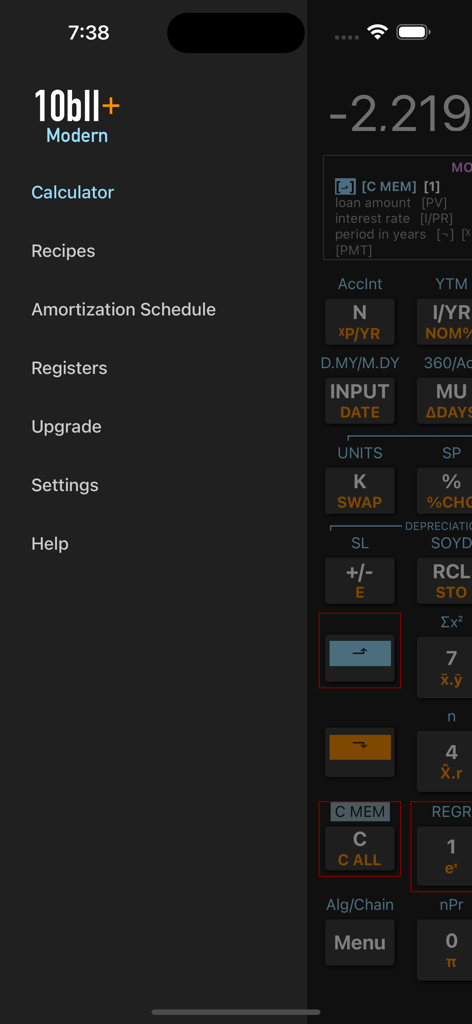
10bII+ Modern財務計算機アプリのナビゲーションサイドバー。レシピや減価償却スケジュールなどのメニューオプションが表示されています。

10bII+ Modern財務計算機アプリのナビゲーションサイドバー。レシピや減価償却スケジュールなどのメニューオプションが表示されています。

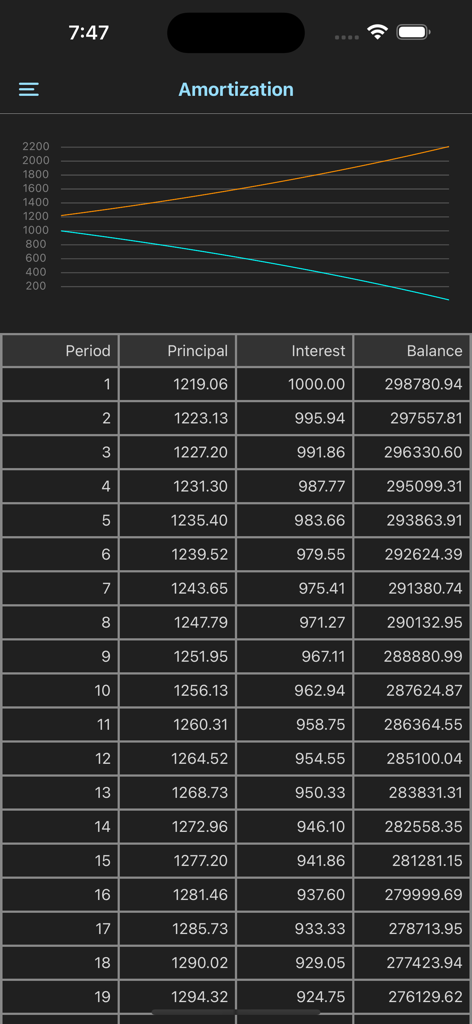
減価償却スケジュール画面。折れ線グラフと、元本、利息、残高の列の詳細なデータテーブルが表示されています。

減価償却スケジュール画面。折れ線グラフと、元本、利息、残高の列の詳細なデータテーブルが表示されています。

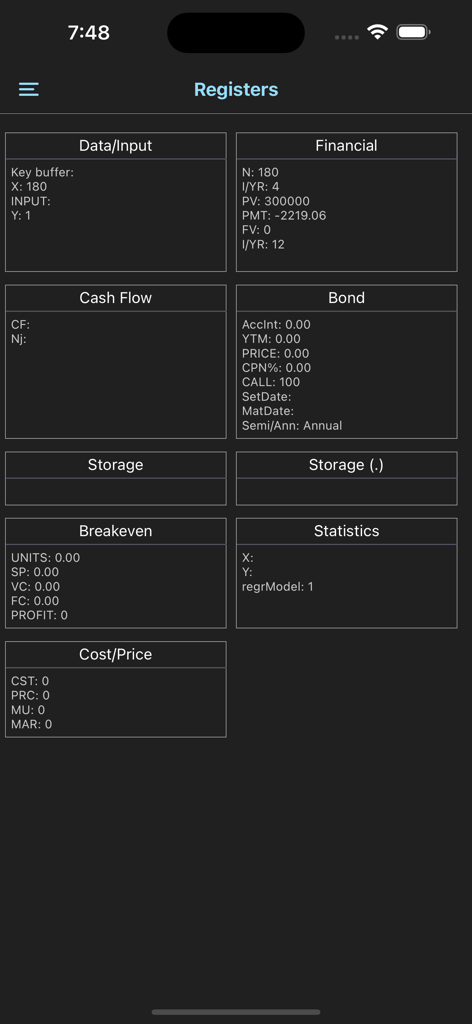
10bII plus財務計算機の詳細なレジスタビュー。財務、債券、キャッシュフロー、損益分岐点計算のデータカテゴリが表示されています。

10bII plus財務計算機の詳細なレジスタビュー。財務、債券、キャッシュフロー、損益分岐点計算のデータカテゴリが表示されています。

財務精度を高める高度なツール

このアプリを際立たせるツール、 7K+ 人のユーザーが選択.

🎓

インタラクティブなステップバイステップレシピ

複雑なキー入力のストレスを解消しましょう。TVM、キャッシュフロー、IRRのガイド付きプロンプトに従って、顧客の前で100%の精度を確保しましょう。

📉

瞬時にわかるレジスタの透明性

N、I/YR、PVに何が保存されているかを推測するのはやめましょう。ライブレジスタビューでは、すべての入力を一目で確認でき、計算エラーを防ぎます。

💼

プロフェッショナルモバイルスイート

ハードウェアはもう不要です。iPhoneで完全な減価償却、債券、減価償却ワークシートにアクセスできます。会議やフィールドワークに最適です。

アプリについて

について知っておくべきこと 10bII+.

説明

The 10bII+ is a complete reimplementation of the full functionality of the popular HP 10bII+ financial calculator. In addition to providing 10bII+'s look & feel and functionality, we have modernized the app with features such as recipes, interactive prompts, and register views. This free version provides basic calculator functions, Math, Trigonometry, Memory, Interest Conversion, and Date functions. A one-time In-App-Purchase is required to access the Time-Value-of-Money (TVM), Amortization, Cash Flow, Bond, Depreciation, Statistics, Profit Margin, and Breakeven worksheets. The 10bII+ modern addresses two critical issues for the user: (i) knowing what is stored in each of the calculator's internal registers, (ii) remembering the exact key sequences for getting specific calculations done. The register views, accessible in the main screen, provides visibility into various register groups. You can switch between different groups of registers (such as Financial, Cash Flow, Bond, etc.), and inspect stored values. The recipes which you can record and store remove the burden of remembering the exact keystroke sequence for your tasks. You simply select a pre-recorded recipe (builtin or your own) and run. When running a recipe, the app visually prompts you with the keystrokes to press and guides you along in getting the results. The app comes with 25 built-in recipes and allows you to add/record/edit/delete your own recipes. The convenient register view on the screen allows you to view register contents as your operations proceed.

最新バージョン

1.0.2

サイズ

15.5 MB

リリース日

2023年2月15日

財務計算機のゴールドスタンダードをどこへでも

ハードウェアを持ち歩くのをやめて、よりスマートに計算しましょう。iPhoneで10bII+の精度を手に入れましょう。複雑な金融取引のためのインタラクティブなレシピと透明なレジスタビューが特徴です。

ダウンロード: App Store

App information, icons, screenshots, and descriptions displayed on this page are sourced from the Apple App Store and are the property of their respective developers. Download estimates and rankings are based on MWM's proprietary models and may not reflect actual figures. This page is provided for informational and analytical purposes only.

Believe this page infringes your intellectual property? File a dispute