4Plan Home & Interior Planner

4Plan Home & Interior Planner


ダウンロード: App Store
ロゴ: 4Plan Home & Interior Planner

4Plan:夢のマイホームを3Dでデザイン、家具配置、視覚化

プロのデザイン経験は不要です。LiDARスキャンとARを使用して、リノベーションを計画し、家具を配置し、費用をかける前に、フォトリアルな詳細で空間を確認しましょう。

ダウンロード: App Store

開発元

Alatona UAB

カテゴリ

Lifestyle

ダウンロード

1M+

ユーザー評価

4.6/5

評価数

4K+

対応言語

8

あなたの未来の空間を視覚化

このインターフェースを利用する 1M+ 人のユーザー.

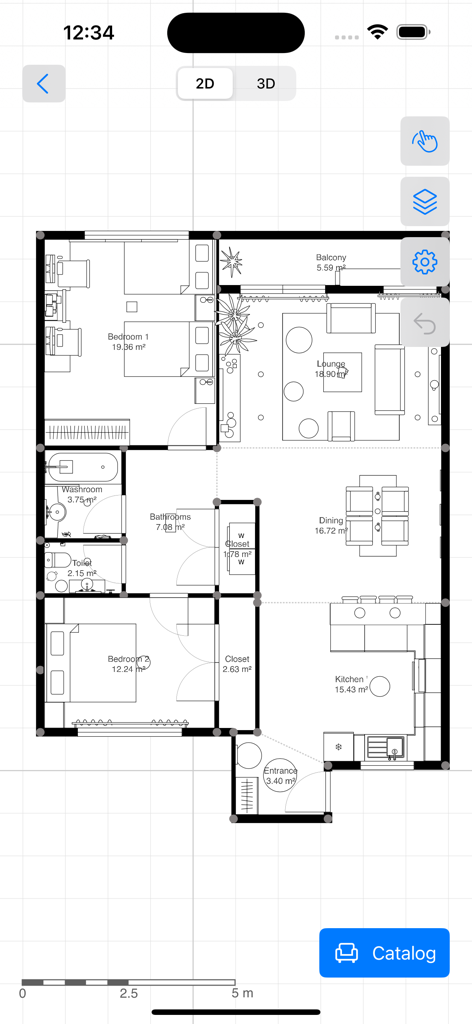
4Planインテリアデザインアプリで作成された、部屋の寸法と家具の配置を示す詳細な2Dアパートの間取り図

4Planインテリアデザインアプリで作成された、部屋の寸法と家具の配置を示す詳細な2Dアパートの間取り図

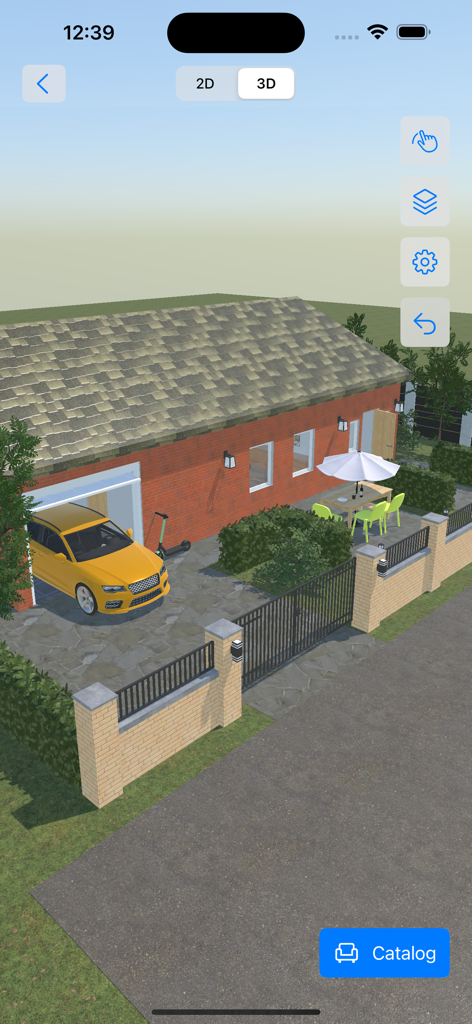
4Planアプリのパティオエリアと黄色い車がある家の3D外観

4Planアプリのパティオエリアと黄色い車がある家の3D外観

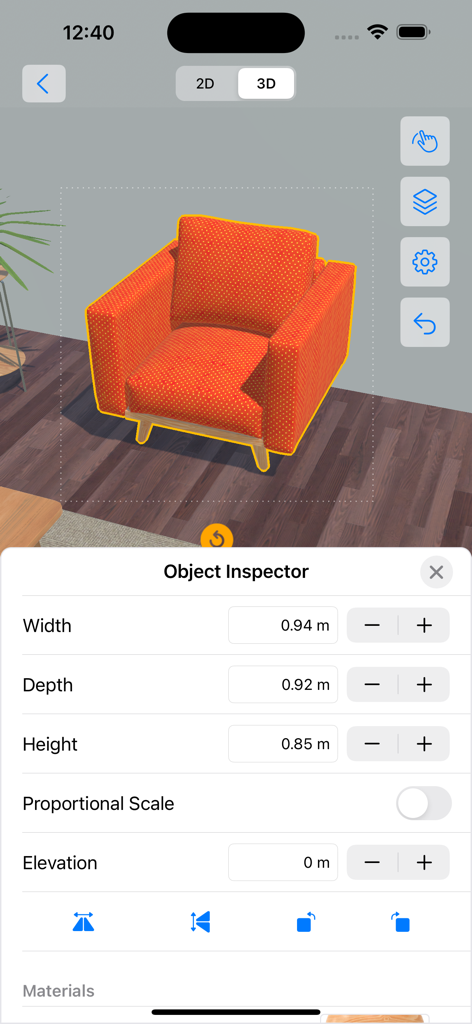
4Plan 3Dインテリアデザインビューでオレンジ色の肘掛け椅子の寸法を調整するためにオブジェクトインスペクターを使用

4Plan 3Dインテリアデザインビューでオレンジ色の肘掛け椅子の寸法を調整するためにオブジェクトインスペクターを使用

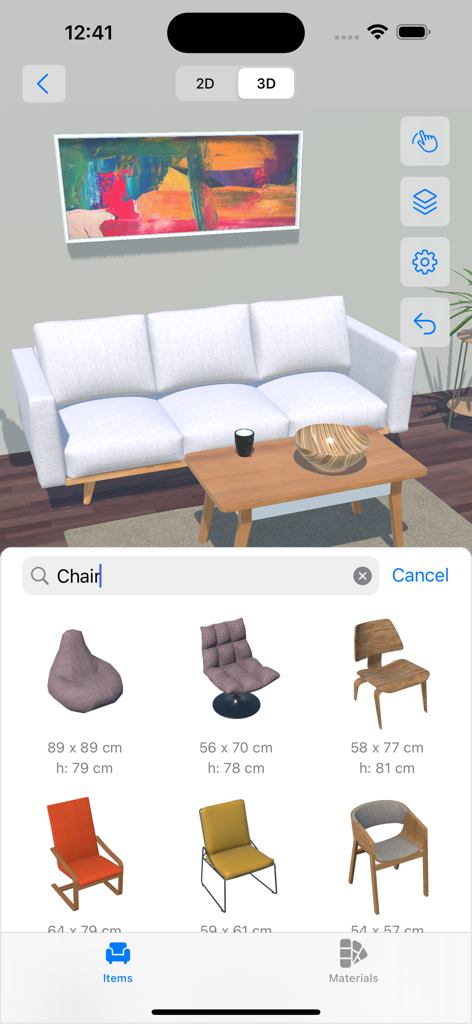
4Planアプリの3Dリビングルームデザインプロジェクト。椅子用の家具選択メニューが表示されています。

4Planアプリの3Dリビングルームデザインプロジェクト。椅子用の家具選択メニューが表示されています。

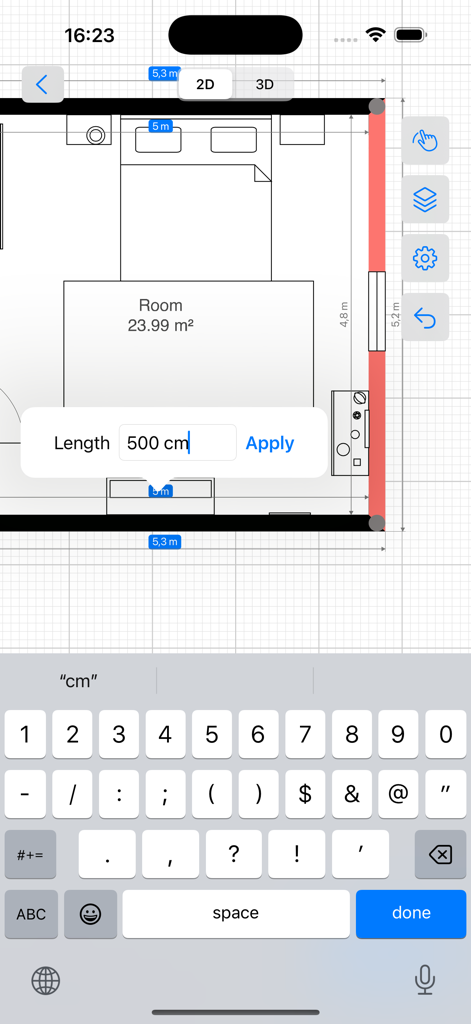
カスタム寸法入力フィールドを備えた寝室のレイアウトを示す2D間取り図エディター

カスタム寸法入力フィールドを備えた寝室のレイアウトを示す2D間取り図エディター

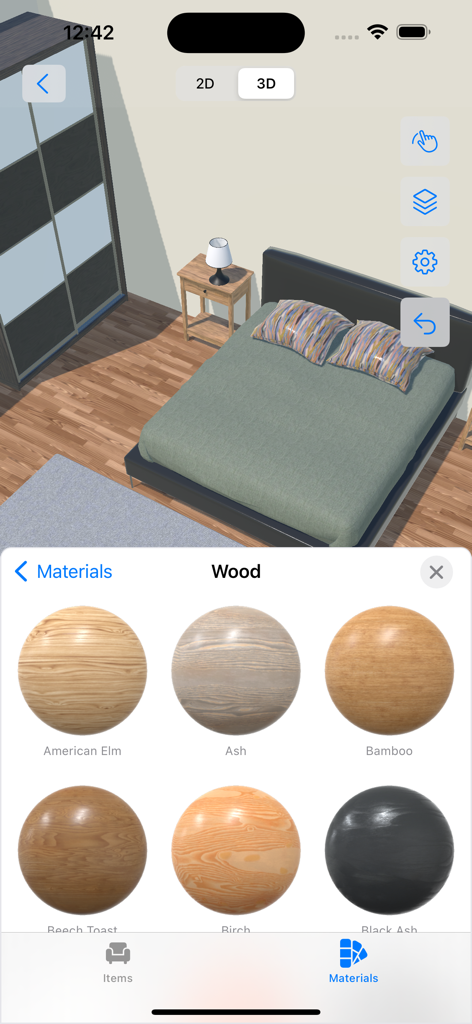
4Planアプリの3D寝室ビュー。アメリカンエルムやアッシュなどのさまざまな木材の種類を示す素材選択メニューがあり、カスタマイズが可能です。

4Planアプリの3D寝室ビュー。アメリカンエルムやアッシュなどのさまざまな木材の種類を示す素材選択メニューがあり、カスタマイズが可能です。

自信を持って夢のマイホームをデザイン

このアプリを際立たせるツール、 1M+ 人のユーザーが選択.

📐

瞬時に部屋をスキャン

メジャーは不要です。LiDARテクノロジーを使用して、数秒で部屋の正確な寸法とレイアウトをプロの精度でキャプチャします。

🛋️

あなたの個性を演出

大規模な家具カタログとフォトリアルな素材を試して、アイテムを購入する前に、あなたの家にぴったりのスタイルを見つけてください。

🕶️

あなたのビジョンを歩き回る

2Dの青写真と没入感のある3Dビューを切り替えたり、拡張現実(AR)を使用して、あなたの新しいデザインが物理的な空間にどのように適合するかを正確に確認したりできます。

🛋️

あなたの個性を演出

大規模な家具カタログとフォトリアルな素材を試して、アイテムを購入する前に、あなたの家にぴったりのスタイルを見つけてください。

🕶️

あなたのビジョンを歩き回る

2Dの青写真と没入感のある3Dビューを切り替えたり、拡張現実(AR)を使用して、あなたの新しいデザインが物理的な空間にどのように適合するかを正確に確認したりできます。

アプリについて

について知っておくべきこと 4Plan Home & Interior Planner.

説明

● 2D drawing and 3D view for each of your floor, room, indoor & outdoor projects ● Easy and intuitive control with endless customizations ● Photorealistic materials with a vast furniture and material catalog ---------- Are you looking for an easy-to-use home interior design and renovation app to plan your next project? Don’t have any knowledge about using interior design software? Meet 4Plan, which is designed with utmost simplicity to help you design rooms, floors, and outdoor areas from your iOS & macOS devices. Download now, and start drawing rooms and walls. Then drag and drop furniture and decoration from the catalog. Use materials and color palette to create a unique look and feel. Making your dream renovation a reality is easy with 4Plan. ■ UNLEASH YOUR CREATIVITY Choose from our large library of home design elements and make adjustments per your taste. Design room remodelling by using: ● Construction: select different doors, windows, stairs, roofs, and shapes. ● Furniture: select and add sofas, armchairs, chairs, tables, sideboards, desks, console tables, coffee tables, cabinets, drawers, and more. Adjust the width, depth, and more. ● Outdoor: add different seats, tables, vegetation, lamps, and more. ● Materials: Pick different materials such as paint, bricks, carpets, concrete, and ground and pick different styles and colors for each material. ■ 4PLAN FEATURES: - 2D drawing and 3D view; - View your project in Augmented Reality; - Easy to use with intuitive controls; - Photorealistic materials; - Furniture and material catalog; - Share PDF drawing and snapshots; - Save and share your project file; - Works on all your iOS and macOS devices; - Use iPhone with LiDAR for room scanning; ■ UI CONTROL TIPS 4Plan is designed for everyone. No interior design software knowledge is needed. Here are some basic control instructions: - Tap on any of the lines to select it and resize the space to your custom needs; - Pinch to zoom in/out the whole project; - Use the undo button to revert changes; - Tap in the middle of your project to open the room inspector and edit ceiling, ceil material, flooring, and floor material; - Tap on the bottom button to add construction, furniture, and outdoor elements and select materials; ■ DRAW Use the draw feature to create custom: - Walls; - Rooms; - Paths or lawns; - Dimensions; ■ SETTINGS ADJUSTMENTS Besides being easy to use, 4Plan is customizable. Go to the Settings page to do the following adjustments if needed: - Give a project name; - Enable/disable snapping; - Enable/disable dimensions; - Set imperial or metric units; Now it’s time to plan your renovation and home design. Do it your way & easily with 4Plan. ► Download and try it for FREE. ____________________ ADDITIONAL INFO - Full catalog access requires a Premium subscription. - Please feel free to contact our support team at info@4plan.app - Stay tuned for more amazing features coming soon!
 Terms of Use: https://4plan.app/terms Privacy Policy: https://4plan.app/privacy

最新バージョン

1.5.10

サイズ

297.9 MB

リリース日

2021年9月7日

今日から夢の空間デザインを始めましょう

100万人以上のDIY愛好家や住宅所有者がビジョンを3Dの現実に変えています。iPhone、iPad、Macで4Planを無料でダウンロードして、経験不要でプロ並みの精度でリノベーションを計画しましょう。

ダウンロード: App Store
FAQ

よくある質問

について知っておくべきこと 4Plan Home & Interior Planner

4Plan Home & Interior Plannerは2Dと3Dのデザインビューの両方をサポートしていますか?

はい、4Planには、間取り図を作成するための2D描画モードと、屋外エリアを含むフォトリアリスティックな素材でプロジェクトを視覚化するための3Dビューが用意されています。拡張現実機能も備えています。

4Planでプロジェクトに追加できるデザイン要素の種類は何ですか?

4Planを使用すると、ドア、窓、階段、屋根、形状などのさまざまな建築要素を追加できます。また、ソファ、テーブル、キャビネットなどの家具や、植栽、ランプなどの屋外アイテムも含まれています。

4Plan Home & Interior Plannerアプリケーションは無料で使用できますか?

はい、4Planは無料でダウンロードして試すことができます。ただし、家具や素材の全カタログにアクセスするには、プレミアムサブスクリプションが必要です。

4Planアプリはどのデバイスと互換性がありますか?

4PlanはすべてのiOSおよびmacOSデバイスと互換性があります。また、部屋のスキャン機能のためにLiDARテクノロジーを搭載したiPhoneモデルもサポートしています。

4Plan内でオブジェクトや壁の寸法を調整できますか?

はい、4Planでは要素の寸法をカスタマイズできます。家具の場合、「オブジェクトインスペクター」で幅、奥行き、高さを調整できます。壁の場合、ユーザーは2Dビューで示されているように、タップして選択してサイズを変更できます。

4Planでどのような素材をデザインに使用できますか?

4Planには、ペイント、レンガ、カーペット、コンクリート、地面など、さまざまな素材が用意されています。ユーザーは、広範なカタログから各素材のさまざまなスタイルと色を選択できます。

4Plan Home & Interior Plannerは、カスタムレイアウトを描画するのに使いやすいですか?

はい、4Planは直感的なコントロールを備えており、ユーザーはカスタムの壁、部屋、パス、芝生、寸法を簡単に描画できます。インテリアデザインソフトウェアの事前知識は必要ないように設計されています。

4Planで単位やスナップなどのプロジェクト設定をカスタマイズするにはどうすればよいですか?

4Planでは、プロジェクト名の設定、スナップの有効/無効、寸法の切り替え、測定単位をインペリアルまたはメトリックに設定するなど、プロジェクト設定を変更できます。

App information, icons, screenshots, and descriptions displayed on this page are sourced from the Apple App Store and are the property of their respective developers. Download estimates and rankings are based on MWM's proprietary models and may not reflect actual figures. This page is provided for informational and analytical purposes only.

Believe this page infringes your intellectual property? File a dispute