AirTrack NG

AirTrack NG

ダウンロード: App Store
ロゴ: AirTrack NG

AirTrack NG: フライトシミュレーター用プロフェッショナルグラスコックピット

iPadまたはMacを高忠実度ボーイングフライトデッキに変えましょう。ピクセルパーフェクトな計器、リアルタイムMCPコントロール、X-PlaneおよびMSFS 2020とのシームレスな統合を体験してください。

開発元

Haversine Ltd

カテゴリ

Navigation

ダウンロード

15K+

ユーザー評価

1.0/5

評価数

0

対応言語

1

あなたのコックピットを再想像する

このインターフェースを利用する 15K+ 人のユーザー.

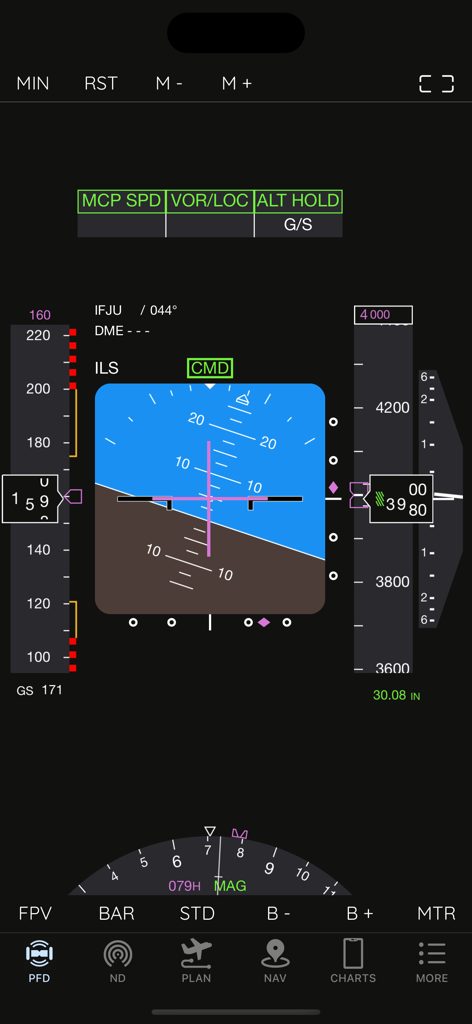
フライトシミュレーター用AirTrack NGプライマリフライトディスプレイ画面

フライトシミュレーター用AirTrack NGプライマリフライトディスプレイ画面

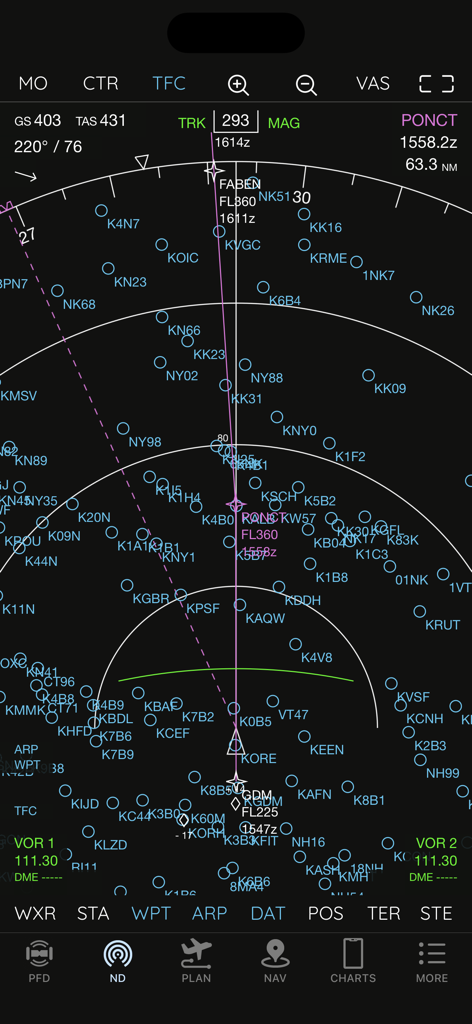
ボーイングスタイルの計器とウェイポイントを備えたAirTrack NGナビゲーションディスプレイ

ボーイングスタイルの計器とウェイポイントを備えたAirTrack NGナビゲーションディスプレイ

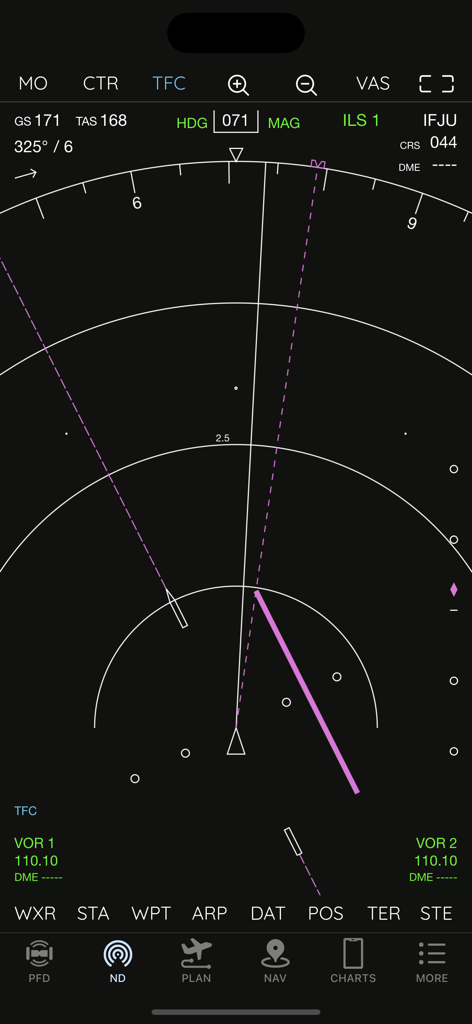
フライトデータを表示するAirTrack NGボーイング737スタイルのナビゲーションディスプレイ

フライトデータを表示するAirTrack NGボーイング737スタイルのナビゲーションディスプレイ

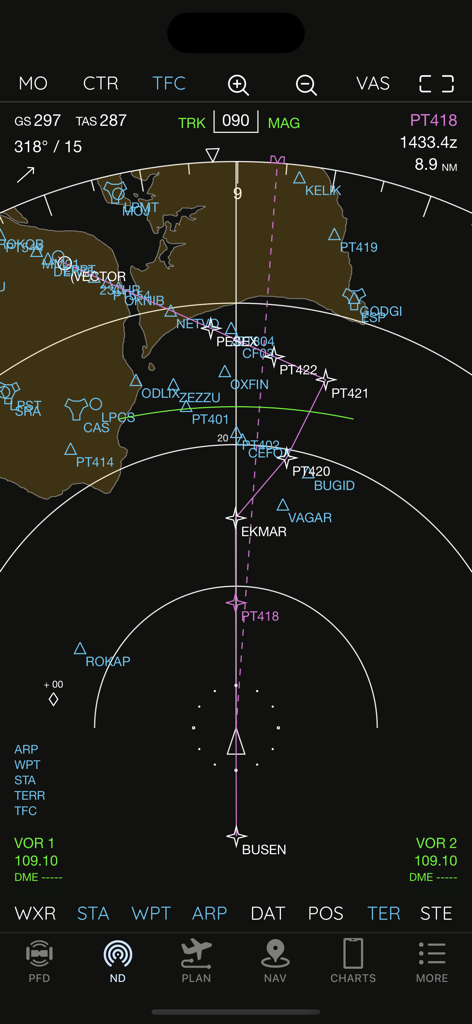
フライトトラックとウェイポイントを表示するAirTrack NGナビゲーションディスプレイ

フライトトラックとウェイポイントを表示するAirTrack NGナビゲーションディスプレイ

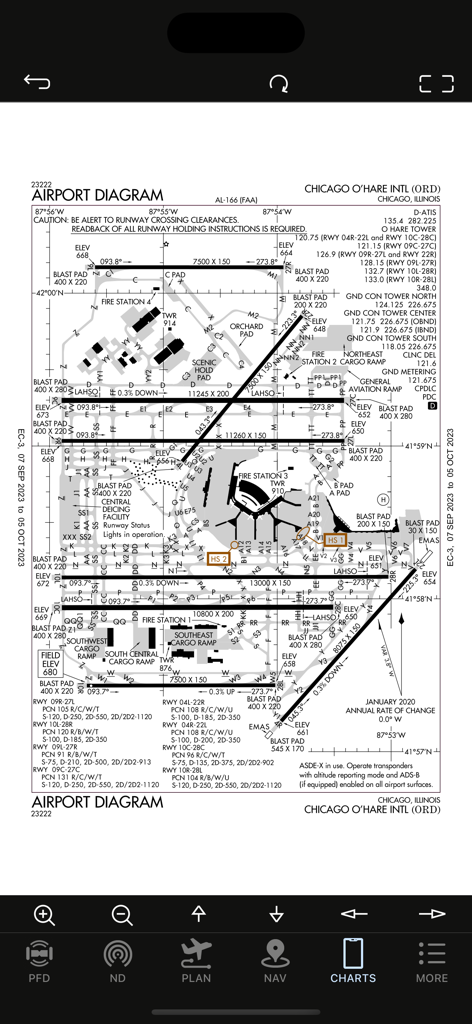
AirTrack NGアプリに表示されるシカゴ・オヘア国際空港ORDダイアグラムチャート

AirTrack NGアプリに表示されるシカゴ・オヘア国際空港ORDダイアグラムチャート

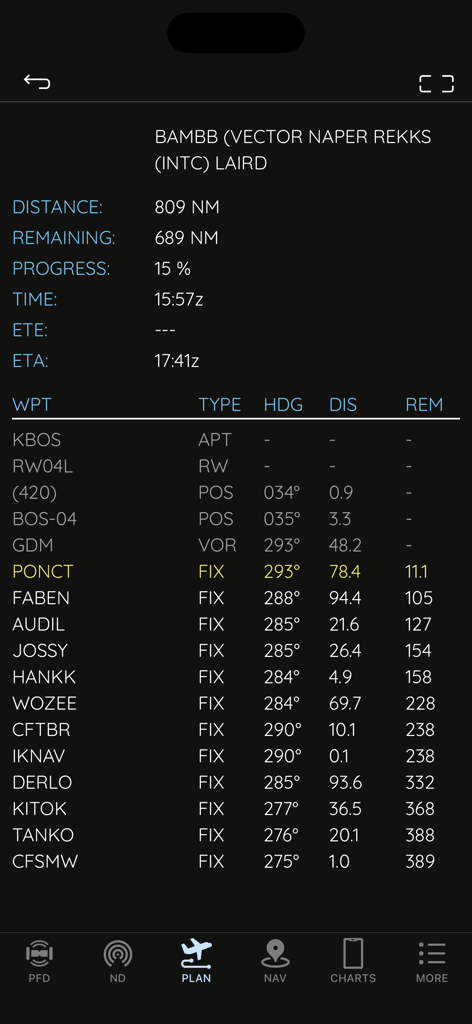
フライトシミュレーターナビゲーション用のウェイポイント、距離、方位を表示するAirTrack NGのフライトプランナー画面

フライトシミュレーターナビゲーション用のウェイポイント、距離、方位を表示するAirTrack NGのフライトプランナー画面

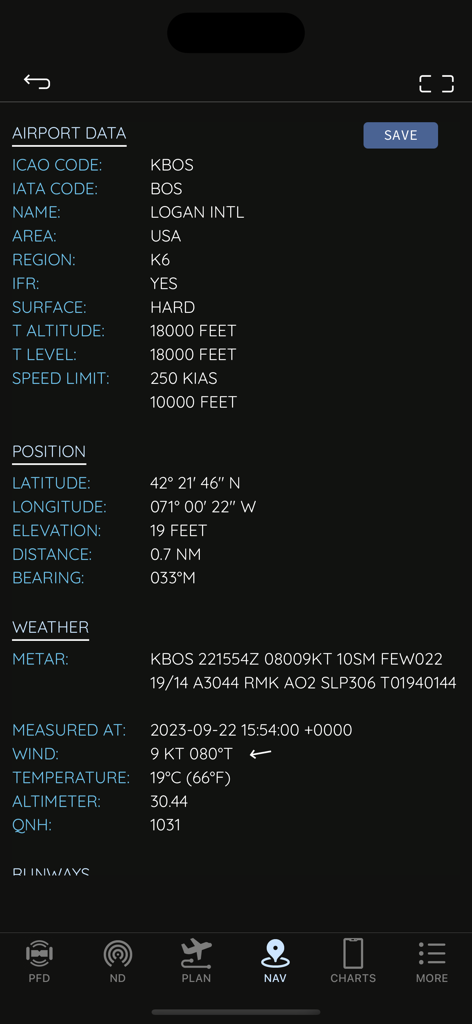
ローガン国際空港の技術的な空港データとリアルタイム天気予報を表示するAirTrack NGインターフェース

ローガン国際空港の技術的な空港データとリアルタイム天気予報を表示するAirTrack NGインターフェース

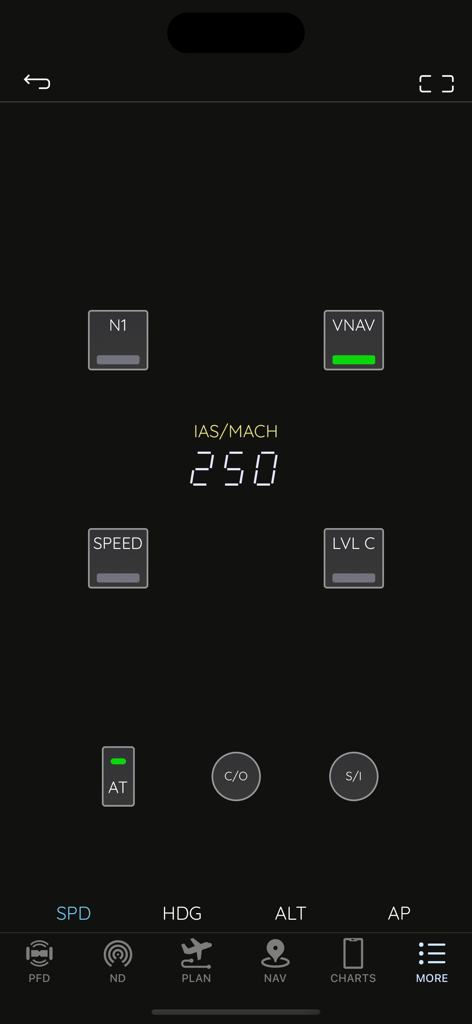
速度設定のオートパイロットを備えたボーイングスタイルのモードコントロールパネルを表示するAirTrack NGアプリインターフェース

速度設定のオートパイロットを備えたボーイングスタイルのモードコントロールパネルを表示するAirTrack NGアプリインターフェース

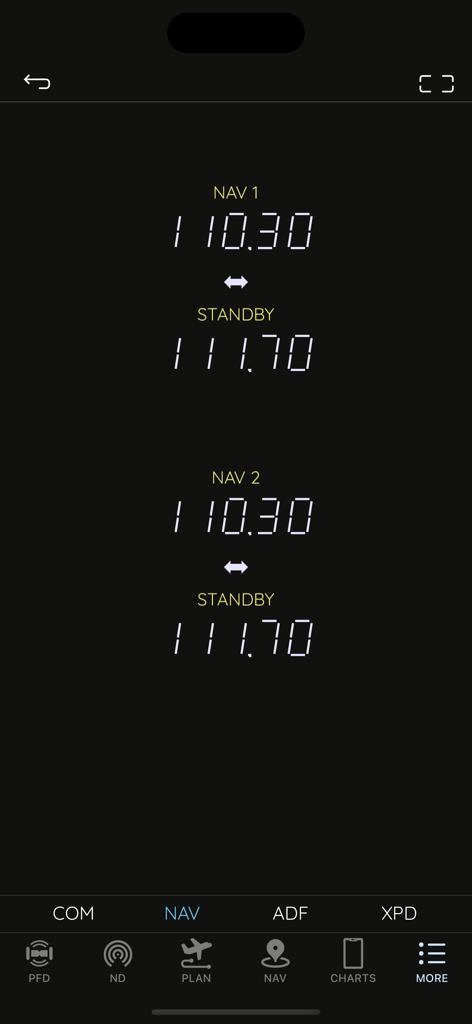
フライトシミュレーション用のアクティブおよびスタンバイ周波数を表示するAirTrack NGナビゲーションラジオインターフェース

フライトシミュレーション用のアクティブおよびスタンバイ周波数を表示するAirTrack NGナビゲーションラジオインターフェース

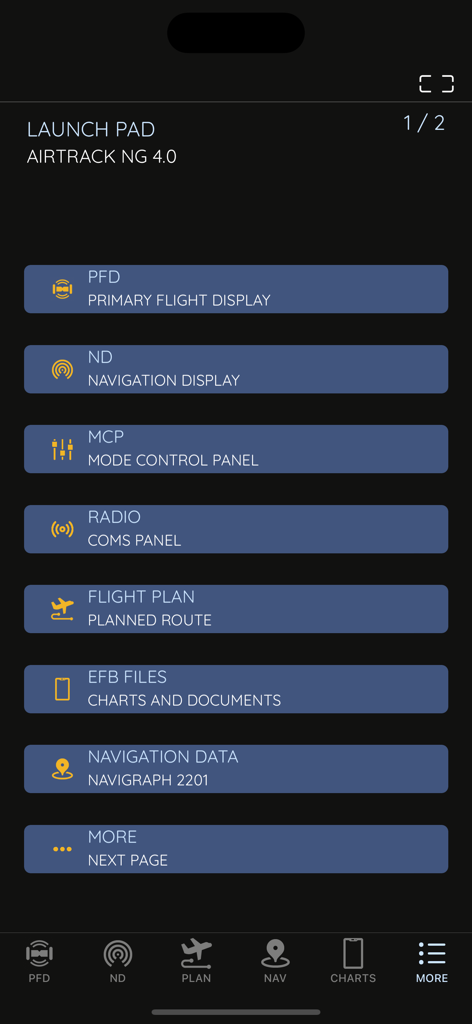
PFD、ND、MCP、フライトプランニングツール用のメニューオプションを表示するAirTrack NGアプリのローンチパッド

PFD、ND、MCP、フライトプランニングツール用のメニューオプションを表示するAirTrack NGアプリのローンチパッド

シミュレーション体験を変革する

このアプリを際立たせるツール、 15K+ 人のユーザーが選択.

✈️

本物の737 NGアビオニクス

高解像度グラフィックスを備えた、驚くほど正確なPFDおよびNDディスプレイ。ホームコックピットでの没入感を最大限に高めるために設計されています。

🎛️

触覚的なオートパイロットコントロール

専用のリモートMCPとラジオスタックでフライトを管理し、没入感を損なうマウス操作を不要にします。

🗺️

統合されたフライトプランニング

SimBriefプランを簡単にインポートし、リアルタイムMETAR、VATSIMトラフィック、Navigraph対応チャートに1か所からアクセスできます。

アプリについて

について知っておくべきこと AirTrack NG.

説明

AirTrack is an application designed to integrate with flight simulators in real time over a local area network, providing remote flight display and control through glass cockpit instruments, as well as control over some of the simulation variables. It replicates instruments and panels found on real planes using devices such as tablets and computers.  With the aid of a plugin in the simulator, flight data is exchanged over the local network and displayed on the Mac, iPad and iPhone apps. Likewise actions on these are propagated back to the simulator and allow for its remote control. But if this isn't enough, AirTrack can also use your device's built-in GPS, Accelerometer and Gyro to determine your current movements and attitude and the Internet to download real weather to simulate an aircraft's sensors. Turn your car trip into a flight experience by getting information about your instant position, heading and surrounding waypoints. See yourself in an EFIS style navigation display / primary flight display or plan your multi-leg trip with the built in flight planner which gives you real-time information about your waypoints, how far they are and how long it will take you to reach them. For a comprehensive summary overview visit the app pages at: https://haversine.com/airtrack For a detailed in depth description of how things work, check its operations manual at: https://haversine.com/airtrack/operations In its present version AirTrack supports both the X-Plane (10, 11, 12, …) for which it was originally developed, and the Microsoft Flight Simulator 2020. Plugins currently exist for X-Plane and MSFS2020. In the future AirTrack may and will quite possibly support other simulators and flight data sources as it has been designed with horizontal expansion in mind. Plugins can be downloaded from: https://haversine.com/airtrack/downloads The following are just some of its features and components: - Pixel perfect, totally re-scalable and optimised for retina and super retina displays - Multi window-panel support on iPad and Mac including stage manager - Boeing 737 NG style Primary Flight Display with EFIS panel - Boeing 737 NG style Navigation Display with EFIS panel - Standalone TCAS engine for collision avoidance on the ND with TA and TA/RA - Terrain database with the world map included in the ND - 737 NG style Mode Control Panel - MCP for auto-pilot control - A radio stack comprising COM, NAV, ADF and XPDR radios - A default navigation database with possibility of upgrade to latest Navigraph or FAA CIFP - Detailed airport information pages with weather, runways, approaches, procedures and frequencies - A Flight planner with airports runways, SID,STAR, Approach procedures, direct entry routes, world routes and weather - SimBrief flight plan import - Air Traffic sourced from Simulator, VATIM, IVAO and real world ADS-B - Worldwide airport weather based on real time world METARs - EFB with User files, charts, cloud charts and US based publications - Free Air Account Cloud services including Charts, Routes and Waypoints - Remote Yoke/Joystick/Rudder control for flight simulator. - Support for X-Plane flight simulator - Support for Microsoft Flight Simulator 2020 - Enhanced support for the Zibo 737 NG family of aircraft for X-Plane - Enhanced support for the PMDG 737 NG family of aircraft for MSFS2020 This version of AirTrack includes Boeing Instruments and unlocked access to all related panels (PFD, ND, MCP, Radio and Flight Planner). Terms of Use: https://haversine.com/airtrack/tou

最新バージョン

4.2.2

サイズ

290.8 MB

リリース日

2023年9月27日

フライトデッキを完成させる準備はできましたか?

数千人のバーチャルパイロットに加わり、プロフェッショナルグレードのボーイング737計器をモバイルデバイスにもたらしましょう。MSFS 2020またはX-Planeとシームレスに同期し、次世代のシミュレーターリアリズムを体験してください。

ダウンロード: App Store

App information, icons, screenshots, and descriptions displayed on this page are sourced from the Apple App Store and are the property of their respective developers. Download estimates and rankings are based on MWM's proprietary models and may not reflect actual figures. This page is provided for informational and analytical purposes only.

Believe this page infringes your intellectual property? File a dispute