AtHome Video Streamer DIY CCTV

AtHome Video Streamer DIY CCTV


ダウンロード: App Store
ロゴ: AtHome Video Streamer DIY CCTV

AtHome Video Streamer DIY CCTV:古いデバイスをスマートセキュリティカメラに

高価なハードウェアを買う必要はありません。古いiPhone、PC、タブレットをアップサイクルして、AI人間検出、顔認識、双方向通話を搭載したプロ仕様の監視システムにしましょう。すべて無料のサブスクリプション料金なしで。

ダウンロード: App Store

開発元

Athomewatch Co,Ltd

カテゴリ

Business

ダウンロード

1M+

ユーザー評価

4.1/5

評価数

1K+

対応言語

6

一目でわかる安心感

このインターフェースを利用する 1M+ 人のユーザー.

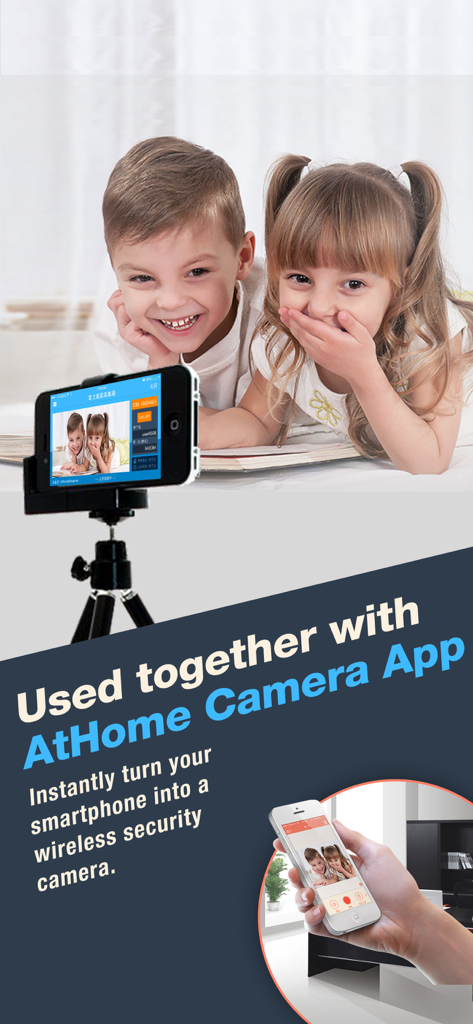
古いiPhoneをセキュリティカメラとして使用し、子供たちをリモートで監視する様子

古いiPhoneをセキュリティカメラとして使用し、子供たちをリモートで監視する様子

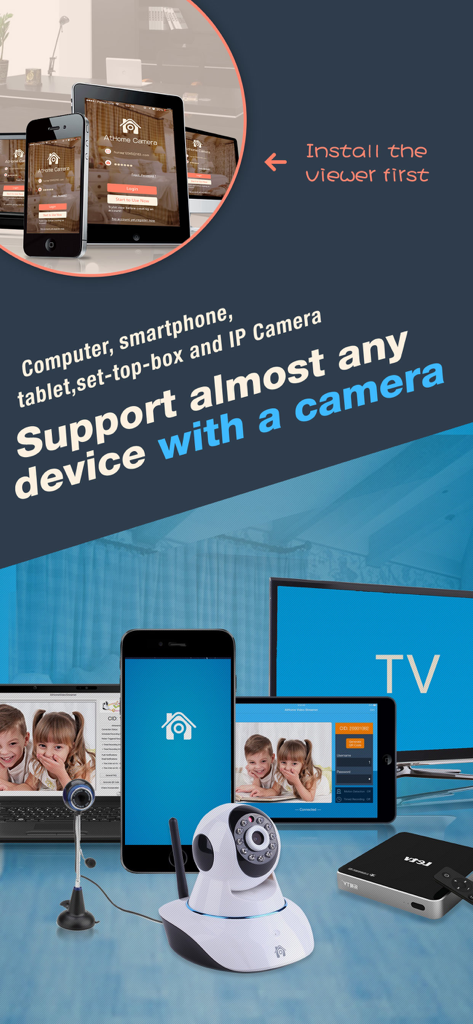
DIYセキュリティカメラ監視に使用されるスマートフォン、タブレット、コンピューターを含む互換性のあるデバイスのコレクション

DIYセキュリティカメラ監視に使用されるスマートフォン、タブレット、コンピューターを含む互換性のあるデバイスのコレクション

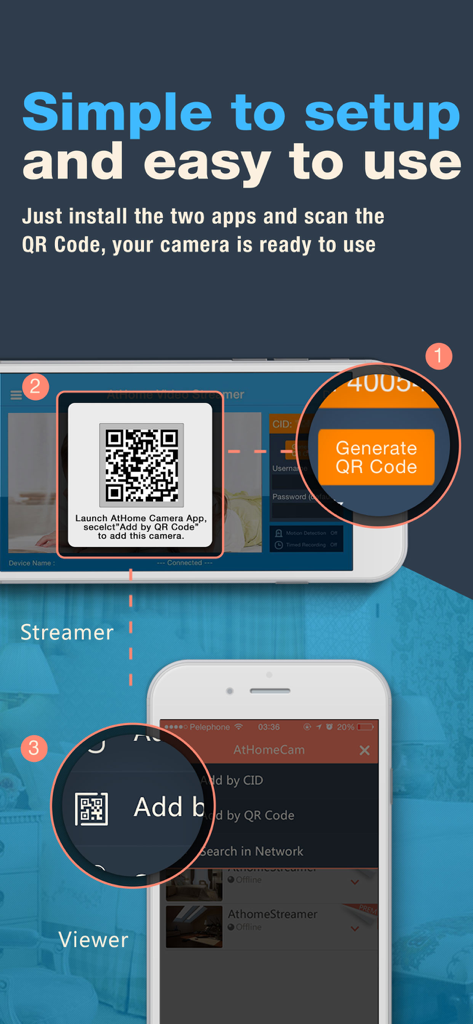
DIY CCTVセットアップのために、ストリーマーデバイスとビューワーデバイスをQRコードでリンクする方法を示すステップバイステップのインフォグラフィック

DIY CCTVセットアップのために、ストリーマーデバイスとビューワーデバイスをQRコードでリンクする方法を示すステップバイステップのインフォグラフィック

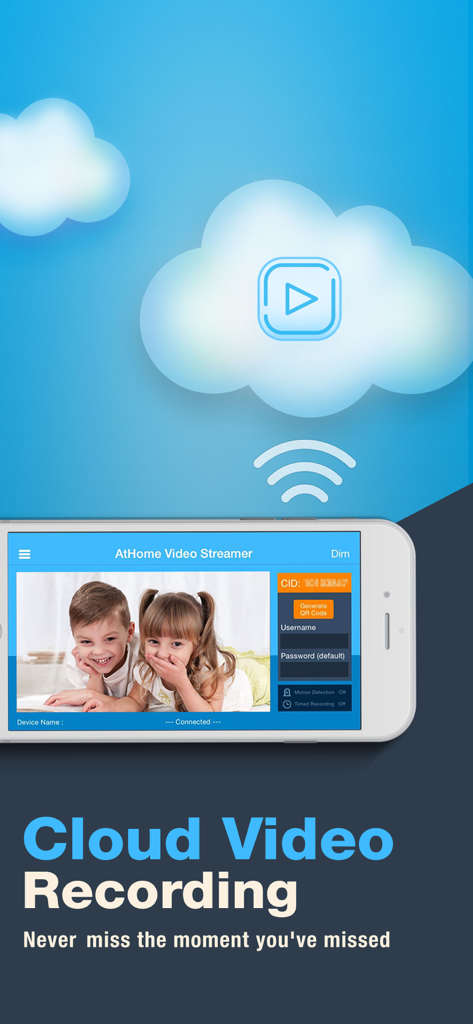
クラウドビデオ録画を特徴とするAtHome Video Streamerアプリのスマートフォンインターフェイス。ライブストリームの録画。

クラウドビデオ録画を特徴とするAtHome Video Streamerアプリのスマートフォンインターフェイス。ライブストリームの録画。

あなたの古いデバイスで動くプロフェッショナルセキュリティ

このアプリを際立たせるツール、 1M+ 人のユーザーが選択.

🛡️

スマート人間検出

ディープラーニング技術により、人影や光の動きと人間を区別し、誤検知を減らし、実際の活動のみを通知します。

💬

インスタント双方向通話

内蔵マイクとスピーカーを使用して、オフィスにいる間でもペットの様子を確認したり、家族と話したりできます。シームレスなリモートコミュニケーションを実現します。

♻️

安全なDIYアップサイクル

暗号化されたクラウドストレージとタイムラプス再生で、古いテクノロジーにセカンドライフを与えましょう。高額な価格なしでプロレベルの保護を提供します。

アプリについて

について知っておくべきこと AtHome Video Streamer DIY CCTV.

説明

How to turn the old iphone,computer or set-top box into a security camera? You only need to install "Athome Video streamer " APP in it. With "Athome Camera Pro" APP in other iphone, you can view it anywhere, and receive alerts right away in case of any incident. ******* Three Steps to setup ******** Prepare 2 devices (computer or phone) before you get start. Step 1: Download the video capture app AtHome Video Streamer App and install it in device A, the unique Connection ID (also referred to as CID) will be assigned to the device A at the first time. Step 2: Download and install the viewer app AtHome Camera app in device B which you want to use as a viewer. Open the app, sign up and login, select "Add by CID" or "By QR Code" to add a device A, so you are all set to enjoy the live streaming ! ******** Supporting ********* Email: support@iChano.com Website: www.iChano.com ******* Main Features ******** 1. No more false alarms due to advanced AI and Deep Learning technology used to detect motion triggered by humans as opposed to shadows, lights, etc. 2. Face recognition technology will help you to distinguish whether the person appearing in the video is your family members or intruder and immediately inform you. 3. Remote monitoring on the go: watch live streaming via 3G/4G or WiFi network from anywhere at anytime. 4. Enhanced Night Vision: In a lower lighting condition, turn on the "Night Vision" mode will get you a much clear and enhanced video image. 5. Two-way Talk: communicate with people and pets using the built-in mic and speaker. 6. Multi-view Display: Watch up to 4 cameras from multiple streamers on one screen simultaneously ! 7. Run at startup and hide on startup: option to run the AtHome Video Streamer in background mode; 8. A Highly Secure Cloud Service: Protect all your videos and view them directly in the cloud, enjoy tight security with an easy-to-use interface. All your videos are encrypted before being uploaded to the cloud, preventing critical data being lost of tampered with. 9. Time-lapse: Time-lapse recording will summarize 24 hours' video into a short video of just several minutes, a faster and easier way to get to know what happened in a day. 10. Pan/Tilt: remotely control your IP camera left and right or up and down to capture an entire room. 11. Support almost all major platforms: the App runs on PCs, smart phones, Mac book etc. 12. High definition:AtHome now allows a 1280 x 720 resolution for supporting devices. 13. Secure and private: all connections between your phone and the video streaming device are encrypted.

最新バージョン

5.2.2

サイズ

31.3 MB

リリース日

2013年2月16日

サブスクリプション料金なしのプロフェッショナルセキュリティ

古いデバイスを埃まみれにするのはやめましょう。今すぐAtHome Video Streamerをダウンロードして、古い電話やPCを強力なAI駆動型セキュリティネットワークに変えた100万人以上の機知に富んだユーザーに加わりましょう。

ダウンロード: App Store
FAQ

よくある質問

について知っておくべきこと AtHome Video Streamer DIY CCTV

AtHome Video Streamerアプリの主な機能は何ですか?

AtHome Video Streamerアプリは、古いiPhone、コンピューター、またはセットトップボックスをセキュリティカメラに変換します。視聴にはAtHome Cameraアプリと連携して機能します。

セキュリティカメラとしてAtHome Video Streamerアプリを設定するにはどうすればよいですか?

設定は3つのステップで行います。デバイスAにAtHome Video Streamerをインストールし、デバイスBにAtHome Cameraをインストールし、次に接続ID(CID)を使用するかQRコードをスキャンしてデバイスAをデバイスBに追加します。

AtHome Video Streamerは、誤検知を防ぐために人間の動きを検出できますか?

はい、AtHome Video Streamerアプリは高度なAIとディープラーニング技術を使用して、人間によってトリガーされた動きのみを検出し、影や光による誤検知を減らします。

AtHome Video Streamerは顔認識機能を提供していますか?

はい、AtHome Video Streamerアプリには顔認識技術が含まれています。この機能は、家族と侵入者を区別し、即座にアラートを提供します。

AtHome Video Streamerアプリを使用して、ライブビデオストリームをリモートで監視できますか?

はい、AtHome Video Streamerはリモート監視を可能にします。ユーザーは、3G/4GまたはWiFiネットワーク経由で、いつでもどこからでもライブストリーミングを視聴できます。

AtHome Video Streamerは、低照度条件で強化された暗視機能を提供しますか?

はい、AtHome Video Streamerには「強化暗視」モードがあります。この設定は、低照度条件下でより鮮明で強化されたビデオ画像を提供します。

AtHome Video Streamerアプリを使用して、双方向通信は可能ですか?

はい、AtHome Video Streamerは双方向トークをサポートしています。これにより、ユーザーはデバイスに組み込まれたマイクとスピーカーを使用して、人やペットと通信できます。

AtHome Video Streamerは、1つの画面で複数のカメラを同時に表示できますか?

はい、AtHome Video Streamerは「マルチビューディスプレイ」機能を提供しています。これにより、複数のストリーマーからの最大4台のカメラを1つの画面で同時に表示できます。

AtHome Video Streamerは、セキュリティ映像のためにクラウドビデオ録画を提供していますか?

はい、AtHome Video Streamerは、ビデオ録画のために非常に安全なクラウドサービスを提供しています。すべてのビデオはアップロード前に暗号化され、クラウドで直接表示できます。

私の電話とAtHome Video Streamerの間の接続は、セキュリティのために暗号化されていますか?

はい、AtHome Video Streamerを使用した電話とビデオストリーミングデバイス間のすべての接続は暗号化されています。これにより、安全でプライベートな通信が保証されます。

AtHome Video Streamerアプリはどのデバイスをサポートしていますか?

AtHome Video Streamerは、PC、スマートフォン、MacBook、タブレット、セットトップボックスなど、ほぼすべての主要プラットフォームをサポートしており、これらをカメラに変換します。

AtHome Video Streamerアプリを使用して、古いiPhoneをセキュリティカメラとして使用できますか?

はい、AtHome Video Streamerアプリを使用して、古いiPhoneをセキュリティカメラに変換できます。iPhoneにアプリをインストールしてストリーミングを開始してください。

App information, icons, screenshots, and descriptions displayed on this page are sourced from the Apple App Store and are the property of their respective developers. Download estimates and rankings are based on MWM's proprietary models and may not reflect actual figures. This page is provided for informational and analytical purposes only.

Believe this page infringes your intellectual property? File a dispute