Audio Editor - Music Cutter

Audio Editor - Music Cutter

ダウンロード: App Store
ロゴ: Audio Editor - Music Cutter

オーディオエディター - 音楽カッター:あなたの手のひらの中のプロスタジオ

オーディオのトリミング、結合、録音のための究極のオールインワンツール。デスクトップレベルのパワーとモバイルの使いやすさで、バイラルソーシャルメディアコンテンツ、カスタム着信音、完璧なトラックを作成します。

ダウンロード: App Store

開発元

iGeniusDev Technology

カテゴリ

Music

ダウンロード

134K+

ユーザー評価

4.1/5

評価数

200

対応言語

36

指先での精密編集

このインターフェースを利用する 134K+ 人のユーザー.

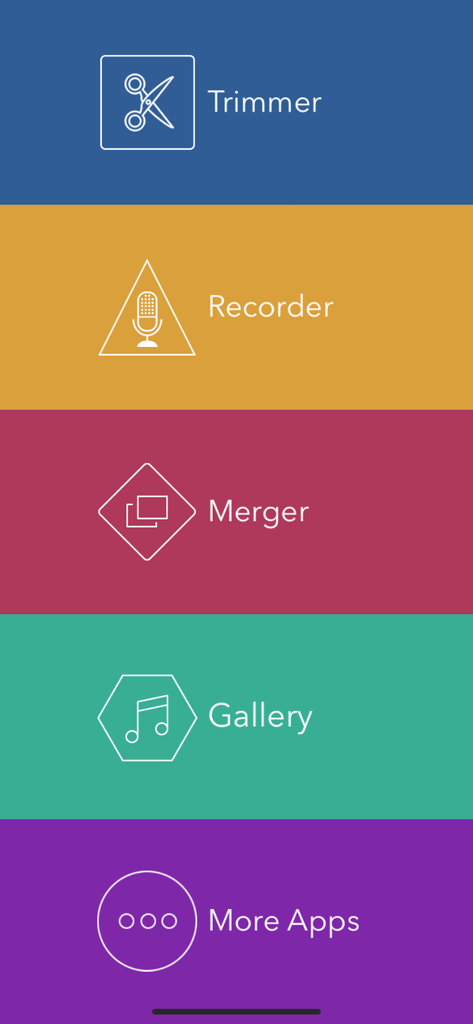
Audio Editorアプリのメインメニュー。トリマー、レコーダー、マージャー機能が表示されています。

Audio Editorアプリのメインメニュー。トリマー、レコーダー、マージャー機能が表示されています。

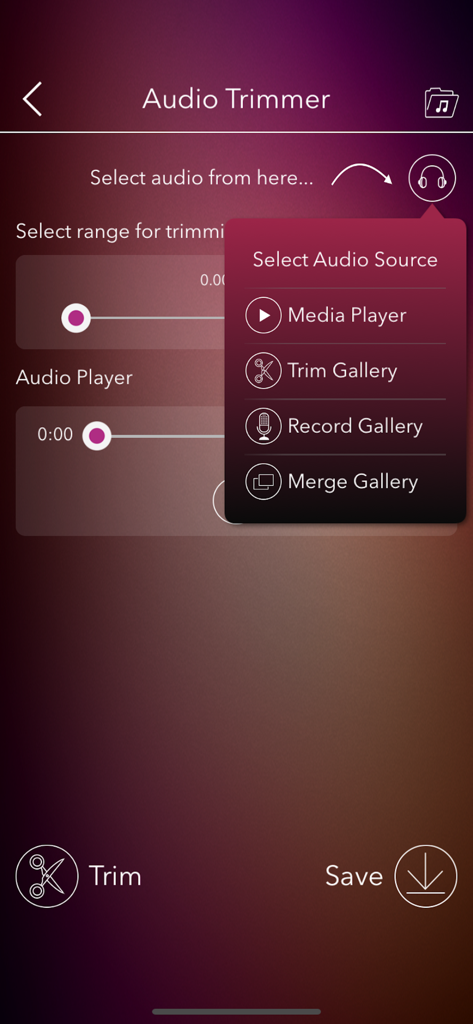
Audio Editorアプリの画面。トリマーインターフェースとソース選択メニューが表示されています。

Audio Editorアプリの画面。トリマーインターフェースとソース選択メニューが表示されています。

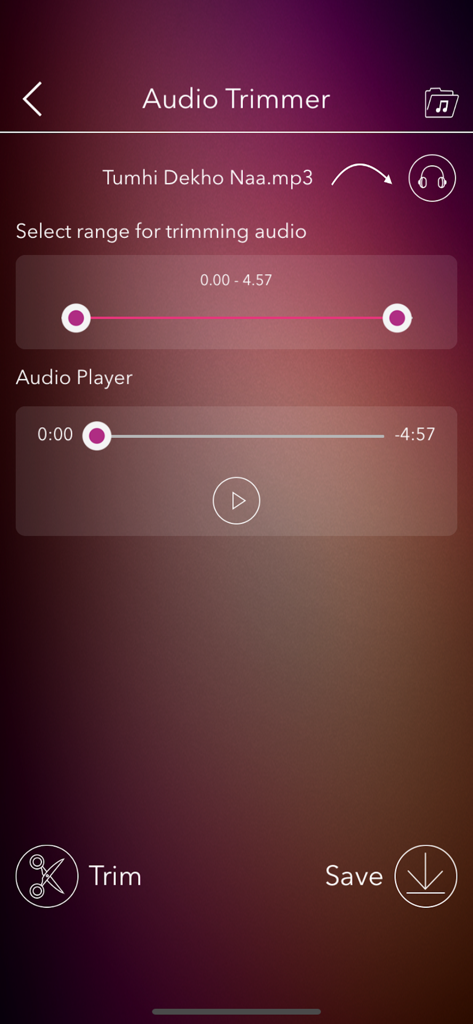
Audio Editorのモバイルアプリインターフェース。範囲選択と再生コントロールを備えたトリマーツールとMP3ファイルの再生が表示されています。

Audio Editorのモバイルアプリインターフェース。範囲選択と再生コントロールを備えたトリマーツールとMP3ファイルの再生が表示されています。

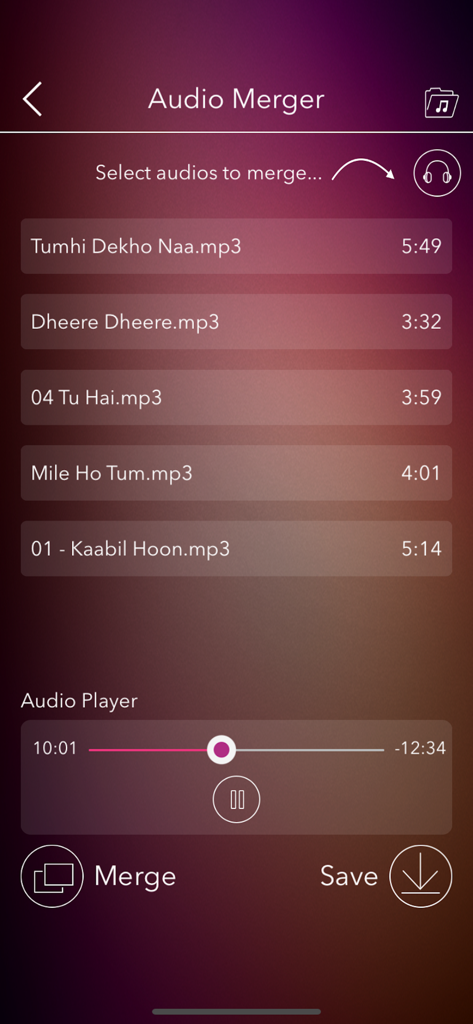
Audio Mergerツールの画面。結合するmp3ファイルのリストと、プレビュー用の内蔵オーディオプレーヤーが表示されています。

Audio Mergerツールの画面。結合するmp3ファイルのリストと、プレビュー用の内蔵オーディオプレーヤーが表示されています。

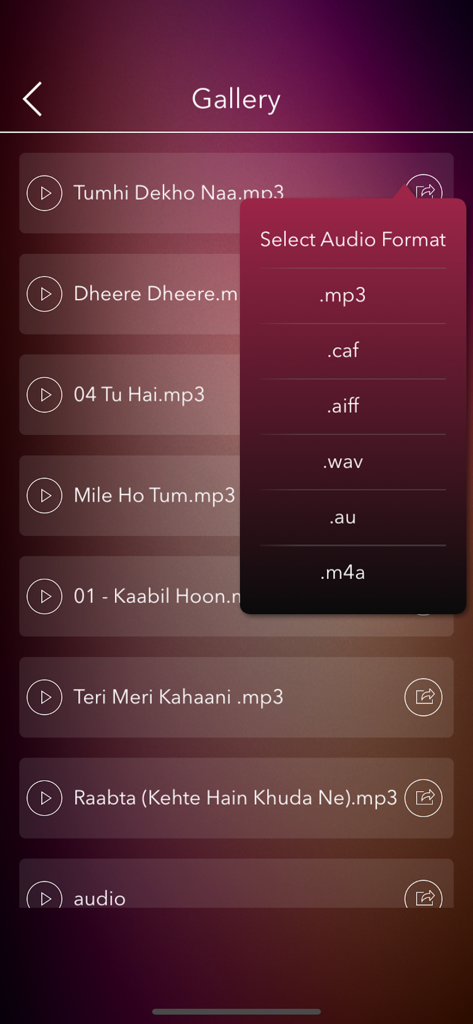
モバイルアプリの画面。オーディオファイルのギャラリーと、MP3、WAV、M4Aなどのエクスポート形式を選択するポップアップメニューが表示されています。

モバイルアプリの画面。オーディオファイルのギャラリーと、MP3、WAV、M4Aなどのエクスポート形式を選択するポップアップメニューが表示されています。

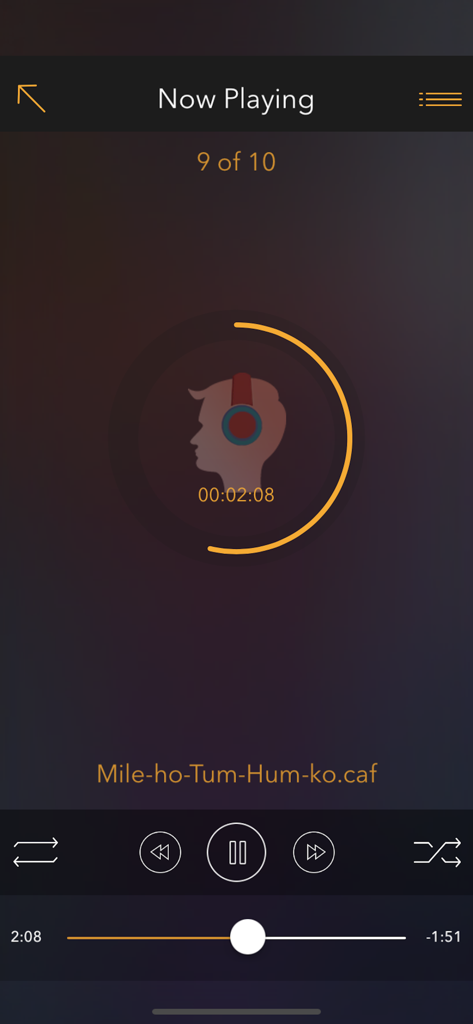
Audio Editorアプリの「再生中」インターフェース。再生コントロールと音楽トラックの円形プログレスバーが表示されています。

Audio Editorアプリの「再生中」インターフェース。再生コントロールと音楽トラックの円形プログレスバーが表示されています。

あなたのオールインワンモバイルサウンドスタジオ

このアプリを際立たせるツール、 134K+ 人のユーザーが選択.

✂️

精密なカットと結合

TikTok、Reels、YouTubeに最適なサウンドバイトを作成するために、トラックをシームレスにトリミングしたり、複数のクリップを正確に結合したりします。

🎙️

ボイスオーバーの録音とレイヤー

外出先で高品質なボイスオーバーをキャプチャし、お気に入りのトラックとブレンドして、ユニークなポッドキャストやパーソナライズされたメッセージを作成します。

📲

インスタントエクスポートとWi-Fi転送

あらゆる形式で保存し、ソーシャルプラットフォームに直接共有するか、PCとワイヤレスで同期して、高速なモバイルファーストのワークフローを実現します。

音楽のミックスとリミックス

複数のオーディオファイルを重ねて、ユニークなサウンドコラージュやミックスを作成します。

🎚️

フォーマット変換と品質向上

MP3、M4A、WAVなどの形式間でオーディオを変換し、品質を維持または向上させます。

🎶

着信音と通知音の作成

お気に入りの曲からカスタム着信音や通知音を簡単に作成し、デバイスに設定します。

アプリについて

について知っておくべきこと Audio Editor - Music Cutter.

説明

Audio Editor: Trim, Merge, Cut, Record, and Play Music – Your Ultimate Music Editing Tool! Are you a music enthusiast? Dive into the best audio editing experience with Audio Editor – a powerful, multi-functional tool designed for all your audio editing needs. Customize Your Music Your Way! Whether you want to trim, merge, or cut your favorite tracks, or even record your own voice, Audio Editor has got you covered. Create personalized music files effortlessly and enjoy a seamless user experience. Key Features: -> Intuitive Interface: Easy-to-use, user-friendly design. -> Built-in Audio Player: Preview and play your edited tracks right within the app. -> Cut & Merge: Precisely trim and merge MP3 files. -> Voice Recording: Record your voice and integrate it with your favorite tracks. -> Instant Playback: Listen to your edits instantly within the app. -> Share in Multiple Formats: Export audio files in MP3, CAF, AIFF, WAV, AU, M4A, and share via multiple platforms. -> iTunes Integration: Access and manage your audio files easily when connected to a PC. -> Save Email Attachments: Store music file attachments directly in the app’s Audio Gallery. -> Background Play: Enjoy your playlists while using other apps. -> Wi-Fi Transfer: Seamlessly transfer songs between your PC and the Audio Editor app. -> Multi-Language Support: Available in multiple languages for a global experience. -> Social Media Sharing: Share your creations on Facebook, Twitter, WhatsApp, and more. What are you waiting for? Download Audio Editor NOW and unleash your creativity! Audio Editor App offers an auto-renewing subscription-based on in-app purchase. Subscription name: 1 month Subscription Subscription cost: $2.99 (USD) Subscription duration: 1 Month Subscription name: Yearly Subscription Subscription cost: $24.99 (USD) Subscription duration: 1 Year Subscription name: Lifetime Subscription Subscription cost: $29.99 (USD) Subscription duration: Lifetime Terms of Use: You can read your terms of use click on below link http://www.igeniusdev.com/terms Auto-renewing subscription: You subscription will be renewed every year i.e. you will be charged every year after Free Trial period. – Payment will be charged to iTunes Account at confirmation of purchase – Subscription automatically renews unless auto-renew is turned off at least 24-hours before the end of the current period – Account will be charged for renewal within 24-hours prior to the end of the current period, and identify the cost of the renewal – Subscriptions may be managed by the user and auto-renewal may be turned off by going to the user's Account Settings after purchase – You can read our privacy policy - http://www.igeniusdev.com/privacy – Any unused portion of a free trial period, if offered, will be forfeited when the user purchases a subscription to that publication, where applicable We’d love to hear from you! Send your feedback to igeniusdev@gmail.com to help us improve the app's functionality.

最新バージョン

2.0

サイズ

27.4 MB

リリース日

2015年6月6日

オーディオをマスターする準備はできましたか?

134,000人以上のクリエイターや愛好家が、外出先でプロレベルのサウンドをトリミング、結合、録音するためにAudio Editorを使用しています。今日からあなたのクリエイティブな旅を始めましょう。

ダウンロード: App Store

App information, icons, screenshots, and descriptions displayed on this page are sourced from the Apple App Store and are the property of their respective developers. Download estimates and rankings are based on MWM's proprietary models and may not reflect actual figures. This page is provided for informational and analytical purposes only.

Believe this page infringes your intellectual property? File a dispute