Authenticator App Ⓡ

Authenticator App Ⓡ

ダウンロード: App Store
ロゴ: Authenticator App Ⓡ

Authenticator App Ⓡ: デジタルセキュリティを完全に保護する統合シールド

不確実なデジタル世界でアイデンティティを保護するために、プロフェッショナルな2FAでアカウントを安全にし、リアルタイムの漏洩アラートを受け取り、ウェブサイトの安全性を検証します。

ダウンロード: App Store

開発元

SPARK EASE LIMITED

カテゴリ

Business

ダウンロード

47K+

ユーザー評価

4.2/5

評価数

100

対応言語

33

一目でわかるセキュリティ

このインターフェースを利用する 47K+ 人のユーザー.

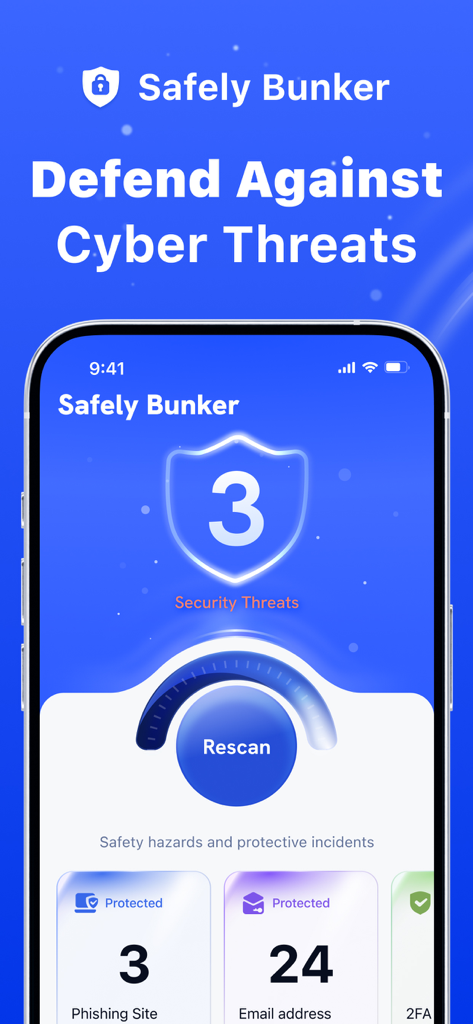
Safely Bunkerモバイルアプリのダッシュボード。フィッシングやメールのセキュリティ脅威と保護ステータスを表示しています。

Safely Bunkerモバイルアプリのダッシュボード。フィッシングやメールのセキュリティ脅威と保護ステータスを表示しています。

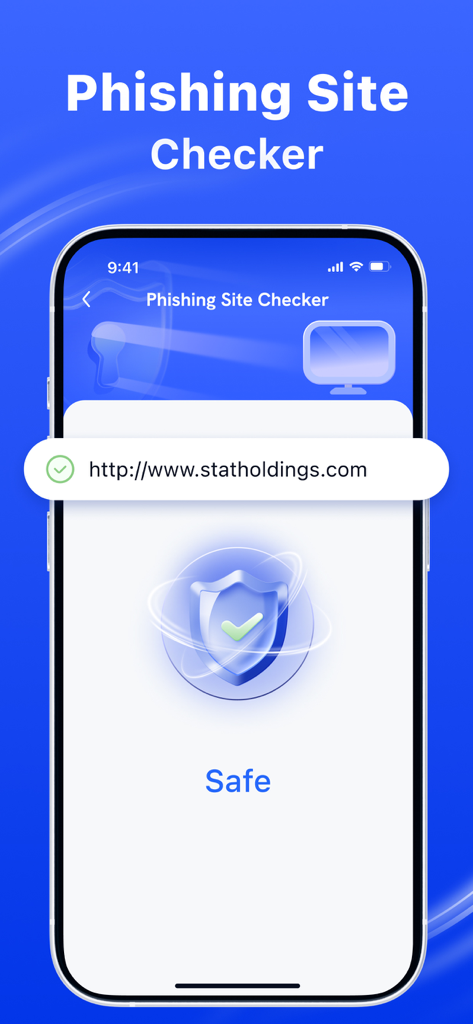
iPhone画面にフィッシングサイトチェッカー機能が表示され、ウェブサイトが安全であることを緑色のチェックマークと盾のアイコンで示しています。

iPhone画面にフィッシングサイトチェッカー機能が表示され、ウェブサイトが安全であることを緑色のチェックマークと盾のアイコンで示しています。

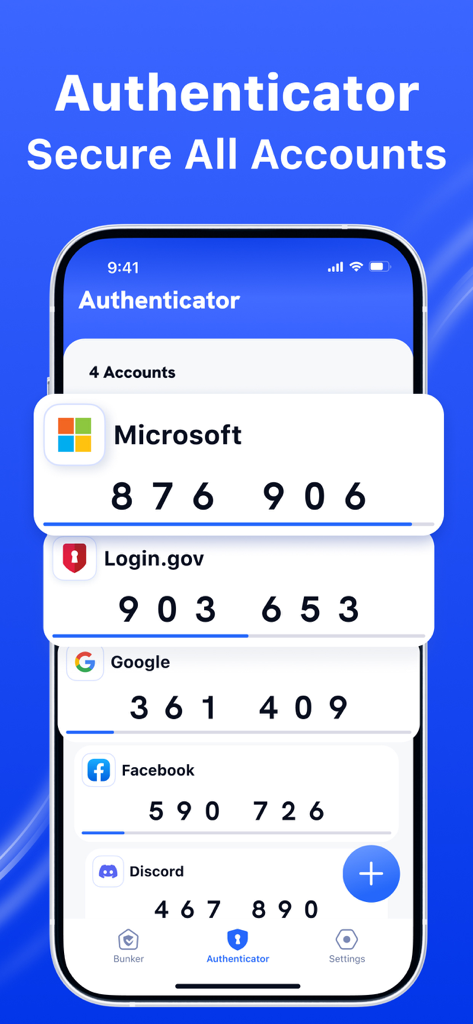
Authenticator Appのインターフェイス。複数のアカウントの2FAセキュリティコードを表示しています。

Authenticator Appのインターフェイス。複数のアカウントの2FAセキュリティコードを表示しています。

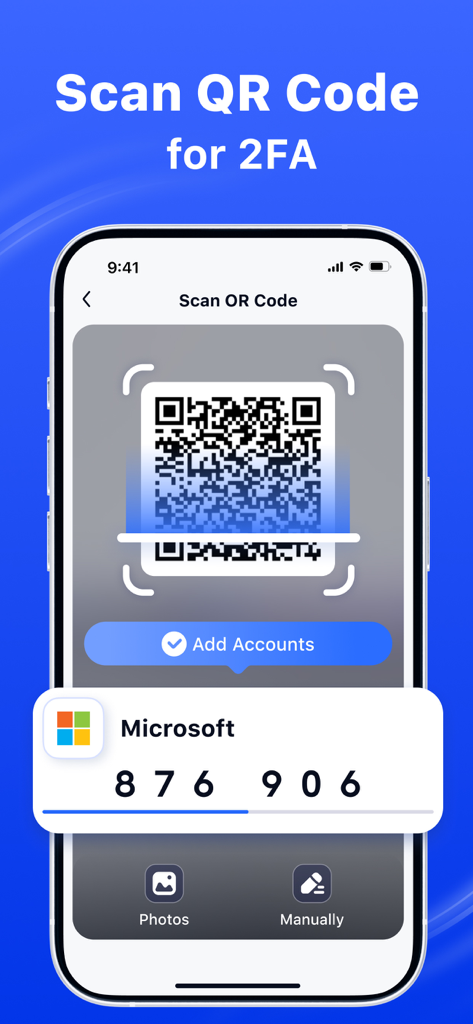
Authenticator Appのインターフェイス。Microsoftアカウントの二要素認証を設定するためのQRコードスキャナーを表示しています。

Authenticator Appのインターフェイス。Microsoftアカウントの二要素認証を設定するためのQRコードスキャナーを表示しています。

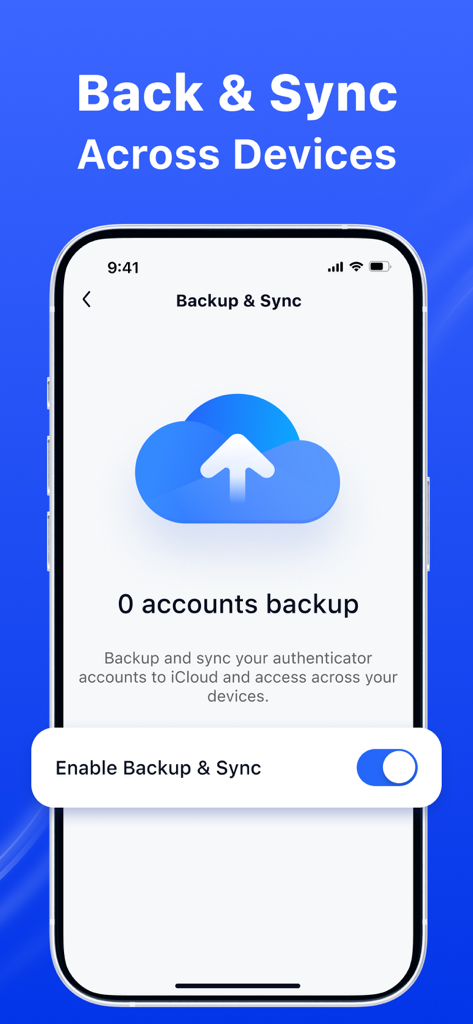
クラウドアイコンと、認証アカウントのiCloud同期を有効にするオプションが表示されたバックアップと同期設定を示すモバイルインターフェイス。

クラウドアイコンと、認証アカウントのiCloud同期を有効にするオプションが表示されたバックアップと同期設定を示すモバイルインターフェイス。

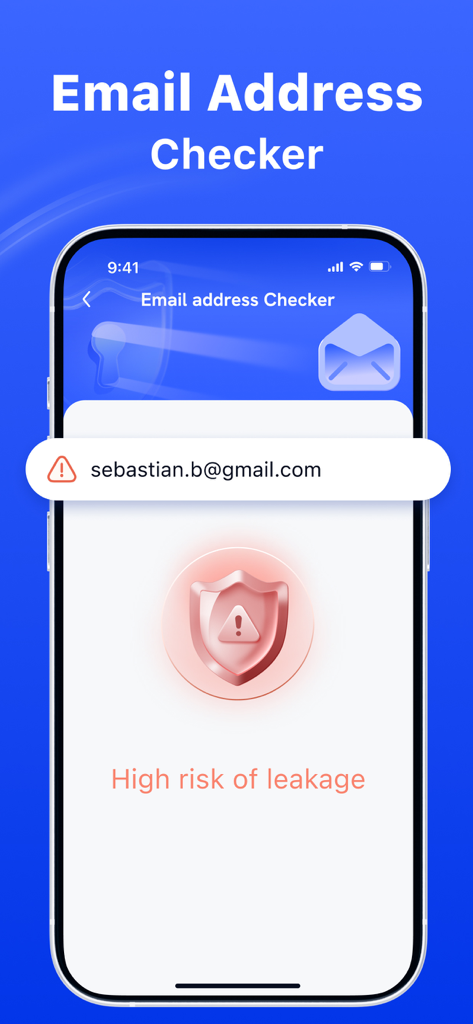
メールアドレスチェッカー画面。漏洩のリスクが高いという通知が表示されています。

メールアドレスチェッカー画面。漏洩のリスクが高いという通知が表示されています。

プロフェッショナル向け完全デジタル保護

このアプリを際立たせるツール、 47K+ 人のユーザーが選択.

🔐

堅牢な二要素認証

ハッカーを排除する、簡単な二次保護レイヤーで、プロフェッショナルおよび金融アカウントを保護します。

🚨

リアルタイムデータ漏洩アラート

メールが漏洩した場合はすぐに通知を受け取り、被害が発生する前にアイデンティティを保護できます。

🛡️

スマートフィッシング保護

洗練された詐欺を回避し、ブラウジング体験を保護するために、あらゆるウェブサイトやリンクの安全性を即座に検証します。

アプリについて

について知っておくべきこと Authenticator App Ⓡ.

説明

Authenticator App is your all-in-one security app designed to keep you safe in the digital world. With our powerful features, you can: 1. Check Website Safety: Instantly verify if a website is safe to visit. Avoid phishing scams and malicious sites with real-time analysis. 2. Email Breach Alerts: Regularly check if your email has been compromised in data breaches. Stay informed and take action to secure your accounts. 3. Two-Factor Authentication: Enhance your account security by adding an extra layer of protection in addition to your password. Protect your online presence and enjoy a safer browsing experience with Safely Bunker! Subscription information: - Payments will be credited to your iTunes account upon confirmation of purchase - Subscription automatically renews if automatic renewal is not turned off at least 24 hours before the end of the current period - Accounts will be charged for renewal within 24 hours before the end of the current period and determine the cost of renewal - Subscriptions can be managed by the user, and automatic updating can be disabled by going to the user account settings after purchasing - During the active subscription period, the current subscription is not canceled - Any unused part of the free trial period, if offered, will be confiscated when the user purchases a subscription to this publication, if applicable. Terms of Use: https://www.sparkeaseapp.com/terms Privacy Policy: https://www.sparkeaseapp.com/privacy

最新バージョン

1.4

サイズ

72.6 MB

リリース日

2025年2月18日

今すぐあなたのデジタルライフを安全に

セキュリティスイートを信頼する47,000人以上のプロフェッショナルに加わりましょう。プロアクティブな漏洩アラート、2FA、安全なブラウジングがすべて1つのプロフェッショナルアプリで提供される安心感を手に入れましょう。

ダウンロード: App Store
FAQ

よくある質問

について知っておくべきこと Authenticator App Ⓡ

Authenticator Appとは何ですか、また何をするアプリですか?

Authenticator Appは、デジタル世界でユーザーを保護するために設計されたセキュリティアプリケーションです。ウェブサイトの安全性チェック、メール侵害アラート、および二要素認証を提供し、オンラインセキュリティを強化します。

Authenticator Appはウェブサイトの安全性チェックを提供しますか?

はい、Authenticator Appはウェブサイトが安全にアクセスできるかどうかを即座に検証できます。フィッシング詐欺や悪意のあるサイトを回避するために、リアルタイム分析を実行します。

Authenticator Appはメールの侵害について通知してくれますか?

はい、Authenticator Appは定期的にあなたのメールがデータ侵害で侵害されていないかチェックします。ユーザーのアカウントを保護するために、情報を通知し続けます。

Authenticator Appで二要素認証は利用できますか?

はい、Authenticator Appはアカウントセキュリティを強化するために二要素認証(2FA)を提供します。パスワードだけでなく、追加の保護レイヤーを提供します。

Authenticator Appのサブスクリプションはどのように機能しますか?

Authenticator Appのサブスクリプションの支払いは、購入確認時にiTunesアカウントに請求されます。サブスクリプションは、期間終了の24時間前までにオフにされない限り、自動的に更新されます。

Authenticator Appのサブスクリプションはどのように管理できますか?

はい、ユーザーはAuthenticator Appのサブスクリプションを管理できます。購入後、ユーザーアカウント設定にアクセスすることで自動更新を無効にできます。

Authenticator Appは二要素認証のためにQRコードをスキャンできますか?

はい、Authenticator Appは2FAのQRコードスキャンをサポートしています。この機能により、ユーザーは簡単にアカウントを追加し、二要素認証を設定できます。

Authenticator Appはデバイス間でバックアップと同期を提供しますか?

はい、Authenticator AppはユーザーがAuthenticatorアカウントをiCloudにバックアップおよび同期できるようにします。これにより、複数のデバイスでのアクセスが保証されます。

Authenticator Appの利用規約はどこで見ることができますか?

Authenticator Appの利用規約は、https://www.sparkeaseapp.com/termsでご覧いただけます。

Authenticator Appのプライバシーポリシーはどこにありますか?

Authenticator Appのプライバシーポリシーは、https://www.sparkeaseapp.com/privacyにあります。

App information, icons, screenshots, and descriptions displayed on this page are sourced from the Apple App Store and are the property of their respective developers. Download estimates and rankings are based on MWM's proprietary models and may not reflect actual figures. This page is provided for informational and analytical purposes only.

Believe this page infringes your intellectual property? File a dispute