Bombardier Flight Deck 3

Bombardier Flight Deck 3

ダウンロード: App Store
ロゴ: Bombardier Flight Deck 3

Bombardier Flight Deck 3:ペーパーレスコックピットの効率性を向上

プロのフライトクルー向けミッションクリティカル文書スイート。自動改訂更新、航空機固有のデータ、FAA/EASA準拠の監査証跡で運用を合理化—すべて高性能iPadおよびiPhone向けに最適化されています。

開発元

Bombardier Aerospace

カテゴリ

Reference

ダウンロード

21K+

ユーザー評価

4.7/5

評価数

400

対応言語

1

一目でわかる精度

このインターフェースを利用する 21K+ 人のユーザー.

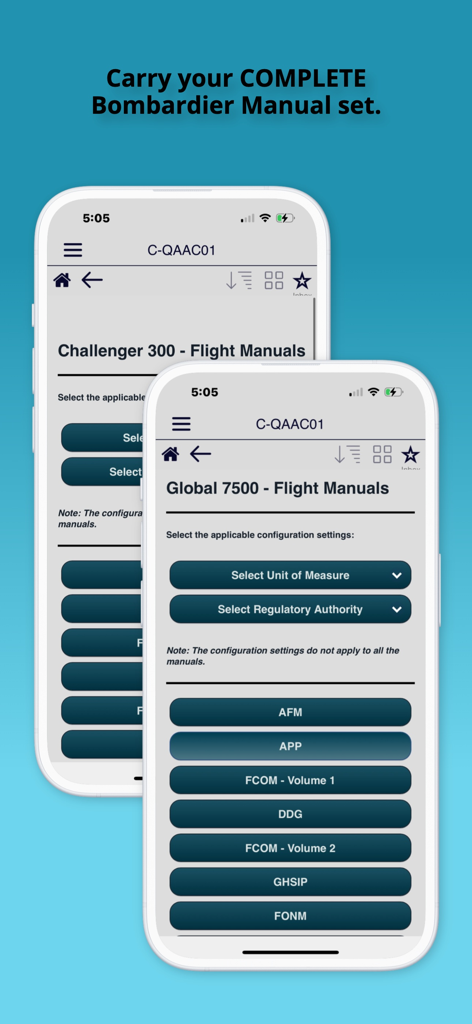
Bombardier Flight Deck 3アプリのインターフェースに、Global 7500およびChallenger 300航空機用のフライトマニュアルが表示されている

Bombardier Flight Deck 3アプリのインターフェースに、Global 7500およびChallenger 300航空機用のフライトマニュアルが表示されている

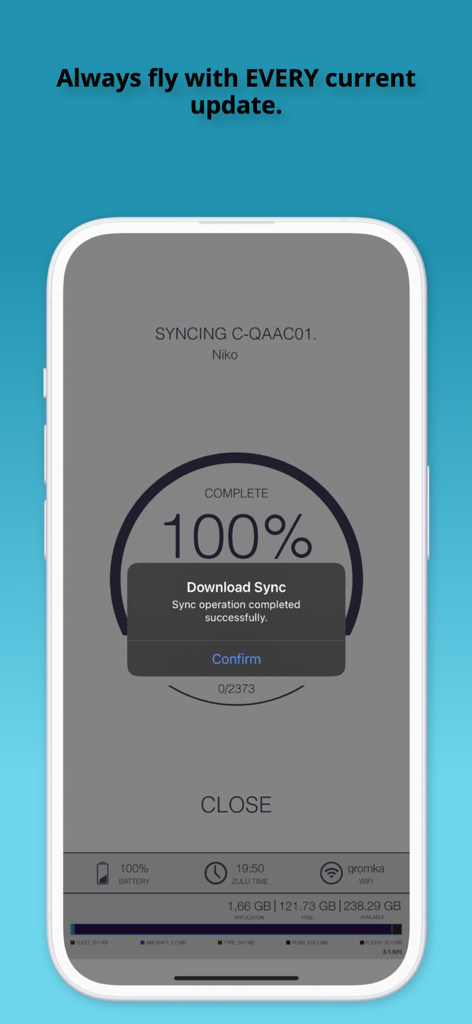
Bombardier Flight Deck 3アプリでのフライトドキュメントの100%同期成功を示すモバイル画面

Bombardier Flight Deck 3アプリでのフライトドキュメントの100%同期成功を示すモバイル画面

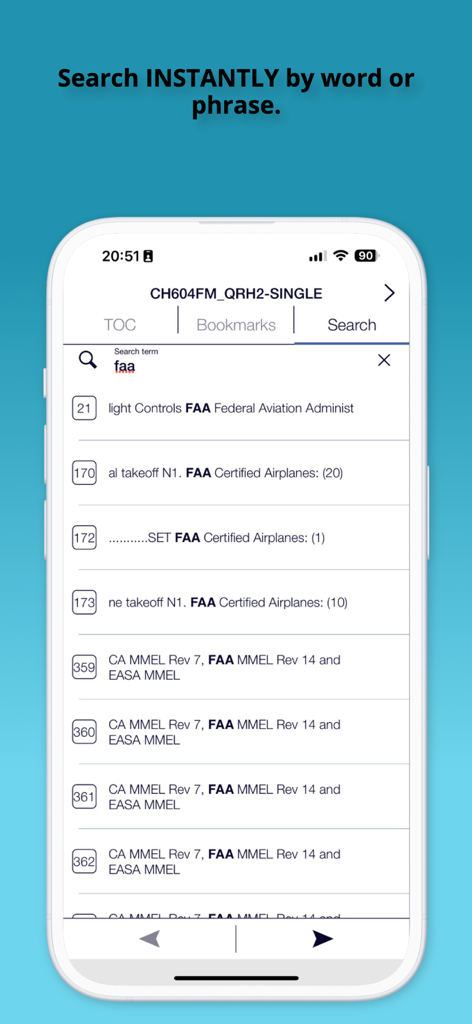
FAA規制の結果が表示された、Bombardier Flight Deck 3アプリのインスタントドキュメント検索機能を示すスクリーンショット

FAA規制の結果が表示された、Bombardier Flight Deck 3アプリのインスタントドキュメント検索機能を示すスクリーンショット

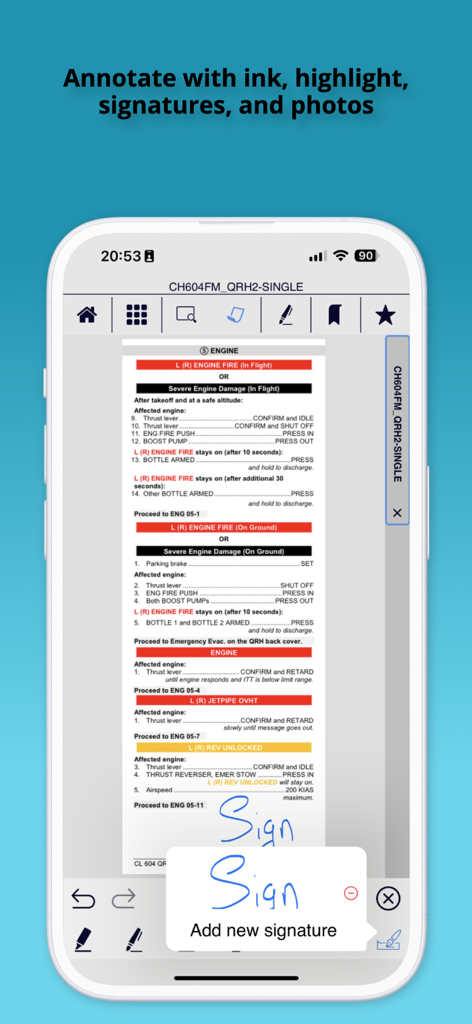
航空機マニュアルにデジタル署名を追加するパイロットを示す、Bombardier Flight Deck 3アプリのスクリーンショット

航空機マニュアルにデジタル署名を追加するパイロットを示す、Bombardier Flight Deck 3アプリのスクリーンショット

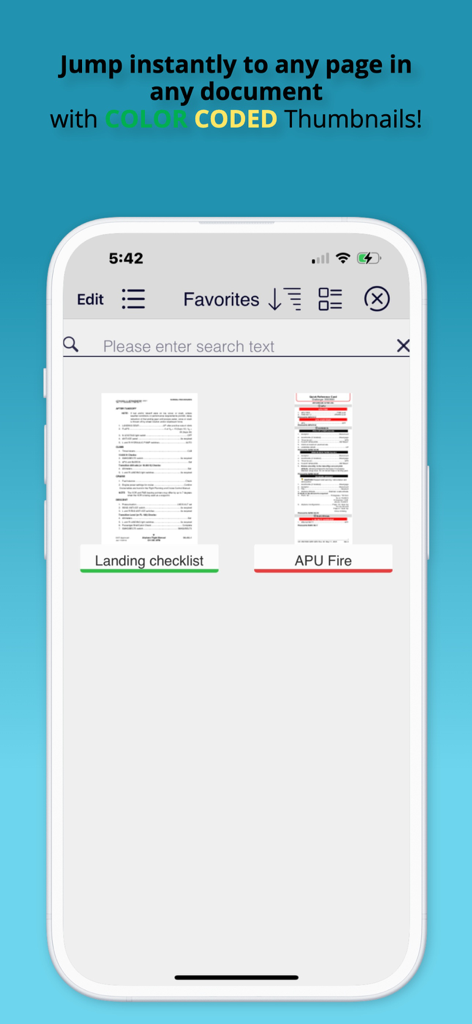
カラーコード化されたドキュメントサムネイルが表示されたBombardier Flight Deck 3アプリのお気に入り画面

カラーコード化されたドキュメントサムネイルが表示されたBombardier Flight Deck 3アプリのお気に入り画面

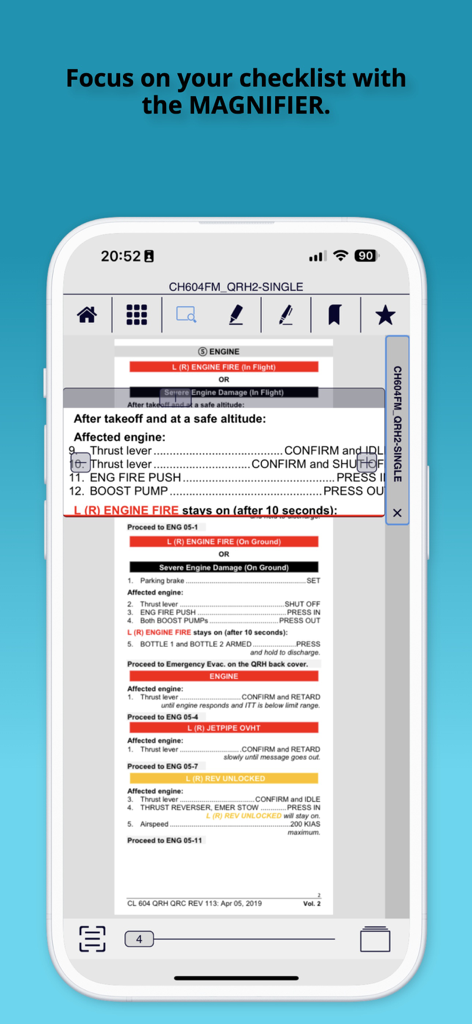
パイロット向けのフライトチェックリストを強調表示するデジタル拡大鏡ツールを示すBombardier Flight Deckアプリ

パイロット向けのフライトチェックリストを強調表示するデジタル拡大鏡ツールを示すBombardier Flight Deckアプリ

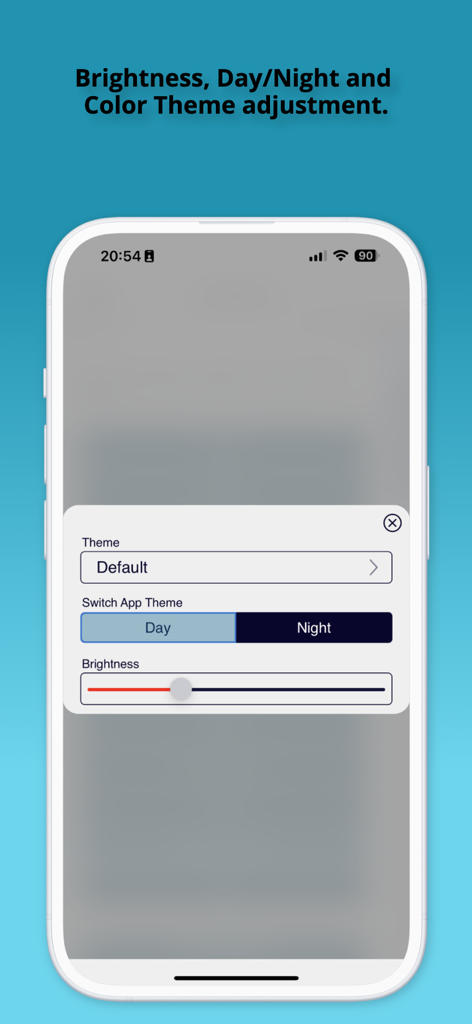
Bombardier Flight Deck 3アプリのテーマおよび明るさ調整設定画面。昼モードと夜モードオプションが表示されている。

Bombardier Flight Deck 3アプリのテーマおよび明るさ調整設定画面。昼モードと夜モードオプションが表示されている。

フライトオペレーションを向上させる

このアプリを際立たせるツール、 21K+ 人のユーザーが選択.

🔄

自動改訂更新

フライトマニュアルと一時改訂(TR)の自動同期により、手作業による書類作成を不要にし、常に最新の規制要件に準拠して飛行することを保証します。

✈️

ミッションクリティカルなオフラインアクセス

Wi-Fiなしで、航空機固有のライブラリ全体に即座にアクセスできます。重いフライトケースを、iPadおよびiPhone向けに最適化されたデジタルで検索可能なマニュアルに置き換えます。

🖋️

精密なドキュメント管理

カラーコード化されたタグ付けと「お気に入り」機能でワークフローを最適化します。インク、メモ、または署名で技術データを注釈付けし、迅速なレポート作成とシームレスなコンプライアンス監査証跡を実現します。

アプリについて

について知っておくべきこと Bombardier Flight Deck 3.

説明

To enroll in using the Flight Deck app please contact: Bombardier Technical Publications by email bbad.pubs.dist@aero.bombardier.com or phone 1-866-538-1247 or 1-514-855-2999. Bombardier is pleased to announce that the new version 3 of its very popular Bombardier Flight Deck app is now available. It is a complete refactoring of the app, with many new and exciting capabilities. The new version allows you to: - Organize your documents for rapid access using tags, color-codes and favorites - Swipe to the left any document title to tag it, color-code it or mark it as a favorite - Visually search for documents with the new automatic thumbnail feature - Select files easily on smaller devices with large icon view - Annotate your documents with ink, highlighter, text, notes, photos or add a signature in one touch - Select your favorite day and night time theme - Support GDPR privacy legislation - Read PDF files easily and intuitively with one touch full-screen mode and thumbnail page view - Display Supporting Documents - Runs on iPhone Note to flight crews: 1. When you first install this application you MUST press the SYNC icon, which will resync all of your existing files to support the new file formats in this version. Make sure you allow yourself some time for this. 2. After syncing, pilots MUST take the time to read the Version 3.0 Pilot Training publication included on their account when using this version as an EFB as several of the icons have changed location. If you do not have this publication assigned to your device, contact flightdeckapp@aero.bombardier.com. 3. When clicking hyperlinks in a document, note that the hyperlink button has been moved to the navigation pane. 4. Check with your local authority for regulatory compliance of the new Bombardier Flight Deck app version 3 before deleting the previous version 2. ------------------------- Bringing Paperless¹ Efficiency to Pilots No more carrying pounds of aircraft manuals and documents on-board. No more waiting for Temporary Revision (TR) updates. With the Bombardier Flight Deck* application, Bombardier* aircraft pilots can enjoy the benefits of going paperless¹ by being able to store and access manual data and other documentation instantly from their iPad® - without Wi-Fi. No other solution combines automatic TR updates, user control of content and aircraft serial number-specific information into one application. Bombardier Flight Deck* also includes all required FAA, EASA and TC compliant audit trails for paperless¹ operations. All documents. All accessible. All in one Place. Fast and easy, you can drag and drop electronic versions of aircraft documents, manuals and forms into online folders. Pilots simply enter a license code, then push a sync button on the iPad® and the updated documents are automatically downloaded and cataloged. In less time than it takes to send a fax, pilots can sign documents, add text and email it to the fleet manager. Automatic Revision Updates No more manually inserting revisions or Temporary Revisions (TRs) into Bombardier’s flight manuals. These are automatically inserted into the correct sections and distributed across every iPad® in the operator’s fleet by Bombardier Technical Publications. Valuable time is saved and pilots are always ready to fly in accordance with the latest regulatory requirements. ¹ Paperless refers to the process identified in the relevant airworthiness requirement pertaining to paperless cockpits, including but not limited to FAA-AC-91-78. Use of the Bombardier Flight Deck* application does not relieve operator and its flight crew of their responsibility to comply with the applicable airworthiness authority approved documents.

最新バージョン

3.1.14

サイズ

122.6 MB

リリース日

2019年8月19日

フライトデッキの効率性を向上させる準備はできましたか?

本日、数千人のBombardierパイロットに加わりましょう。業界をリードするEFBをダウンロードして、コックピット運用を合理化し、マニュアル改訂を自動化し、完全な規制準拠を保証します。

ダウンロード: App Store

App information, icons, screenshots, and descriptions displayed on this page are sourced from the Apple App Store and are the property of their respective developers. Download estimates and rankings are based on MWM's proprietary models and may not reflect actual figures. This page is provided for informational and analytical purposes only.

Believe this page infringes your intellectual property? File a dispute