Bring! Grocery Shopping List

Bring! Grocery Shopping List


ダウンロード: App Storeダウンロード: Google Play
ロゴ: Bring! Grocery Shopping List
Bring! 食料品リスト:一緒に買い物を計画する最もスマートな方法

No.1の共有ショッピングリストアプリで、家庭のロジスティクスを簡素化しましょう。リアルタイムで家族と連携し、レシピを即座にインポートして、もうアイテムを忘れることはありません。

開発元

Bring! Labs AG

カテゴリ

Productivity

ダウンロード

9M+

ユーザー評価

4.7/5

評価数

372K+

対応言語

13

買い物を視覚的に

このインターフェースを利用する 9M+ 人のユーザー.

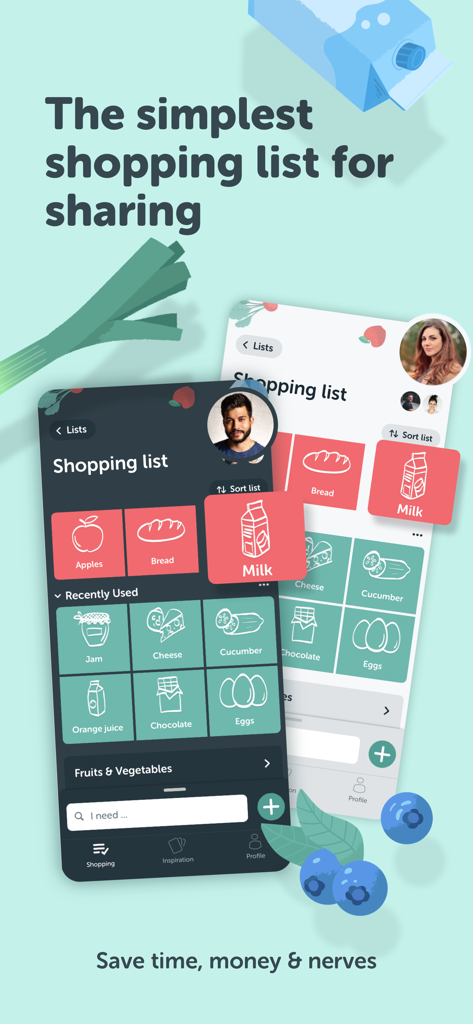
Bring食料品リストアプリのインターフェース。共有リストとタイル表示で簡単な整理を示しています。

Bring食料品リストアプリのインターフェース。共有リストとタイル表示で簡単な整理を示しています。

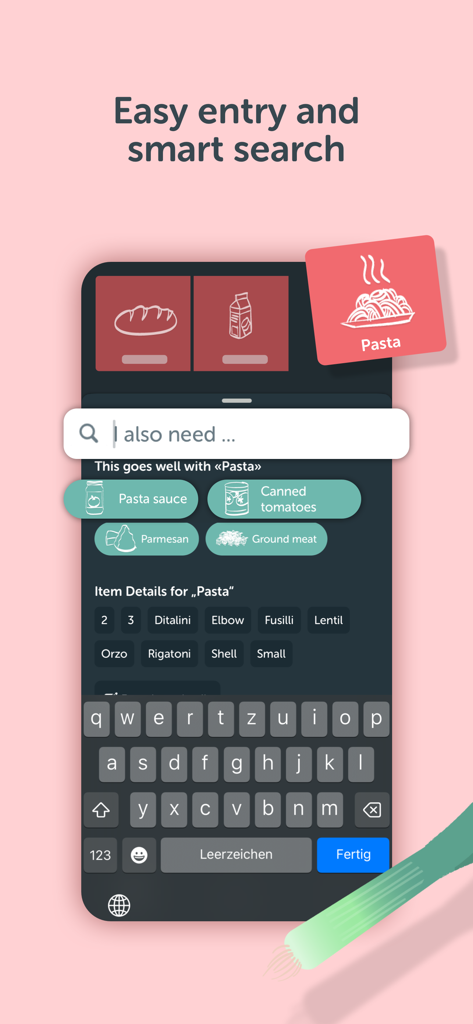
Bring!アプリのスマート検索機能を示すスマートフォンの画面。パスタの材料の候補が表示されます。

Bring!アプリのスマート検索機能を示すスマートフォンの画面。パスタの材料の候補が表示されます。

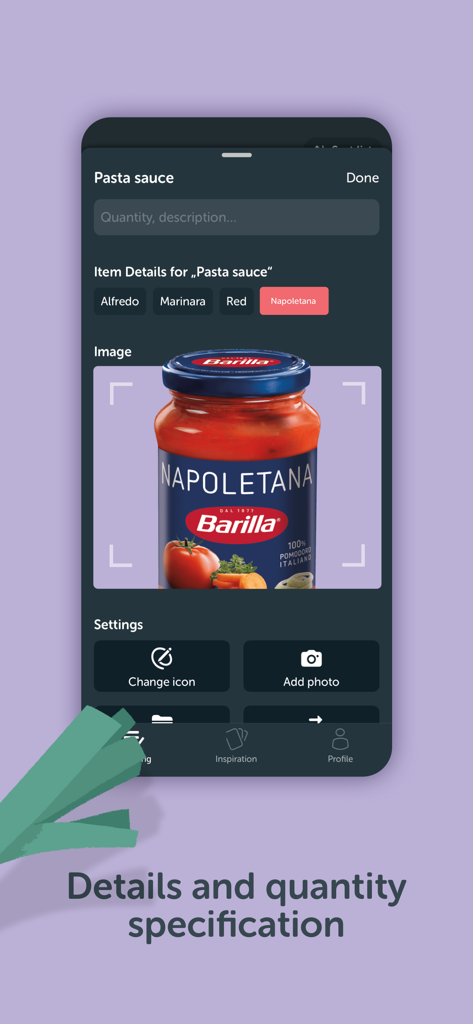
パスタソースのアイテム詳細と数量指定、製品写真のアップロードを示すモバイル画面

パスタソースのアイテム詳細と数量指定、製品写真のアップロードを示すモバイル画面

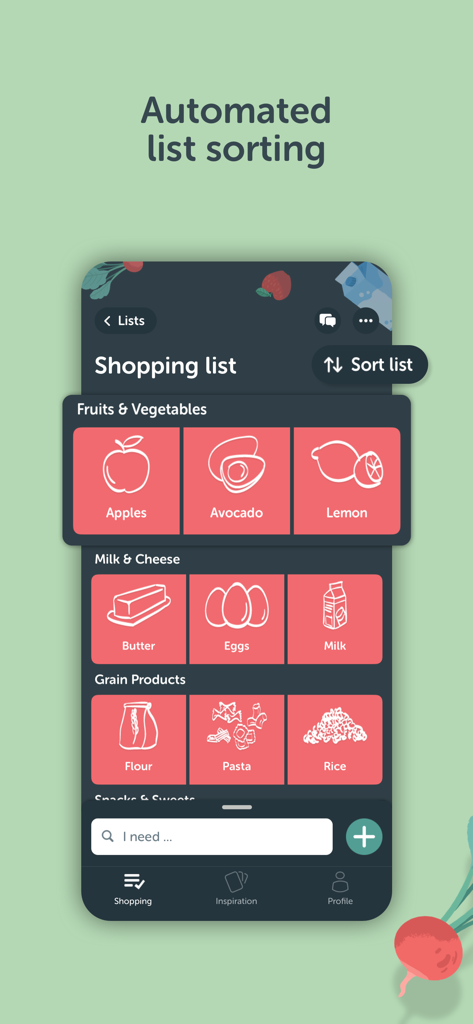
Bring食料品アプリの自動リストソート機能。食品アイテムがタイルに分類されて表示されます。

Bring食料品アプリの自動リストソート機能。食品アイテムがタイルに分類されて表示されます。

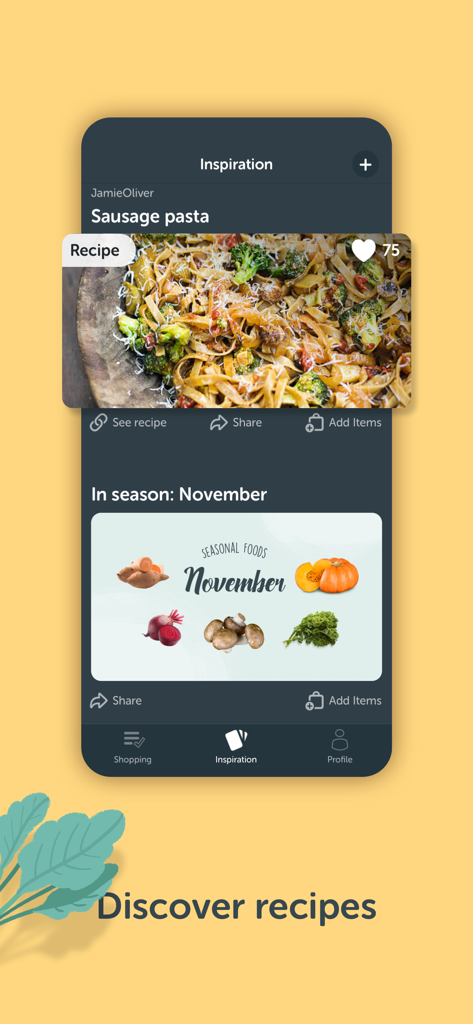
Bring!アプリのインスピレーションタブ。ソーセージパスタのレシピと11月の季節のおすすめ食品が表示されます。

Bring!アプリのインスピレーションタブ。ソーセージパスタのレシピと11月の季節のおすすめ食品が表示されます。

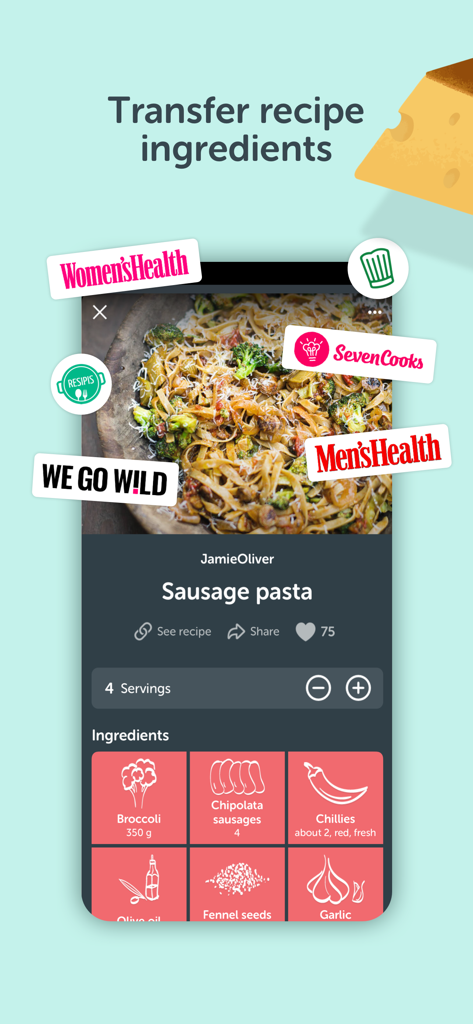
Bringアプリのレシピ画面。ソーセージパスタの材料がタイル表示で示されています。

Bringアプリのレシピ画面。ソーセージパスタの材料がタイル表示で示されています。

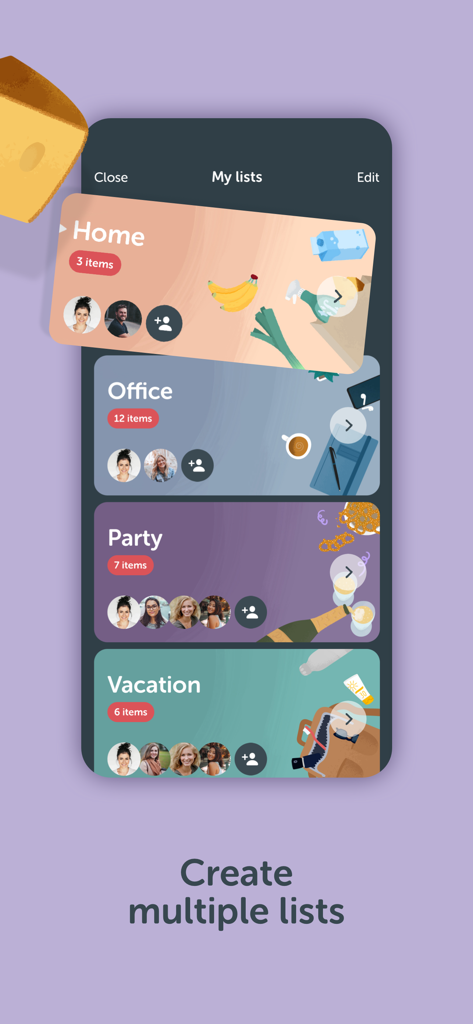
Bringアプリのインターフェース。ホーム、オフィス、パーティー、休暇用の複数のカテゴリ分けされた買い物リストが表示されます。

Bringアプリのインターフェース。ホーム、オフィス、パーティー、休暇用の複数のカテゴリ分けされた買い物リストが表示されます。

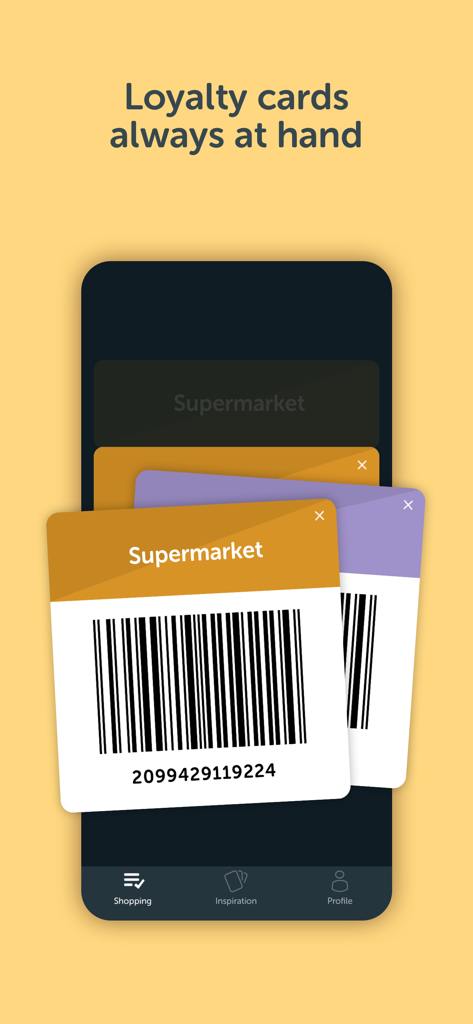
Bring食料品アプリのバーコード付きデジタルポイントカード

Bring食料品アプリのバーコード付きデジタルポイントカード

食料品をシンプルに、家庭をひとつに

このアプリを際立たせるツール、 9M+ 人のユーザーが選択.

🏠

リアルタイム家庭同期

「牛乳買った?」というメッセージに終止符を。パートナーやルームメイトとリストを共有し、誰かが買い物を始めたら即座に通知を受け取りましょう。

🍳

ワンクリックレシピインポート

インスピレーションを行動に。お気に入りのフードブログから材料を直接リストにインポートし、手入力の時間を15分節約できます。

最適化された店舗内効率

視覚的なアイテムタイルとハンズフリーのApple Watchサポートで、通路をより速く移動しましょう。ポイントカードや地域のセール情報を、安全なデジタルウォレットに一元管理できます。

アプリについて

について知っておくべきこと Bring! Grocery Shopping List.

説明

Make grocery planning a piece of cake with Bring! – the best shopping list app for creating and sharing grocery store lists. It’s free and available for all devices. Create a shopping list now and plan your family grocery shopping with your household. Here’s why Bring! is the perfect app for you: 1. Your food shopping list available whenever and wherever you need it With Bring!, your grocery & shopping list is always at your fingertips and you can add items at any time. So, no more forgotten groceries! 2. Share your grocery shopping list in real time Say goodbye to paper lists, misunderstandings and duplicate purchases! Set up shared grocery lists with your loved ones, roommates or colleagues, and plan your shopping together. Thanks to automatic notifications, the whole household is kept informed about any changes to the list. 3. Easy input via voice command or smart search Create Bring! grocery shopping lists in no time using the smart search function, which automatically completes your entry and offers personalized product recommendations. Or you can simply create your free shopping list via voice command! 4. Add details and quantities Avoid buying the wrong products by adding descriptions, quantities or even your own photos to the items on your free grocery list. 5. Automatically organized lists The grocery shopping app saves you time while shopping by automatically grouping and organizing the items on your list. You can also customize the product categories in the app to match the aisles in your supermarket. 6. Discover and save tasty recipes Get inspired by a variety of seasonal, healthy, quick and family-friendly recipes. Save your favorites to create your very own recipe book. 7. Import ingredients from online recipes With just one click, you can import recipe ingredients from websites to your Bring! free grocery list with sync. The recipes are automatically saved in your recipe book, where you can access them at any time. 8. Make your grocery shopping more sustainable With seasonal food recommendations, the app can help you make more sustainable choices when planning your groceries and creating free shopping lists. 9. Take advantage of special offers Save money with the latest offers and ads from stores near you. You can bookmark your favorite stores and, if you like, you can choose to receive notifications about the best deals. 10. Better overview thanks to multiple free grocery lists Create shared shopping lists for different stores, special occasions or different groups of people (e.g. a family shopping list, for your office, etc.) 11. All your loyalty cards at your fingertips Store your loyalty cards securely and centrally in your Bring! wallet, so you’ve always got them ready to go at checkout. 12. The free grocery shopping list app that’s tailored to your preferences Customize the app by choosing between dark or light mode, and between tile or list view. Add your own items, choose various templates and customize the layout of your grocery store lists. The Bring! easy grocery list organizer turns shopping into a smooth and stress-free experience. Get the free shopping list app now and easily create shared grocery lists from wherever you are. You can use the Bring! grocery shopping app for free on your smartphone, tablet or Apple Watch, or as the web version. Your shared digital shopping lists are available wherever and whenever you need them, making forgotten groceries a thing of the past. Bring! grocery list maker saves you time, money and stress. Tip: you can also add your shopping list free off charge to your iPhone home screen with the handy Bring! iOS widgets. We’re grateful for your feedback on the Bring! grocery shopping list app and welcome any suggestions for improvement. Contact us at feedback@getbring.com if you have any questions or need support. The Bring! team Privacy policy: https://www.getbring.com/en/privacy-policy Terms of use: https://www.getbring.com/en/terms-of-use

最新バージョン

4.101.1

サイズ

119.7 MB

リリース日

2014年9月1日

食料品の計画を、一日の最も簡単な部分にしましょう。

900万人以上のユーザーが、家庭の買い物という精神的負担を克服しました。Bring!を無料でダウンロードして、リストの同期、レシピの保存、家族とのリアルタイム連携を始めましょう。

ダウンロード: App Storeダウンロード: Google Play
FAQ

よくある質問

について知っておくべきこと Bring! Grocery Shopping List

Can I share my grocery shopping lists using the Bring! app?

はい、Bring! グロッサリー・ショッピング・リストアプリでは、食料品の買い物リストを家族、ルームメイト、同僚とリアルタイムで共有できます。自動通知により、変更があった際に全員に情報が通知されます。

Is the Bring! Grocery Shopping List app free to use?

はい、Bring! アプリは無料の食料品買い物リストアプリです。スマートフォン、タブレット、Apple Watch、およびウェブ版で無料で使用できます。

How can I add items to my Bring! shopping list?

スマート検索とパーソナライズされたおすすめ、または音声コマンドを使用して、Bring! の食料品買い物リストにアイテムを追加できます。これにより、迅速かつ簡単にアイテムを入力できます。

Can I add details and photos to items in my Bring! shopping list?

はい、Bring! アプリでは、食料品リストのアイテムに説明、数量、さらには独自の写真を追加できます。これにより、間違った購入を防ぐことができます。

Does the Bring! app automatically organize shopping list items?

はい、Bring! アプリは買い物リストのアイテムを自動的にグループ化および整理するため、買い物の時間を節約できます。ストアの棚に合わせて商品カテゴリをカスタマイズすることもできます。

Can I find and import recipes within the Bring! Grocery Shopping List app?

はい、Bring! アプリでは、おいしいレシピを見つけて保存できます。また、ワンクリックでオンラインレシピの材料を無料の食料品リストにインポートすることもできます。

Does Bring! support creating multiple shopping lists?

はい、Bring! では、さまざまな店舗、機会、またはグループごとに複数の無料の食料品リストを作成できます。これにより、より良い概要と整理が可能になります。

Can I store loyalty cards in the Bring! app?

はい、Bring! アプリでは、すべてのロイヤルティカードをBring! ウォレットに安全かつ一元的に保存できます。レジでいつでも利用できます。

What customization options are available in the Bring! app?

Bring! アプリでは、ダークモードまたはライトモード、タイル表示またはリスト表示、カスタムアイテムの追加、テンプレートの選択、リストレイアウトのカスタマイズなど、好みに合わせたカスタマイズオプションを提供しています。

Which devices support the Bring! Grocery Shopping List app?

Bring! グロッサリー・ショッピング・リストアプリは、スマートフォン、タブレット、Apple Watch、およびウェブ版で利用できます。デジタルな買い物リストはどこからでもアクセスできます。

App information, icons, screenshots, and descriptions displayed on this page are sourced from the Apple App Store and are the property of their respective developers. Download estimates and rankings are based on MWM's proprietary models and may not reflect actual figures. This page is provided for informational and analytical purposes only.

Believe this page infringes your intellectual property? File a dispute