Chordi

Chordi

ダウンロード: App Store
ロゴ: Chordi

Chordi: 複雑なハーモニーをマスターし、音楽的創造性を解き放つ

ソングライターとプロデューサーのための、永久無料のサブスクリプション不要コードアシスタント。障壁なく音楽理論を探求し、録音ボタンのプレッシャーなしでアイデアをキャプチャし、あなたのインスピレーションとDAWの間のギャップを埋めましょう。

開発元

Krzysztof Sadowski

カテゴリ

Music

ダウンロード

2K+

ユーザー評価

4.9/5

評価数

0

対応言語

1

あなたのクリエイティブキャンバス

このインターフェースを利用する 2K+ 人のユーザー.

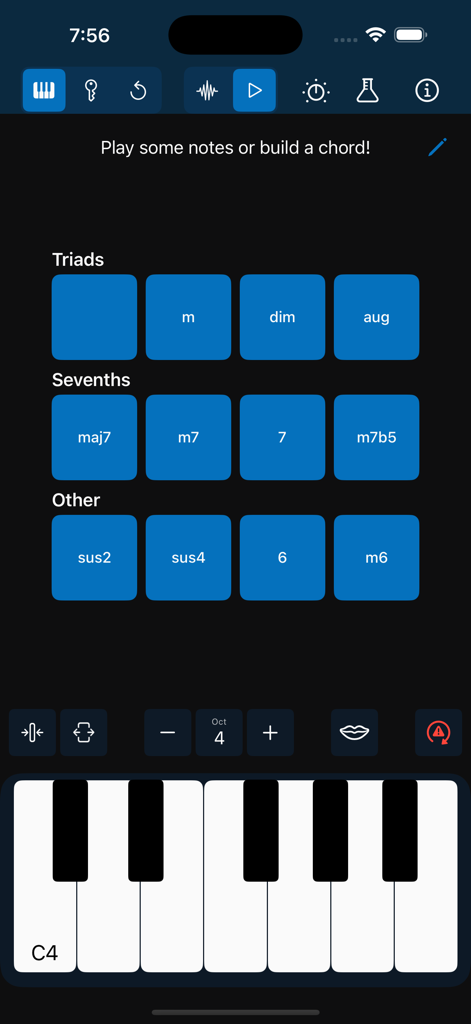
Chordiアプリのインターフェース。デジタルピアノのキーボードの上にトライアドとセブンスコードのボタンが表示されています。

Chordiアプリのインターフェース。デジタルピアノのキーボードの上にトライアドとセブンスコードのボタンが表示されています。

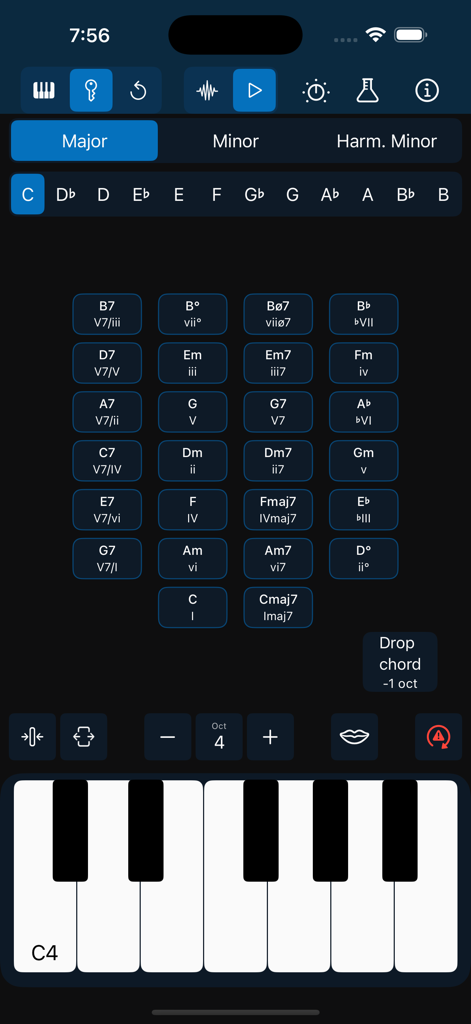
Chordiアプリのインターフェース。コードのグリッドとダークモードのピアノキーボードが表示されています。

Chordiアプリのインターフェース。コードのグリッドとダークモードのピアノキーボードが表示されています。

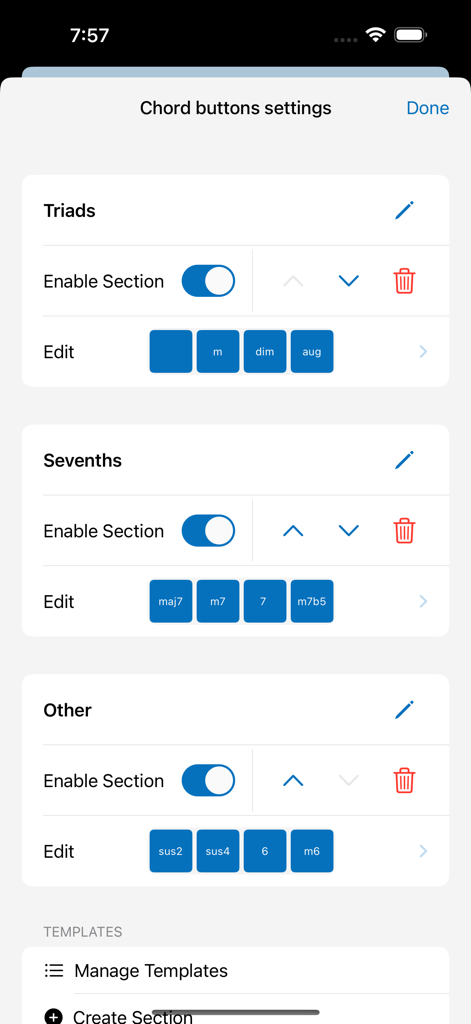
Chordiアプリのコードボタン設定画面。トライアドとセブンスを含むコードボタンのカスタマイズが表示されています。

Chordiアプリのコードボタン設定画面。トライアドとセブンスを含むコードボタンのカスタマイズが表示されています。

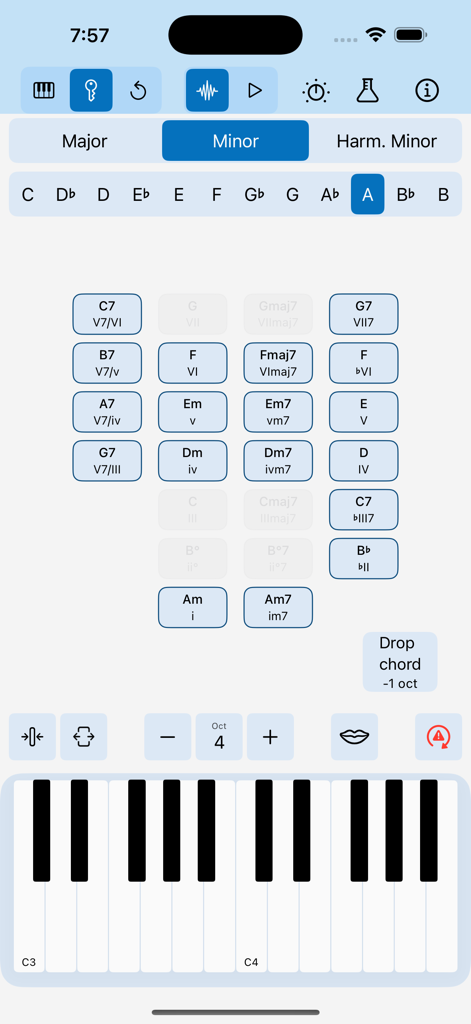
Chordiアプリのインターフェース。Aマイナーの提案コードのグリッドとピアノキーボードが表示されたキーモード機能を示しています。

Chordiアプリのインターフェース。Aマイナーの提案コードのグリッドとピアノキーボードが表示されたキーモード機能を示しています。

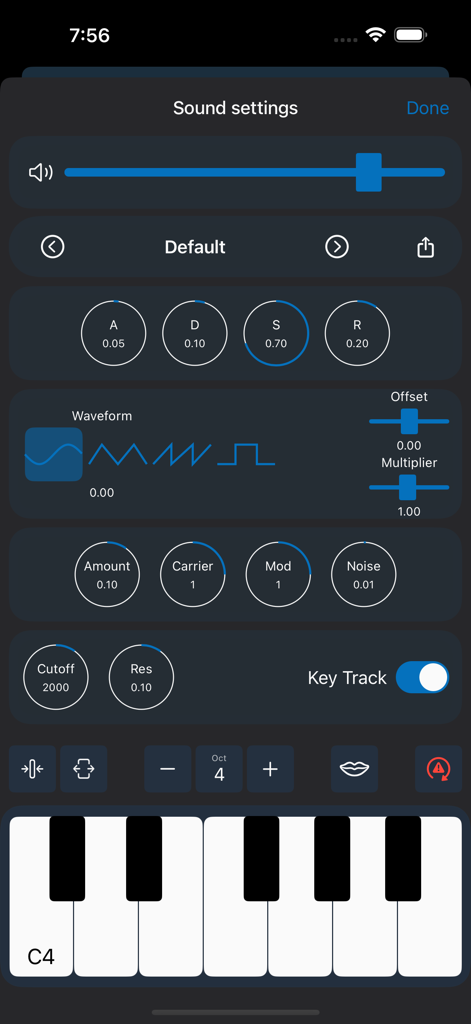
Chordiアプリのサウンド設定インターフェース。ADSRエンベロープと波形選択を備えた内蔵シンセサイザーコントロールが表示されています。

Chordiアプリのサウンド設定インターフェース。ADSRエンベロープと波形選択を備えた内蔵シンセサイザーコントロールが表示されています。

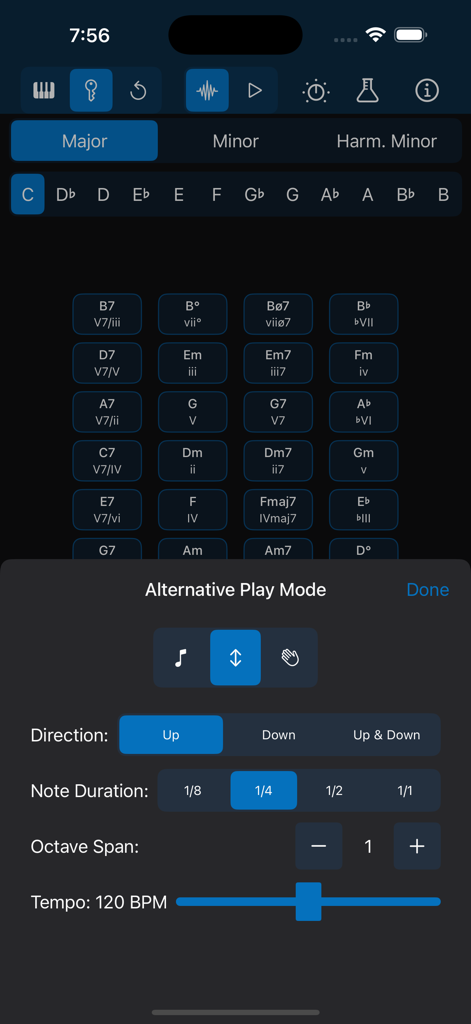
Chordiアプリのインターフェース。ノートの方向、長さ、テンポのアルペジエーター設定が表示されています。

Chordiアプリのインターフェース。ノートの方向、長さ、テンポのアルペジエーター設定が表示されています。

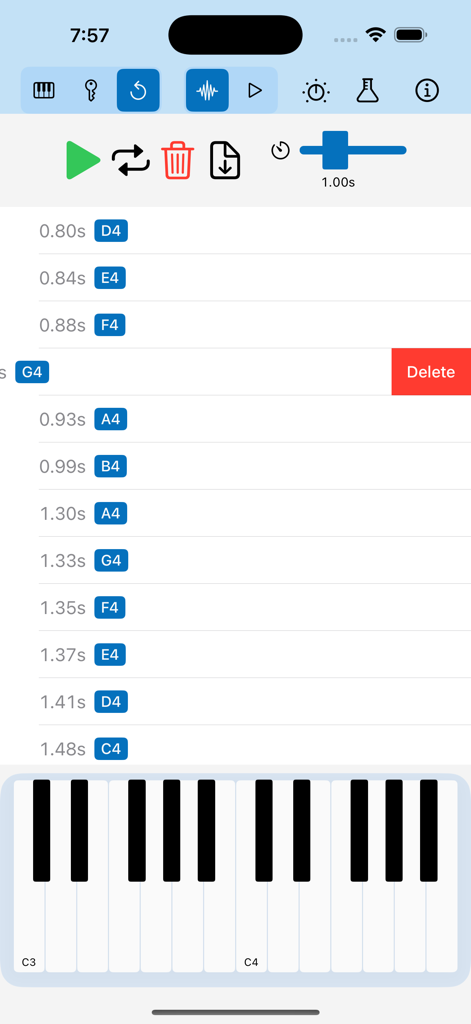
Chordiアプリの録音された音楽ノートを編集するためのモバイルインターフェース。タイムスタンプ付きのノートリストとピアノキーボードが表示されています。

Chordiアプリの録音された音楽ノートを編集するためのモバイルインターフェース。タイムスタンプ付きのノートリストとピアノキーボードが表示されています。

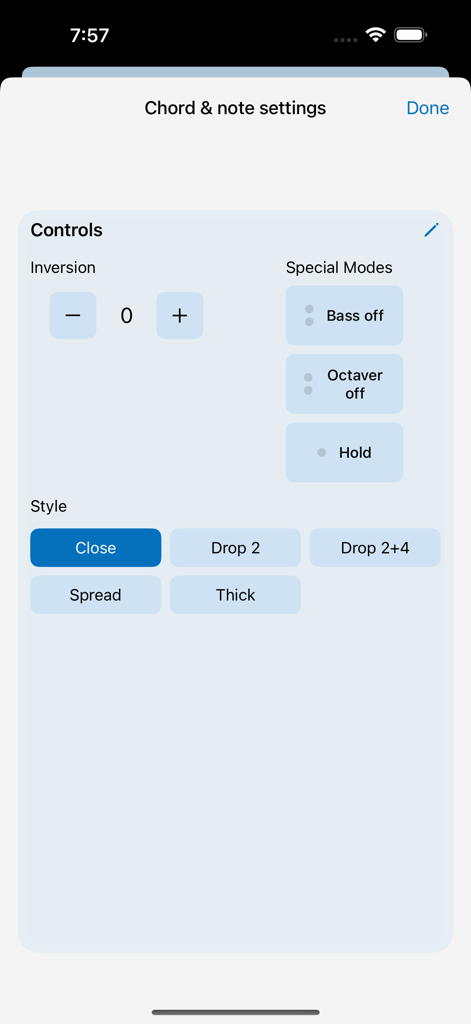
Chordiアプリのコードとノート設定画面。転回コントロールとボイシングスタイルが表示されています。

Chordiアプリのコードとノート設定画面。転回コントロールとボイシングスタイルが表示されています。

プロのように作曲、自然のように演奏

このアプリを際立たせるツール、 2K+ 人のユーザーが選択.

🎹

プロのハーモニーを簡単に

キーモードを使用して、長年のピアノトレーニングなしで複雑なコードやモードインターチェンジを探求できます。キーを選択するだけで、ガイドに従うだけです。

ストレスフリーなアイデアキャプチャ

「レッドボタン」の不安は忘れてください。再生モードは、再生したすべてを自動的に保存し、発生後に最高のアイデアを再訪、洗練、ループすることを可能にします。

🔌

シームレスなプロダクションワークフロー

サブスクリプションなし、障壁なし。USB MIDI経由でお気に入りのDAWに接続するか、セッションをMIDIファイルとしてエクスポートして、GarageBandでトラックを完成させましょう。

アプリについて

について知っておくべきこと Chordi.

説明

Why I created Chordi? As a bass and ukulele player, I always found the piano the easiest way to explore theory—if only I could actually play it! But every tool I tried felt too complex and fiddly, getting in the way of creativity. So, my inner nerd took over, and Chordi was born—an app that makes music exploration easier, no matter your skill level. Whether you’re a beginner or a seasoned musician, Chordi helps you unlock new ideas, spark your creativity, and build music effortlessly. I believe music and education should be accessible to everyone. That’s why Chordi is FREE FOREVER—no subscriptions, no locked features. Just a tool to help you explore and create music without barriers. What to expect? Supported Devices (iPadOS/iOS) - Optimized for iPad in landscape orientation - iPhone Support (for those who dare to create music on-the-go, even in portrait mode!) - Light & Dark Mode Just Play! Tap notes on the keyboard or create full chords effortlessly. - Press and hold chord quality buttons (like maj7 or m) before selecting a root note. - Choose different chord inversions and voicings. - Add bass notes or octaves up/down with the Octaver and Bass buttons. - Experiment with Hold mode to layer melodies over chords. Creative Modes Take your creativity even further with these powerful modes: - Free Mode – Play freely—just tap notes or build chords without any restrictions. - Key Mode – Select a scale and key, and let Chordi guide you through fitting chords. From triads and sevenths to secondary dominants and modal interchange, you’ll always have the right options at your fingertips. Chordi even suggests what to play next based on chord progression rules. - Replay Mode – A creative alternative to traditional loopers—perfect for those who find the red record button intimidating. Any notes played in Free Mode or Key Mode are automatically stored. Enter Replay Mode to revisit your ideas, delete individual events, add a gap at the end for a smooth loop, or export your session as a MIDI file. Capture inspiration without pressure and refine your ideas with ease. Beware, leaving that mode starts recording again. Rhythm Modes Explore chord rhythms and experiment with musical textures in these modes: - Normal Mode – Play single notes or full chords with available modifiers. - Arpeggiator Mode – Transform chords into arpeggios. (Experimental) - Strummer Mode – Strum your chords like a guitar or harp. (Experimental) Customize - Fine-tune sections of the app to fit your needs. Reorder, resize, and modify elements to create your perfect workspace. MIDI Integration Plug in your MIDI keyboard or connect Chordi to your DAW (USB MIDI input/output supported). Sound Engines Let’s make some noise.Let’s make some noise. - Soundfont Player – Play with handpicked sampled sounds: Rhodes, Wurlitzer, Organ, and Grand Piano. - Synthesizer – Create your own sounds with Chordi’s built-in synth. (Experimental, may have occasional issues) - Sound Settings – Control effects and tweak sound parameters. Note: For the best audio experience, speakers or wired headphones are recommended. Wireless Bluetooth headphones may introduce small latency. In case of emergency… - Panic Button – Instantly stop all sounds, reset the audio engine, and clear any highlights. - Shake device for Help – Always one shake away from guidance. - Need More Support? – Check out the support page, or reach out directly—I’m always happy to help. Privacy policy: https://chordiapp.com/privacy-policy Terms of use: https://www.apple.com/legal/internet-services/itunes/dev/stdeula/

最新バージョン

1.2

サイズ

107.1 MB

リリース日

2025年2月3日

今日からクリエイティブフローを解き放つ

ピアノレッスン不要、サブスクリプション不要、機能ロックもありません。今すぐChordiをダウンロードして、頭の中で鳴っている音楽を構築し始めましょう—永久無料です。

ダウンロード: App Store

App information, icons, screenshots, and descriptions displayed on this page are sourced from the Apple App Store and are the property of their respective developers. Download estimates and rankings are based on MWM's proprietary models and may not reflect actual figures. This page is provided for informational and analytical purposes only.

Believe this page infringes your intellectual property? File a dispute