ClipGlider-video speed control

ClipGlider-video speed control

ダウンロード: App Store
ロゴ: ClipGlider-video speed control

ClipGlider:ソーシャルメディアやウェブ上のあらゆる動画の速度を上げる

ペースの遅いコンテンツで時間を無駄にするのはやめましょう。Instagram Reels、YouTube Shorts、TikTokで最大16倍の速度で完全に制御しましょう。ハンズフリーの自動スクロールと0.01倍の精密再生で生産性を向上させましょう。

開発元

Vladislav Kharchev

カテゴリ

Productivity

ダウンロード

376K+

ユーザー評価

2.9/5

評価数

500

対応言語

2

完全な制御を体験する

このインターフェースを利用する 376K+ 人のユーザー.

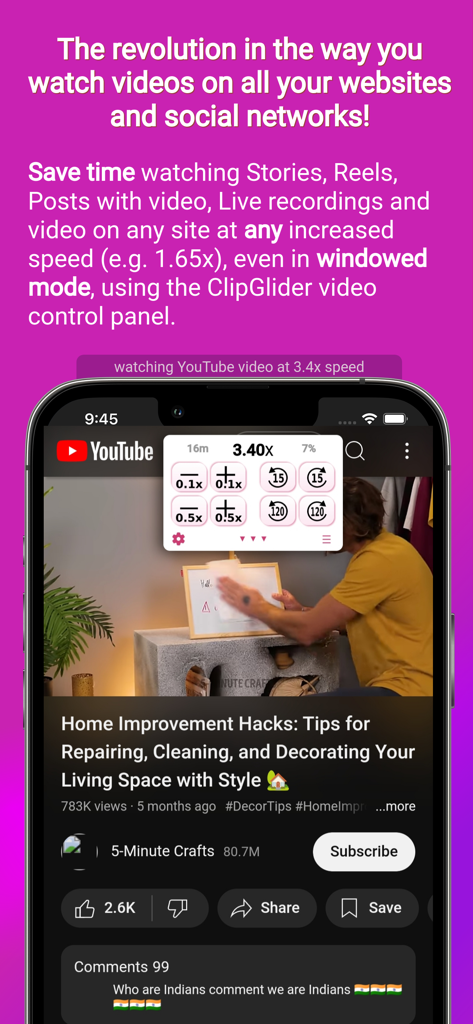
ClipGliderアプリのオーバーレイに、YouTube動画での3.40倍の動画速度制御が表示されています

ClipGliderアプリのオーバーレイに、YouTube動画での3.40倍の動画速度制御が表示されています

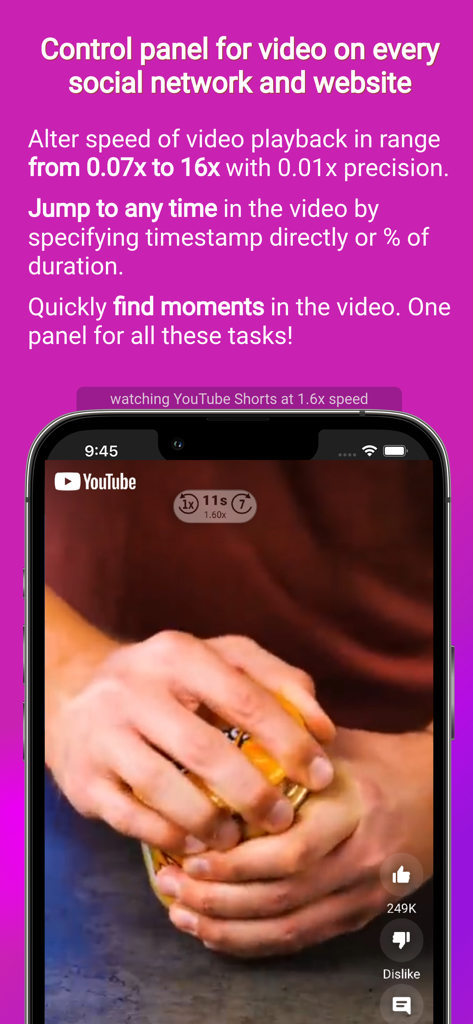
YouTube Shortsクリップで調整可能な動画再生速度を示すiPhone上のClipGliderアプリインターフェイス

YouTube Shortsクリップで調整可能な動画再生速度を示すiPhone上のClipGliderアプリインターフェイス

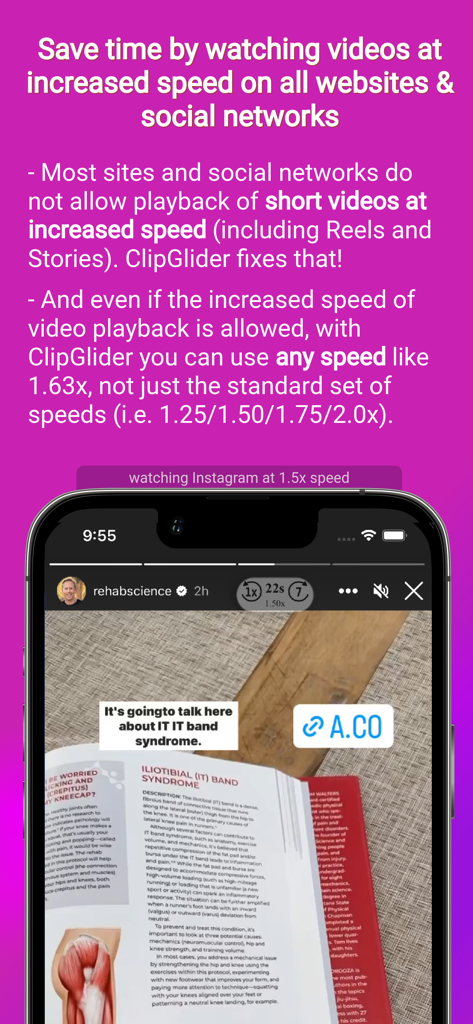
より速く視聴するために1.5倍速で再生されているInstagramストーリーを示すClipGliderアプリインターフェイス

より速く視聴するために1.5倍速で再生されているInstagramストーリーを示すClipGliderアプリインターフェイス

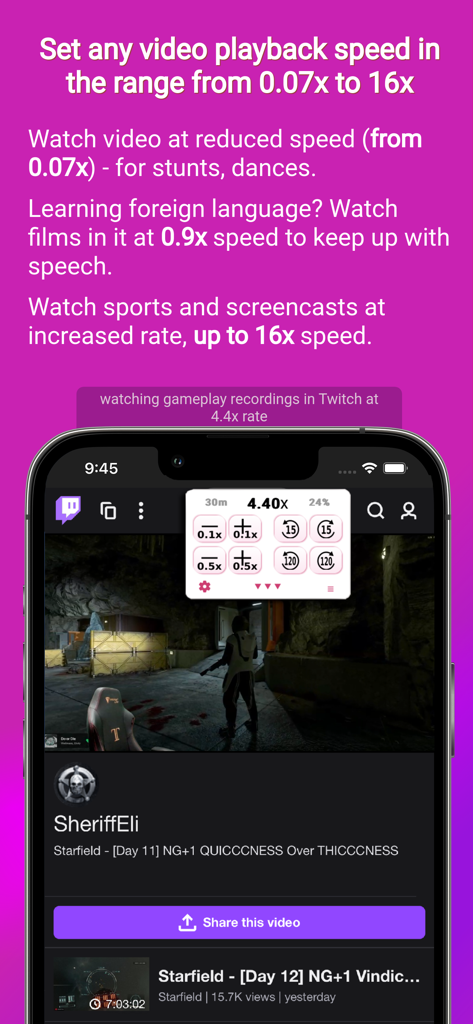
Twitchゲームプレイ動画で調整可能な動画再生速度を示すClipGliderアプリ

Twitchゲームプレイ動画で調整可能な動画再生速度を示すClipGliderアプリ

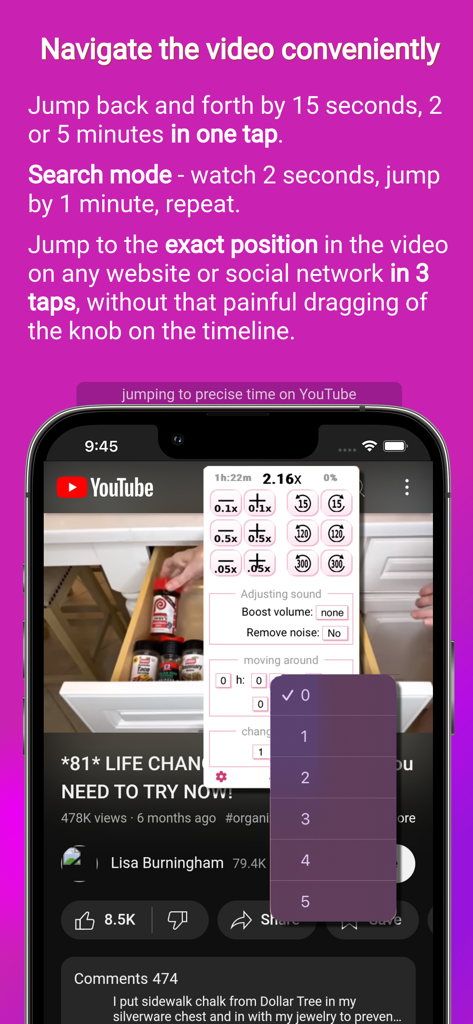
iPhone上のYouTube動画で精密なナビゲーションと時間ジャンプコントロールを示すClipGliderアプリインターフェイス

iPhone上のYouTube動画で精密なナビゲーションと時間ジャンプコントロールを示すClipGliderアプリインターフェイス

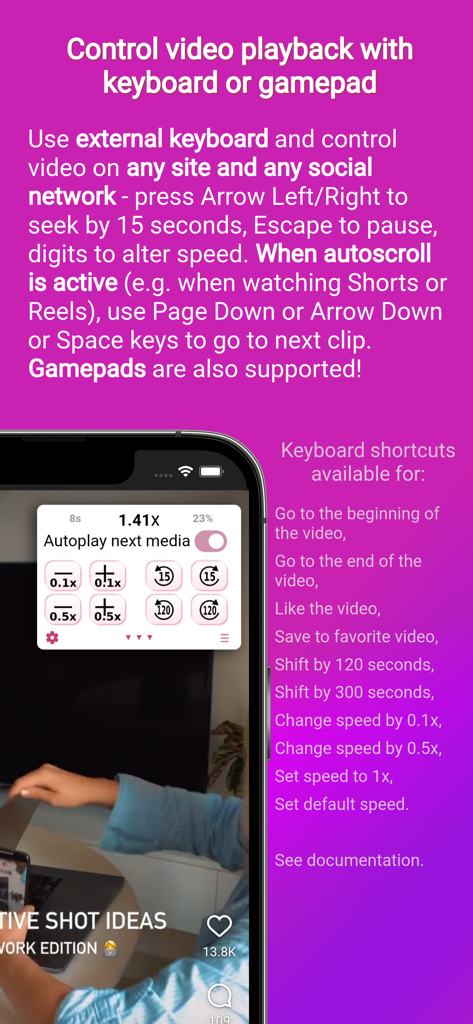
キーボードまたはゲームパッドで動画再生を制御する方法を説明するClipGliderアプリ画面

キーボードまたはゲームパッドで動画再生を制御する方法を説明するClipGliderアプリ画面

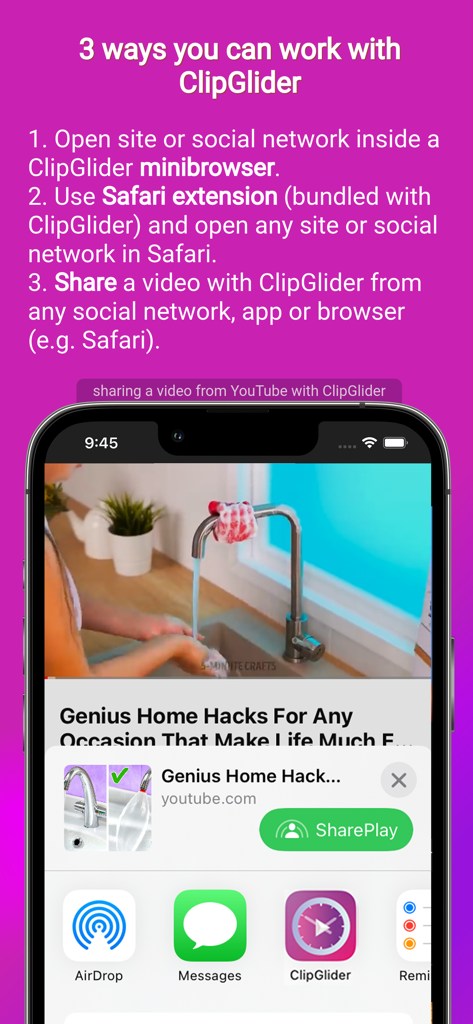
ClipGliderのミニブラウザ、Safari拡張機能、動画共有機能を示すチュートリアル

ClipGliderのミニブラウザ、Safari拡張機能、動画共有機能を示すチュートリアル

コンテンツを完全に制御する

このアプリを際立たせるツール、 376K+ 人のユーザーが選択.

無制限の速度制御

2倍を超えましょう。Instagram Reels、Facebook Stories、TikTokを含むあらゆるサイトで0.01倍の精度で完璧なペースを設定しましょう。

📱

ハンズフリー自動スクロール

ショート動画フィードで「自動スワイプ」を有効にしましょう。食事中や運動中に、お気に入りのコンテンツが自動的に動くのを見ながらリラックスしましょう。

🎯

精密ナビゲーション

クイックスキャンで無駄をスキップしたり、正確なタイムスタンプにジャンプしたりしましょう。電話がかかってきたり、ページが更新されたりしても、ClipGliderはあなたの場所を記憶します。

アプリについて

について知っておくべきこと ClipGlider-video speed control.

説明

ClipGlider - the revolution in video playback on websites and social networks! Now you can watch videos at increased speed (e.g. 1.3x) on all social networks and websites. If you use Video Speed Control browser plugin on desktop, then you will enjoy using ClipGlider. It displays a video control panel that allows you to use any playback speed except the usual 1.25х / 1.5х / 1.75x and 2х, and it allows you to quickly navigate inside the video with a few taps. Also, for some videos it allows to increase the volume (useful if the speakers in the video speak quietly) and decrease the noise (if the video was recorded in a noisy environment such as a street or a noisy room). All this is available on popular social networks and on any website. This video speed control panel is displayed while watching any video, including Stories, Reels and Posts on Instagram and Facebook, Shorts on YouTube, Clips on X, Videos on Twitch, Spotlight on Snapchat, or Movies on Netflix and on any site, or even video ads on any site. When you view Instagram or Facebook Reels, YouTube Shorts, or videos in X (Twitter), the next video automatically appears (called autoswipe or autoscroll) - so you can watch them without touching your device ▶ SAVE TIME Spend less time viewing the same number of social media stories and posts by viewing them at an increased rate, e.g. 2x. ▶ WATCH LECTURES AND CONFERENCES WITH COMFORT Save a lot of time watching recordings of talks, conferences, Live recordings and lectures at a speed that is comfortable for you; do not be limited to the standard set of speeds (1.25x, 1.5x, 1.75x and 2x) - you can set the speed to 1.37x or 2.19x! ▶ DO NOT LOSE IMPORTANT MOMENTS ClipGlider offers to resume playback from the position where you left it (e.g. due to an incoming call). ▶ LESS "HASSLE" WHEN TRYING TO FIND A MOMENT IN THE VIDEO Quickly find key moments in the video (such as a new speaker appearing in the conference recording) using the Quick Scan mode. Detailed description: ▼ WATCH STORIES AND REELS IN SOCIAL MEDIA Watch stories in Instagram and Facebook, clips in TikTok, Likee and VK, and video in posts in any social media at increased speed, saving time, with the ability to quickly switch to 1x speed in on tap. Watch 2 times more video in the same amount of time you currently spend, at 2x speed. ▼ WATCH STUNTS AND FIGHTS AT SPEEDS AS LOW AS 0.07X. Analyze sports and dances in slow motion at a speed as low as 0.07x on any website or social network. ▼ FAST SKIP MODE for a quick overview of the video. Very useful to find out when a conference starts or a new speaker appears without any hassle - in this mode the video plays for 1 second and then rewinds for 1 minute. ▼ COMFORTABLE AND PRECISE NAVIGATION IN LONG VIDEOS Jump to the exact minute with a few taps by selecting the timestamp from the lists. You can skip an exact percentage of the video too. ▼ SAVE A LOT OF TIME BY SETTING THE MAXIMUM SPEED YOU CAN ACCEPT, WITH UP TO 0.01X PRECISION, FROM 0.07X TO 16X Change speeds quickly with 0.05X accuracy. Do not be limited by standard speeds of 1.25X / 1.5X / 1.75X and 2X. ▼ QUICKLY RECALL THE POSITION WHERE YOU'VE STOPPED PLAYBACK. Now you won't spend time searching around the video, trying to find the position where you stopped playback due to incoming call or browser reloading the tab. ClipGlider is free to download and use, but an offer to purchase Premium will appear periodically. We offer monthly, 3 month and 6 month, 1 year and lifetime plans: * Payment will be charged to your iTunes account upon purchase confirmation. * All plans are not subscriptions. You must renew your plan when it expires by making another purchase. * If you don't choose to purchase Premium, you can continue to use and enjoy ClipGlider for free. Terms of Use: https://www.apple.com/legal/internet-services/itunes/dev/stdeula/ Privacy Policy: https://clipglider.com/privacy.html

最新バージョン

2.3.2

サイズ

8.6 MB

リリース日

2023年3月14日

今日、あなたの動画の超能力を解き放つ

毎週何時間も節約している376,000人以上の効率追求者に加わりましょう。お気に入りのソーシャルアプリすべてで、正確な速度制御と自動スクロールを今すぐ入手しましょう。

ダウンロード: App Store
FAQ

よくある質問

について知っておくべきこと ClipGlider-video speed control

ClipGliderとは何ですか?

ClipGliderは、ウェブサイトやソーシャルネットワーク上のビデオ再生速度を調整できるビデオ速度制御アプリです。さまざまなプラットフォームで、正確な速度調整、音量ブースト、ノイズリダクションのためのコントロールパネルを提供します。

ClipGliderはどのようにビデオ再生速度を制御しますか?

ClipGliderはビデオコントロールパネルを表示し、ユーザーは0.01倍単位で0.07倍から16倍までの任意の再生速度を設定できます。標準速度を超えるクイック調整もサポートしています。

ClipGliderは人気のソーシャルメディアプラットフォームで動作しますか?

はい、ClipGliderはInstagram、Facebook、YouTube、X(Twitter)、Twitch、Snapchatなどの人気のソーシャルネットワークで動作します。Netflixやその他のウェブサイトでも機能します。

ClipGliderはソーシャルフィードの次のビデオを自動再生できますか?

はい、ClipGliderはInstagramまたはFacebook Reels、YouTube Shorts、およびX(Twitter)のビデオ用のオートスワイプまたはオートスクロール機能を備えています。これにより、手動操作なしでコンテンツを視聴できます。

ClipGliderは無料で使用できますか?

はい、ClipGliderは無料でダウンロードして使用できます。プレミアム機能を購入するためのオファーが定期的に表示されますが、継続して無料で使用することも可能です。

ClipGlider Premiumの支払いオプションは何ですか?

ClipGliderは、月次、3か月、6か月、1年、生涯の期間でプレミアムプランを提供しています。これらはサブスクリプションではなく、有効期限が切れたら更新が必要です。

ClipGliderは中断したところからビデオ再生を再開できますか?

はい、ClipGliderは、着信コールやタブの再読み込みなどにより停止した正確な位置から、再生をすばやく呼び出して再開する機能を提供します。

ClipGliderのクイックスキャンモードとは何ですか?

ClipGliderのクイックスキャンモードを使用すると、ユーザーはビデオの重要な瞬間をすばやく見つけることができます。このモードでは、ビデオは1秒間再生され、その後1分間巻き戻されます。

ClipGliderの速度制御はどのくらい正確ですか?

ClipGliderを使用すると、ユーザーは0.07倍から16倍の範囲で、最大0.01倍の精度でビデオ再生速度を設定できます。クイック変更は0.05倍の精度で行えます。

キーボードやゲームパッドでClipGliderを操作できますか?

はい、ClipGliderは外部キーボードまたはゲームパッドでの操作をサポートしています。ユーザーは矢印キーでシーク、Escで一時停止、Page Down/Arrow DownまたはSpaceで次のクリップを選択できます。

ClipGliderの使用方法は何ですか?

ユーザーは3つの方法でClipGliderを使用できます。ClipGliderのミニブラウザでサイトまたはソーシャルネットワークを開く、バンドルされているSafari拡張機能を使用する、または任意のアプリからClipGliderにビデオを共有する、のいずれかの方法です。

おすすめ

類似アプリ

似た機能とユーザー体験を持つアプリ

App information, icons, screenshots, and descriptions displayed on this page are sourced from the Apple App Store and are the property of their respective developers. Download estimates and rankings are based on MWM's proprietary models and may not reflect actual figures. This page is provided for informational and analytical purposes only.

Believe this page infringes your intellectual property? File a dispute