DAK app

DAK app

ダウンロード: App Store
ロゴ: DAK app

DAKアプリ:健康保険がもっと簡単に

書類手続きはもう不要。請求書をスキャンし、キャッシュバック特典を獲得し、ポケットの中の安全なサービスセンターでビデオ相談を利用しましょう。

開発元

DAK-Gesundheit

カテゴリ

Health & Fitness

ダウンロード

1M+

ユーザー評価

4.6/5

評価数

57K+

対応言語

2

健康管理を、視覚的に

このインターフェースを利用する 1M+ 人のユーザー.

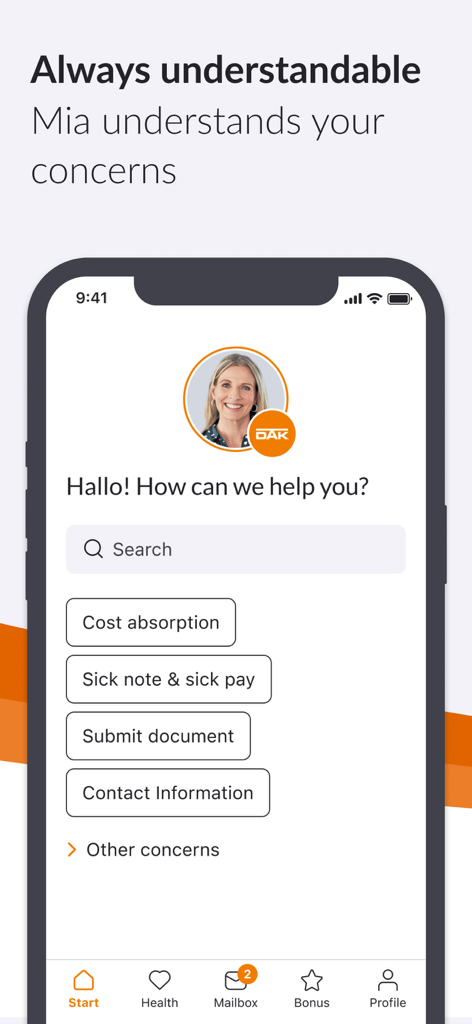
DAKアプリのインターフェース。健康保険サポートのためのヘルプ検索オプションとデジタルアシスタントMiaが表示されています。

DAKアプリのインターフェース。健康保険サポートのためのヘルプ検索オプションとデジタルアシスタントMiaが表示されています。

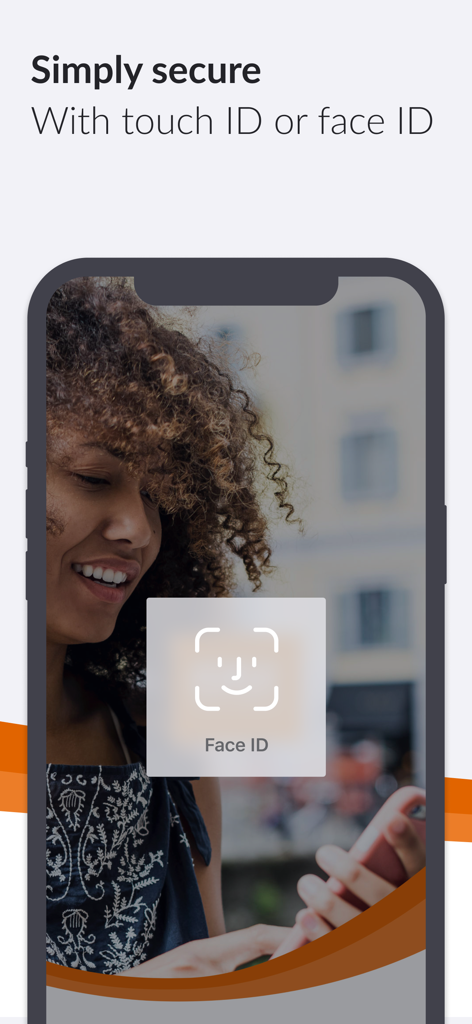
DAK健康保険アプリのFace ID生体認証セキュリティ機能を備えたスマートフォンの画面。

DAK健康保険アプリのFace ID生体認証セキュリティ機能を備えたスマートフォンの画面。

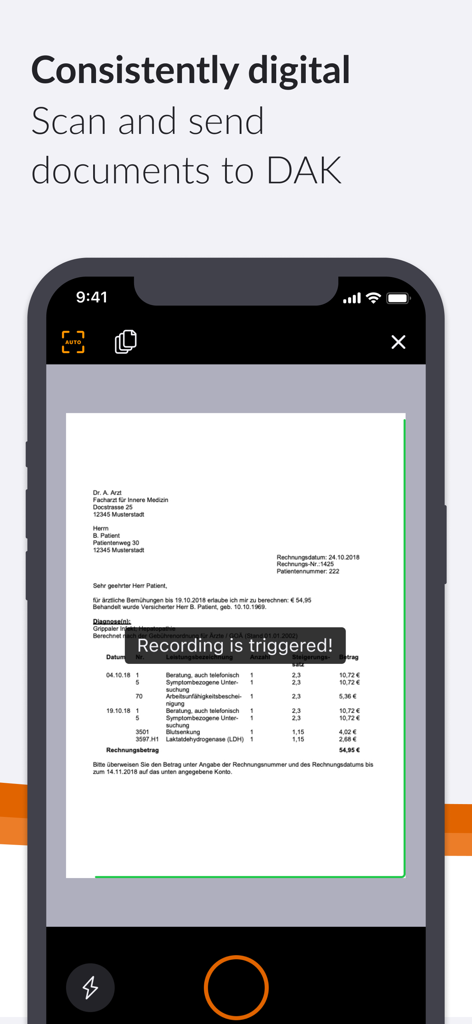
iPhoneの画面にDAKアプリの書類スキャン機能が表示されており、ビューファインダー内に書類があります。

iPhoneの画面にDAKアプリの書類スキャン機能が表示されており、ビューファインダー内に書類があります。

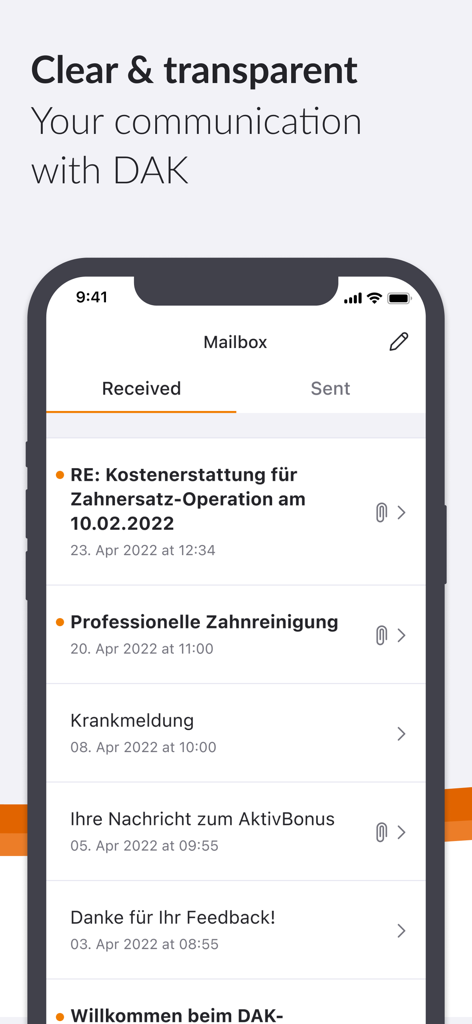
DAKアプリのインターフェース。安全なデジタルメールボックスと保険メッセージのリストが表示されています。

DAKアプリのインターフェース。安全なデジタルメールボックスと保険メッセージのリストが表示されています。

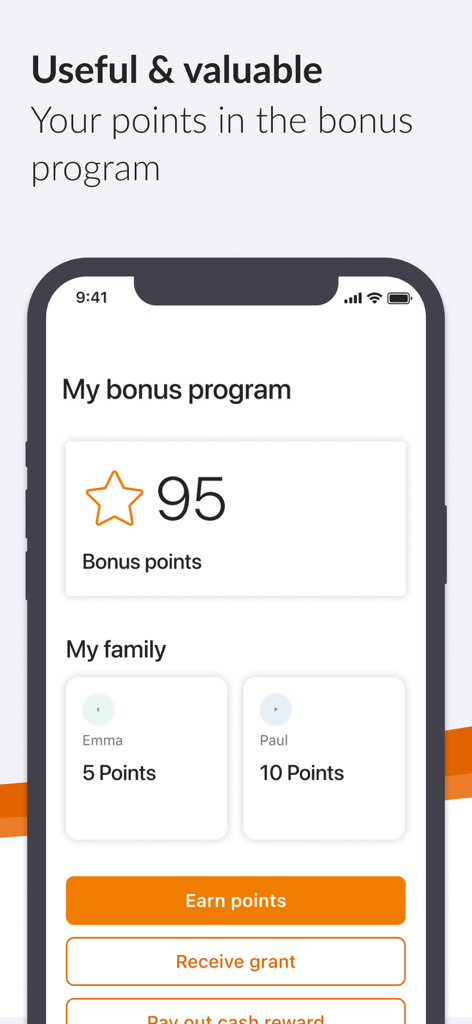
DAK健康保険アプリの画面。ボーナスプログラムと、ユーザーおよび家族のために獲得したポイントが表示されています。

DAK健康保険アプリの画面。ボーナスプログラムと、ユーザーおよび家族のために獲得したポイントが表示されています。

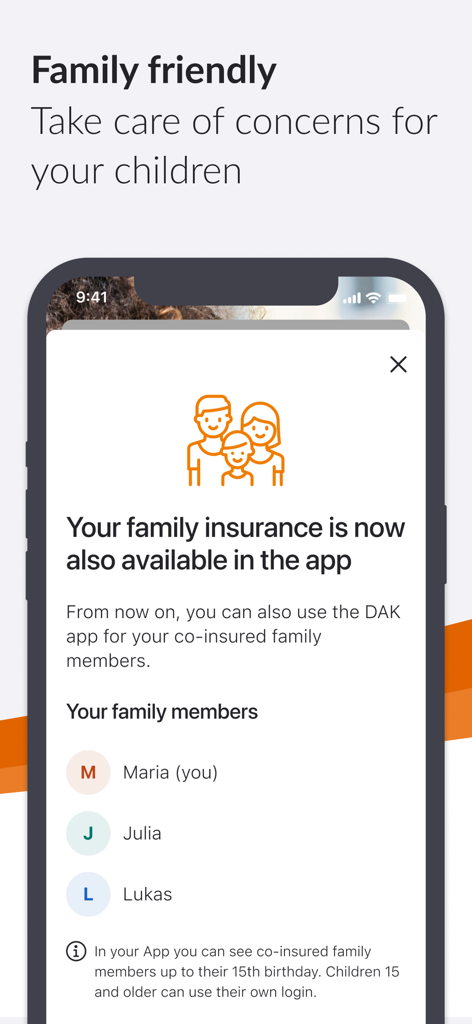
DAKアプリのスクリーンショット。子供の健康記録を管理するための家族保険機能が表示されています。

DAKアプリのスクリーンショット。子供の健康記録を管理するための家族保険機能が表示されています。

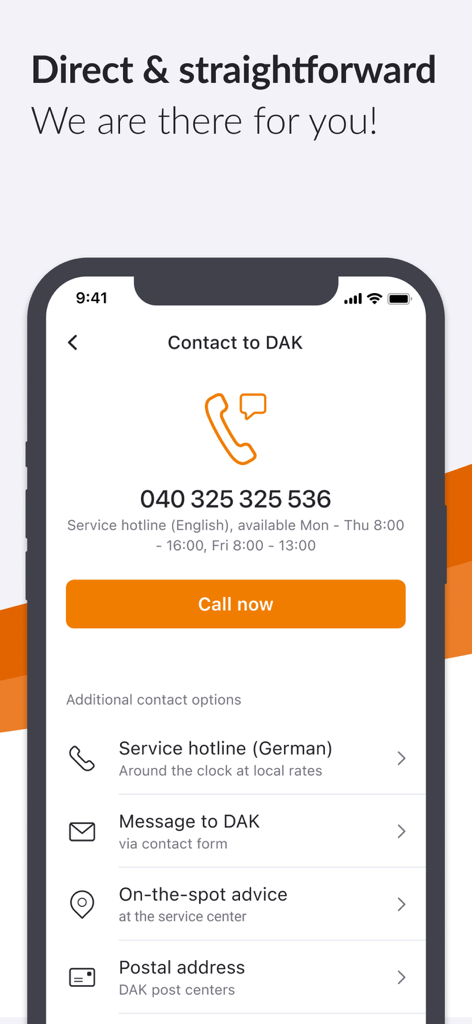
DAK健康保険アプリの連絡先画面。サポートホットラインとメッセージオプションが表示されています。

DAK健康保険アプリの連絡先画面。サポートホットラインとメッセージオプションが表示されています。

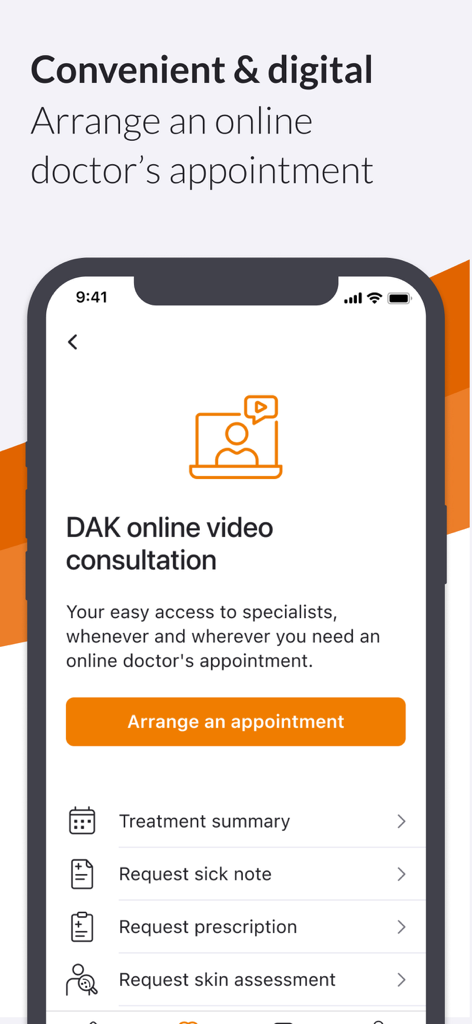
DAKアプリのスクリーンショット。オンラインビデオ相談機能が表示されており、予約のスケジュール設定や病気休暇証明書または処方箋のリクエストオプションがあります。

DAKアプリのスクリーンショット。オンラインビデオ相談機能が表示されており、予約のスケジュール設定や病気休暇証明書または処方箋のリクエストオプションがあります。

指先ひとつで、楽々健康管理

このアプリを際立たせるツール、 1M+ 人のユーザーが選択.

📸

書類を即座にスキャン&送信

書類や郵便局はもう不要です。スマートフォンのカメラを使って、請求書、証明書、または病気休暇証明書を数回タップするだけで安全にスキャンして提出できます。

💰

健康的な生活のためのキャッシュバック特典

あなたの活動を収入に変えましょう。AktivBonusの進捗状況を追跡し、健康的な習慣をデジタルボーナスプログラムを通じて直接キャッシュバック特典に変換できます。

🩺

デジタル医師相談

DAKオンラインビデオ相談で待合室を避けましょう。どこからでも医療専門家とつながり、あなたのスケジュールに合わせて専門的なケアを受けられます。

アプリについて

について知っておくべきこと DAK app.

説明

DAK App: My pocket DAK Submit invoices and certificates, manage bonus programs, report a move or change of name, apply for a new insurance card – with the DAK App this is easy, fast and accessible. Discover the service center for your pocket! What is Meine DAK? "Meine DAK" is your protected area where you can quickly and easily handle your matters, either via app or on the web. The app is also your personal key for a secure login on the web – you always need it for two-factor authentication. We thus ensure that your health data is well protected. What are the advantages of the DAK App? • Submit invoices and certificates: Send documents easily and conveniently with the scanning function. • See the sick notes received by DAK, both the sick notes submitted by you and any electronically transmitted sick notes (eCoIfW). • Manage the bonus program "AktivBonus": Earn points and convert them into cash rewards via the DAK app. • Easy to use and barrier-free: Set the DAK App exactly as you need it, for example the font size. • Your fastest connection to us: Call back service, chat, telephone or e-mail – you have the choice. • Digital mailbox saves paper and time: Deal with matters quickly, easily and paperless with the app. • Family service: Deal with matters related to your family-insured children conveniently via the app. • DAK online video consultation: Easy access to specialists with online doctor´s appointment Other functions of the DAK App • Unlock the ePA app and use electronic patient files To the DAK App in four steps To use the DAK App, you need to register once. After that, you can log in to the DAK App with your fingerprint or facial recognition, for example. How to set up the app 1. Download the app 2. Confirm e-mail address 3. Set up app code 4. Identify yourself personally Here you can find video instructions for setting up the app: https://www.dak.de/app Register once, use all DAK applications The registration and identification process is designed to protect your health data. Another advantage: You only have to identify yourself personally once and then you can use our various digital offers, easily and safely. With only a password or your app code! Here you will find common questions about the app and the registration process: https://www.dak.de/dak-id Who can use the DAK App? The DAK App can be used by all insured persons aged 15 or over, provided they have a health card and a smartphone with the current operating system (iOS 15 or higher). The smartphone must also be protected by a display lock, for example by biometric recognition. Other technical requirements • No rooted device Accessibility The accessibility statement of the app can be found at: https://www.dak.de/barrierefreiheit-app How to contact us Are you having technical problems with the DAK App? When installing, registering or logging in? We are happy to help you. Please let us know your technical problem using this form: https://www.dak.de/app-support Or just call us on: 040 325 325 555. We look forward to your feedback! We will continuously expand the scope of the app according to your wishes. To make it as easy as possible for you, we ask for your opinion directly in the app at various points. We look forward to your comments, evaluations and suggestions to continually develop the DAK App so that the benefit for you will be even better.

最新バージョン

3.53.0

サイズ

134.3 MB

リリース日

2020年5月14日

いつでも、どこでも、健康を管理しよう

100万人以上のメンバーが簡単に保険を管理しています。今すぐDAKアプリをダウンロードして、請求書のスキャン、キャッシュバック特典の獲得、デジタルケアへのアクセスを数秒で行いましょう。

ダウンロード: App Store
FAQ

よくある質問

について知っておくべきこと DAK app

DAKアプリとは何ですか?

DAKアプリは、DAK加入者のためのモバイルサービスセンターです。スマートフォンから保険関連の手続き、書類の提出、健康サービスへのアクセスを簡単に行うことができます。

DAKアプリで書類を提出するにはどうすればよいですか?

ユーザーは、アプリに統合されたスキャン機能を利用して、請求書や証明書をDAKアプリに提出します。この機能により、デバイスから直接、便利にデジタルで書類を提出できます。

DAKアプリでボーナスプログラムを管理できますか?

はい、DAKアプリでは「AktivBonus」プログラムを管理できます。ユーザーはポイントを獲得し、アプリ内で直接現金報酬に交換でき、進捗状況や家族のポイントを確認できます。

DAKアプリは健康データのプライバシー保護は安全ですか?

はい、DAKアプリは健康データの保護を保証します。保護された「Meine DAK」エリアを備え、2要素認証を必要とし、安全なWebログインのためにアプリを使用します。

DAKアプリを利用できるのは誰ですか?

DAKアプリは、健康保険証を持ち、iOS 15以降を実行するスマートフォンを使用し、ディスプレイロックを設定している15歳以上の加入者が対象です。root化されたデバイスはサポートされていません。

DAKアプリの設定手順は?

DAKアプリを設定するには、ユーザーはアプリをダウンロードし、メールアドレスを確認し、アプリコードを設定し、個人を特定します。オンラインでビデオガイドも利用できます。

DAKアプリで家族の保険関連の手続きができますか?

はい、DAKアプリにはファミリーサービス機能が含まれています。ユーザーは、15歳の誕生日まで、アプリを通じて直接、家族で加入している子供に関連する手続きを管理できます。

DAKアプリでオンラインの医師相談はできますか?

はい、DAKアプリはDAKオンラインビデオ相談機能を通じて専門医への簡単なアクセスを提供します。ユーザーは様々な医療ニーズのためにオンラインで医師の予約を行います。

アプリの技術的な問題についてDAKサポートに連絡するにはどうすればよいですか?

ユーザーはdak.de/app-supportのオンラインフォームまたは040 325 325 555に電話して、DAKの技術サポートに連絡します。これは、インストール、登録、またはログインの問題に適用されます。

DAKアプリは生体認証ログインをサポートしていますか?

はい、初回登録後、ユーザーは生体認証方法を使用してDAKアプリにログインします。これには、指紋認証または顔認証が含まれ、便利で安全なアクセスが可能です。

App information, icons, screenshots, and descriptions displayed on this page are sourced from the Apple App Store and are the property of their respective developers. Download estimates and rankings are based on MWM's proprietary models and may not reflect actual figures. This page is provided for informational and analytical purposes only.

Believe this page infringes your intellectual property? File a dispute