DashCam Recorder

DashCam Recorder

ダウンロード: App Store
ロゴ: DashCam Recorder

DashCam Recorder:iPhoneをハイエンドドライブレコーダーに変える

プロフェッショナルで完全無料のソリューション。通勤者やギグワーカー向け。GPS、速度、衝突検出で全ての走行距離を記録—サブスクリプション、広告、追加ハードウェア不要。

ダウンロード: App Store

開発元

Jan Nutbroek

カテゴリ

Navigation

ダウンロード

19K+

ユーザー評価

4.5/5

評価数

300

対応言語

1

クリアな体験を

このインターフェースを利用する 19K+ 人のユーザー.

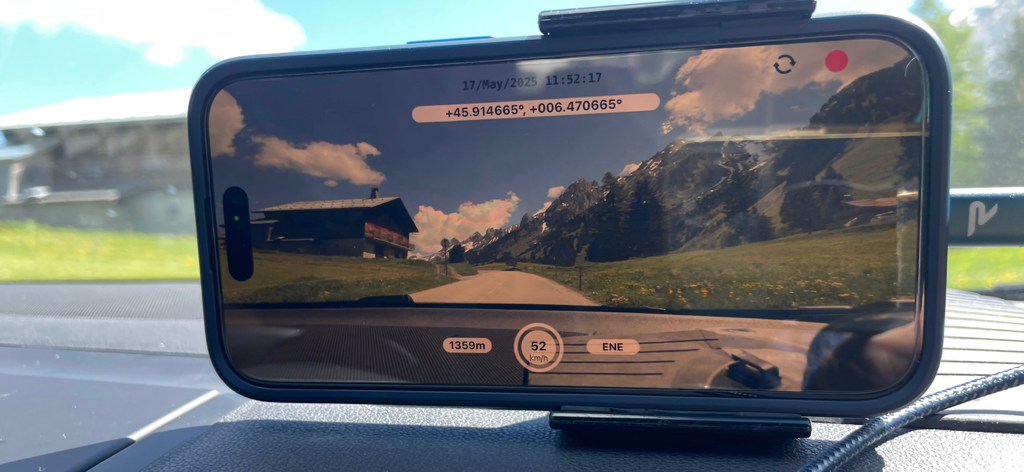
ダッシュボードに取り付けられたiPhoneが、GPSと速度データを示すDashCam Recorderでビデオを録画しています。

ダッシュボードに取り付けられたiPhoneが、GPSと速度データを示すDashCam Recorderでビデオを録画しています。

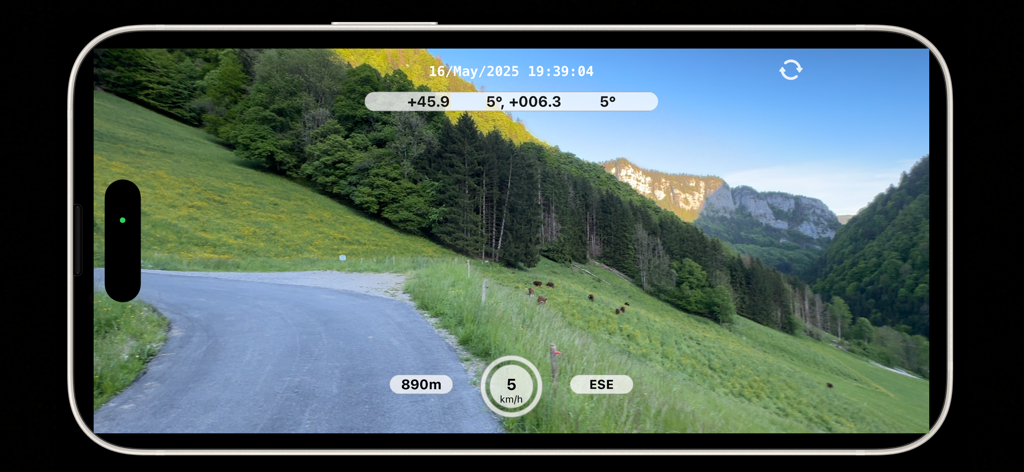
DashCam Recorder iPhoneアプリが、リアルタイムの速度と高度のメタデータオーバーレイ付きの風光明媚な山道を録画しています。

DashCam Recorder iPhoneアプリが、リアルタイムの速度と高度のメタデータオーバーレイ付きの風光明媚な山道を録画しています。

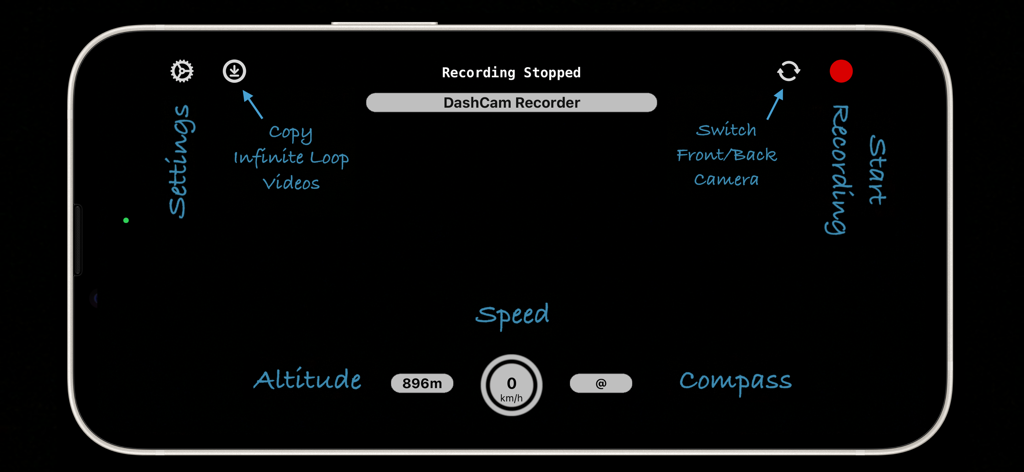
iPhone上のDashCam Recorderアプリのランドスケープビュー。速度、高度、コンパス、録画コントロールなどの機能が強調されています。

iPhone上のDashCam Recorderアプリのランドスケープビュー。速度、高度、コンパス、録画コントロールなどの機能が強調されています。

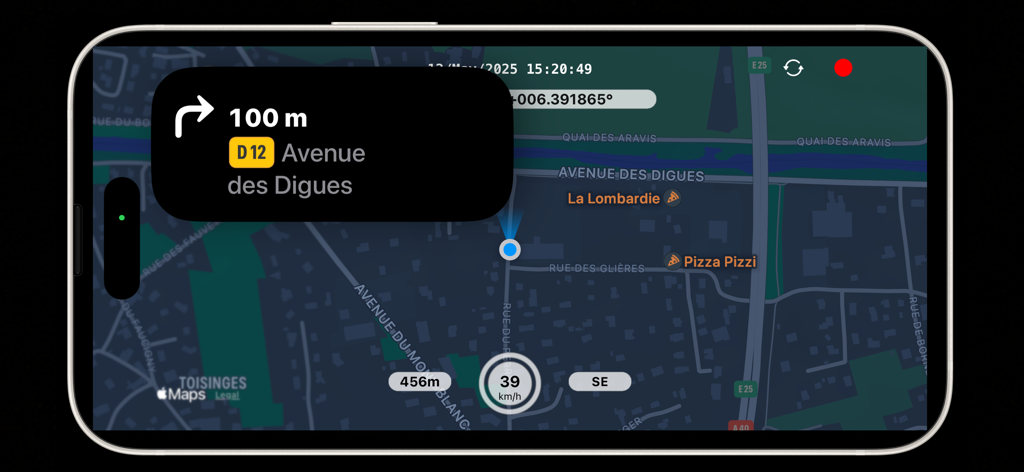
DashCam RecorderアプリのiPhoneインターフェース。ナビゲーション指示、現在の速度、高度、GPS座標が表示された地図を示しています。

DashCam RecorderアプリのiPhoneインターフェース。ナビゲーション指示、現在の速度、高度、GPS座標が表示された地図を示しています。

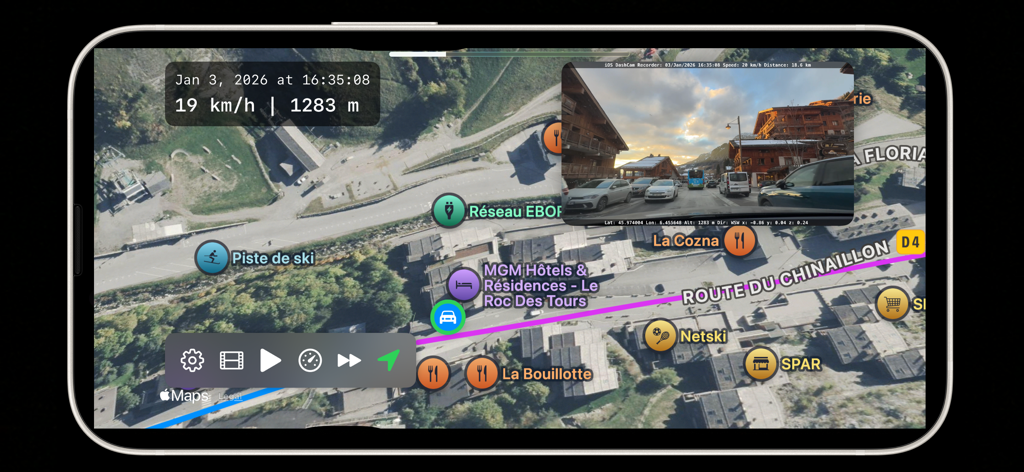
DashCam Recorderアプリが、速度と高度のメタデータと共に衛星地図上に記録された走行を表示しています。

DashCam Recorderアプリが、速度と高度のメタデータと共に衛星地図上に記録された走行を表示しています。

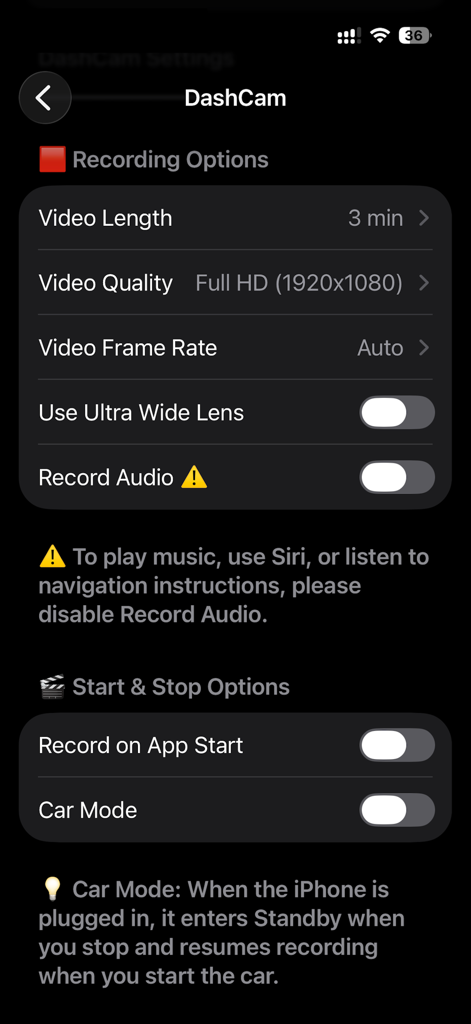
DashCam Recorderアプリの設定画面。録画および開始/停止オプションが表示されています。

DashCam Recorderアプリの設定画面。録画および開始/停止オプションが表示されています。

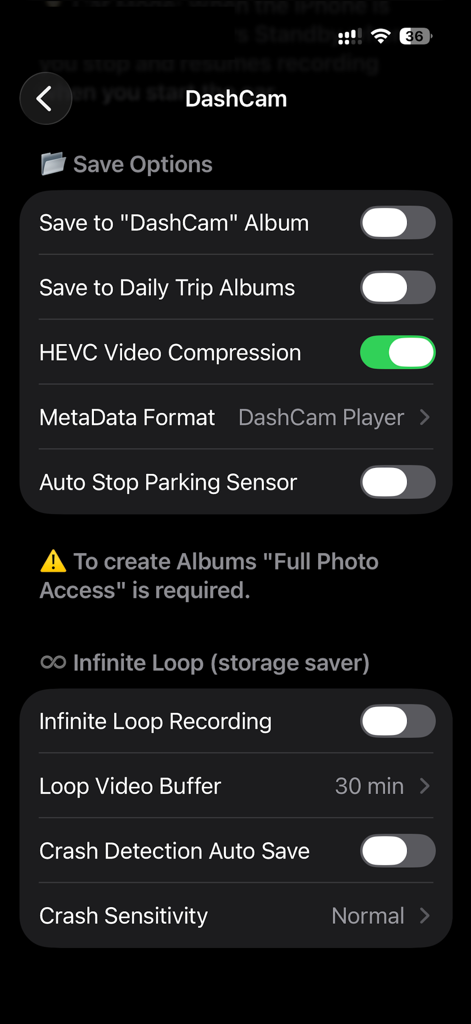
DashCam Recorderアプリの設定インターフェース。保存オプションとループ録画機能が表示されています。

DashCam Recorderアプリの設定インターフェース。保存オプションとループ録画機能が表示されています。

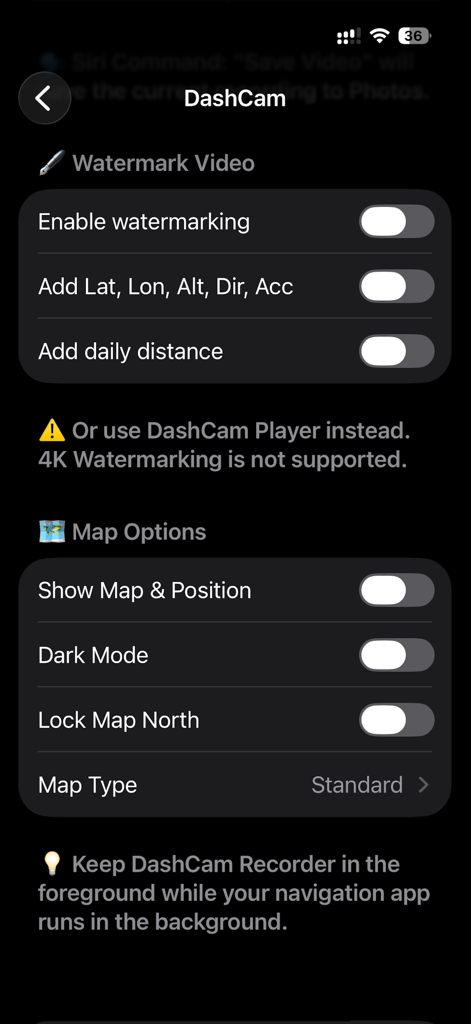
DashCam Recorderの設定画面。GPSメタデータ付きのビデオウォーターマークと地図表示設定のオプションが表示されています。

DashCam Recorderの設定画面。GPSメタデータ付きのビデオウォーターマークと地図表示設定のオプションが表示されています。

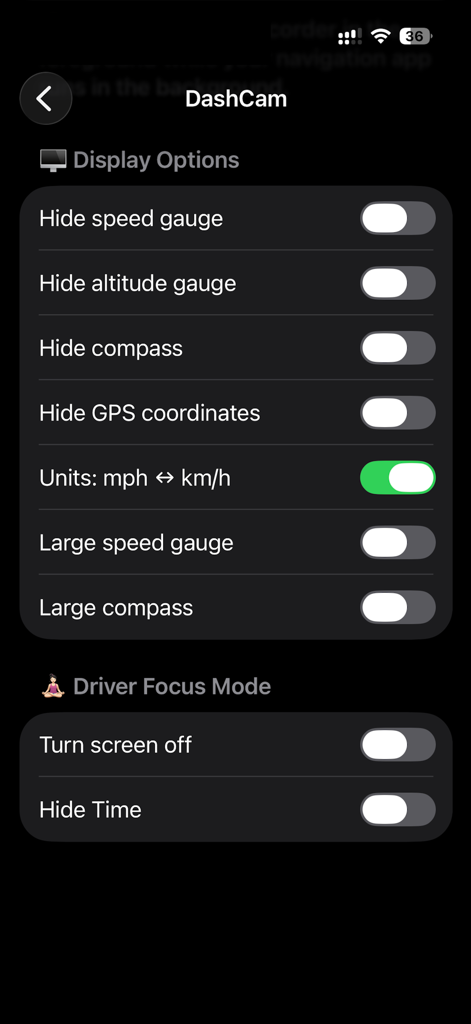
DashCam Recorderアプリの設定画面。表示オプションとドライバーフォーカスモードのトグルが表示されています。

DashCam Recorderアプリの設定画面。表示オプションとドライバーフォーカスモードのトグルが表示されています。

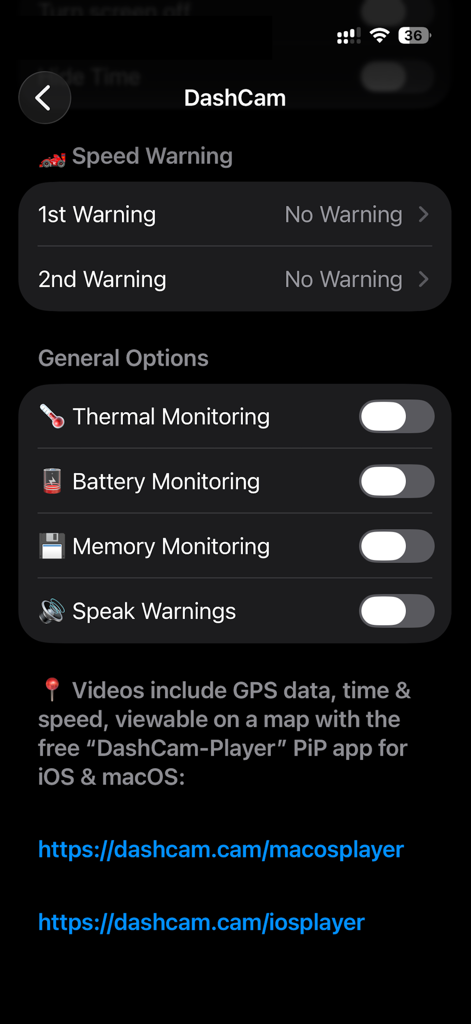
DashCam Recorderアプリの設定画面。システム監視と速度警告オプションが表示されています。

DashCam Recorderアプリの設定画面。システム監視と速度警告オプションが表示されています。

スマート運転保護、シンプルに

このアプリを際立たせるツール、 19K+ 人のユーザーが選択.

🆓

完全無料、サブスクリプションなし

ハードウェアや月額料金の支払いをやめましょう。高画質録画、自動開始、GPS追跡を無料(広告なし、サインアップなし、完全プライバシー)で利用できます。

🛡️

スマートインシデント保護

自動衝突センサーとループ録画により、重要な証拠が常に保存されます。Siriでハンズフリーで「ビデオを保存」し、安全に運転に集中しましょう。

📍

検証済み証拠とメタデータ

GPS、速度、時刻データを埋め込んで、あなたの主張を証明しましょう。保険請求や「彼が言った、彼女が言った」の論争からあなたを守るのに最適です。

アプリについて

について知っておくべきこと DashCam Recorder.

説明

Keep your eyes on the road while DashCam Recorder turns your iPhone into a private, high-quality dashcam. Continuously record video with GPS, speed, altitude, accelerometer and date/time metadata. Replay your drives on a map with the free iOS & macOS DashCam-Player apps. Truly free – no ads, no subscriptions, no signups, no "pro" version. Auto-start, loop recording, crash sensor, video compression, and driver focus mode for safe, reliable operation. Why DashCam is different: • High-quality video – stabilised recording at up to your device’s maximum resolution and frame rate • Complete metadata – GPS location, speed, altitude, date and time, accelerometer. Embed in an invisible track or as a watermark/overlay • Replay and explore – view your drives on a map with the free macOS & iOS DashCam Player app Key Benefits: • Easy and reliable – start recording with one tap, auto-start, loop recording, crash sensor, and Driver Focus mode (screen off) • Seamless integration – sync videos with iCloud and save directly to Photos. Works with Siri, Navigation, and Music in the background • Adjustable recording – set video length (1 to 15 minutes) and choose front or back camera, landscape or portrait Why choose DashCam over a physical DashCam? • High-quality video recording – with advanced stabilisation and ultra-wide camera support • Enhanced privacy and security – recordings are protected with Face ID or Touch ID • Easy access to your videos – via iCloud or AirDrop • Use navigation and music apps in the background while recording • Free to use – perfect for giving older iPhones a second life Technical Highlights: • Automatic and superb video stabilisation • HEVC video compression, same quality but 30% to 50% smaller filesize • Embed GPS, speed, altitude, time + date and accelerometer as metadata • Add an Overlay / Watermark to the video with above data • Save videos to daily trip albums, add daily driving distance to the Overlay / Watermark • Save a video instantaniously to Photos with Siri: "Save Video" • Display a Map with your current position (use a Navigation App in the background for verbal instructions) • Infinite loop with automatic saving of crash events • Parking sensor – pause and resume recording automatically • Thermal and battery monitoring to protect your device • Autostart - Start/Stop recording with car (when plugged in) Tips and Notes: • Use flight mode for uninterrupted recording • Check local DashCam laws before use • DashCam Player for iOS & macOS displays route, speed, and all metadata Website and Support: • https://dashcam.cam – manual, FAQs, and macOS app downloads Do you like this app? Check out our macOS app, ADS-B Radar, for professional-grade flight tracking with your own ADS-B receiver: https://apps.apple.com/app/id1538149835 Disclaimer: This app is provided for personal use only. Always operate your vehicle safely and in compliance with local laws. Do not interact with the app while driving. The developer is not responsible for any accidents, damages, or legal issues arising from use of the app.

最新バージョン

2.9

サイズ

18.6 MB

リリース日

2024年4月17日

サブスクリプション料金なしでドライブを守る

DashCam Recorderを信頼する全米の数千人のドライバーに加わりましょう。高画質セキュリティと安心を。広告なし、アカウント登録なし、隠れたコストなし—全ての走行距離をプロ品質で保護します。

ダウンロード: App Store

App information, icons, screenshots, and descriptions displayed on this page are sourced from the Apple App Store and are the property of their respective developers. Download estimates and rankings are based on MWM's proprietary models and may not reflect actual figures. This page is provided for informational and analytical purposes only.

Believe this page infringes your intellectual property? File a dispute