DIC COLOR GUIDE

DIC COLOR GUIDE

ダウンロード: App Store
ロゴ: DIC COLOR GUIDE

DICカラーガイド:グローバルな色の忠実度を支えるプロフェッショナルスタンダード

画面と基材の架け橋をマスターしましょう。デザイナーがコンセプトから印刷まで完璧さを求めるなら、2,553色のカラー、校正された精度、そしてシームレスなAdobe連携にアクセスしましょう。

開発元

DICGraphics Corporation

カテゴリ

Reference

ダウンロード

183K+

ユーザー評価

3.7/5

評価数

200

対応言語

3

視覚的な精度

このインターフェースを利用する 183K+ 人のユーザー.

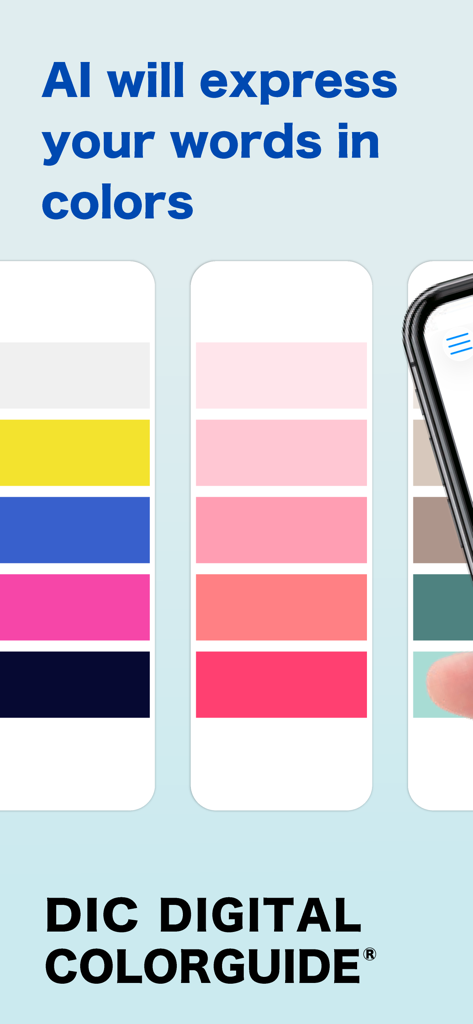
DICデジタルカラーガイドアプリの画面で、単語に基づいたAI生成カラーパレットを表示

DICデジタルカラーガイドアプリの画面で、単語に基づいたAI生成カラーパレットを表示

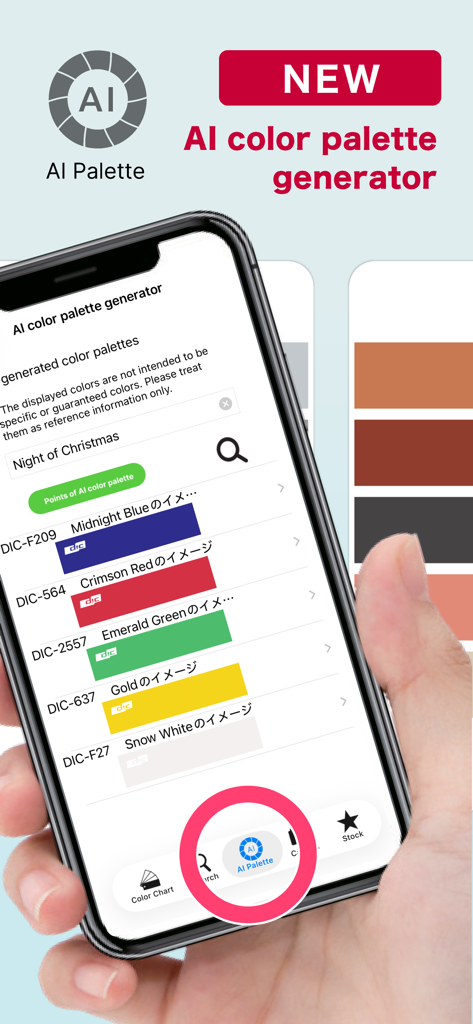
DICカラーガイドアプリのAIカラーパレットジェネレーター機能を表示するスマートフォンの画面、プロフェッショナルカラーのスウォッチリストが表示されている。

DICカラーガイドアプリのAIカラーパレットジェネレーター機能を表示するスマートフォンの画面、プロフェッショナルカラーのスウォッチリストが表示されている。

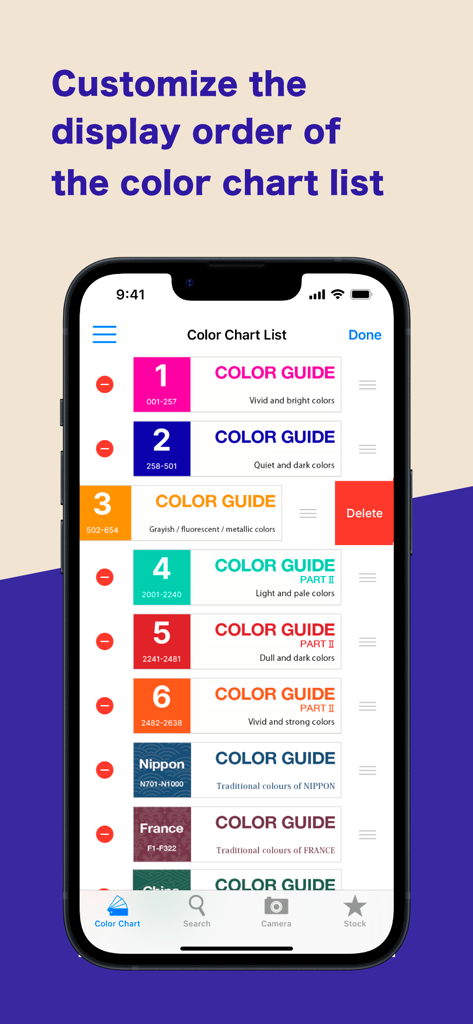
DICカラーガイドアプリのインターフェースで、カラーチャート表示順序のカスタマイズを表示

DICカラーガイドアプリのインターフェースで、カラーチャート表示順序のカスタマイズを表示

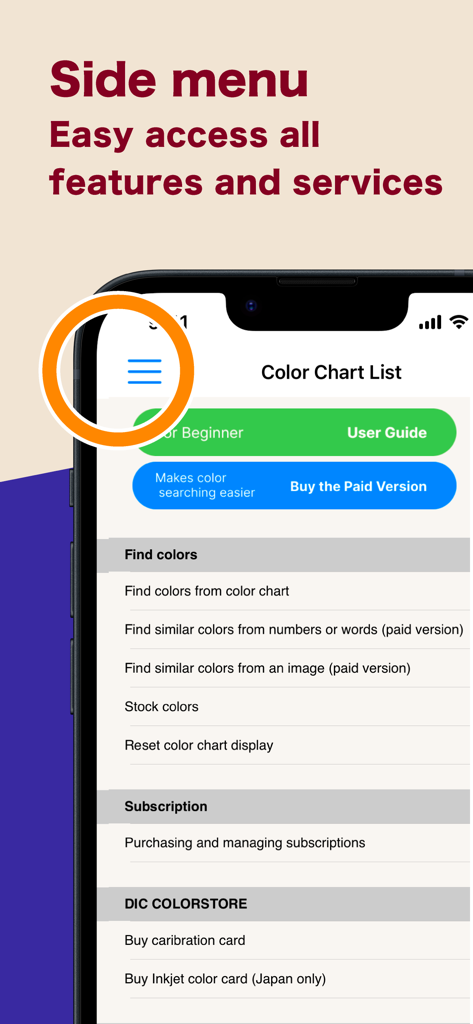
DICカラーガイドアプリのサイドメニューインターフェースで、機能やサービスへのナビゲーションを表示

DICカラーガイドアプリのサイドメニューインターフェースで、機能やサービスへのナビゲーションを表示

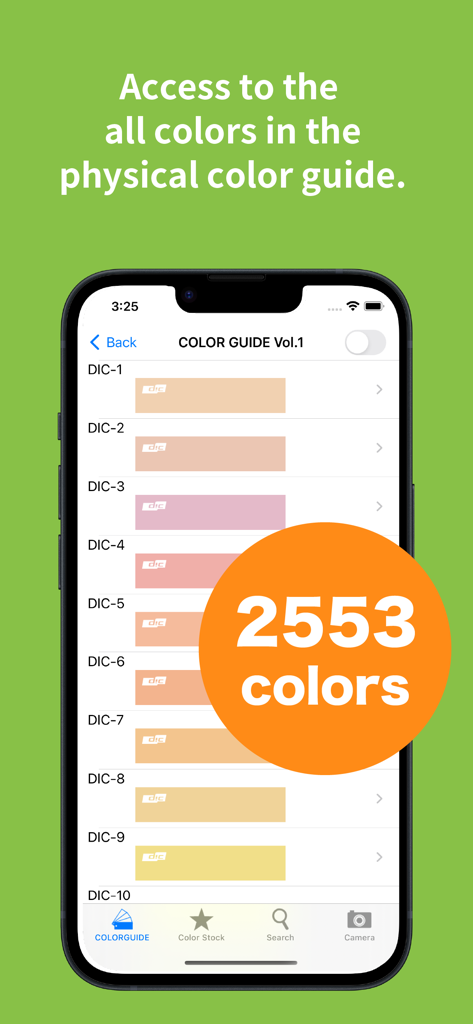
DICカラーガイドアプリの2553色のデジタルライブラリを表示するスマートフォン画面

DICカラーガイドアプリの2553色のデジタルライブラリを表示するスマートフォン画面

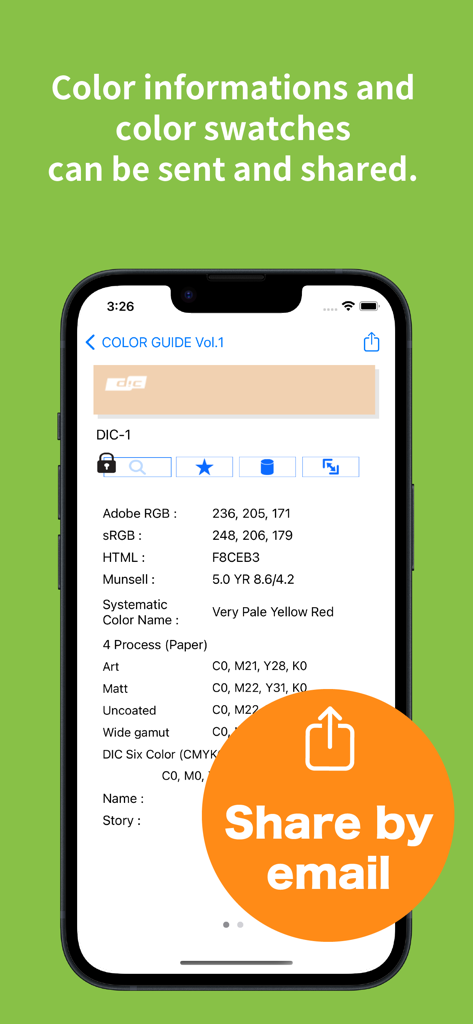
DICカラーガイドアプリの画面でRGBおよびCMYK値を表示し、メールで共有ボタンを表示

DICカラーガイドアプリの画面でRGBおよびCMYK値を表示し、メールで共有ボタンを表示

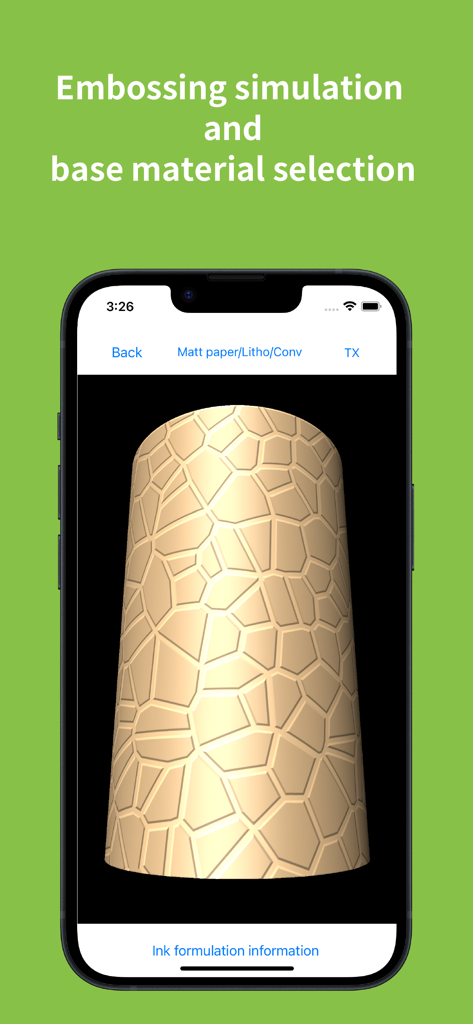
DICカラーガイドアプリの画面で、エンボス加工シミュレーションとテクスチャ加工された3Dオブジェクトのベース素材選択を表示

DICカラーガイドアプリの画面で、エンボス加工シミュレーションとテクスチャ加工された3Dオブジェクトのベース素材選択を表示

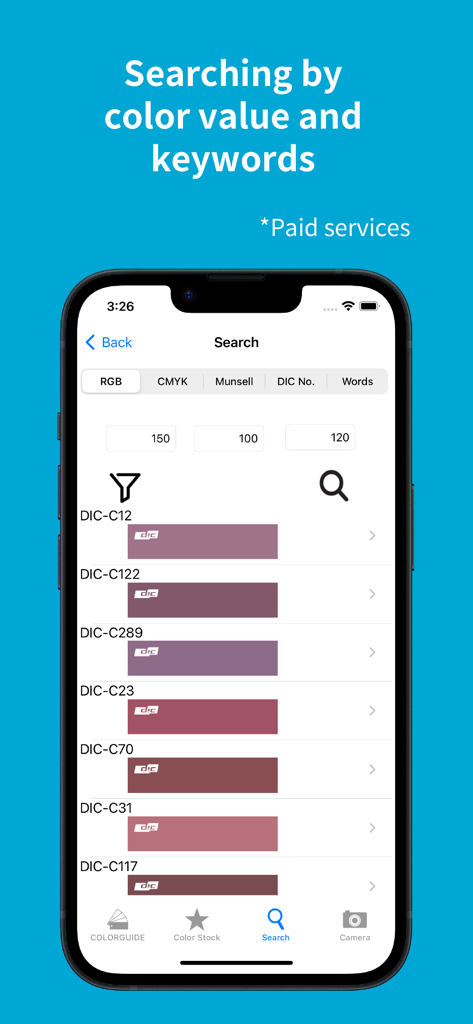
DICカラーガイドアプリの検索インターフェースで、RGB値に基づいたカラー結果を表示

DICカラーガイドアプリの検索インターフェースで、RGB値に基づいたカラー結果を表示

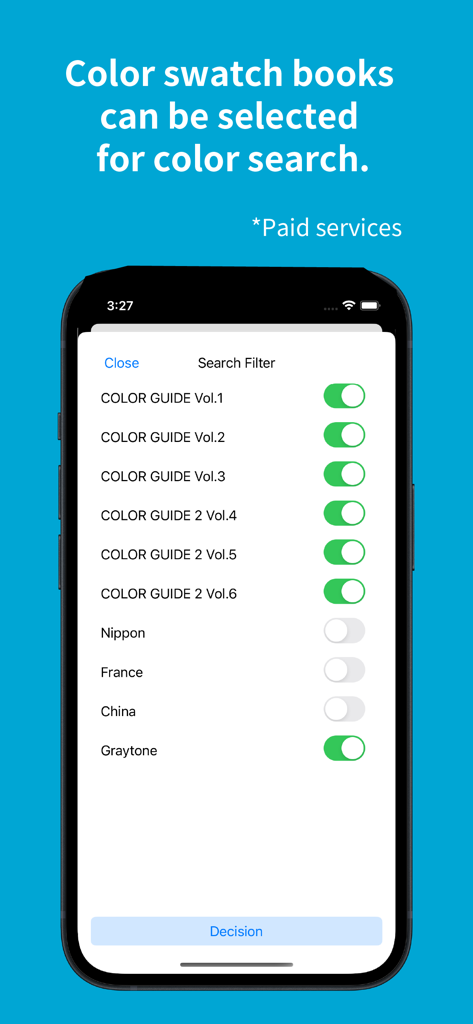
DICカラーガイドアプリのインターフェースで、様々なカラーチャートブックや伝統色ライブラリの検索フィルターを表示

DICカラーガイドアプリのインターフェースで、様々なカラーチャートブックや伝統色ライブラリの検索フィルターを表示

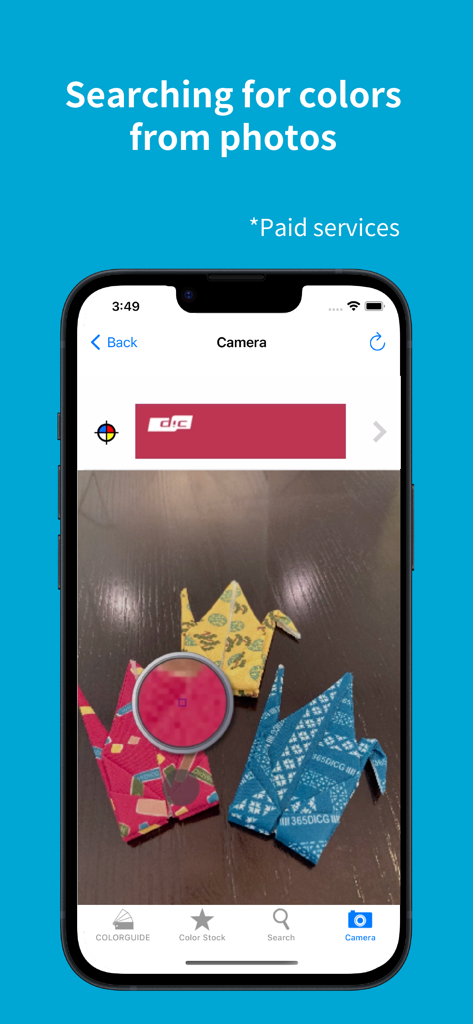
DICカラーガイドアプリのインターフェースで、スマートフォンカメラを使用した写真検索機能を表示

DICカラーガイドアプリのインターフェースで、スマートフォンカメラを使用した写真検索機能を表示

グローバルデザイナーのための精密カラーツール

このアプリを際立たせるツール、 183K+ 人のユーザーが選択.

🏗️

基材&テクスチャシミュレーション

金属、フィルム、様々な紙などの特定の基材上でブランドカラーを視覚化し、物理的な制作の精度を保証します。

シームレスなAdobe連携

スウォッチデータ、インキ混合比率、CMYK値を直接IllustratorやPhotoshopにエクスポートして、スタジオワークフローを合理化しましょう。

🎯

科学的なカラー精度

標準D50/D65光源下で実世界のカラーをキャプチャするための高度なカメラキャリブレーションを活用し、環境による偏りを排除します。

アプリについて

について知っておくべきこと DIC COLOR GUIDE.

説明

This is a digital color library of the DIC Color Guide, a color sample book with the top market share in Japan. Please use the Guide as a color communication tool that allows you to select, stock, communicate, and share your favorite colors from a selection of 2,553 colors. This app has been provided free of charge since 2011 and has proved very popular. [Key Features] (Some features require a subscription.) - You can check the ink blending ratio to reproduce the colors of the DIC Color Guide in print. - You can use a pre-taken photographic image to call up a similar color from the Color Guide. (Subscription) - You can check the visual texture of DIC Color Guide colors printed on the substrate you wish to use (various types of paper, metal, and film). - The color library “Traditional Colors Series (Japan, France, China)” allows you to browse all the color names from these countries, and their origins. - Selected colors can be stocked together and text notes can be added. - Color swatch data from Adobe's Illustrator and Photoshop graphic software, RGB values, CMYK values, and other data can be sent by e-mail. -Calibration cards* can be used to convert colors under various light sources, such as sunlight, indoor fluorescent light, LED, etc., to pseudo colors that are the same as when the image is taken under a standard light source (D50/D65).  This allows for the same color reproduction as when shooting under standard light sources without concern for the light source at the time of shooting. (Subscription) *In rare cases, jaggies or moiré may appear after calibration is performed.  *Calibration cards must be purchased separately online from the DIC Graphics store (DIC Color Store). We will ship about 2 weeks after your order is placed.  Precautions for using the calibration card ・To obtain good search results, you will need a mobile device that supports the calibration card, a bright environment, and a clean camera lens. ・Please take pictures in a well-lit place (office: approx. 700 lux; 10 am on a sunny day: approx. 65,000 lux). When photographing the calibration card, make sure that light does not reflect or cast shadows on the card surface. The calibration function may not work properly.  ・When searching from DIC Color Guide images, search results may differ depending on factors such as the age of the Color Guide, its condition, and color changes.  ・Calibration cards are valid for one year. Due to inventory and shipping issues, the calibration card may be valid for more than one year at the time of delivery.  ・The expiration date of the calibration card is displayed on the Subscription Management Screen of the Digital Color Guide app. [Please note] If a film, glass, or other material is attached to the display surface of the device, the color may be affected by the color of the material, resulting in a discoloration of the displayed color. We recommend having no film, glass, etc. on the surface of the device. When viewing the screen, please set the brightness to the maximum brightness of each device. [Disclaimer] We make doubly sure that all information and values are correct, but give you no guarantee of those. Please note that all information and values are for reference only. We will never make restitution, if using this application may cause any damage or trouble.

最新バージョン

6.1.1

サイズ

90.9 MB

リリース日

2010年12月6日

グローバルスタンダードのカラー精度をマスターする

デジタルビジョンと物理的な現実のギャップを埋めましょう。DICカラーガイドをダウンロードして、2,553色のプロフェッショナルカラー、基材プレビュー、そしてAdobe連携にアクセスし、最も要求の厳しいグローバルプロジェクトに活用しましょう。

ダウンロード: App Store

App information, icons, screenshots, and descriptions displayed on this page are sourced from the Apple App Store and are the property of their respective developers. Download estimates and rankings are based on MWM's proprietary models and may not reflect actual figures. This page is provided for informational and analytical purposes only.

Believe this page infringes your intellectual property? File a dispute