Downcast

Downcast

ダウンロード: App Store
ロゴ: Downcast

Downcast:パワーリスナーのための究極のコマンドセンター

詳細な管理、スマートプレイリスト、すべてのAppleデバイスでのシームレスな同期機能で、ライブラリを完全にコントロールしましょう。ポッドキャストを主要な情報源として扱うプロフェッショナルのために設計されています。

開発元

Jamawkinaw Enterprises LLC

カテゴリ

News

ダウンロード

282K+

ユーザー評価

4.3/5

評価数

10K+

対応言語

1

コンテンツを管理する

このインターフェースを利用する 282K+ 人のユーザー.

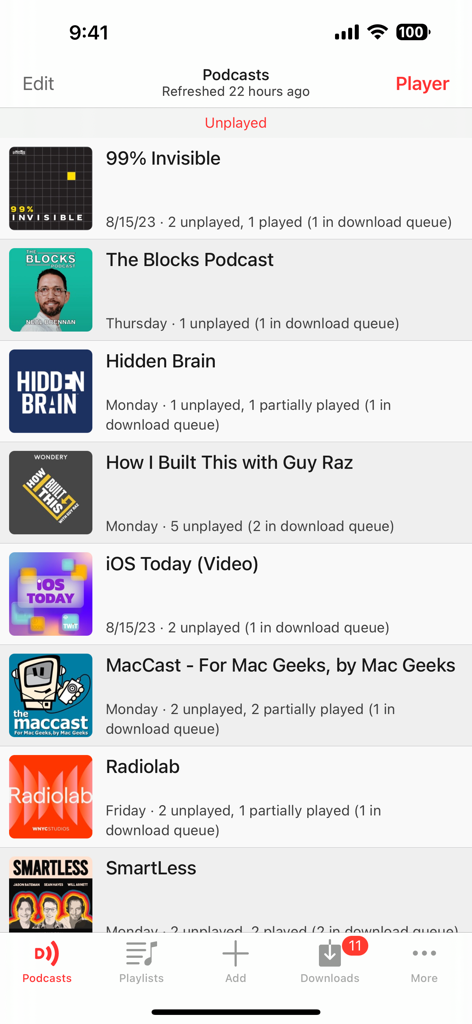
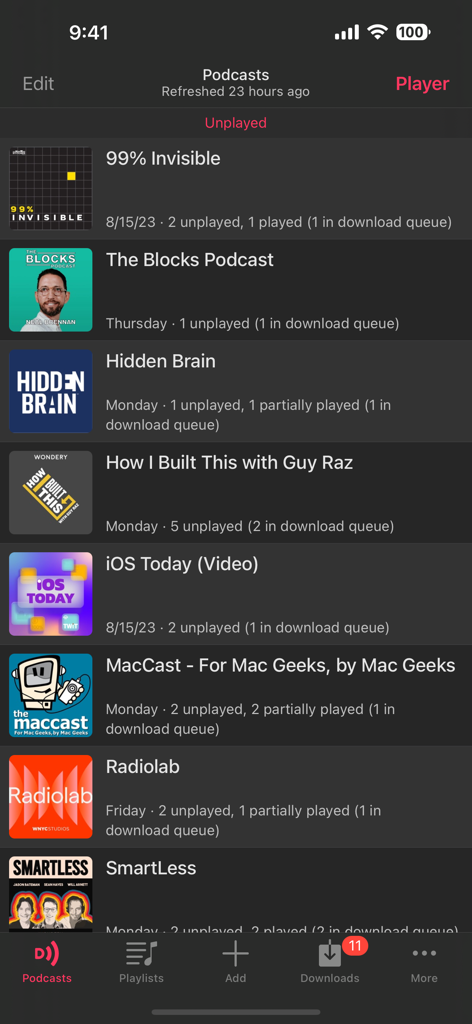
Downcastアプリのインターフェース。購読しているポッドキャストのリストと未再生エピソードのステータスが表示されています。

Downcastアプリのインターフェース。購読しているポッドキャストのリストと未再生エピソードのステータスが表示されています。

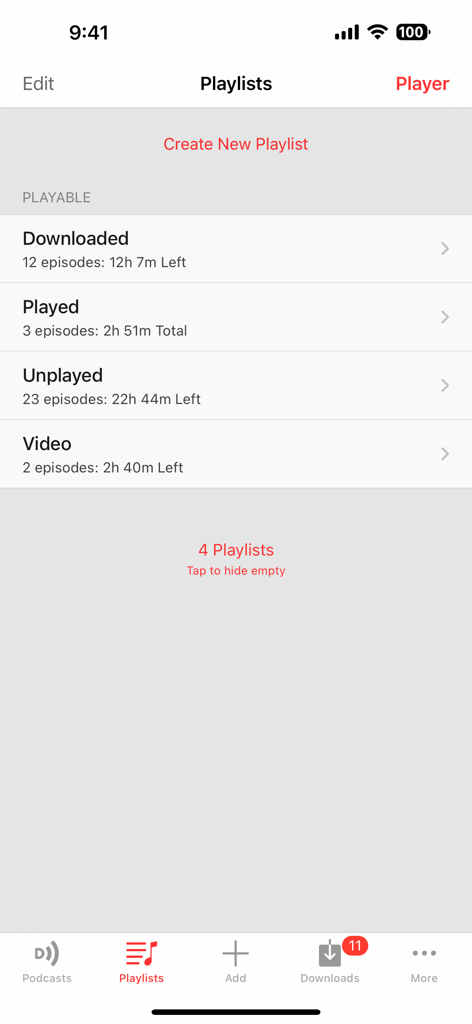
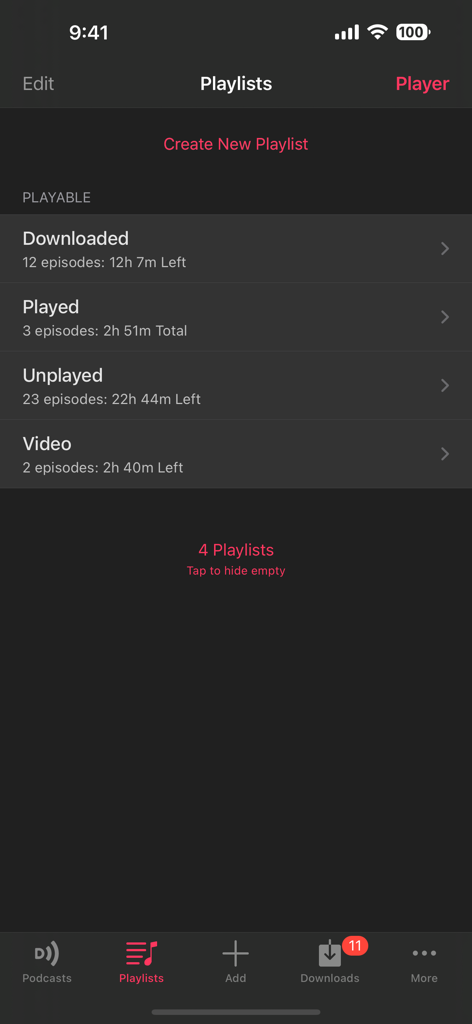
Downcastアプリのプレイリスト画面。ダウンロード済み、再生済み、未再生のポッドキャストエピソードのカテゴリが表示されています。

Downcastアプリのプレイリスト画面。ダウンロード済み、再生済み、未再生のポッドキャストエピソードのカテゴリが表示されています。

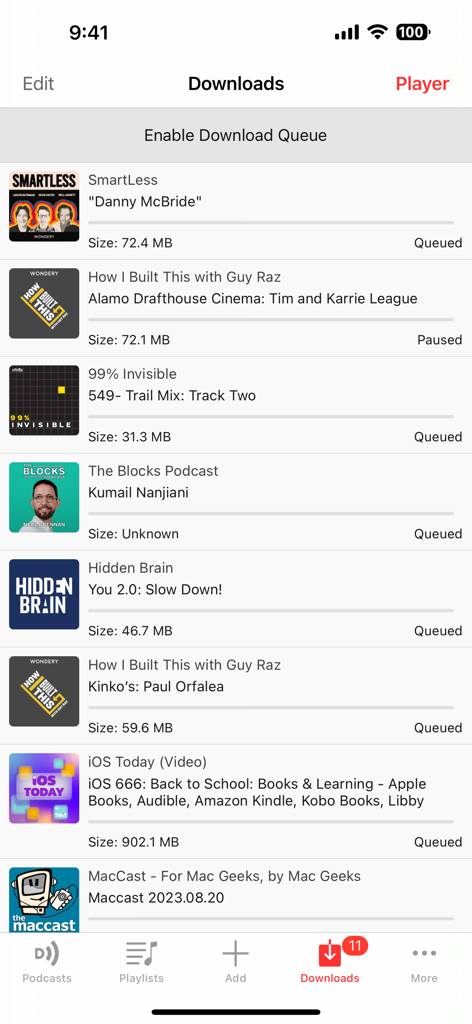
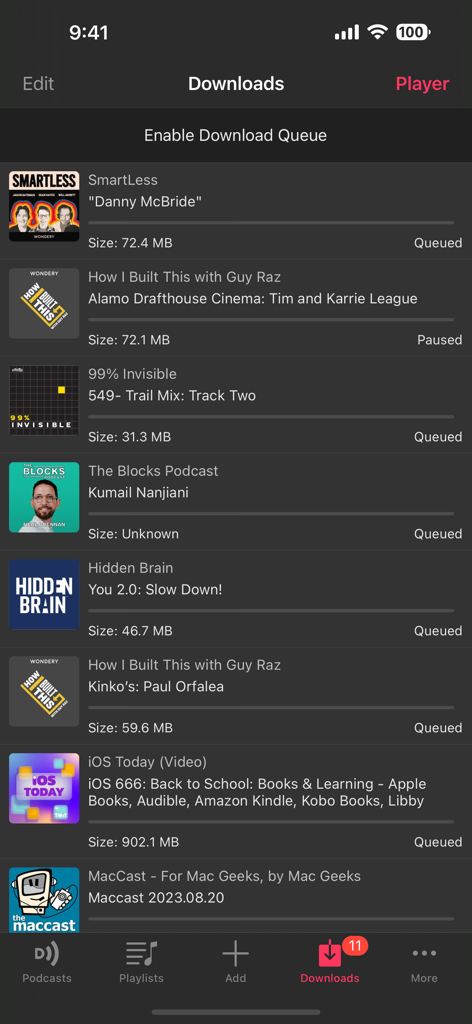
Downcastモバイルアプリでダウンロードキューにあるポッドキャストエピソードのリスト。

Downcastモバイルアプリでダウンロードキューにあるポッドキャストエピソードのリスト。

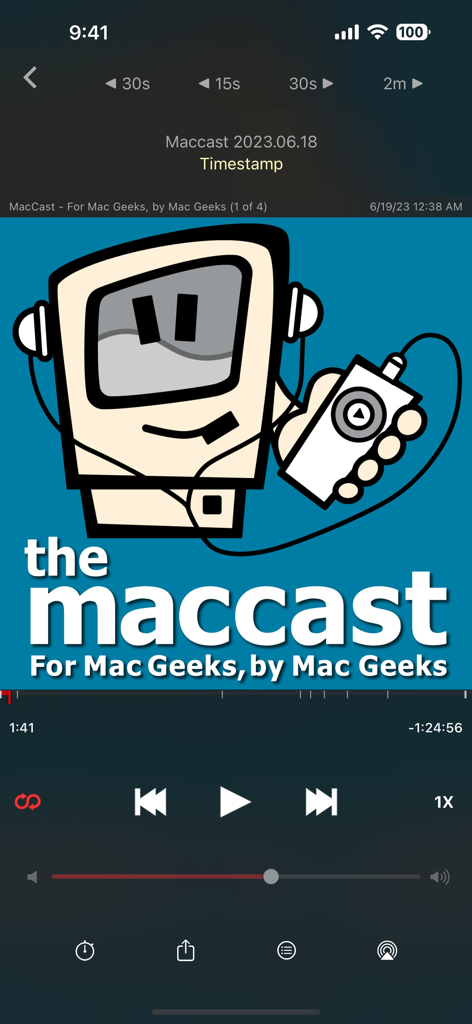
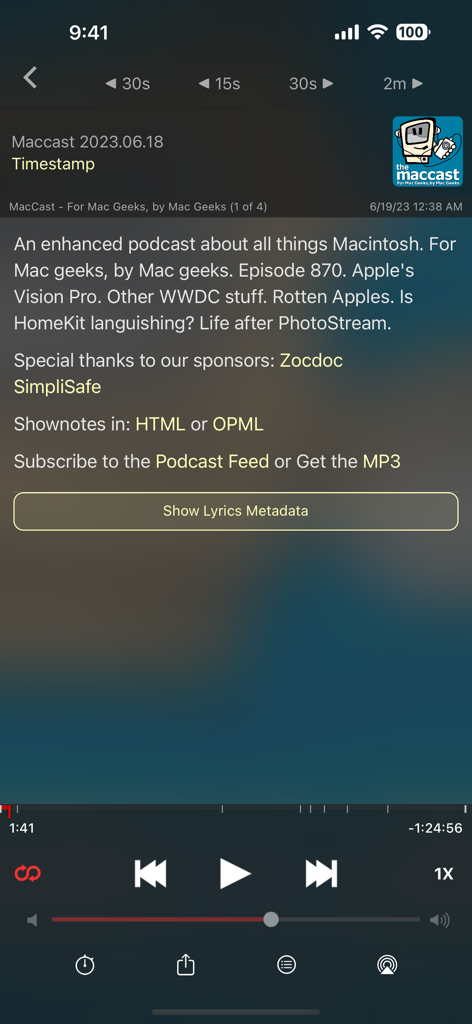
Downcastポッドキャストアプリの再生中インターフェース。オーディオコントロールとMaccastのアートワークが表示されています。

Downcastポッドキャストアプリの再生中インターフェース。オーディオコントロールとMaccastのアートワークが表示されています。

Downcastアプリのインターフェース。詳細なポッドキャストエピソードのショーノートと再生コントロールが表示されています。

Downcastアプリのインターフェース。詳細なポッドキャストエピソードのショーノートと再生コントロールが表示されています。

Downcastアプリのライブラリのスクリーンショット。さまざまなポッドキャストの購読と未再生エピソードのステータスが表示されています。

Downcastアプリのライブラリのスクリーンショット。さまざまなポッドキャストの購読と未再生エピソードのステータスが表示されています。

Downcastアプリのプレイリスト画面。ダウンロード済み、再生済み、未再生のポッドキャストエピソードのスマートフォルダが表示されています。

Downcastアプリのプレイリスト画面。ダウンロード済み、再生済み、未再生のポッドキャストエピソードのスマートフォルダが表示されています。

Downcastアプリのダウンロード画面のスクリーンショット。ダウンロードキューにあるポッドキャストエピソードのリストと、ダウンロードが一時停止されているエピソードが表示されています。

Downcastアプリのダウンロード画面のスクリーンショット。ダウンロードキューにあるポッドキャストエピソードのリストと、ダウンロードが一時停止されているエピソードが表示されています。

プロフェッショナルグレードのポッドキャストコントロール

このアプリを際立たせるツール、 282K+ 人のユーザーが選択.

高効率再生

最大3倍速の再生速度、簡単なナビゲーションのためのチャプターサポート、そして毎日の時間を節約するための無音スキップ機能で、学習を最適化しましょう。

⚙️

詳細なフィード管理

ポッドキャストごとのカスタム設定(自動ダウンロードとエピソード保持)に加え、パスワード保護されたフィードやプライベートRSSフィードのサポートにより、完全にコントロールできます。

🔄

シームレスなエコシステム同期

信頼性の高いiCloud同期(サブスクリプションとスマートプレイリスト)により、iPhone、iPad、Apple Watch、Mac間で中断したところからすぐに再開できます。

アプリについて

について知っておくべきこと Downcast.

説明

A powerful, complete, and easy to use podcast player that will help you manage and listen to podcasts the way you want to. Now with CarPlay support! "Downcast: Probably The Best Podcast Downloader for iPad and iPhone" - Wired Gadget Lab Subscription Features • Search, subscribe to and download audio and video podcasts of any size • Manually subscribe to podcasts via URL • Download podcasts automatically • Continue podcast downloads in the background* • Browse and download older podcast episodes • Auto-refresh podcast feeds • Settings for auto-download and episode retention • Import and export podcast feeds via OPML • Import supported audio/video media files • Support for password-protected podcasts • Create and edit "smart" playlists • View podcast details and episode show notes • Rename podcast titles iCloud Syncing with other iOS devices or Macs** • Podcast subscriptions • Playlists • Settings • Episode information Playback Features • Video and audio AirPlay support • .5x, 1x, 1.25x, 1.5x, 2x, 2.25x, 2.5x and 3x speed playback • Chapters support for enhanced podcasts • Stream episodes without downloading • Playback control from external devices • Bluetooth devices • Headphone remote controls • Devices connected via Lightning/dock connector • View embedded images in podcast episodes • Gesture support • Sleep timer • Google Cast™ Ready ----------------------------------------- For support, please search our support site at http://support.downcastapp.com or email us at support@downcastapp.com! For the latest information about Downcast, please follow @downcastapp on Twitter! * Per iOS restrictions ** iCloud syncing with Macs requires Downcast for Mac, which is a separate purchase from the Mac App Store

最新バージョン

2.11.33

サイズ

45.0 MB

リリース日

2010年10月1日

ポッドキャストライブラリを完全に管理する

基本的なアプリに満足できない28万人以上のパワーユーザーに加わりましょう。今日から、すべてのAppleデバイスでスピード、カスタマイズ、シームレスなiCloud同期の究極を体験してください。

ダウンロード: App Store

App information, icons, screenshots, and descriptions displayed on this page are sourced from the Apple App Store and are the property of their respective developers. Download estimates and rankings are based on MWM's proprietary models and may not reflect actual figures. This page is provided for informational and analytical purposes only.

Believe this page infringes your intellectual property? File a dispute