Easy Draw: Learn How to Draw

Easy Draw: Learn How to Draw


ダウンロード: App Storeダウンロード: Google Play
ロゴ: Easy Draw: Learn How to Draw
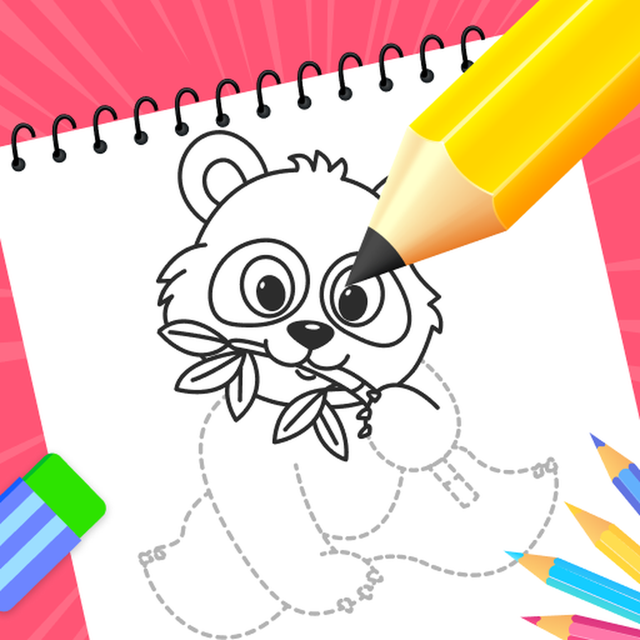
簡単お絵かき:ステップバイステップのガイド付きレッスンで何でも描く方法を学ぶ

アニメ、動物など、あらゆるものを描くための、一口サイズのチュートリアルで創造性を解き放ちましょう。子供から趣味で描く人まで、あなたのパーソナルデジタル講師と一緒にスケッチの技術をマスターしましょう。

開発元

CEM SOFTWARE COMPANY LIMITED

カテゴリ

Education

ダウンロード

120K+

ユーザー評価

4.2/5

評価数

500

対応言語

10

制作中の傑作

このインターフェースを利用する 120K+ 人のユーザー.

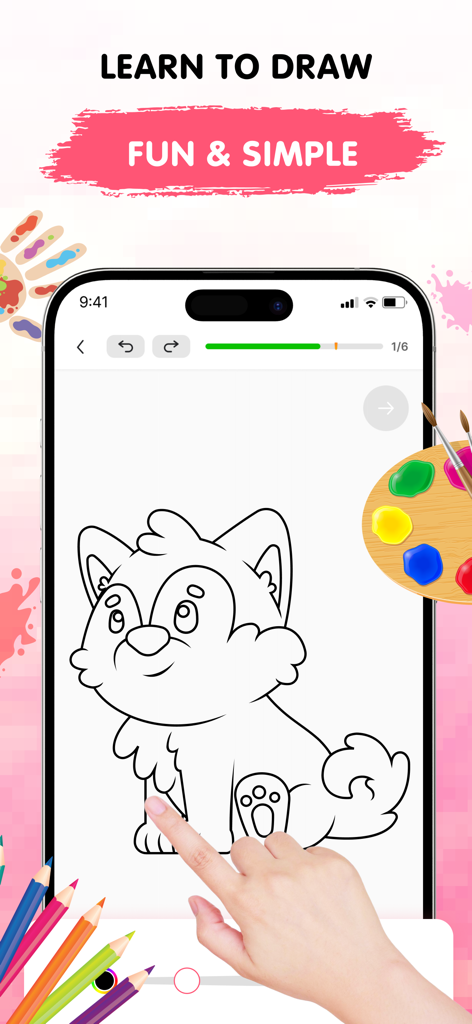
簡単お絵かきアプリで、スマートフォンの画面に子犬の可愛い絵をステップバイステップで描くチュートリアルが表示されている様子

簡単お絵かきアプリで、スマートフォンの画面に子犬の可愛い絵をステップバイステップで描くチュートリアルが表示されている様子

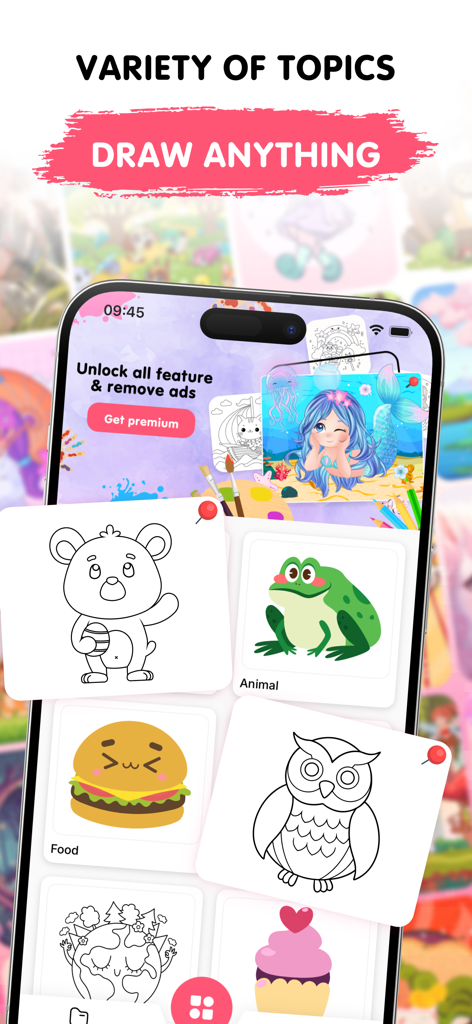
簡単お絵かきというモバイルアプリのインターフェースで、動物、食べ物、環境などの描画カテゴリが可愛いイラストで表示されている様子

簡単お絵かきというモバイルアプリのインターフェースで、動物、食べ物、環境などの描画カテゴリが可愛いイラストで表示されている様子

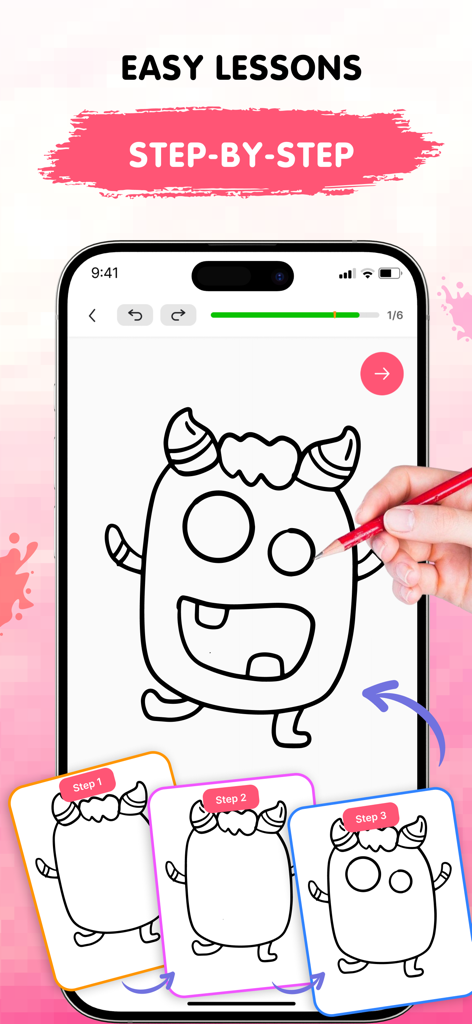
簡単お絵かきモバイルアプリで、モンスターのチュートリアルのステップバイステップ描画レッスンが表示されている様子

簡単お絵かきモバイルアプリで、モンスターのチュートリアルのステップバイステップ描画レッスンが表示されている様子

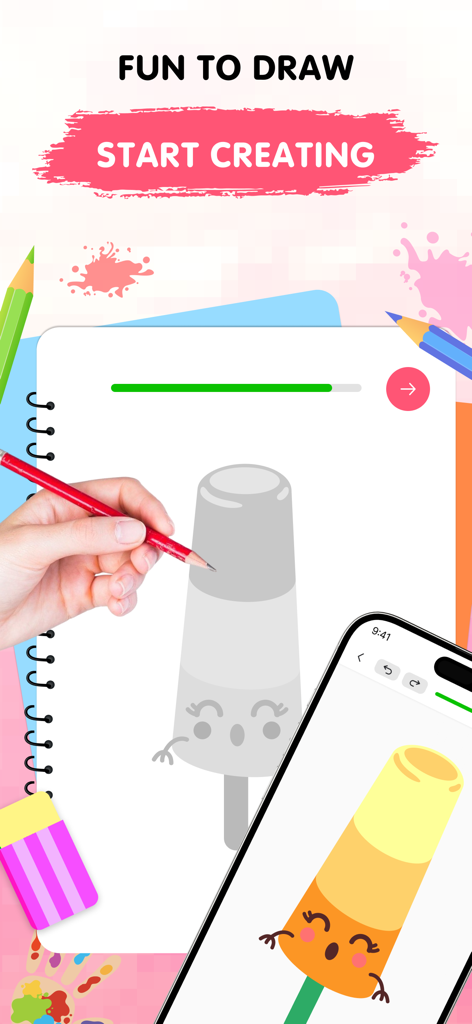
スケッチブックにかわいいアイスキャンディのキャラクターを描いている手と、完成した色付きバージョンが表示されているスマートフォン

スケッチブックにかわいいアイスキャンディのキャラクターを描いている手と、完成した色付きバージョンが表示されているスマートフォン

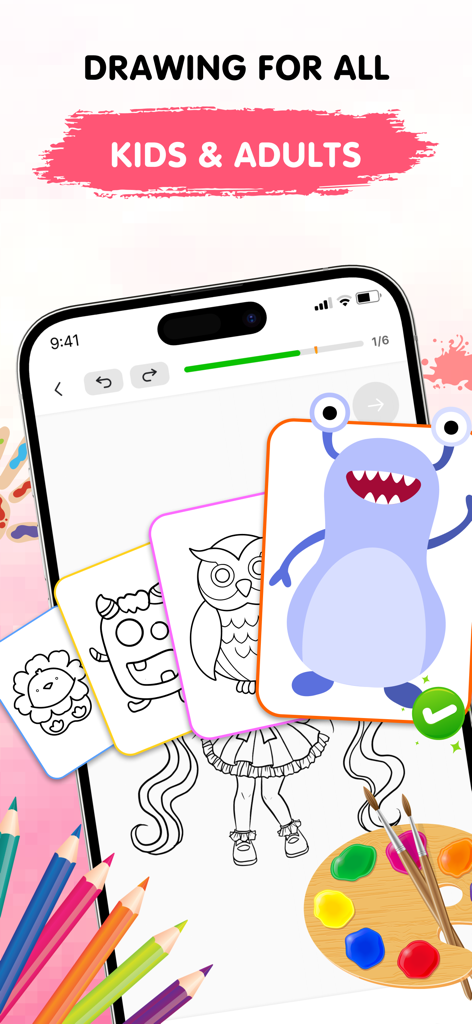
簡単お絵かきアプリのインターフェースで、子供と大人のための描画チュートリアル、ステップバイステップレッスンを紹介している様子

簡単お絵かきアプリのインターフェースで、子供と大人のための描画チュートリアル、ステップバイステップレッスンを紹介している様子

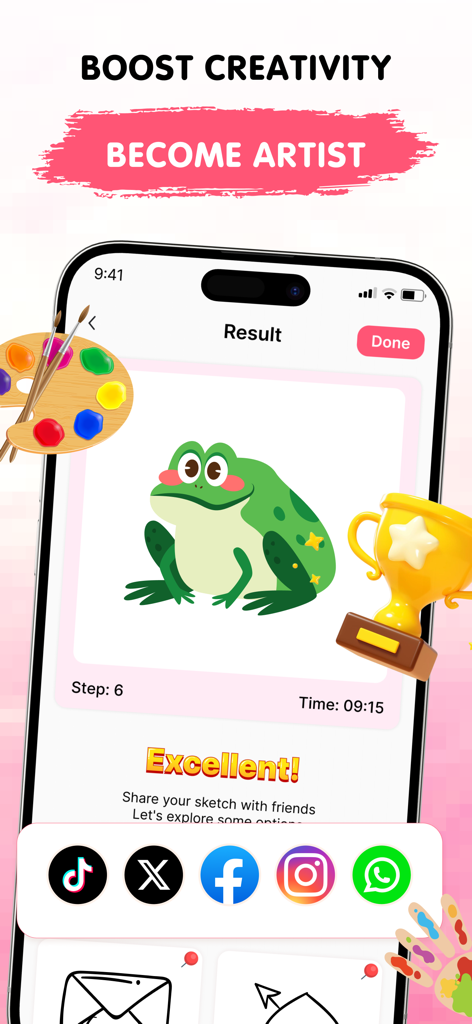
簡単お絵かきアプリで描かれた緑のカエルの完成した絵に、ソーシャル共有アイコンとトロフィーが表示されている様子

簡単お絵かきアプリで描かれた緑のカエルの完成した絵に、ソーシャル共有アイコンとトロフィーが表示されている様子

あなたの内なるアーティストを解き放つ

このアプリを際立たせるツール、 120K+ 人のユーザーが選択.

🧩

一口サイズのレッスン

学習がゲームのように感じられる、シンプルでガイド付きの段階で、複雑なスケッチをマスターしましょう。

⛩️

アニメ&トレンドスタイル

アニメ、かわいい動物、モダンな美学などの人気テーマの成長し続けるライブラリでインスピレーションを保ちましょう。

🛠️

間違いを恐れない創作

元に戻す、やり直し、調整可能なブラシなどの使いやすいデジタルツールを自由に試しましょう。

レビュー分析

ユーザーレビューの分析.

感情スコア

28%
ネガティブ

概要

This drawing app receives predominantly negative feedback from users, with the most significant complaint revolving around an excessive number of intrusive advertisements that frequently interrupt gameplay and even redirect to external websites. Many users also express frustration with the limited free content, unappealing picture choices, and high subscription costs, feeling misled by false advertising that promises features like multiplayer. While some appreciate the app's step-by-step drawing guidance and compatibility with styluses, including the Apple Pencil and cheaper alternatives, these positive aspects are often overshadowed by widespread technical issues such as erratic zooming and random lines appearing on screen.

主なテーマ

Overall Enjoyment(6)
Drawing Guidance(4)
Ad Experience(3)
Stylus Compatibility(3)
App Concept(3)

アプリについて

について知っておくべきこと Easy Draw: Learn How to Draw.

説明

Discover the Easy Draw: Learn How to Draw Ignite your creativity and develop your drawing skills with Easy Draw: Learn How to Draw, your personal art tutor in your pocket. Whether you're just starting out or looking to refine your technique, Easy Draw offers a smooth, guided experience that makes drawing both easy and enjoyable. Explore a relaxing way to sketch and color your favorite subjects—all in one beautifully designed app. [ Why Choose Easy Draw: Learn How to Draw? ] Easy Draw is more than just a drawing app—it’s your creative partner. With simple, clear instructions and an intuitive interface, anyone can learn how to draw step by step. Relax, explore new styles, and watch your art improve with every stroke.  [ Key Features ] *** Variety of Topics From cute animals and cool cars to anime, food, universe, and enviroment— Easy Draw has a growing library of themes for every interest and style. *** Guided Drawing Steps Each tutorial is broken into bite-sized steps, making it easy to follow and perfect for learners at all levels. No pressure—draw at your own pace. *** Easy-to-Use Drawing Tools With simple tools like undo, redo, erase, and reset, you’re free to experiment as much as you like without worry. *** Adjustable Brush Settings Fine-tune your brush and eraser sizes to get just the right touch. Perfect for adding details or filling in color with precision. *** Expressive Color Palette Unleash your creativity with vibrant colors. Each drawing becomes uniquely yours through personalized color choices. *** Save and Share Freely Show off your creations—export your drawings and share them with friends and family with no limits. [ How to Use Easy Draw ] 1. Pick a Lesson Browse our collection of drawings and choose what inspires you. 2. Follow Each Step Tap through each stage and draw along with confidence—no guesswork, just clear guidance. 3. Share Your Art Once you’ve completed your masterpiece, save it or show it off. Your creativity deserves to be seen! Easy Draw is your go-to app for learning how to draw in a calm, encouraging environment. With structured lessons, vibrant themes, and a toolkit built for artists of all kinds, you’ll find yourself creating art you never imagined possible. Download Easy Draw today and bring your drawings to life! Start your creative journey, build your skills, and express yourself—one line at a time. UNLIMITED ACCESS MEMBERSHIP SUBSCRIPTION • You can subscribe to all features within Easy Draw for unlimited access. • Subscriptions are billed weekly, monthly, or yearly at the rate selected depending on the subscription plan. • You can cancel your subscription via this URL: https://support.apple.com/en-us/HT202039 All personal data is protected in accordance with the Terms of Use and Privacy Policy: https://cemsoftwareltd.com/term.html https://cemsoftwareltd.com/privacyPolicy.html

最新バージョン

1.1.1

サイズ

109.0 MB

リリース日

2025年6月3日

最初の傑作を作る準備はできましたか?

何千人もの意欲的なアーティストに加わり、シンプルで段階的なガイドで、お気に入りのアニメ、動物などを描き始めましょう。今すぐ簡単お絵かきをダウンロードして、あなたの創造性を現実にしましょう。

ダウンロード: App Storeダウンロード: Google Play
FAQ

よくある質問

について知っておくべきこと Easy Draw: Learn How to Draw

Easy Draw: Learn How to Drawとは何ですか?

Easy Draw: Learn How to Drawは、ユーザーが描画スキルを向上させるための個人的なアートチューターとして機能するモバイルアプリケーションです。スケッチや彩色をスムーズかつ楽しく体験できます。

Easy Draw: Learn How to Drawはどのようにユーザーに描画を教えますか?

Easy Drawは、ガイド付きの描画ステップを通じてユーザーに教えます。各チュートリアルは小さな段階に分割されており、レッスンを選択することから完成したアートを共有することまで、自分のペースで簡単にフォローできます。

Easy Drawでユーザーは何を描くことができますか?

Easy Drawには、かわいい動物、かっこいい車、アニメ、食べ物、宇宙、環境など、さまざまなテーマがあります。アプリは、多様な興味やスタイルに合わせて、成長し続けるテーマライブラリを提供しています。

Easy Draw: Learn How to Drawには描画ツールが含まれていますか?

はい、Easy Drawには、元に戻す、やり直し、消去、リセットなどの使いやすい描画ツールが含まれています。ユーザーはブラシと消しゴムのサイズを微調整したり、表現力豊かなカラーパレットから選択したりすることもできます。

Easy Draw: Learn How to Drawで作成した描画を共有できますか?

はい、Easy Drawでは、作成した作品を自由に保存および共有できます。ユーザーは描画をエクスポートして、制限なく友人や家族と共有できます。

Easy Drawで利用可能なサブスクリプションオプションは何ですか?

Easy Drawは、UNLIMITED ACCESS MEMBERSHIP SUBSCRIPTIONを提供しています。サブスクリプションは、選択したプランに応じて、週次、月次、または年次で請求されます。

Easy Drawのサブスクリプションをキャンセルするにはどうすればよいですか?

ユーザーは、https://support.apple.com/en-us/HT202039 にアクセスしてEasy Drawサブスクリプションをキャンセルできます。このリンクは、Appleサブスクリプションを管理するための手順を提供します。

Easy Draw: Learn How to Drawにはプライバシーポリシーがありますか?

はい、Easy Drawにはプライバシーポリシーがあります。すべての個人データは、https://cemsoftwareltd.com/privacyPolicy.html でアクセス可能な利用規約とプライバシーポリシーに従って保護されます。

App information, icons, screenshots, and descriptions displayed on this page are sourced from the Apple App Store and are the property of their respective developers. Download estimates and rankings are based on MWM's proprietary models and may not reflect actual figures. This page is provided for informational and analytical purposes only.

Believe this page infringes your intellectual property? File a dispute