Export Messages - Save Print Backup Recover Text SMS iMessages

Export Messages - Save Print Backup Recover Text SMS iMessages


ダウンロード: App Store
ロゴ: Export Messages - Save Print Backup Recover Text SMS iMessages

メッセージのエクスポート:テキスト履歴全体を安全に保存、バックアップ、印刷

会話を裁判で利用可能なPDFまたはExcelファイルに変換。写真、動画、ボイスメモをすべてMacまたはPCに保存し、法的記録や大切な思い出として残します。

開発元

SOWJANYA ALLA

カテゴリ

Entertainment

ダウンロード

150K+

ユーザー評価

3.2/5

評価数

600

対応言語

1

あなたの証拠を整理

このインターフェースを利用する 150K+ 人のユーザー.

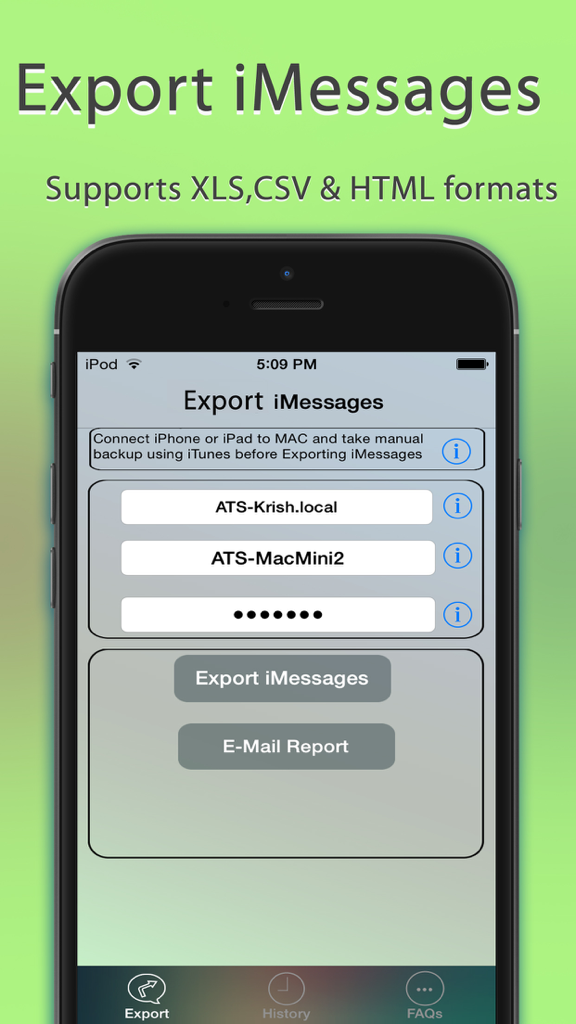
Export Messagesアプリのインターフェースで、imessageをXLS、CSV、HTML形式にエクスポートするオプションを表示

Export Messagesアプリのインターフェースで、imessageをXLS、CSV、HTML形式にエクスポートするオプションを表示

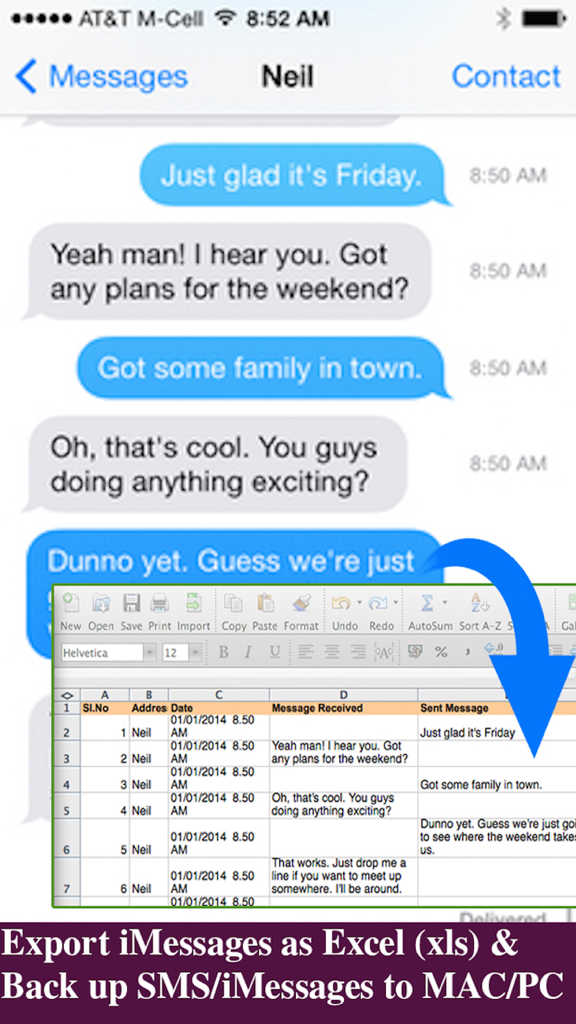
iPhoneのテキストメッセージをExcelスプレッドシートに変換して、簡単なバックアップと記録保持を可能にするインターフェース

iPhoneのテキストメッセージをExcelスプレッドシートに変換して、簡単なバックアップと記録保持を可能にするインターフェース

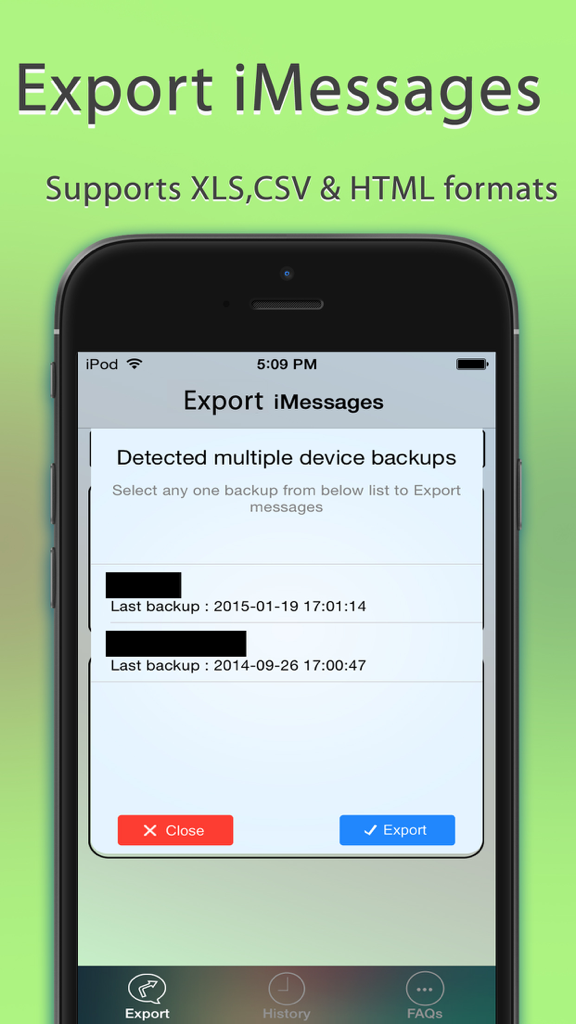
Export Messagesアプリのインターフェースで、エクスポートのために複数のデバイスバックアップから選択するためのポップアップを表示

Export Messagesアプリのインターフェースで、エクスポートのために複数のデバイスバックアップから選択するためのポップアップを表示

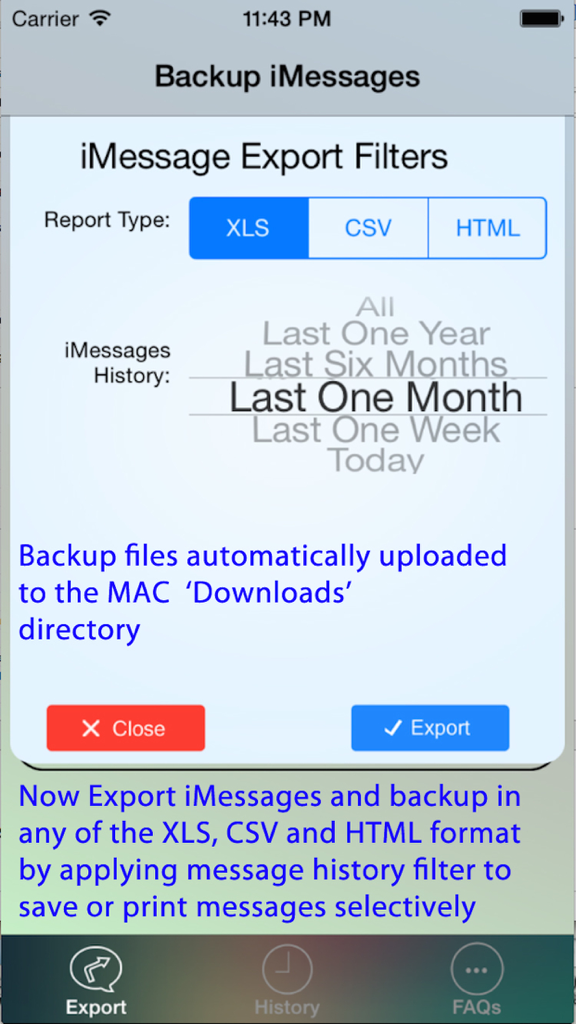
日付範囲選択付きのXLS、CSV、HTMLレポートタイプ用のiMessageエクスポートフィルター設定。

日付範囲選択付きのXLS、CSV、HTMLレポートタイプ用のiMessageエクスポートフィルター設定。

会話を簡単に管理

このアプリを際立たせるツール、 150K+ 人のユーザーが選択.

⚖️

裁判で利用可能なドキュメントエクスポート

メッセージ履歴を、正確なタイムスタンプと連絡先情報を含むプロフェッショナルなPDFまたはExcelファイルに変換し、法的証拠や公式記録に最適です。

📁

メディアを完全に保存

スレッド内の写真、動画、ボイスメモをすべてPCまたはMac上の整理されたフォルダに自動保存し、思い出が失われないようにします。

🔒

安全なオフラインストレージ

データをクラウドに置かないことでプライバシーを保護します。暗号化されたiOSバックアップの完全サポートにより、メッセージを直接ご自身のハードウェアにエクスポートできます。

アプリについて

について知っておくべきこと Export Messages - Save Print Backup Recover Text SMS iMessages.

説明

Export Messages App allows you to Save/Export all Text Messages,Audio messages, Images/Pictures,videos and other attachments to your MAC/PC from Messages App.If you need to print text messages for legal purpose, this is right app for you to take a print of any Text conversation. [IMPORTANT] You need to Download latest Desktop app from http://backupsms.weebly.com for iOS 10.0 or latest iOS support WIndows PC users & Mac users must follow the instructions given in "FaQ" tab with in the Application. Make use of Export Messages App and take a copy all the Text Messages in Messages App to your Computer and keep it safely before Upgrading to a new iPhone Please refer FAQ tab with in the App for instructions on how to Export Messages using the App. Detailed user guides provided in App support website http://backupsms.weebly.com/ + Never worry about losing SMS/iMessages/Text Messages, you can now take backup of all text messages including pictures, videos and other attachments in your messages app to your MAC/PC. + You can free up memory by saving all the the messages permanently to MAC/PC in PDF/HTML/Excel format + You can print save or email SMS, iMessages & Text Messages, MMS, attachments, audio, video messages. + You can filter messages by contact and date range + All attachments saved in a separate folder + This is the Only App in App Store supports iOS10.2 encrypted backups, so export/save messages without compromising on security. Don't waste your time, contact support if you are having any kind of difficulty in using the app. + No in App purchases, you can do unlimited exports for the device on which App is installed. Minimum Requirements: + Mac or Windows PC + Latest iTunes installed on your computer + iTunes backup encryption password required only for Encrypted backup users. Note: Companion PC/MAC applications are having advanced features, you download and use it for free from http://backupsms.weebly.com/

最新バージョン

1.1

サイズ

8.6 MB

リリース日

2015年2月17日

履歴を保護し、証拠を守る

15万人以上のユーザーが信頼するExport Messagesで、最も重要な会話をプロフェッショナルなPDFおよびExcel形式で保存、印刷、アーカイブしましょう。サブスクリプション不要で、永久的な安心が得られます。

ダウンロード: App Store

App information, icons, screenshots, and descriptions displayed on this page are sourced from the Apple App Store and are the property of their respective developers. Download estimates and rankings are based on MWM's proprietary models and may not reflect actual figures. This page is provided for informational and analytical purposes only.

Believe this page infringes your intellectual property? File a dispute