FAX from iPhone: Fax App

FAX from iPhone: Fax App

ダウンロード: App Store
ロゴ: FAX from iPhone: Fax App

FAX from iPhone:あなたの安全なポケットFAX

オフィスまで行く必要はありません。リアルタイム追跡と100%の配達信頼性で、書類をスキャン、署名、送信しましょう。

ダウンロード: App Store

開発元

DevMeApp LLC

カテゴリ

Business

ダウンロード

612K+

ユーザー評価

4.6/5

評価数

6K+

対応言語

9

あなたのポケットFAX機

このインターフェースを利用する 612K+ 人のユーザー.

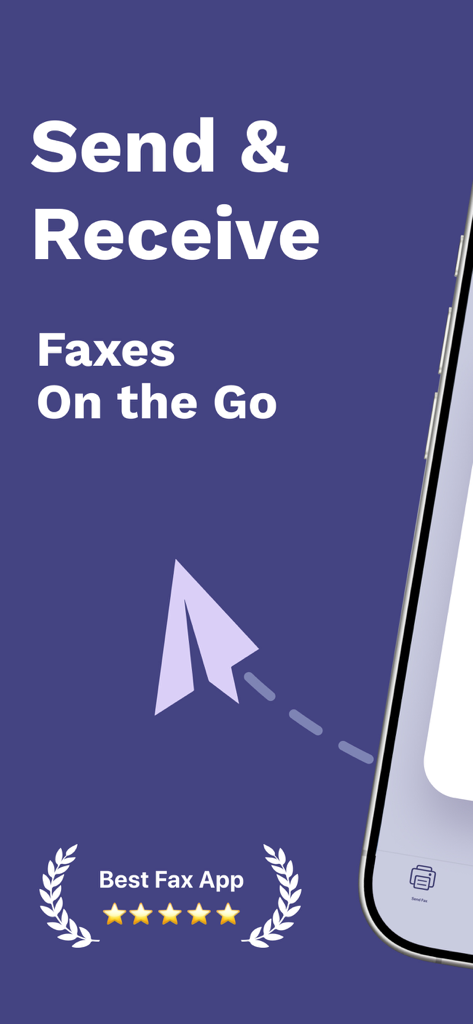
外出先でFAXを送受信するテキストと5つ星評価が表示されたモバイルFAXアプリのプロモーション画面

外出先でFAXを送受信するテキストと5つ星評価が表示されたモバイルFAXアプリのプロモーション画面

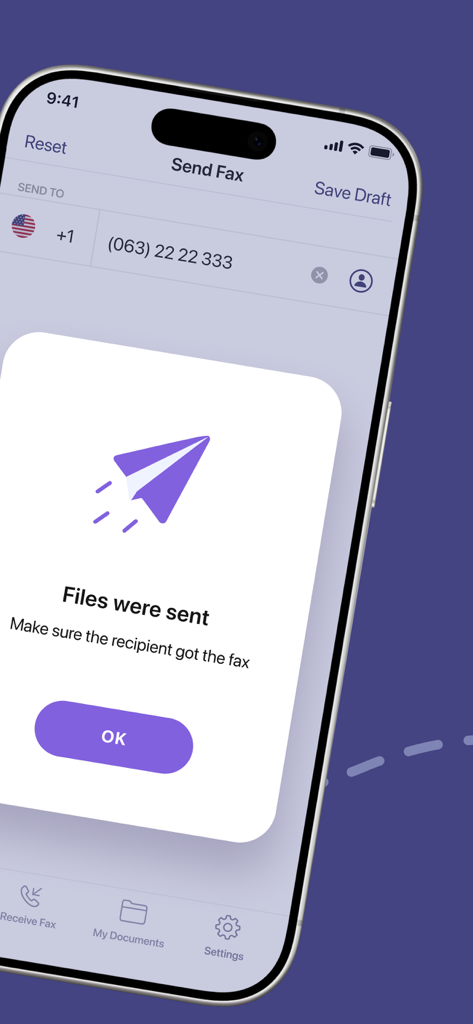
ファイルが送信されたというテキストとともに、正常なFAX送信確認が表示されたモバイル画面

ファイルが送信されたというテキストとともに、正常なFAX送信確認が表示されたモバイル画面

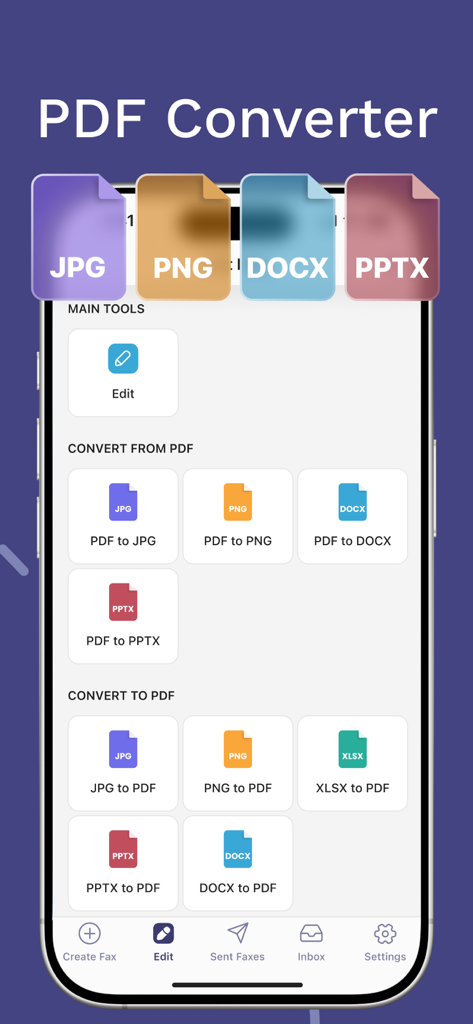
FAX from iPhoneモバイルアプリケーション内のさまざまなPDF変換オプションを表示するインターフェース

FAX from iPhoneモバイルアプリケーション内のさまざまなPDF変換オプションを表示するインターフェース

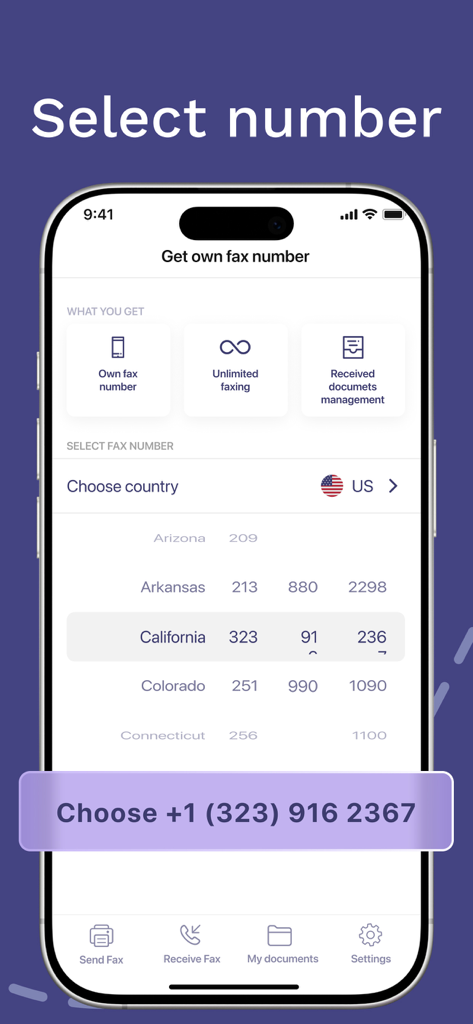
Fax from iPhoneアプリで、州ごとに個人FAX番号を選択する方法を示すモバイルインターフェース

Fax from iPhoneアプリで、州ごとに個人FAX番号を選択する方法を示すモバイルインターフェース

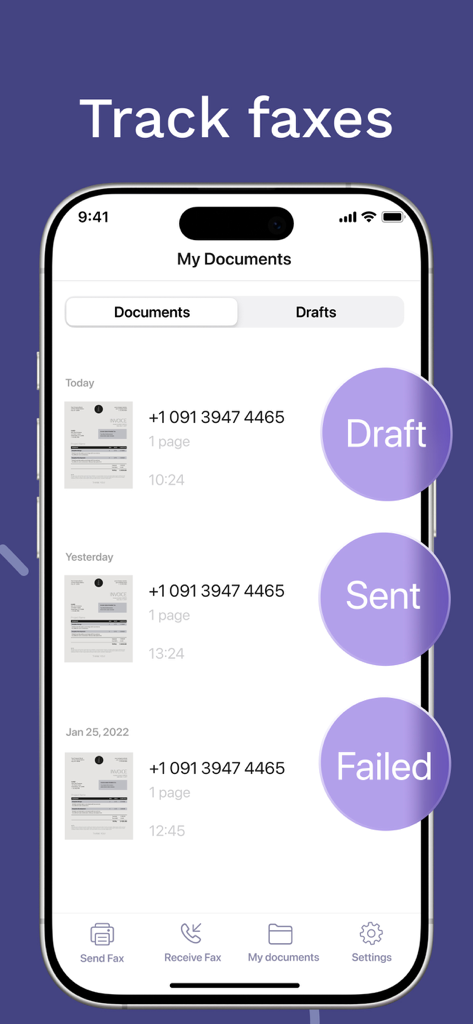
下書き、送信済み、または失敗のステータスを持つドキュメントのリストが表示されたFAX追跡機能を示すiPhone画面

下書き、送信済み、または失敗のステータスを持つドキュメントのリストが表示されたFAX追跡機能を示すiPhone画面

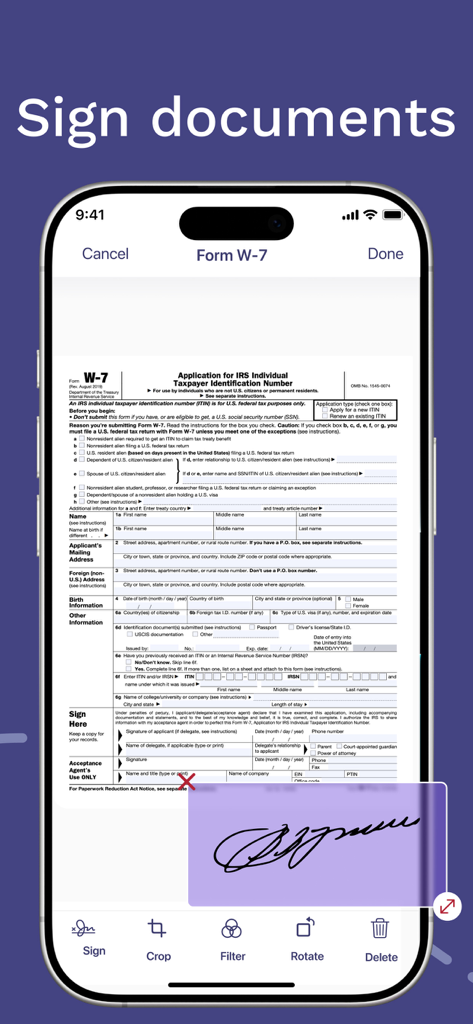
ユーザーがIRSドキュメントに電子的に署名している様子を示すiPhoneアプリインターフェース

ユーザーがIRSドキュメントに電子的に署名している様子を示すiPhoneアプリインターフェース

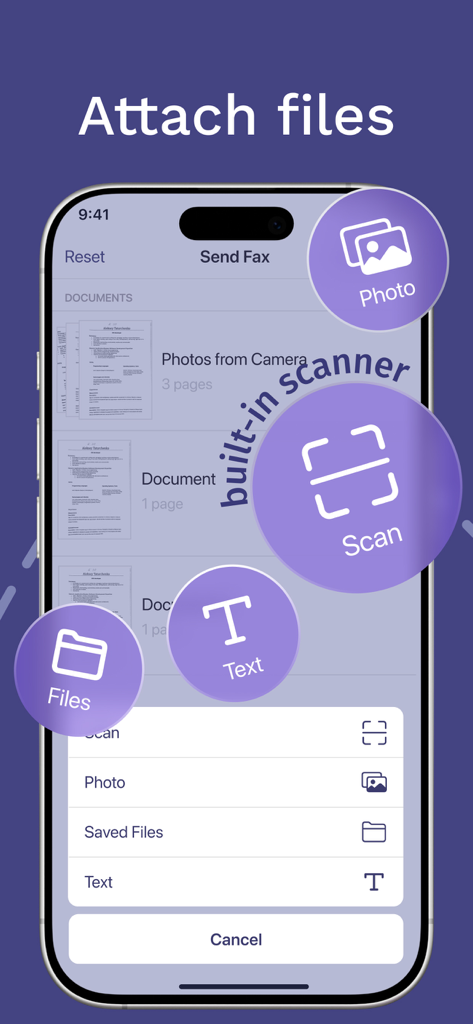
ファイル添付オプションまたは内蔵スキャナーの使用オプションが表示されたFAXアプリのインターフェース

ファイル添付オプションまたは内蔵スキャナーの使用オプションが表示されたFAXアプリのインターフェース

あなたのポケットに入るフルスケールのFAX機

このアプリを際立たせるツール、 612K+ 人のユーザーが選択.

✍️

統合スキャナーと電子署名

物理的なドキュメントを高品質のスキャンに変換し、すぐに法的署名を追加できます。プリンターなしで、すべての書類作成プロセスを完了しましょう。

📡

リアルタイム配達確認

書類が届いたかどうか、もう心配しないでください。すべてのFAXのステータスをリアルタイムで追跡し、受信者の元で正常に印刷されたらすぐに通知を受け取りましょう。

🔒

安全なグローバル送信

機密性の高い法律、医療、または金融文書を世界中のどこへでも送信できます。お客様のデータは、完全なプライバシーとコンプライアンスを確保するために、エンタープライズグレードの暗号化で保護されています。

アプリについて

について知っておくべきこと FAX from iPhone: Fax App.

説明

FAX from iPhone: Fax App Sending a fax today is an inconvenient task you face on almost a daily basis: sending paperwork gets really annoying as looking for a fax machine nearby takes much time. But it’s not a problem with a FAX from iPhone — a fax app that works as a powerful tool for sending fax online just from your iPhone. The fax app that makes your life easier Our fax app can become your ultimate solution for online faxes. FAX from iPhone offers such features as: Advanced document scanner. Turn a paper document into a digital one effortlessly. Support of multiple file formats. This fax app supports all common and uncommon file formats to send and receive faxes. Tracking a fax’ status. You can ensure your fax has reached the recipient. Electronic signature feature. If you need an electronic signature for a digital document, it can be easily done with our fax app! Convenient file import. With this fax app, importing files isn’t bothersome at all. Fast fax sending on previously used numbers. No need to enter one and same numbers over and over again as they’ll get saved in your faxing history. Reliable online fax service Sending fax from iPhone is a convenient fax service that is easy to use. With FAX from iPhone you will be able to: Save time. Send fax from iPhone in no time. Just attach the file and enter the recipients number — that’s all! Send faxes from everywhere. You don’t have to run back and forth looking for a fax to send an important document as you have a fax machine in your pocket. Save forests. You don’t have to use paper to send an online fax from iPhone. In such a way, this fax app is not only convenient but also eco-friendly. Secure your personal information. Sending online faxes with our fax app means that your information is encrypted, so nobody can intercept and read it. How to use FAX from iPhone app 1. Create an account. With FAX from iPhone, you can skip this step and start using the app immediately after installation — perfect for when you need to send a fax quickly. 2. Select or scan a document. If the document is already on your iPhone, tap “Add document” to choose from your storage or photo library. You can also pick a previously sent fax, create a new document, or scan a physical one. 3. Enter the fax number. Once your document is ready, simply input the recipient's fax number. This fax app supports worldwide faxing online, so you can send and receive faxes anywhere. 4. Send fax from iPhone. That’s it! Your document will be printed at the recipient’s fax machine. Start sending faxes from iPhone online today FAX from iPhone is a convenient way to send faxes online with no hassle. With user-friendly interface, convenient features, and 100% fax document delivery rate this fax app is your go-to solution. Try it for free right now and forget about fax machine searches once and for all! Subscription details The fax app download and install are free of charge, but certain features are available for premium subscribers only. If you have a premium subscription, please remember that: Your iTunes Account will be charged upon purchase confirmation. Subscriptions auto-renew at least 24 hours before the current period ends but can be turned off in settings. You can manage subscriptions and disable auto-renewal anytime in Account Settings after purchase. Your mobile faxing solution is one click ahead Don’t hesitate to download for free FAX from iPhone app to send faxes online anywhere in a matter of minutes with no fax machine needed! Our fax app offers a convenient and user-friendly fax service that will come in handy every time you need to send an important document but don’t have a fax machine nearby. Privacy Policy: https://fax-app.com/policy/ Terms of Use: https://fax-app.com/terms/ If you have any questions or suggestions, we are always ready to help: support@fax-app.com

最新バージョン

1.33.0

サイズ

134.3 MB

リリース日

2021年6月11日

あなたのモバイルFAX機が準備できました

書類作成を簡素化した60万人以上の専門家や住宅所有者に加わりましょう。今すぐダウンロードして、安全に書類をスキャン、署名、送信しましょう。

ダウンロード: App Store
FAQ

よくある質問

について知っておくべきこと FAX from iPhone: Fax App

iPhone用FAXアプリとは何ですか?

iPhone用FAXアプリは、ユーザーがiPhoneから直接ファックスを送受信できるようにするものです。物理的なファックス機を必要とせずに、強力なオンラインファックスツールとして機能します。

iPhone用FAXアプリで国際ファックスを送れますか?

はい、iPhone用FAXアプリは世界中のオンラインファックスに対応しています。ユーザーは、世界中のどこにでもファックスを送受信できます。

iPhone用FAXアプリにはドキュメントスキャナーが内蔵されていますか?

はい、iPhone用FAXアプリには高度なドキュメントスキャナーが内蔵されています。紙のドキュメントを簡単にデジタル形式に変換してファックス送信できます。

iPhone用FAXアプリはどのようなファイル形式をサポートしていますか?

iPhone用FAXアプリは、一般的および特殊なファイル形式の幅広い範囲をサポートしています。これにより、ユーザーはさまざまな種類のドキュメントを送受信できます。

iPhone用FAXアプリでファックスのステータスを追跡するにはどうすればよいですか?

iPhone用FAXアプリには、ファックスステータストラッキング機能があります。ユーザーは、ファックスが受信者に届いていることを確認するためにステータス(ドラフト、送信済み、失敗など)を監視できます。

iPhone用FAXアプリで電子署名を使用できますか?

はい、iPhone用FAXアプリには電子署名機能があります。ユーザーはアプリケーション内で直接デジタルドキュメントに簡単に署名できます。

iPhone用FAXアプリを使用する際に個人情報は安全ですか?

はい、iPhone用FAXアプリは個人情報のセキュリティを確保しています。すべてのオンラインファックスを暗号化し、不正な傍受や読み取りを防ぎます。

iPhone用FAXアプリは無料でダウンロードしてインストールできますか?

はい、iPhone用FAXアプリは無料でダウンロードしてインストールできます。ただし、一部の高度な機能にはプレミアムサブスクリプションが必要です。

iPhone用FAXアプリのサブスクリプションはどのように管理されますか?

iPhone用FAXアプリのサブスクリプションは、現在の期間が終了する少なくとも24時間前にキャンセルされない限り自動更新されます。ユーザーはアカウント設定で自動更新とサブスクリプションを管理できます。

iPhone用FAXアプリで専用のファックス番号を取得できますか?

はい、iPhone用FAXアプリでは専用のファックス番号を取得するオプションが用意されています。この機能はプレミアムサブスクライバーに利用可能です。

iPhone用FAXアプリはどのようなPDF変換機能を提供していますか?

iPhone用FAXアプリにはPDFコンバーターが含まれています。JPG、PNG、DOCX、PPTXなどのファイルをPDFに、またPDFから変換したり、XLSXをPDFに変換したりできます。

iPhone用FAXアプリはファックス配信を保証しますか?

はい、iPhone用FAXアプリは100%のファックスドキュメント配信率を保証します。これにより、アプリを通じて送信されたすべてのファックスの信頼性の高い送信が保証されます。

App information, icons, screenshots, and descriptions displayed on this page are sourced from the Apple App Store and are the property of their respective developers. Download estimates and rankings are based on MWM's proprietary models and may not reflect actual figures. This page is provided for informational and analytical purposes only.

Believe this page infringes your intellectual property? File a dispute