FAX from iPhone・Send & Receive

FAX from iPhone・Send & Receive

ダウンロード: App Store
ロゴ: FAX from iPhone・Send & Receive

iPhoneからのFAX・送受信:ポケットに入るセキュアでプロフェッショナルなFAX機

オフィスへの移動や大型機器はもう不要です。専用のFAX番号、プロフェッショナルなテンプレート、リアルタイムの配達追跡機能で、外出先でも安全に書類をスキャン、送信、受信できます。

開発元

PLEKMIN TRADE SL

カテゴリ

Business

ダウンロード

843K+

ユーザー評価

4.7/5

評価数

16K+

対応言語

15

あなたのポータブルオフィス

このインターフェースを利用する 843K+ 人のユーザー.

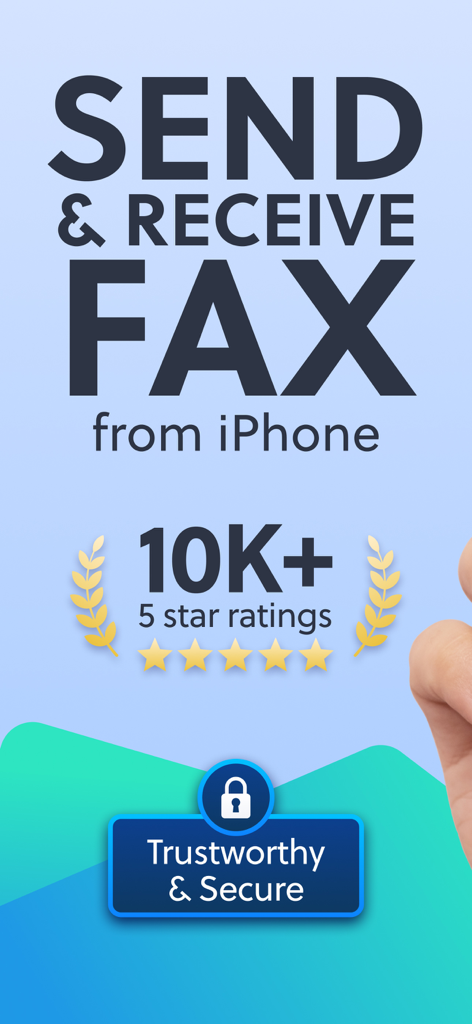
iPhoneアプリでFAXを送受信。5つ星評価とセキュアバッジ付き。

iPhoneアプリでFAXを送受信。5つ星評価とセキュアバッジ付き。

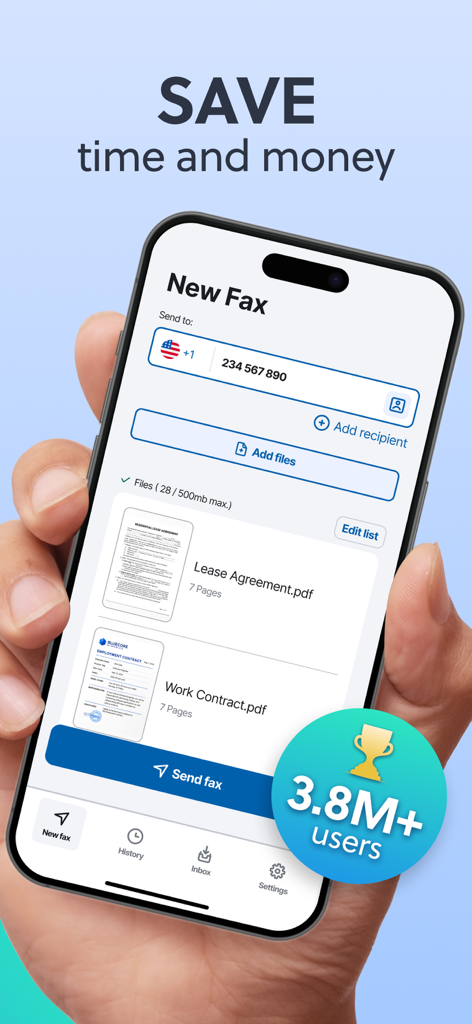
iPhoneアプリのインターフェース。アップロードされた賃貸契約書と職務契約書が表示された新しいFAX画面。

iPhoneアプリのインターフェース。アップロードされた賃貸契約書と職務契約書が表示された新しいFAX画面。

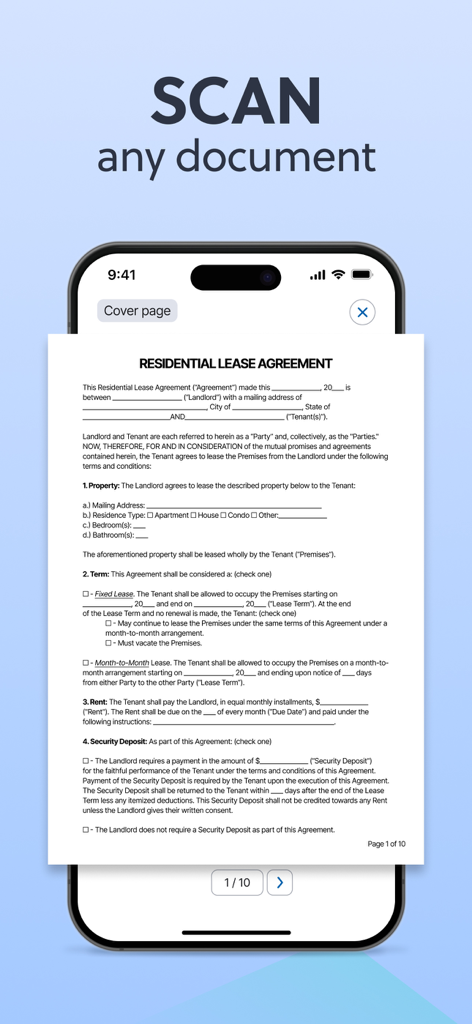
iPhone画面に、FAX送信のためにスキャン中の住宅賃貸契約書が表示されている。

iPhone画面に、FAX送信のためにスキャン中の住宅賃貸契約書が表示されている。

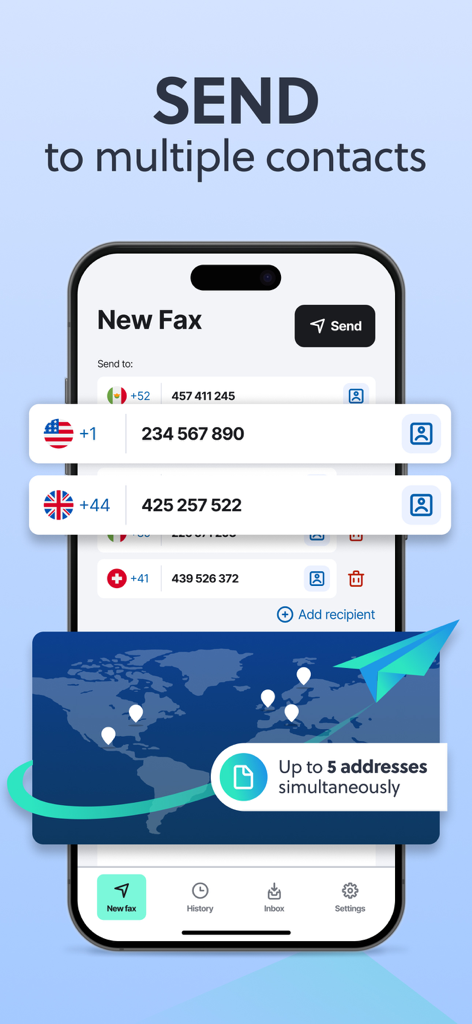
複数の国際的な連絡先に一度にFAXを送信する機能が表示されたモバイルアプリ画面。

複数の国際的な連絡先に一度にFAXを送信する機能が表示されたモバイルアプリ画面。

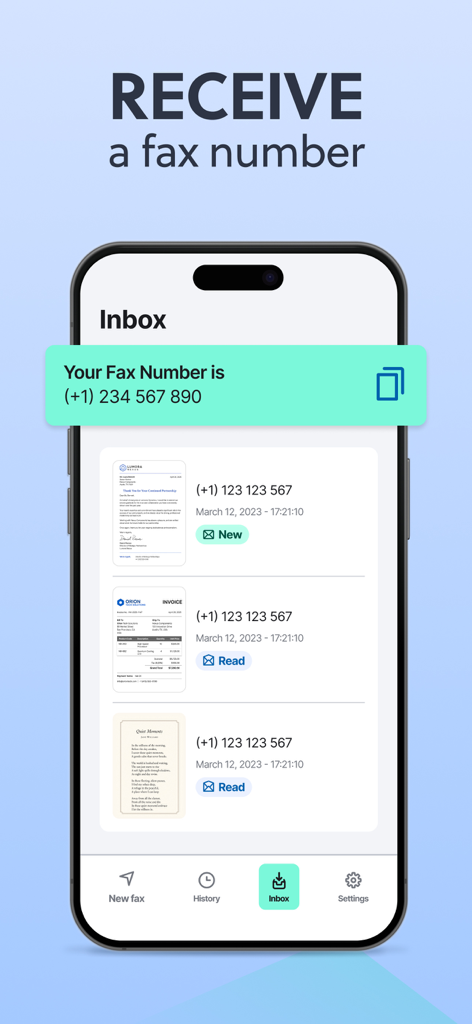
専用FAX番号と受信FAX用の受信トレイが表示されたアプリインターフェース。

専用FAX番号と受信FAX用の受信トレイが表示されたアプリインターフェース。

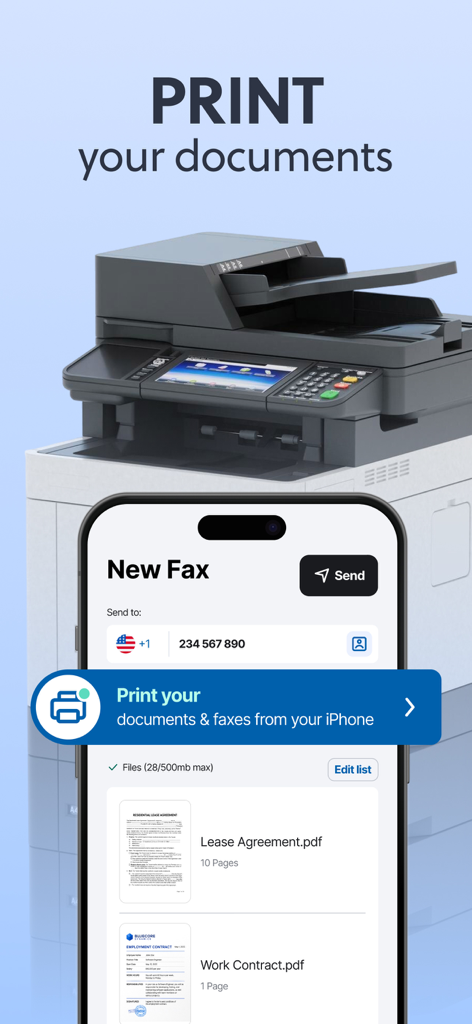
iPhoneからのFAXアプリのインターフェース。デバイスから直接書類やFAXを印刷する方法が表示されている。

iPhoneからのFAXアプリのインターフェース。デバイスから直接書類やFAXを印刷する方法が表示されている。

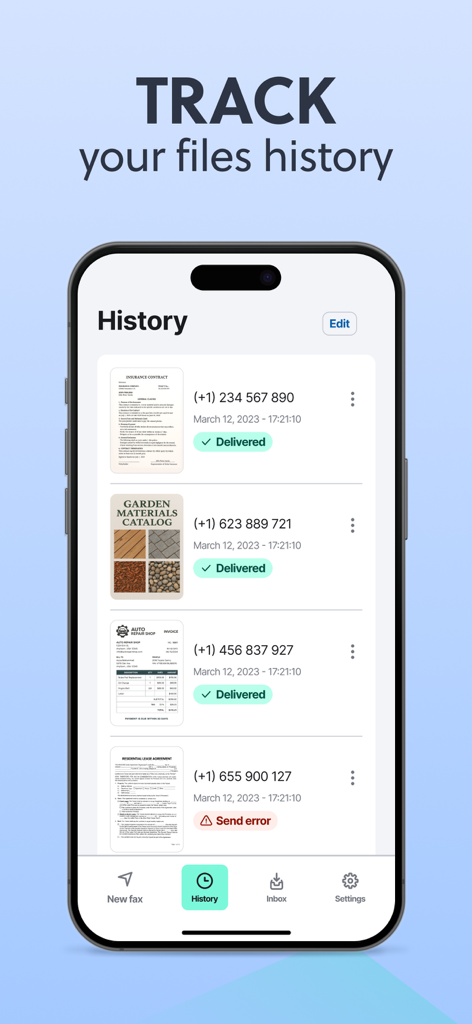
iPhoneからのFAXアプリの履歴画面。送信済みおよび受信済みのFAXの配達状況を追跡している。

iPhoneからのFAXアプリの履歴画面。送信済みおよび受信済みのFAXの配達状況を追跡している。

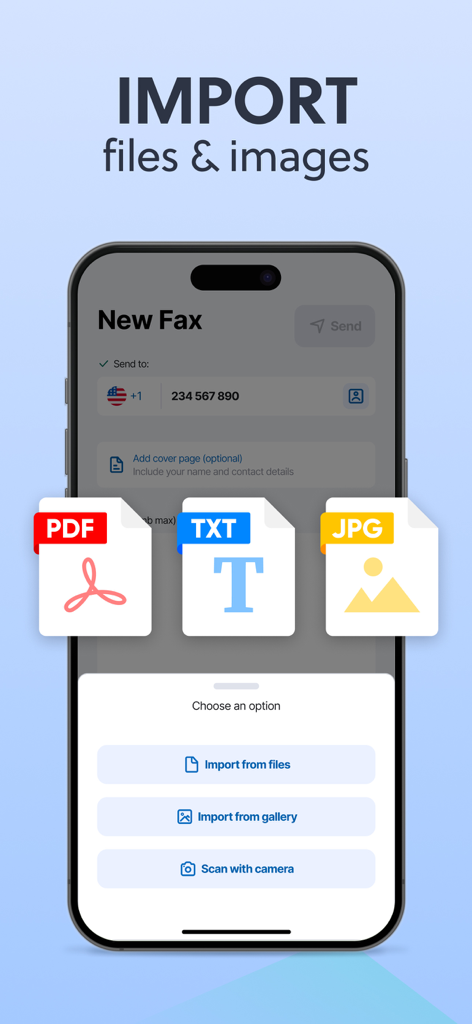
PDF、TXT、JPGファイルをインポートしたり、書類をスキャンして新しいFAXを送信するオプションを表示するモバイルインターフェース。

PDF、TXT、JPGファイルをインポートしたり、書類をスキャンして新しいFAXを送信するオプションを表示するモバイルインターフェース。

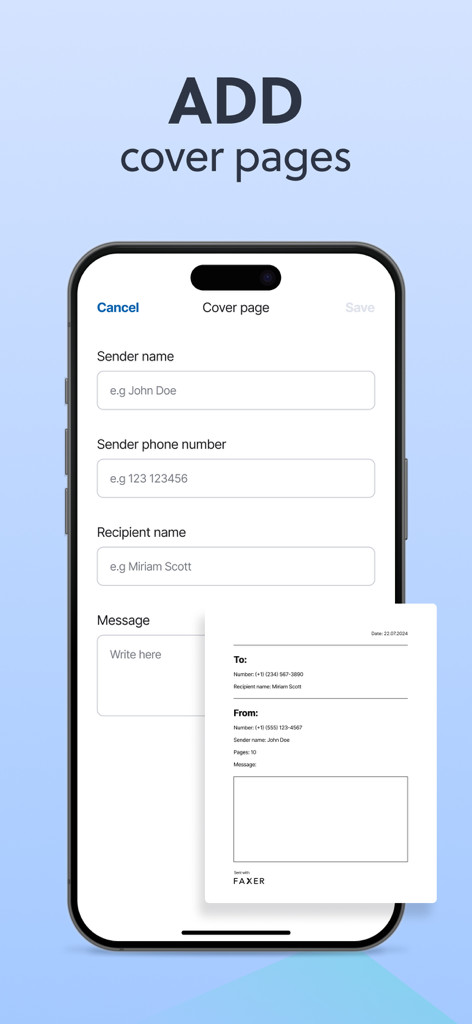
iPhoneでプロフェッショナルなFAX送付状を追加するためのインターフェース。

iPhoneでプロフェッショナルなFAX送付状を追加するためのインターフェース。

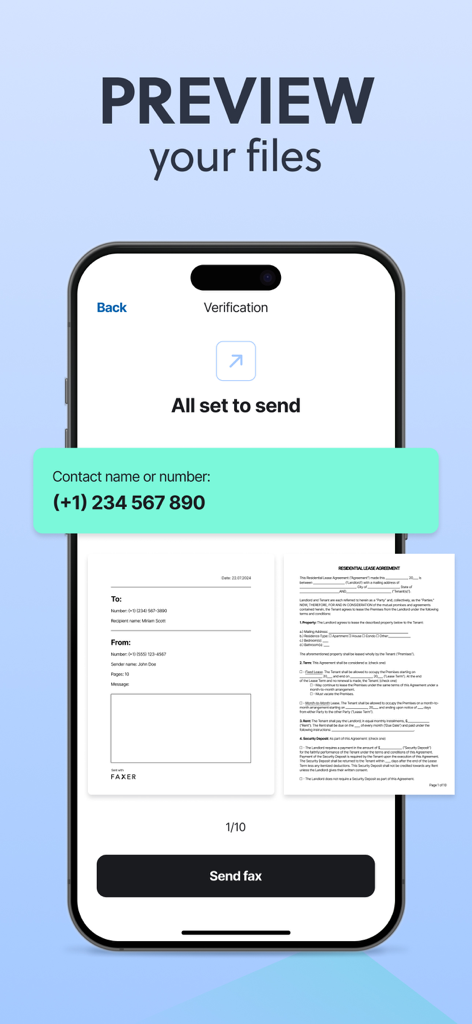
iPhoneからFAXを送信する前に、住宅賃貸契約書と送付状をプレビューするモバイルアプリ画面。

iPhoneからFAXを送信する前に、住宅賃貸契約書と送付状をプレビューするモバイルアプリ画面。

モバイルオフィスをシンプルに

このアプリを際立たせるツール、 843K+ 人のユーザーが選択.

📲

どこでもスキャン&送信

カメラを使って署名済みの契約書をスキャンしたり、iCloudからファイルをアップロードしたりできます。FedExやStaplesの店舗を探すことなく、高解像度のFAXを世界中に送信できます。

📥

専用FAX番号

あなた専用のプライベート番号を取得し、受信したFAXをアプリに直接届けましょう。機密性の高いビジネスや医療記録を安全に、整理された状態で、24時間365日アクセス可能に保ちます。

リアルタイム追跡

インスタント配達通知と詳細な履歴ログで常に情報を把握できます。すべての書類にデジタル配達証明が付くことで、プロフェッショナルとしての安心感を得られます。

アプリについて

について知っておくべきこと FAX from iPhone・Send & Receive.

説明

Fax from your iPhone internationally — send and receive faxes quickly and easily! Turn your device into a portable fax and print machine for your pocket. Save time by avoiding trips to fax offices and the use of outdated machines. - Send documents and files on the go to any of your smartphone contacts, or add a recipient manually. - Receive faxes directly on your iPhone and turn it into your personal fax inbox, accessible anytime. - Print your documents directly from the app with just a few taps. ■ KEY FEATURES: › SEND ANY TYPE OF FILE Upload and send documents in the most common formats (PDF, JPEG, DOC, DOCX, TXT, XLS and XLXS). Best possible fax quality for all document types. Deliver faxes to up to 5 addresses at the same time. › RECEIVE FAXES ON YOUR DEVICE Get your own dedicated fax number and receive faxes anywhere, anytime. View incoming faxes within the app, save them and keep your digital records organized. No need for a physical machine — just your phone. › PRINT DOCUMENTS Send your documents directly to a printer from the app. Works with all major printer brands, including Canon, Epson, HP, Brother, Kodak, Samsung and more. › UNLIMITED UPLOAD OPTIONS Directly scan documents with your camera. Upload images from your media and photo library. Add files from your document archives. › GET NOTIFICATIONS Get instant notifications when your fax has been successfully sent or if there have been any errors during the process. Receive alerts when a new fax has arrived in your inbox. › ADD A COVER PAGE TO YOUR FAXES Include a cover page when sending files to provide more information. Add a text message to your fax. Quickly and easily fill in our professional template with the name and contact of the recipient. › POWERFUL TRACKING Track and manage all your faxes in chronological order. Review your sent documents and the faxes which are currently being sent. Check important information such as fax number, sending status, fax time and date. Access your received faxes at any time and download or share them when needed. ■ MORE INFO: Activate and cancel your subscription according to your needs. Terms of use: https://faxer.app/terms-of-use Privacy policy: https://faxer.app/privacy-policy For app support please contact us at: info@faxer.app Download now and turn your mobile device into a portable fax machine!

最新バージョン

2.6.3

サイズ

129.0 MB

リリース日

2023年9月12日

FAX機を探すのをやめましょう

外出先でセキュアな書類を管理する843,000人以上の忙しいプロフェッショナルに加わりましょう。今すぐダウンロードして、iPhoneを携帯型の高品質FAXステーションに変えましょう。

ダウンロード: App Store
FAQ

よくある質問

について知っておくべきこと FAX from iPhone・Send & Receive

What is FAX from iPhone・Send & Receive?

FAX from iPhone・Send & Receive は、iPhoneをポータブルなファックスおよび印刷機に変えます。これにより、ユーザーは古い物理的なファックス機やオフィスを必要とせずに、国際的にファックスを送受信できます。

How do I send a fax using the FAX from iPhone・Send & Receive app?

はい、FAX from iPhoneアプリを使用して、ドキュメント(PDF、JPEG、DOCなど)をアップロードまたはスキャンしてファックスを送信できます。連絡先または手動で追加した受信者にファックスを送信し、アプリ内でステータスを追跡します。

Can I receive faxes with the FAX from iPhone・Send & Receive app?

はい、FAX from iPhoneアプリを使用すると、iPhoneで直接ファックスを受信できます。ユーザーは専用のファックス番号を取得し、受信したすべてのファックスをアプリケーション内で簡単に表示、保存、整理できます。

Does FAX from iPhone・Send & Receive support adding cover pages?

はい、FAX from iPhoneでは、ファックスにカバーページを含めることができます。各ファックスにパーソナライズされたテキストメッセージを追加し、受信者と送信者の詳細を専門的なテンプレートに入力できます。

What document formats can I send with FAX from iPhone・Send & Receive?

FAX from iPhoneアプリは、複数の一般的な形式のドキュメントの送信をサポートしています。これらには、PDF、JPEG、DOC、DOCX、TXT、XLS、XLXSが含まれており、さまざまなファイルに対応し、最適なファックス品質を保証します。

Can FAX from iPhone・Send & Receive send faxes to multiple addresses simultaneously?

はい、FAX from iPhoneでは、複数の受信者に同時にファックスを送信できます。ユーザーは最大5つのアドレスに同時にファックスを配信でき、大量送信の効率を最適化できます。

Can I print documents directly from the FAX from iPhone・Send & Receive app?

はい、FAX from iPhoneアプリから直接ドキュメントを簡単に印刷できます。Canon、Epson、HP、Brother、Kodak、Samsungなどの主要なプリンターブランドすべてと互換性があります。

How do I track the status of my faxes in FAX from iPhone・Send & Receive?

はい、FAX from iPhoneアプリは強力な追跡機能を備えています。履歴ですべてのファックスを時系列で管理およびレビューし、番号、送信ステータス、時刻、日付を表示できます。

Is the FAX from iPhone・Send & Receive app secure?

はい、FAX from iPhoneアプリは信頼性が高く安全です。このステータスにより、ドキュメントの送信と個人情報が保護され、ユーザーに安全なファックス環境が提供されます。

How do I manage my subscription for FAX from iPhone・Send & Receive?

FAX from iPhoneのサブスクリプションは、個々のニーズに応じて有効化およびキャンセルできます。アプリの「詳細情報」セクションには、利用規約とプライバシーポリシーの詳細が記載されています。

App information, icons, screenshots, and descriptions displayed on this page are sourced from the Apple App Store and are the property of their respective developers. Download estimates and rankings are based on MWM's proprietary models and may not reflect actual figures. This page is provided for informational and analytical purposes only.

Believe this page infringes your intellectual property? File a dispute