FFT Spectrum Audio Analyzer

FFT Spectrum Audio Analyzer


ダウンロード: App Store
ロゴ: FFT Spectrum Audio Analyzer

FFTスペクトラムオーディオアナライザー:完璧なサウンドチューニングのためのプロフェッショナルグレードの精度

デバイスを高解像度測定ツールに変えましょう。32768ポイントFFT分析から1/24オクターブスムージングまで、プロフェッショナルな精度でスピーカーを校正し、カーステレオをチューニングし、音響を最適化するために必要なデータを取得します。

ダウンロード: App Store

開発元

Trichy Commercial Private Limited

カテゴリ

Music

ダウンロード

0

ユーザー評価

1.0/5

評価数

0

対応言語

1

正確さを視覚化する

このインターフェースを利用する 0 人のユーザー.

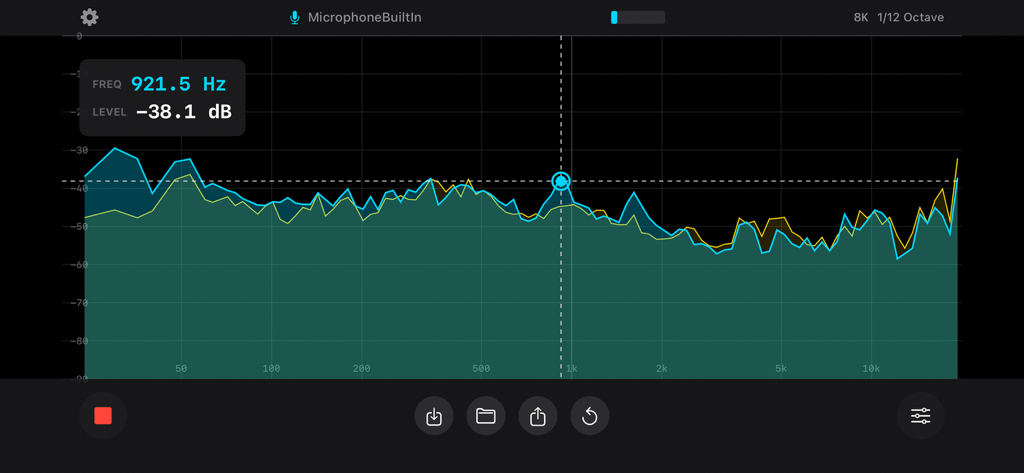
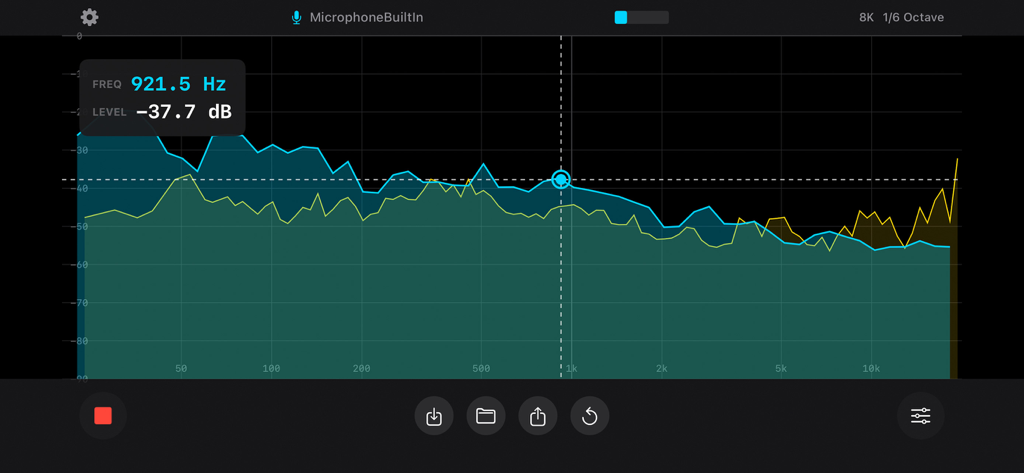
FFTスペクトラムオーディオアナライザーが、デシベル測定とスムージングオプションを備えたリアルタイム周波数応答グラフを表示しています。

FFTスペクトラムオーディオアナライザーが、デシベル測定とスムージングオプションを備えたリアルタイム周波数応答グラフを表示しています。

リアルタイム周波数スペクトル分析(デュアルトレースと測定カーソル付き)。

リアルタイム周波数スペクトル分析(デュアルトレースと測定カーソル付き)。

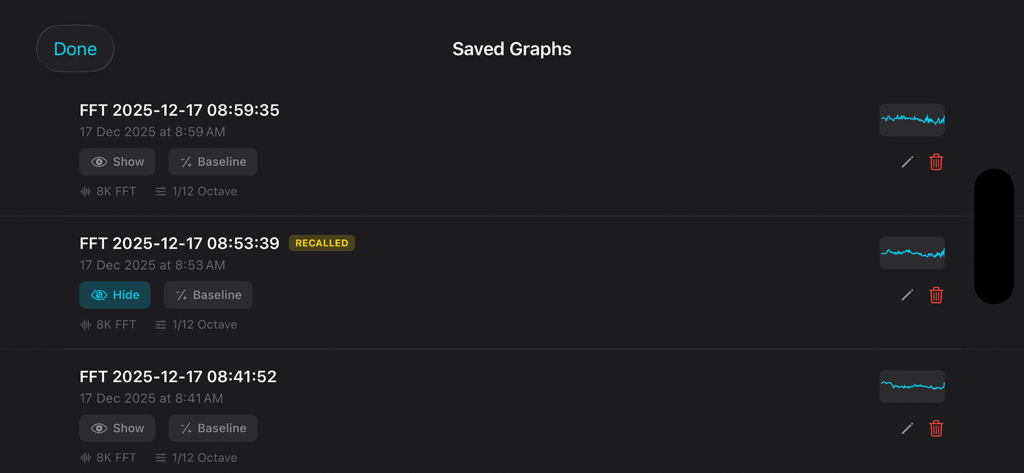
オーディオスペクトルアナライザーアプリで保存された周波数応答グラフのリスト。

オーディオスペクトルアナライザーアプリで保存された周波数応答グラフのリスト。

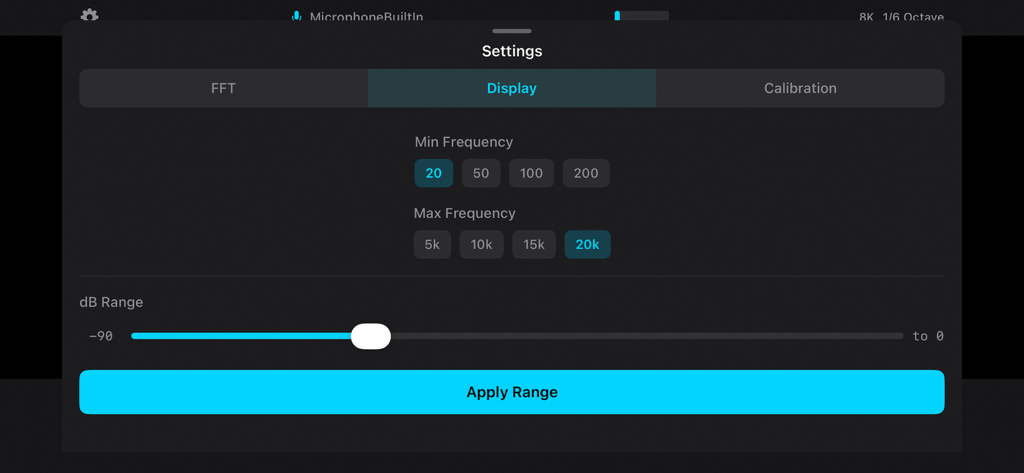
FFTスペクトラムオーディオアナライザーアプリの周波数およびデシベル範囲調整用の設定パネル。

FFTスペクトラムオーディオアナライザーアプリの周波数およびデシベル範囲調整用の設定パネル。

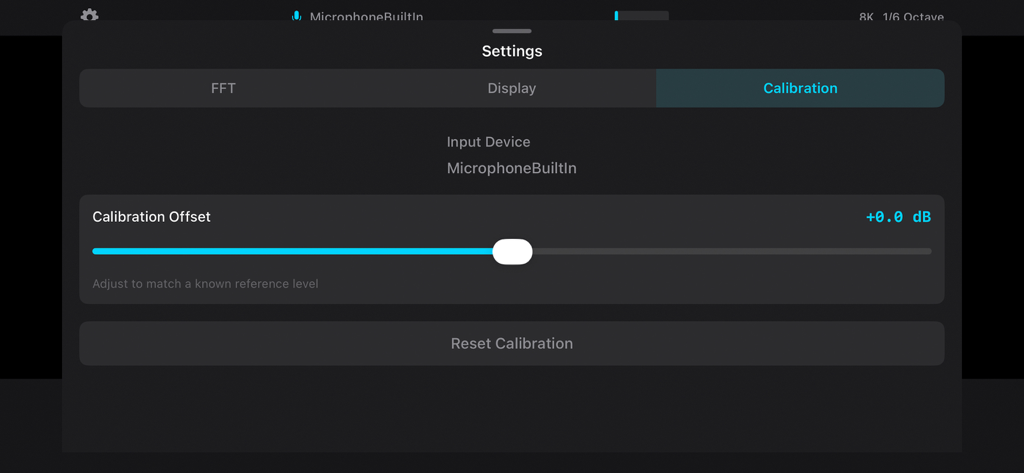
FFTスペクトラムオーディオアナライザーの校正設定画面(マイクオフセット調整スライダーを表示)。

FFTスペクトラムオーディオアナライザーの校正設定画面(マイクオフセット調整スライダーを表示)。

サウンド環境をマスターする

このアプリを際立たせるツール、 0 人のユーザーが選択.

🎯

高精細周波数分析

最大32,768ポイントのFFT解像度と超高精細1/24オクターブスムージングで、あらゆる音響の欠陥を特定し、手術レベルの精度を実現します。

⚖️

プロフェッショナルA/B比較

無制限の測定値を保存し、ベースライン減算を使用して、ルームトリートメントまたはEQ調整の正確な影響を視覚化します。

📊

専門家向けデータエクスポート

高解像度のPNGグラフと詳細なXLSXスプレッドシートで結果を文書化し、クライアントやフォーラムに提供します。詳細な分析が可能です。

アプリについて

について知っておくべきこと FFT Spectrum Audio Analyzer.

説明

FFT Spectrum Audio Analyzer transforms your device into a professional-grade audio measurement system. Whether you are calibrating home theater speakers, tuning car audio systems, analyzing room acoustics, or troubleshooting sound equipment, this app delivers the precision and features that audio professionals demand. PROFESSIONAL FFT ANALYSIS Real-time Fast Fourier Transform analysis with multiple resolution options. Choose from 4096, 8192, 16384, or 32768 point FFT sizes to balance frequency resolution and response time for your specific application. Higher FFT sizes reveal fine frequency detail while smaller sizes provide faster updates for dynamic measurements. OCTAVE-NORMALIZED DISPLAY Pink noise appears flat on the display, following the standard convention used in professional acoustics measurement. This octave normalization makes it easy to identify frequency response problems and compare measurements to industry standards. FLEXIBLE SMOOTHING OPTIONS Select the level of detail that matches your needs: - 1 Octave smoothing for quick system overview - 1/3 Octave for standard acoustic measurements - 1/6 Octave for detailed speaker analysis - 1/12 Octave for crossover tuning - 1/24 Octave for precision measurements DECAY AND AVERAGING MODES Multiple visualization modes help you capture the information you need: - Time-based decay (0.5s to 8s) for live sound analysis - Peak Hold to capture maximum levels - Running Average for stable long-term measurements MEASUREMENT TOOLS - Touch cursor for precise frequency and level readout - Peak frequency tracking with automatic detection - Pinch to zoom for detailed frequency range inspection - dB scale adjustment for optimal dynamic range display SAVE AND COMPARE Store measurements for later reference and comparison: - Save unlimited spectrum graphs with timestamps - Recall saved measurements as overlay for A/B comparison - Baseline subtraction mode shows difference from reference - Rename and organize your measurement library EXPORT AND SHARE Document and share your measurements: - Export high-resolution PNG images to Photos - Generate XLSX spreadsheet files with frequency and dB data - Share via email, messaging, or cloud storage CALIBRATION Device-specific microphone calibration ensures measurement accuracy. Adjust the calibration offset to match external reference microphones or compensate for known device characteristics. EXTERNAL MICROPHONE SUPPORT Connect professional USB or Lightning audio interfaces for improved measurement accuracy. The app automatically detects and switches to external input devices. USE CASES Home Theater Setup: Measure and balance speaker levels, identify room modes, verify subwoofer integration, and optimize crossover settings. Car Audio Tuning: Analyze frequency response at the listening position, identify resonances, and tune equalizer settings for optimal sound. Live Sound: Quick system checks, feedback identification, and real-time monitoring during performances. Studio Acoustics: Room analysis, monitor calibration, and acoustic treatment verification. Speaker Testing: Frequency response measurement, driver matching, and crossover design verification. Education: Visualize sound and frequency concepts for teaching acoustics and audio engineering. DESIGNED FOR PROFESSIONALS Clean, dark interface optimized for use in low-light environments. High contrast display with cyan spectrum trace for easy visibility. Responsive controls designed for one-handed operation. No internet connection required. All processing happens locally on your device. Your audio data stays private. Privacy Policy: https://audiomillo.com/privacy Terms of Service: https://audiomillo.com/eula

最新バージョン

1.0.0

サイズ

3.7 MB

リリース日

2025年12月17日

推測はやめ、プロフェッショナルな精度で測定しましょう。

絶対的な精度を求めるプロシューマーやエンジニアのコミュニティに参加しましょう。今すぐFFTスペクトラムオーディオアナライザーをダウンロードして、デバイスを高解像度ツールに変え、完璧な音響応答を実現しましょう。

ダウンロード: App Store

App information, icons, screenshots, and descriptions displayed on this page are sourced from the Apple App Store and are the property of their respective developers. Download estimates and rankings are based on MWM's proprietary models and may not reflect actual figures. This page is provided for informational and analytical purposes only.

Believe this page infringes your intellectual property? File a dispute