Geo Measure Area Calculator

Geo Measure Area Calculator


ダウンロード: App Store
ロゴ: Geo Measure Area Calculator

Geo Measure 面積計算:プロフェッショナルな土地・距離マッピング

不動産、農業、建設の圃場面積と距離を簡単に計算。手動マッピングまたはGPS追跡を使用して、高精度の結果を無料で取得できます。

開発元

BMAC Infotech

カテゴリ

Navigation

ダウンロード

440K+

ユーザー評価

3.8/5

評価数

0

対応言語

9

すべてのピクセルに精度を

このインターフェースを利用する 440K+ 人のユーザー.

Geo Measure 面積計算のスプラッシュ画面。ロゴと「Measure your fields(圃場を計測)」のタグラインが表示されています。

Geo Measure 面積計算のスプラッシュ画面。ロゴと「Measure your fields(圃場を計測)」のタグラインが表示されています。

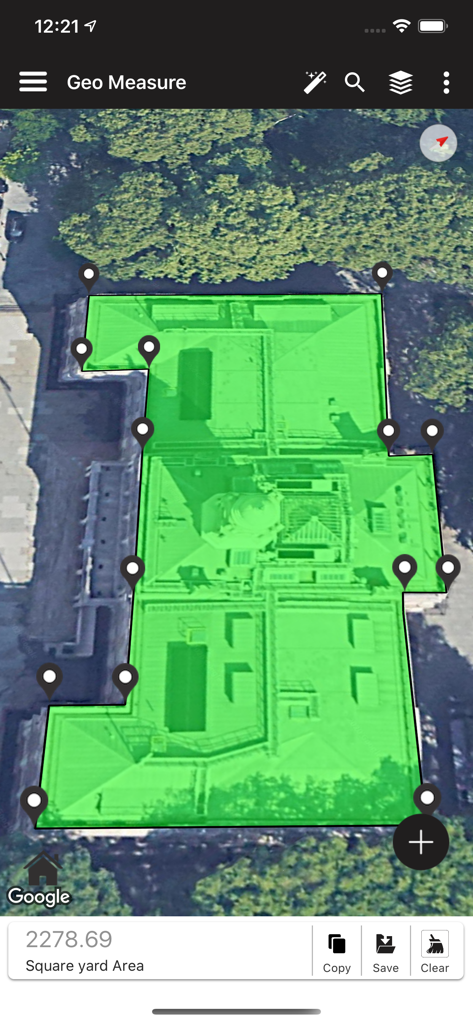
Geo Measureアプリで緑色のポリゴンマーカーを使用して計測されている建物の屋根面積。

Geo Measureアプリで緑色のポリゴンマーカーを使用して計測されている建物の屋根面積。

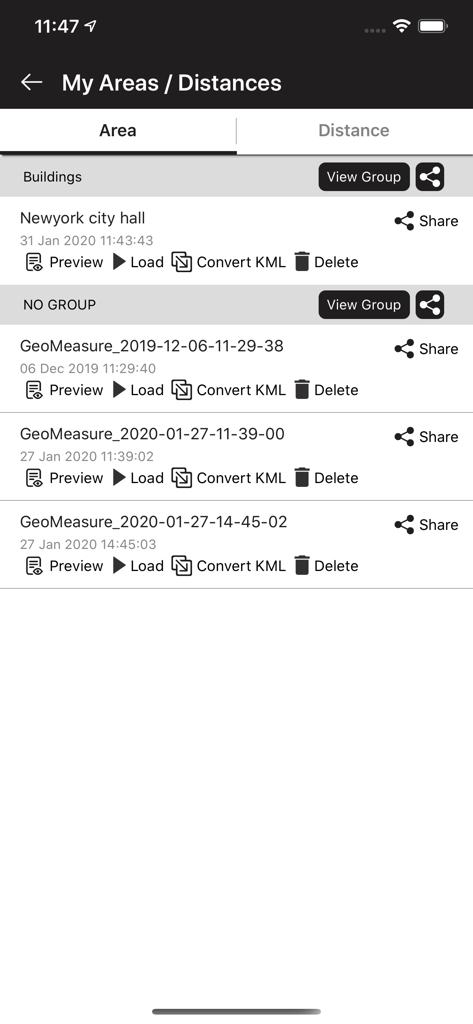
保存された面積計測のリストが表示されたGeo Measureアプリのスクリーンショット。プレビュー、読み込み、またはKMLへの変換オプションが含まれています。

保存された面積計測のリストが表示されたGeo Measureアプリのスクリーンショット。プレビュー、読み込み、またはKMLへの変換オプションが含まれています。

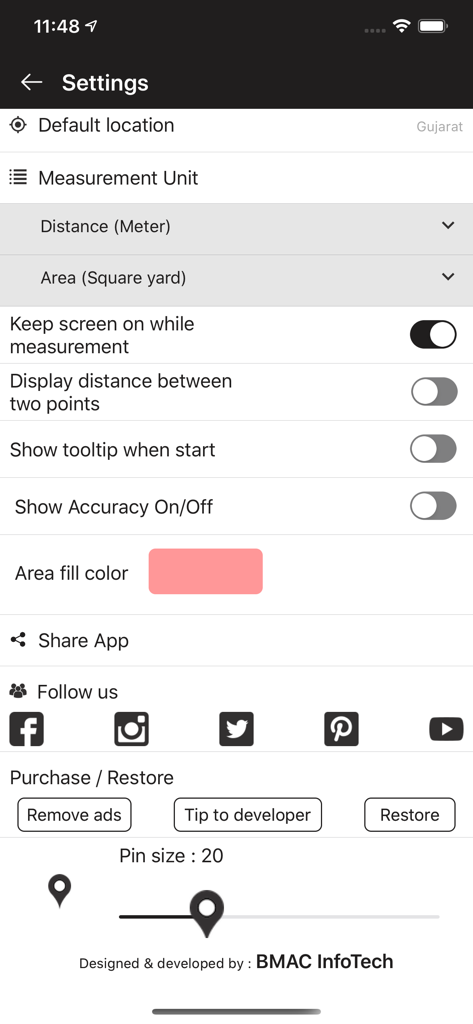
計測単位と表示設定が表示されたGeo Measure 面積計算アプリの設定画面。

計測単位と表示設定が表示されたGeo Measure 面積計算アプリの設定画面。

プロフェッショナルなフィールド計測をシンプルに

このアプリを際立たせるツール、 440K+ 人のユーザーが選択.

🛰️

GPSウォーク・アンド・メジャー

周囲を歩くだけで、広大な面積を簡単にマッピング。アプリが経路を記録し、リアルタイムで寸法を計算します。

📍

高精度ポイントマッピング

高解像度の衛星マップ上にマーカーを配置・ドラッグして、屋根の面積、フェンスライン、または敷地境界線をピンポイントの精度で計算します。

📤

プロのワークフローとKMLエクスポート

計測値を保存し、KMLファイルとしてエクスポート。クライアントとプロフェッショナルなレポートを共有したり、Google EarthやCADにデータを直接インポートしたりできます。

アプリについて

について知っておくべきこと Geo Measure Area Calculator.

説明

Geo Measure is the best free tool for field measurement when you want to purchase some property, and want to calculate the area of that property. Geo Measure will help you like your best friends and will give you exact calculated area. App is useful to calculate GPS area or GPS distance with great accuracy. There two ways to measure any GPS area or distance. You can either put markers manually on MAP or 1)Manual measurement Open app Geo Measure Area calculator FREE click on PLUS button on right-bottom, you will find two option there i.e. Distance and Area. Choose the appropriate option and you will get tow new options to choose i.e. (i) Manual measurement (ii) GPS measurement. Choose first option (i) Manual measurement and application will allow you to put markers on MAP. Hence you are adding markers manual we called this feature as Manual measurement With Manual measurement you can put multiple markers on MAP by just one click or once touch. There are always possibility that you have added wrong marker on MAP and either you want to delete that marker or wants to adjust that marker position. To delete marker, just click once on that existing marker and that wrong maker will be removed. And if you want to just adjust that marker position here we provides great feature that is Drag and Drop particular marker. Simple hold any particular marker for a second and drag maker to position where you want to put. And you will be able to adjust that marker position without deleting existing marker or adding new marker. 2) GPS measurement Open app Geo Measure Area calculator FREE click on PLUS button on right-bottom, you will find tow option there i.e. Distance and Area. Choose appropriate option and you will get tow new options to choose i.e. (i) Manual measurement (ii) GPS measurement. Choose first option (ii) GPS measurement. and app will give you option to record your current GPS position. You can find that option Start recording on TOP of MAP. Once you will click on Start recording application will start recording your current position. Now you simply needs to move around at your location of which you want to calculate area or distance. You can click on Stop recording once you complete your measurement. . Hence application is recording your location based on your GPS position and you don’t need to specify location manually, that’s why we called this feature as GPS measurement Geo Measure Area calculator FREE useful for whom ? This application is useful for variety of users and yes even we are not sure about number users, as anyone can optimize use of this app on their own way. As per our knowledge we have made list of user’s for whom this app can be very useful. Map Measure, Outdoor measurement, Roofing, Real estate, Run, Walk, building buildings and roads,Jog tracking, Sports, Road repairing, Range finder, Concrete, Underground, Paving, Construction, Agricultural measure, Solar panel installation, Roof area estimation, golf fields, spraying, fertilizing, seeding, harvesting, tilling, biking, traveling, planing trips, gardens and paddock, grass, lawn,fence measuring and planning, farmers. Features - Add markers on MAP for the area which you want to measure. - Delete marker place by mistake. - Drag and Drop marker to place marker at perfect place. - Instant measurement / instant calculation. - Save again any calculate area so don't need to do same job again. - Load / Delete already measured / calculated area. - Select diff type of MAP view. - Share with friends. - Share your suggestion to improve or add new feature. - Calculate Distance and Area both. - Now you can save calculated distances list. - Now you can save calculated area list. - Updated new UI easy to use. - Facility to export KML file and share. - Open any KML file using "Geo Measure Area Calculator" app. - FREE forever. No hidden charges All suggestions are welcome...! Send your suggestions to support@geomeasure.in

最新バージョン

1.4.16

サイズ

44.1 MB

リリース日

2016年4月11日

プロフェッショナルな精度で物件の計測を開始しましょう

44万人以上のユーザーが信頼するGeo Measureで、即時かつ信頼性の高い面積・距離計算を。次のフィールドプロジェクトのために、今すぐ無料ツールをダウンロードしてください。

ダウンロード: App Store

App information, icons, screenshots, and descriptions displayed on this page are sourced from the Apple App Store and are the property of their respective developers. Download estimates and rankings are based on MWM's proprietary models and may not reflect actual figures. This page is provided for informational and analytical purposes only.

Believe this page infringes your intellectual property? File a dispute