GPS Logger Plus

GPS Logger Plus

ダウンロード: App Store
ロゴ: GPS Logger Plus

GPS Logger Plus:データ主導の探検家向けの高精度追跡

極めて高いバッテリー効率で座標、高度、速度を記録します。長距離ハイカー、OSMエディター、そして余計な機能なしで生データを必要とするプロフェッショナル向けに構築された、軽量でプライバシー重視のユーティリティです。

ダウンロード: App Store

開発元

Heng Jia Liang

カテゴリ

Navigation

ダウンロード

18K+

ユーザー評価

1.0/5

評価数

0

対応言語

1

精密な視覚化

このインターフェースを利用する 18K+ 人のユーザー.

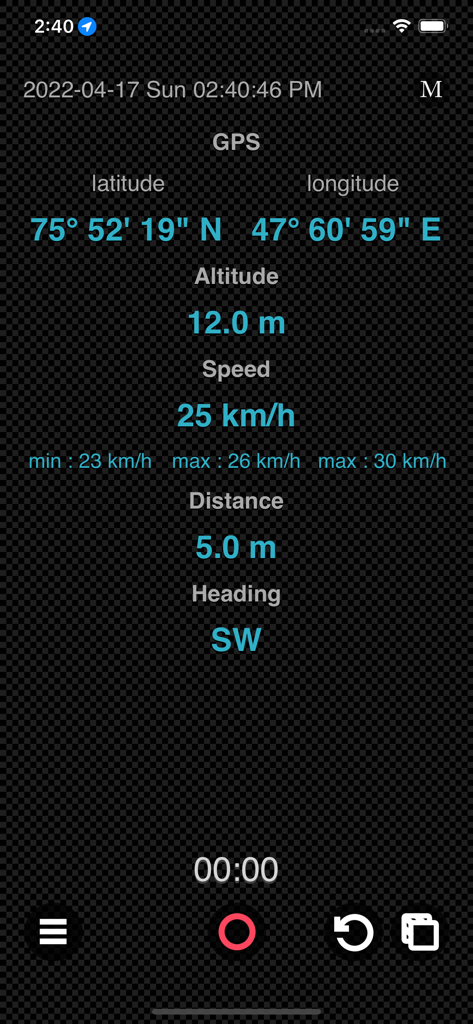
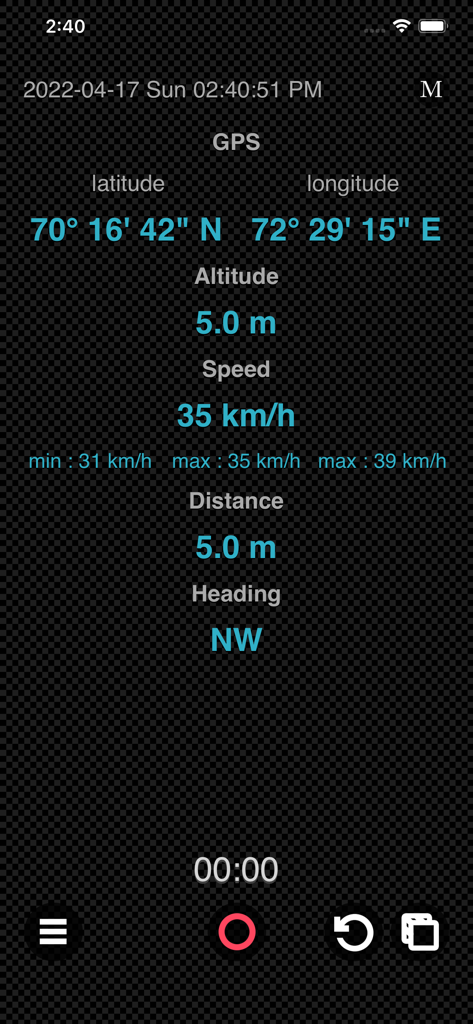
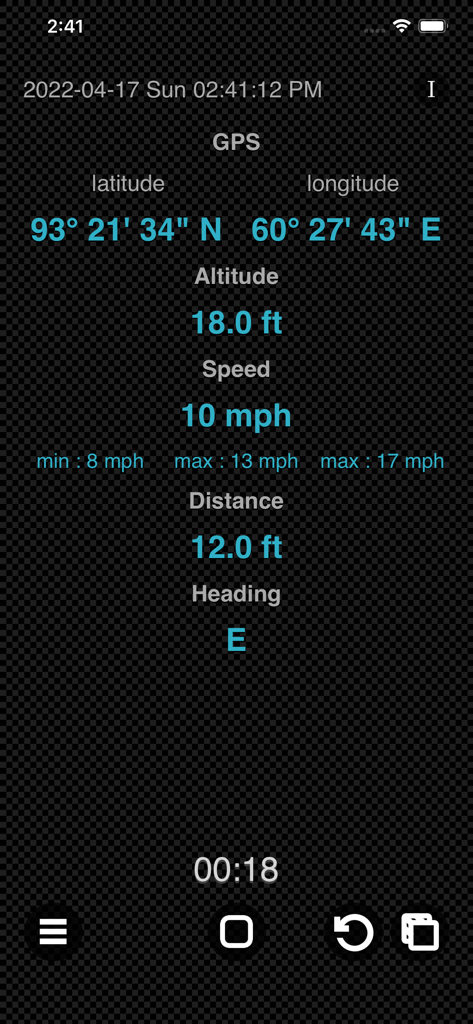
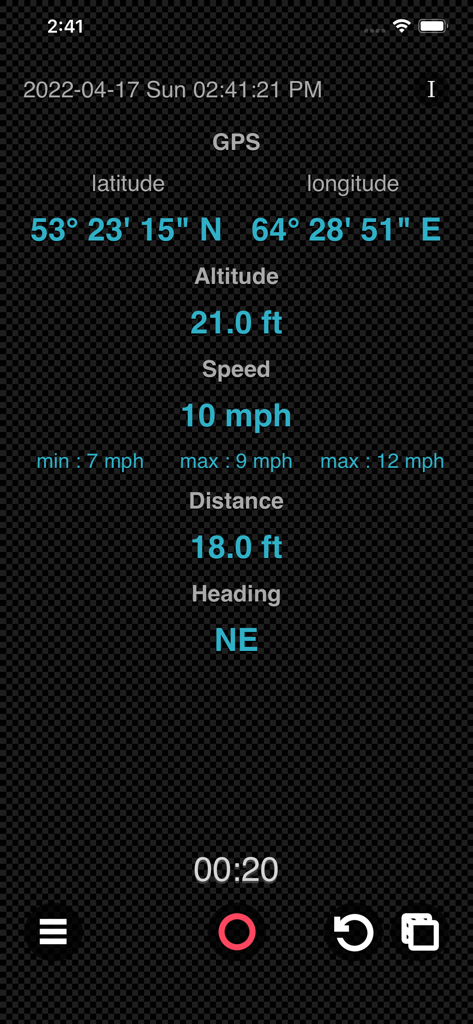
GPS Logger Plusモバイルアプリインターフェース。リアルタイムのGPS座標、高度、速度、距離、進行方向を表示します。

GPS Logger Plusモバイルアプリインターフェース。リアルタイムのGPS座標、高度、速度、距離、進行方向を表示します。

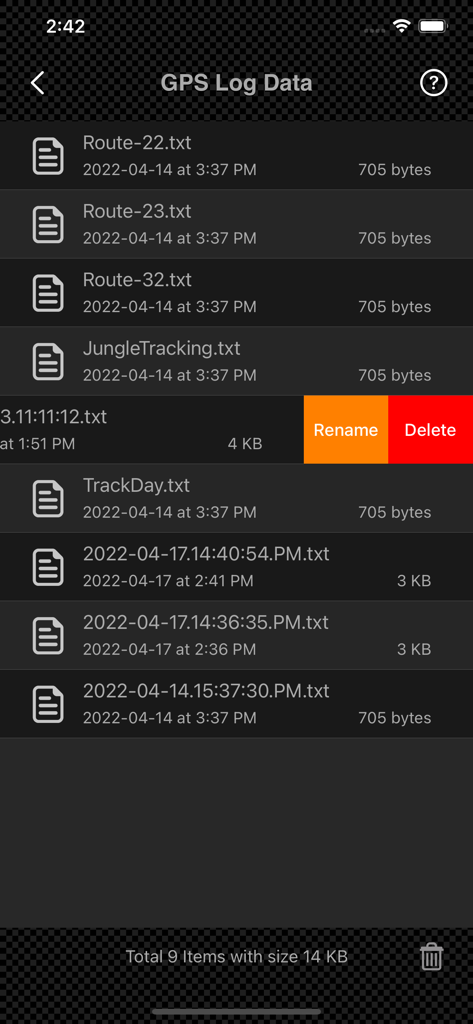
保存されたGPSログテキストファイルを表示するインターフェース。名前の変更と削除のオプションがあります。

保存されたGPSログテキストファイルを表示するインターフェース。名前の変更と削除のオプションがあります。

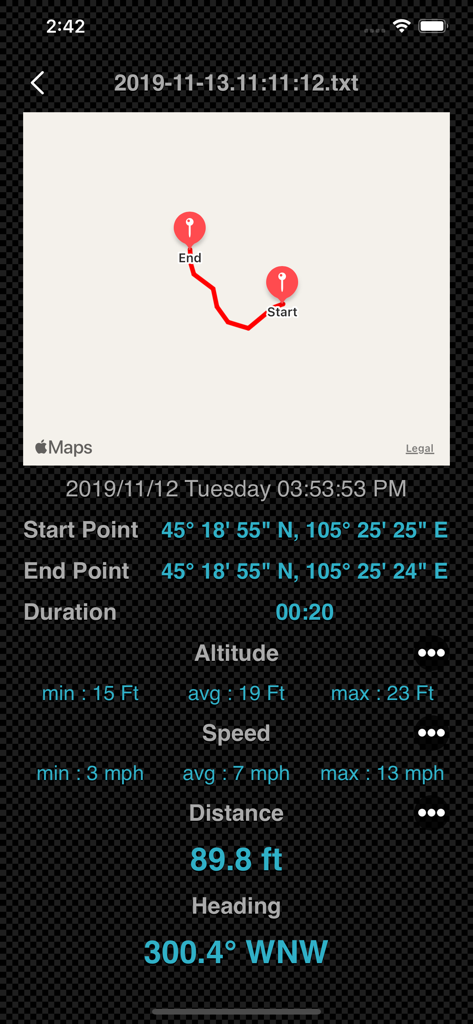
ルートマップとトリップ統計を表示する詳細なGPSトラックデータ画面。

ルートマップとトリップ統計を表示する詳細なGPSトラックデータ画面。

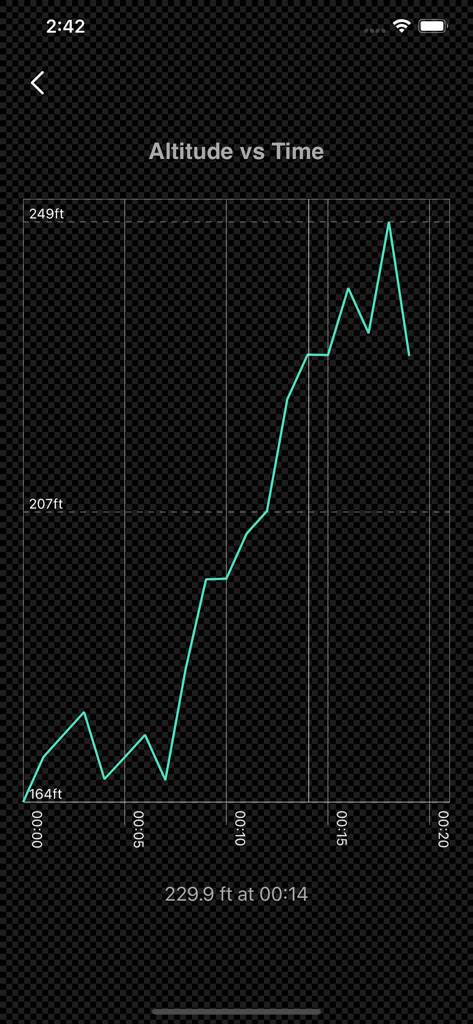
GPS Logger Plusアプリ内で時間対高度のデータを示す線グラフ。

GPS Logger Plusアプリ内で時間対高度のデータを示す線グラフ。

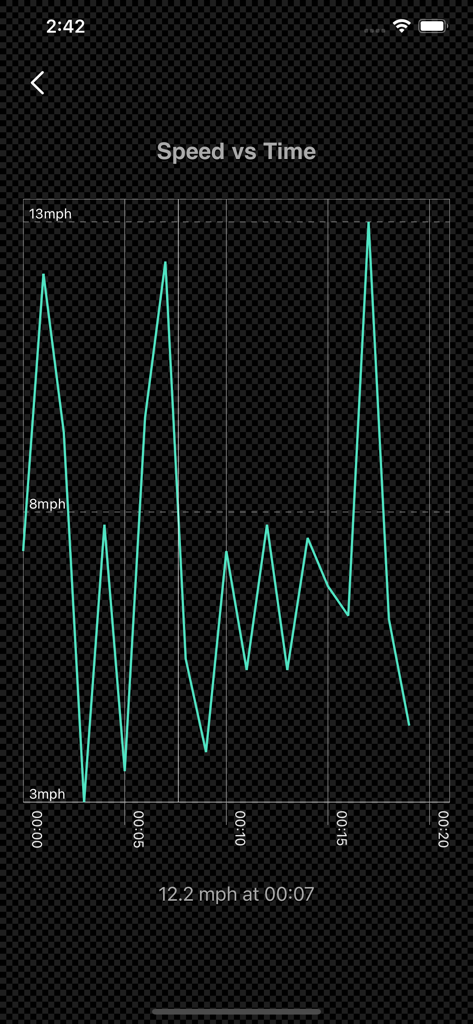
GPS Logger Plusアプリで追跡された速度対時間のデータを示す線グラフ。

GPS Logger Plusアプリで追跡された速度対時間のデータを示す線グラフ。

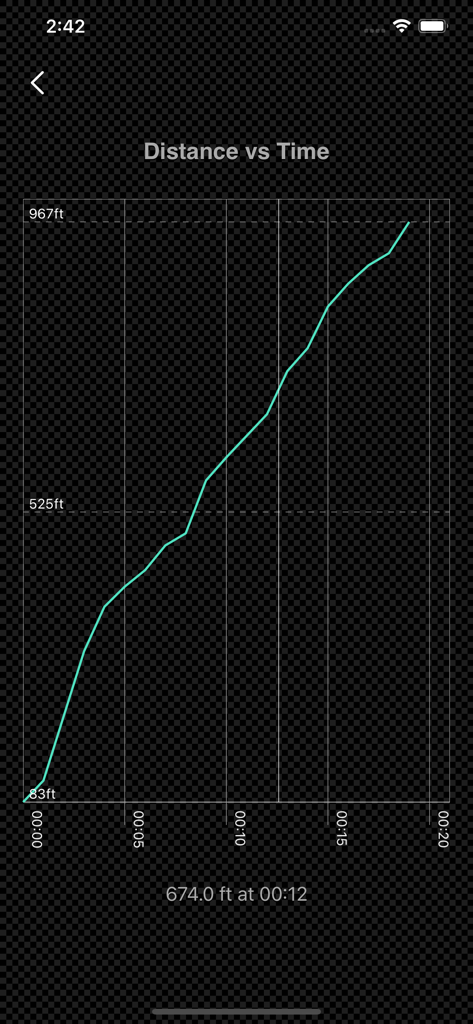
記録されたGPSデータパスを示す距離対時間のグラフ。

記録されたGPSデータパスを示す距離対時間のグラフ。

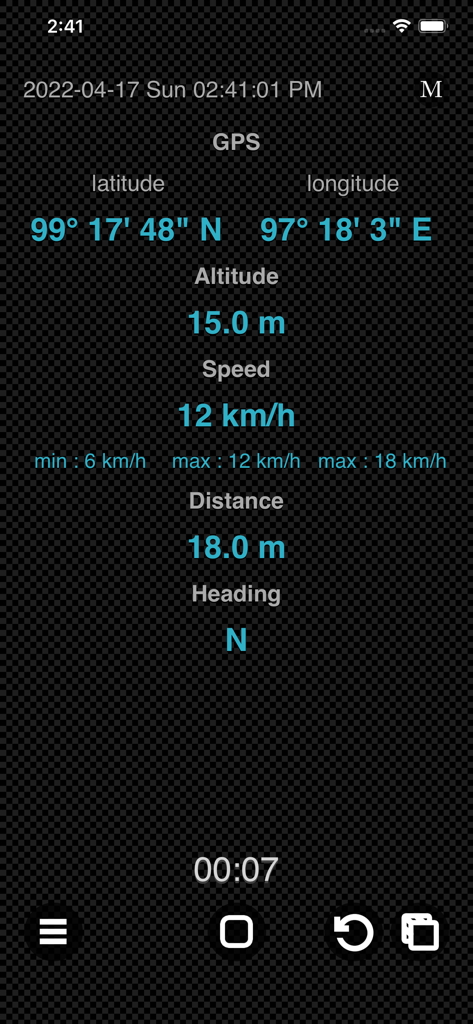
GPS Logger Plusモバイルインターフェース。リアルタイムの座標、高度、速度、進行方向のデータを表示します。

GPS Logger Plusモバイルインターフェース。リアルタイムの座標、高度、速度、進行方向のデータを表示します。

GPS Logger Plusのインターフェース。リアルタイムのGPS座標、速度、高度、距離の追跡を表示します。

GPS Logger Plusのインターフェース。リアルタイムのGPS座標、速度、高度、距離の追跡を表示します。

GPS Logger Plusインターフェース。リアルタイムの緯度、経度、高度、速度の追跡データを表示します。

GPS Logger Plusインターフェース。リアルタイムの緯度、経度、高度、速度の追跡データを表示します。

GPS Logger Plusインターフェース。リアルタイムの座標、高度、速度、進行方向のデータを表示します。

GPS Logger Plusインターフェース。リアルタイムの座標、高度、速度、進行方向のデータを表示します。

バッテリーを消費しない高精度記録

このアプリを際立たせるツール、 18K+ 人のユーザーが選択.

🔋

超効率的なパフォーマンス

画面オフ録画とマップなし処理で、より遠くまで。長距離ハイキングやフライトでのバッテリー消費を最小限に抑えるために特別に設計されています。

📂

完全なデータ主権

iOSファイルアプリを介して直接生のGPSログにアクセスします。クラウド干渉なしに、プロフェッショナルな分析、マッピング、または個人的なアーカイブのために1秒間隔のデータをエクスポートします。

🛡️

プライバシー最優先のユーティリティ

アカウント、広告、トラッキングはありません。あなたのデータのプライバシーとデバイスのパフォーマンスを最優先する、軽量でオフライン対応のツールをお楽しみください。

アプリについて

について知っておくべきこと GPS Logger Plus.

説明

GPS Logger is device sensor log tool that enables you to record your position and your path. The data record includes GPS coordinates, attitude, speed, distance and device heading. You are able to preview the GPS Log data after recording. Features : • Record the GPS coordinate data of your iOS Devices, which are: -- Device GPS coordinate. -- Device Orientation to North. -- Device Altitude. -- Device Speed. -- Device Distance traveled. -- Plus the Time and Date of recording start. • Show Altitude Stats such as minimum altitude, average altitude and maximum altitude. • Show Speed Stats such as minimum speed, average speed and maximum speed. • Able to set Metric or Imperial units. • Lightweight, battery efficient GPS Logger. • No integrated maps while recording for power saving. • Ability to turn off screen while recording for power saving. • Rename/Delete GPS log file. • Preview recorded GPS data in detail, including map plotting and graph mode. • Works seamlessly on both iPhone and iPad. • Lightweight, compact app optimized for everyday use. • Ad-free and built with privacy in mind. GPS Log Files : • All the GPS log files can be accessed in [Files] app, [GPS Logger] Folder. • The GPS log files can be open via normal text editor. • The data array includes altitude [in Meter], compass orientation [0-360 Degree], distance traveled [in Meter], GPS Coordinates and Speed [in Meter/Second]. • The GPS data are recorded with 1.0 sec interval. • You can share GPS log files to another device via Airdrop, Messages or Mail. • To load GPS log files that share by others, simply place the GPS log files into [GPS Logger] Folder via [Files] app. Usage: • Record the track of your walking or running. • Remember the best places you've seen. • Use for long walk, hike or flight ride. • Record the trips while riding and analyse the speed, altitude or distance. • Share your tracks with your family and friends. • For OpenStreetMap map editing. • And many more depend on your imagination. Note: Turn off screen while recording for power saving, tap on the same location again to bring the screen back. Thanks for your support and do visit nitrio.com for more apps for your iOS devices.

最新バージョン

1.1

サイズ

1.7 MB

リリース日

2022年4月28日

プロフェッショナルな精度で追跡を開始

App Storeで最もバッテリー効率が良く、プライバシーを重視したGPSロガーを使用している18,000人以上の探検家やプロフェッショナルに加わりましょう。広告なし、余計な機能なし—純粋なデータのみです。

ダウンロード: App Store

App information, icons, screenshots, and descriptions displayed on this page are sourced from the Apple App Store and are the property of their respective developers. Download estimates and rankings are based on MWM's proprietary models and may not reflect actual figures. This page is provided for informational and analytical purposes only.

Believe this page infringes your intellectual property? File a dispute