Here I Am Now!

Here I Am Now!

ダウンロード: App Store
ロゴ: Here I Am Now!

Here I Am Now! あなたの住所をすべて読み上げる、パーソナル音声ナビゲーター。

高齢者、ウォーキング愛好家、配達のプロにとって究極のハンズフリーツール。正確な番地をリアルタイムで聞き、3Dビューで周囲を確認できます。セットアップ不要、起動してすぐ使えます。

ダウンロード: App Store

開発元

George Wilde

カテゴリ

Navigation

ダウンロード

67K+

ユーザー評価

4.3/5

評価数

0

対応言語

21

ナビゲーションを一目で

このインターフェースを利用する 67K+ 人のユーザー.

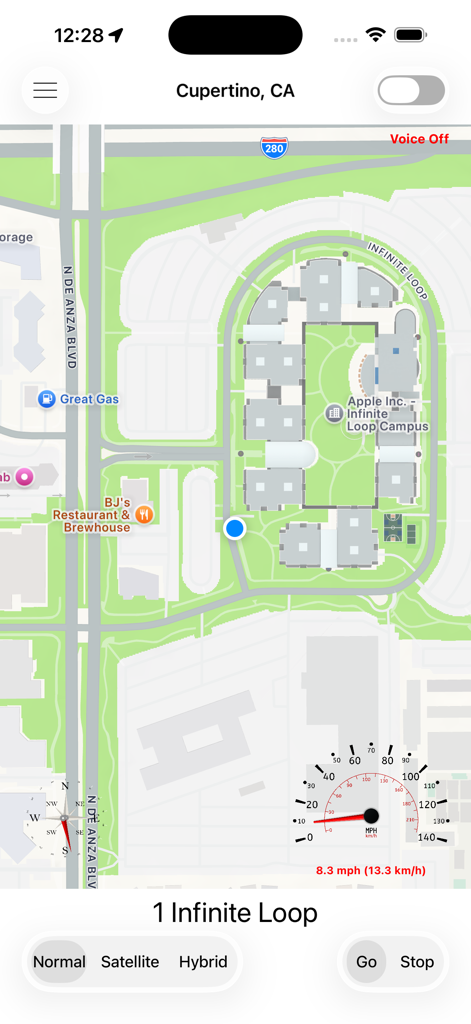
Here I Am Now ナビゲーションアプリの地図インターフェース、現在地とスピードメーターを表示

Here I Am Now ナビゲーションアプリの地図インターフェース、現在地とスピードメーターを表示

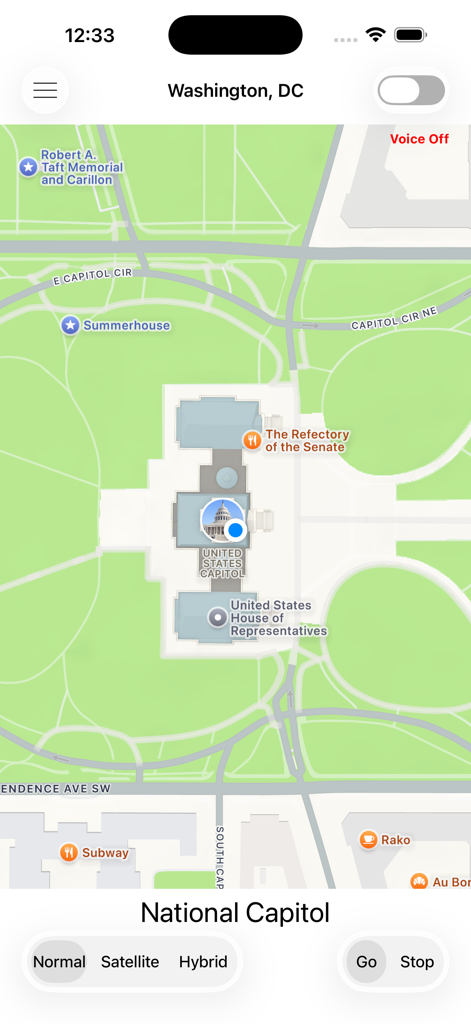
Here I Am Now アプリで米国議会議事堂の現在地を示す地図ビュー

Here I Am Now アプリで米国議会議事堂の現在地を示す地図ビュー

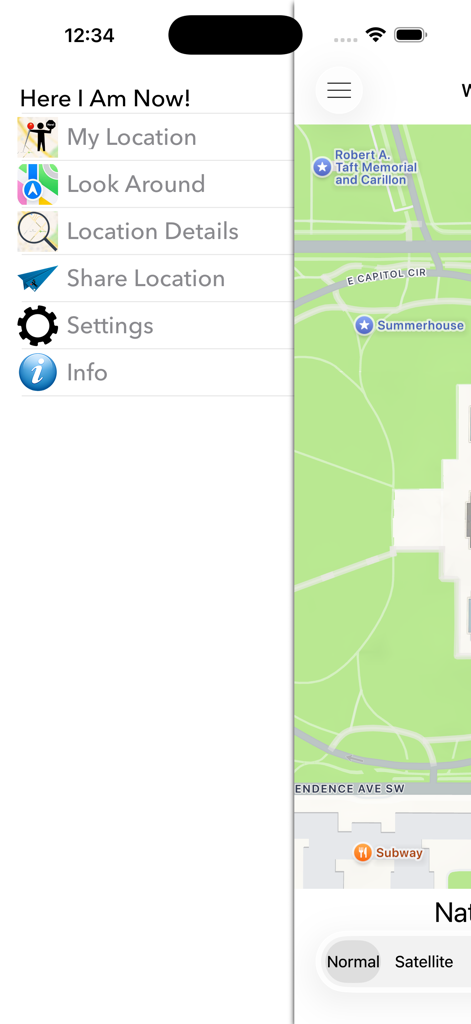
都市地図の上にマイロケーションやルックアラウンドなどのオプションを表示するHere I Am Now ナビゲーションアプリのサイドメニュー

都市地図の上にマイロケーションやルックアラウンドなどのオプションを表示するHere I Am Now ナビゲーションアプリのサイドメニュー

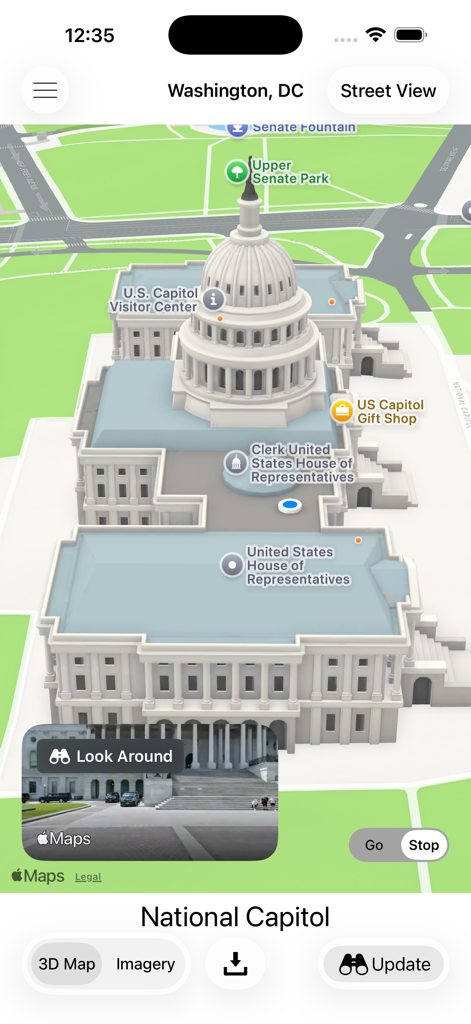
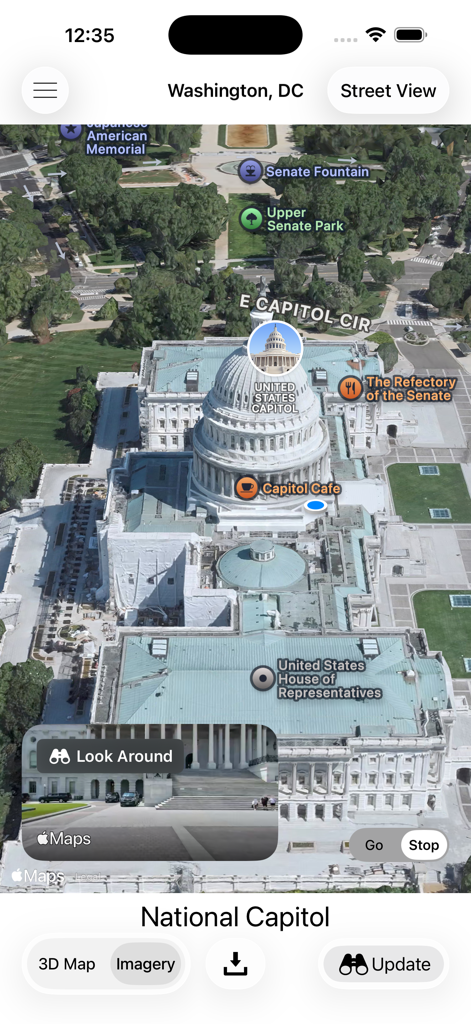
ワシントンD.C.にある米国議会議事堂の3Dマップと、インセットとしてLook Aroundのストリートレベルビューを表示するHere I Am Now!アプリのスクリーンショット。

ワシントンD.C.にある米国議会議事堂の3Dマップと、インセットとしてLook Aroundのストリートレベルビューを表示するHere I Am Now!アプリのスクリーンショット。

Here I Am Now ナビゲーションアプリ内のワシントンD.C.にある米国議会議事堂の3D航空地図ビュー

Here I Am Now ナビゲーションアプリ内のワシントンD.C.にある米国議会議事堂の3D航空地図ビュー

Here I Am Now アプリインターフェース内の米国議会議事堂のパノラマLook Aroundビュー。

Here I Am Now アプリインターフェース内の米国議会議事堂のパノラマLook Aroundビュー。

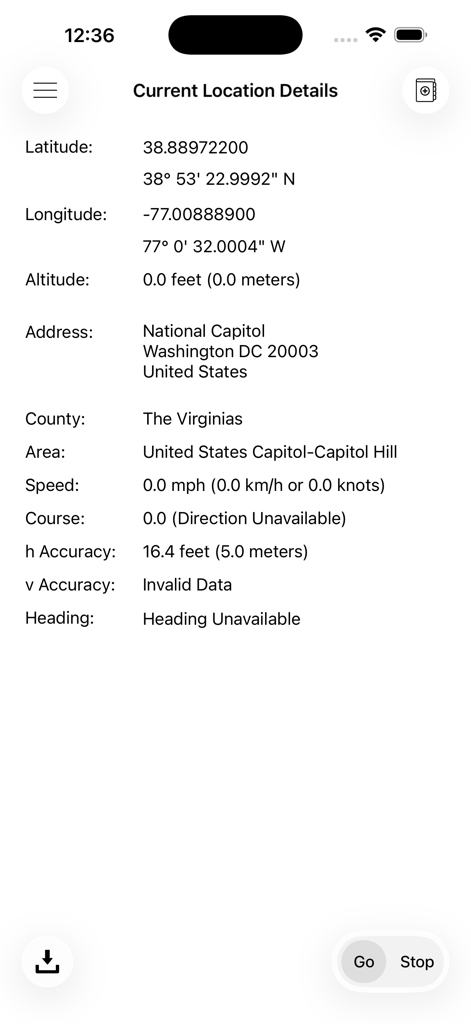
現在地の詳細、住所、GPS座標を含むモバイルアプリ画面

現在地の詳細、住所、GPS座標を含むモバイルアプリ画面

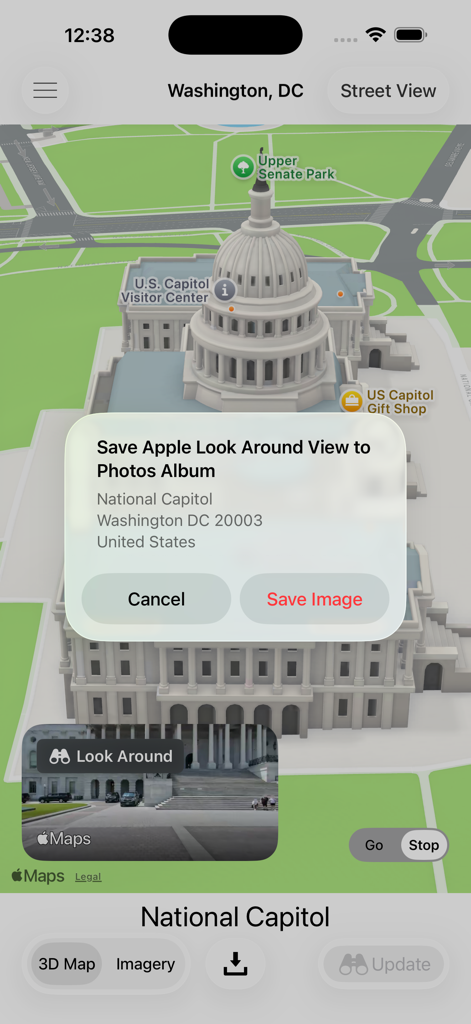
ワシントンD.C.にある米国議会議事堂の3Dマップと、Look Aroundビュー画像の保存を促すプロンプトを表示するHere I Am Nowアプリのスクリーンショット。

ワシントンD.C.にある米国議会議事堂の3Dマップと、Look Aroundビュー画像の保存を促すプロンプトを表示するHere I Am Nowアプリのスクリーンショット。

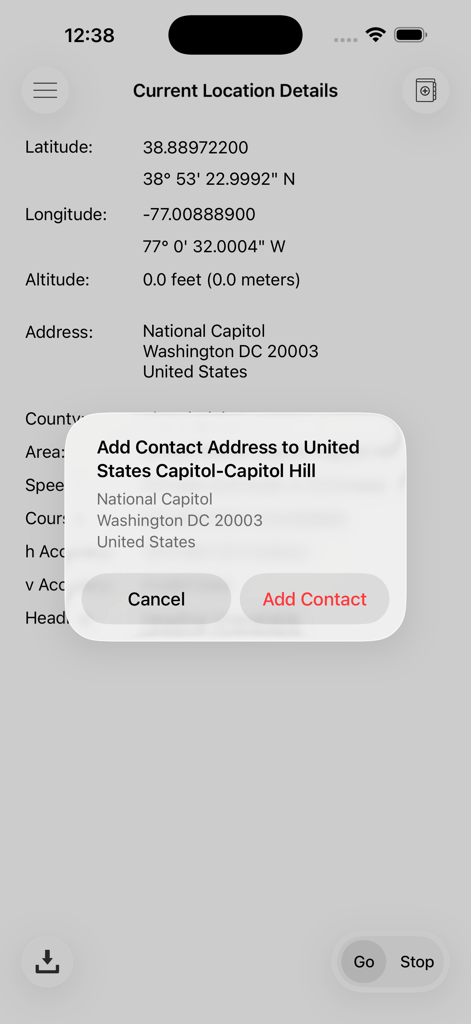
現在のGPS座標と連絡先への住所追加オプションを表示するモバイルアプリ画面。

現在のGPS座標と連絡先への住所追加オプションを表示するモバイルアプリ画面。

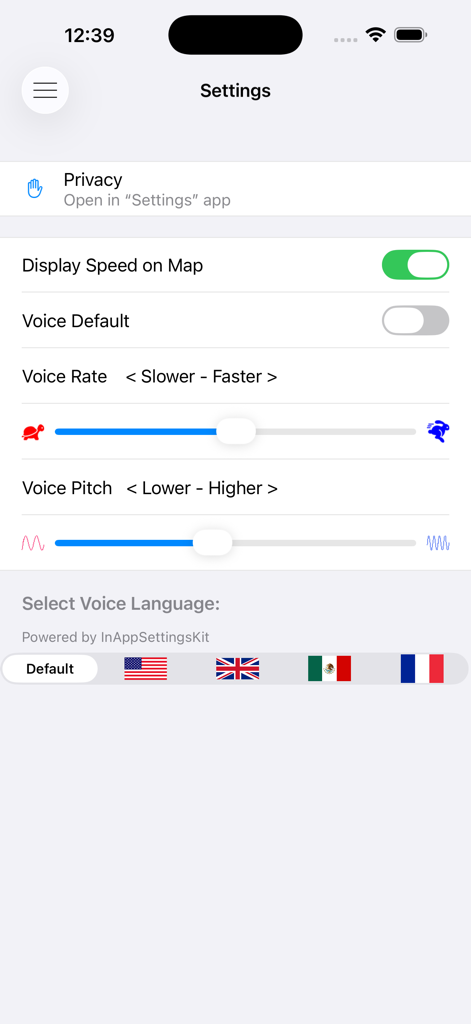
音声速度、ピッチ、言語選択のオプションを表示するHere I Am Nowアプリの設定メニュー

音声速度、ピッチ、言語選択のオプションを表示するHere I Am Nowアプリの設定メニュー

自信を持って世界をナビゲート

このアプリを際立たせるツール、 67K+ 人のユーザーが選択.

🔊

ハンズフリー音声ガイダンス

アプリが通過するすべての番地を自動的にアナウンスし、運転中やウォーキング中の安全で集中を妨げないナビゲーションを可能にします。

📸

いつでも昼間の景色を確認

Look Aroundとストリートビューにすぐにアクセスして、360°の画像で現在地を確認し、暗闇でも正しい場所であることを保証します。

独立したウォッチアクセス

Apple Watchで地図と音声案内機能を直接利用でき、軽量な運動や簡単な場所の確認に最適です。

アプリについて

について知っておくべきこと Here I Am Now!.

説明

iPHONE FEATURES • Here I Am Now! displays your current location on a map and follows you as you move. It uses reverse geocoding and speech synthesis to display and announce each street address as you pass nearby (e.g.; “4 Elm Street”, “6 Elm Street”, “8 Elm Street”, etc.). It follows you on a detailed map as you drive, ride, or walk past buildings and residences, verbally announcing each address as you pass by. The use of synthesized speech means that you are not distracted by having to look at a screen, but rather can just listen to the spoken addresses as you pass nearby. A speedometer and compass are also optionally displayed on the map if you are moving at a significant rate. • Here I Am Now! displays an interactive 3D map and 3D aerial imagery of your current location. It also displays an Apple panoramic Look Around view of this location in areas where Look Around is available, and permits saving the Look Around view to your photos library. A Google Street View can also be viewed and saved to your photos library in areas where Street View is available. The heading of the displayed Street View is the direction that your iPhone is facing when you enter Street View. Look Around and Street View are especially helpful at night when a daytime view of your location may be essential to identify that you are in the correct location. • Here I Am Now! is very simple to use, requiring no setup - just launch Here I Am Now! and it immediately begins to follow you. • Here I Am Now! allows you to share your current location with friends and family, but only if you elect to do so. You can send your current location information via Messages and Mail, or post it to Twitter, Facebook, and many other services. The information sent varies by service selected, but generally includes your current location information (street address, city, state, and zip code), your current map coordinates (latitude & longitude), and an optional photo of your location, allowing others to quickly find directions to your current location using the iOS Maps App or other navigation Apps. • You can take a photo of your current location or a selfie at your current location, or use any photo currently in your photos library to include with your shared location information if you so desire. • HereI Am Now! also provides more detailed location information including your current latitude, longitude, altitude, speed, heading, course, and estimated location accuracy, as well as complete address information.  OTHER INFO • Obviously Here I Am Now! is only effective in areas where locations have been geocoded, but that includes most cities in the US. Here I Am Now! also relies on GPS signals to determine your detailed location and cellular (or Wi-Fi) network connections to access the geocoding data. As with all navigation applications, the accuracy of information displayed and spoken by Here I Am Now! is dependent on many factors, including GPS and geocoding availability and accuracy, and network connectivity. Please note that continued use of GPS running in the background can dramatically decrease battery life. APPLE WATCH FEATURES • Here I Am Now! for Apple Watch provides a small detailed map of your current location, as well as a display of your current street address. It uses reverse geocoding and speech synthesis to display and announce each street address as you move along. Here I Am Now! for Apple Watch allows you to zoom this map in or out to achieve the best view. When used with an Apple Watch with cellular capability Here I Am Now! for Apple Watch can operate entirely independent of the iPhone.

最新バージョン

7.1

サイズ

15.9 MB

リリース日

2015年2月18日

常に現在地を正確に把握

67,000人以上のユーザーが、ハンズフリーの方向確認と簡単な位置情報共有のためにHere I Am Now!を信頼しています。セットアップ不要で数秒で開始できます。

ダウンロード: App Store

App information, icons, screenshots, and descriptions displayed on this page are sourced from the Apple App Store and are the property of their respective developers. Download estimates and rankings are based on MWM's proprietary models and may not reflect actual figures. This page is provided for informational and analytical purposes only.

Believe this page infringes your intellectual property? File a dispute