iCatcher! Podcast Player

iCatcher! Podcast Player


ダウンロード: App Store
ロゴ: iCatcher! Podcast Player

iCatcher! ポッドキャストヘビーユーザーのための究極ツール

詳細な再生設定、高度な自動化、そしてAppleデバイス全体でのシームレスな同期で、あなたのリスニング体験を完全にコントロールしましょう。

開発元

Joe Graf

カテゴリ

News

ダウンロード

86K+

ユーザー評価

5.0/5

評価数

0

対応言語

1

一目でわかるコントロール

このインターフェースを利用する 86K+ 人のユーザー.

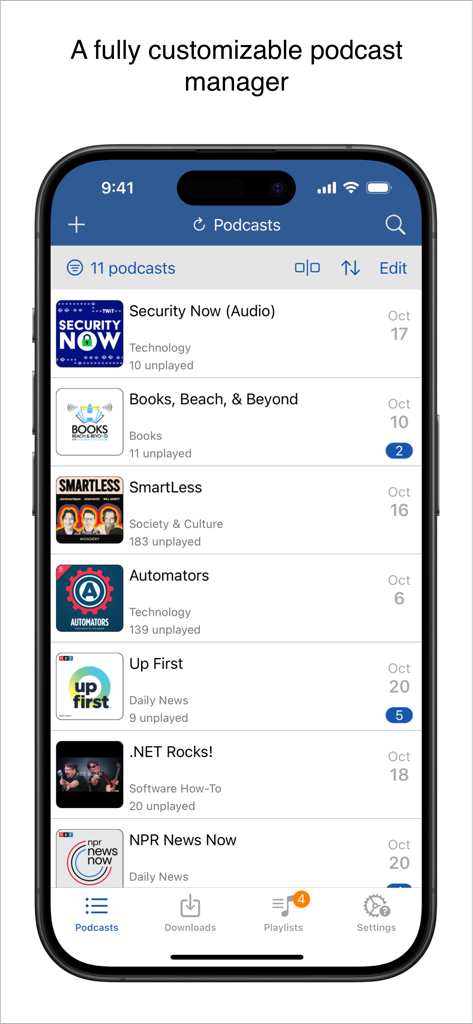
iCatcherポッドキャストプレイヤーのインターフェイス。iPhone上に購読中の番組と未再生エピソードのリストが表示されています。

iCatcherポッドキャストプレイヤーのインターフェイス。iPhone上に購読中の番組と未再生エピソードのリストが表示されています。

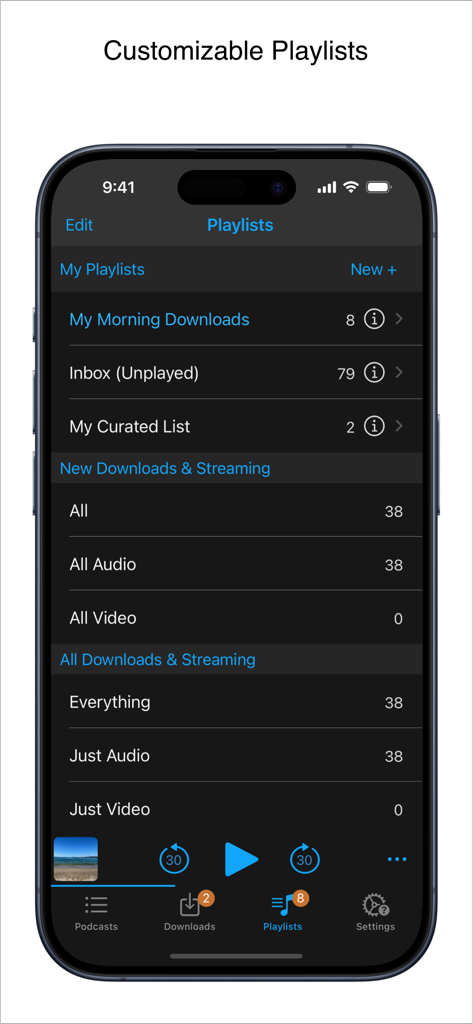
iCatcher Podcast Playerのインターフェイス。iPhone上でカスタマイズ可能なプレイリスト管理が表示されています。

iCatcher Podcast Playerのインターフェイス。iPhone上でカスタマイズ可能なプレイリスト管理が表示されています。

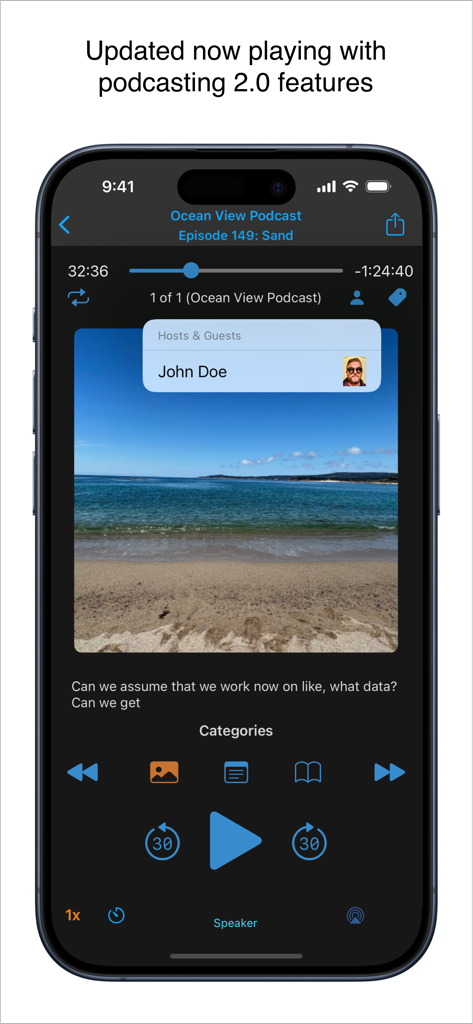
iCatcher Podcast Playerの再生画面。iPhone上でホスト情報や再生コントロールなどのPodcasting 2.0機能が表示されています。

iCatcher Podcast Playerの再生画面。iPhone上でホスト情報や再生コントロールなどのPodcasting 2.0機能が表示されています。

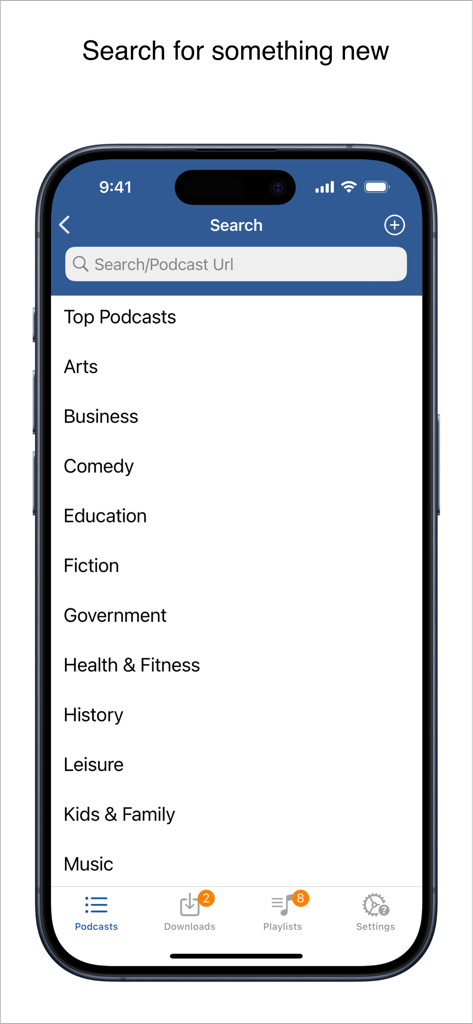
iCatcher Podcast Playerの検索インターフェイス。ポッドキャストのカテゴリリストと、キーワードまたはURLの検索バーが表示されています。

iCatcher Podcast Playerの検索インターフェイス。ポッドキャストのカテゴリリストと、キーワードまたはURLの検索バーが表示されています。

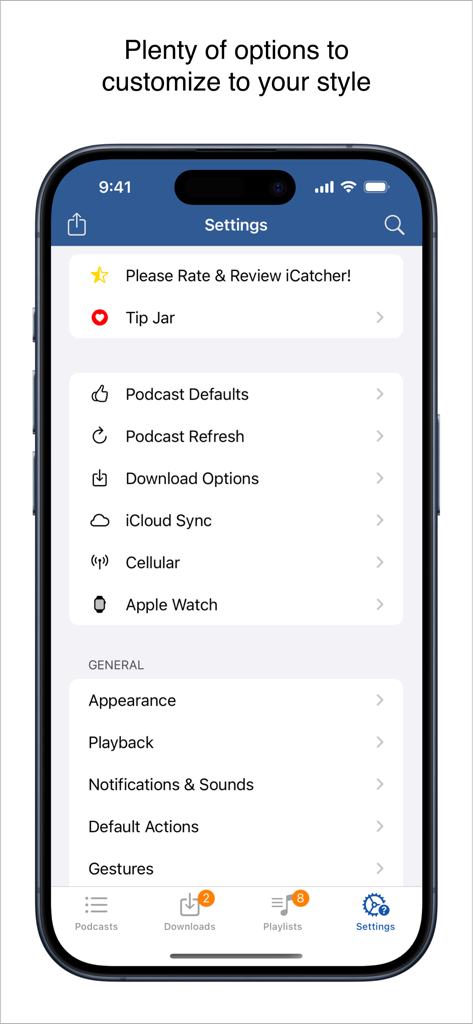
iCatcher! Podcast Playerアプリの設定メニュー。ヘビーユーザー向けの詳細なカスタマイズオプションが表示されています。

iCatcher! Podcast Playerアプリの設定メニュー。ヘビーユーザー向けの詳細なカスタマイズオプションが表示されています。

ポッドキャストヘビーユーザーのために構築

このアプリを際立たせるツール、 86K+ 人のユーザーが選択.

🛠️

詳細な再生コントロール

ポッドキャストごとにカスタム速度を設定し、高度なジェスチャーでハンズフリー操作を行い、スマートフィルターで完璧な自動キューを作成しましょう。

🚀

ディープなiOS統合

iPhone、iPad、Watch間でiCloud経由で進捗を同期しましょう。iOSショートカットを使用してリスニングを自動化し、外出先でも効率を維持しましょう。

🔒

プライベートフィード対応

PatreonやSupercastからのパスワード保護されたフィードをシームレスに管理し、堅牢なオフラインダウンロードと強力なOPMLインポートオプションを利用しましょう。

アプリについて

について知っておくべきこと iCatcher! Podcast Player.

説明

Download, listen, watch, and relish your favorite podcasts. FEATURES - Subscribe to your preferred podcasts within the app and manage them conveniently. - Download episodes over WiFi or Cellular (available on devices with cellular capabilities). - Support for password-protected feeds. - Background refresh and download in the background. - Sync subscriptions, episode playback positions, and playlists between your devices using iCloud. - Universal App (compatible with iPhone and iPad). - Search across all views to locate the podcast or episode you’re seeking. - Customize playlists with filtering options based on podcasts, episodes, and more. - Support for continuous playback (toggle it on the now playing screen just below the time elapsed). - Portrait and landscape orientation supporter, with a configurable option in the settings. - Unfollow podcasts and still keep them on your device. This feature is particularly useful for podcasts that don’t meet your expectations. PLAYBACK - Variable playback speed. - Remembered playback speed per podcast. - Support for podcasts with chapters and chapter images (MP3 and M4A formats). - Utilize your headset controls, including Bluetooth car controls (when paired), to play/pause, jump forward or backward 30 seconds. - Sleep timer. - Beautifully rendered show notes. - Onscreen controls for skipping ahead and skipping back. - Gesture support on the now playing screen (when the podcast logo is visible) to facilitate hands-free use. - Double-tap to play/pause. - Swipe up to adjust playback speed. - Swipe left or right to rewind or fast-forward. - Home to the L gesture for the 2-minute Leo jump. - Refer to Settings and Gestures for more information and customization options for rewind/fast-forward gestures. - AirPlay support allows you to watch or listen to podcasts on your large screen. - External display support for videos is available for devices that support an external display (use the Apple HDMI adapter). - Enjoy your favorite podcasts with a familiar layout. FIND NEW PODCASTS QUICKLY - Search for your podcasts by title, keyword, or author. - Browse the top podcasts categorized by different genres. • Manually add podcasts by entering their URLs. • Support for password-protected feeds. • Option to download a single episode. • Import podcast subscriptions for episodes already on your device from iTunes. • Import your OPML file from iTunes or other iOS podcast app. • Import media using the iTunes File Sharing feature. • Add your existing audiobooks (non-password-protected ones) using the iTunes File Sharing feature. • Add previously downloaded podcasts from your computer using the iTunes file sharing feature (see Settings and Import Media for details). SHORTCUT ACTIONS • Search your podcasts and episodes using shortcut actions. • Easily create an export from other apps into iCatcher using the subscribe action. • Control playback. • View podcast action including currently playing. • Import media directly into the app (like audiobooks). • Transfer your media to the watch via shortcut actions. • Pull chapter images. • Many more actions available. MORE • Completely customizable to suit your podcast preferences. • Swipe across a podcast or episode to access additional options. • Podcast settings allow you to set the days the podcast typically releases or the number of days between. • Specify the number of episodes to download when new ones are available. • Share podcast information via email with your friends. CONTACT Email: Tap the settings tab and select Send Questions or Feedback. Twitter/X: @Joeisanerd. PLEASE NOTE: The app doesn’t sync with iTunes. Like other podcast apps, it’s a standalone app designed for subscribing and downloading on the device. * If a feed doesn’t work, please let me know so I can investigate it. Requires iOS 17.4 or higher.

最新バージョン

9.3.3

サイズ

52.1 MB

リリース日

2011年3月15日

今日からあなたのポッドキャストライブラリをマスターしましょう

基本的なプレイヤー以上のものを求める86,000人以上のヘビーユーザーに加わりましょう。あなたのリスニング習慣にふさわしい、詳細なコントロール、高度なショートカット、カスタム再生速度を手に入れましょう。

ダウンロード: App Store

App information, icons, screenshots, and descriptions displayed on this page are sourced from the Apple App Store and are the property of their respective developers. Download estimates and rankings are based on MWM's proprietary models and may not reflect actual figures. This page is provided for informational and analytical purposes only.

Believe this page infringes your intellectual property? File a dispute