Jeppesen Aviator

Jeppesen Aviator

ダウンロード: App Store
ロゴ: Jeppesen Aviator

Jeppesen Aviator: プロパイロットのための一元化されたEFBエコシステム

インテリジェントなブリーフィングやナビゲーションログから、シームレスなドキュメント管理、デバイス間冗長性まで、同期されたミッションクリティカルなツールスイートでフライトデッキのワークフローを効率化します。

ダウンロード: App Store

開発元

Jeppesen

カテゴリ

Navigation

ダウンロード

162K+

ユーザー評価

3.8/5

評価数

0

対応言語

1

ミッションクリティカルな明瞭性

このインターフェースを利用する 162K+ 人のユーザー.

雲と飛行アイコンが表示されたJeppesen Aviatorアプリの起動画面

雲と飛行アイコンが表示されたJeppesen Aviatorアプリの起動画面

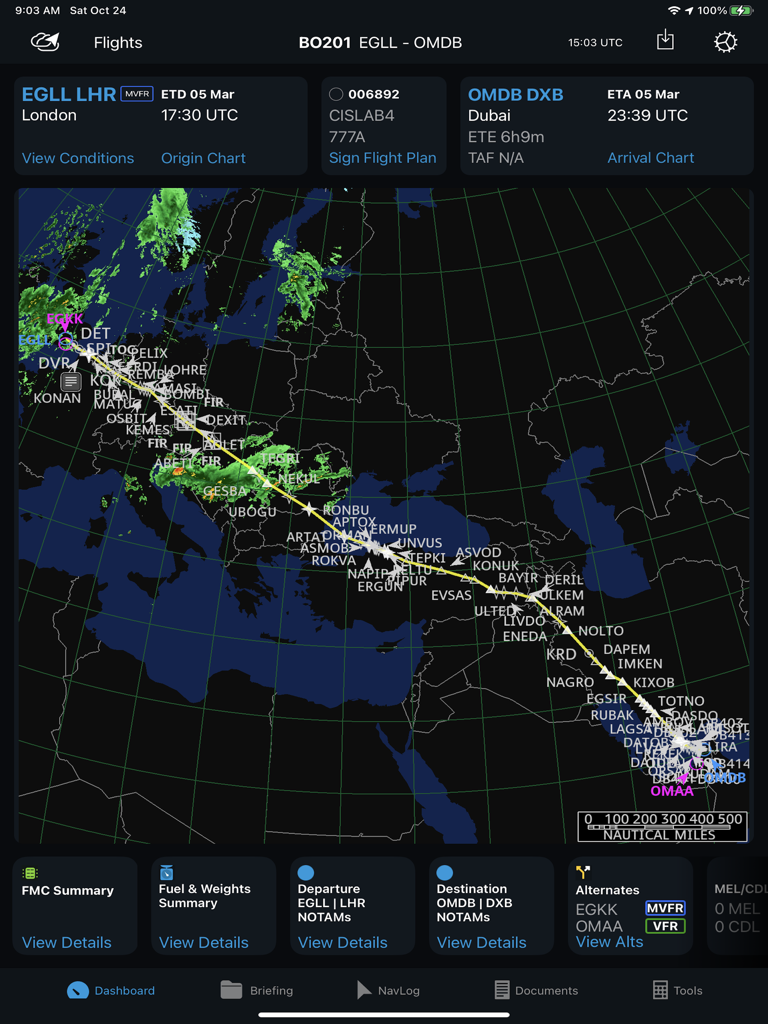
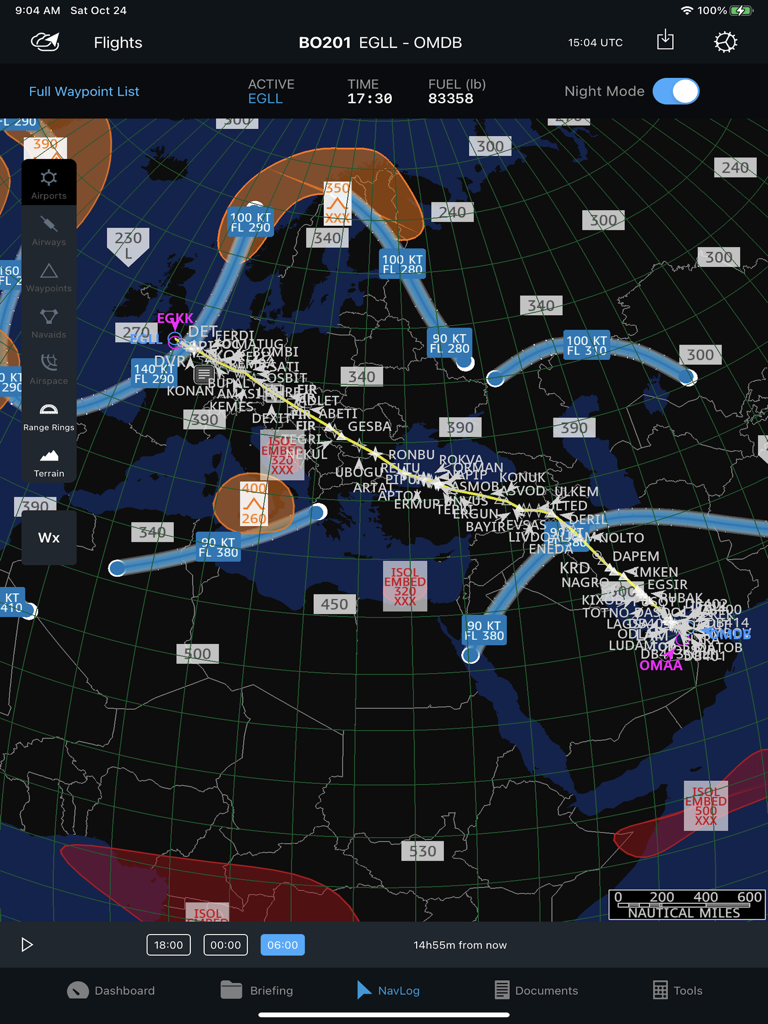
ロンドンからドバイまでの飛行ルートマップ、気象オーバーレイ、ナビゲーションダッシュボードを表示するJeppesen Aviatorアプリのインターフェース。

ロンドンからドバイまでの飛行ルートマップ、気象オーバーレイ、ナビゲーションダッシュボードを表示するJeppesen Aviatorアプリのインターフェース。

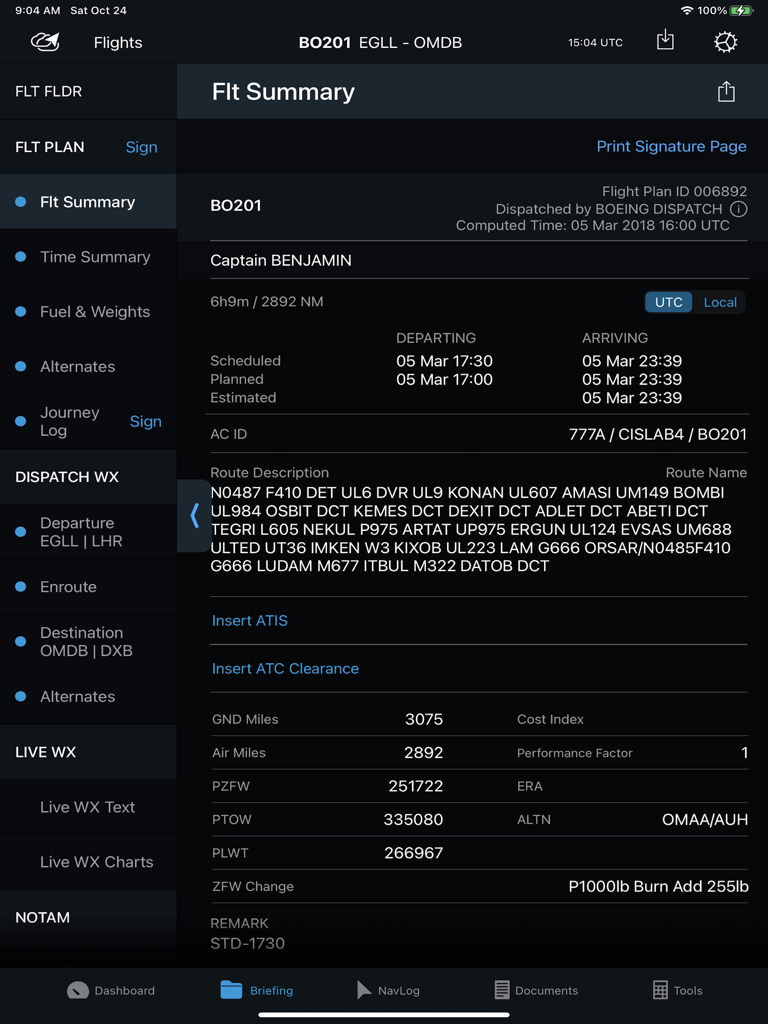
フライトプランの詳細、ルートの説明、出発・到着時間を表示するJeppesen Aviator iPadアプリのフライト概要ダッシュボード

フライトプランの詳細、ルートの説明、出発・到着時間を表示するJeppesen Aviator iPadアプリのフライト概要ダッシュボード

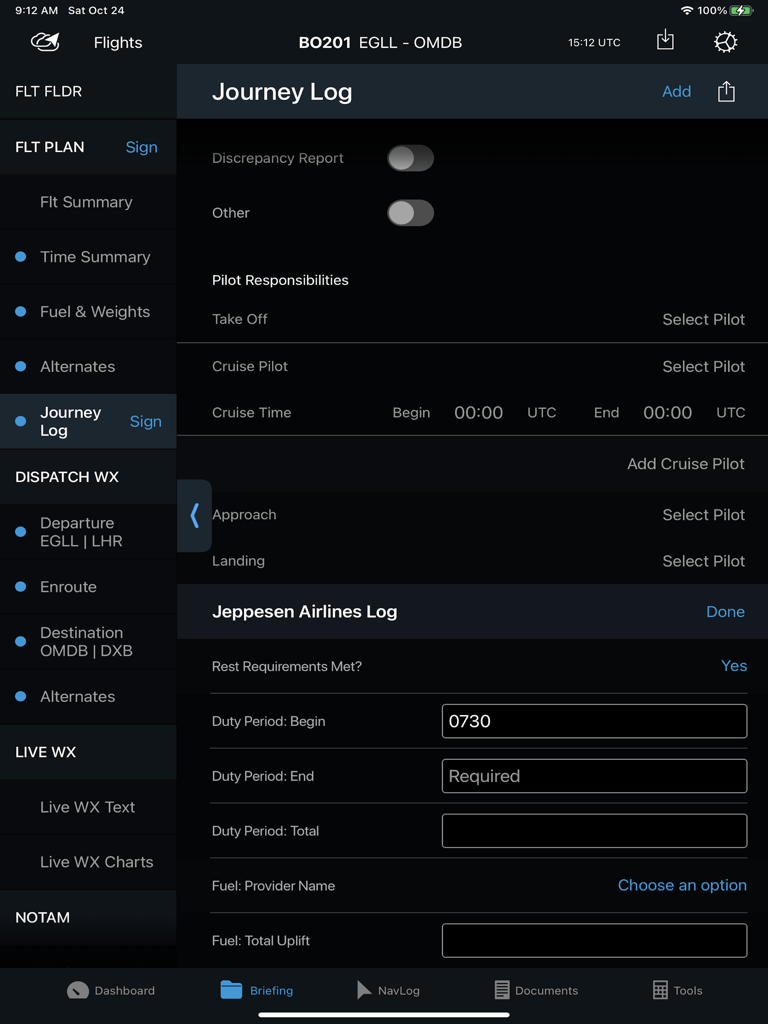
Jeppesen Aviatorアプリ内のプロパイロット向けジャーニーログを表示する電子フライトバッグのインターフェース

Jeppesen Aviatorアプリ内のプロパイロット向けジャーニーログを表示する電子フライトバッグのインターフェース

世界地図上にルートと気象オーバーレイを表示するプロフェッショナルな飛行ナビゲーションログ

世界地図上にルートと気象オーバーレイを表示するプロフェッショナルな飛行ナビゲーションログ

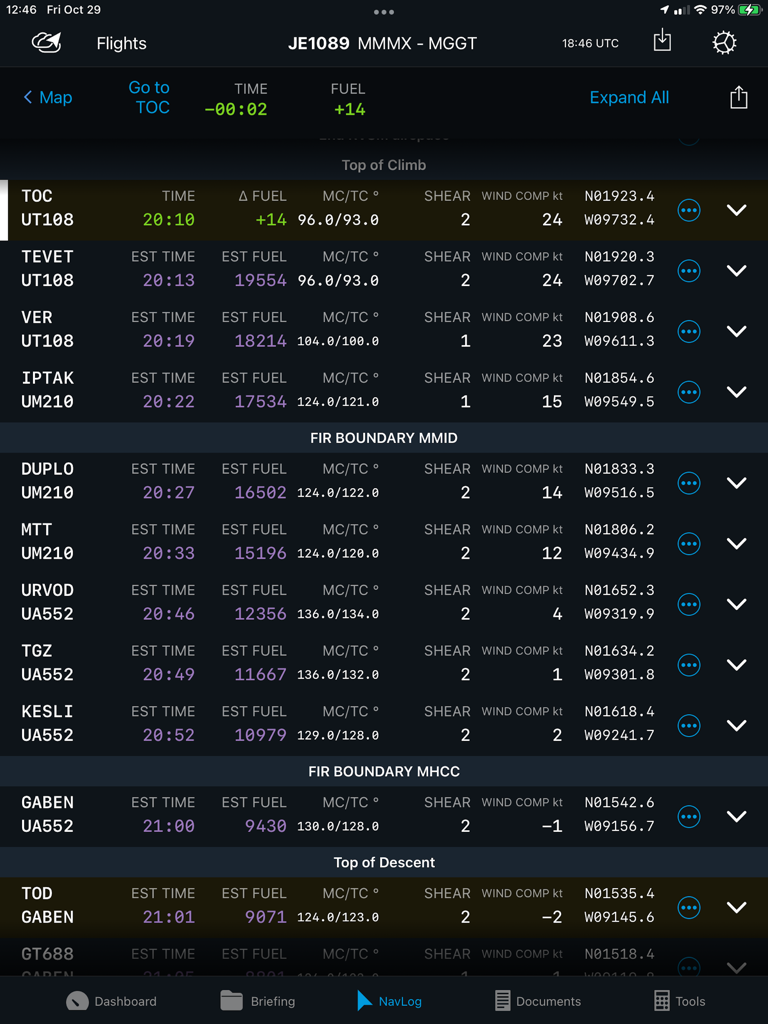
航空ウェイポイント、推定燃料、飛行タイミングデータを表示する電子フライトバッグのNavLogインターフェース

航空ウェイポイント、推定燃料、飛行タイミングデータを表示する電子フライトバッグのNavLogインターフェース

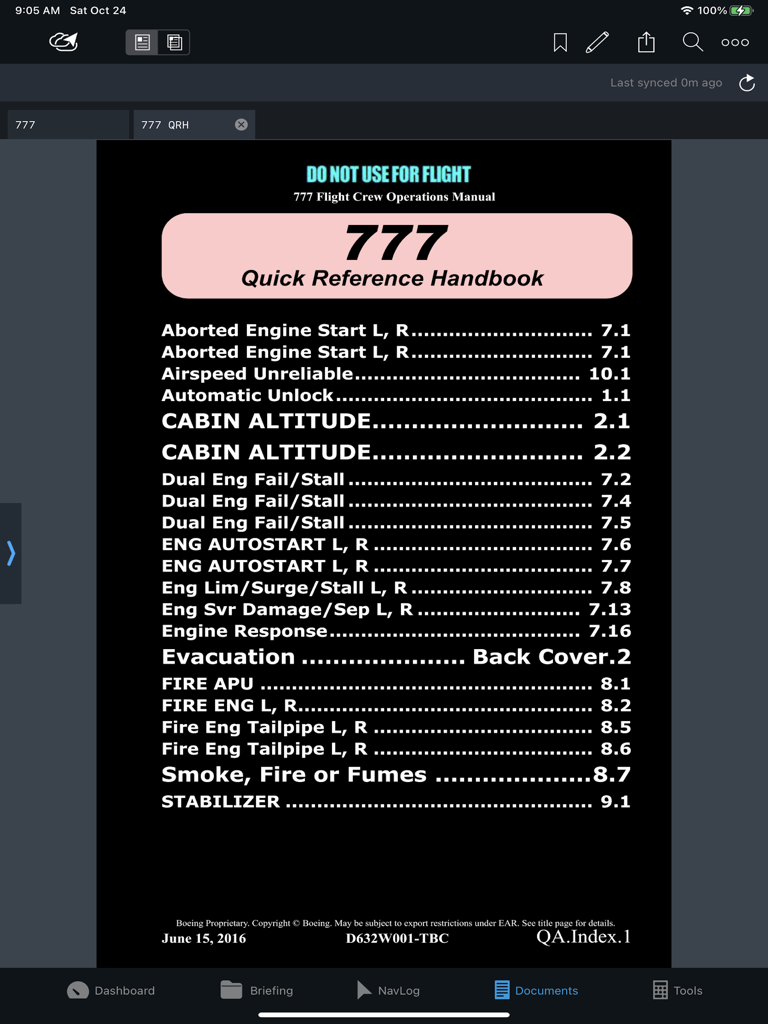
Documents(ドキュメント)モジュール内のボーイング777クイックリファレンスハンドブックの索引を表示するJeppesen Aviatorアプリのインターフェース

Documents(ドキュメント)モジュール内のボーイング777クイックリファレンスハンドブックの索引を表示するJeppesen Aviatorアプリのインターフェース

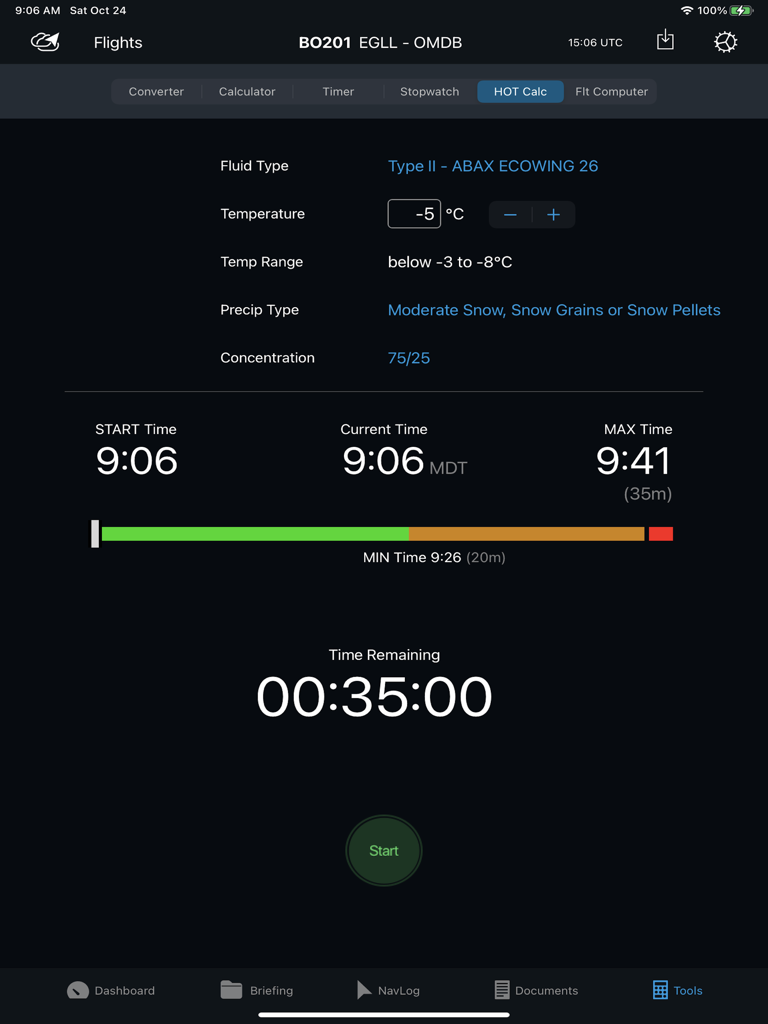
残り時間と気象状況を表示するJeppesen Aviator除氷ホールドオーバータイマーツール

残り時間と気象状況を表示するJeppesen Aviator除氷ホールドオーバータイマーツール

プロの飛行士のために精密に設計

このアプリを際立たせるツール、 162K+ 人のユーザーが選択.

🔄

シームレスなデータ同期

フライトプランとメタデータをNavLog、ブリーフィング、パフォーマンスモジュール間で自動的に同期することで、手動データ再入力エラーを排除します。

🛡️

ミッションクリティカルな冗長性

デバイス間の共有とオフラインTrip Kitにより、接続が損なわれた場合でも運航の継続性を確保し、常に飛行可能な状態を維持します。

📊

一元化されたフライトダッシュボード

チャートやナビゲーションと直接統合された、METAR、TAF、NOTAMの中央ビューにより、即座に状況認識を得ることができます。

アプリについて

について知っておくべきこと Jeppesen Aviator.

説明

Aviator is an all-in-one application that provides centralized access to a seamless, integrated suite of EFB tools, with an intuitive, simple interface, and streamlined workflow. Its configurable modules display critical information from various sources, can be monitored at a glance, and includes: • Dashboard module • Briefing module • NavLog module • Documents module • Tools module • Charts and Navigation integration with FliteDeck Pro (FD Pro) • Performance integration with Onboard Performance Tool (OPT) • Flight Optimization • Company own applications* *Integrates with any integrated EFB application, Ground Web Service (GWS), Dynamic Data Distribution (D3), or FliteBrief providing AIRINC 633-1 or 633-2 formatted flight folders. Do it right. Do it once. Aviator reduces the need for manual data re-entry by sharing and synchronizing data between integrated applications. This not only saves pilots time in the cockpit but also reduces the potential of human input error. Aviator helps keep your operational risks to a minimum by combining four-fold backup redundancies to keep your fleet moving. Cloud-based navigation data assures the industry’s highest data accessibility. The integration of Jeppesen’s “Trip Kit on Demand” gives operators a backup service which assures their pilots always have the charts needed to keep your fleet moving safely – even when other data providers fail. And if a pilot is unable to update their device, Aviator’s device-to-device sharing service allows other crew members to share their flight plans, flight information, navigation logging actuals, and even Trip Kits – right in the cockpit. Aviator customers naturally have access to Jeppesen’s 24/7/365 world-class support service. Aviator Features: •Dashboard Module o Flight Summary o Weather Summary and Raw/Decoded Detailed Weather o Airport NOTAMs and Airport Data o Links to FliteDeck Pro Charts and Navigation o Route Map with Weather Overlay o Links to commonly accessed features •Briefing Module o Transforms the pilot briefing and navigation logging process into a fully electronic format available anywhere there is connectivity. o Review and sign your flight plan, NOTOCs, Loadsheets, and Journey Logs. o Review planned and estimated values in your AIRINC 633 formatted flight folders. o Review dispatched weather, NOTAMs, and other airline documents submitted in the flight package. o Retrieve real-time textual weather (METARs, TAFs, SIGMETs, AIRMETs, and PIREPs) o Retrieve weather charts (prognostic, hazards, winds, radar/satellite) for up-to-date weather. o Create and submit a journey log for your trip. o Capture Performance data from 3rd party applications. •NavLog Module o Enter actual waypoint navigation metadata as you fly. o Route map with weather overlays •Documents Module o View traditional paper-based airplane and airline documents in a fully digital format with a powerful document viewer which allows for indexing, bookmarking, highlighting, annotating, printing, and displaying in night mode. o Reconcile your annotations to a newer version of your document. o Distribute electronic form templates that can be filled out and submitted with your closeout report for each flight to create your own customized, form-assisted, business processes. •Tools Module o Unit Conversion Tool o Calculator o Timer o Stopwatch o De-icing Hold-over Timer o Flight Computer

最新バージョン

3.11.1

サイズ

278.2 MB

リリース日

2017年2月3日

フライトデッキの効率を向上

シームレスでミッションクリティカルなワークフローのために、業界で最も信頼されている統合EFBスイートを信頼する数千人のプロパイロットに加わりましょう。

ダウンロード: App Store

App information, icons, screenshots, and descriptions displayed on this page are sourced from the Apple App Store and are the property of their respective developers. Download estimates and rankings are based on MWM's proprietary models and may not reflect actual figures. This page is provided for informational and analytical purposes only.

Believe this page infringes your intellectual property? File a dispute