LifeSight Pension GB

LifeSight Pension GB


ダウンロード: App Store
ロゴ: LifeSight Pension GB

LifeSight Pension GB:退職への道のりを、もっとシンプルに

貯蓄を追跡し、ageOmeterで退職可能時期を可視化し、すべての口座を安全な場所で管理しましょう。

開発元

Towers Watson Limited

カテゴリ

Finance

ダウンロード

68K+

ユーザー評価

4.6/5

評価数

1K+

対応言語

1

退職を指先で操作

このインターフェースを利用する 68K+ 人のユーザー.

「未来のために、そしてその間のすべての瞬間のために」というスローガンが書かれた赤い背景のスマートフォンを持つ女性

「未来のために、そしてその間のすべての瞬間のために」というスローガンが書かれた赤い背景のスマートフォンを持つ女性

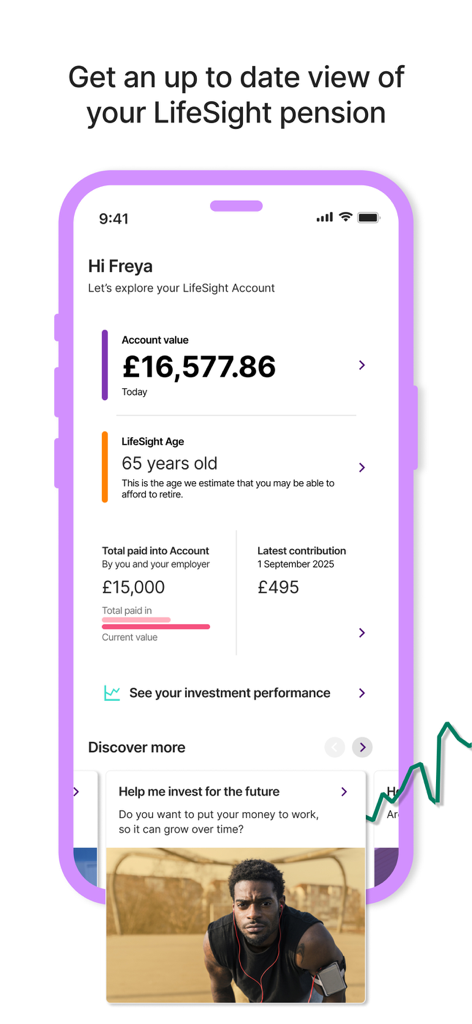
口座残高と退職年齢の推定値を示すLifeSight Pension GBアプリのダッシュボード

口座残高と退職年齢の推定値を示すLifeSight Pension GBアプリのダッシュボード

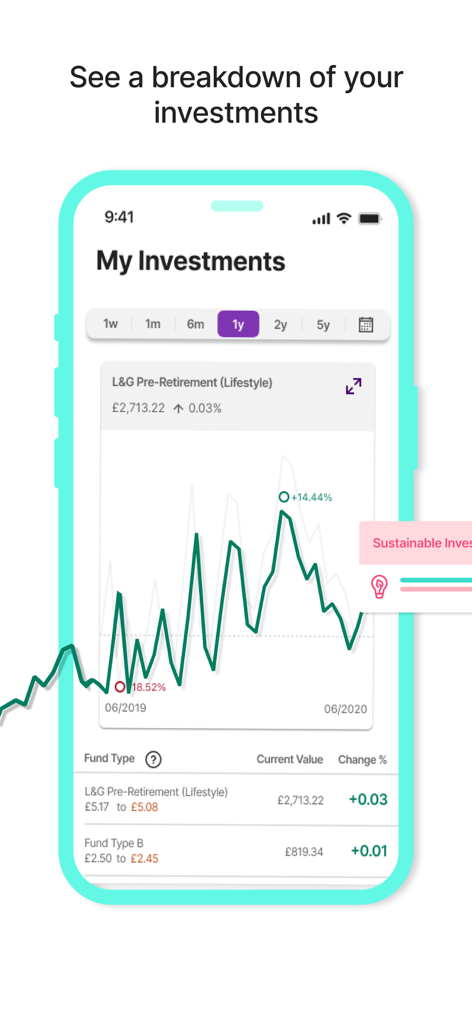
投資パフォーマンスチャートとファンド価値の内訳を示すLifeSight Pensionアプリのインターフェース

投資パフォーマンスチャートとファンド価値の内訳を示すLifeSight Pensionアプリのインターフェース

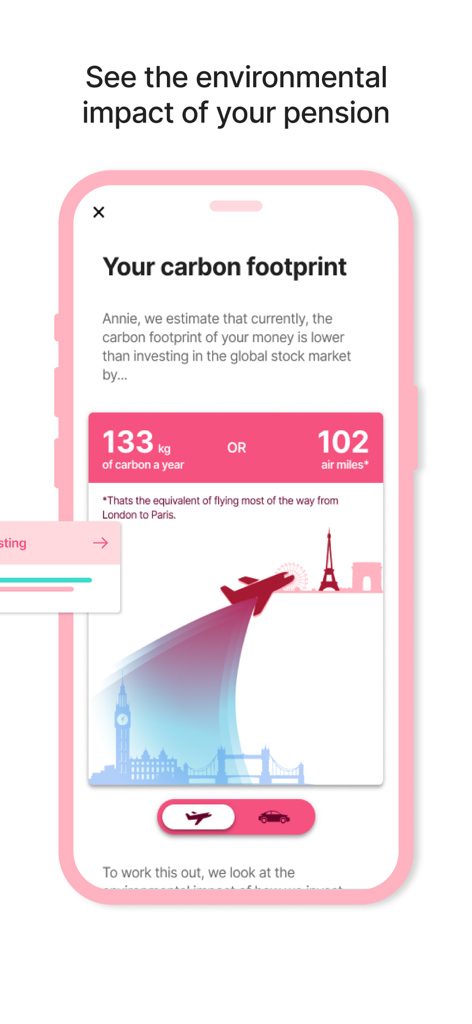
退職投資の二酸化炭素排出量と環境への影響を表示するLifeSight Pensionアプリ

退職投資の二酸化炭素排出量と環境への影響を表示するLifeSight Pensionアプリ

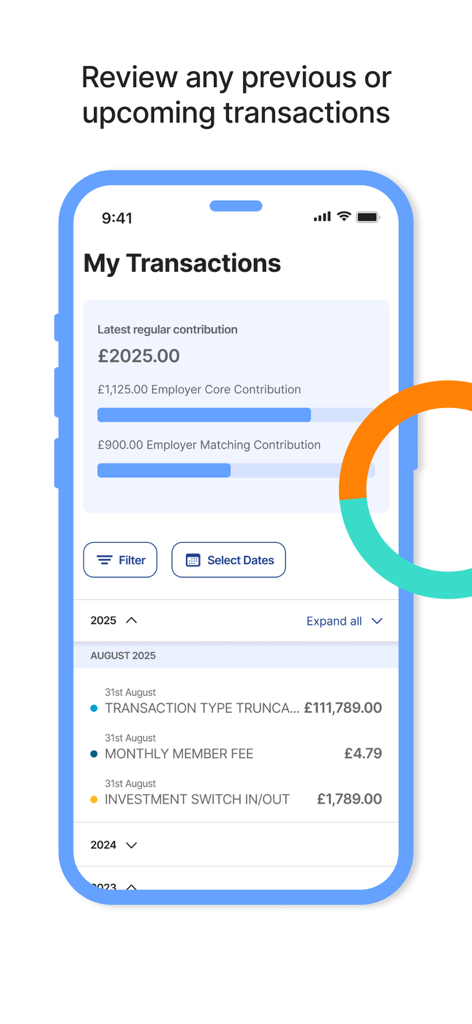
最近の取引と拠出の詳細のリストを示すLifeSight Pension GBアプリのインターフェース

最近の取引と拠出の詳細のリストを示すLifeSight Pension GBアプリのインターフェース

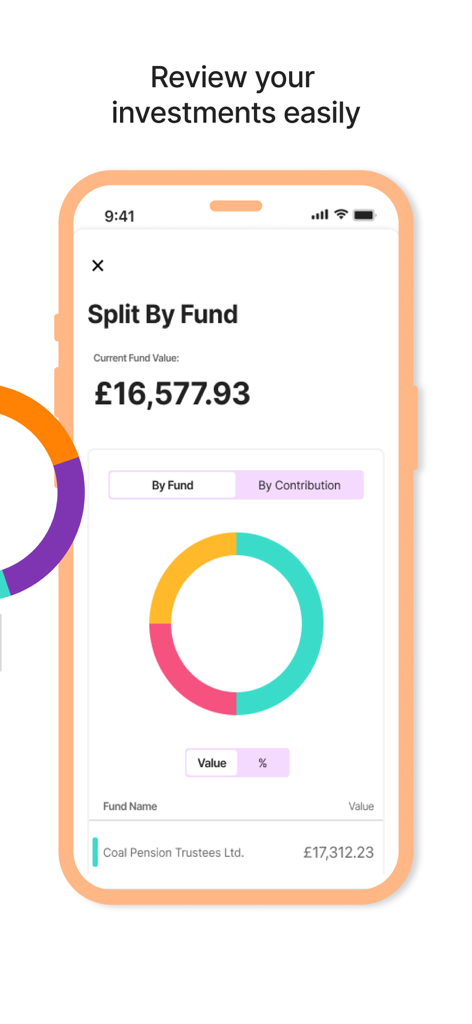
カラフルなドーナツチャートと口座価値で、ファンド別の投資配分を示すLifeSight Pensionアプリのインターフェース

カラフルなドーナツチャートと口座価値で、ファンド別の投資配分を示すLifeSight Pensionアプリのインターフェース

プロフェッショナルな女性が前を見据えている様子をフィーチャーしたLifeSight Pension GBアプリのダウンロード画面

プロフェッショナルな女性が前を見据えている様子をフィーチャーしたLifeSight Pension GBアプリのダウンロード画面

退職を、絶対的な明瞭さでマスターする

このアプリを際立たせるツール、 68K+ 人のユーザーが選択.

退職日を見つける

現在の貯蓄と目標に基づいて、いつ退職できるかを正確に可視化するために、インタラクティブなageOmeterを使用してください。

📈

成長とマッチングを追跡する

総残高を監視し、雇用主の拠出が退職金積立をどのように増やしているかをリアルタイムで確認してください。

💼

すべての口座を1か所で管理する

現在または過去の雇用主から複数のLifeSight年金をお持ちの場合、それらをすべて単一の安全なアプリ内で表示および切り替えることができます。

アプリについて

について知っておくべきこと LifeSight Pension GB.

説明

The LifeSight App aims to make saving to and through retirement as easy and understandable as possible. Working alongside your online LifeSight Account, the app is the most convenient way for you to engage with your pension savings to help you plan for your future. FEATURES + View your account value and compare it to how much you and your employer have paid in. + Access the ageOmeter tool to understand when you might be able to afford to retire. + View a breakdown of your account by contribution type - the source of the savings in your account - or by the funds your savings are invested in. + View your current investment decisions. + View your recent transactions such as the amount of your latest regular contribution. + View the investment performance of funds you are invested in and compare that to other funds available within LifeSight. + Easily click through to your online LifeSight account to action any changes. + Set up notifications to remind you to check the LifeSight app. + If you have multiple accounts within LifeSight, you are able to add them all to the app and easily switch between them. GET STARTED - Download the ‘LifeSight Pension GB’ app - Using a web browser, log in* to your online LifeSight Account - In the top-right hand corner (or in the footer of the page on mobile), click on Settings -> LifeSight App - Generate a secure token to be entered into the app the first time you log in - That's it! You'll then be asked to enable Touch or Face ID, or set up a PIN for future access. *IMPORTANT You must have an account with LifeSight GB to be able to use this application. This will be the case if your employer, or a past employer, has selected LifeSight as their chosen pension arrangement. Alternatively, you may have selected LifeSight as your drawdown provider in retirement. If you've never logged in before, you should be able to get to your online LifeSight account through your employer’s HR portal if you still work at the company. If your LifeSight pension savings are from a past employment, you will need to request login details if you do not already have them, and then log in online at http://lifesight-epa.com/. SECURITY The LifeSight mobile app has been tested extensively by independent specialists to make sure it’s secure, so you can use the LifeSight App with confidence. The data used is encrypted to ensure privacy, and the app will only use a trusted secure channel for communication with LifeSight services. It also automatically logs you out after a set period of time if the app is in the background. As mentioned above, you’ll use a secure token to log in to the app for the first time, after which you can create a PIN or choose to use Touch or Face ID, ensuring nobody else will be able to access your account. FEEDBACK We're always keen to hear your feedback on ways to improve things. If there’s anything you’d like to see in the app that isn’t already there, or any bugs you come across, please send your feedback to lifesightsupport@willistowerswatson.com.

最新バージョン

2.8.1

サイズ

108.6 MB

リリース日

2020年4月1日

あなたの未来を今、安全に

退職を管理している68,000人以上の専門家の一員になりましょう。ageOmeterにアクセスし、外出先で貯蓄を追跡するには、今すぐLifeSightをダウンロードしてください。

ダウンロード: App Store

App information, icons, screenshots, and descriptions displayed on this page are sourced from the Apple App Store and are the property of their respective developers. Download estimates and rankings are based on MWM's proprietary models and may not reflect actual figures. This page is provided for informational and analytical purposes only.

Believe this page infringes your intellectual property? File a dispute