Lighter Simulator Concert Mode

Lighter Simulator Concert Mode

ダウンロード: App Store
ロゴ: Lighter Simulator Concert Mode

Lighter Simulator Concert Mode: あらゆるシーンに最適な、最もリアルなデジタル・フレイム

カスタム・テーマでライターをパーソナライズし、火打ち石を擦って満足のいく輝きを得て、コンサート・モードで安全に観客を盛り上げよう。

開発元

Just4Fun Mobile Sp. z o. o.

カテゴリ

Entertainment

ダウンロード

522K+

ユーザー評価

4.6/5

評価数

4K+

対応言語

1

スクリーンを照らす

このインターフェースを利用する 522K+ 人のユーザー.

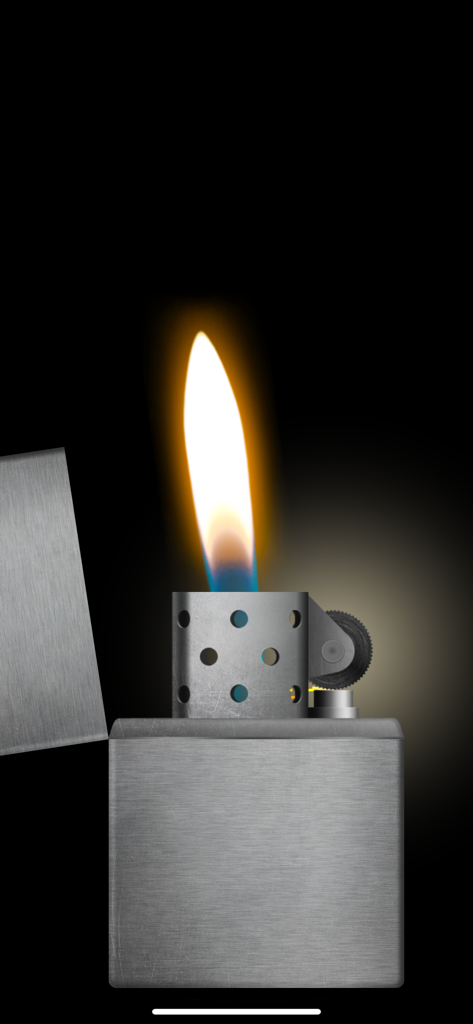
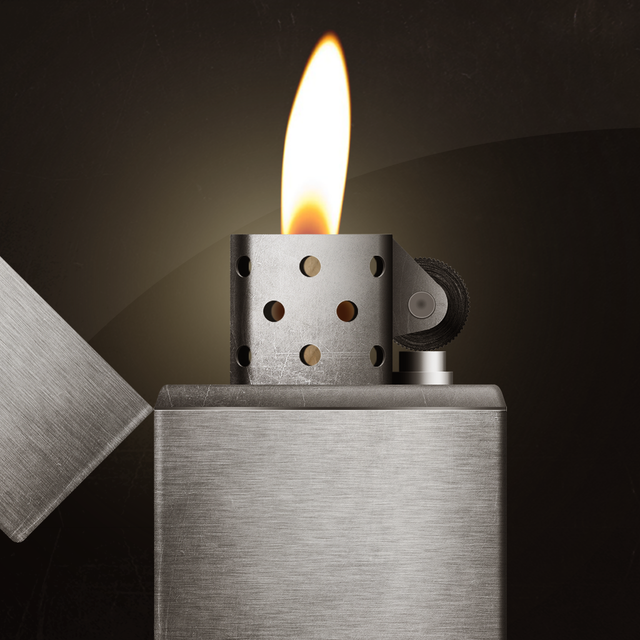
黒い背景に燃える炎のあるリアルなバーチャル金属ライター。

黒い背景に燃える炎のあるリアルなバーチャル金属ライター。

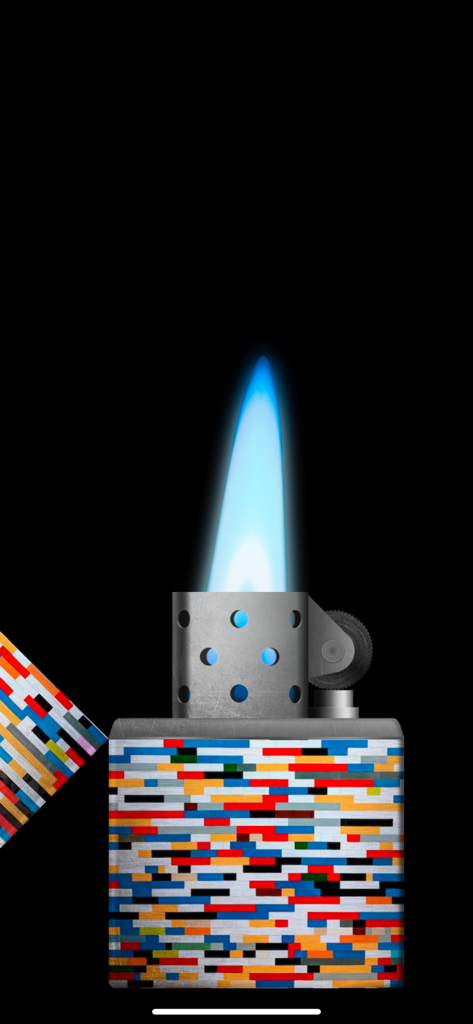
明るい青い炎とカラフルなピクセル化されたパターンのデジタル・シガレット・ライター。

明るい青い炎とカラフルなピクセル化されたパターンのデジタル・シガレット・ライター。

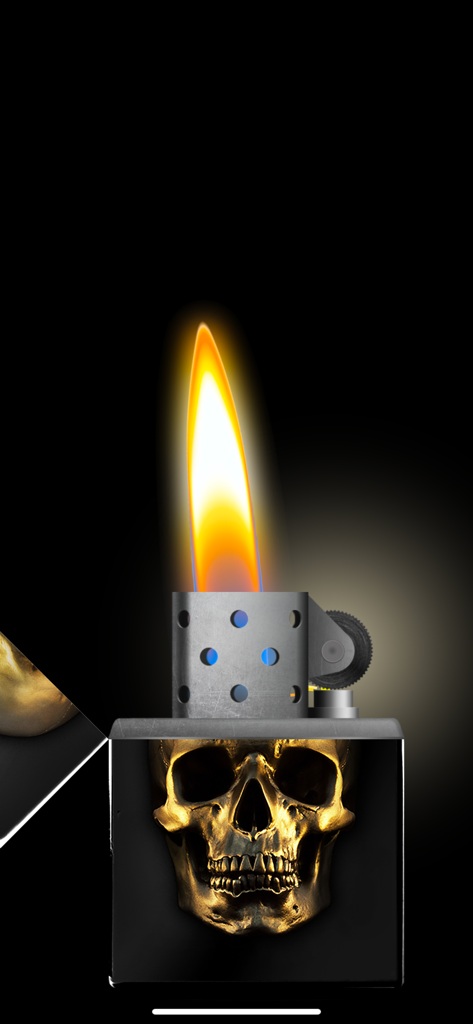
黒いボディにリアルな燃える炎を持つ、金色のスカルデザインのデジタルライターシミュレーション。

黒いボディにリアルな燃える炎を持つ、金色のスカルデザインのデジタルライターシミュレーション。

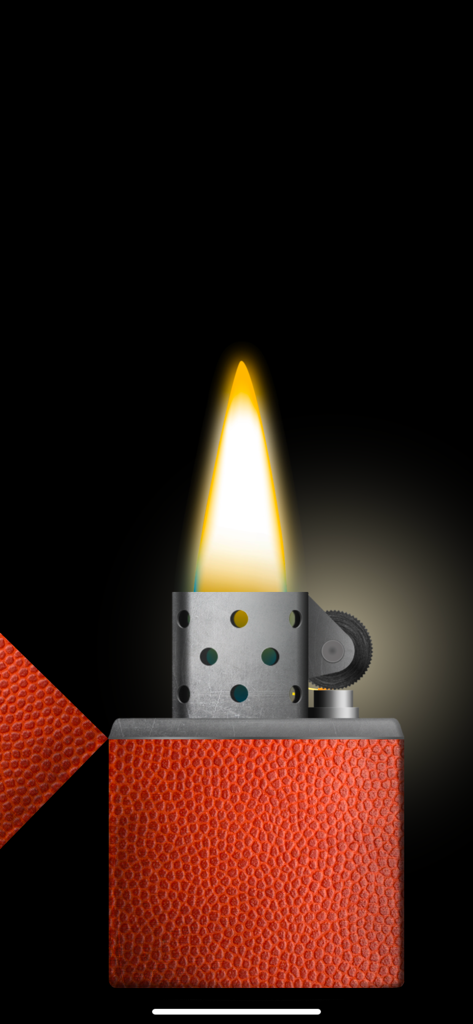
黒い背景に対して、バスケットボールのテクスチャとリアルな燃える炎を持つバーチャルライター。

黒い背景に対して、バスケットボールのテクスチャとリアルな燃える炎を持つバーチャルライター。

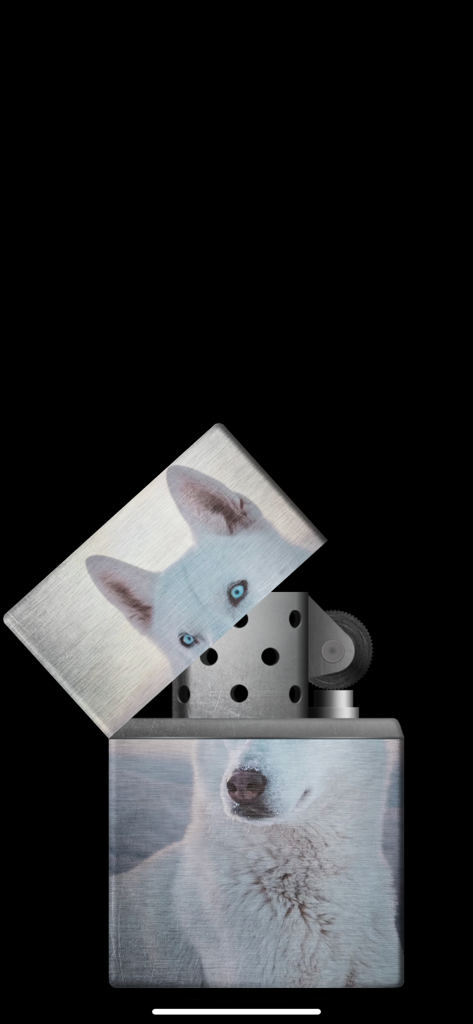
金属製のライターに、カスタマイズされた白いハスキー犬の写真テーマ。

金属製のライターに、カスタマイズされた白いハスキー犬の写真テーマ。

赤いドラゴンと金色の雲のデザインが施された、閉じたデジタルライター。

赤いドラゴンと金色の雲のデザインが施された、閉じたデジタルライター。

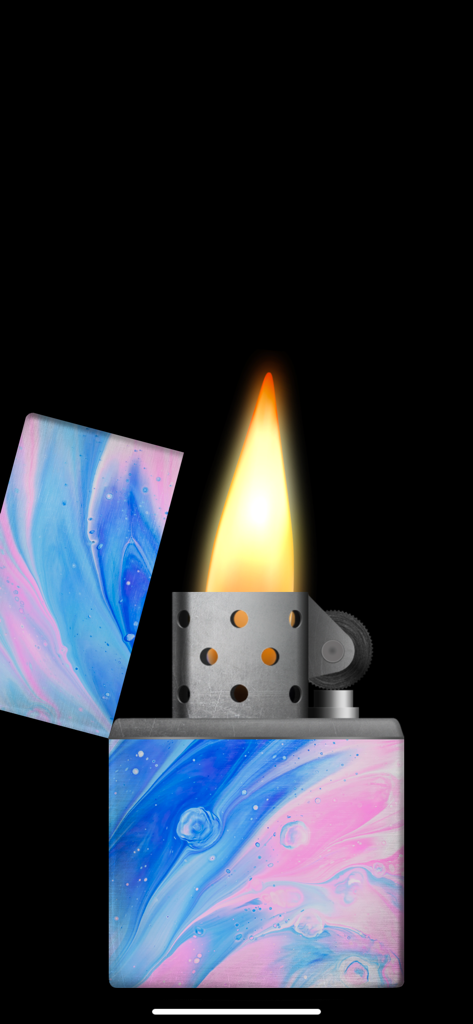
青とピンクの大理石のテーマと燃える炎を備えたデジタルライターシミュレーター。

青とピンクの大理石のテーマと燃える炎を備えたデジタルライターシミュレーター。

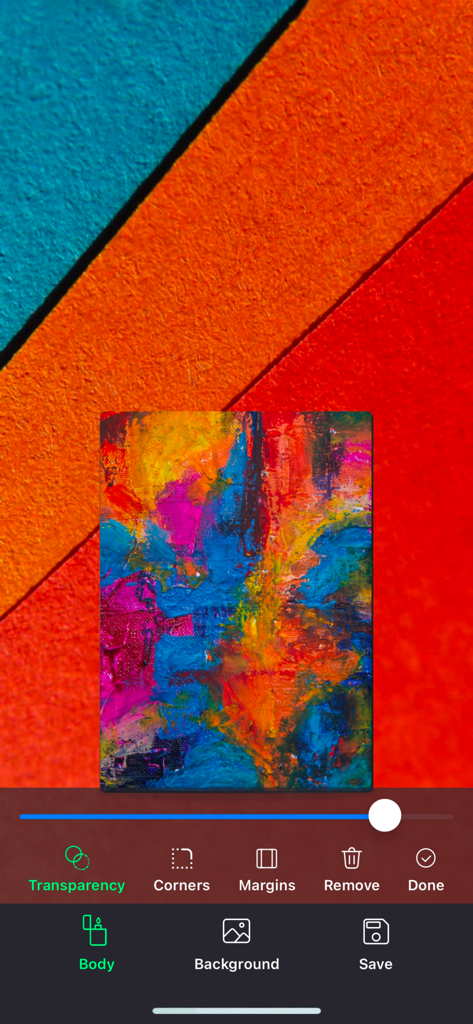
ライター本体のカスタマイズツールを示す、ライターシミュレーターアプリのスタジオモードのインターフェース。

ライター本体のカスタマイズツールを示す、ライターシミュレーターアプリのスタジオモードのインターフェース。

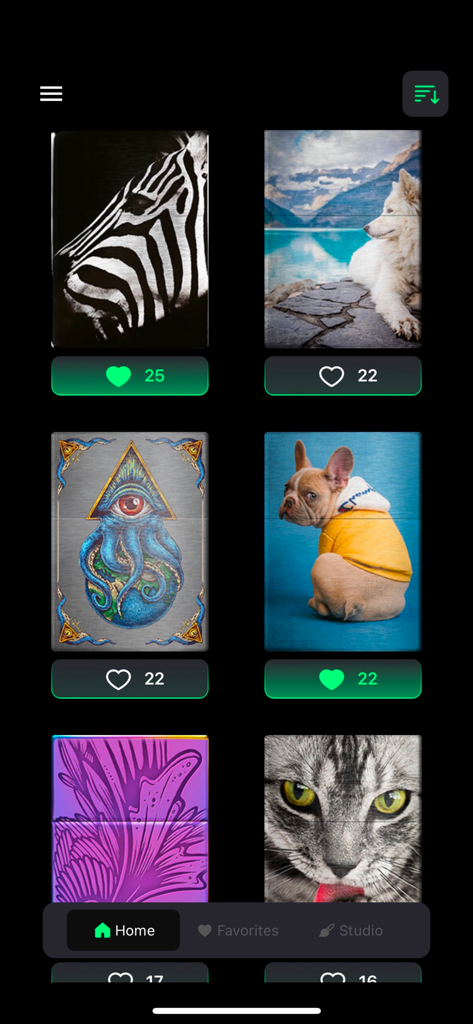
Lighter Simulatorアプリの動物や芸術的なデザインを含む、さまざまなカスタムシガレットライターのスキンをギャラリー表示。

Lighter Simulatorアプリの動物や芸術的なデザインを含む、さまざまなカスタムシガレットライターのスキンをギャラリー表示。

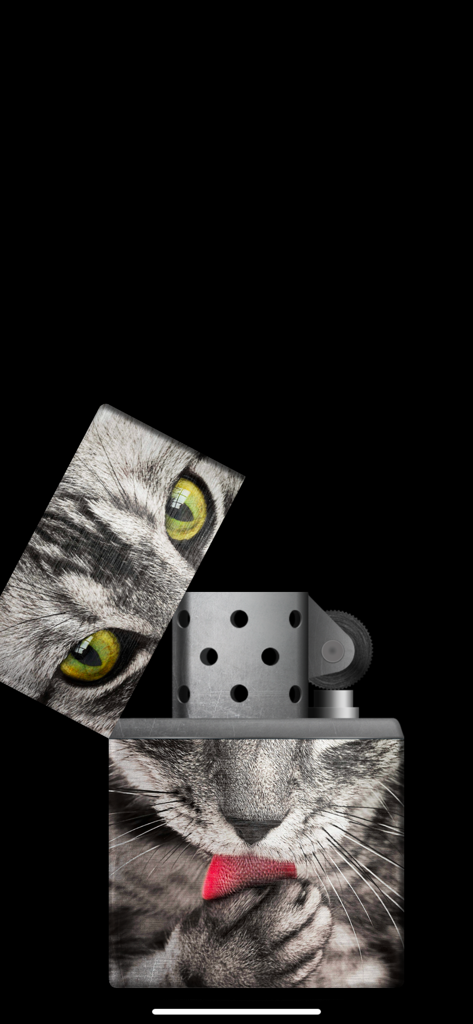
金属製のボディにカスタム猫の写真デザインが施されたバーチャルライターシミュレーター。

金属製のボディにカスタム猫の写真デザインが施されたバーチャルライターシミュレーター。

雰囲気を点火する

このアプリを際立たせるツール、 522K+ 人のユーザーが選択.

🤘

コンサート対応モード

バラードの最後まで炎を明るく燃やし続ける、ライトがタイムアウトしない特殊モード。

🎨

パーソナライズ・スタジオ

自分の写真でライター本体を飾り付けたり、60以上のプレミアム・デザイナー・テーマから選んで、自分だけのものにしよう。

🔥

ハイパー・リアル・フィジックス

金属製キャップのカチッという音、火打ち石を擦る摩擦、そして携帯を傾けたり息を吹きかけたりすると反応する炎を体験しよう。

アプリについて

について知っておくべきこと Lighter Simulator Concert Mode.

説明

"Lighter Simulator with Concert Mode" is a simulator of a metal cigarette lighter. Main advantages of the app: * 60 different lighter themes and 42 colors to choose from + new cool themes to download every month * 8 colourful flames to choose from * studio : use your own picture to decorate body, lid or background * favorites : keep your favorite cigarette lighters in one place * blow out to stop the fire * concert mode : use it to keep the flame burning all the time * use of camera flashlight for a better effect How to use it? Use your finger or shake your phone to open cap of the metal lighter. When the top lid is open strike the stone wheel the same way you would do it with a real cigarette lighter. Sparks will appear under the flint and they should light the wick. As it is a very realistic simulator, it is possible that you will not manage to make a fire for the first time. You have to keep trying to spin the stone wheel until the fire appears (please use "Always light the flame at the first time" feature in settings to change that behavior). When the lighter is on phone's torch will be turn on for a better visual effect. You can now move / tilt you phone and observe how the flame react. To stop the fire you need to close the top cap. Do it with your finger or shake the phone. You can also blow towards the fire (To stop the flame by blowing, you have to turn on "Blow to put out the flame" in settings). By using "Lighter Simulator Concert Mode", you are agreeing to our Privacy Policy and Terms of Use: https://www.just4funmobile.com/tos-lighter-apple-store/ https://www.just4funmobile.com/privacy-policy-lighter-apple-store/

最新バージョン

2.0.4

サイズ

23.2 MB

リリース日

2020年10月8日

夜を照らす準備はできたか?

50万人以上のファンに加わり、次のライブに究極のコンサート・バイブスをもたらそう。今すぐダウンロードして、カスタム・ライターをデザインし、炎を安全に燃やし続けよう。

ダウンロード: App Store
FAQ

よくある質問

について知っておくべきこと Lighter Simulator Concert Mode

What is Lighter Simulator Concert Mode?

Lighter Simulator Concert Modeは、金属製ライターをリアルにシミュレートするモバイルアプリケーションです。様々なテーマ、カラフルな炎、特別なコンサートモードを備えています。

How do you light the Lighter Simulator Concert Mode?

Lighter Simulator Concert Modeに火をつけるには、指でキャップを開けるか、携帯電話を振って、石車を繰り返しこすって芯に火をつけます。

Can I customize the lighter in Lighter Simulator Concert Mode?

はい、Lighter Simulator Concert Modeは高度なカスタマイズが可能です。ユーザーは60種類のテーマ、42色、8種類のカラフルな炎を選択でき、スタジオ機能で自分の写真を使用することもできます。

Does Lighter Simulator Concert Mode have a concert mode feature?

はい、Lighter Simulator Concert Modeには専用のコンサートモードが含まれています。この機能により、仮想の炎が継続的に燃え続け、視覚的な効果が長持ちします。

How do I turn off the flame in Lighter Simulator Concert Mode?

Lighter Simulator Concert Modeで炎を消すには、指でトップキャップを閉じるか、携帯電話を振って閉じます。設定で有効になっている場合は、炎に向かって息を吹きかけることもできます。

Does Lighter Simulator Concert Mode use the phone's flashlight?

はい、Lighter Simulator Concert Modeは携帯電話のカメラフラッシュライトを利用します。ライターがオンになるとフラッシュライトが作動し、炎の視覚効果を高めます。

Is it possible to make the Lighter Simulator Concert Mode flame light instantly?

はい、Lighter Simulator Concert Modeには、炎がすぐに点灯するようにする設定があります。ユーザーはアプリの設定で「常に最初に炎をつける」機能を有効にできます。

Where can I find the Privacy Policy for Lighter Simulator Concert Mode?

Lighter Simulator Concert Modeのプライバシーポリシーは、公式ウェブサイトで入手できます。ユーザーは提供されたリンク:https://www.just4funmobile.com/privacy-policy-lighter-apple-store/ からアクセスできます。

Can I create custom lighter designs in Lighter Simulator Concert Mode?

はい、Lighter Simulator Concert Modeには「スタジオ」機能が含まれています。これにより、ユーザーは自分の写真を使ってライターの本体、蓋、または背景を装飾できます。

How many lighter themes are available in Lighter Simulator Concert Mode?

Lighter Simulator Concert Modeには、60種類のライターテーマと42色の豊富なセレクションが用意されています。また、毎月新しいテーマをダウンロードできます。

App information, icons, screenshots, and descriptions displayed on this page are sourced from the Apple App Store and are the property of their respective developers. Download estimates and rankings are based on MWM's proprietary models and may not reflect actual figures. This page is provided for informational and analytical purposes only.

Believe this page infringes your intellectual property? File a dispute