MIPC

MIPC

ダウンロード: App Store
ロゴ: MIPC

MIPC:プロフェッショナルなDIYセキュリティとリアルタイムビデオ監視

HDライブストリーミング、即時動体検知アラート、リモートカメラ制御で、ご自宅、お子様、ペットと常につながりましょう。高額な契約なしで、完全な安心を。

開発元

Shenzhen Fujikam Industry Development Co.,Ltd.

カテゴリ

Utilities

ダウンロード

1M+

ユーザー評価

1.9/5

評価数

1K+

対応言語

22

一目でわかる、あなたの世界

このインターフェースを利用する 1M+ 人のユーザー.

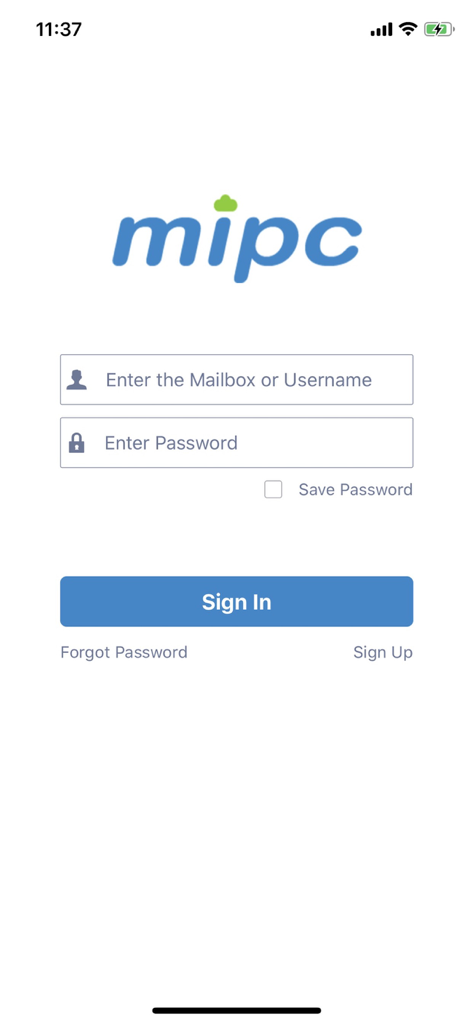
MIPCビデオ監視アプリのログイン画面、ユーザー名とパスワード入力フィールドが表示されています

MIPCビデオ監視アプリのログイン画面、ユーザー名とパスワード入力フィールドが表示されています

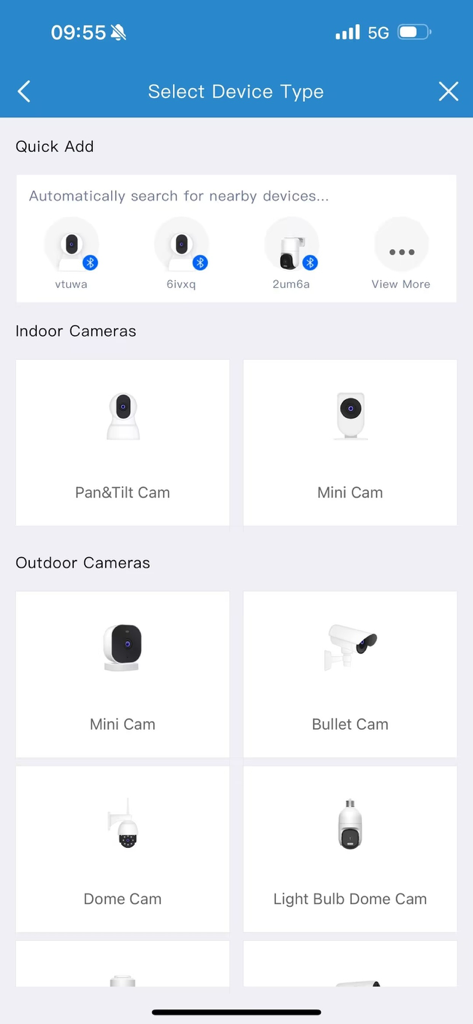
MIPCアプリのインターフェース、DIYセットアップ用の屋内および屋外セキュリティカメラの選択が表示されています

MIPCアプリのインターフェース、DIYセットアップ用の屋内および屋外セキュリティカメラの選択が表示されています

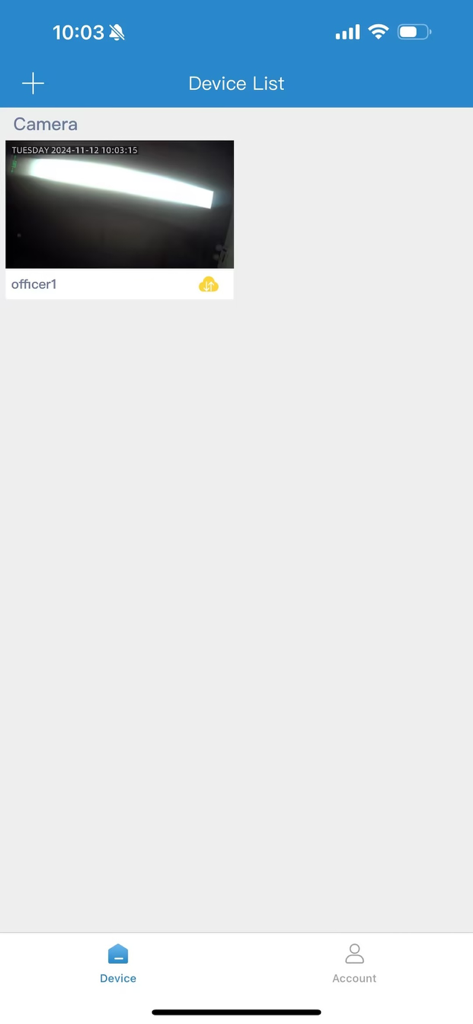
MIPCアプリのデバイスリスト画面、接続されたセキュリティカメラとライブサムネイルが表示されています

MIPCアプリのデバイスリスト画面、接続されたセキュリティカメラとライブサムネイルが表示されています

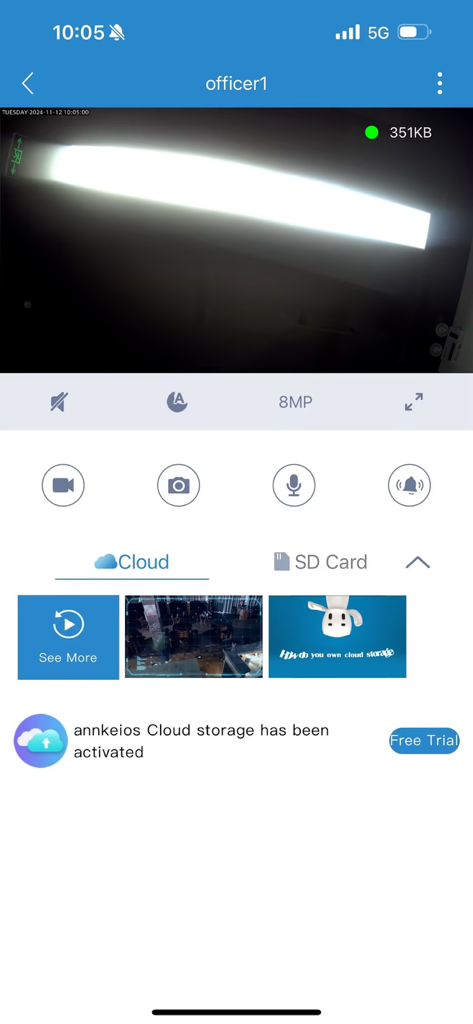
MIPCモバイルアプリのインターフェース、カメラコントロールとクラウドストレージオプションを備えたライブビデオフィードが表示されています

MIPCモバイルアプリのインターフェース、カメラコントロールとクラウドストレージオプションを備えたライブビデオフィードが表示されています

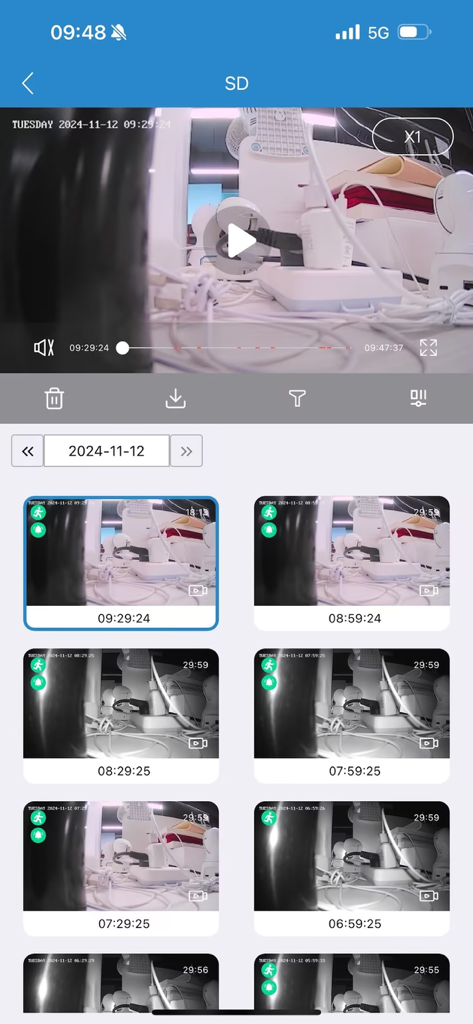
MIPCモバイルアプリの画面、動体検知アラート付きの記録されたセキュリティカメラ映像のリストが表示されています

MIPCモバイルアプリの画面、動体検知アラート付きの記録されたセキュリティカメラ映像のリストが表示されています

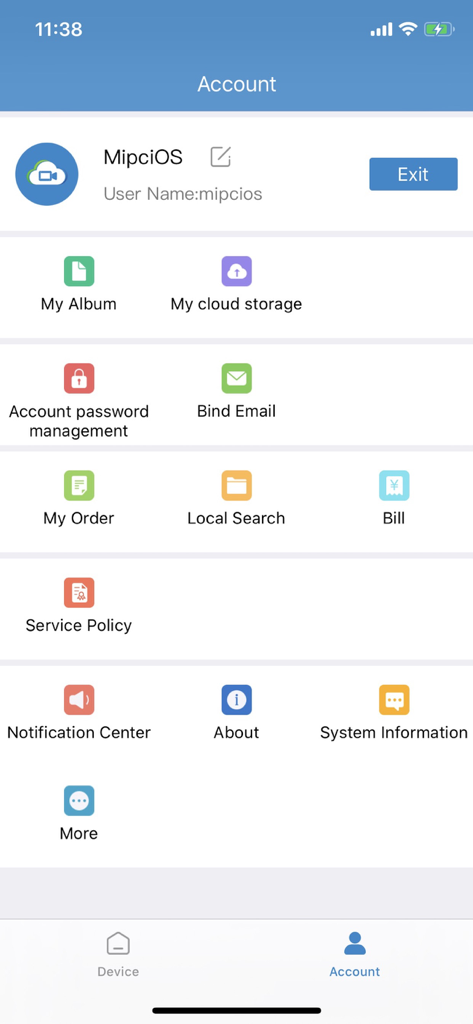
MIPCセキュリティアプリのユーザーアカウントインターフェース、クラウドストレージ通知と請求のメニューオプションが表示されています

MIPCセキュリティアプリのユーザーアカウントインターフェース、クラウドストレージ通知と請求のメニューオプションが表示されています

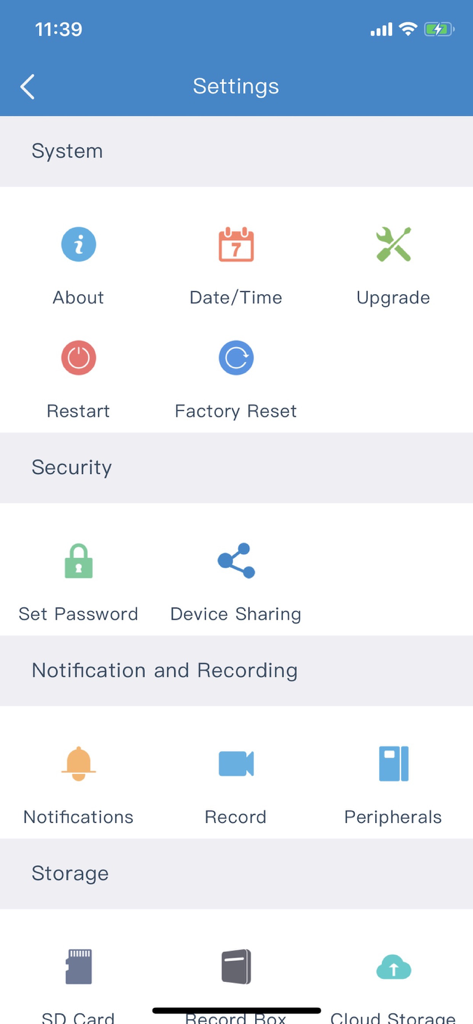
MIPCカメラアプリの設定インターフェース、システムセキュリティ通知とストレージオプションが表示されています

MIPCカメラアプリの設定インターフェース、システムセキュリティ通知とストレージオプションが表示されています

いつでも手の届くところに、あなたの家

このアプリを際立たせるツール、 1M+ 人のユーザーが選択.

📱

リモートPTZナビゲーション

あなたの視界をコントロールしましょう。スマートフォンから直接カメラのパン、チルト、ズームを行い、リアルタイムで部屋の隅々まで確認できます。

🔔

スマートアクティビティアラート

ストレスなく情報を入手しましょう。検知された動きの即時プッシュ通知を受け取り、訪問者やインシデントにすぐに対応できます。

🎙️

双方向リアルタイムインターホン

映像だけでなく、音声でもつながりましょう。内蔵マイクとスピーカーを使用して、どこからでもご家族と話したり、ペットをなだめたり、配達員と連携したりできます。

アプリについて

について知っておくべきこと MIPC.

説明

MIPC is a mobile real-time video surveillance software used with cloud camera. Through this client, you can view your home, shops, offices and other places at any time in real-time video and video history, also receive immediate alert to the place of abnormal information alarm, and take safety precautions at the first time. Main function: Support mobile real-time video surveillance; Real Time HD video viewing; Remote PTZ control, operate on the camera direction rotation through the touch screen; Support remote intelligent video recording, video real-time notification and playback; Support real-time intercom, video electronic amplification and other functions; Real time alarm and information push. When the environment is detected, the client will receive the alert information immediately. MIPC Automatic Subscription Service Description 1. Subscription Cycle Continuous monthly service, a monthly deduction 2. Subscription Price 1 cam for 30 days loop record , monthly price is $ 6.99 2 cams for 30 days loop record , monthly price is $ 11.99 4 cams for 30 days loop record , monthly price is $ 20.99 3. Payment Method For accounts that purchase automatic subscriptions, the cost of the next subscription period will be deducted from your iTunes account 24 hours before the expiration. After the deduction is successful, the service time will be extended by one subscription period. 4. Cancel Automatic Subscription If you need to cancel the automatic subscription, please manually go the phone "Settings" -->Enter "iTunes Store and App Store"-->Click "Apple ID"-->Select "View Apple ID"-->Enter "Account Settings" -->Click "Subscribe", and then select MIPC subscription service to cancel the automatic subscription. If you do not close the subscription 24 hours before the end of the subscription period, you will be deemed to agree to continue to authorize, and the subscription will be automatically renewed. Cloud storage automatic subscription service agreement: http://mipcm.com/eula/mipc/index.html

最新バージョン

12.2.1

サイズ

188.8 MB

リリース日

2012年10月17日

いつでも手の届くところに、あなたの家

月額料金なしのプロフェッショナルグレードのDIYセキュリティでMIPCを信頼する100万人以上のユーザーに加わりましょう。今すぐダウンロードして、最も大切なものをリアルタイムで監視しましょう。

ダウンロード: App Store

App information, icons, screenshots, and descriptions displayed on this page are sourced from the Apple App Store and are the property of their respective developers. Download estimates and rankings are based on MWM's proprietary models and may not reflect actual figures. This page is provided for informational and analytical purposes only.

Believe this page infringes your intellectual property? File a dispute