MOA RangeR

MOA RangeR

ダウンロード: App Store
ロゴ: MOA RangeR

MOA RangeR:現代の射手のための精密グループ分析

ノギスと手計算はもう不要。射撃愛好家が技術的なシューターのために作った、高速でプライバシーを重視したツールで、あらゆるターゲット写真から瞬時に高精度のMOA結果を得ましょう。

ダウンロード: App Store

開発元

ARKADIUSZ PATRYK ŁAPAJSKI

カテゴリ

Sports

ダウンロード

4K+

ユーザー評価

5.0/5

評価数

0

対応言語

7

精度に焦点を当てる

このインターフェースを利用する 4K+ 人のユーザー.

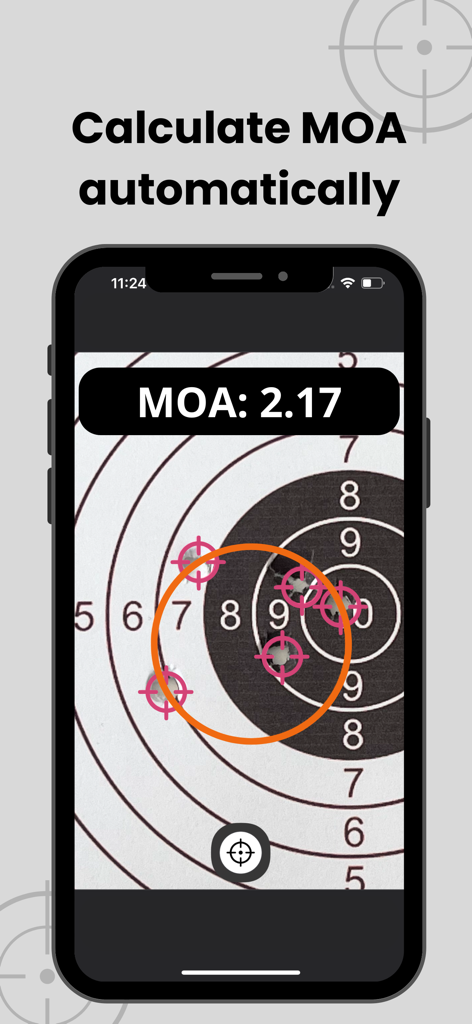
MOA RangeRアプリが、弾痕のある射撃ターゲット上で自動MOA計算を表示している様子

MOA RangeRアプリが、弾痕のある射撃ターゲット上で自動MOA計算を表示している様子

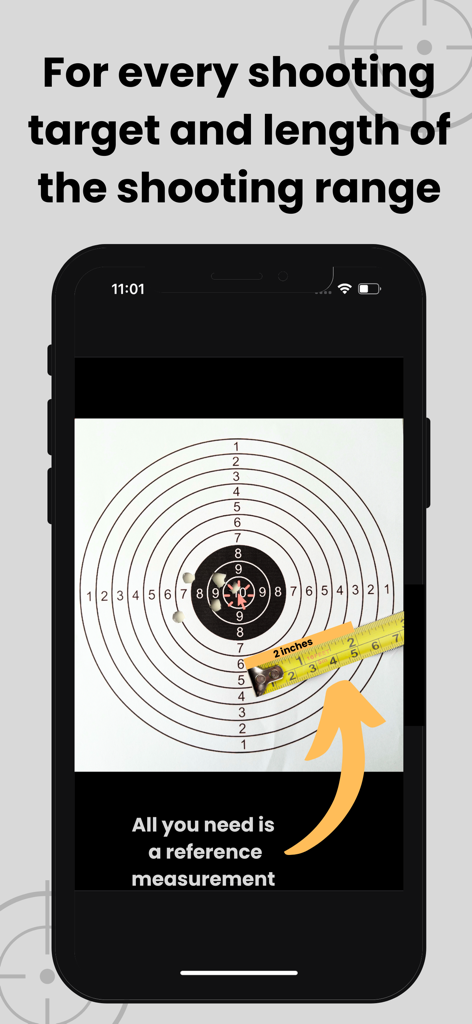
MOA RangeRアプリのスクリーンショットで、メジャーテープを使用した参照測定によるターゲットキャリブレーションが表示されている様子

MOA RangeRアプリのスクリーンショットで、メジャーテープを使用した参照測定によるターゲットキャリブレーションが表示されている様子

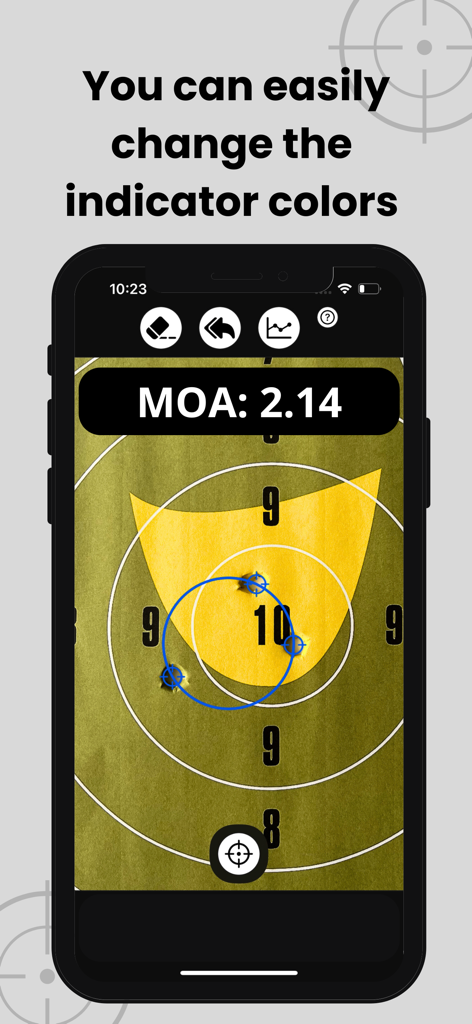
MOA RangeRアプリのインターフェースに、計算された2.14 MOAのグループがターゲットに表示されている様子

MOA RangeRアプリのインターフェースに、計算された2.14 MOAのグループがターゲットに表示されている様子

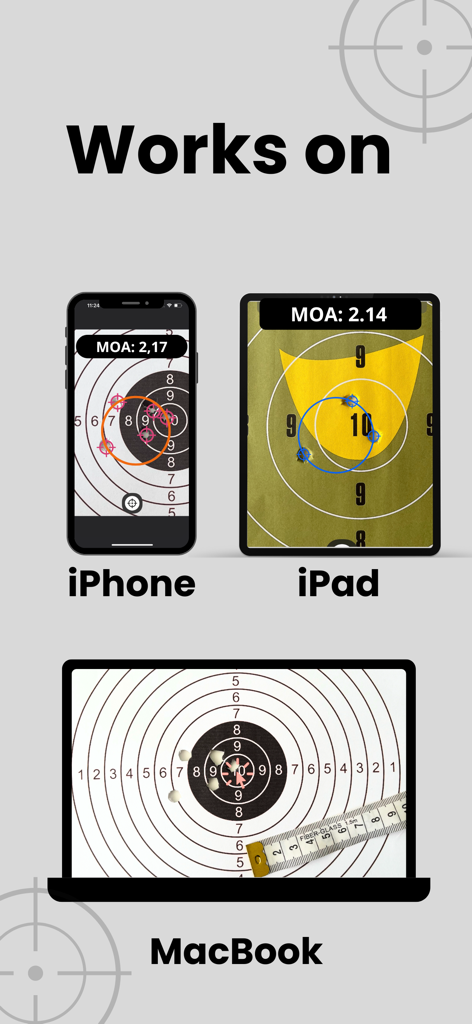
iPhone、iPad、MacBookの画面に表示されているMOA RangeRアプリ

iPhone、iPad、MacBookの画面に表示されているMOA RangeRアプリ

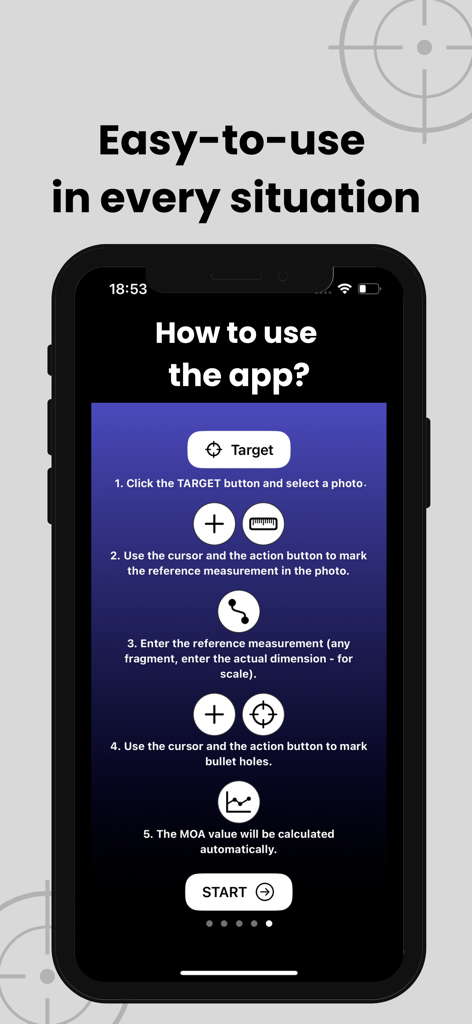
MOA RangeRアプリを使用してMOA射撃精度を計算する5ステッププロセスを示す画面

MOA RangeRアプリを使用してMOA射撃精度を計算する5ステッププロセスを示す画面

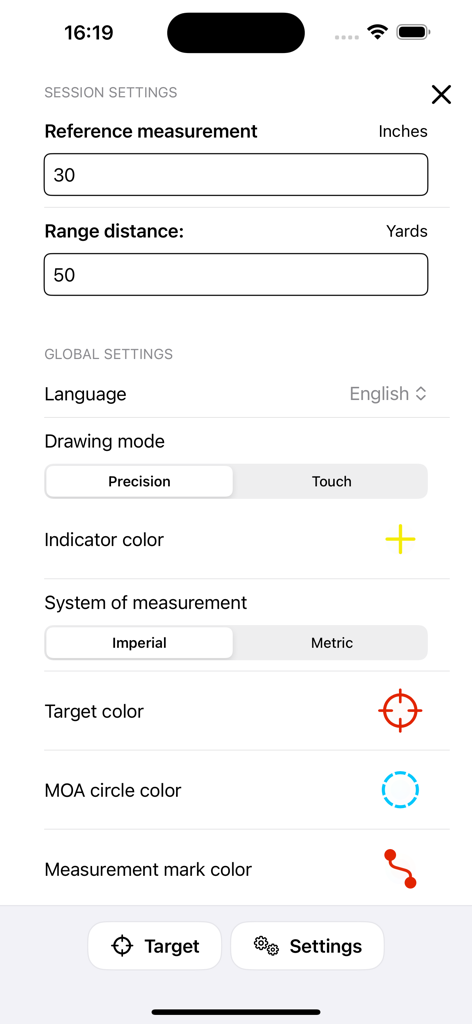
MOA RangeRアプリの設定インターフェースで、弾道測定および射撃セッションパラメータを設定する様子

MOA RangeRアプリの設定インターフェースで、弾道測定および射撃セッションパラメータを設定する様子

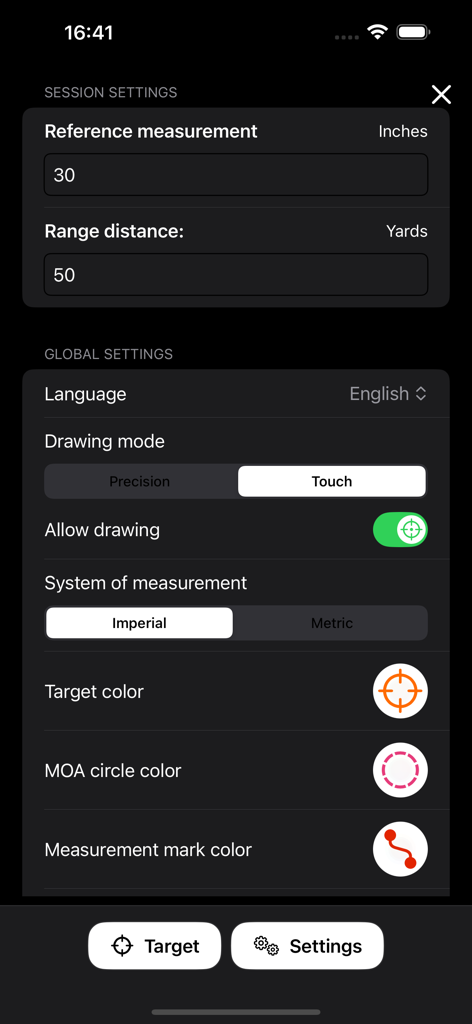
射撃測定の設定オプションが表示されているMOA RangeRアプリの設定画面

射撃測定の設定オプションが表示されているMOA RangeRアプリの設定画面

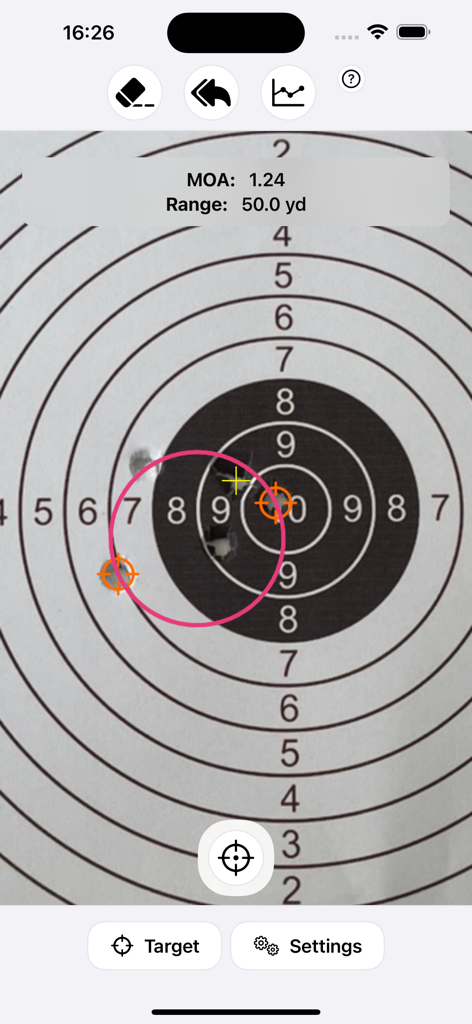
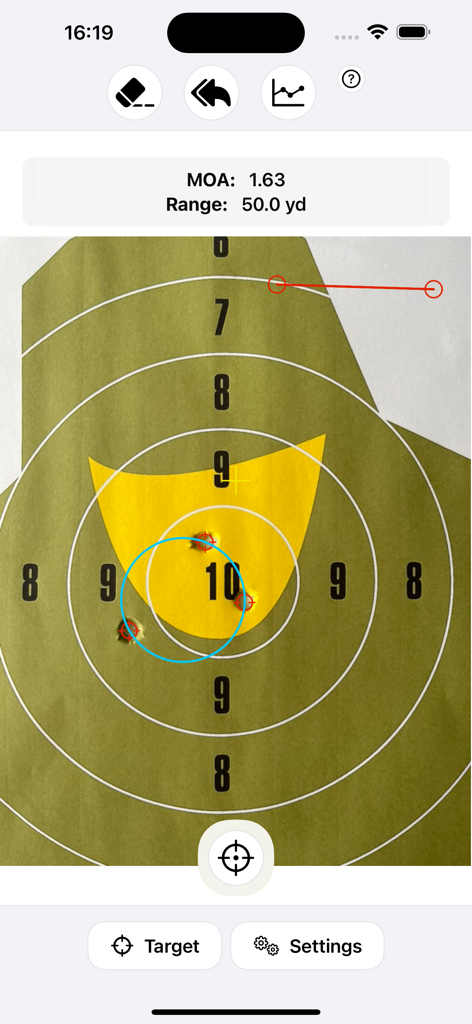
50ヤードの距離で紙のターゲットに表示された射撃グループの計算された1.24 MOA(分角)値を示すMOA RangeRアプリのスクリーンショット

50ヤードの距離で紙のターゲットに表示された射撃グループの計算された1.24 MOA(分角)値を示すMOA RangeRアプリのスクリーンショット

MOA RangeRアプリの射撃ターゲット上の弾孔のMOA計算

MOA RangeRアプリの射撃ターゲット上の弾孔のMOA計算

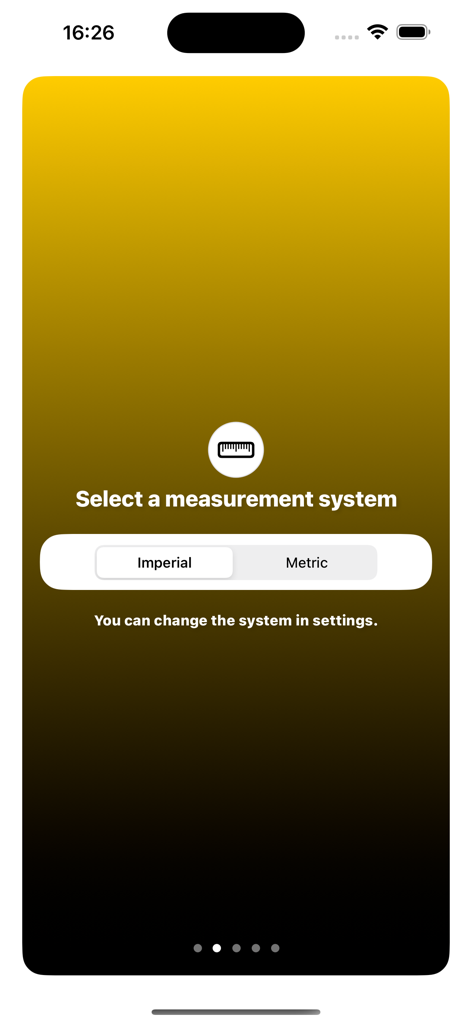
MOA RangeRアプリのメートル法またはヤード法測定システム選択画面

MOA RangeRアプリのメートル法またはヤード法測定システム選択画面

精度をマスターする

このアプリを際立たせるツール、 4K+ 人のユーザーが選択.

🎯

インスタントMOA計算

小数点以下2桁までの精度結果を取得できます。もう手計算や物理的なノギスは必要ありません—写真を撮るだけで、グループサイズが瞬時に表示されます。

📐

ユニバーサル参照スケール

ターゲット上の任意の基準点を使用して測定値を校正します。あらゆる距離、あらゆるターゲットサイズで、メートル法とヤード法の両方に対応します。

🛡️

完全なプライバシー制御

あなたのデータはあなただけのものです。個人情報は一切収集せず、アカウントも不要なため、射撃記録は100%プライベートで安全に保たれます。

アプリについて

について知っておくべきこと MOA RangeR.

説明

Want to improve your accuracy? Calculate MOA for your shots and monitor your shooting results. Shoot better and better groups. The MOA RangeR application will calculate the minute of angle (MOA) for your shots – based on the photo of the bullet holes. How does it work? 1. Select the measurement system (metric or imperial). 2. Upload a picture of the target with bullet holes or take a photo directly in the application. 3. Measure the point of reference on the target (any fragment, enter the actual dimension for scale). 4. Set the range distance (your distance to the target). 5. Select the bullet holes you want to check and mark them. 6. The MOA value will be calculated automatically. The ballistic calculator works on any shooting range length and any target size – just enter the size of the reference. This is a simple and quick way to automatically measure MOA. You can choose from 2 drawing modes: > precision (default) – you set parameters using the arrow and button, > touch (experimental) – you set parameters using gestures. Additionally, you can easily select and change the indicator colors so that they are always visible (regardless of the shooting target color). With the MOA RangeR calculator, you will: — know the MOA with an accuracy of 2 decimal places, — save time on calculating MOA yourself, — know your shooting precision, — check and improve your shooting skills. This grouping app will be updated with new functionalities – in the future, there will be features such as: > average hit point, > multiple groups, > rifle scope zeroing assistant, > sharing photos (e.g., on social media), > saving photos, > statistics with a list of previous MOA results. For your comfort, the app does not collect any data. No more manual MOA calculations! Check your group size easily. Choose a calculator created by a shooting sport enthusiast – for shooters who like practical solutions, e.g. precision rifle shooters.

最新バージョン

1.4.0

サイズ

1.6 MB

リリース日

2024年6月6日

自己ベスト更新の準備はできましたか?

MOA RangeRを信頼して、即座のサブMOAグループ分析を行っている何千人もの精密シューターに加わりましょう。手計算やデータ追跡は不要—必要なのは、射撃術をマスターするための技術的な精度だけです。

ダウンロード: App Store

App information, icons, screenshots, and descriptions displayed on this page are sourced from the Apple App Store and are the property of their respective developers. Download estimates and rankings are based on MWM's proprietary models and may not reflect actual figures. This page is provided for informational and analytical purposes only.

Believe this page infringes your intellectual property? File a dispute