Mobile Banking UniCredit

Mobile Banking UniCredit


ダウンロード: App Storeダウンロード: Google Play
ロゴ: Mobile Banking UniCredit

Mobile Banking UniCredit:イタリアへの安全な金融ブリッジ

どこにいても、スマートフォンからイタリアの口座を簡単に管理し、F24やPagoPAのような税金を支払い、国際送金を銀行レベルのセキュリティで処理します。

開発元

UniCredit S.p.a.

カテゴリ

Finance

ダウンロード

2M+

ユーザー評価

4.6/5

評価数

600K+

対応言語

2

金融の自由を垣間見る

このインターフェースを利用する 2M+ 人のユーザー.

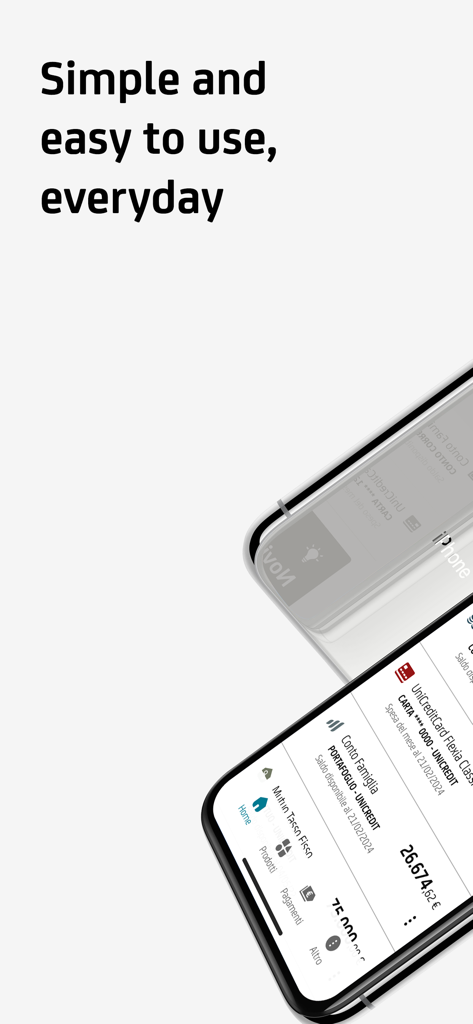
UniCreditモバイルバンキングアプリのインターフェース。スマートフォン上の口座残高とカード管理を表示しています。

UniCreditモバイルバンキングアプリのインターフェース。スマートフォン上の口座残高とカード管理を表示しています。

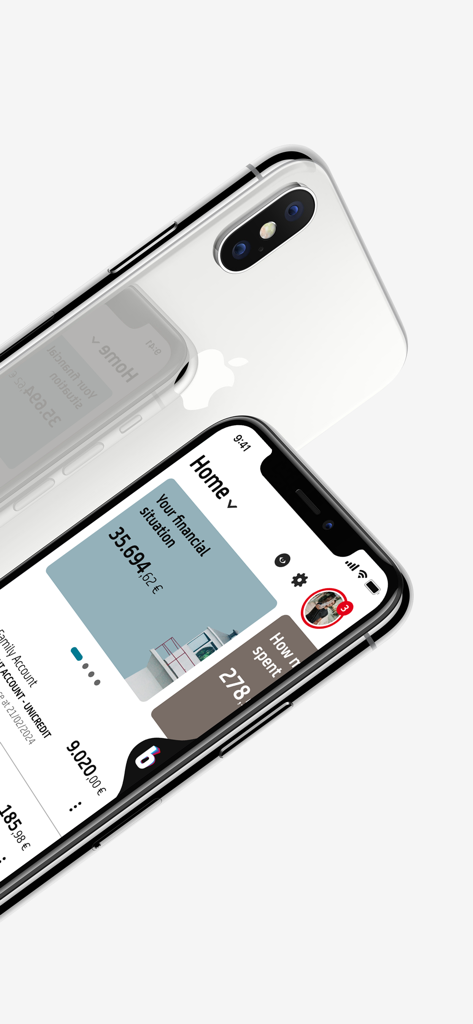
UniCreditモバイルバンキングアプリのホーム画面。2台のiPhoneで財務概要と口座残高を表示しています。

UniCreditモバイルバンキングアプリのホーム画面。2台のiPhoneで財務概要と口座残高を表示しています。

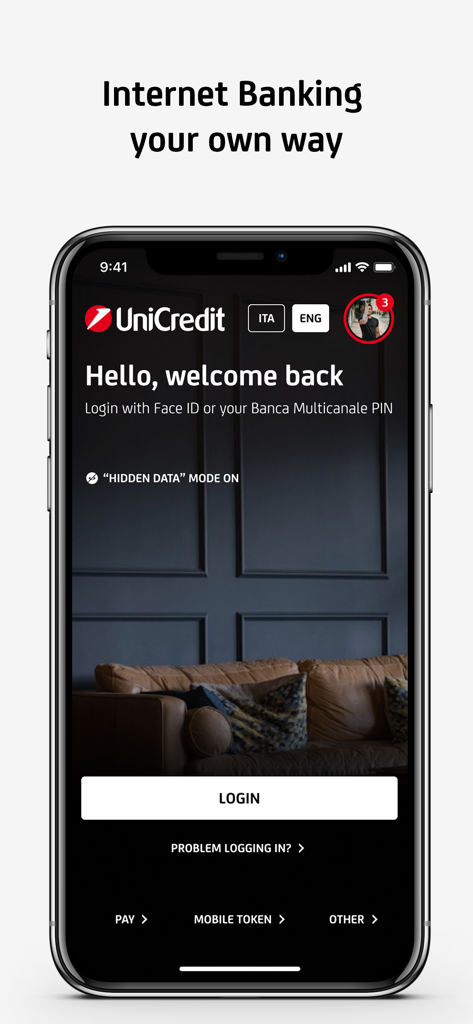
UniCredit Mobile Bankingアプリのログイン画面。ようこそメッセージとFace ID認証オプションが表示されています。

UniCredit Mobile Bankingアプリのログイン画面。ようこそメッセージとFace ID認証オプションが表示されています。

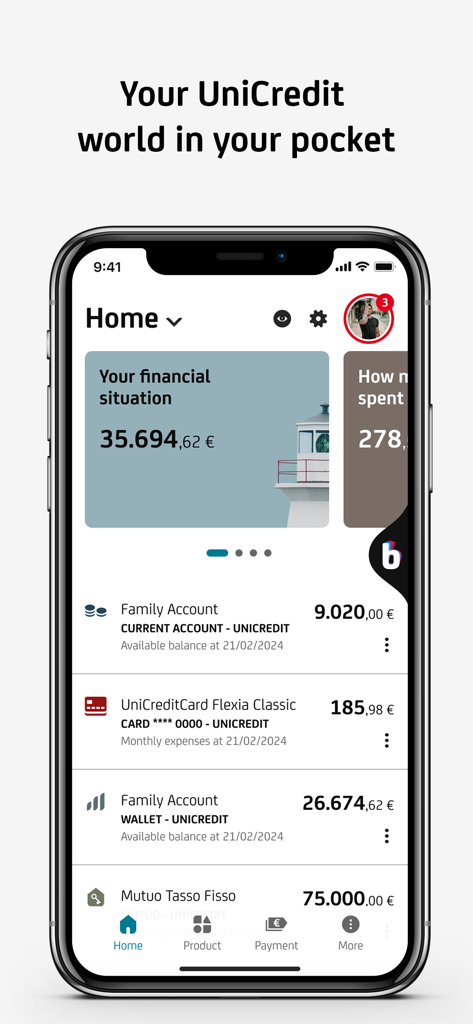
UniCreditモバイルバンキングアプリのホーム画面。口座残高と財務概要を表示しています。

UniCreditモバイルバンキングアプリのホーム画面。口座残高と財務概要を表示しています。

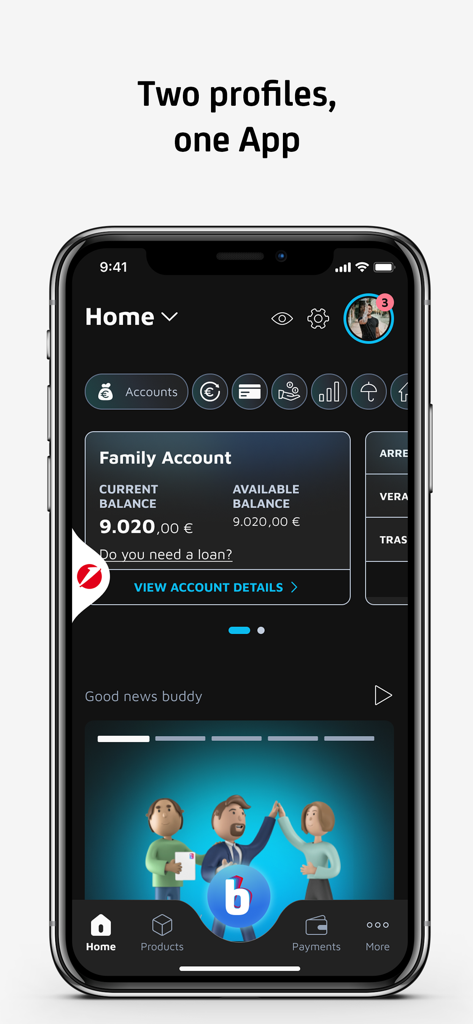
UniCredit Mobile Bankingアプリのホーム画面。口座残高とデュアルプロファイル機能を表示しています。

UniCredit Mobile Bankingアプリのホーム画面。口座残高とデュアルプロファイル機能を表示しています。

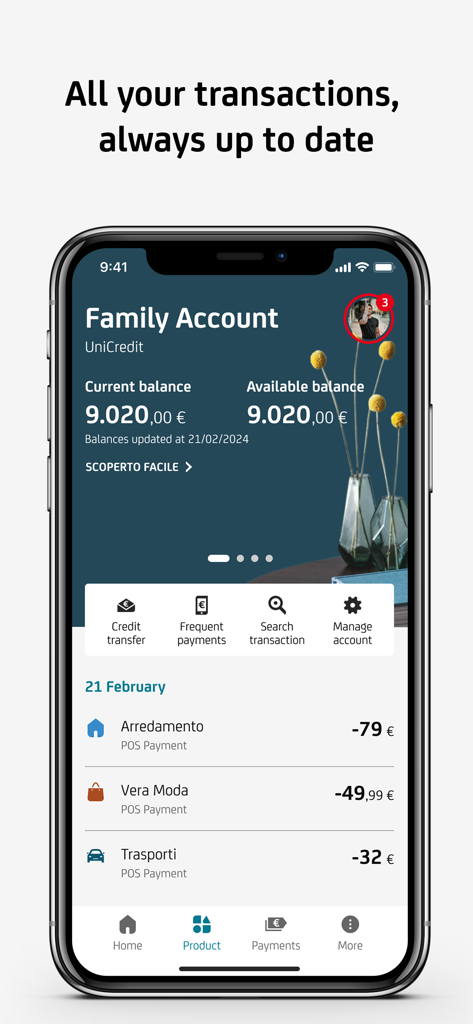
UniCreditモバイルバンキングアプリの画面。家族口座の残高と最近の取引リストを表示しています。

UniCreditモバイルバンキングアプリの画面。家族口座の残高と最近の取引リストを表示しています。

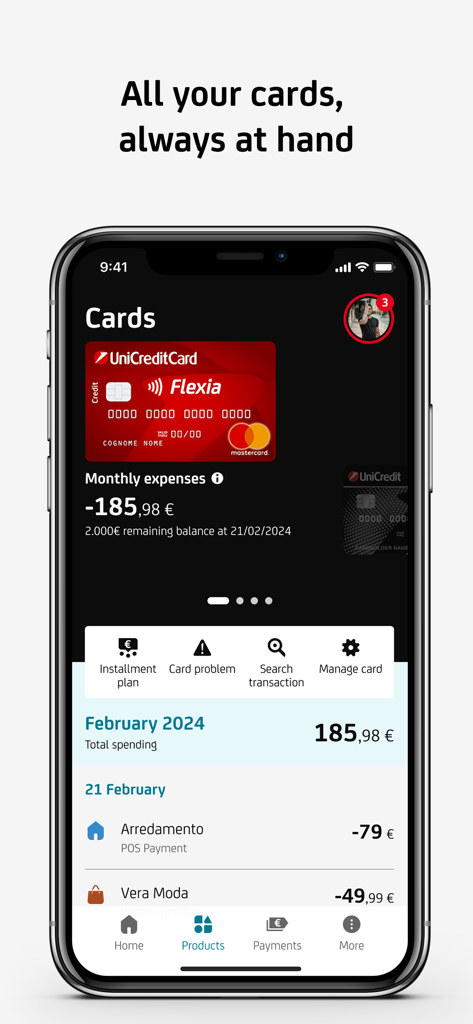
UniCreditモバイルバンキングアプリのインターフェース。クレジットカードの詳細と取引履歴を表示しています。

UniCreditモバイルバンキングアプリのインターフェース。クレジットカードの詳細と取引履歴を表示しています。

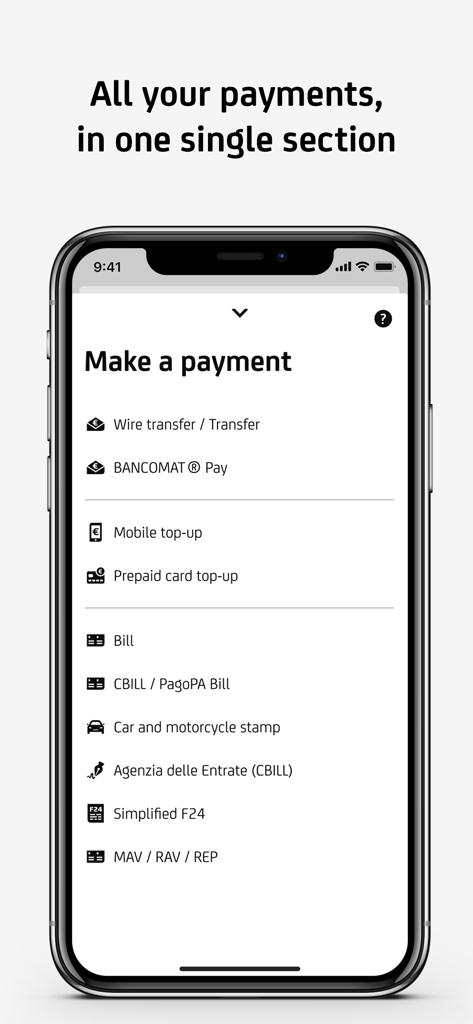
UniCreditモバイルバンキングアプリのインターフェース。電信送金やイタリアの税金支払いなどの支払いオプションを表示しています。

UniCreditモバイルバンキングアプリのインターフェース。電信送金やイタリアの税金支払いなどの支払いオプションを表示しています。

ヨーロッパへの金融ブリッジ

このアプリを際立たせるツール、 2M+ 人のユーザーが選択.

🌍

グローバル決済・送金

SEPA送金を行い、F24、PagoPA、CBILL請求書などのイタリア固有の義務をスマートフォンから直接決済します。

🛡️

高度な生体認証セキュリティ

FaceID、TouchID、統合されたモバイルトークンテクノロジーを使用して、安全に資金にアクセスし、国際取引を承認します。

📊

完全な財務監視

パーソナルファイナンシャルマネージャーとスマート予算ツールで、投資、住宅ローン、支出をリアルタイムで監視します。

アプリについて

について知っておくべきこと Mobile Banking UniCredit.

説明

With the UniCredit Mobile Banking App and your smartphone, making transactions is easy, fast and secure. To use the App you must have a UniCredit current account and/or a rechargeable card with IBAN, sign up for the Banca Multicanale Service, download and activate the App. You can activate the App: - by Smartphone: press "Activate", enter your Banca Multicanale Codice di Adesione and PIN and press proceed. - by Banca via Internet: enter your Codice di adesione and PIN, then a one-time password generated by your device, go to "Settings" > "Mobile" > "Smartphone Application" and press proceed. From the new Home Page you can check the relationships linked to the Multi-Channel Banking Service (current accounts, cards, mortgages and loans, securities portfolio and investments), make transactions and monitor your expenses at your convenience. In the Current Accounts section you view all your current accounts and transactions (also with the 'Search' function), share IBAN details and manage your account. In the Cards section you have control of all your UniCredit cards (Credit, Debit, Rechargeable) and can easily manage all available features. With Personal Fainancial Manager and Budget organize your expenses has never been easier. Go to your personal area to upload a new profile photo, read notices and messages from the Bank, access Online Documents, read help and F.A.Q. pages or contact the Bank by telephone or chat. There is also a dedicated Payments section for: - SEPA transfers, extra SEPA transfers, fund transfers - mobile phone and UniCredit prepaid card top-ups - Simplified F24 - pre-printed postal bills, CBILL/PagoPA, blank slips and MAV, RAV, REP payments Find out how to: - set up cash withdrawals on UniCredit ATMs with Prelievo Smart - find the nearest Branch and/or Automatic Teller Machine (ATM) and the route to reach them - generate one-time passwords with Mobile Token - book an appointment at the branch through the UBook function If your Smartphone features a biometric-based recognition technologies, you can access the App and authorise transactions with these recognition tools. For assistance and information visit www.unicredit.it or call UniCredit Customer Service at the toll-free number 800.57.57 (for customers of UniCredit Private Banking branches: 800.710.710). Not a UniCredit Customer? Call the toll-free number 800.32.32.85 or go to www.unicredit.it With the UniCredit Mobile Banking App you can apply to open a UniCredit account using your Smartphone and even identify yourself with a selfie! The UniCredit current account can be requested from Mobile only by Italian residents who are not already holders of a UniCredit current account, card with IBAN and Banca Multicanale and entail signing contracts for the account, the Banca Multicanale Service and the International Debit Card. With this app you can also access information and services at any time not only at the physical UniCredit Branch, but also at the Buddy Branch. Advertising message for promotional purposes. Info and costs in the information documents in the Transparency section at www.unicredit.it Products and Services sold by UniCredit SpA. Accessibility statement: https://unicredit.it/accessibilita-app

最新バージョン

3.68.1

サイズ

379.9 MB

リリース日

2019年10月3日

あなたのイタリアの銀行、どこにいても

200万人以上のユーザーが、SEPA送金やイタリアの税金を完全に安全に管理しています。UniCreditアプリをダウンロードして、今日から国境なきバンキングを始めましょう。

ダウンロード: App Storeダウンロード: Google Play
FAQ

よくある質問

について知っておくべきこと Mobile Banking UniCredit

UniCredit Mobile Bankingアプリを利用するための要件は何ですか?

はい、UniCredit Mobile Bankingアプリを利用するには、IBAN付きの普通預金口座および/またはチャージ式カードをお持ちで、Banca Multicanaleサービスに登録されている必要があります。

スマートフォンでUniCredit Mobile Bankingアプリを有効にするにはどうすればよいですか?

Codice di AdesioneとPINを使用してスマートフォン経由で、またはBanca via Internetの「Mobile」セクションの特定の ゚設定を通じてUniCredit Mobile Bankingアプリを有効にすることができます。

Mobile Banking UniCreditアプリでどのような金融取引ができますか?

UniCredit Mobile Bankingアプリでは、口座、カード、住宅ローン、ローンを表示したり、取引を行ったり、支出を監視したり、さまざまな支払いタイプをスマートフォンから直接管理したりできます。

Mobile Banking UniCreditアプリは、生体認証ログインと取引承認を提供していますか?

はい、UniCredit Mobile Bankingアプリは、Face IDなどの生体認証技術をサポートしており、アプリへのアクセスや取引の承認に利用でき、セキュリティと利便性を向上させます。

UniCredit Mobile Bankingアプリでどのような種類の支払いができますか?

UniCredit Mobile Bankingアプリでは、SEPA送金、モバイルおよびプリペイドカードへのチャージ、簡略化されたF24、郵便料金請求書、CBILL/PagoPA、MAV、RAV、REPの支払いなど、さまざまな支払いを行うことができます。

Mobile Banking UniCreditアプリから直接新しいUniCredit口座を開設できますか?

はい、現在UniCreditの普通預金口座をお持ちでないイタリア居住者は、Mobile Banking UniCreditアプリを使用してUniCredit口座を開設する申請ができ、セルフ撮影で本人確認が可能です。

Mobile Banking UniCreditアプリ内でUniCreditカードをどのように管理できますか?

はい、UniCredit Mobile Bankingアプリには、分割払いプランなどの機能を含め、すべてのUniCreditクレジットカード、デビットカード、チャージ式カードを制御および管理するための専用の「カード」セクションがあります。

Mobile Banking UniCreditアプリは、近くの支店やATMを見つけるのに役立ちますか?

はい、UniCredit Mobile Bankingアプリには、最寄りのUniCredit支店および/またはATM(現金自動預け払い機)を検索する機能が含まれており、それらに到達するための道順も提供しています。

UniCredit Mobile Bankingアプリのカスタマーサポートを受けるにはどうすればよいですか?

UniCreditカスタマーサービスには、フリーダイヤル800.57.5757に電話するか、www.unicredit.itにアクセスして、UniCredit Mobile Bankingアプリに関するサポートと情報をご利用いただけます。

Mobile Banking UniCreditアプリには、個人資産管理や予算管理のためのツールが含まれていますか?

UniCredit Mobile Bankingアプリは、ユーザーが支出を整理し、支出を効果的に監視するのに役立つ個人資産マネージャーおよび予算ツールを提供しています。

App information, icons, screenshots, and descriptions displayed on this page are sourced from the Apple App Store and are the property of their respective developers. Download estimates and rankings are based on MWM's proprietary models and may not reflect actual figures. This page is provided for informational and analytical purposes only.

Believe this page infringes your intellectual property? File a dispute