MultiTrack Recorder Plugin

MultiTrack Recorder Plugin

ダウンロード: App Store
ロゴ: MultiTrack Recorder Plugin

マルチトラックレコーダープラグイン:AUMのためのプロフェッショナルレコーディングタイムライン

あなたのモジュラーセットアップをパワフルな8トラックスタジオに変えましょう。完全なAUv3ホスト同期とドラッグ&ドロップの容易さで、オーディオを簡単に録音、編集、エクスポートできます。

ダウンロード: App Store

開発元

Limelight Software

カテゴリ

Music

ダウンロード

15K+

ユーザー評価

4.2/5

評価数

100

対応言語

1

あなたのスタジオ、視覚化

このインターフェースを利用する 15K+ 人のユーザー.

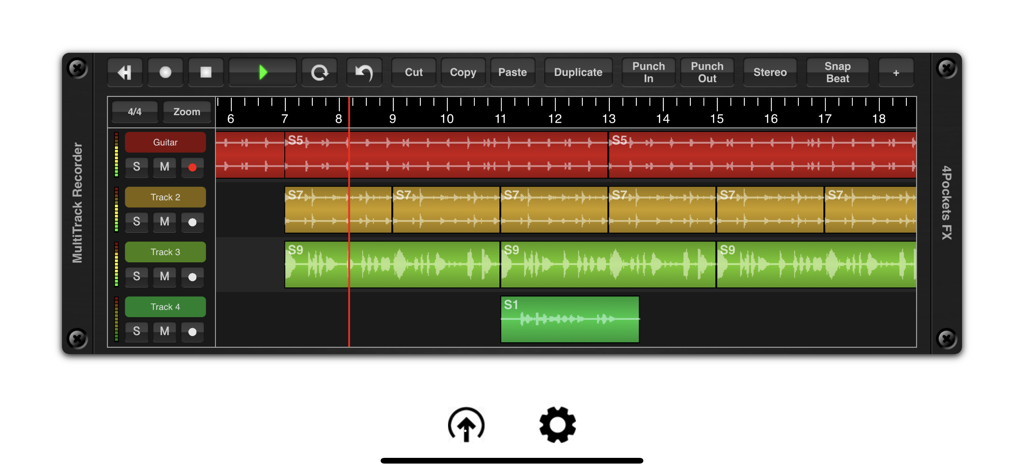
波形と編集ツールが表示されたさまざまなトラックを示すマルチトラックオーディオ録音インターフェース

波形と編集ツールが表示されたさまざまなトラックを示すマルチトラックオーディオ録音インターフェース

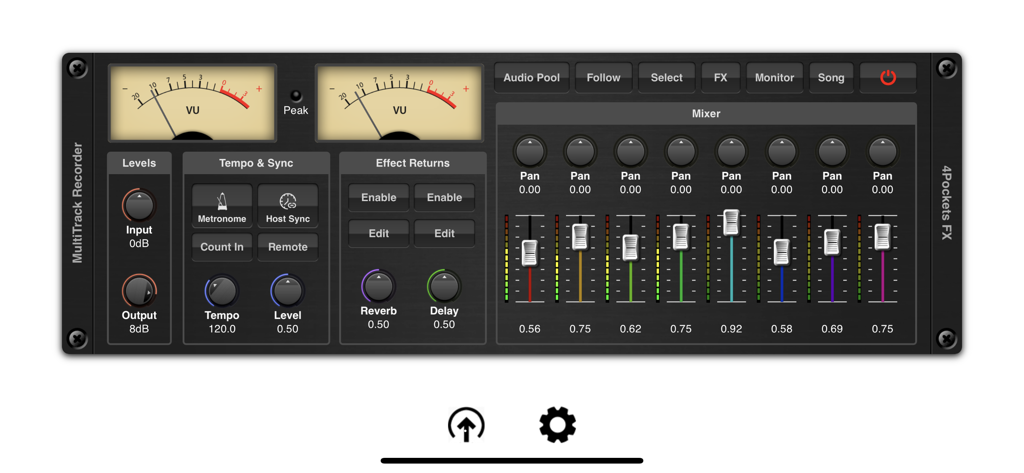
VUメーターと8チャンネルミキサーを備えたMultiTrack Recorder Pluginインターフェース。

VUメーターと8チャンネルミキサーを備えたMultiTrack Recorder Pluginインターフェース。

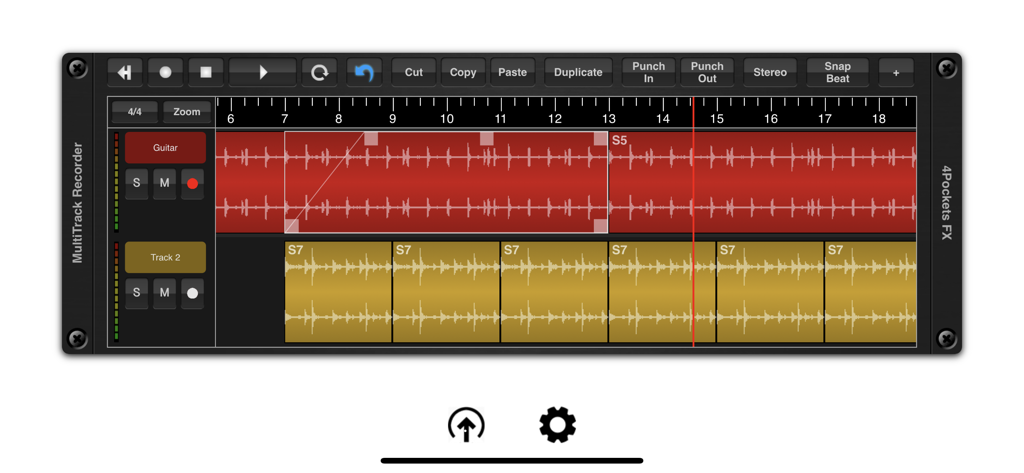
オーディオ波形トラックと編集ツールを表示するMultiTrack Recorderアプリインターフェース

オーディオ波形トラックと編集ツールを表示するMultiTrack Recorderアプリインターフェース

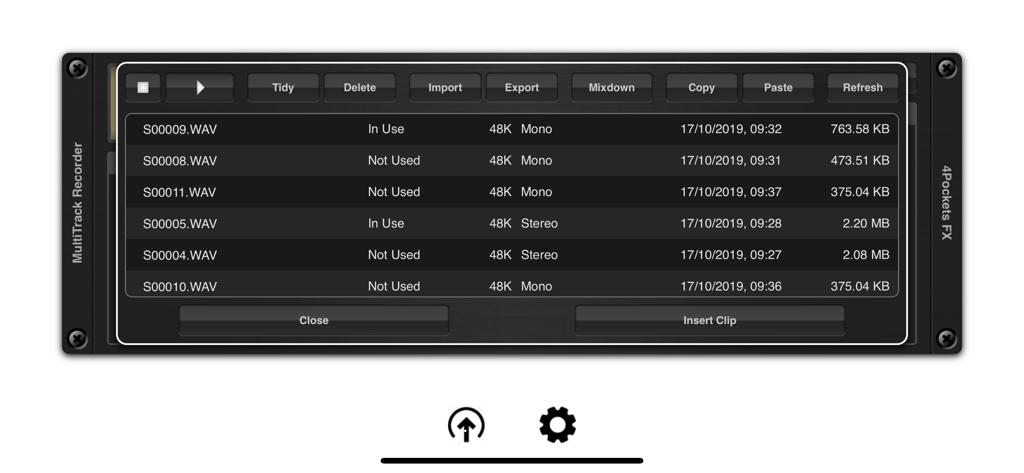
ファイル管理オプションを備えた録音済みwavファイルのリストを表示するオーディオプールインターフェース

ファイル管理オプションを備えた録音済みwavファイルのリストを表示するオーディオプールインターフェース

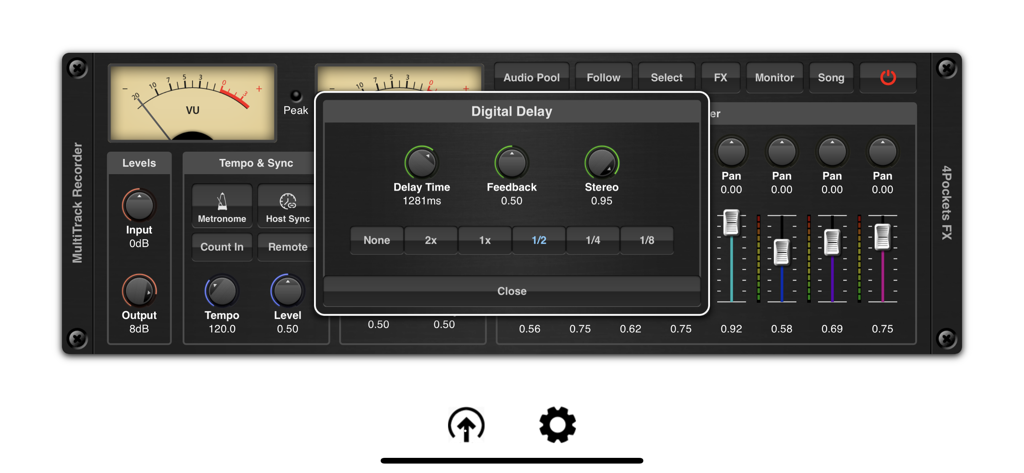
MultiTrack Recorder pluginミキサーインターフェース上にオーバーレイされたデジタルディレイエフェクト設定ウィンドウ

MultiTrack Recorder pluginミキサーインターフェース上にオーバーレイされたデジタルディレイエフェクト設定ウィンドウ

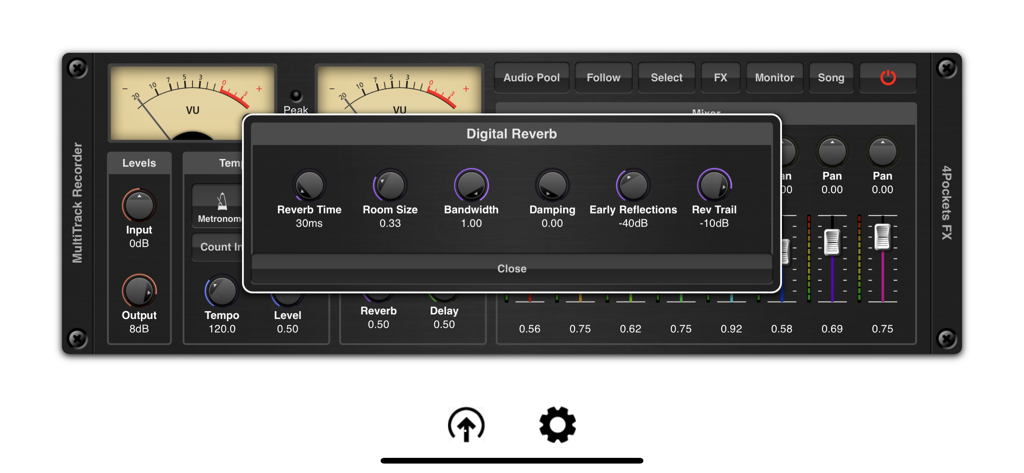
デジタルリバーブ設定ウィンドウとミキサーコントロールを表示するMultiTrack Recorder Pluginのインターフェース

デジタルリバーブ設定ウィンドウとミキサーコントロールを表示するMultiTrack Recorder Pluginのインターフェース

あなたのモバイルスタジオの失われたリンク

このアプリを際立たせるツール、 15K+ 人のユーザーが選択.

🧩

シームレスなAUv3統合

AUMおよびモジュラーホストのために特別に設計されたMultiTrackは、既存の環境に堅牢なリニアタイムラインとマルチトラックレコーディングを追加することで、ギャップを埋めます。

🎯

スタジオグレードの精度

タッチファースト体験に最適化されたマルチレベルの元に戻すシステムで、サンプル精度のパンチイン、正規化、タイムストレッチを実行します。

📂

スムーズなステムエクスポート

iPadOSのドラッグ&ドロップとFilesアプリの連携で、録音を楽に移動できます。デスクトップDAW用のモバイルスケッチをキャプチャするのに最適なツールです。

アプリについて

について知っておくべきこと MultiTrack Recorder Plugin.

説明

This is an AUv3 compatible Multi-Track Recorder plugin specifically designed for AUM and other DAW's that don't support audio recording capabilities. MultiTrack can be used for a host of purposes such as a tool for recording and layering audio for export to other DAW's , creating that perfect loop for other third party applications or recording vocal sessions to accompany you in AUM. Its uses are endless. It features the ability to record up to 8 mono or stereo audio tracks per instance, with the ability to run multiple instances under the control of your host DAW. MultiTrack has the ability to run standalone using it's own transport or synced to a host which allows synchronous control of multiple instances. MultiTrack supports various recording modes including the ability to set punch in and out points for sample accurate recordings. Press the Host Sync in order to the advantage of the hosts transport controls or enable the remote button to enable host recording controls (great for NS2). Use the Audio Pool window to quickly and easily import, export and perform mix-downs of audio clips. Quickly and easily move audio files using drag and drop to the time line or between the audio pool and the Files App. Imported audio is automatically converted to the projects sample rate. The audio pool also features the ability to copy and paste audio directly from the iOS pasteboard as well as preview and manage your data. An intergrated 8 channel mixer allows you to control the level, pan and effect send levels. Although AUM allows some great routing options for third party effects, MultiTrack also includes an extremely CPU friendly beat synced delay and reverb which can be used where recording pre-effected instruments is not an option. MultiTrack allows per clip volume level as well as being able to control start and end cropping and fade in/out on a clip by clip basis. All these operations are quick and easy to make using the touch screen alone. Also included is the ability to perform operations such as splitting, normalising, reversing and time stretching of audio clips all with a multi-level undo built right in. A comprehensive set of selection, copying and duplication tools make editing a breeze. Each track has it's own mute, solo and metering which can also be used to monitoring incoming signal levels. Finally you have the ability to mix down a selected range of your song or create perfectly looped samples for use in other DAW's , samplers and drum machines such as DigiStix. Features: ○ 8 tracks per instance. ○ Mixer with level, pan and effect settings. ○ Mix mono or stereo clips on a track. ○ Built in CPU friendly delay and reverb. ○ Multi-level undo function. ○ Loop play and record modes (when not synced to host). ○ Mix-down facility. ○ Cut, copy, paste and duplicate clips. ○ Ability to sync to host tempo. ○ Metronome with count-in. ○ Drag and drop support with the Files App. ○ Backup and Restore of individual songs. ○ Automatic conversion of imported audio. ○ Zoom mode for use when cropping clips.

最新バージョン

1.26

サイズ

10.9 MB

リリース日

2019年10月21日

あなたのモジュラースタジオの欠けていたピース

ライブジャムと構造化されたプロダクションの間のギャップを埋めましょう。究極のAUv3レコーダーをダウンロードして、AUM内で直接スタジオ品質のマルチトラックステムをキャプチャし始めましょう。

ダウンロード: App Store
FAQ

よくある質問

について知っておくべきこと MultiTrack Recorder Plugin

MultiTrack Recorder PluginはAUv3に対応していますか?

はい、MultiTrack Recorder PluginはAUv3対応のマルチトラックレコーダープラグインです。AUMや、オーディオ録音機能を持たないその他のDAWと連携します。

MultiTrack Recorder Pluginではいくつのオーディオトラックを録音できますか?

MultiTrack Recorder Pluginでは、インスタンスごとに最大8つのモノラルまたはステレオオーディオトラックを録音できます。ホストDAWの制御下で複数のインスタンスを実行することもサポートしています。

MultiTrack Recorder Pluginにはどのようなオーディオ編集機能がありますか?

MultiTrack Recorder Pluginには、オーディオクリップの分割、正規化、反転、タイムストレッチ、マルチレベルの元に戻す機能があります。また、選択、コピー、複製ツールも含まれています。

MultiTrack Recorder Pluginには内蔵エフェクトが含まれていますか?

はい、MultiTrack Recorder PluginにはCPUに優しい、ビート同期ディレイとリバーブが含まれています。これらの内蔵エフェクトは、エフェクト処理済みの楽器を録音する際に使用できます。

MultiTrack Recorder Pluginはオーディオファイル管理をどのように行いますか?

MultiTrack Recorder Pluginは、インポート、エクスポート、ミックスダウンのためにオーディオプールウィンドウを使用します。Filesアプリ、iOSペーストボードとのドラッグ&ドロップ、および自動サンプルレート変換をサポートしています。

MultiTrack Recorder PluginはホストDAWと同期できますか?

はい、MultiTrack Recorder PluginはトランスポートコントロールのためにホストDAWと同期します。また、NS2のような互換性のあるホストのリモートレコーディングコントロールもサポートしています。

MultiTrack Recorder Pluginはパンチイン/アウト録音をサポートしていますか?

はい、MultiTrack Recorder Pluginはサンプル精度の録音のためにパンチインおよびパンチアウトポイントの設定をサポートしています。これにより、セッション中の正確なオーディオキャプチャが保証されます。

MultiTrack Recorder Pluginにはメトロノームがありますか?

はい、MultiTrack Recorder Pluginにはカウントイン機能付きのメトロノームが含まれています。これは、録音セッション中の正確なタイミングをユーザーが合わせるのに役立ち、リズミカルな精度を保証します。

MultiTrack Recorder Pluginは曲のバックアップと復元ができますか?

はい、MultiTrack Recorder Pluginは個々の曲のバックアップおよび復元機能を提供します。この機能により、プロジェクトの安全性とデバイス間でのポータビリティが保証されます。

App information, icons, screenshots, and descriptions displayed on this page are sourced from the Apple App Store and are the property of their respective developers. Download estimates and rankings are based on MWM's proprietary models and may not reflect actual figures. This page is provided for informational and analytical purposes only.

Believe this page infringes your intellectual property? File a dispute