MX Player- Video Player*

MX Player- Video Player*


ダウンロード: App Store
ロゴ: MX Player- Video Player*

MX Player - ビデオプレーヤー*:完全なフォーマットの自由のためのオールインワンメディアハブ

変換はスキップして、あらゆるビデオフォーマットを簡単に再生できます。高解像度再生を体験し、パスコードでライブラリを保護し、高度なジェスチャーコントロールでメディアをマスターしましょう。

ダウンロード: App Store

開発元

Sakib Musharraf

カテゴリ

Photo & Video

ダウンロード

1M+

ユーザー評価

4.5/5

評価数

27K+

対応言語

1

あなたのメディア、アンロック

このインターフェースを利用する 1M+ 人のユーザー.

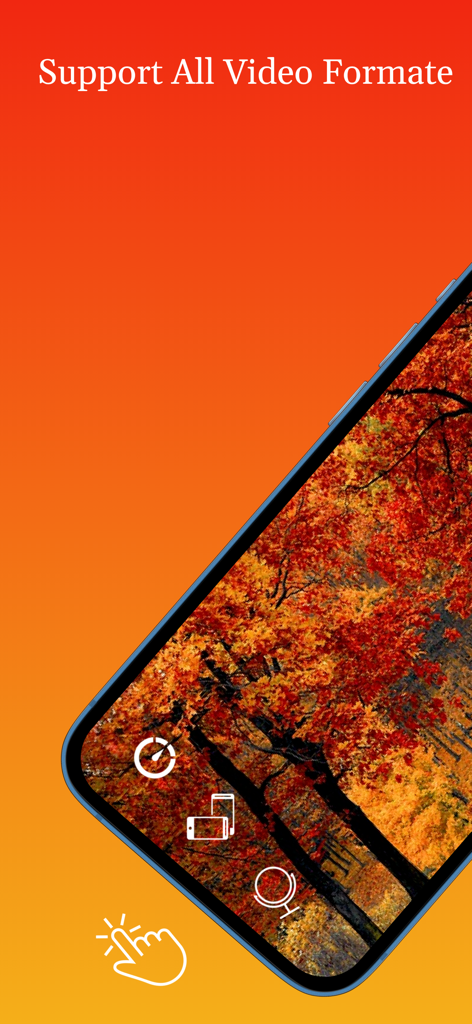
MX Playerインターフェースがスマートフォン画面に表示され、すべてのビデオフォーマットのサポートを示しています

MX Playerインターフェースがスマートフォン画面に表示され、すべてのビデオフォーマットのサポートを示しています

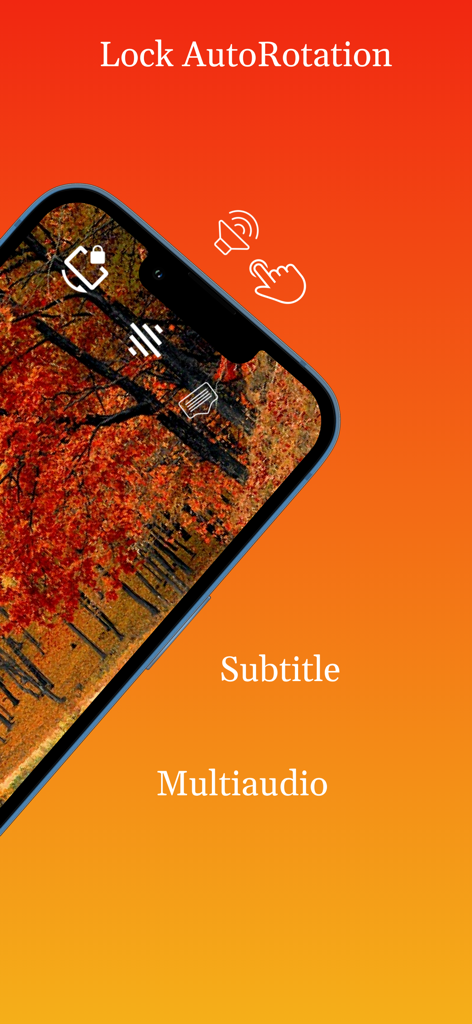
MX Playerインターフェースに、秋の森のビデオで回転ロック、字幕、マルチオーディオ機能が表示されています

MX Playerインターフェースに、秋の森のビデオで回転ロック、字幕、マルチオーディオ機能が表示されています

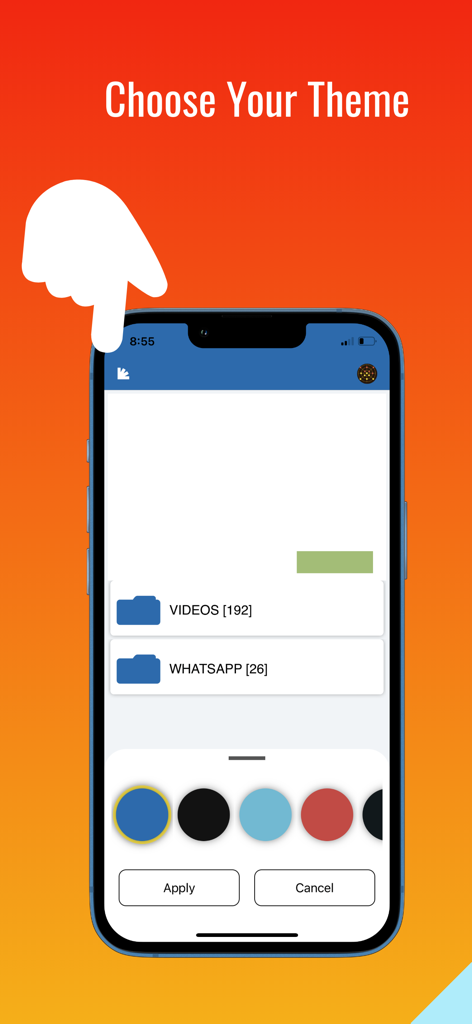
MX Playerアプリインターフェースに、複数のカラーオプションが表示されたテーマ選択画面が表示されています

MX Playerアプリインターフェースに、複数のカラーオプションが表示されたテーマ選択画面が表示されています

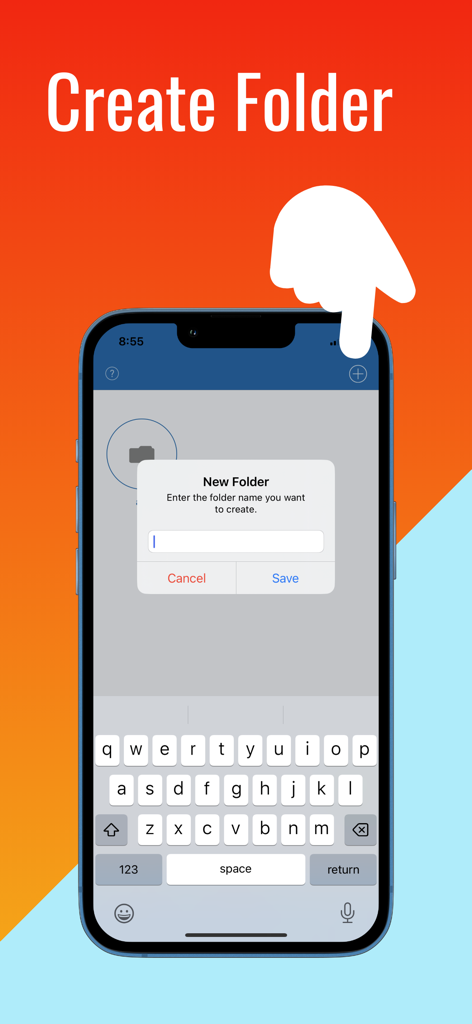
スマートフォン画面に、MX Playerアプリのフォルダ作成機能が表示されています

スマートフォン画面に、MX Playerアプリのフォルダ作成機能が表示されています

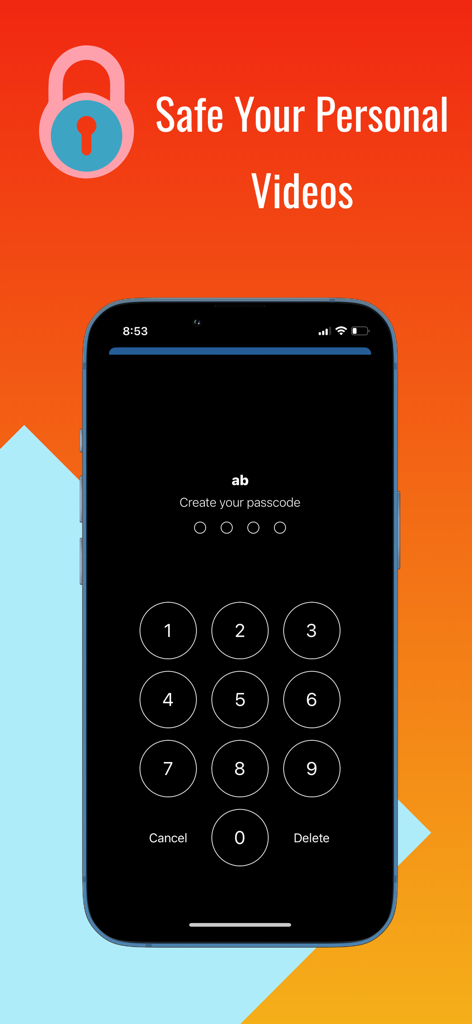
MX Playerアプリ画面に、個人ビデオを保護するための数字のパスコードロックが表示されています

MX Playerアプリ画面に、個人ビデオを保護するための数字のパスコードロックが表示されています

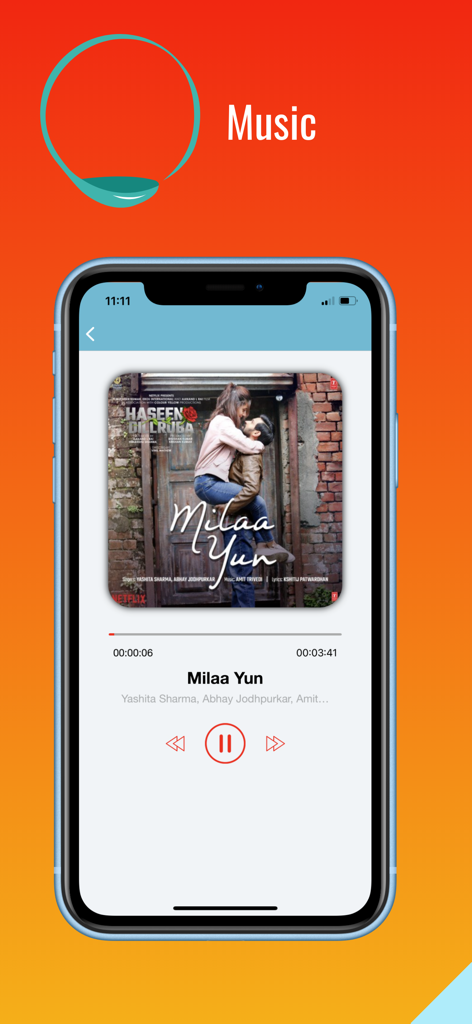
MX Playerの音楽再生画面に、曲の詳細とオーディオコントロールが表示されています

MX Playerの音楽再生画面に、曲の詳細とオーディオコントロールが表示されています

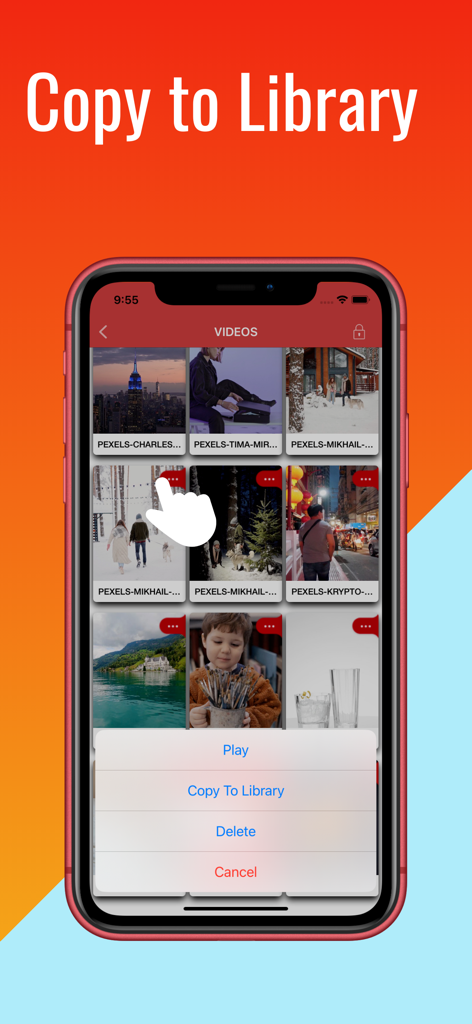
iPhoneのMX Playerアプリインターフェースに、ビデオ管理のためのライブラリへのコピーオプションが表示されています

iPhoneのMX Playerアプリインターフェースに、ビデオ管理のためのライブラリへのコピーオプションが表示されています

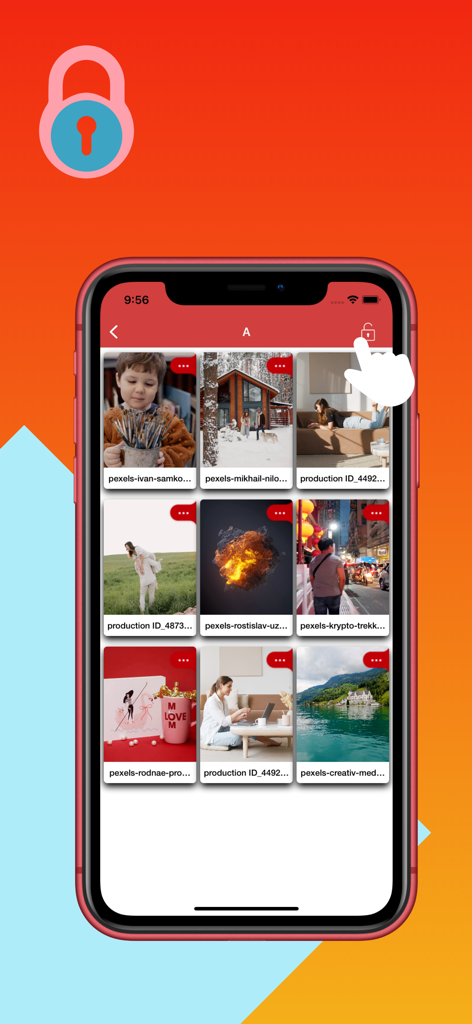
MX PlayerアプリのiPhoneインターフェースに、メディアプライバシーのためのロックされたビデオフォルダが表示されています

MX PlayerアプリのiPhoneインターフェースに、メディアプライバシーのためのロックされたビデオフォルダが表示されています

メディア体験をマスターする

このアプリを際立たせるツール、 1M+ 人のユーザーが選択.

🎞️

無制限のフォーマットの自由

ファイル変換の手間を忘れてください。iPhoneまたはiPadで、MKV、AVI、4Kビデオを、完全な字幕とマルチオーディオサポートですぐに再生できます。

🔐

安全なプライベートストレージ

個人のダウンロードをカメラロールから分離しておきましょう。暗号化されたパスコードロックでメディアライブラリと個々のフォルダを保護します。

🖐️

直感的なジェスチャーコントロール

簡単なスワイプで明るさと音量を調整できるプロレベルのナビゲーション、そして振り付けやワークアウトのマスターに役立つミラーモードを体験してください。

アプリについて

について知っておくべきこと MX Player- Video Player*.

説明

MX Player video is a media player and media manager. MX Video Player plays almost all media & Movies files. MX Player HD is high quality media player. Max video player provided Easily Playing Videos & Audios. Full Hd Video , Audio songs, Subtitle Player, Multi Audio Player & movie subtitle Player quick player. This is a good video player available to fit your media player buzz your audio listening. The user experience has been optimised to allow you to quickly view all of your mobile and gallery videos through an attractive user interface. Full Hd Video player has features MX Player,Music Player Max Video Player is video player app, Lite Player classic hd video player for any iOS version,Full HD Video Player Good video player hd Oplayer Lite AVPlayer free version 3D Video Player is the most powerful media player in App store market that supports all the most popular video without any conversion. Max Player app is supported player video player.HD Video Player is the best HD Video Player. Enjoy for high quality videos plays smoothly.video to mp3. > PLAY ALL VIDEO FORMATS mp4 mpeg-4, mov quicktime movie file format, avi, m4a, m4v iTunes video file format, mpeg, mpeg-2-video, aifc-audio, aac-audio, mpeg-4, au-audio, aiff-audio, mp2, 3gpp2, ac3-audio, mp3, 3gpp, -audio and etc Mx Video player - Video Player Hd is support different types of video format Like AVI,MP4,3GP,MPEG,MKV and many more.MX Audio Video Player app is use to play video with amazing feature and its Music.full hd video player is max player high quality 1080p Multimedia Vidmate player. tube player hd download is Video Player app it's one of the Fastest, Light weight iOS app with less ads. MX Audio player built-in music Player to play music. Easy to support all music & audio file formats, max music player,Mp3 Player is One of the most gorgeous and powerful music player for iOS,Audio Player,Gallery Vault shared video what's App video & music files to play very easily & smoothly. Powerful and Fast Music Player with elegant design This audio Video player supports almost all types of mp3 with music player you will get the next level experience. The best free music player and media player! with smooth gesture. > SUBTITLES Support inbuild subtitle > MULTIAUDIO Support multiaudio formate video > FOLDER Can manage playlist by creating folder > SECURITY • Set Passcode on your library to restrict anyone from accessing your folders/files. • Set Passcode on individual folders • Can update password • Can disable password Features –––––––– -Plays both (mobile & gallery) videos. -Auto play option for videos works . -Resize your video display with single click if video aspect ratio is not compatible with your device screen. -Rewind and forward -Adjust volume by swiping up and down on right side of playback screen. -Control brightness by swiping up and down on left side of playback screen. -On screen button to turn off rotation. -On screen button to change rotation. -On screen button to lock orientation. -On screen button to change play rate(speed) -Optimised for retina display. -Shuffle and repeat option available for users -Screen capture and save it into phone gallery. -Lock the screen for smooth watch. - Gesture Controls - Continuous playback - Change audio by swiping left and right -MiniPlayer - Industry standard HD Audio support -Supports mirror mode, which allows you to switch between left and right sides of a movie. It helps to learn choreography by video. -Watch videos on both orientations (portrait, landscape). • Additional features - Rotation Lock / Aspect ratio:auto/16:9/4:3/Full screen - Folder Management:Pass code/Move/Rename/Create • Note 1. How to add video with USB - Run iTunes 9.1 or above - Device->My Device(My iPad)->Apps, drag and drop files to the MX Video Player Documents If you enjoy our app, please take a minute To reward our efforts with an excellent rating, it helps immensely!

最新バージョン

1.67

サイズ

21.6 MB

リリース日

2019年6月10日

フォーマット制限から解放される準備はできましたか?

100万人以上のユーザーに加わり、シームレスな1080p再生、ジェスチャーコントロール、プライベートフォルダ保護をお楽しみください。今日、iOS向けの最も汎用性の高いメディアプレーヤーをダウンロードしましょう。

ダウンロード: App Store
FAQ

よくある質問

について知っておくべきこと MX Player- Video Player*

MX Player はどのような動画形式に対応していますか?

MX Player は MP4、MOV、AVI、M4A、M4V、MPEG、MKV などの動画形式に対応しています。ほとんどすべてのメディアファイルやムービーファイルを効率的に再生できます。

MX Player で音声ファイルを再生できますか?

はい、MX Player には内蔵の音楽プレーヤーが含まれています。MP3 やその他のさまざまな音声ファイル形式をほとんどすべてシームレスに再生できます。

MX Player で動画を保護するにはどうすればよいですか?

MX Player では、ライブラリや個々のフォルダにパスコードを設定することで動画を保護できます。プライバシーのためにパスワードを更新または無効にすることもできます。

MX Player は字幕や複数の音声トラックに対応していますか?

はい、MX Player は字幕機能を内蔵しています。また、複数の音声形式の動画にも対応しており、包括的な視聴体験を提供します。

MX Player 内でメディアファイルをフォルダに整理できますか?

はい、MX Player ではカスタムフォルダを作成してメディアを管理できます。これらのフォルダを移動、名前変更、パスコードで保護することもできます。

MX Player は動画再生のためのジェスチャーコントロールを提供していますか?

はい、MX Player は再生中にジェスチャーコントロールを提供します。画面を右にスワイプして音量を調整し、左にスワイプして明るさを調整できます。

MX Player アプリの外観をカスタマイズできますか?

はい、MX Player はテーマのカスタマイズが可能です。さまざまなカラーオプションから選択して、アプリのインターフェースをパーソナライズできます。

MX Player で画面の向きをロックできますか?

はい、MX Player は画面の向きをロックするための画面上のボタンを提供しています。動画再生中に回転を変更したりオフにしたりするオプションも提供しています。

コンピューターから MX Player に動画を追加するにはどうすればよいですか?

iTunes 9.1 以降を使用して USB 経由で動画を追加できます。コンピューターから MX Video Player のドキュメントセクションにファイルを直接ドラッグアンドドロップしてください。

MX Player にはミラーモード機能がありますか?

はい、MX Player はミラーモード機能をサポートしています。これにより、動画の左右を切り替えることができ、振り付けのトレーニングに役立ちます。

App information, icons, screenshots, and descriptions displayed on this page are sourced from the Apple App Store and are the property of their respective developers. Download estimates and rankings are based on MWM's proprietary models and may not reflect actual figures. This page is provided for informational and analytical purposes only.

Believe this page infringes your intellectual property? File a dispute